Web Interface-controlled Walking Robot for Beginners
by danielgass in Circuits > Microcontrollers
49 Views, 0 Favorites, 0 Comments
Web Interface-controlled Walking Robot for Beginners

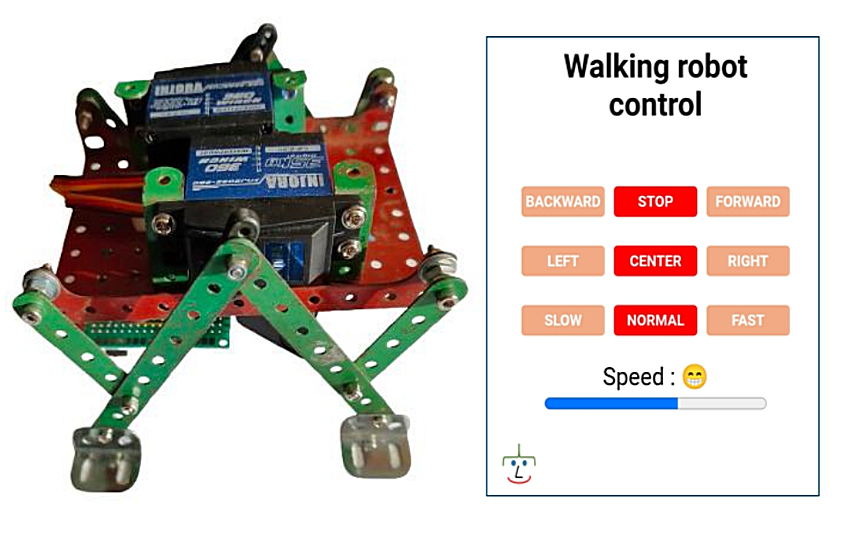
Project objective:
Build a walking robot controlled by a smartphone/PC.
- Use the Raspberry Pi pico W controller with Micropython programming.
- Implement a web server.
The whole system is intended for educational purposes. It implements interaction between an HTML page and servomotors with simple examples for dynamic modification of the web page.
Note: The project also works with ESP32 and ESP8266 controllers.
Supplies
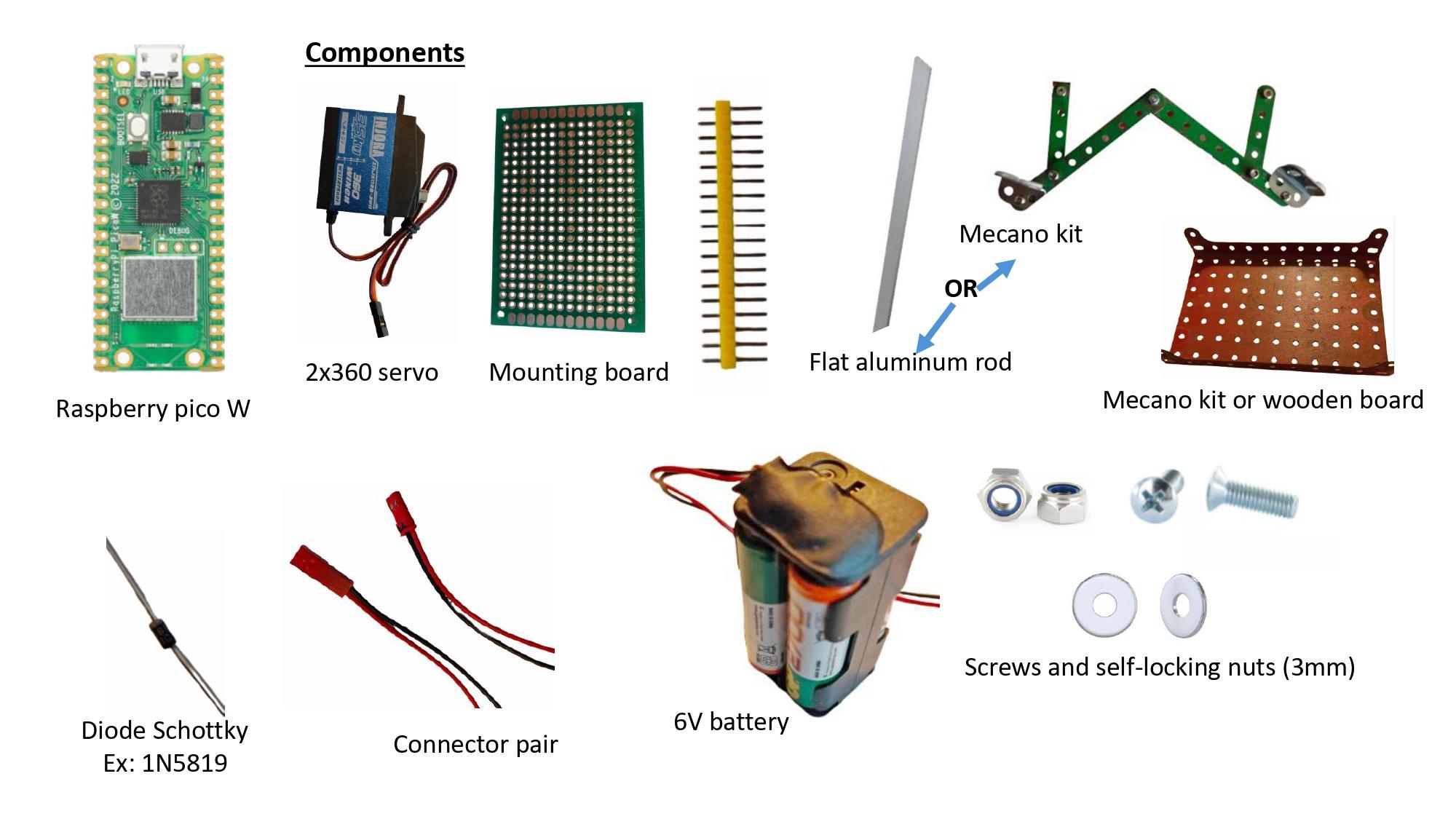
The image shows the components needed for construction. Few components are used. The mechanical parts can be replaced by aluminum rods and the plate by a wooden support.
All files are available here.
Electronic Diagram
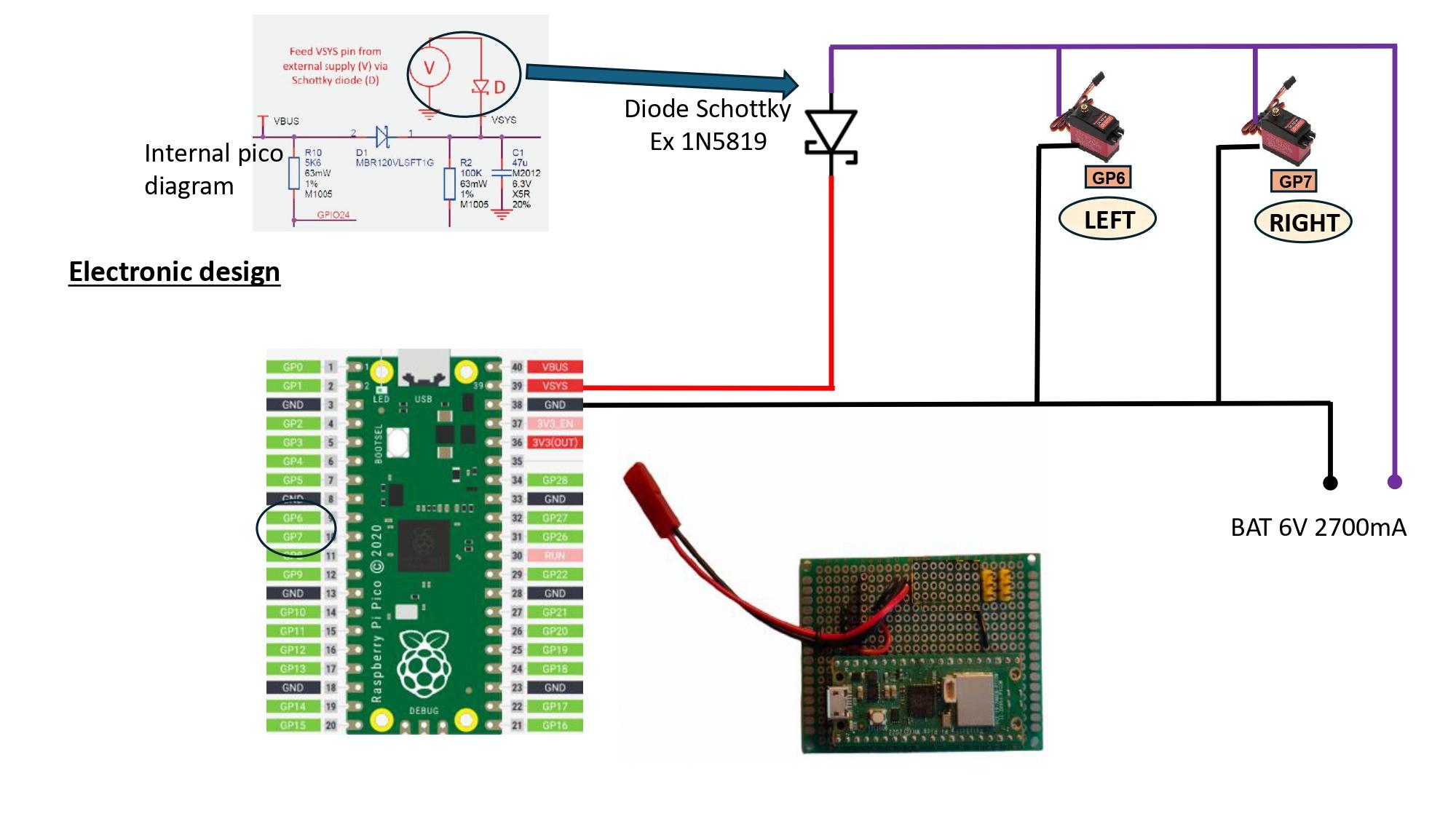
Assembly is simple and does not pose any particular problems.
Power is supplied by a series of batteries to obtain 6V. The Schottky diode powers the controller. When the controller is connected to the PC for updating via the USB port, there is no interference with the battery.
Mechanical Assembly
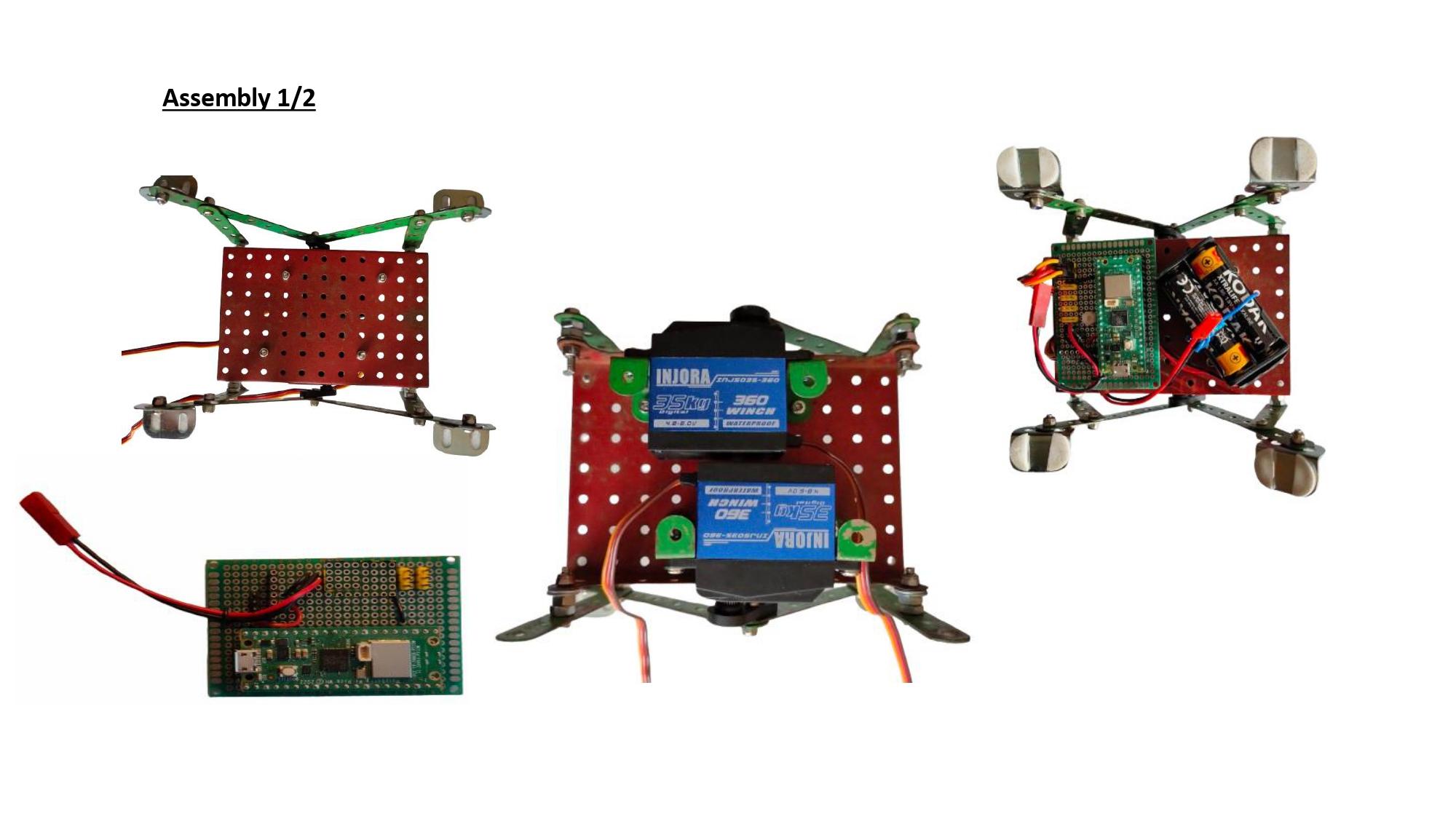

Four rods on each side form the legs. The central element is attached to the axis of rotation by a drive arm. Assembly is simple. The use of screws with self-locking nuts allows for flexibility in the joints while preventing the screws from coming loose.
The Program
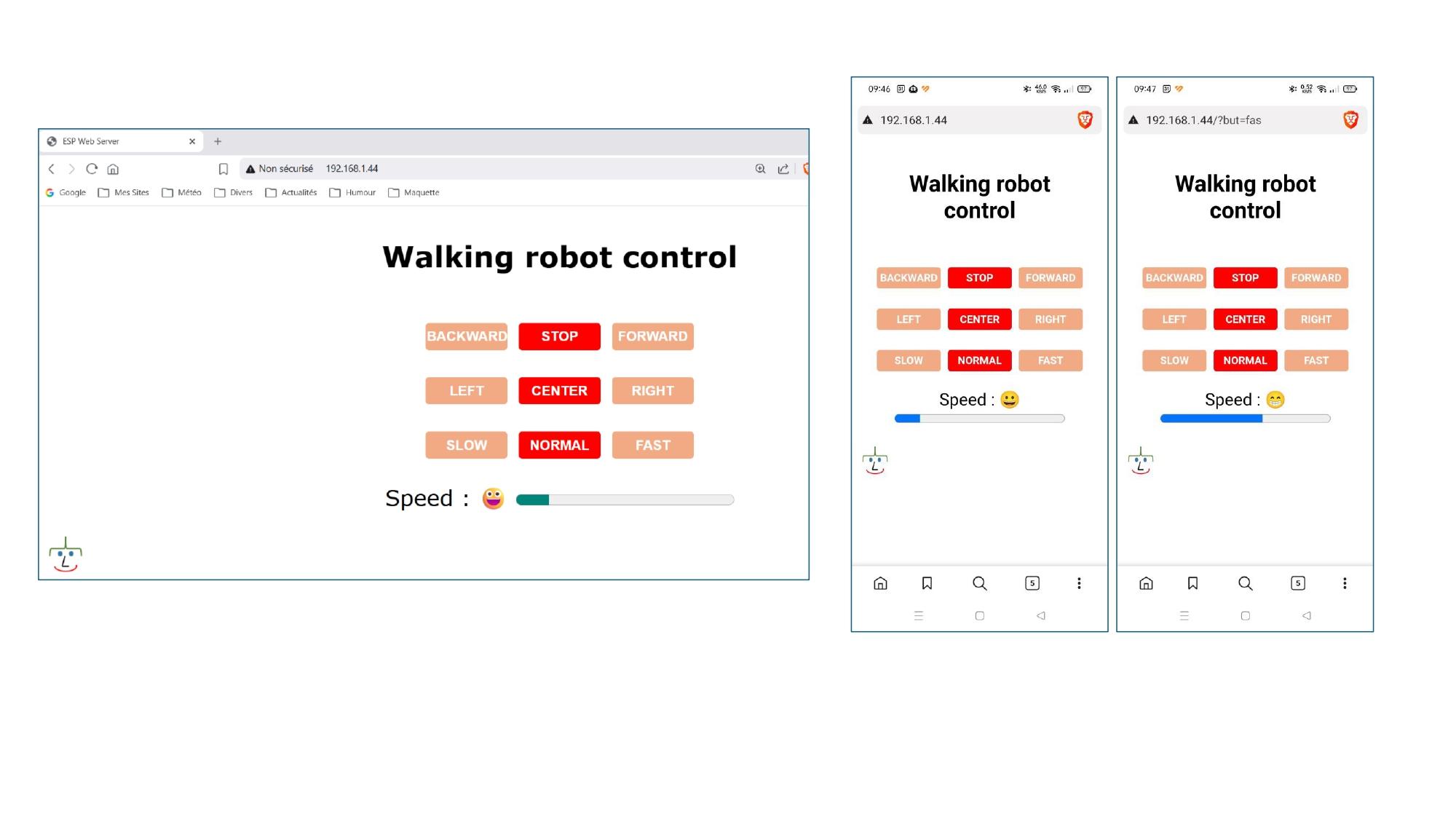
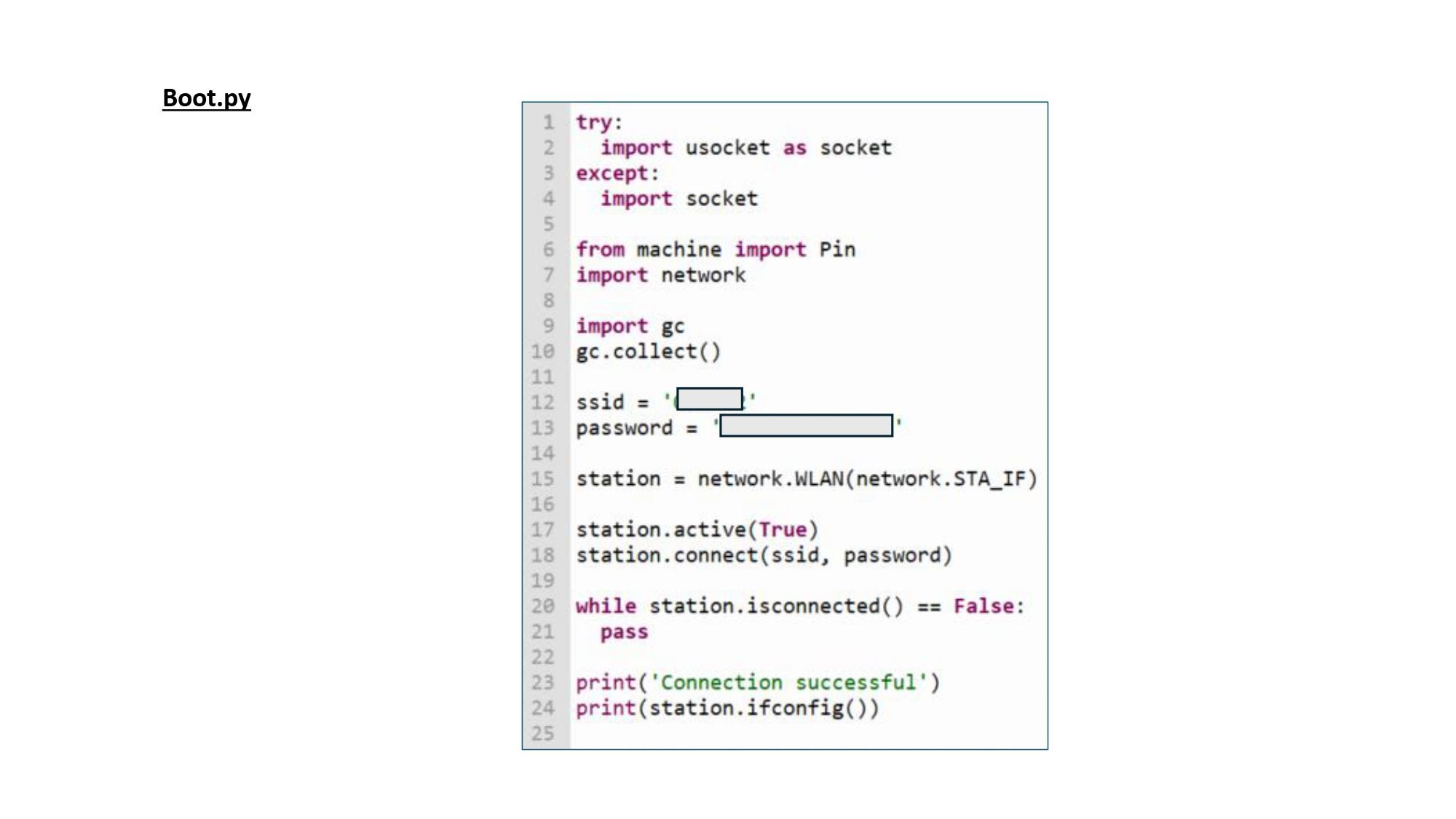
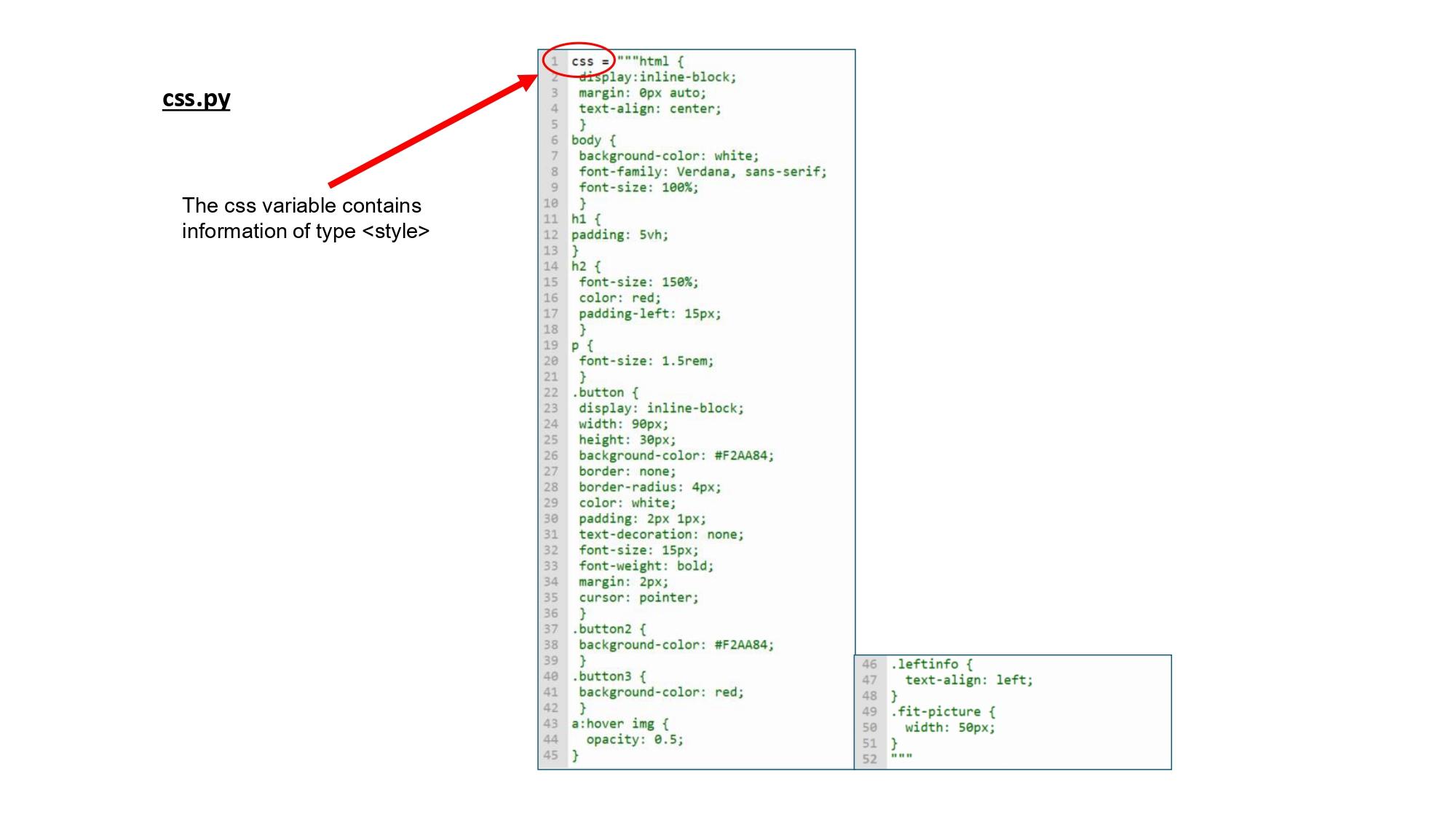
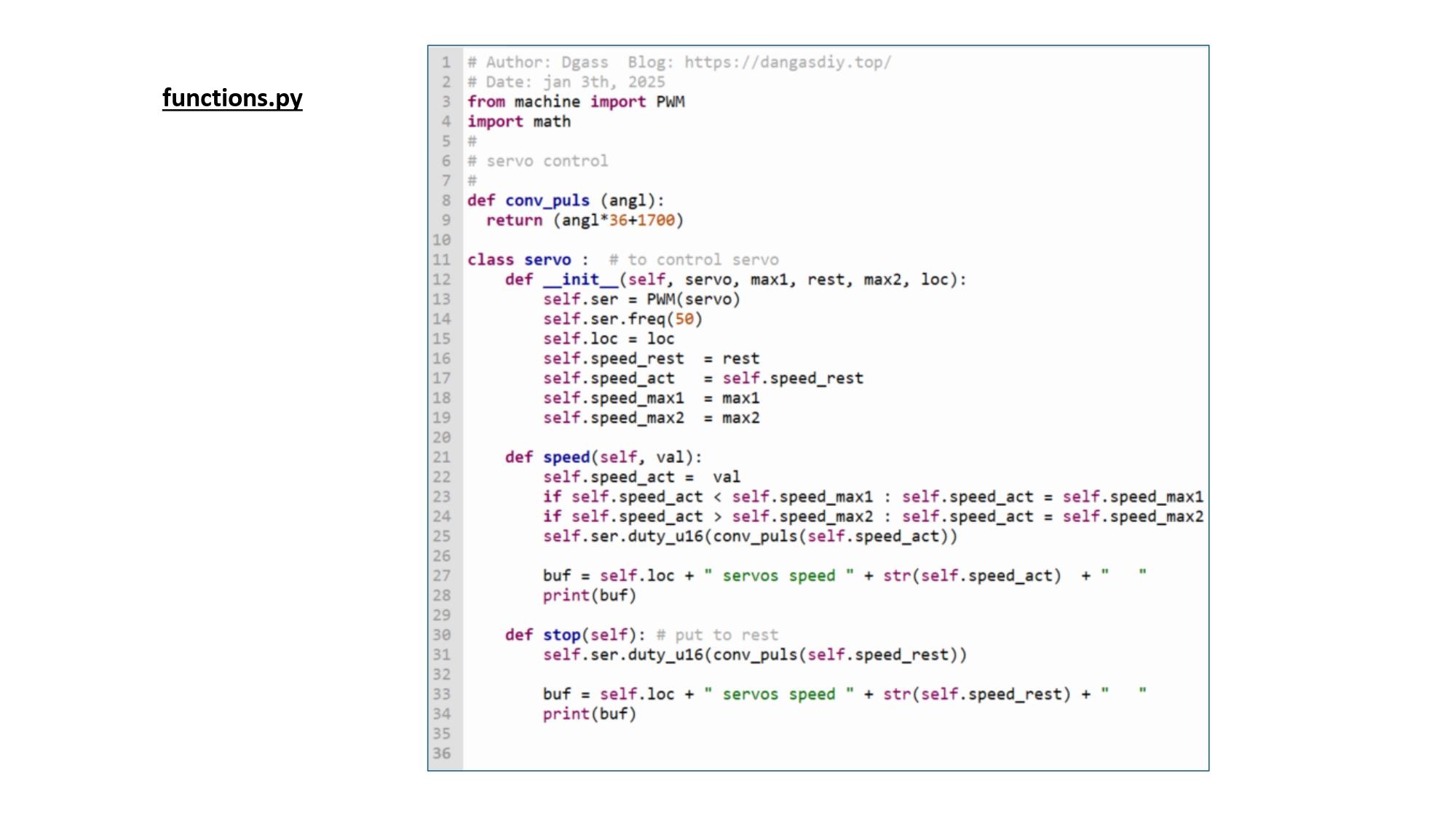
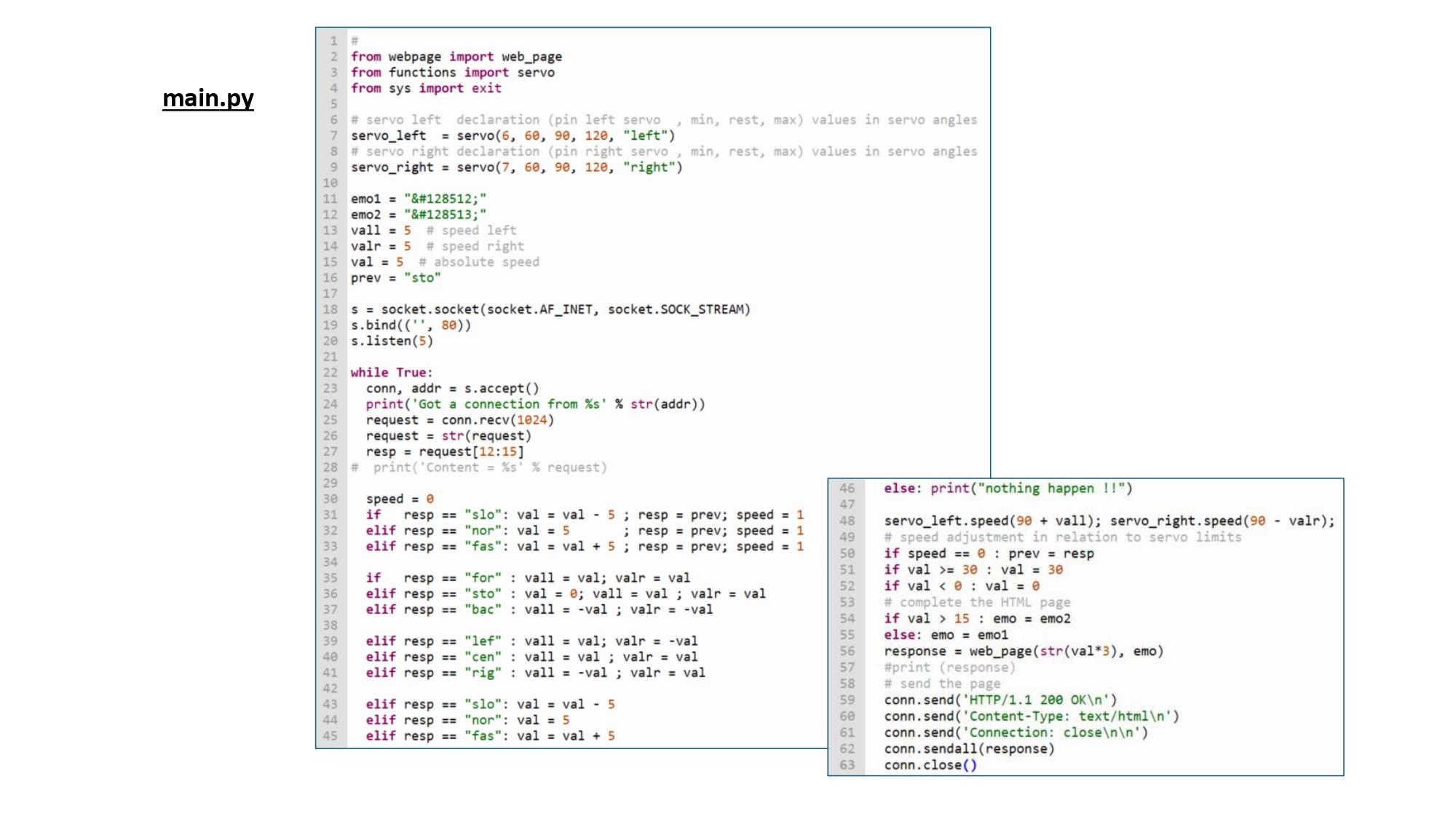
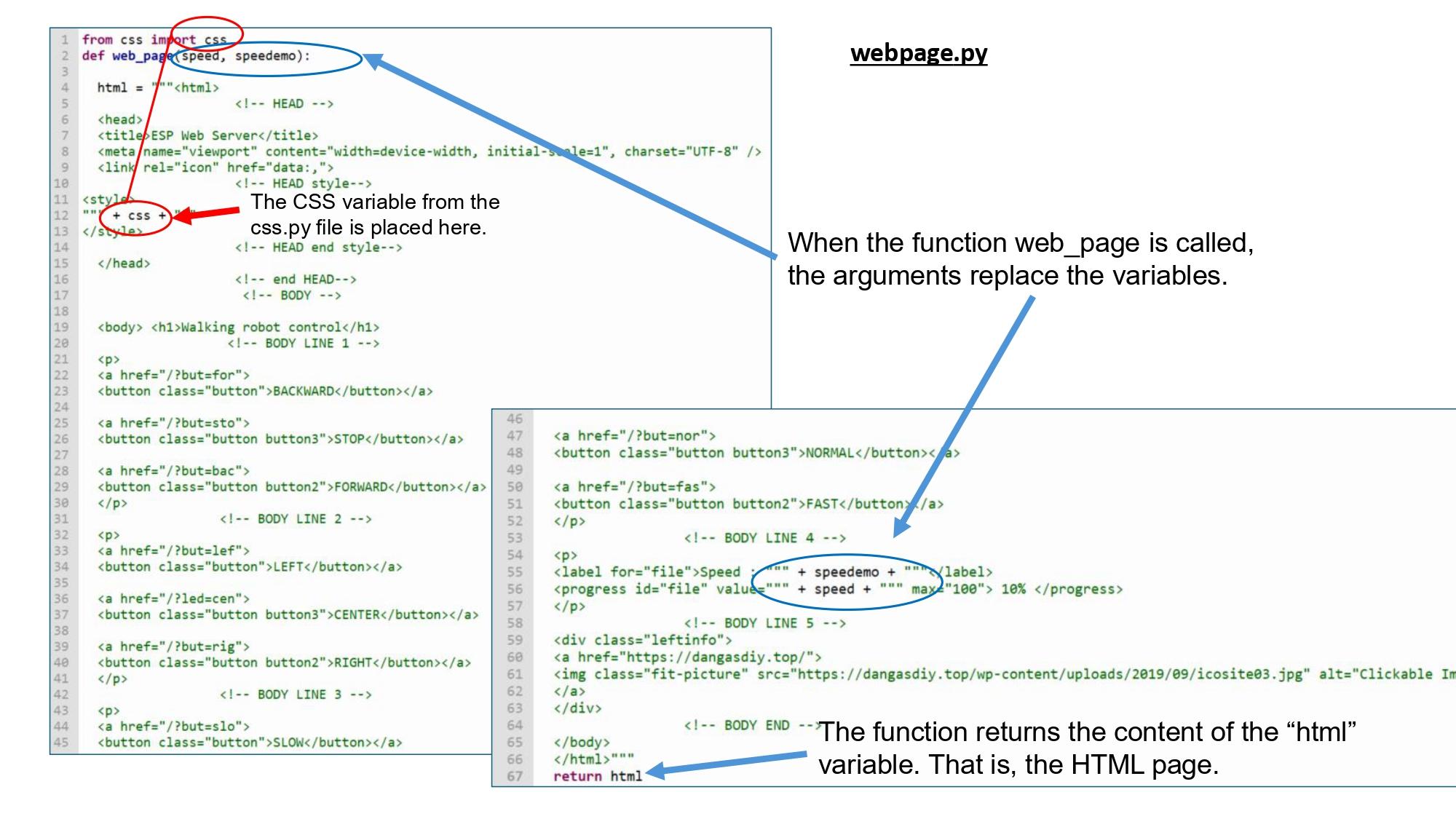
The program is simple and uses basic HTML elements. It implements a small web server that allows the servomotors to be activated via a web page from a PC or smartphone.
To make it easier to understand, the program is divided into five files.
The “boot.py” file initializes the WiFi connection.
The “functions.py” file contains the servomotor control functions.
It uses “.self” classes to facilitate construction and reading.
The “webpage.py” file contains the HTML page with buttons for the actions to be performed. The page is contained in a function. Two parameters are used to complete the HTML page with the speed value and an emoji.
The “css.py” file contains the <style> part of the HTML page in the form of a variable.
The “main.py” file orchestrates the relationship between the web interface and the servomotors.
The program is called by the IP address. It completes the HTML page with the CSS part and the speed of the motors and sends it back. Depending on the button selected, the program triggers an action on the servomotors and returns the HTML page.
As a demonstration, I added a progress bar, the display of an emoji, and the insertion of an image to link to another site.
A more detailed explanation of part of the code is provided by the sites that inspired me in the references section.
Conclusion
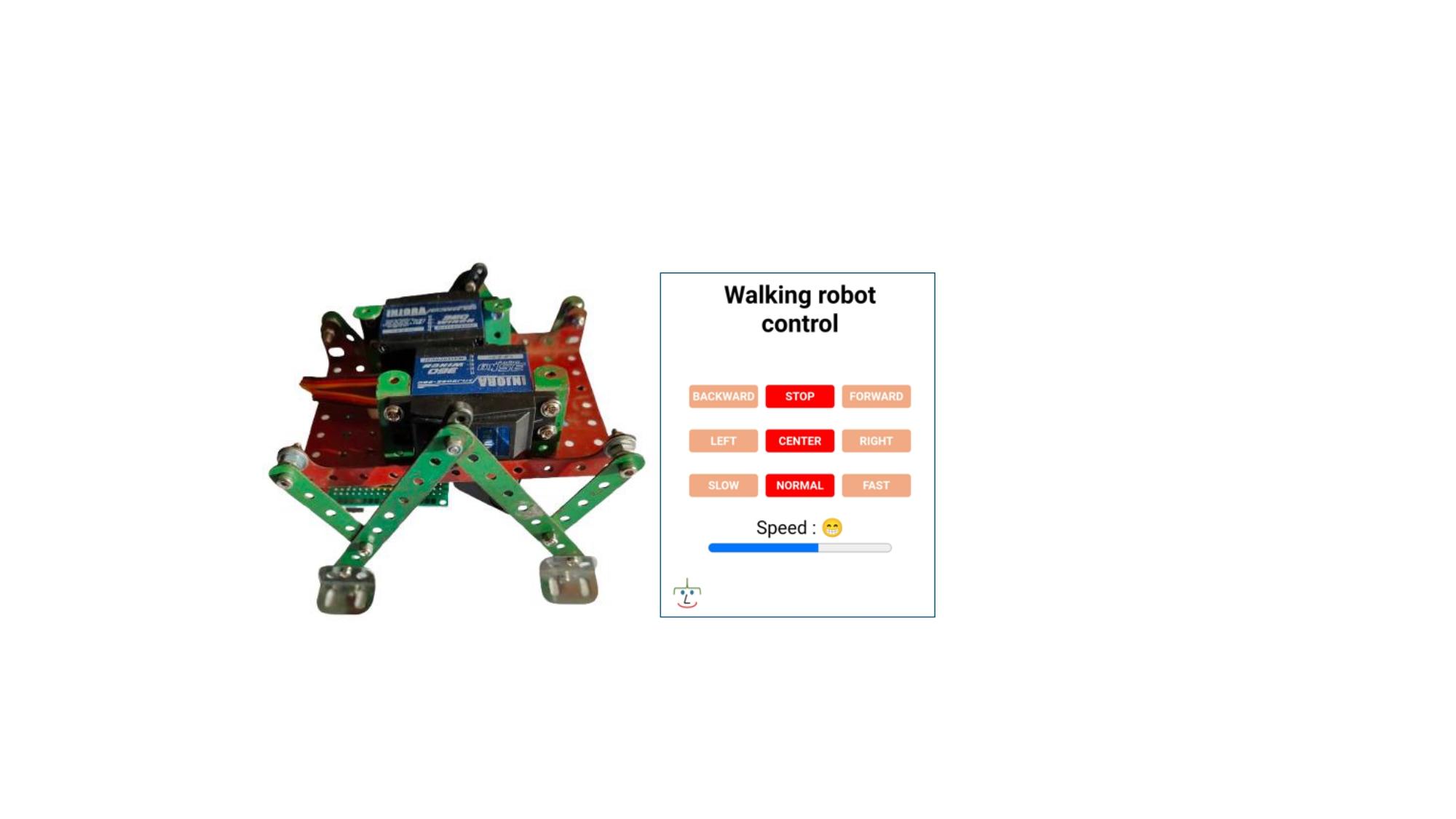
This program demonstrates how easy it is to control a robot using a simple web page. It also shows how to modify the web page by adding information to it. I hope this will inspire some DIY enthusiasts. Enjoy!
References
Inspiration sites
For ESP32 and ESP8266 architecture
https://randomnerdtutorials.com/esp32-esp8266-micropython-web-server/
For Raspberry Pi Pico
https://randomnerdtutorials.com/raspberry-pi-pico-web-server-micropython/
HTML editor for testing: