UrgentSee Pinhole Cards
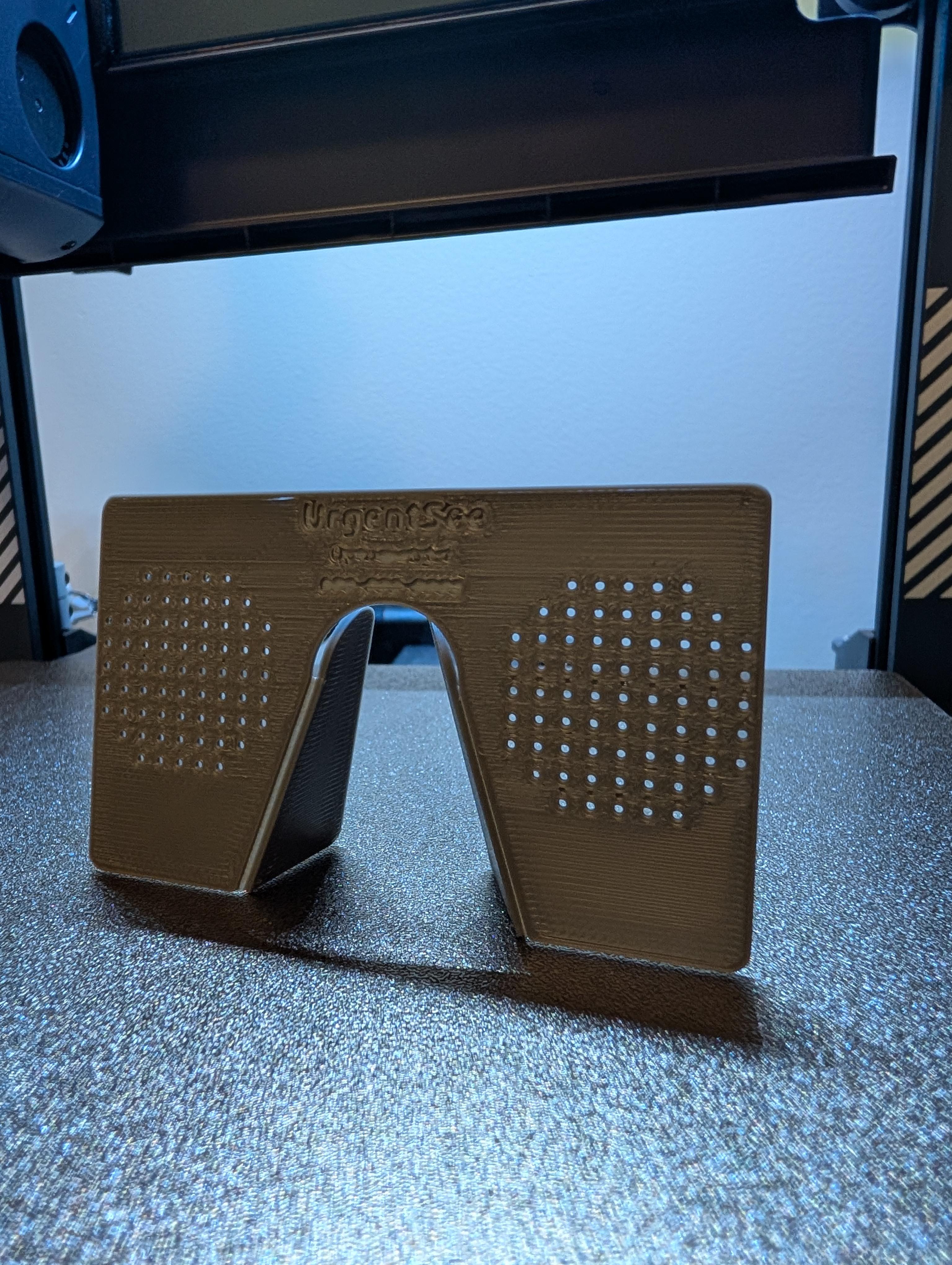
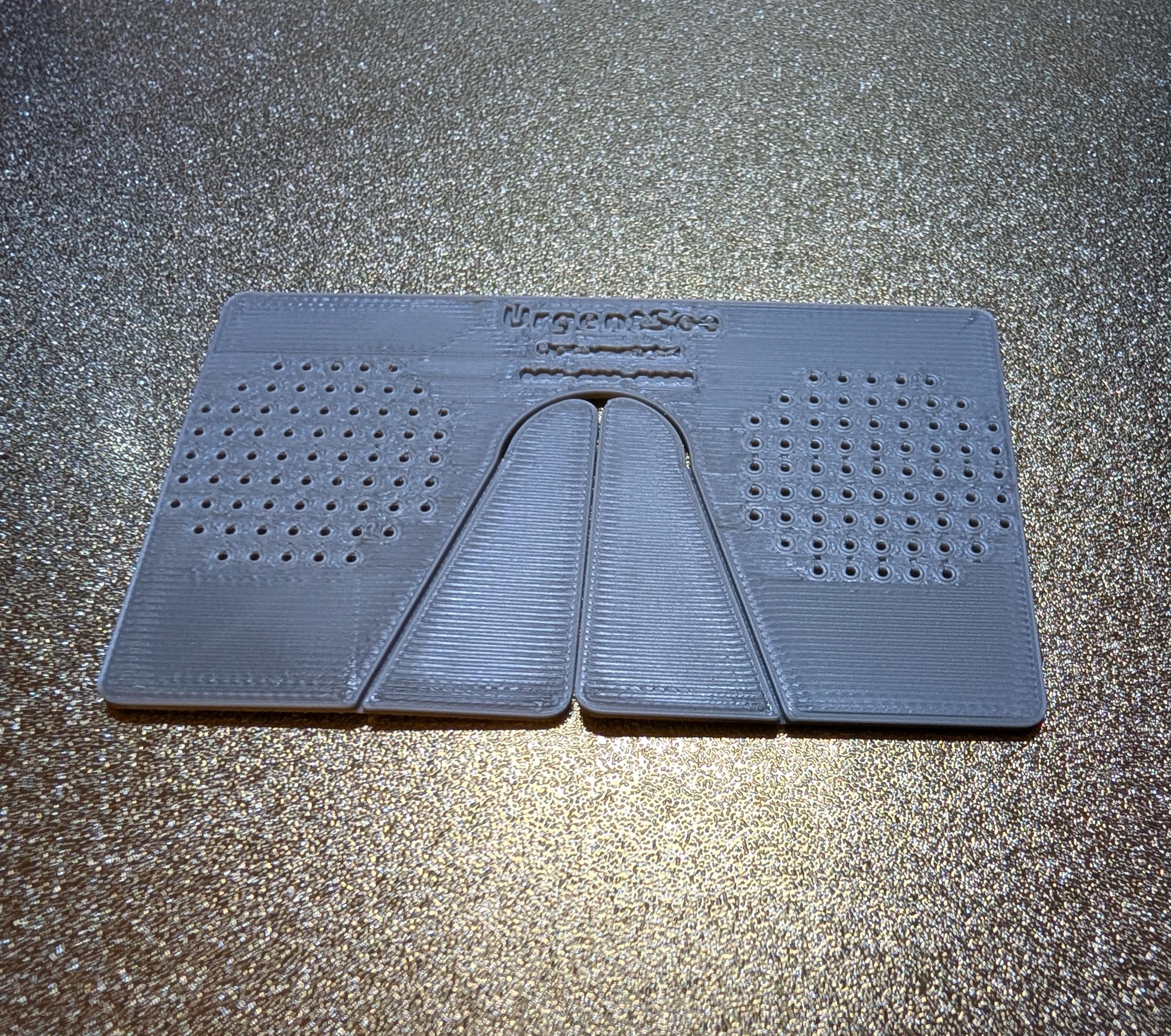
For those of us who are moderately to severely nearsighted (myopic), losing your glasses or contacts can be frightening. With everything beyond a foot or two a huge blur, you worry you'll run into things, get lost, or be unable to recognize anyone or read anything at a distance. Not all of us can afford to have multiple pairs of back up glasses squirreled away in convenient locations. And even if we do, you can't have them everywhere. But you will always have your wallet or purse. So why not have a cheap and last-resort emergency backup.
Pinhole glasses are designed to restrict the amount of light entering your eye, allowing for the partial correction of myopic vision. And while they are generally cheap, if you can carry them around with you, you might as well have an extra pair of corrective lenses. UrgentSee pinhole cards will restore some of your distance vision, allowing you to find your lost glasses, get to safety, and temporarily navigate the world around you. The same approximate dimensions as a credit card or business card, it easily fits into your wallet or purse. You won't ever have to feel completely helpless. Though they might make you look a bit ridiculous.
Disclaimer- I am not a certified optometrist and this is not certified eyewear. It is for emergency use only. Do not operate vehicles while wearing UrgentSee pinhole cards.
Supplies
3D printer
a dark and opaque PLA or other rigid 3D printing filament
Computer
3D design software (Autodesk) and slicer
Designing Your UrgentSee Pinhole Card
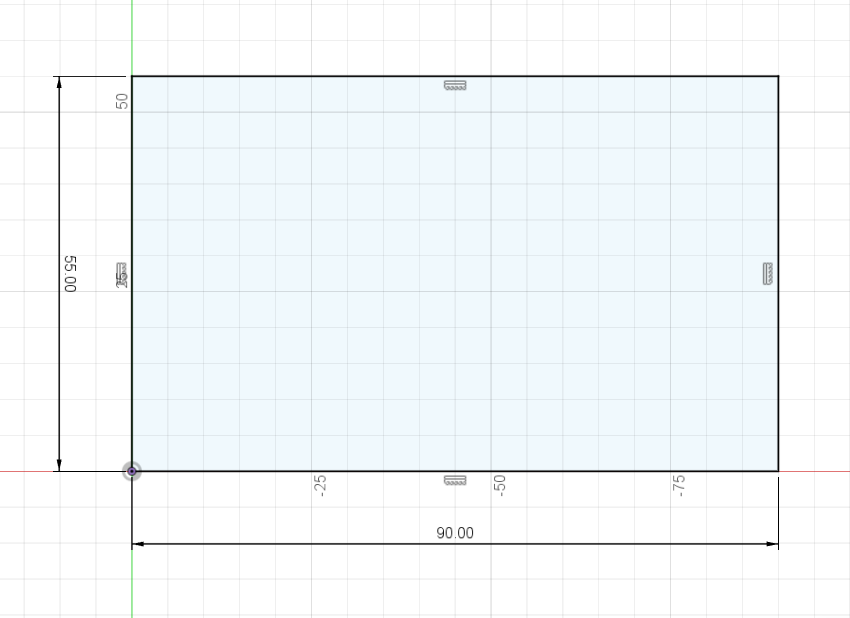
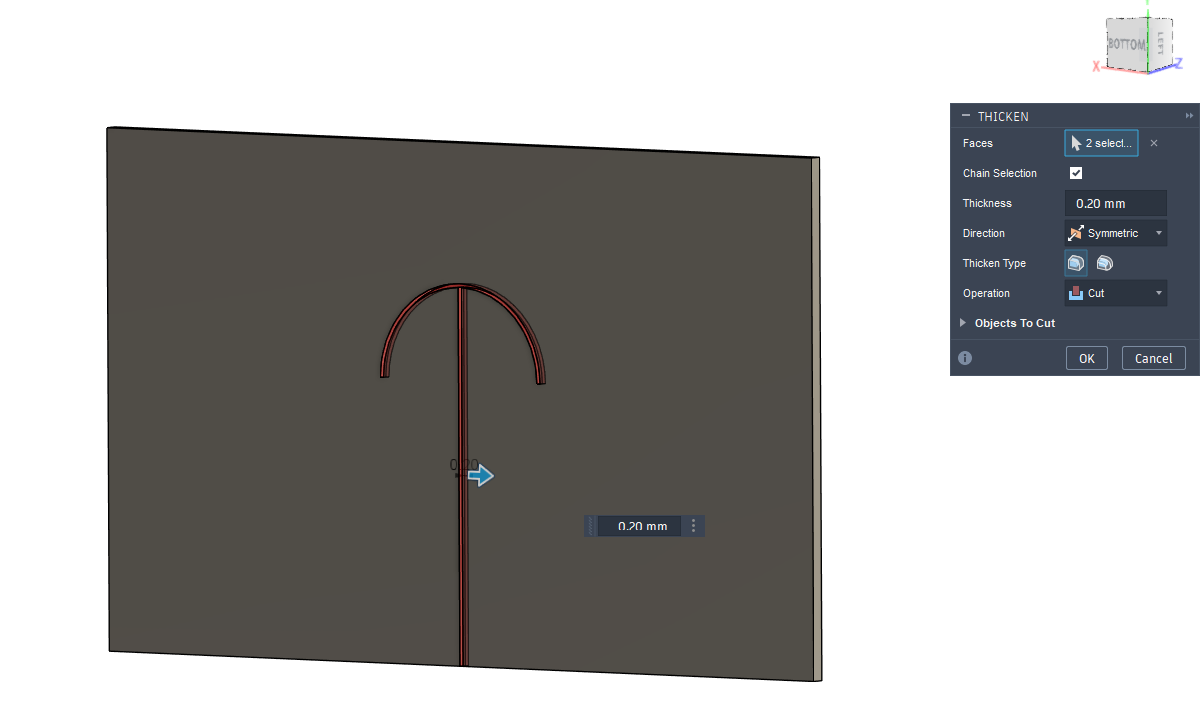
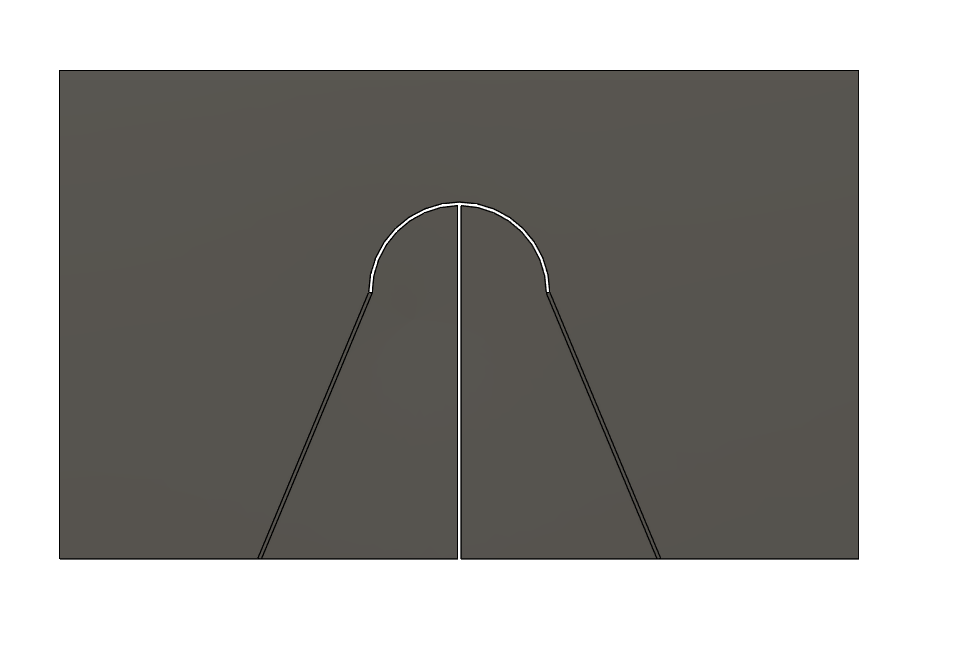
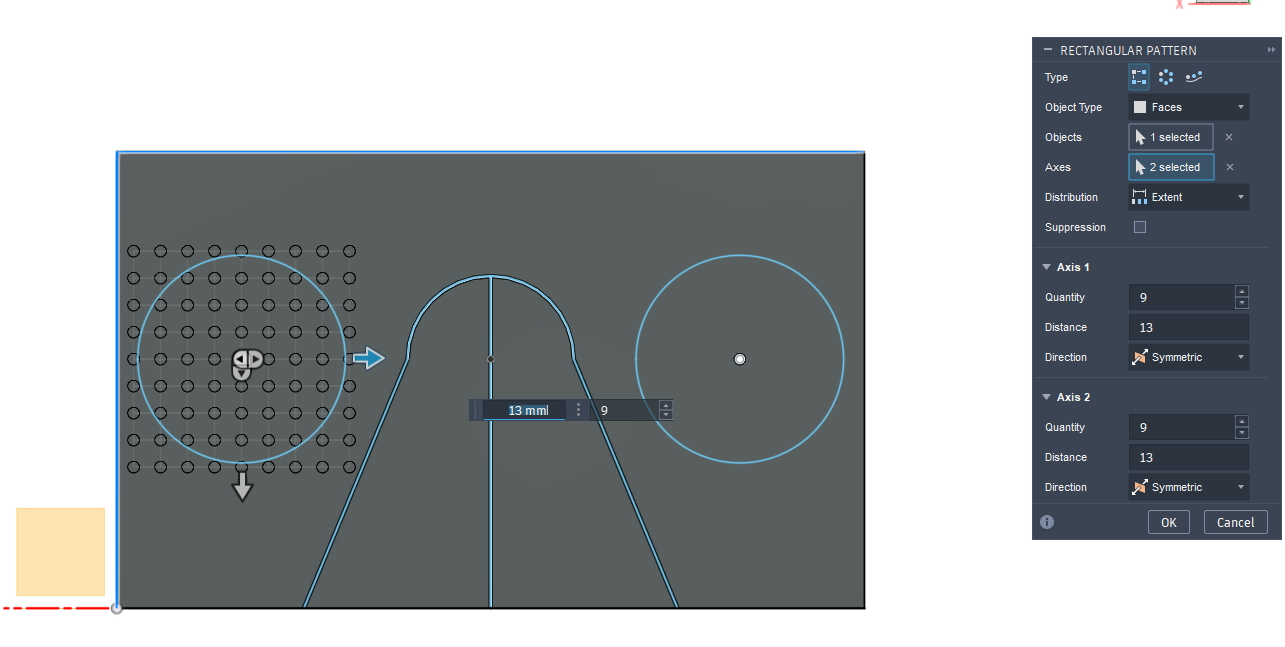
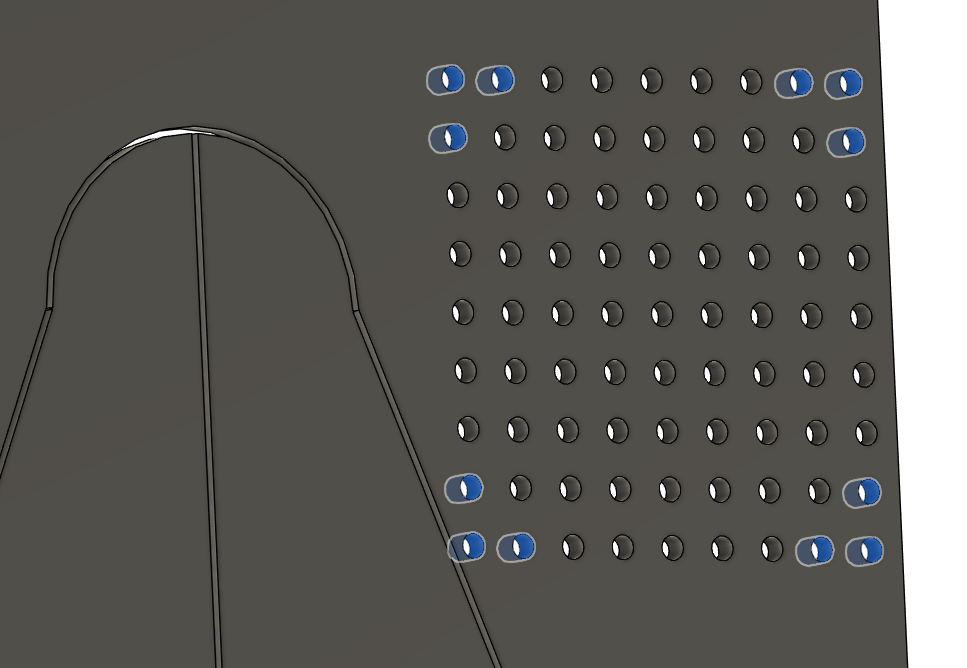
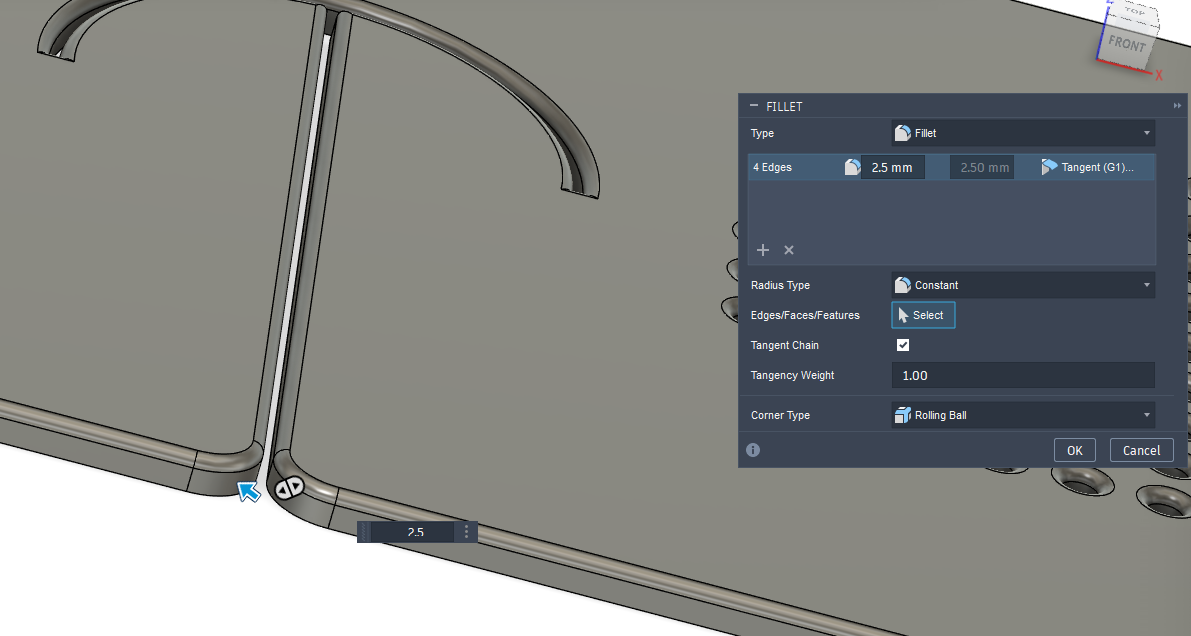
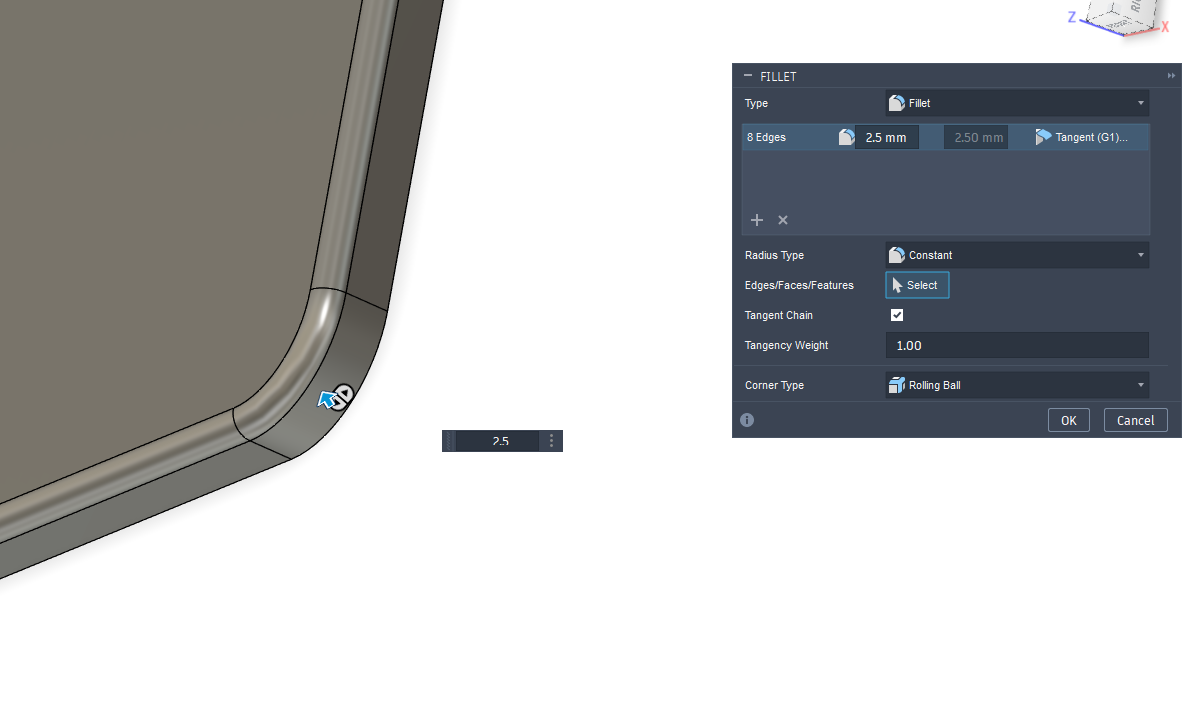
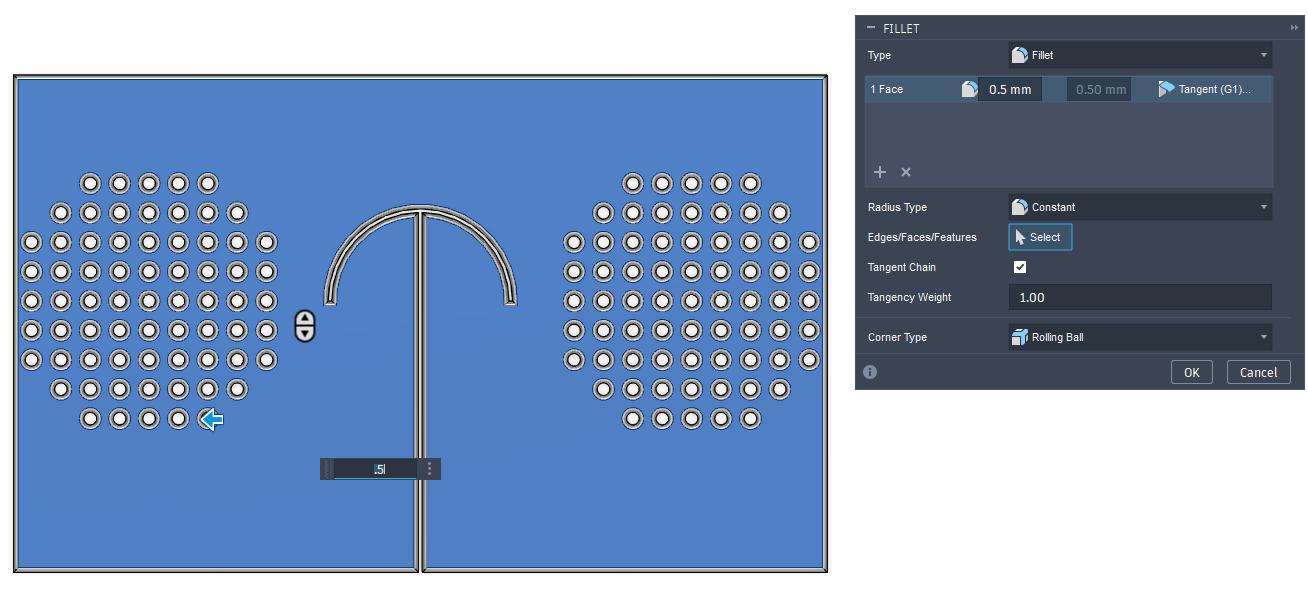
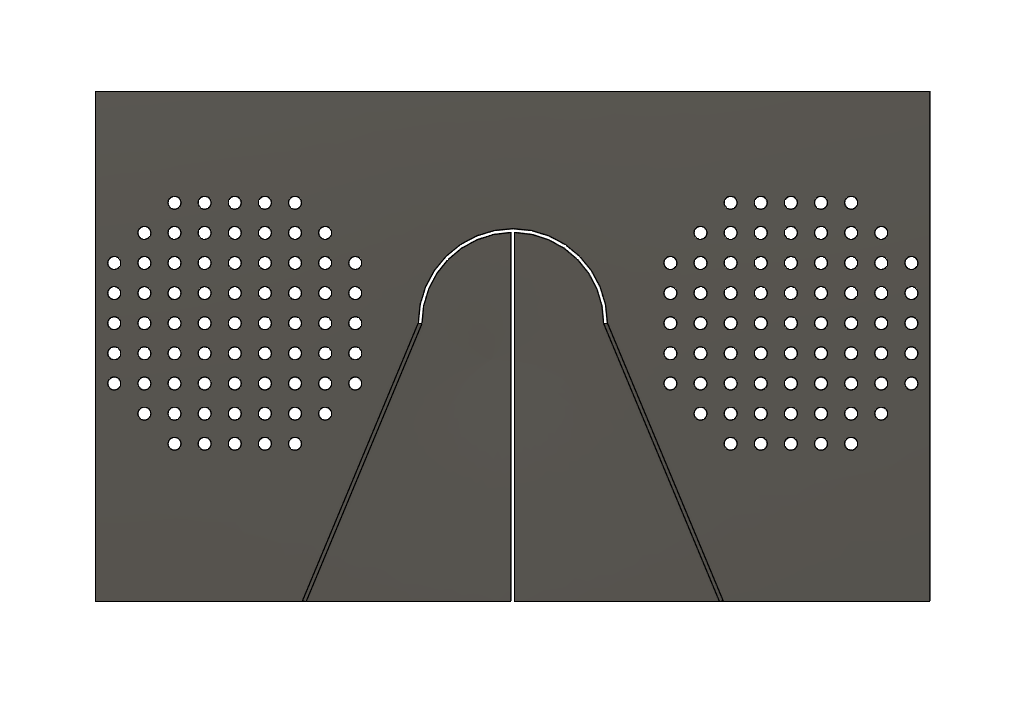
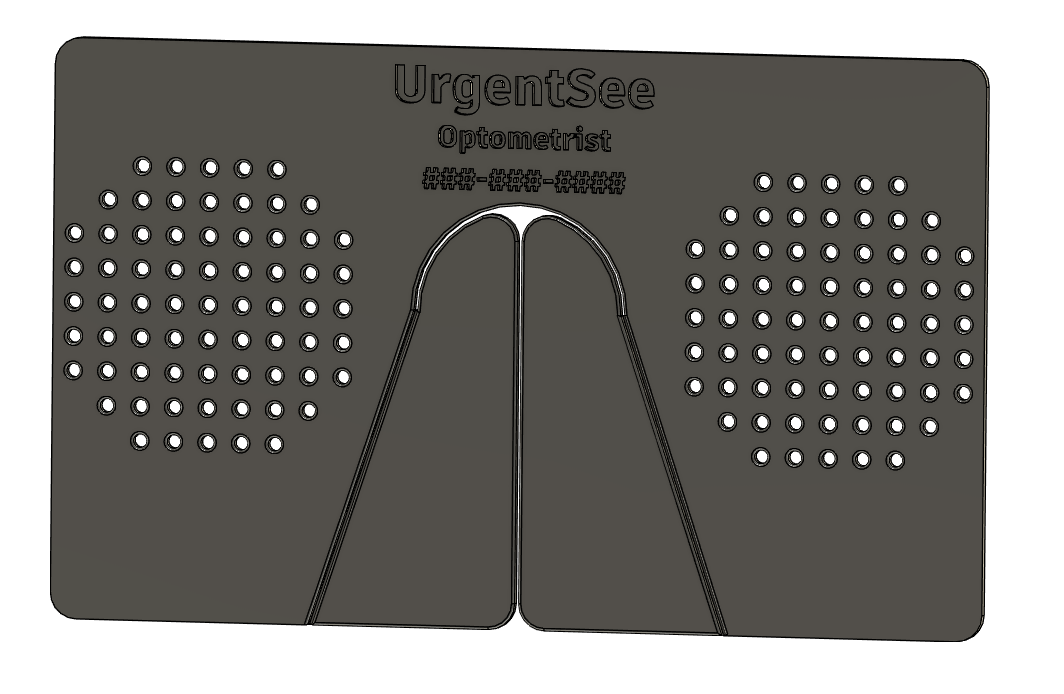
In your 3D software, open up a sketch and make a rectangle approximately 54mmx90mm. These dimensions can be adjusted if it's too snug in your wallet or purse.
Extrude the rectangle to 1.5mm.
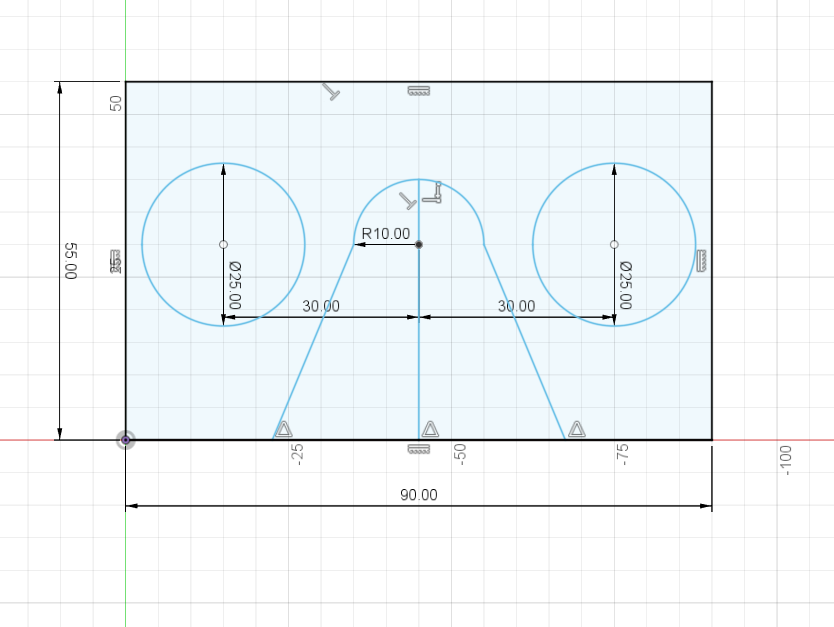
Create a sketch on this new body and place an 180degree arc in the middle and about 20mm from the top, with the opening facing the bottom of the rectangle. This will sit at the bridge of your nose, and can be anywhere between 15-30mm in diameter. In this concave part of the arc, draw a line to the bottom. This will become the nose pad when the card is worn.
Extrude these lines for at least the same thickness as the card, then "thicken" the plane to cut 0.1mm into the card on either side of it. This can be adjusted if your 3D printer has issues printing such a narrow cut.
Next, create two mirror diagonal lines from the edges of the arc to the base of the card, slanting outward. Like the arc, the slope of this line can be adjusted to fit the width of your nose when deployed.
Extrude these line about 1/3 to 2/3 the width of the card. For a 1.5mm thick card, try 0.75mm. Again, thicken the extruded plane by a total of 0.2mm. This will be the folding line, which will allow the nose pads to deploy easily.
To create the pinholes, create a hole approximately 1-1.4mm wide through the width of the card. This should be placed in the center of vision on either side of the nose. This size can be adjusted based on visual preferences, to reduce or increase the amount of light capable of passing through, or to fix visual artifacts. The average pupillary distance, i.e., the distance between the center of both pupils is around 60-62mm. A grid of holes placed at that average distance will create the "lenses" of the glasses. To create a grid of holes, use a pattern feature to replicate the face of the hole on either side of the central hole 7-10 more times in both the X and Y directions. You can delete the holes at the edge if you want to round out the grid. No more than 40-80 holes are needed per eye.
You can fillet the edges of the rectangle to make it less sharp and more credit card shaped, as well as parts of the nose pad to prevent it from poking your face when worn.
Add important text to the card in a sketch, like the number for your optometrist, should you lose your corrective lenses and need to pick up new ones. "Explode" the text in order to extrude it into the face of the card.
Print the Card
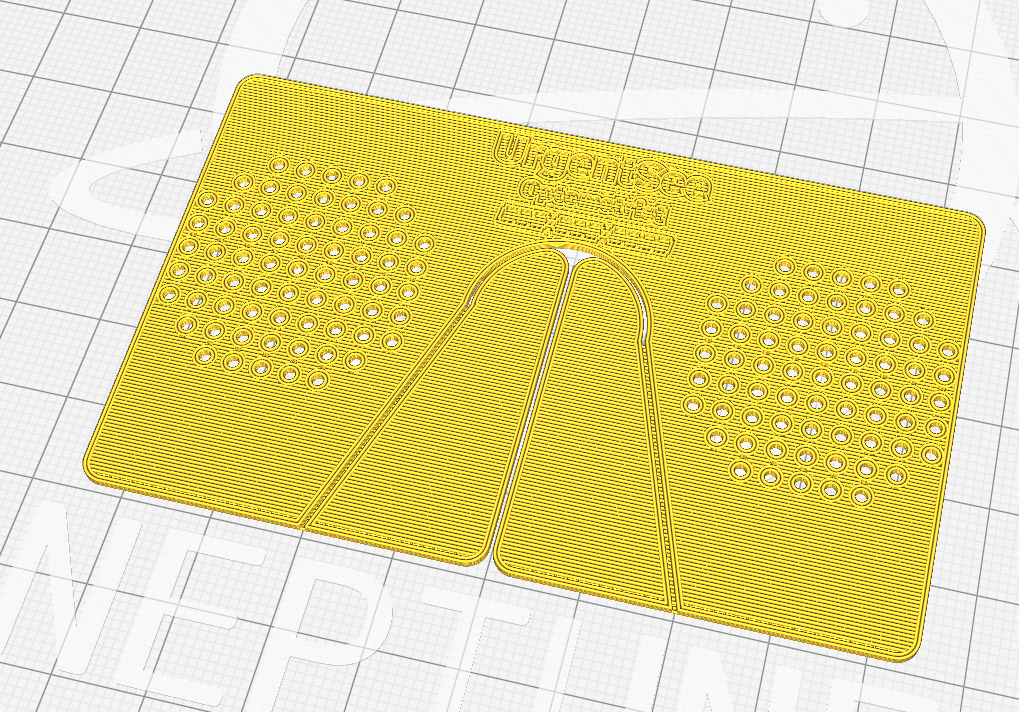
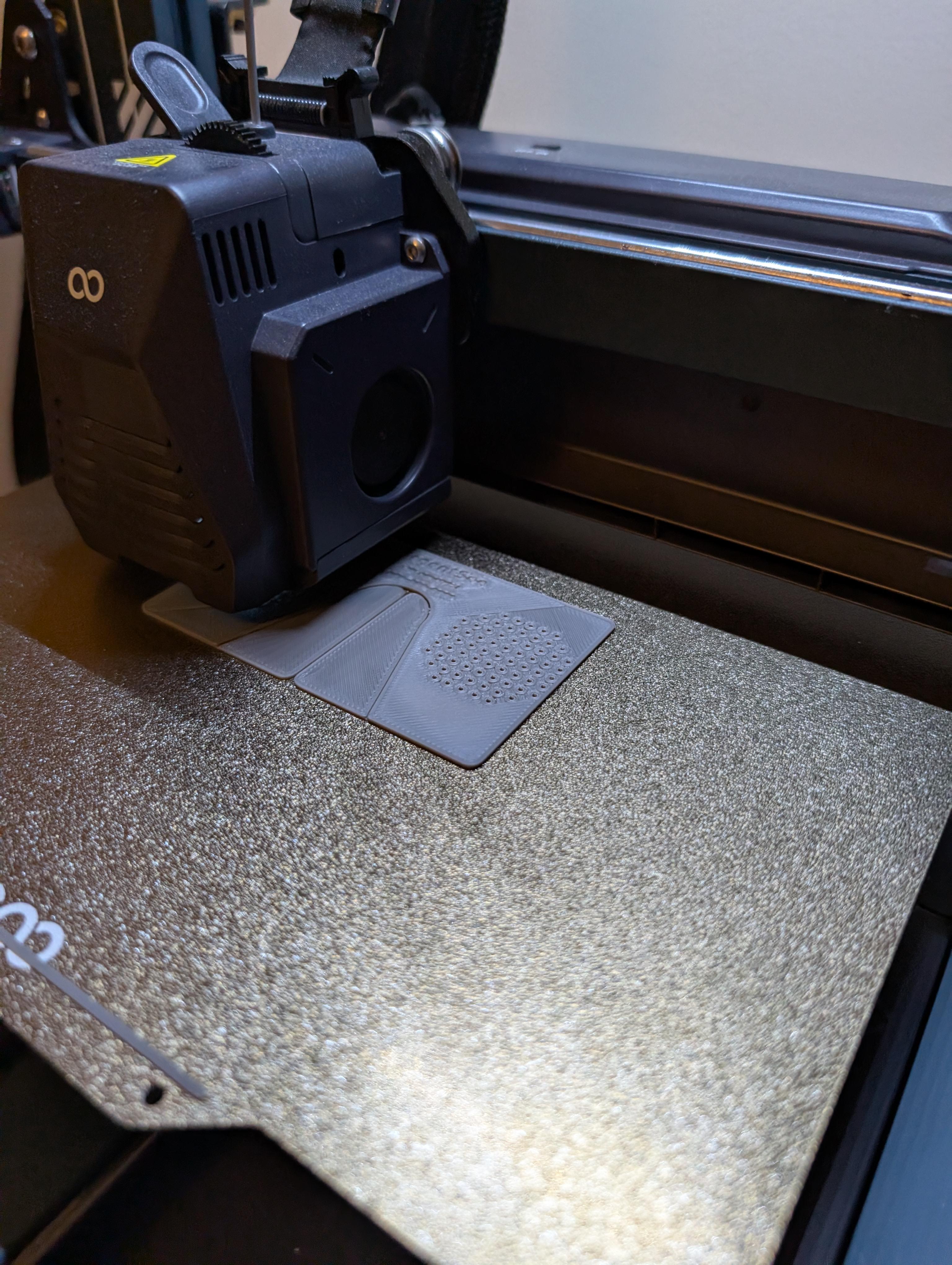
Save the body of the card as a mesh and open it in your 3D printer's slicer program. Increasing the print resolution won't do much as it should be printed flat. It can be done in 5-8 layers and take 30 minutes.
Be sure to increase your top and bottom layers if it tries to add any infill.
No supports or adhesion is needed.
I have attached the STL file for a very basic version, though it may not be optimal for you. I recommend printing a variety of test prints to make sure you find the best pinhole layout and fit for your unique eyes and face.
Downloads
Place It in Your Wallet
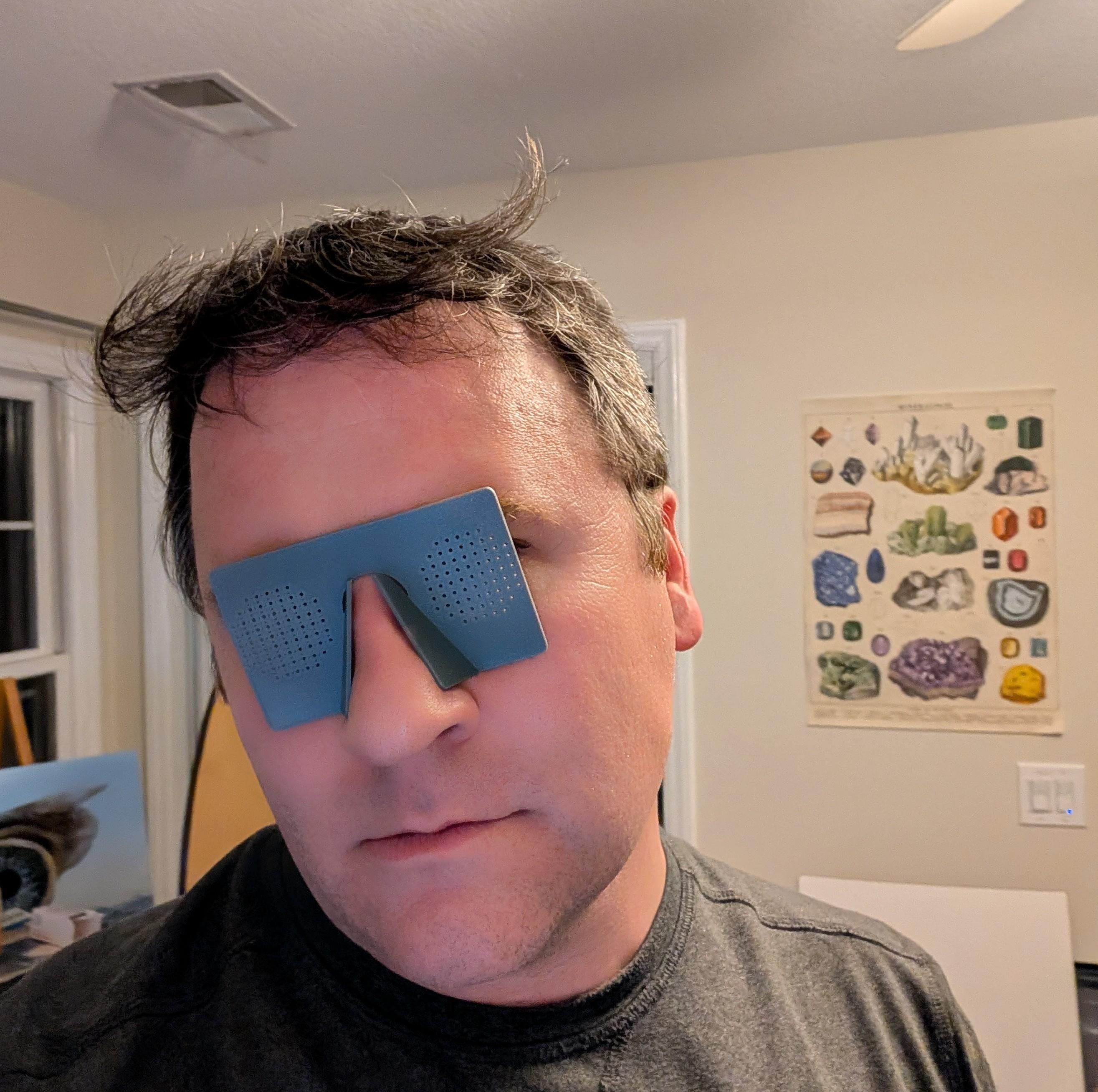
The UrgentSee pinhole card can be used immediately or placed in your wallet for emergencies.
You can wear it with the nose pads facing inward to your face or outward, depending on whether having more or less distance from your eye helps improve your vision or reduce visual artifacts.
Do not use this card for anything other than emergencies, and especially do not wear it while driving or operating heavy machinery. Visual artifacts like duplicated objects and shadows can impair your vision, even if the pinholes do help with visual acuity.
If you are afraid of losing your glasses and getting lost in a world too blurry to see, these may be perfect for you.