Ultra-Compact Air Quality Monitor Using PandaByte Bosch BMV080 Particulate Matter Sensor
by pandabyte in Circuits > Arduino
74 Views, 0 Favorites, 0 Comments
Ultra-Compact Air Quality Monitor Using PandaByte Bosch BMV080 Particulate Matter Sensor
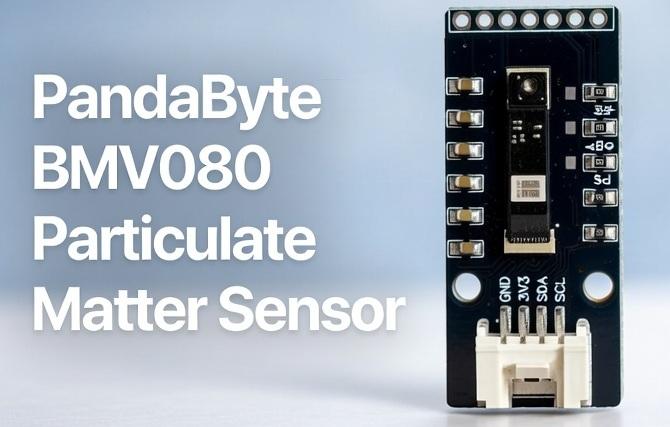
The PandaByte BMV080 is a breakout sensor module built around Bosch’s BMV080, currently one of the world’s smallest particulate matter (PM) sensors, capable of measuring PM1, PM2.5, and PM10 in real time.
This tutorial shows how to:
- Understand the BMV080 sensor hardware
- Connect it safely to an ESP32 (we will use PandaByte xS3 ESP32-S3 for this tutorial)
- Install required library and Bosch SDK
- Read and display PM values using Arduino IDE
- Leverage native PandaByte board support via ESP32 Core v3.3.6
This guide is suitable for makers, IoT developers, and product designers building air quality monitoring solutions.
YouTube Link for a quick tutorial on our BMV080 PM sensor: https://youtu.be/z9ygY5GQSpk
Supplies
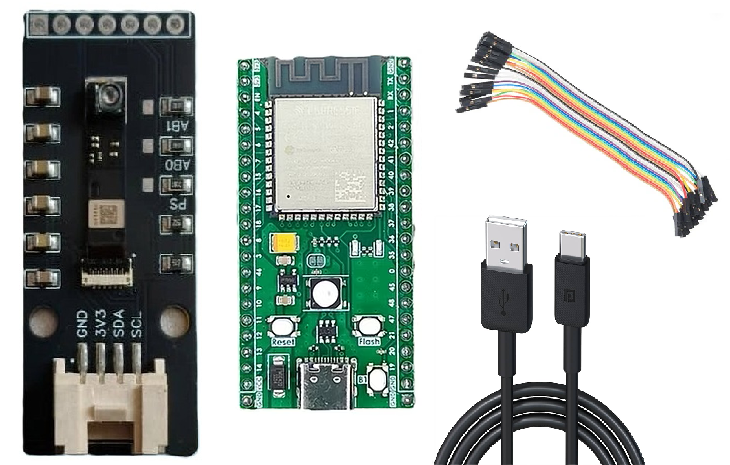
Hardware
- PandaByte BMV080 Air Quality Sensor
- PandaByte xS3 ESP32-S3 (16MB Flash) (recommended) OR
- Any other ESP32 or ESP32-S3 board with at least 16MB FLASH memory
- Grove cable (optional but recommended)
- Jumper wires (Dupont)
- USB-C cable
Software
- Arduino IDE
- ESP32 Arduino Core v3.3.6 or newer
- SparkFun BMV080 Arduino Library
- Bosch BMV080 SDK (Software Development Kit)
Understanding the BMV080 Module
Key Features
- Bosch BMV080 PM sensor
- Measures: PM1, PM2.5, PM10
- Interface: I²C and SPI
- Operating Voltage: 3.3V ONLY
- Onboard Grove connector + 2.54mm headers
⚠️ Important:
Do NOT connect this sensor to 5V power. It will permanently damage the module.
Board & Core Setup
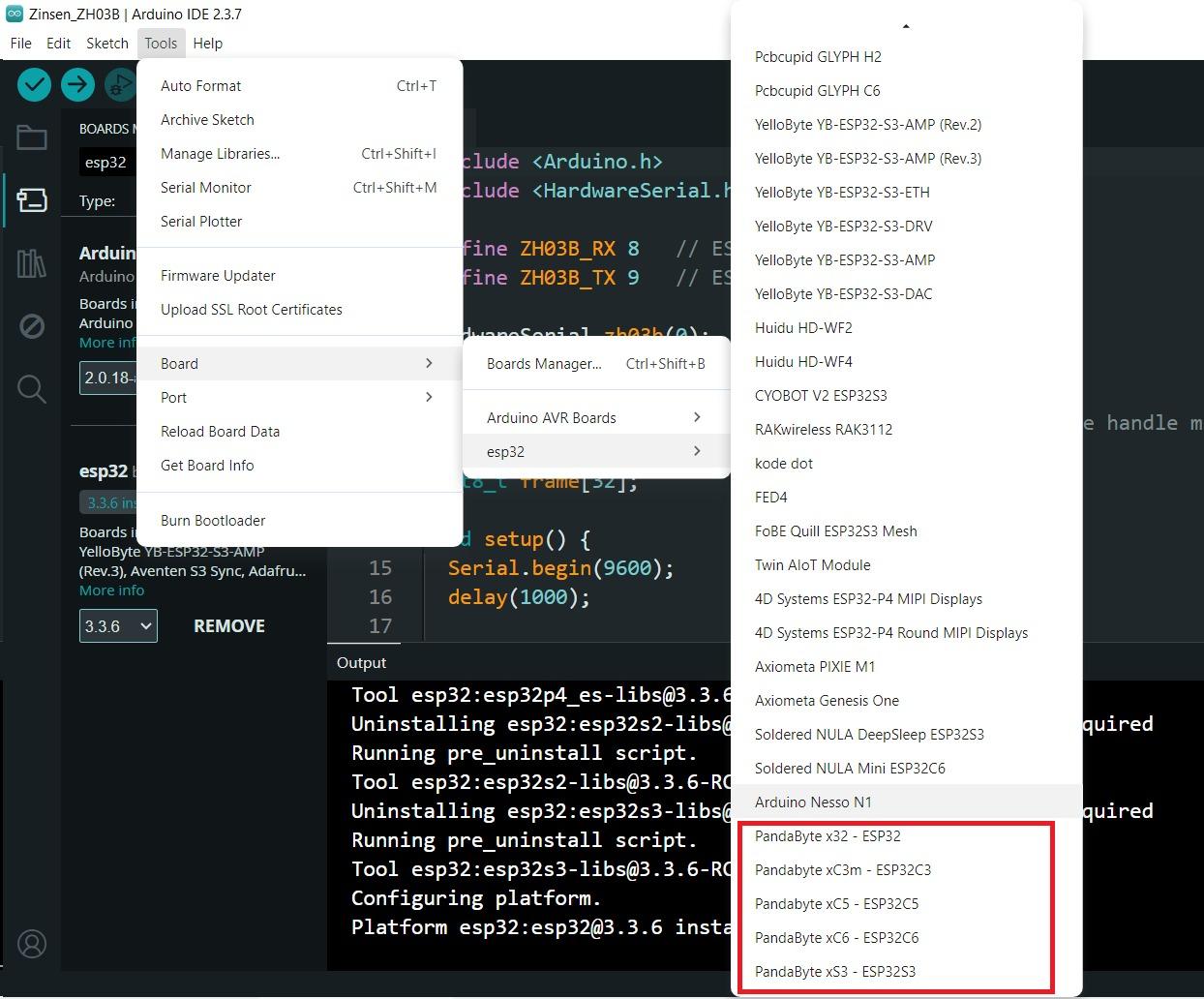
Since PandaByte boards are officially included in ESP32 Arduino Core v3.3.6, setup is easy:
Install ESP32 Core
In Arduino IDE: https://espressif.github.io/arduino-esp32/package_esp32_index.json
Select:
Tools → Board → PandaByte xS3 ESP32-S3
Tools → Flash Size → 16MB
PandaByte pin mappings are already defined in the official ESP32 core:
https://github.com/espressif/arduino-esp32/blob/master/variants/pandabyte_xs3/pins_arduino.h
This means:
- I2C pins are predefined
- No manual pin mapping needed
- Fully compatible with Arduino sketches
Wiring the Sensor
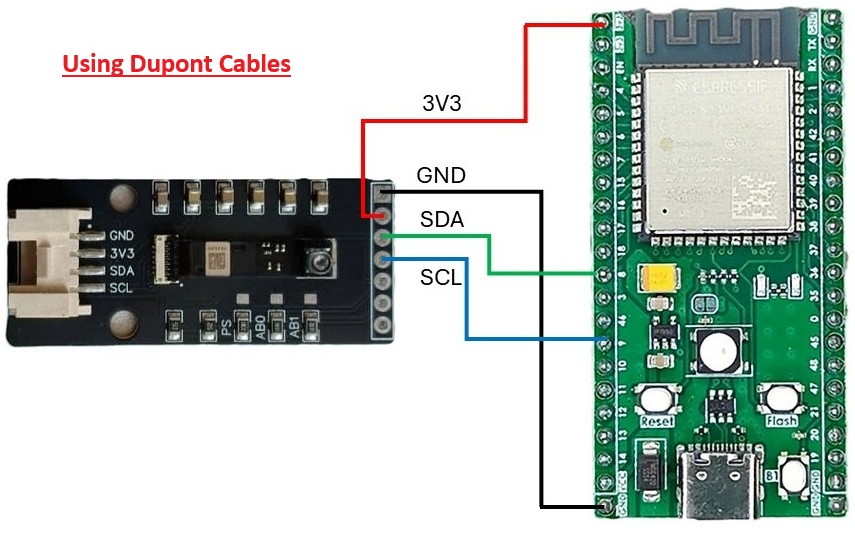

Option A – Using Grove (Recommended)
- Simply plug the Grove cable from:
- BMV080 → xS3 compatible Grove Shield (I2C port)
Option B – Using Jumper Wires
BMV080 Pin → PandaByte xS3
- GND → GND
- 3.3V → 3.3V
- SDA → SDA (GPIO 8)
- SCL → SCL (GPIO 9)
Install SparkFun BMV080 Library
In Arduino IDE:
- Library Manager → Search “BMV080” → Install SparkFun BMV080
Make sure to install all dependencies.
Example sketch path:
- File → Examples → SparkFun BMV080 → Example1_BasicReadings
Download Bosch BMV080 SDK
This step is mandatory or the program will NOT work.
- Search: Bosch BMV080 Sensor
- Go to Bosch Sensortec official page
- Download BMV080 SDK
- Accept license and submit form
- Download ZIP from email
Extract the zip file to a folder.
Copy Required Bosch Files
Copy below header files.
If using another ESP32 variant (ESP32, S2, C6), copy the last two files (lib_postProcessor.a and lib_bmv080.a) from matching folders accordingly.
Bosch SDK File → → → SparkFun BMV080 Arduino Library Directory
api/inc/bmv080.h → → → src/sfTk/bmv080.h
api/inc/bmv080_defs.h → → → src/sfTk/bmv080_defs.h
api/api/lib/xtensa_esp32s3/xtensa_esp32s3_elf_gcc/release/lib_postProcessor.a → → → src/esp32s3/lib_postProcessor.a
api/api/lib/xtensa_esp32s3/xtensa_esp32s3_elf_gcc/release/lib_bmv080.a → → → src/esp32s3/lib_bmv080.a
Arduino Example Code
Downloads
Upload & Monitor
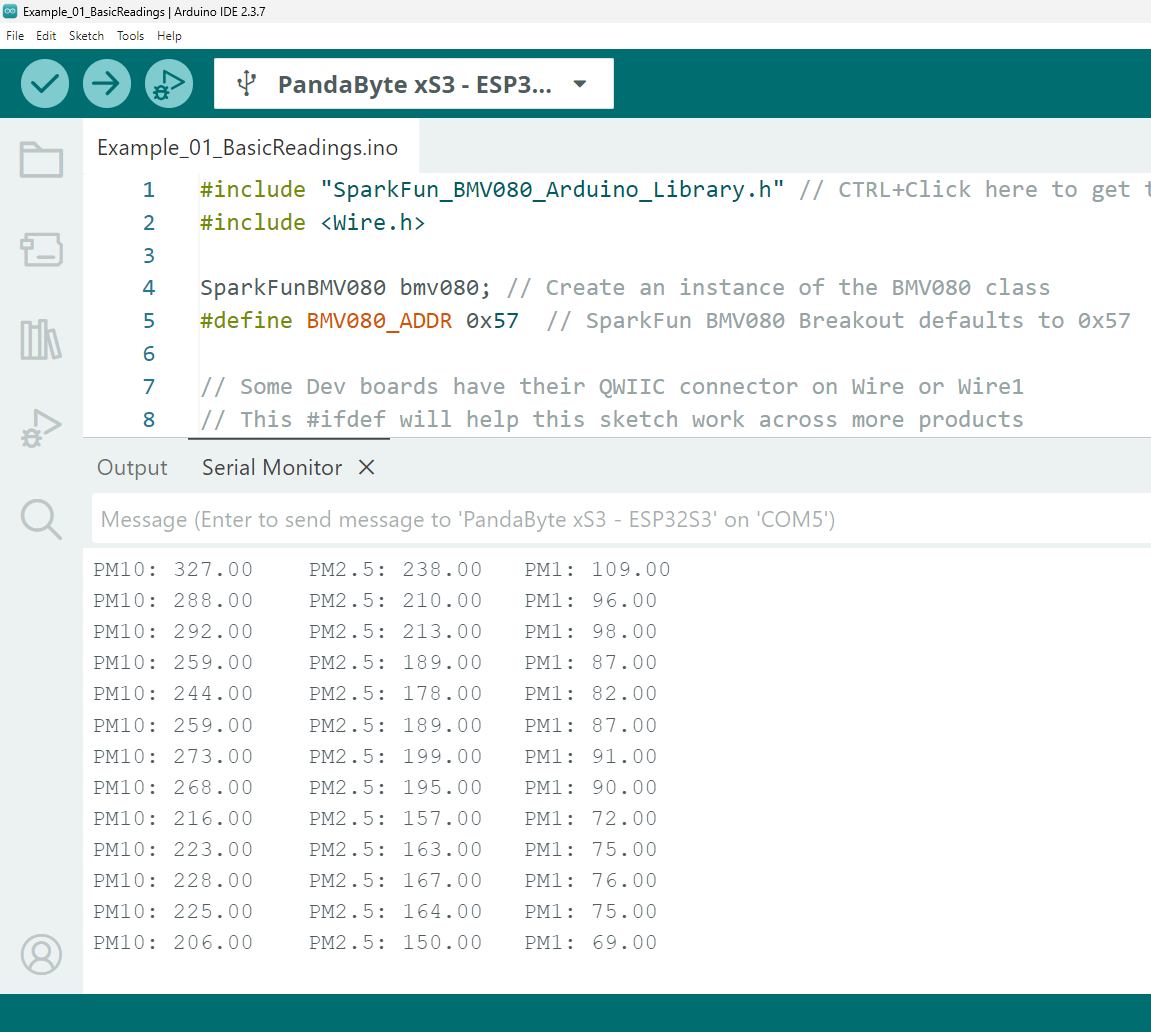
- Select board: PandaByte xS3 ESP32S3
- Flash size: 16MB
- Upload code
- Open Serial Monitor @115200 baud
You should see:
- PM1: xx µg/m³
- PM2.5: xx µg/m³
- PM10: xx µg/m³
Confirmed working values in your demo.