Transfer Samsung Galaxy Photos to PC
107 Views, 1 Favorites, 0 Comments
Transfer Samsung Galaxy Photos to PC

Nowadays we are used to taking photos with mobile phone, and sometimes, to save those precious moments and free up space on our phone, we need to transfer photos from the Samsung Galaxy S4, S5, S6/S6 Edge, S7/S7 Edge or the latest S8 to computer. Here I would like to share a simple method.
Install & Launch Jihosoft Phone Transfer
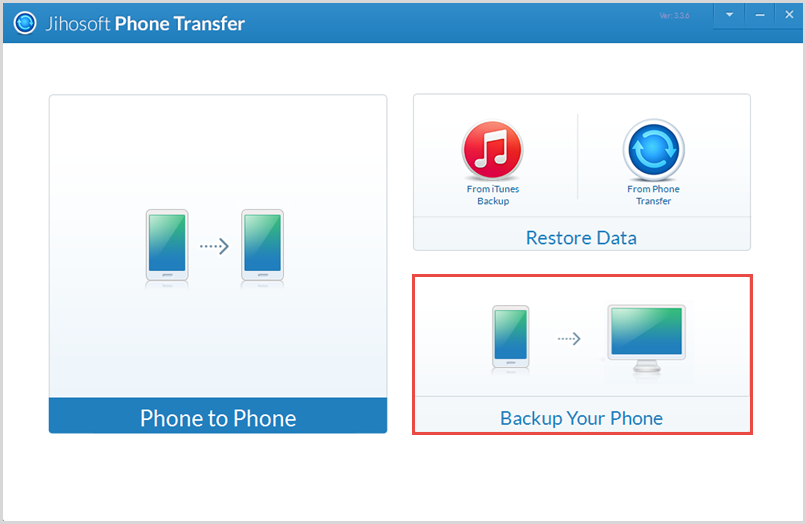
Jihosoft Phone Transfer is a professional software to transfer data from your mobile phone to computer. After finish the installation, please run it and click "Backup Your Phone" on the bottom right corner.
Connect Your Samsung to Computer
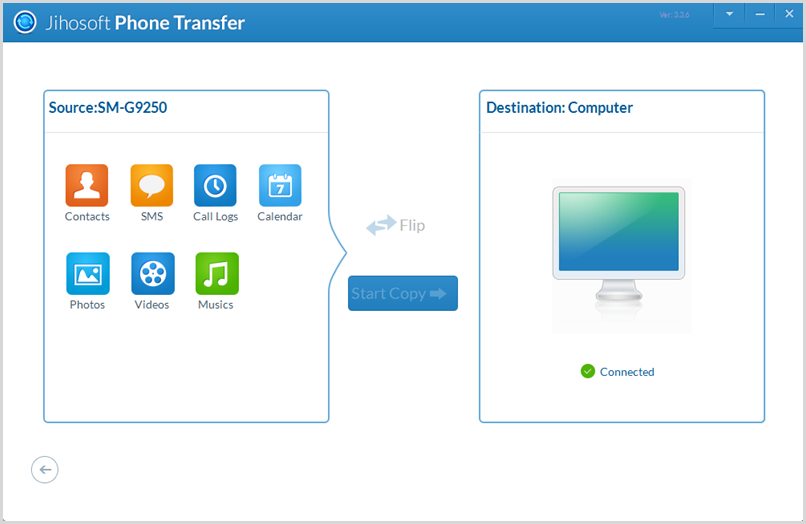
Connect Samsung galaxy phone to computer via a well-functioned USB cable. To make sure it can be identified, please turn on the USB debugging on it.
Choose Data You Want to Backup

In the source panel, all the data can be backed up will be listed out. Please mark "Photos" or other data you want.
Backup Your Data to PC
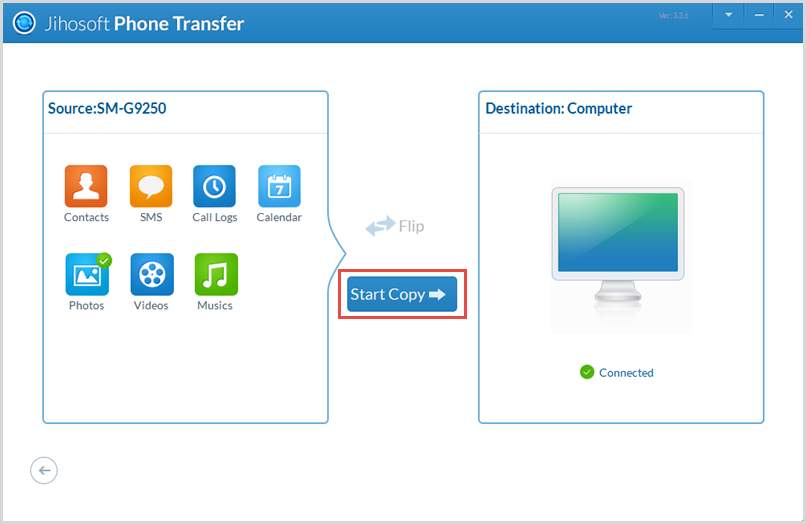
Click "Start Copy" after you have selected all the data you want, and the transfer process will start automatically.
Tips:
- Another solution: http://www.jihosoft.com/android-tips/transfer-sams...
- More information about Jihosoft Phone Transfer: http://www.jihosoft.com/mobile/phone-transfer.html
- How to turn on USB debugging on android: http://www.jihosoft.com/android-recovery/how-to-en...