The Vibrational Signature of Alzheimer’s Disease: Visualizing Brain Activity With Laser Light
by rperezel in Workshop > Science
124 Views, 1 Favorites, 0 Comments
The Vibrational Signature of Alzheimer’s Disease: Visualizing Brain Activity With Laser Light
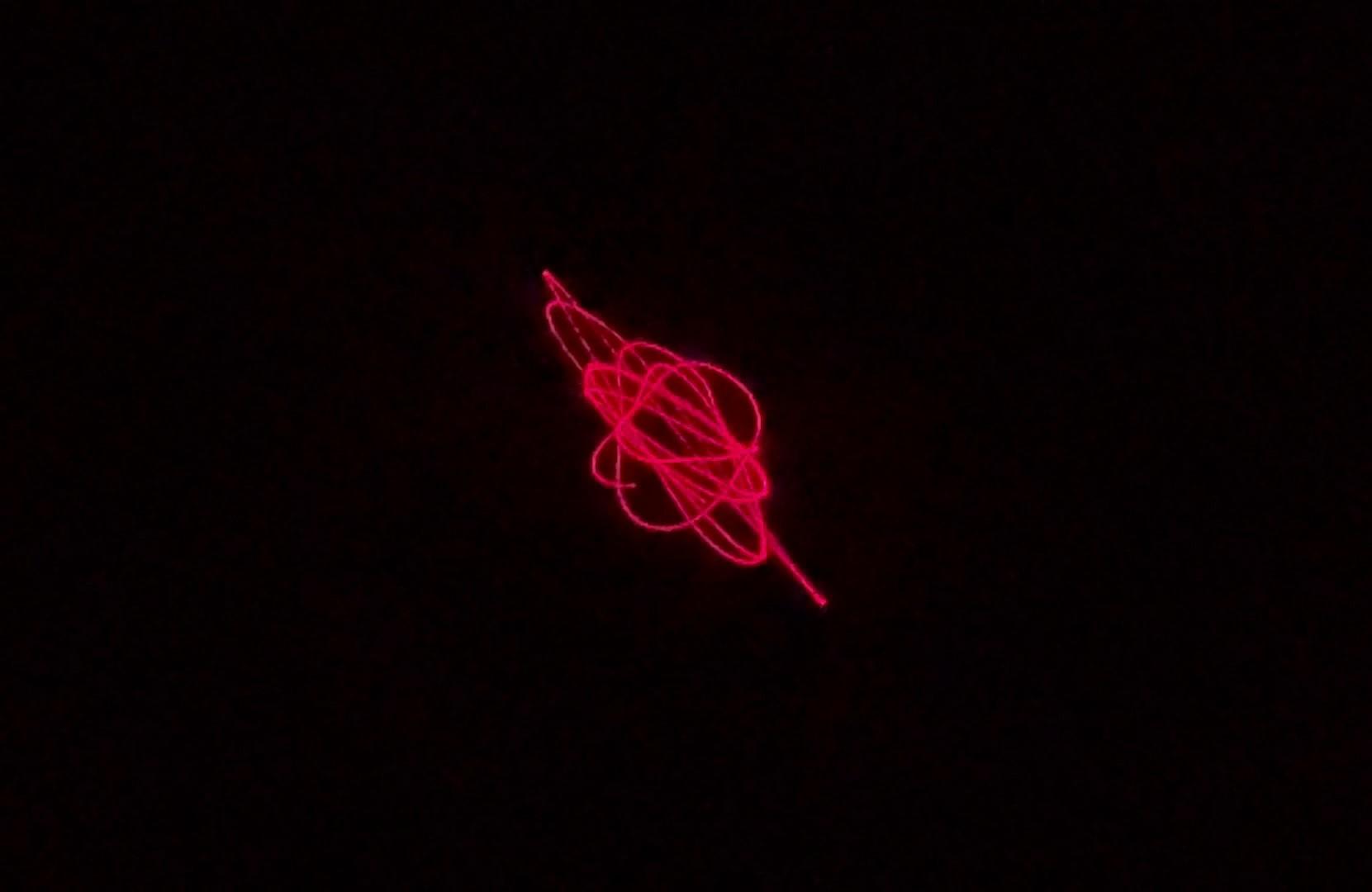
My name is Rubén Pérez-Elvira Ph.D., and I am a neuroscientist and professor in the Department of Psychobiology at the Pontifical University of Salamanca (Spain) [www.upsa.es]
My research focuses on brain dynamics, biomedical signal processing, and alternative methods for visualizing neural activity. This project brings together my academic research and hands-on experimentation, translating concepts from neuroscience into a physical, workshop-built system that can be explored outside the laboratory.
Brain activity is usually represented through abstract plots, numbers, or mathematical models. Yet the brain is not only information — it is also rhythm, vibration, and dynamic physical structure.
In this project, we present an experimental device that allows human brain activity to be visualized through laser light patterns, generated from EEG signals. By using direct sonification, brain signals are transformed into mechanical vibration, which in turn modulates a laser beam projected onto a surface, creating dynamic and reproducible patterns.
The system combines:
- computational neuroscience
- biomedical signal processing
- physical vibration
- optical projection
The result is a physical visualization of brain dynamics that, in experimental studies, reveals clear differences between signals from healthy subjects and those associated with Alzheimer’s disease.
This Instructable shows how to materialize this approach into a reproducible, accessible device, suitable for educational, experimental, and creative exploration beyond the laboratory.
Concept and Scope of the Project
Systems based on vibrating membranes excited by sound and visualized with laser projection have existed for decades and are widely used to study mechanical resonance, Chladni-type patterns, and vibrational phenomena.
The novelty of this project does not lie in the invention of the membrane-based device itself, but in its recontextualization as a tool for visualizing human brain activity.
In this work:
- Real EEG signals are used as the excitation source.
- Signals are sonified directly, without musical mappings or symbolic interpretations.
- The resulting vibration generates optical patterns that reflect the temporal and spectral structure of brain signals.
- These patterns can be observed, recorded, and visually analyzed.
This approach has been explored and validated in a scientific context, where it was shown that the resulting vibrational and optical patterns carry meaningful information and can differentiate signals associated with Alzheimer’s disease from those of healthy controls.
The goal of this Instructable is to translate that scientific approach into the maker domain, demonstrating how a known physical system can be transformed into a neurovisual instrument — a device that turns complex biomedical data into directly perceptible physical phenomena.
Important note
This device is not intended as a clinical diagnostic tool. Its purpose is experimental, educational, and exploratory, serving as a demonstration of how data science, physics, and visual design can converge in a single tangible system.
This project is presented as a workshop-built experimental instrument, emphasizing hands-on construction, iterative tuning, and reproducibility. All components can be assembled using accessible tools, making the system suitable for workshops, laboratories, and educational environments.
Research Background
This project is based on my own peer-reviewed scientific research, published as:
The Vibrational Signature of Alzheimer’s Disease: A Computational Approach Based on Sonification, Laser Projection, and Visual Analysis(Biomimetics, MDPI, open access: https://www.mdpi.com/2313-7673/10/12/792)
The scientific study explores how EEG signals associated with Alzheimer’s disease can be transformed into sound, vibration, and laser-projected patterns, and demonstrates that these patterns contain meaningful structural information.
This Instructable presents a workshop-built implementation of the core concepts described in that research, adapted for educational, experimental, and exploratory purposes.
Intellectual property notice
While the underlying physical principles are well known, the specific application, system integration, and procedural workflow for visualizing brain activity described here are part of an active line of research, and certain aspects of the device and/or methodology may be subject to intellectual property protection for potential commercial exploitation.
At the same time, the system may be freely used for teaching, demonstration, and non-commercial educational purposes.
Supplies
20W Vibration Speaker (Exciter Transducer)
A compact vibration speaker used to drive the membrane directly from the audio signal.
https://www.amazon.es/dp/B08FCDFHLB
A plastic tube or container
A rigid plastic 7cm diameter conainer
https://www.tintasytonercompatibles.es/bote-lava-pinceles-p-66678639.html
Latex ballons and a rubber band
https://amzn.eu/d/bEG0GFi
Small autoadhesive mirror
https://amzn.eu/d/7R31fKI
Polystyrene foam (polyspan) or similar
Low-power laser pointer
https://amzn.eu/d/fZuiR8j
PC and python software
The Vibration Speaker
For this project I used a vibration speaker (exciter) instead of a conventional loudspeaker. This type of speaker is designed to transmit vibrations directly to solid surfaces or membranes, which makes it ideal for this application.
- Power: 20 W
- Impedance: 4 Ω
This speaker will be the element that converts the audio signal (later derived from EEG data) into mechanical vibration.
https://www.amazon.es/dp/B08FCDFHLB?ref=ppx_yo2ov_dt_b_fed_asin_title&th=1
Building the Speaker Housing (plastic Tube)
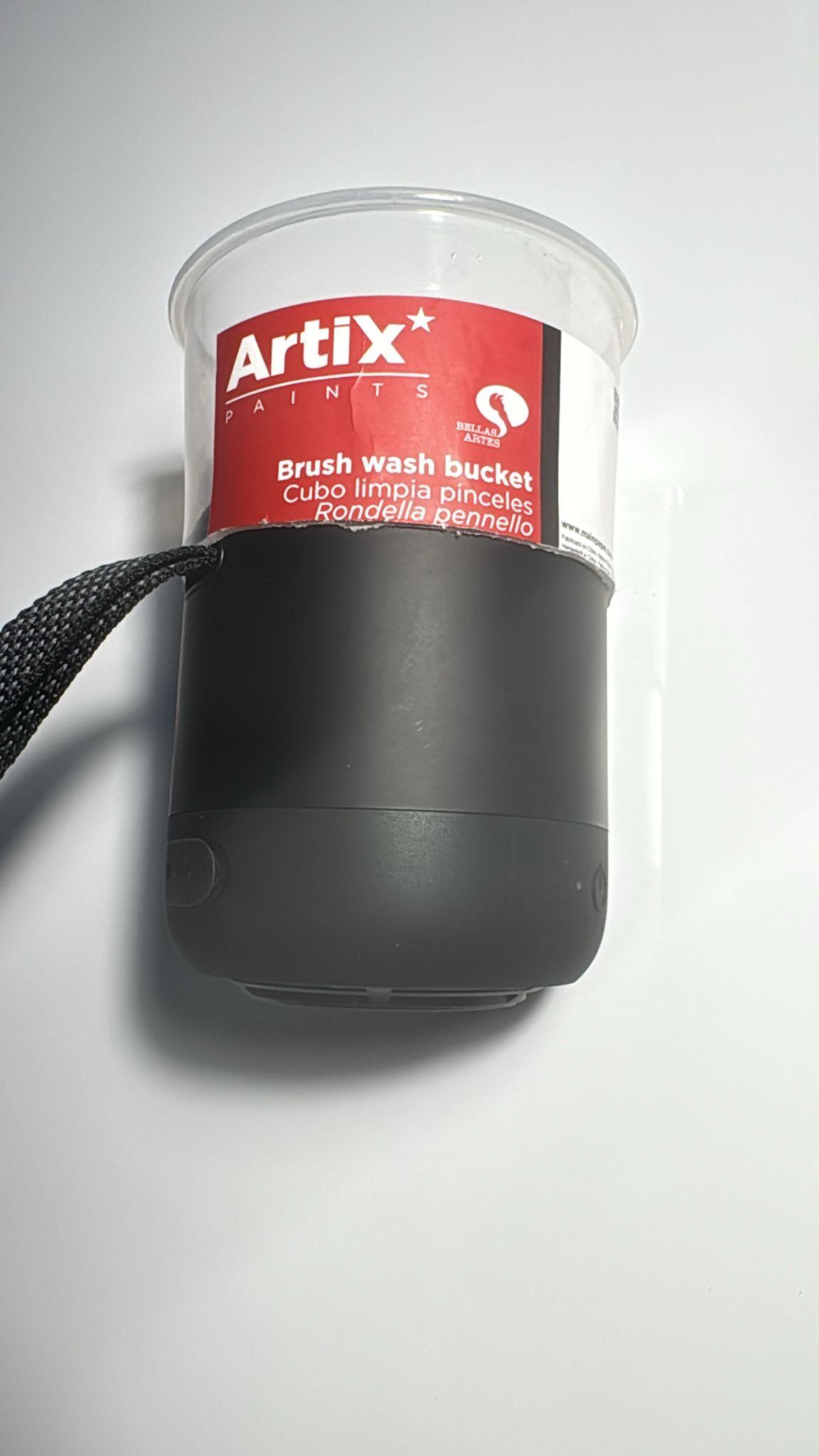
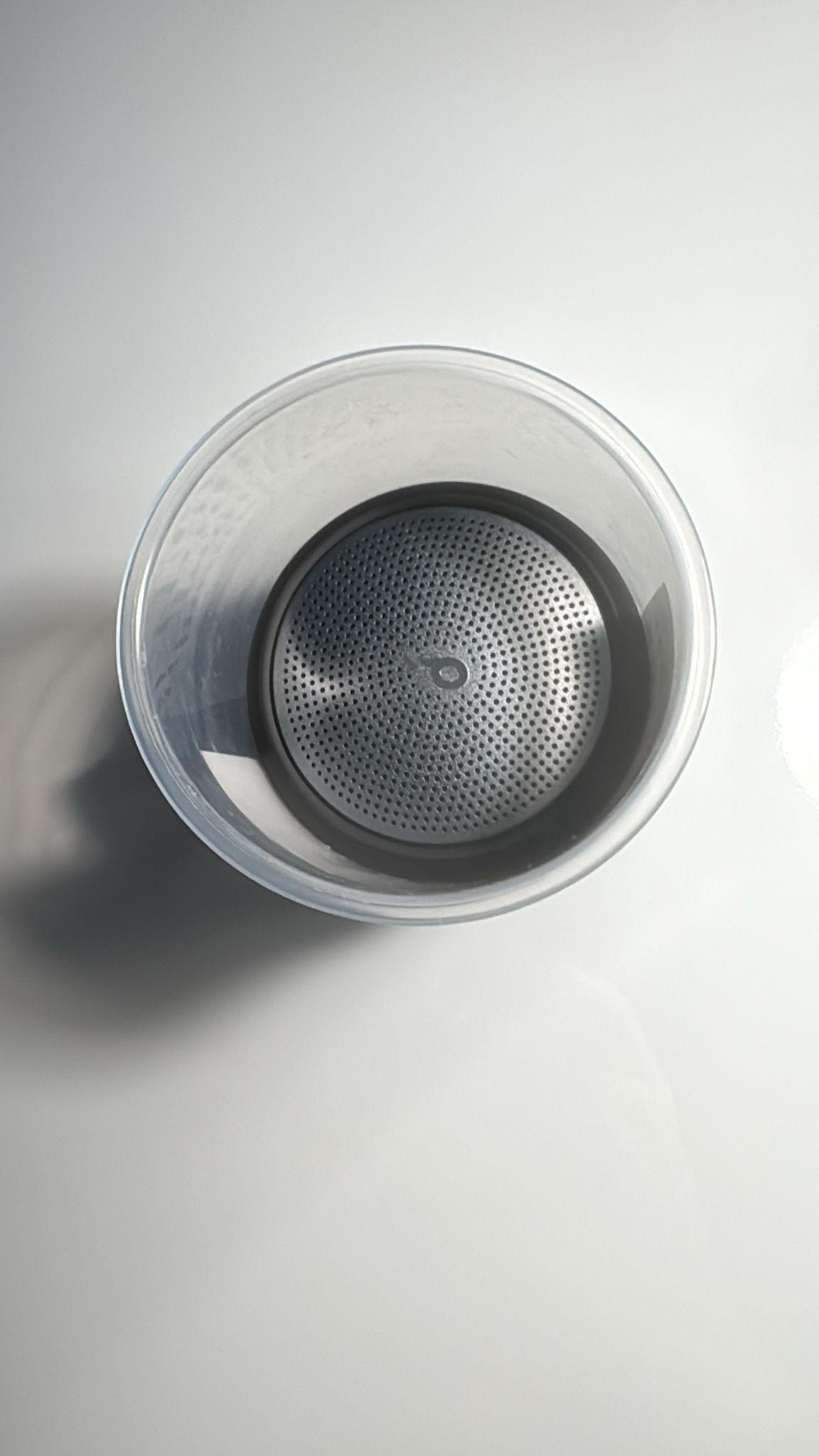
To create a simple and effective housing, I used a plastic tube or container with approximately the same diameter as the vibration speaker (7cm).
- I cut the plastic tube so that its length matched the depth of the speaker.
- The speaker was press-fitted into one end of the tube.
- No glue was required — the tight fit was enough to keep the speaker firmly in place.
This tube acts as a mechanical support and resonance chamber, while keeping the system lightweight and easy to modify.
Any rigid plastic container with a similar diameter can be used
https://www.tintasytonercompatibles.es/bote-lava-pinceles-p-66678639.html
Making the Membrane
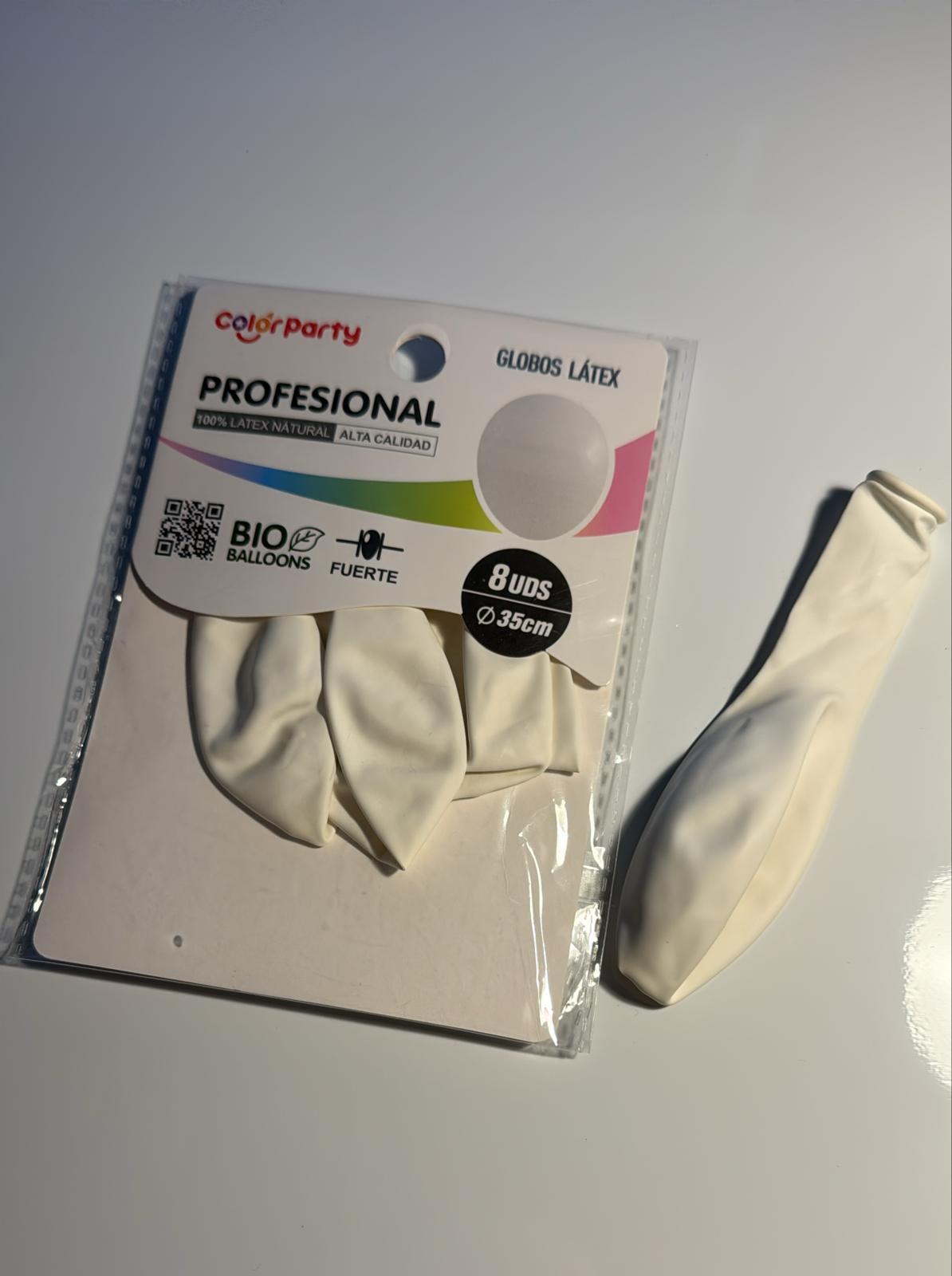
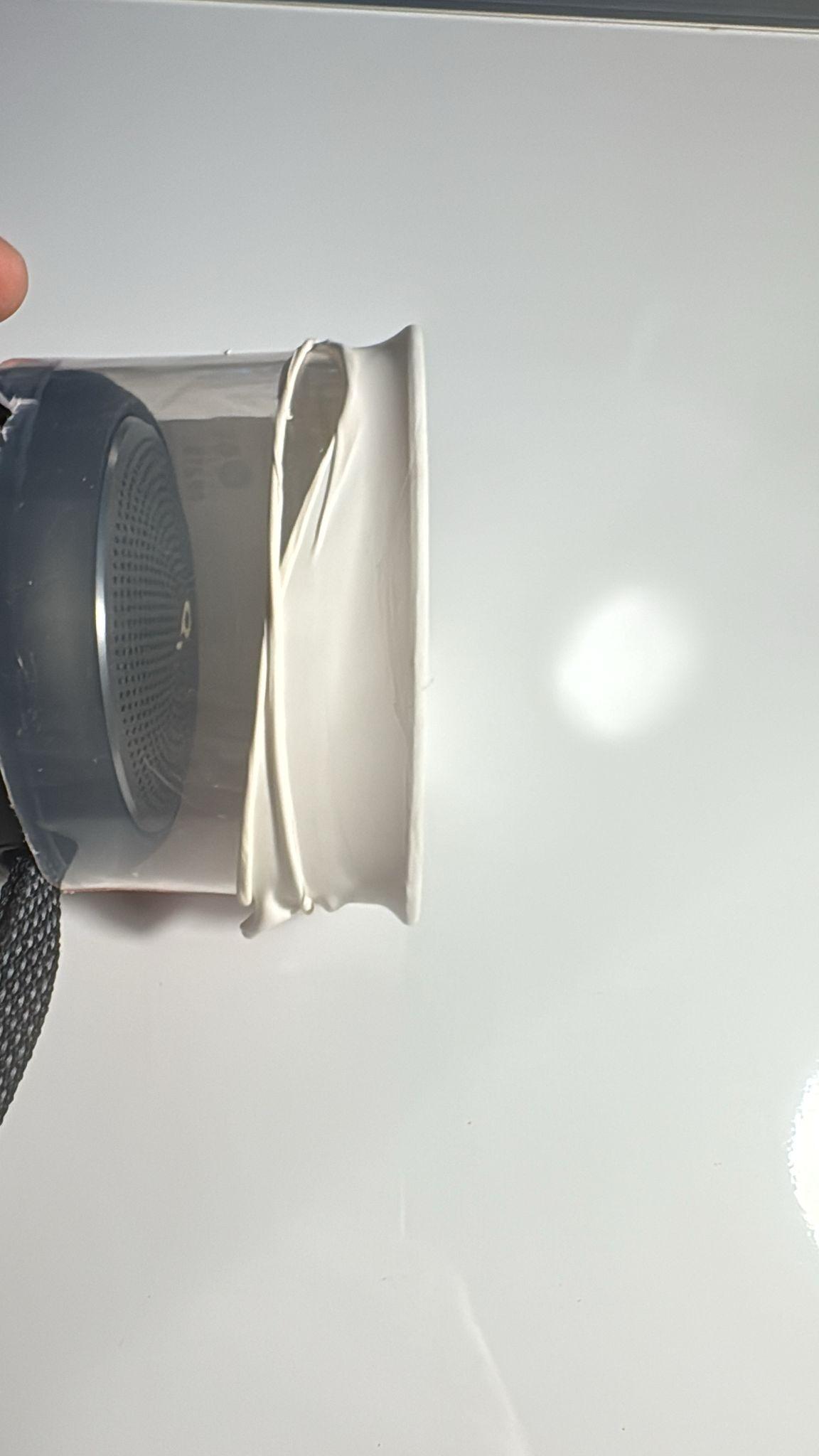
The vibrating membrane is a key component of the system.
For this build, I used a white balloon, which is:
- inexpensive
- easy to tension
- surprisingly effective as a flexible membrane
Steps:
- Cut the balloon to obtain a flat latex sheet.
- Stretch the latex over the open end of the plastic tube.
- Adjust the tension manually.
- Fix the membrane in place using a rubber band.
The membrane should be:
- evenly tensioned
- free of wrinkles
- firmly attached to avoid slipping during vibration
https://amzn.eu/d/bEG0GFi
(Optional) Adjusting Membrane Tension
In my experimental setup, I used a mathematical relationship between the sound produced by the membrane and its tension to estimate and fine-tune the membrane tension. You can find the formulas in the paper I referenced above.
This step is optional
It is not required for educational or learning purposes, and the system works well with manual adjustment by ear and observation.
For most users:
- stretch the membrane gradually
- test with simple audio signals
- adjust until stable and clear vibration patterns are observed
Adding the Reflective Mirror
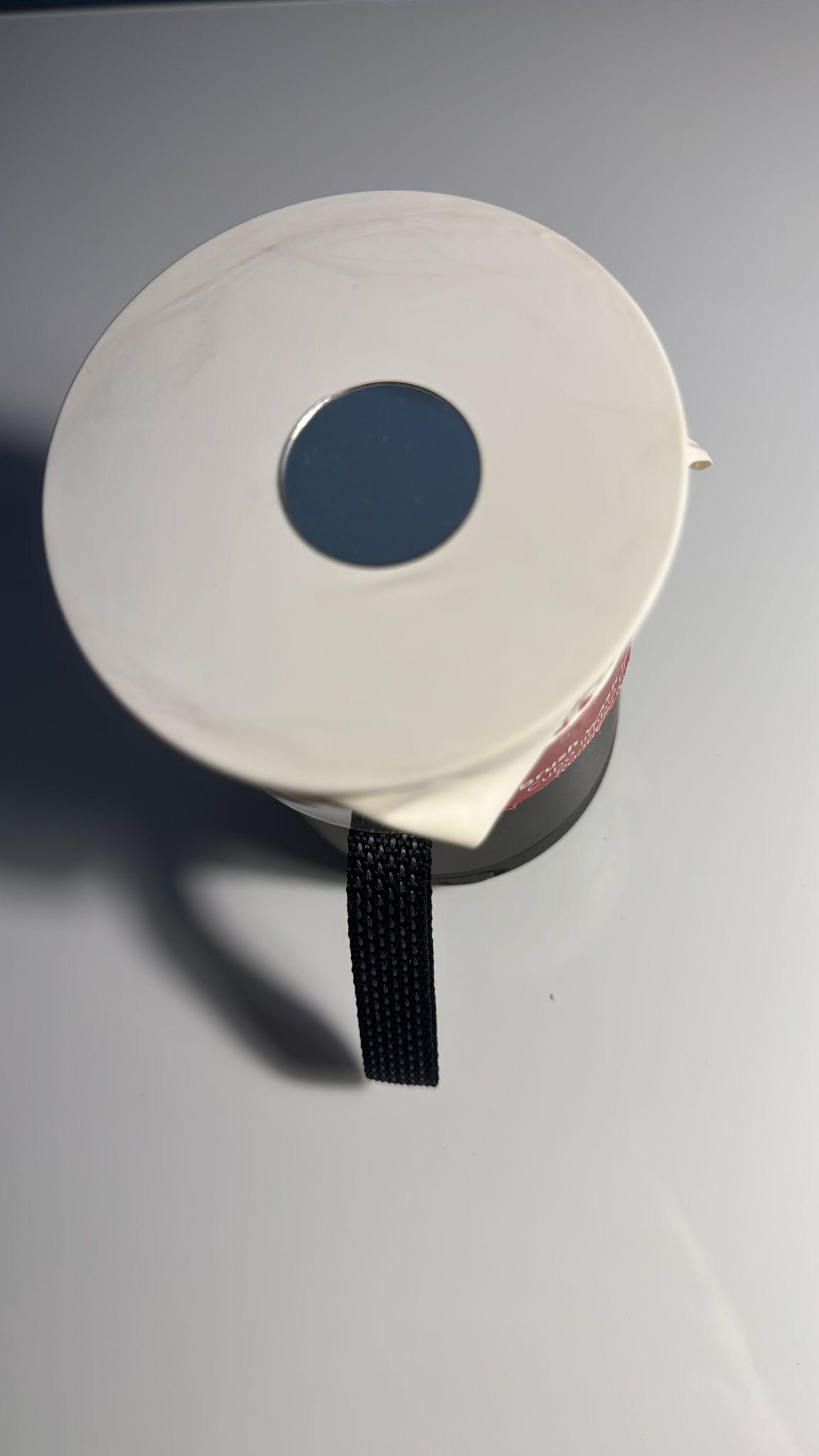
To visualize the vibration with a laser, I attached a small adhesive mirror directly to the membrane.
Steps:
- Use a small, lightweight adhesive mirror.
- Place it exactly at the center of the membrane.
- Press gently to ensure good adhesion without deforming the membrane.
This mirror reflects the laser beam, transforming membrane vibrations into visible light patterns.
Keep the mirror as light as possible to avoid damping the membrane motion.
https://amzn.eu/d/7R31fKI
Building the Support Structure

To stabilize the system, I built a simple support structure using polystyrene foam (polispan).
The structure allows:
- secure placement of the membrane device
- easy adjustment of angle and height
In my setup:
- the device was tilted at approximately 40° relative to the base
- the structure faced a matte black screen placed 1 meter away
The dark, matte surface improves contrast and makes the laser patterns easier to see.
At this point, it's not necessary to be very strict (for educational purposes); you don't need fixed measurements, just that the devices remain stable.
Positioning the Laser
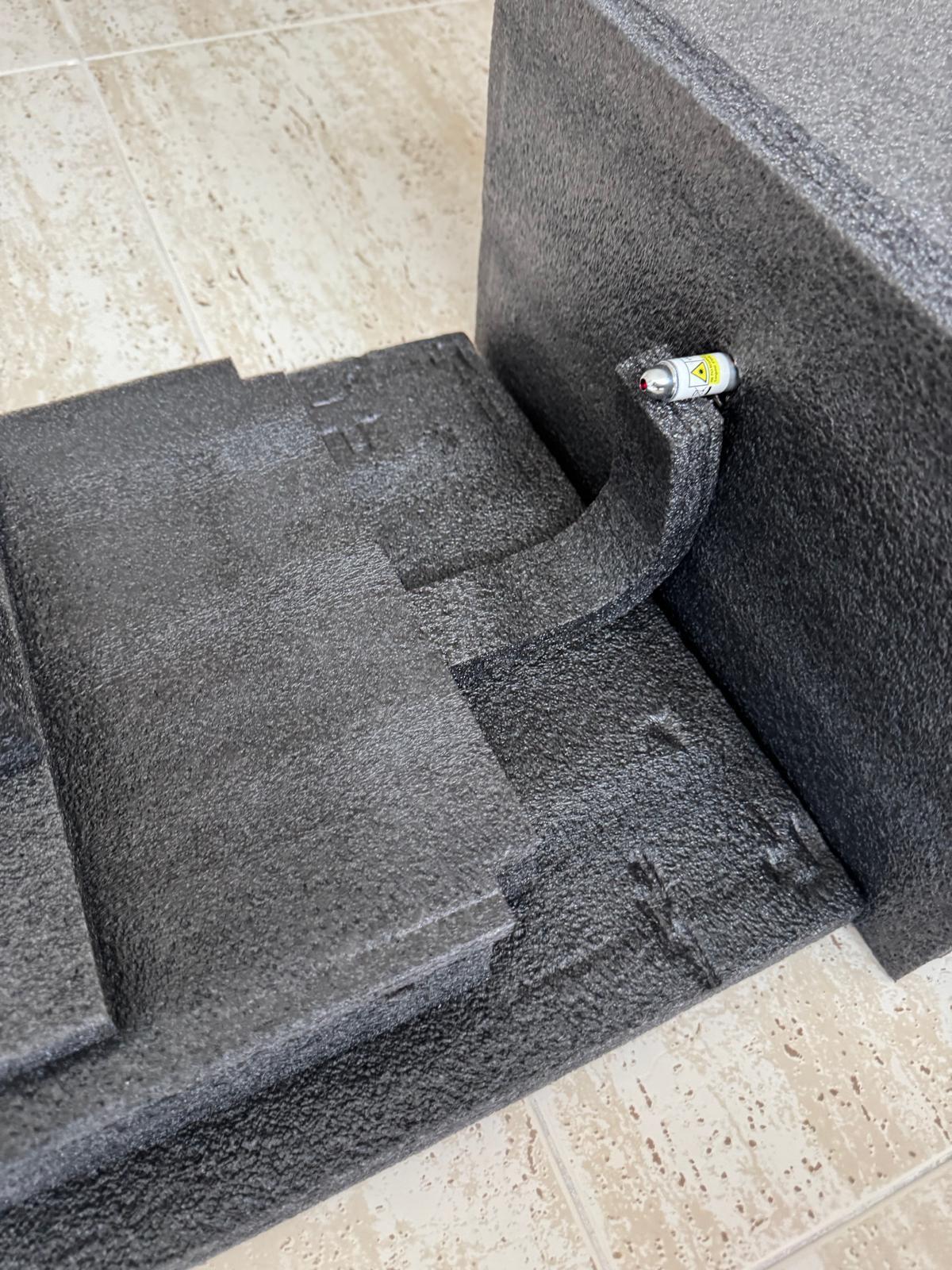
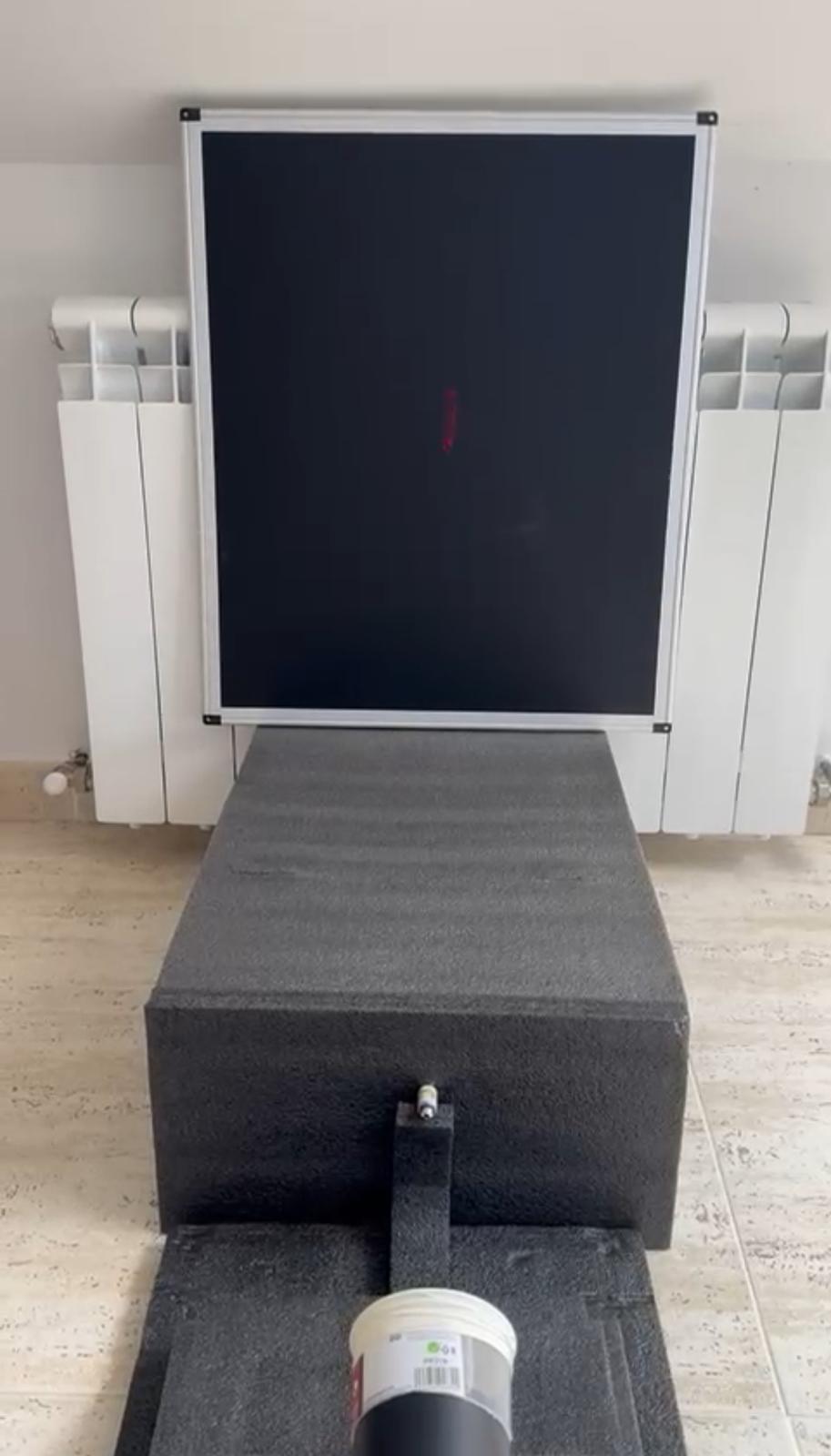
A standard low-power laser pointer was used (https://amzn.eu/d/fZuiR8j).
Steps:
- Place the laser approximately 40 cm in front of the membrane device.
- Align the laser so that it points directly at the mirror.
- Adjust the angle until the reflected beam hits the screen.
Laser safety
- Use only low-power laser pointers
- Never point the laser at eyes or reflective surfaces unintentionally
Final Mechanical Setup
At this point, the physical system is complete:
- vibration speaker mounted in a tube
- tensioned latex membrane
- central reflective mirror
- stable support structure
- laser aligned with the mirror
- projection surface at fixed distance
Before moving on, it is recommended to:
- test the system with simple audio signals (e.g., sine waves)
- verify that the laser produces clear, stable patterns
- make small adjustments to membrane tension or alignment if needed
EEG Data Source and Preprocessing (background)
The EEG signals used in this project were obtained from an open-access EEG database, ensuring transparency and reproducibility.
EEG data source
The data come from the following OpenNeuro dataset:
https://openneuro.org/datasets/ds004504/versions/1.0.7
This dataset provides:
- raw (unprocessed) EEG recordings
- preprocessed EEG data
- detailed metadata and documentation
For this Instructable, EEG signals were selected and prepared to obtain clean and representative brain activity time series suitable for sonification.
EEG preprocessing (context)
EEG preprocessing typically includes steps such as:
- band-pass filtering
- artifact removal
- channel selection or averaging
- normalization
Important note
EEG preprocessing is a complex methodological process that goes beyond the scope of this Instructable. The focus here is on how already-prepared EEG signals can be physically visualized, not on teaching EEG cleaning techniques.
For educational and workshop purposes, this project assumes that a clean EEG time series is available as input.
Full reproducibility and materials
To ensure full reproducibility, all materials required to replicate the experiment are publicly available, including:
- code for EEG preprocessing
- sonification scripts
- example EEG data
- documentation
They are archived in the following Zenodo repository:
https://doi.org/10.5281/zenodo.17639457
All code used in the following steps is provided in this repository.
This allows:
- independent replication
- educational reuse
- adaptation to other datasets
Sonifying the EEG Signal
Once a clean EEG signal is available, the next step is direct sonification.
In this project:
- the EEG signal is converted directly into an audio waveform
- no musical mapping is applied
- no notes, scales, or symbolic transformations are used
This preserves the temporal and spectral structure of the original brain signal.
EEG sonification code:
The output of this step is a standard audio signal that can be played through any audio output device.
You can try the small attached sample (sonified eeg.mp3) to check the EEG sonification result
Downloads
Sending the Audio Signal to the Vibration Speaker
The sonified EEG audio is sent wirelessly via Bluetooth to the vibration speaker.
Steps:
- Pair the computer or playback device with the vibration speaker via Bluetooth.
- Select the speaker as the default audio output.
- Play the sonified EEG audio signal.
Using Bluetooth makes the setup:
- cleaner
- more flexible
- easier to adapt to different workshop environments
Keep the volume at a moderate level to avoid damaging the speaker or the membrane.
Generating the Laser Projection
As the sonified EEG audio drives the vibration speaker:
- the membrane vibrates according to the brain signal
- the central mirror reflects the laser beam
- the reflected beam traces dynamic patterns on the projection surface
For best results:
- use a matte black surface
- place it at a fixed distance (≈1 meter in this setup)
- ensure complete darkness in the room
Any smooth black surface can be used, as long as ambient light is minimized.
Recording the Laser Patterns
The resulting laser patterns were recorded using a camera.
In this setup:
- a smartphone camera (iPhone 15) was used
- the camera was placed facing the projection surface
- video recording was preferred over still images to capture dynamics
Tips:
- fix the camera on a tripod if possible
- avoid autofocus changes during recording
- keep exposure settings stable
These recordings can later be:
- visually compared
- analyzed with computer vision tools
- used for educational demonstrations
What You Are Seeing
(The video shows a brief example of laser pattern recording)
Each recorded laser pattern corresponds to:
- a specific EEG signal
- a specific brain state
- a specific vibration regime
Because the system is physical:
- the same signal produces the same pattern
- different signals produce different patterns
This makes the setup a physical data visualizer, where brain dynamics become directly observable as light and motion.
Downloads
Educational and Experimental Use
This setup can be used for:
- teaching signal processing concepts
- demonstrating EEG dynamics
- exploring data sonification
- science–art workshops
- experimental visualization of complex data
This system is not intended for clinical diagnosis.
Its purpose is educational, experimental, and exploratory