The Top Free 3D Printing Software to Try in 2026
by Julie80 in Design > 3D Design
17 Views, 0 Favorites, 0 Comments
The Top Free 3D Printing Software to Try in 2026
The Top Free 3D Printing Software to Try in 2026
The Top Free 3D Printing Software to Try in 2026
3D printing continues to revolutionize how we design, prototype, and produce objects, from hobbyist crafts to industrial components. But having a 3D printer is only one part of the equation. To bring your ideas into physical form, you need software that can prepare, slice, edit, and manage 3D models for printing.
In 2026, the landscape of free 3D printing software is stronger than ever. Whether you’re designing complex geometry, editing STL files, or preparing flawless print files, there’s a tool suited to your needs, and you won’t have to spend a cent.
In this article, we explore some of the top free 3D printing software tools available today, what they do, and what makes each one valuable in your workflow.
SelfCAD
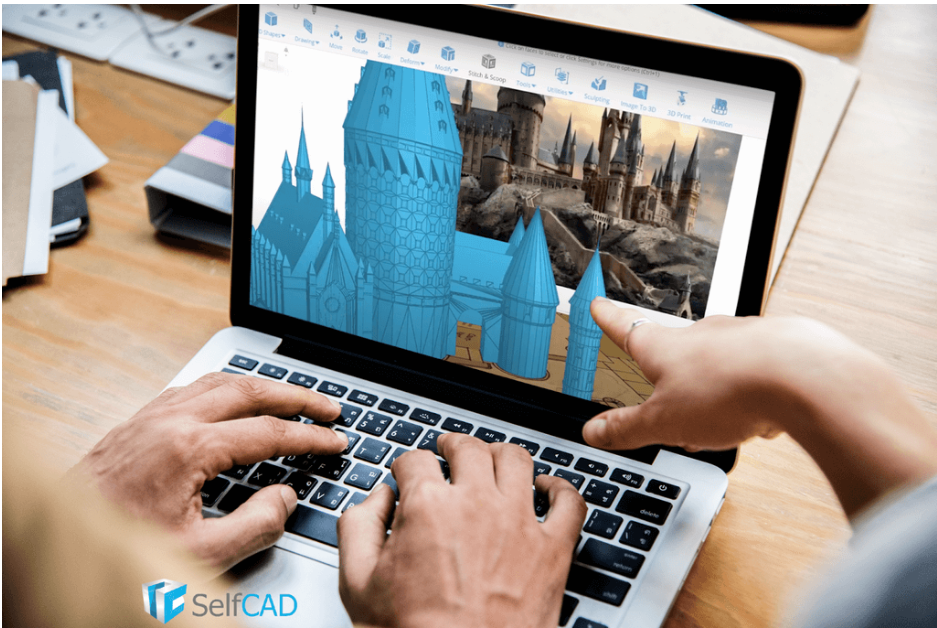
SelfCAD is an all-in-one, browser-based 3D modeling and slicing platform designed to simplify the entire 3D printing workflow. Unlike many tools that focus on only one stage, such as modeling or slicing, SelfCAD combines both design and print preparation in a single environment.
Because it runs entirely online, SelfCAD doesn’t require installation or high-end hardware. Users can design models from scratch, sculpt organic shapes, apply textures, and then move directly into slicing mode to generate G-code for 3D printing. This makes it particularly convenient for students, hobbyists, and makers who want a streamlined experience without switching between multiple programs.
While SelfCAD offers premium plans, it provides a free version suitable for learning, experimenting, and handling many standard 3D printing projects.
Key Strengths
i) All-in-One Workflow: Model, sculpt, and slice within the same platform, reducing the need for external software.
ii) Built-In Online Slicer: Generate G-code directly in the browser without exporting to another slicer.
iii) Beginner-Friendly Interface: Clear tools and guided workflows make it accessible to new users.
iv) Educational Resources: Includes tutorials and structured lessons ideal for classroom use.
v) Cloud-Based Accessibility: Works on most devices with an internet connection, including lower-spec computers.
vi) Balanced Capability: Supports both artistic sculpting and more structured modeling, making it versatile for various 3D printing projects.
Ultimaker Cura
Ultimaker Cura is one of the most widely used free slicing tools for desktop 3D printers. A slicer is software that converts your 3D model into instructions (G-code) a printer understands, telling it where to move, how fast, and how much filament to extrude.
Developed by Ultimaker and supported by a thriving community, Cura supports a huge range of printers and offers an intuitive interface that works for beginners yet provides advanced options for experienced users.
Key Strengths
i) User-Friendly Interface: Cura presents essential settings cleanly while giving access to advanced controls when needed.
ii) Extensive Printer Support: Works with most common FDM/FFF printers, including custom machine profiles.
iii) Smart Print Profiles: Pre-configured profiles help beginners achieve good results with minimal tweaking.
iv) Active Community & Plugins: Integrates with plugins and profiles shared by users worldwide.
v) Regular Updates: Frequent improvements ensure better print quality and new features.
Whether you’re printing toys, tools, or functional prototypes, Cura remains one of the best free slicers available today.
PrusaSlicer
Originally developed for Prusa 3D printers, PrusaSlicer has grown into a powerful open-source slicer for a wide variety of machines. Its strength lies in robust features that help you fine-tune every aspect of your print.
Key Strengths
i) Advanced Slicing Features: Includes support for variable layer heights, multiple extruders, and customizable support structures.
ii) Expert Mode Controls: Offers deep access to slicing parameters for advanced users.
iii) Performance & Reliability: Generates consistent, high-quality G-code that many users trust for complex prints.
iv) Mesh Repair & Previews: Lets you visualize toolpaths and detect potential issues before printing.
v) Community Profiles: Plenty of pre-made settings for printers outside the Prusa ecosystem.
If you want finer control over print quality or need features like custom supports or multi-material management, PrusaSlicer is a powerful free choice.
Meshmixer
Meshmixer is a versatile 3D model editing and repair tool from Autodesk. While not a slicer, it’s invaluable for preparing models for 3D printing, especially if they need editing, repairing, or sculpting before slicing.
Key Strengths
Mesh Repair Tools: Automatically fixes holes, flipped normals, and other common issues that can prevent successful printing.
Sculpting & Remodeling: Lets you shape and modify models organically, useful for customizing designs.
Analysis Tools: Detects overhangs, wall thickness, and weak features before printing.
Boolean Operations: Combine or subtract shapes cleanly without breaking geometry.
Free & Lightweight: A powerful tool for editing meshes without cost.
Meshmixer is often used in tandem with slicers to refine models, optimize printability, and make quick adjustments before generating G-code.
FreeCAD
FreeCAD is an open-source parametric CAD tool often used for designing parts with precise dimensions, perfect for engineering, functional prototypes, or custom fitting components for 3D printing.
Key Strengths
i) Parametric Design Workflow: You can adjust model parameters (like dimension values) at any time without starting over.
ii) Engineered Precision: Ideal for parts that must fit together or meet exact specifications.
iii) Modular Architecture: Useful workbenches for architecture, mechanical design, and simulations.
iv) Export Formats: Easily exports STL/OBJ and formats compatible with slicing tools.
v) Active Open-Source Community: Continuous improvements and plugins for expanding functionality.
FreeCAD is particularly useful if you’re designing parts that need precision rather than organic forms, like mechanical fittings, cabinetry, brackets, or enclosures.
Tinkercad
Tinkercad, developed by Autodesk, is a browser-based 3D design tool perfect for beginners and educators. While not a slicing program, it provides a simple way to design, build, and export 3D models for printing.
Key Strengths
i) Extremely Easy to Learn: Drag-and-drop block modeling makes it accessible for kids and first-time creators.
ii) Web-Based & No Installation: Works on most devices with a modern browser.
iii) STL/OBJ Export for Printing: You can design in Tinkercad and export straight to your slicer.
iv) Lesson Plans & Tutorials: Great for classrooms and learning environments.
Rapid Concepting: Build and iterate designs quickly before further refinement.
Lychee Slicer (Free Version)
Lychee Slicer is known for its intuitive approach to slicing, especially for resin (SLA/DLP) 3D printers. While advanced features require a paid license, its free tier still offers a strong set of tools for hobbyists and starter users.
Key Strengths
i) User-Friendly Workflow: Simplifies support creation and slicing setup.
ii) Custom Support Tools: Helps generate optimized supports for delicate or elaborate prints.
iii) Easy Scene Management: Arrange, scale, and prepare models with minimal fuss.
iv) Resin Printing-Focused: Excellent support for SLA workflows where support generation is critical.
v) Previews & Analytics: See cross-section previews and layer details before printing.
For resin 3D printing, where support placement and orientation are critical, Lychee Slicer’s free version is a great place to begin.
OctoPrint
OctoPrint isn’t a slicer, it’s a remote printer management tool. Used with printers connected to a Raspberry Pi or similar controller, OctoPrint lets you monitor, control, and manage prints over a network.
Key Strengths
i) Remote Print Control: Start, stop, and monitor prints from a browser or mobile device.
ii) Webcam Support: Watch prints live for early detection of issues.
iii) Plugin Support: Extend capabilities with community plugins like timelapse generation, remote slicing, and more.
iv) Print Queue Management: Organize multiple jobs and track progress.
v) Open Source & Free: A powerful management hub at no cost.
OctoPrint is especially valuable if you run a 3D printer that stays busy and you want better control without physically attending every print.
In 2026, free software for 3D printing continues to mature, innovate, and support creators of all levels. Whether you’re just starting or refining professional workflows, there’s software that will support your journey, without costing a dime.