AI Smartglasses
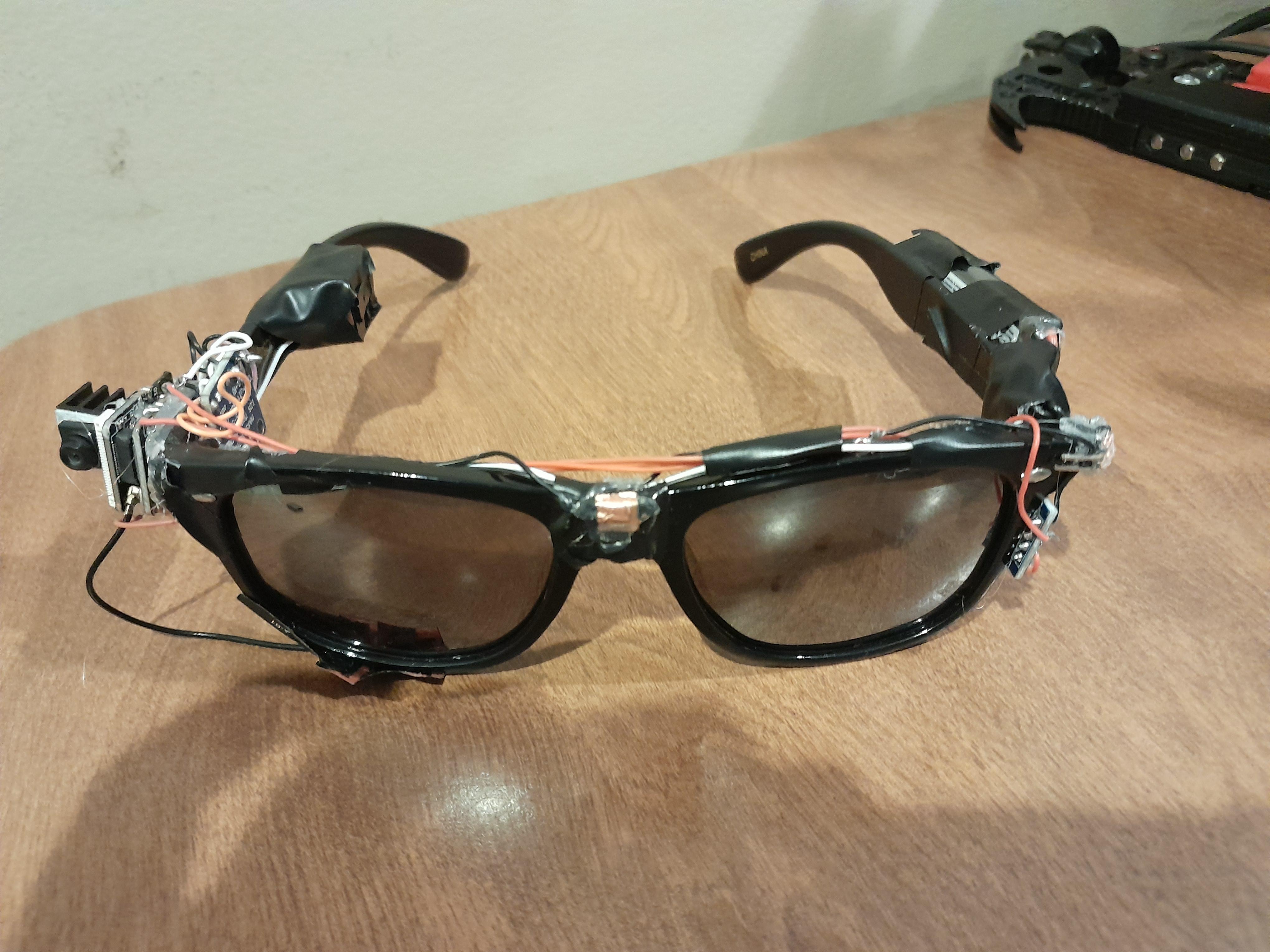
AI smartglasses, for under $60, with an ESP32. What? Yeah, it took a while... Based on operational potential, not looks. (clearly)
Supplies
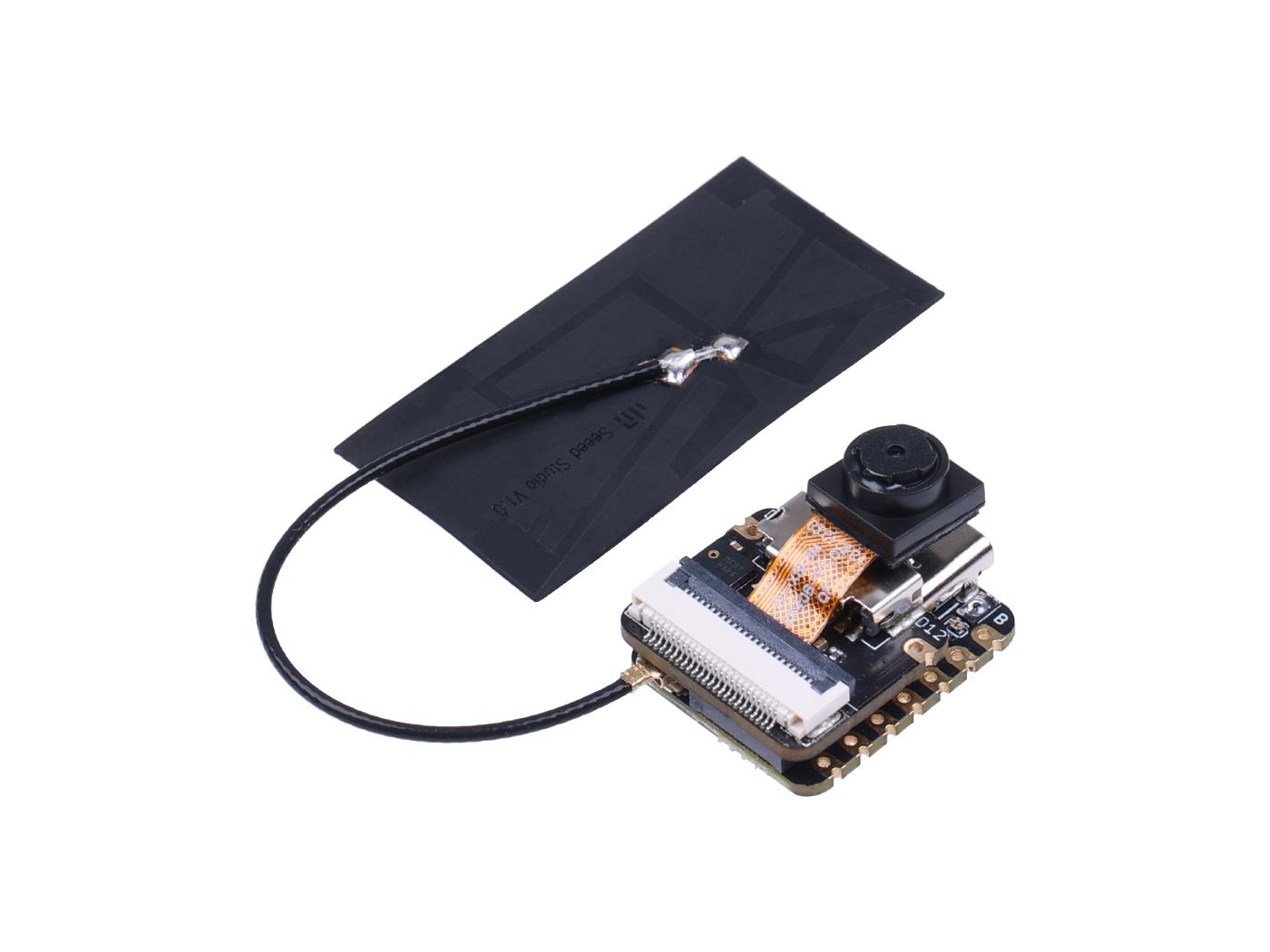

------------------HARDWARE-----------------------
- XIAO ESP32S3 Sense (Seeed Studio)
-The microcontroller, with a built-in PDM mic, WiFi, and GPIOs. Get on Amazon
- Sunglasses (any will do, as long as the frame is thick enough)
- Dayton Audio BCE-1 22 x 14mm Bone Conducting Exciter
-Bone conduction speaker for playback, get at Amazon
- MAX98357A I2S 3W Class D Amplifier
-Handles playback over the speaker. Get on Amazon as well
- Battery
-Any one-cell LiPo will do. I used this one
- Wire
-The best option is this lightweight silicon wire
- 32GB or less MicroSD card that is formatted with FAT32
- Copper tape
-For the touch pins, get here
-------------------- TOOLS -----------------------
Arduino IDE
Soldering stuff
Hot glue gun
Wire cutters (you can strip the wires with your nails)
Wiring
![20260201_094234[1].jpg](/proxy/?url=https://content.instructables.com/F3E/ACU5/ML1YVC8R/F3EACU5ML1YVC8R.jpg&filename=20260201_094234[1].jpg)
![20260201_094223[1].jpg](/proxy/?url=https://content.instructables.com/FDY/TLZ6/ML1YVC99/FDYTLZ6ML1YVC99.jpg&filename=20260201_094223[1].jpg)
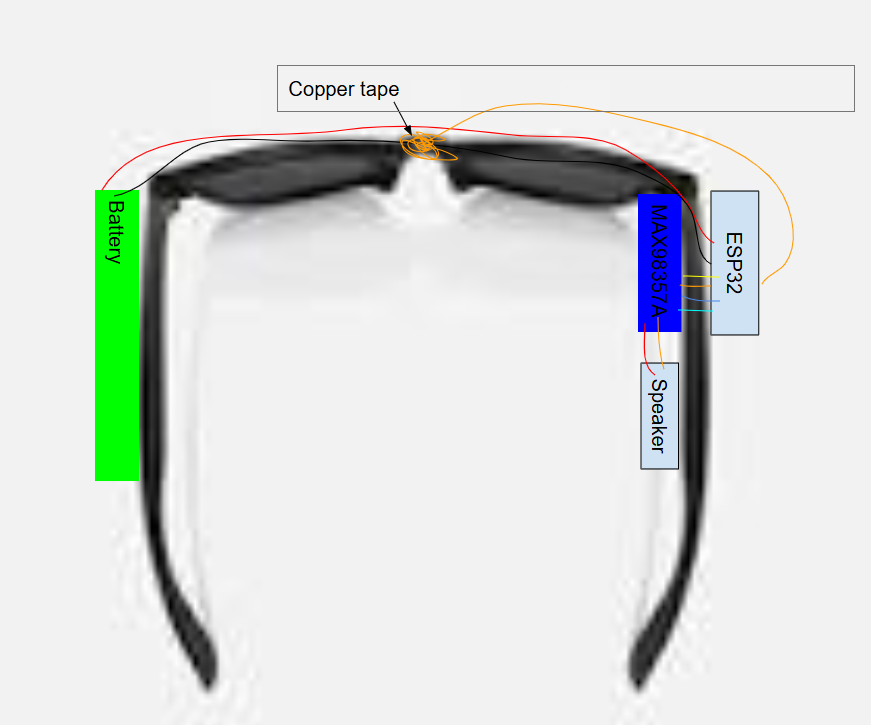
- Attach the battery to the left side of the glasses.
- Attach the Sense to the right front side of the glasses, attach the antenna that comes with it to the JST connector on the base board, and put the MicroSD card into the MicroSD slot opposite the camera slot. You can remove the camera if you want; it's not really needed for basic functions. See details on the Sense here.
- Wire the battery + and - to the battery charger pins + and - on the bottom of the ESP32.
- Attach the MAX98357A to the inside of the glasses opposite the Sense.
- LRC -> D5
- BCLK -> D4
- DIN -> D3
- GAIN and SD - leave floating
- GND -> GND
- VCC -> ESP32 3.3v
- Attach the speaker to the amp, and glue the speaker to the spot that rests on your temple (or right in front of your ear)
Speaker RED connection -> MAX +
Speaker BLACK connection - > MAX -
6. Put a small piece of copper tape on the bridge of the smartglasses, and connect it to D0.
Arduino Setup

- Get Arduino IDE
- Download the project files from https://github.com/jahames1111/SunglassesofPain
- FOLLOW THE INSTRUCTIONS ON THE MAIN PAGE!!!!!!
- Select XIAO_ESP32S3 and your port with this little symbol
- It should look like this
- Click the second button (upload)
- Wait for it to finish, click the Serial Monitor button, and select 115200 baud as the communication rate.
Test
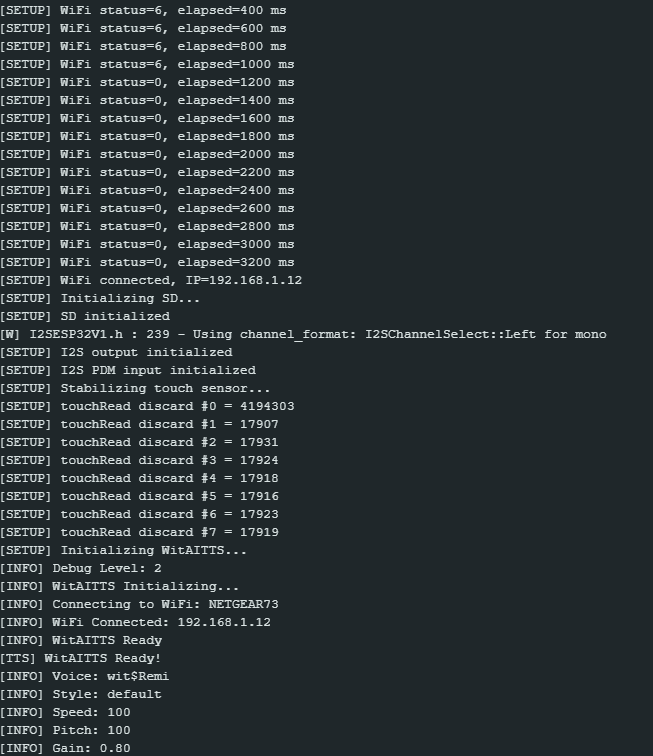
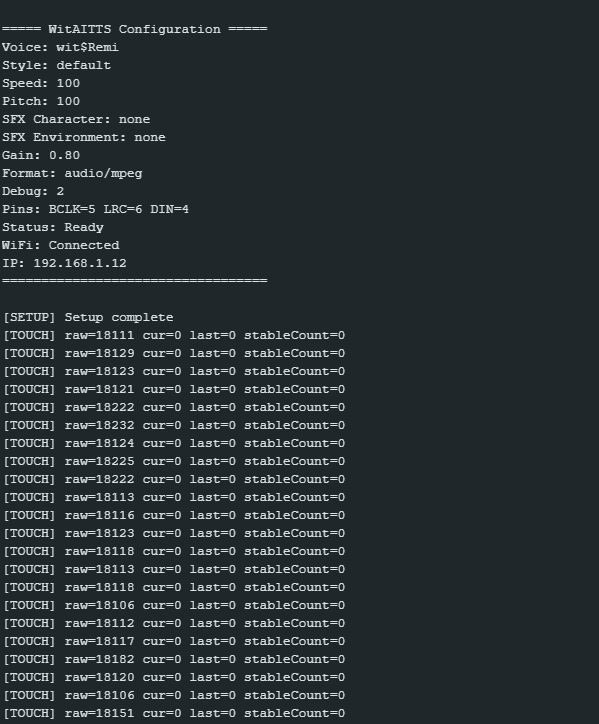
If you see something similar to this in the output, it initiated successfully.
If something weird/bad/didn't happen, then try ALL of the instructions again, and if it still doesn't work, contact me at jfunky1111@gmail.com.
If it worked, then press your copper pad, say hello, and let go of it. Wait a little bit (~5s depending on your wifi), and you should hear the AI response through the bone conduction speaker.
Congrats, you have made a pair of smartglasses! Was it painful? It definitely was for me (7 months).
Optional Upgrades
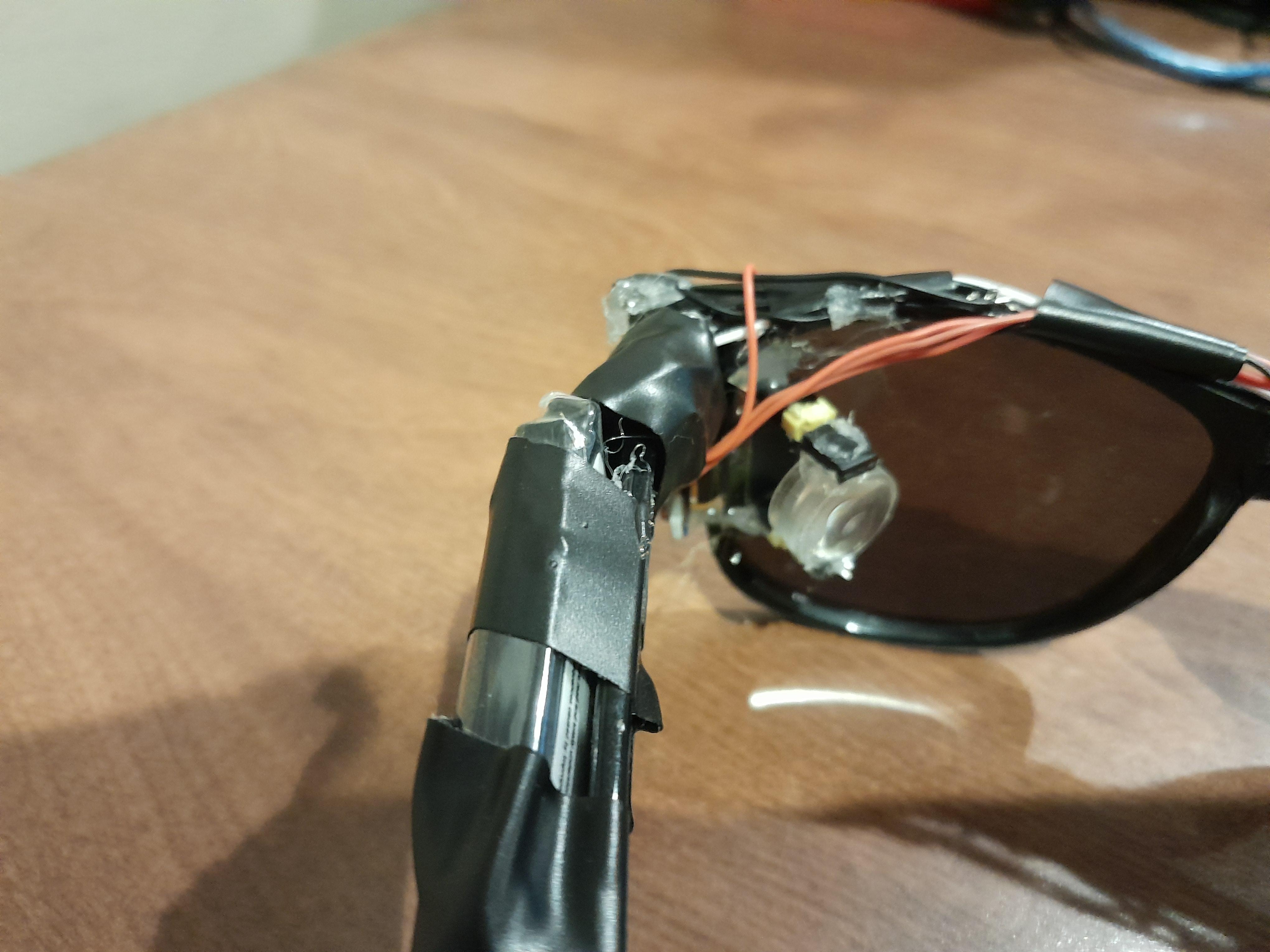
Non-arduino savvy upgrades:
- Cover it in electrical tape
- Add a power switch (mine has this)
Slightly savvy upgrades:
- Add a small OLED screen with a magnifying lens (mine has this)
- Add other buttons (mine has this)
- Get a better antenna and set it up (mine has this)
Super savvy upgrades:
- Run an image processing AI on your laptop/PC/other device (Mine has this in development)
- Add memory to the AI (Mine has this)
- Add whatever! The glasses are fully open-source, and you can do whatever with the code and instructions.
Made by James Funkhouser, a 9th grade NERD