Space Solar System Tinkercad Model
by 58lemonadedrinks in Design > 3D Design
40 Views, 0 Favorites, 0 Comments
Space Solar System Tinkercad Model

This is the model of the solar system. Although the distance from the sun isn't accurate, we made the planet sizes as accurate as possible.
Supplies
You only need
- a chromebook
- google sheets (very important)
- Tinkercad
Google Sheets Space Caculations Sheet.
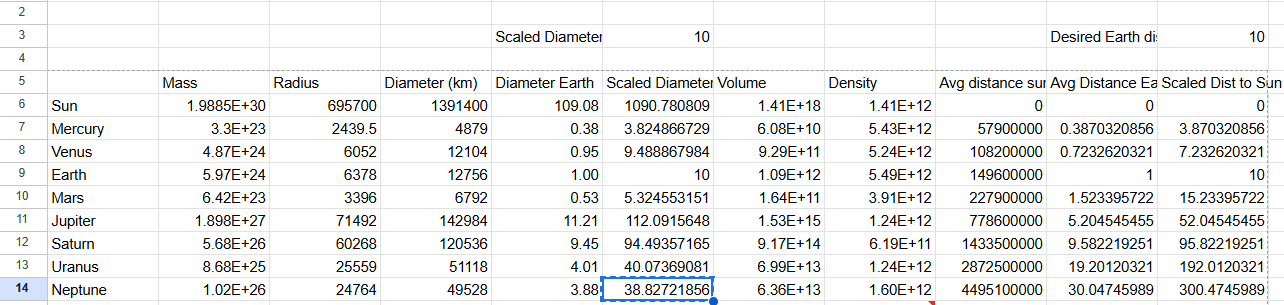
Google Sheets is very important for this. If used correctly, it can be used as a tool. This google sheet shows the planet mass, radius, and so on. But for this, we will be focusing on diameter since that is what we need.
Get the Diameters

First, list down the planets you want on your solar system. Next, put Diameter like on the picture shown. You can copy these diameters if you want to. I got these Diameters from google
Doing the Diameter/Earth

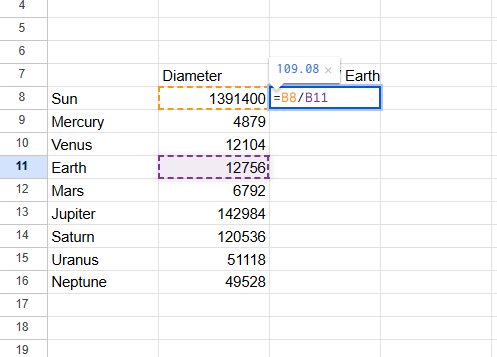


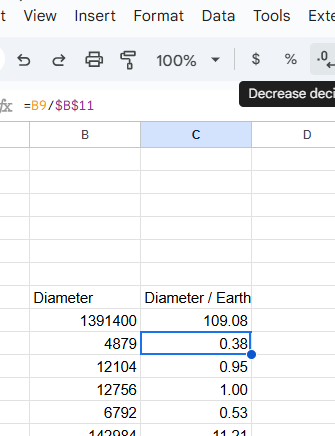
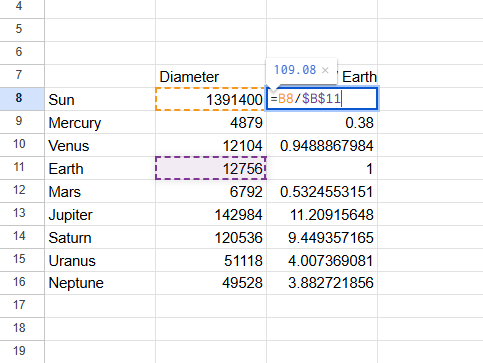
This is VERY important. For this, you need to go to the first column shown on the 1st picture. Click the box like shown in the picture and type =.
Next click on your Sun's diameter. it should show that.
Now for the important part, press / for divide, then click on Earth's diameter. Then put $ symbols next shown on the image. If you want the answers to be less numbers, go to the decrease decimal place button, shown on the images, and there you go, you have the diameters Earth version!
Scaled Diameter


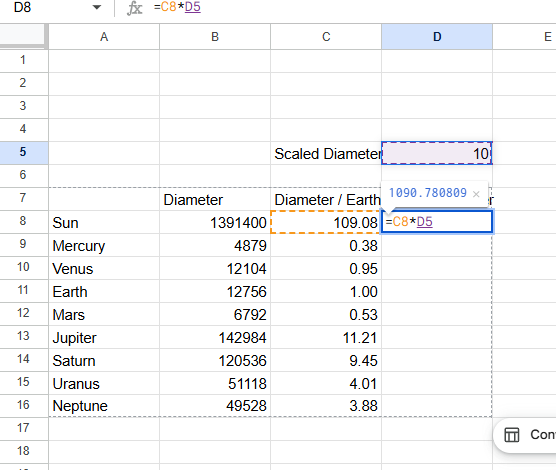
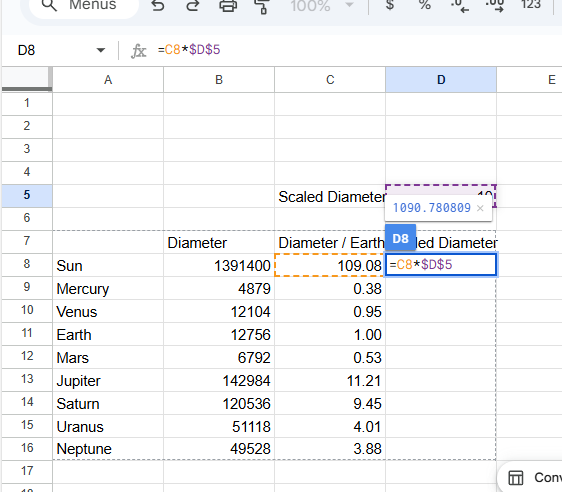
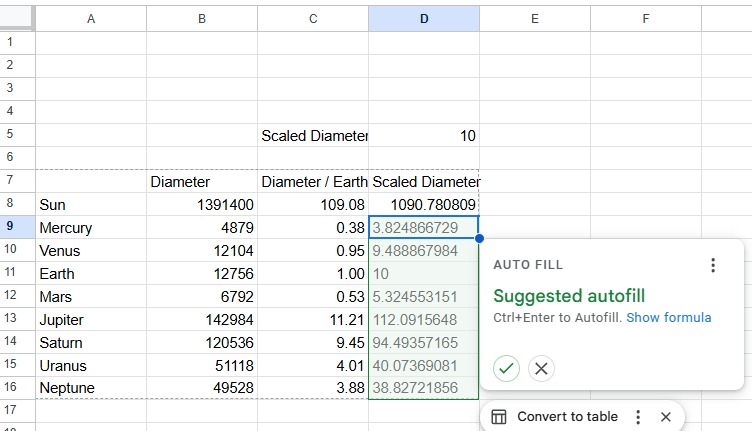
Set up the Scaled Diameter, you can put any number you want to multiply by. I chose 10 because I simply like the number 10.
This time, you are multiplying, so put the * symbol times the number you put in the scaled diameter. Put the $ symbol and enter, just like the last one. There should be an autofill option for this as well.
Building the Solar System in Tinkercad
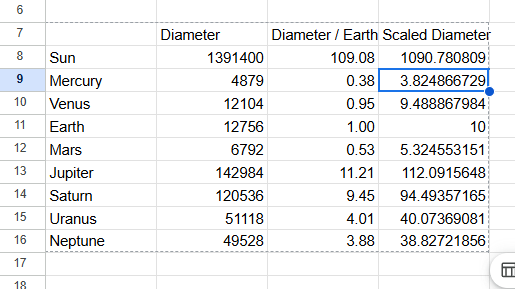
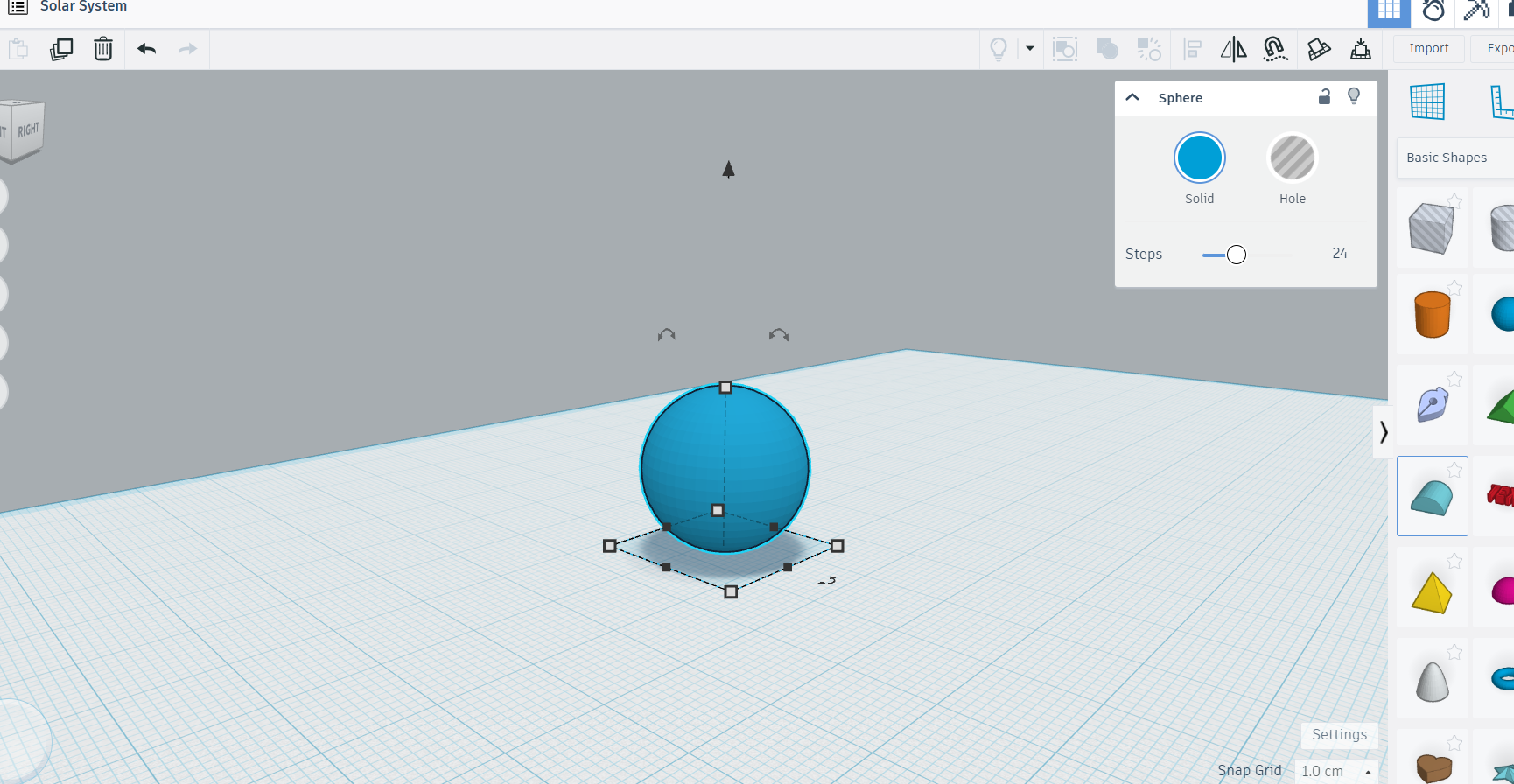


Now, it is time to put it in tinkercad!
Also, do not do the sun, save that for last. The sun will be too big, making it hard to move the screen.
I am only going to do mercury and saturn for these examples. First, copy the scaled diameter for mercury, or the planet you want to do.
Next resize the sphere, hold shift and click, then copy and paste the size in the numbers area for the sphere.
Optional Step (recommended)


Once you do your planets, you can put a text on them so you will know which planets you did. Just put the text on the planet by selecting the magnet icon and there you go! Once you do all of the planets, you then have your very own solar system!
(the magnet icon should be on the top right of the corner)