Reverse Engineering a Commercial Dryer 9‑Digit LED Dot Matrix Display
by Voltage Ventures in Circuits > Arduino
436 Views, 4 Favorites, 0 Comments
Reverse Engineering a Commercial Dryer 9‑Digit LED Dot Matrix Display

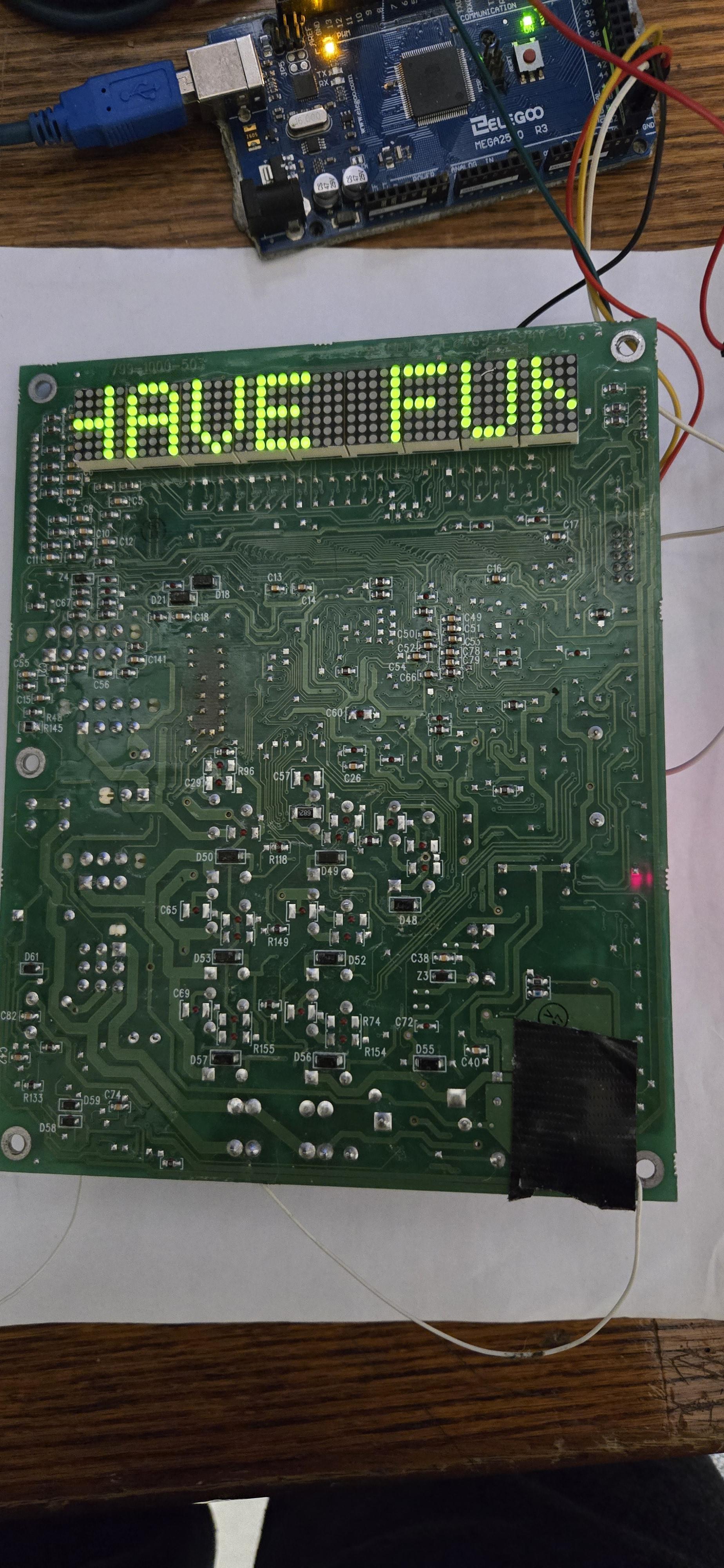
.jpg)
Commercial dryer machines often use custom LED dot‑matrix displays instead of simple 7‑segment LEDs. These displays show time, error codes, status messages, and animations — all driven by minimal hardware and very clever multiplexing.
In this project, I reverse-engineered the dot‑matrix display system from a commercial dryer, focusing on:
- How 9 dot‑matrix digits are driven
- How rows and columns are multiplexed
- How shift registers reduce MCU pin usage
- How fonts are encoded and scanned
- Why changing scan direction dramatically improves performance
This is pure reverse engineering — no schematics, no datasheets from the manufacturer.
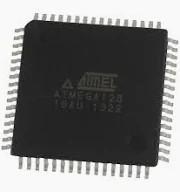
Programming the ATmega128
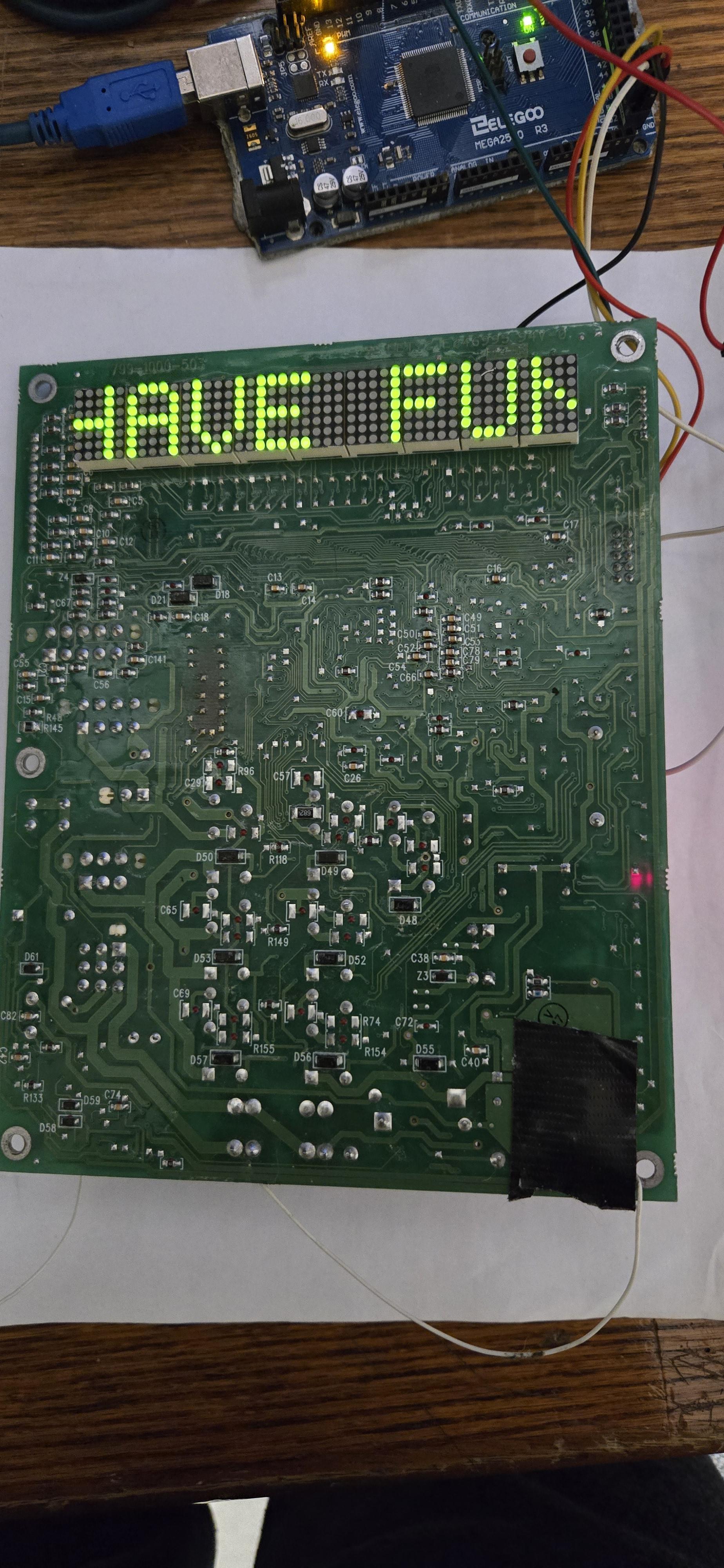
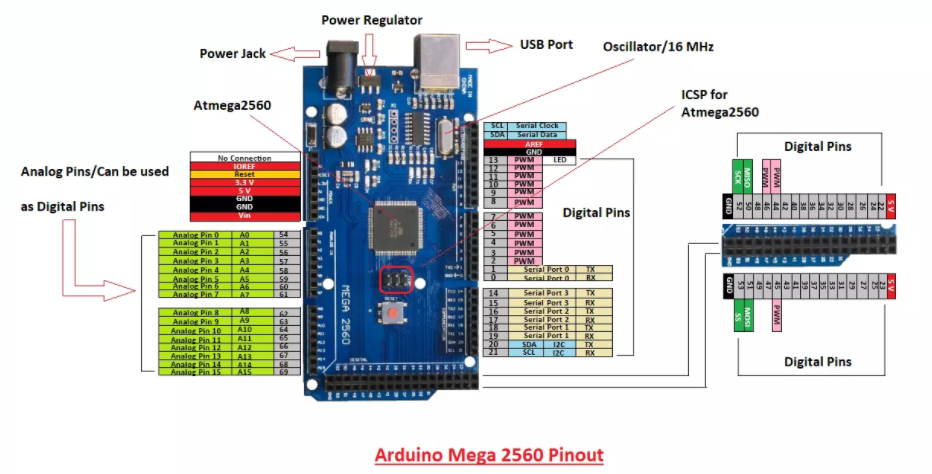
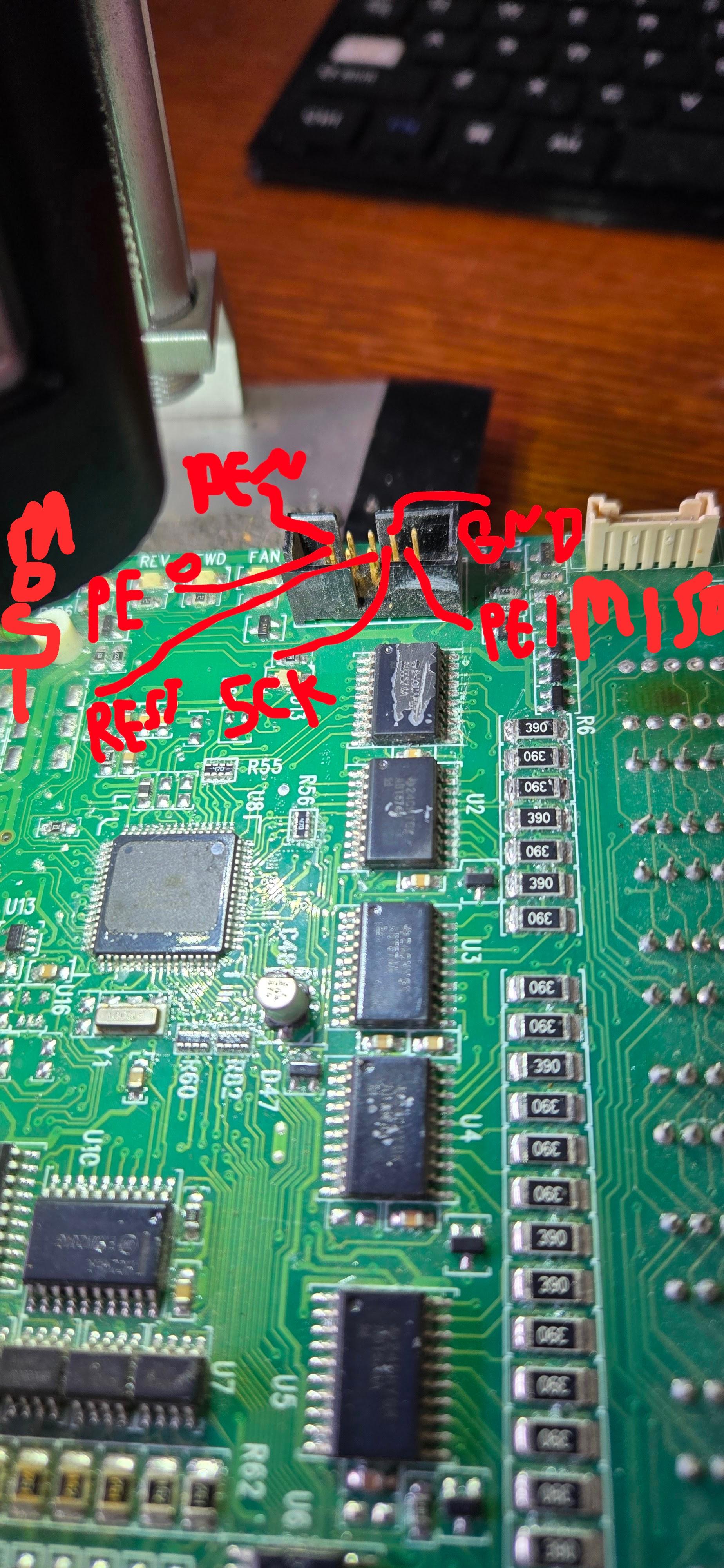
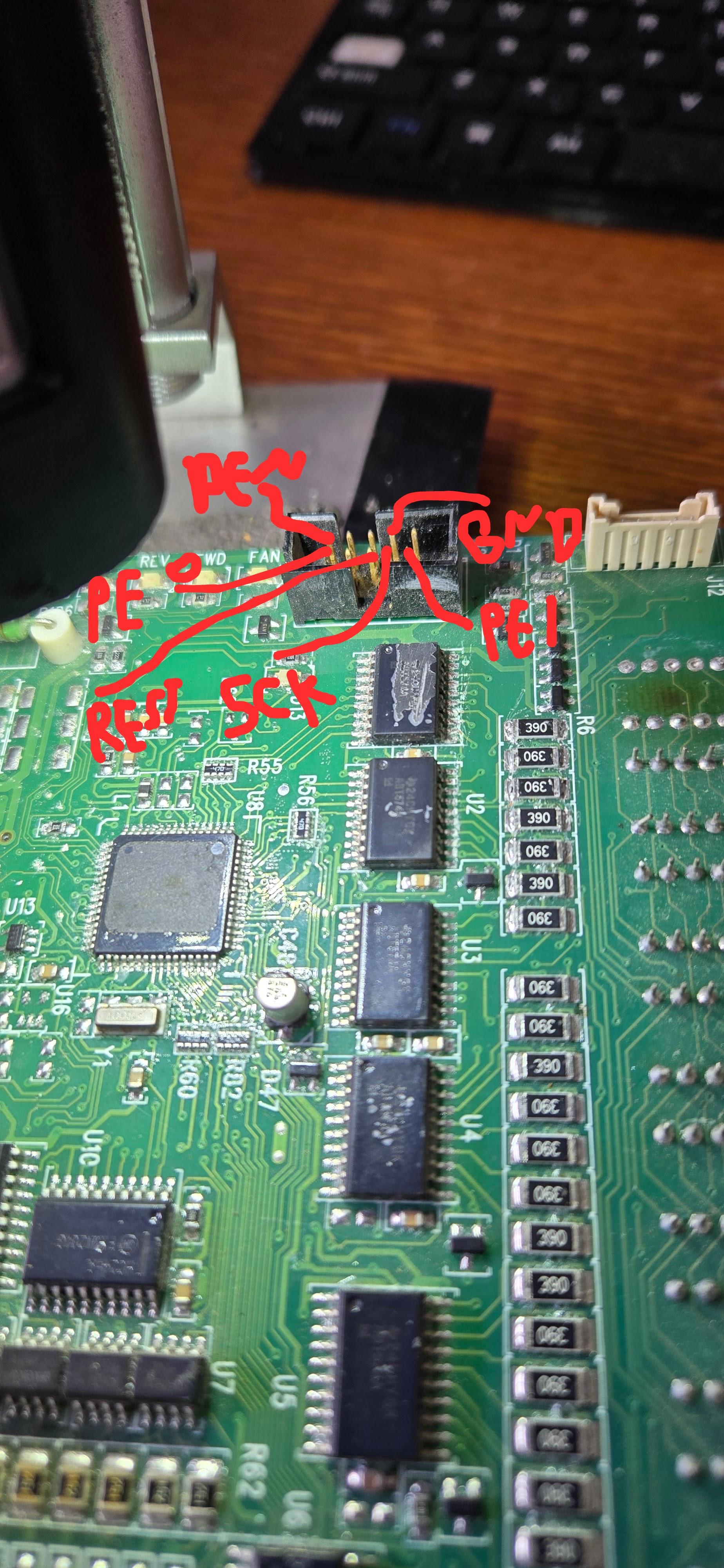
For programming the ATmega128, I used an Arduino Mega as an ISP (In-System Programmer).
This approach is simple, reliable, and does not require a dedicated AVR programmer.
The Arduino Mega was configured using the ArduinoISP sketch, and the ATmega128 was programmed directly through its SPI pins (MOSI, MISO, SCK, and RESET). This method made it easy to upload and update firmware while reverse engineering and testing the dot-matrix display logic.
- Using the Arduino Mega as a programmer allowed fast iteration during development and helped validate the reverse-engineered display timing, font scanning, and multiplexing behavior.
Supplies

ToolPurpose
Multimeter Continuity & power tracing
Oscilloscope Timing & multiplexing analysis
Camera / phone PCB documentation
ATmega128 (for reproduction) Display controller
Logic analyzer (optional) Verifying scan patterns
Downloads
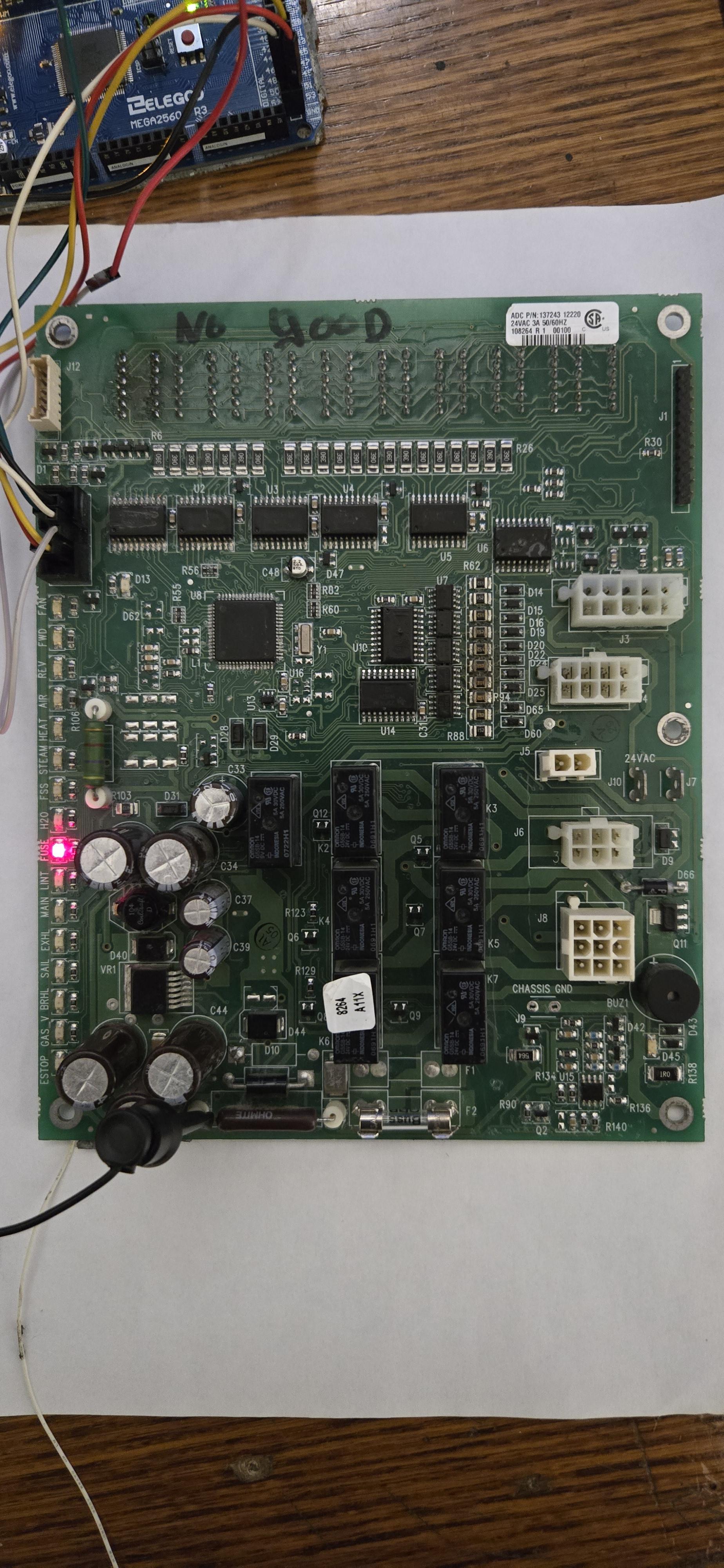
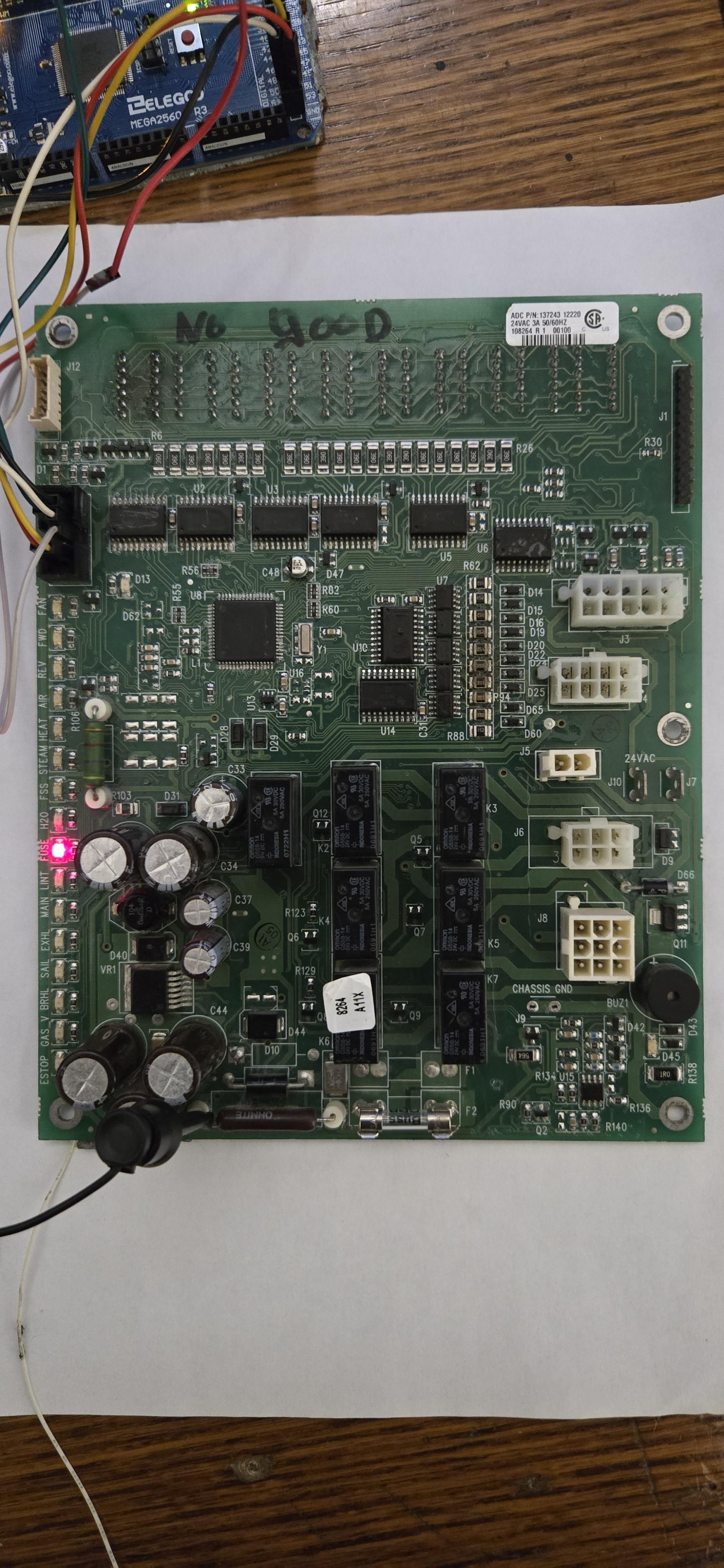
Identifying the Display Hardware
.jpg)
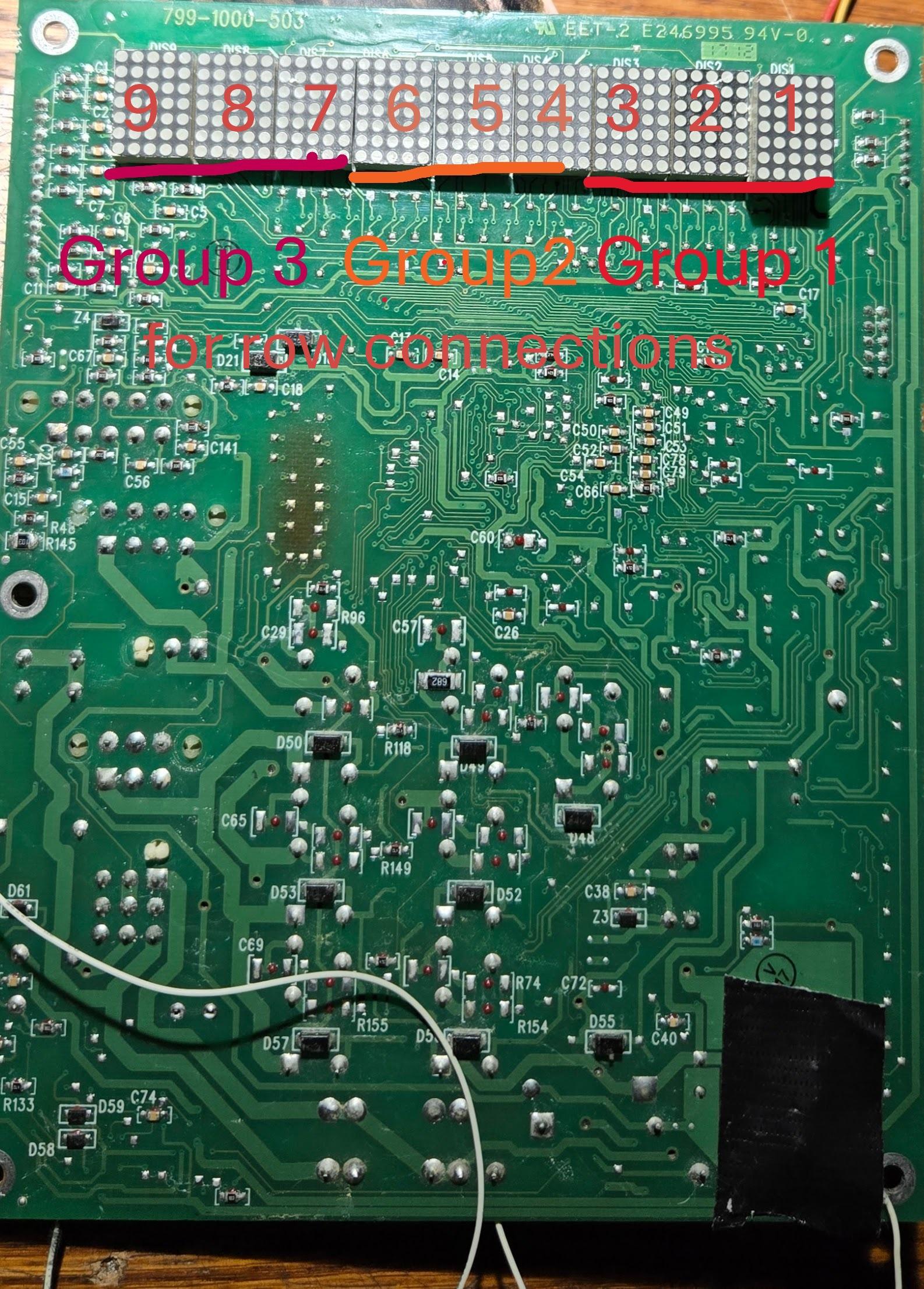
The dryer front panel contains:
- 9 individual LED dot‑matrix digits
- Each digit arranged as 5×7 LEDs
- Digits placed side‑by‑side
Important observation:
There is no driver IC per digit. All digits are passive.
This immediately tells us:
- The display is fully multiplexed
- Brightness and stability depend entirely on scan timing
Counting Wires & Understanding the Topology
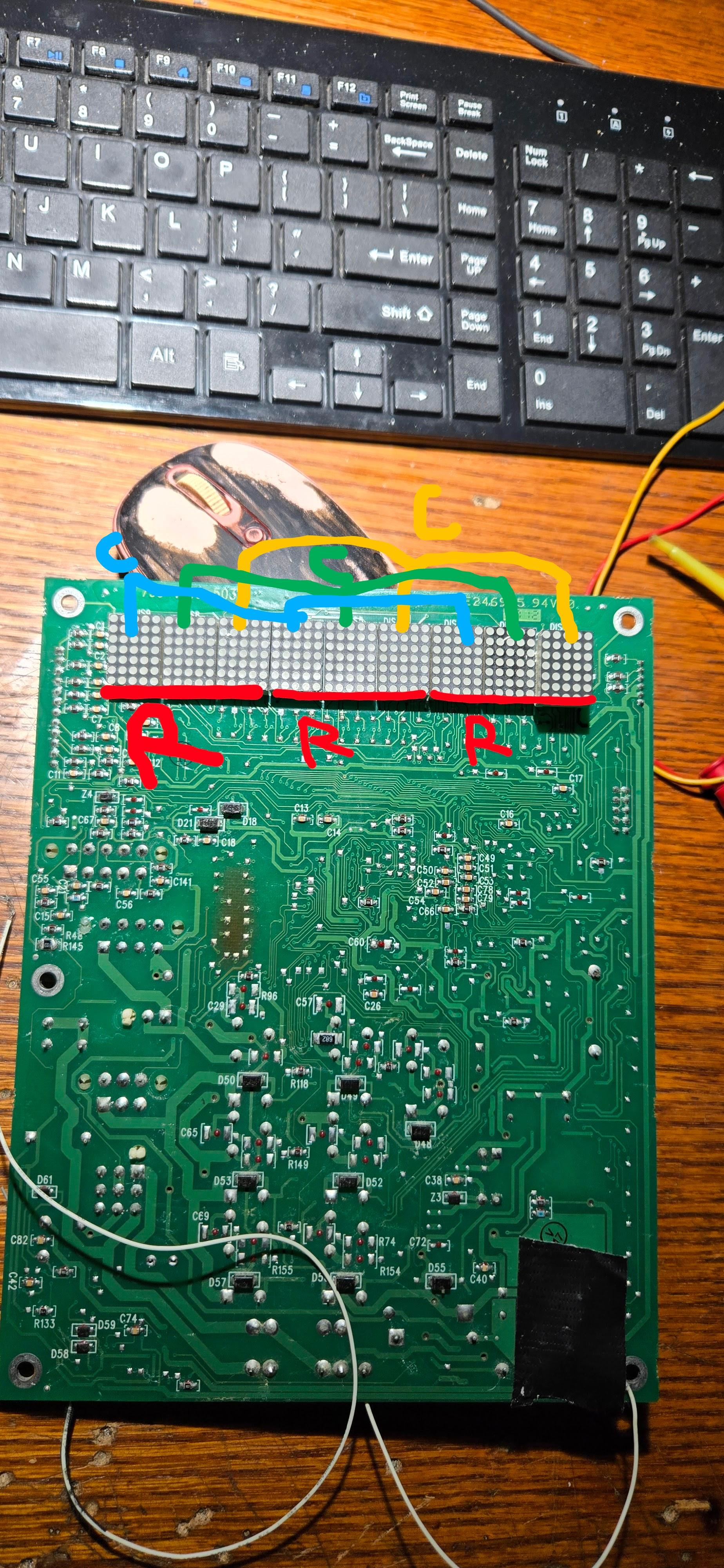

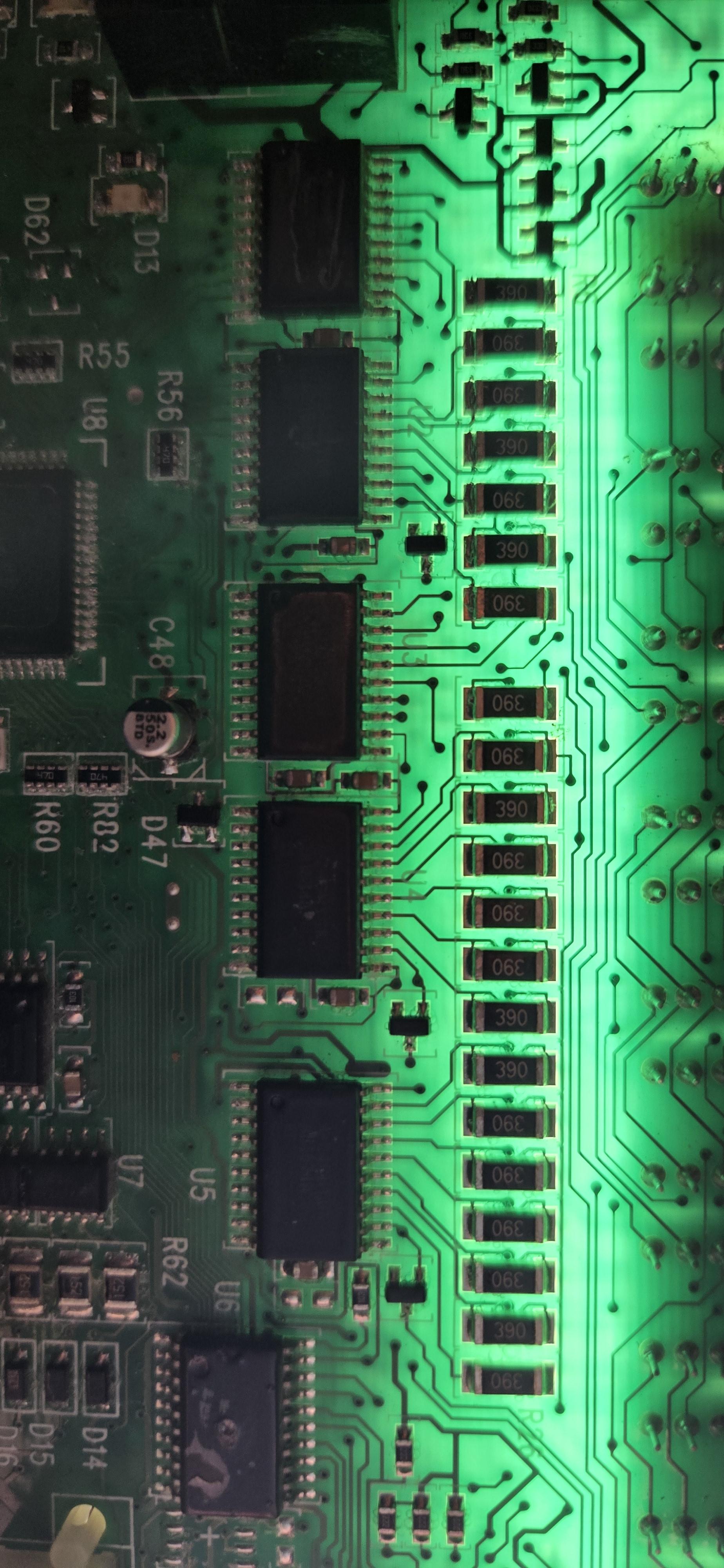
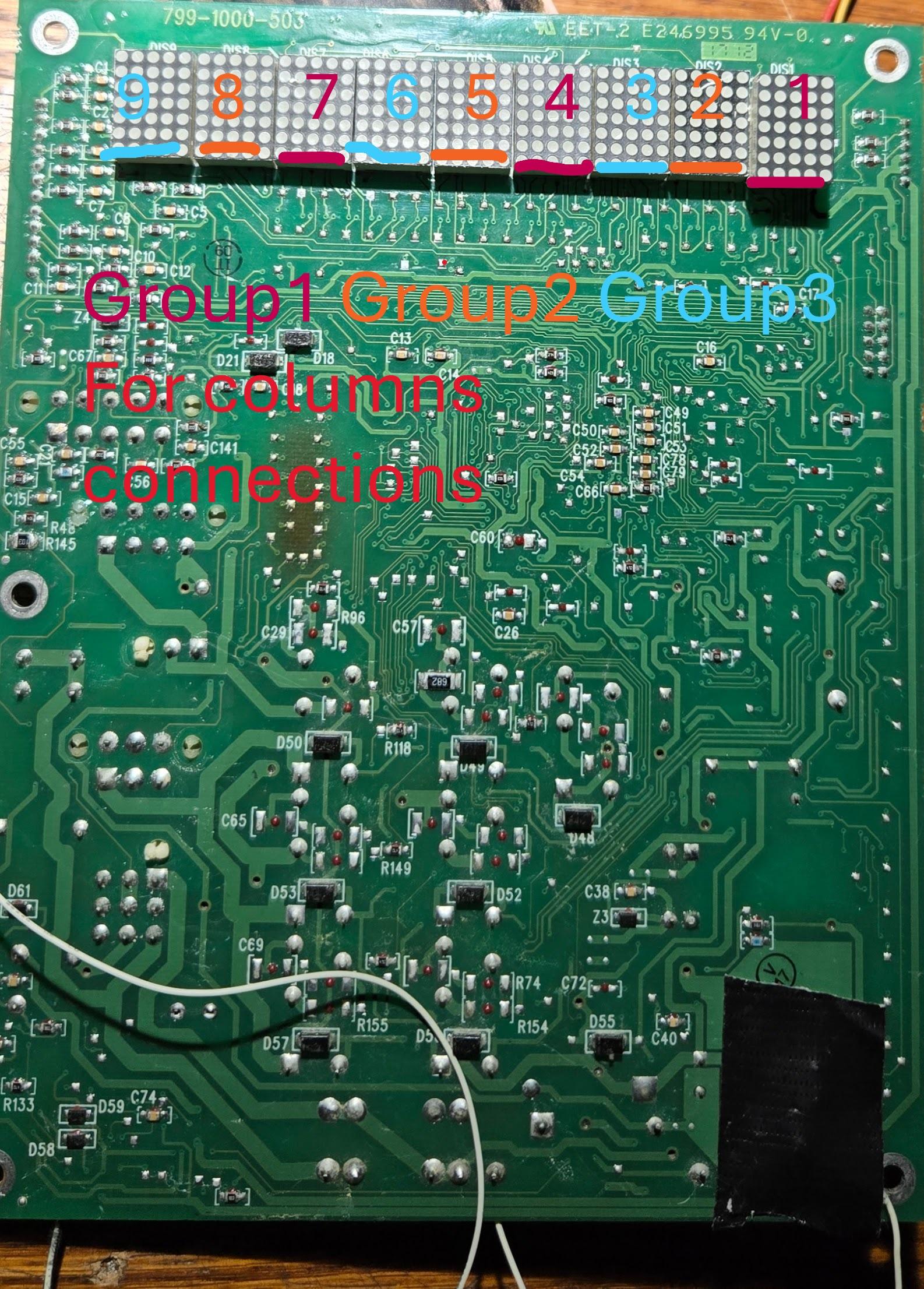
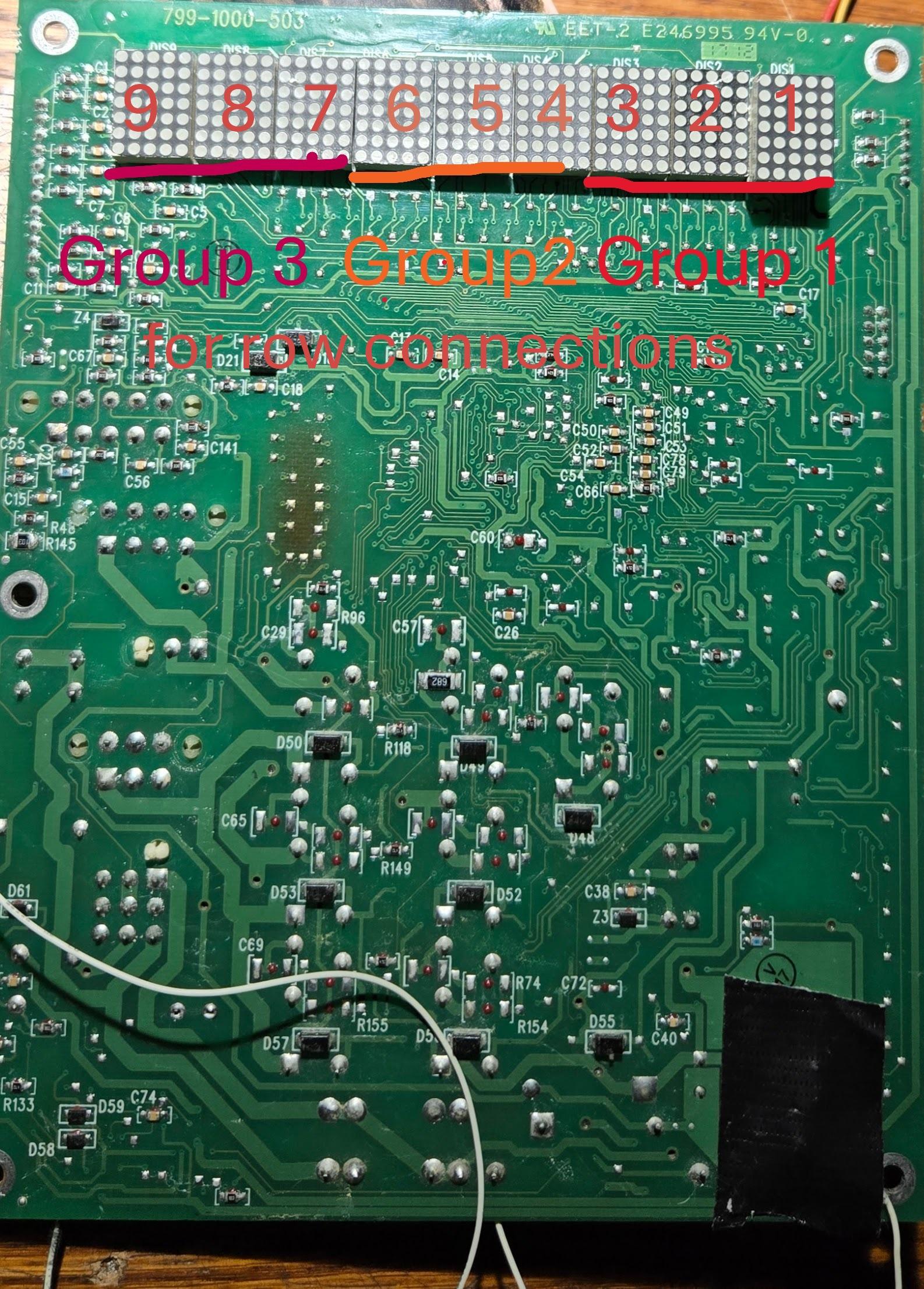
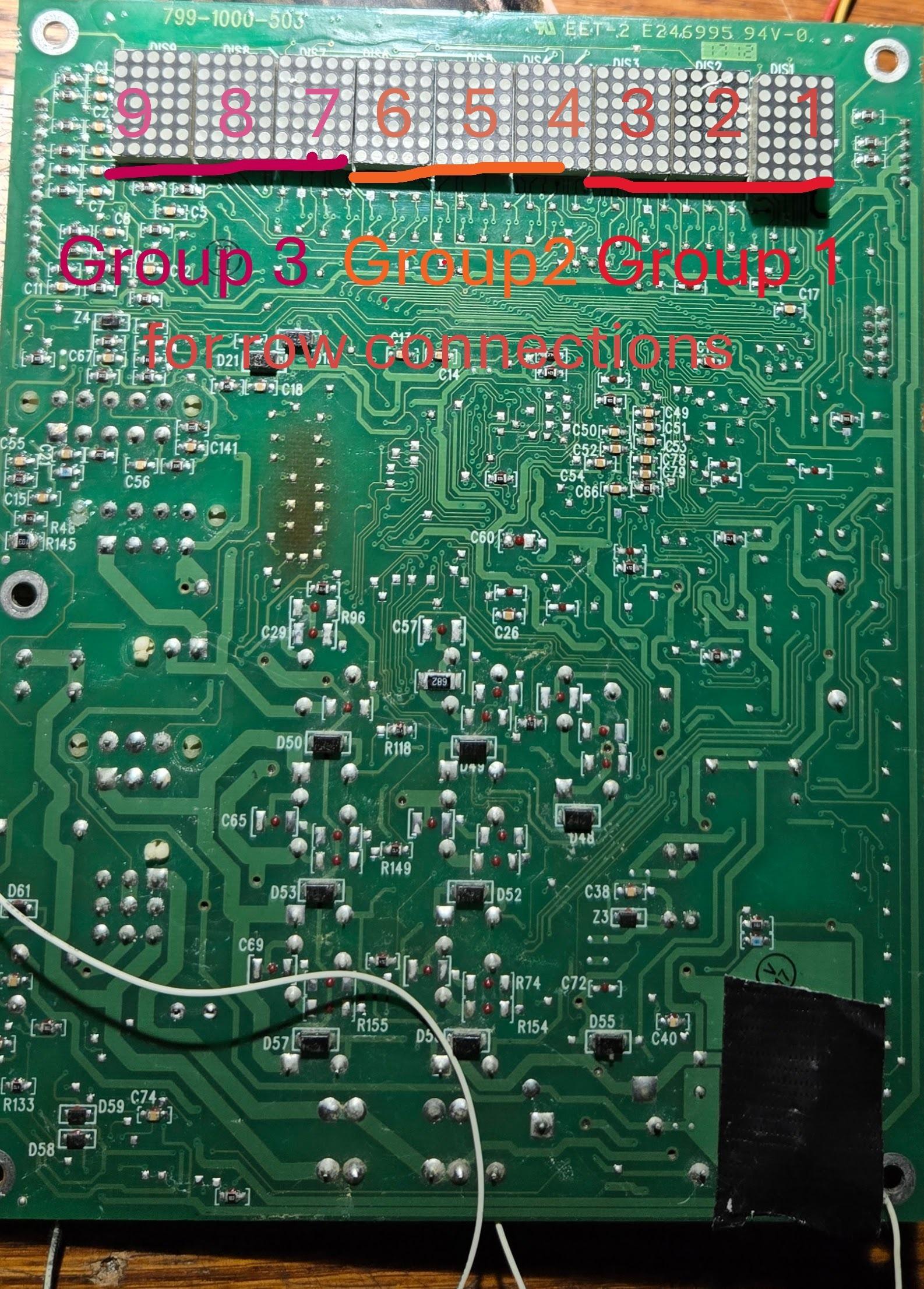
By tracing the connector from the display board:
- Rows are shared across all digits
- Columns are digit‑specific
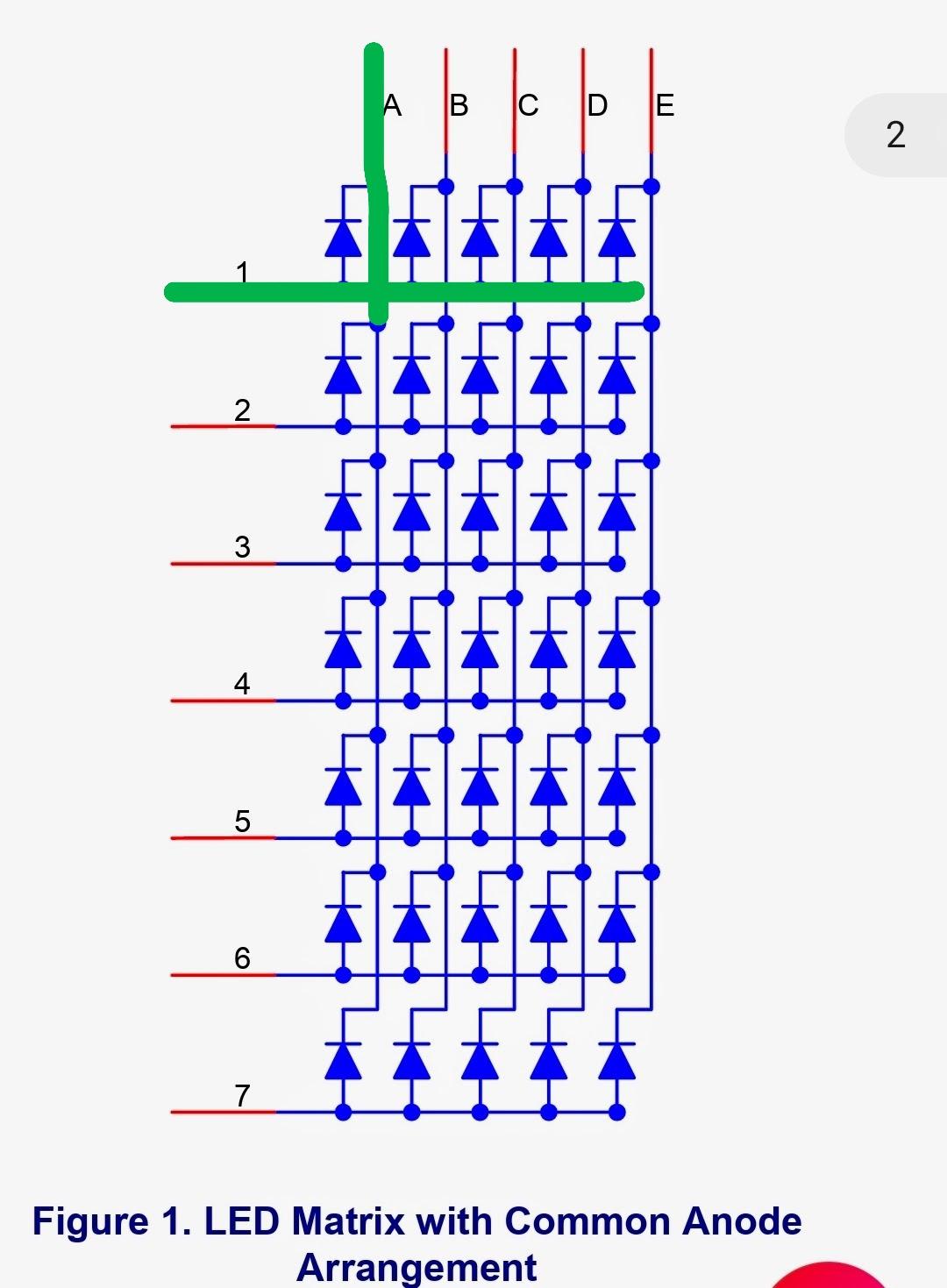
This reveals a classic multiplexed dot‑matrix layout:
Rows: R0 R1 R2 R3 R4 R5 R6 (shared)
Columns: C0–C4 per digit × 9 digits
Total control lines are drastically reduced.
Discovering the Shift Registers
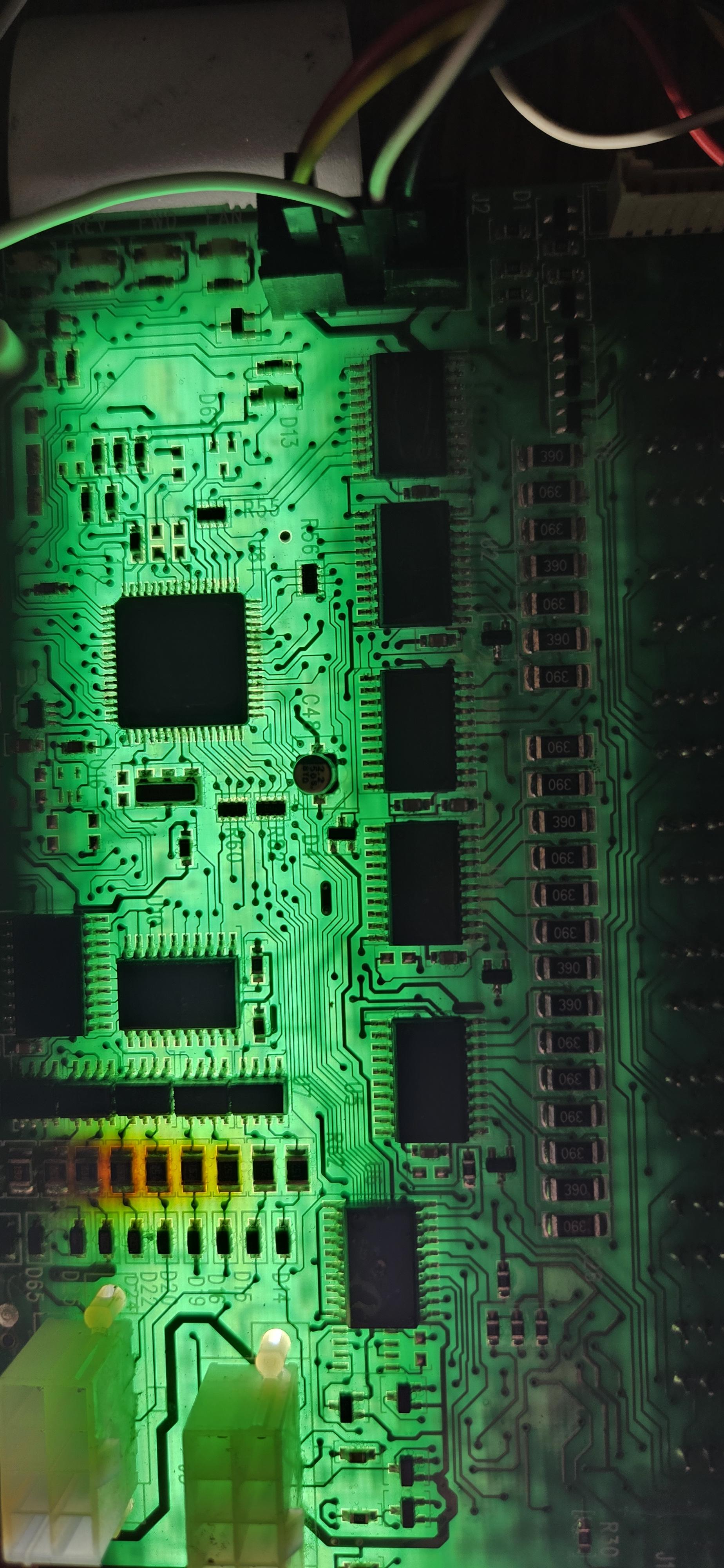
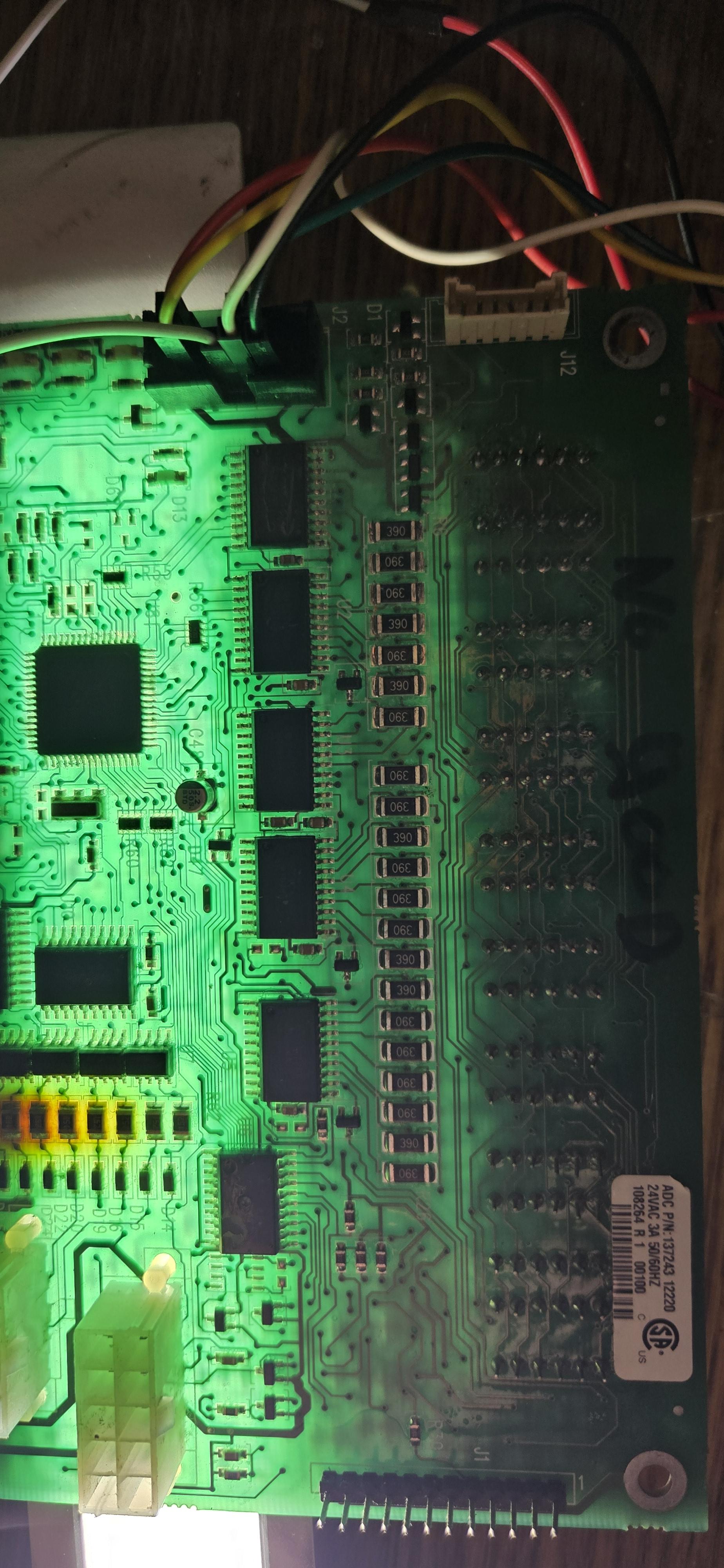
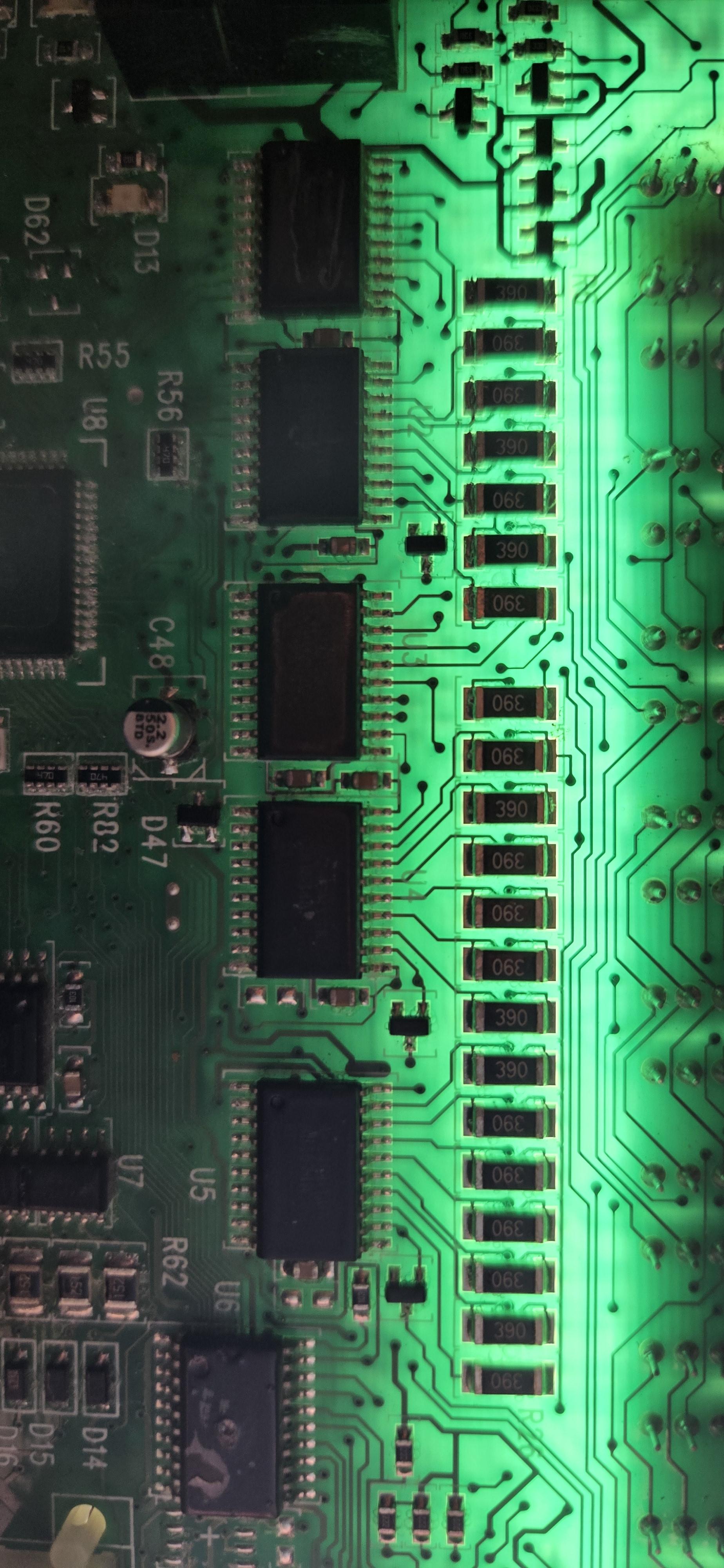
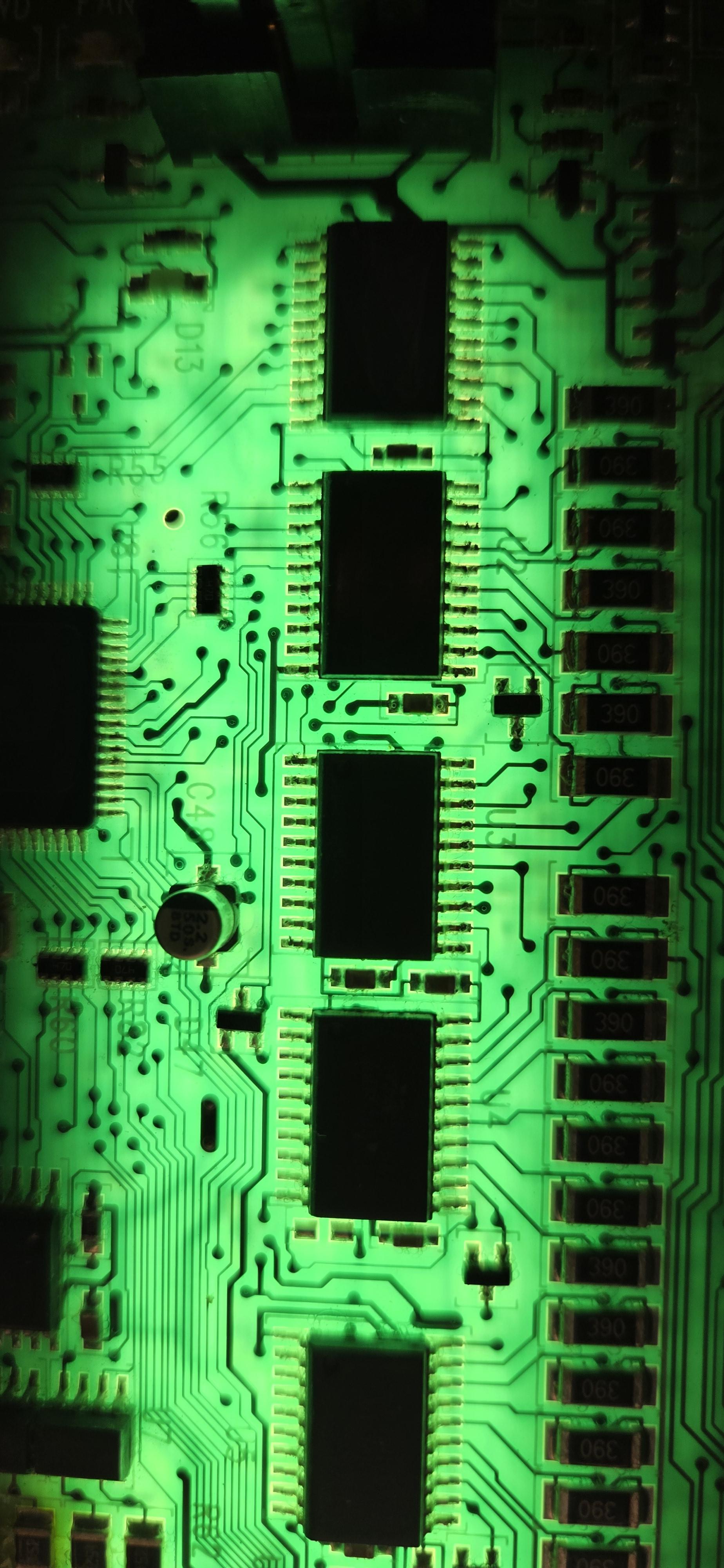
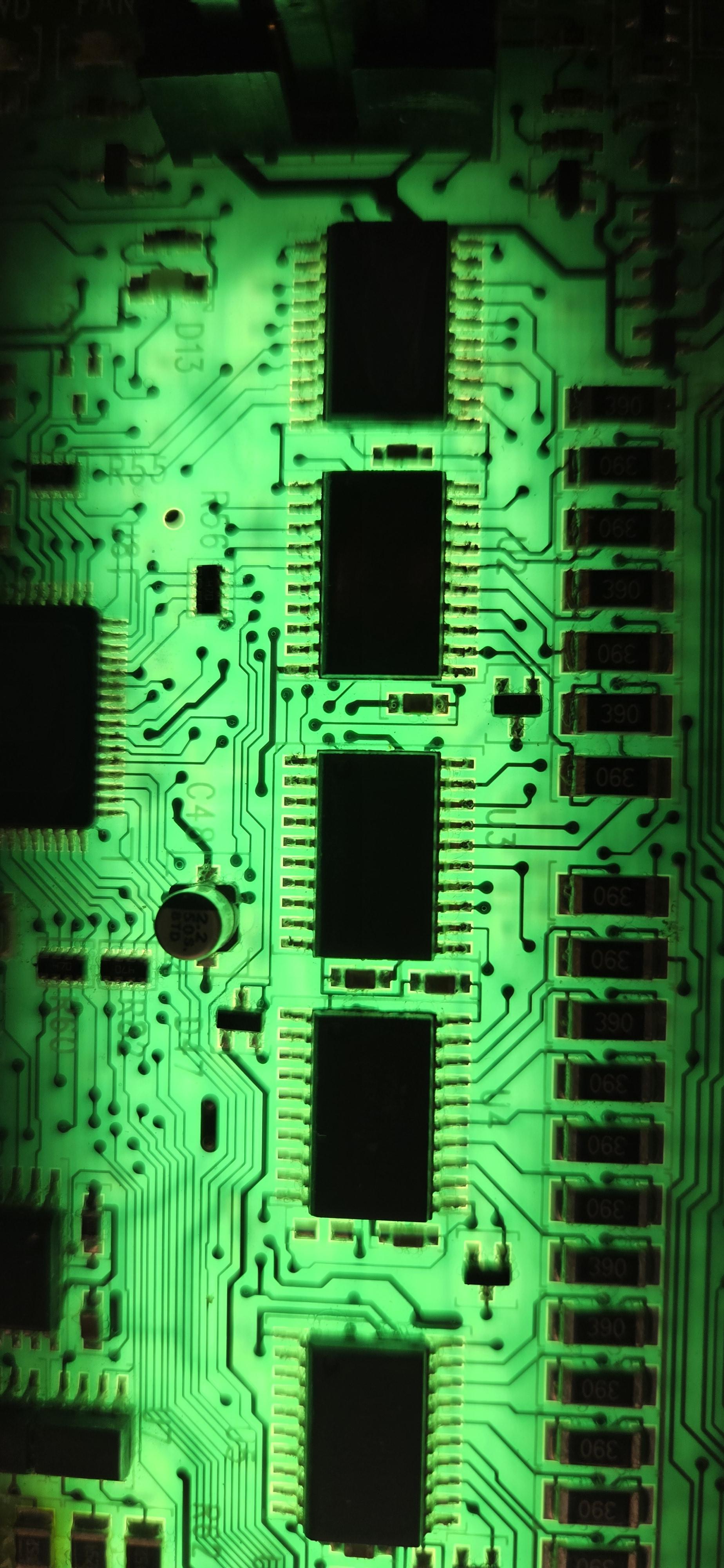
Tracing the PCB reveals five ABT574 octal latches.
Why ABT574?
- Fast output switching
- Strong LED drive capability
- Latched outputs = stable columns during row scan
Functional roles:
- ABT574 #2 → Column data
- ABT574 #3 → Digit / row selection
This means:
The MCU shifts data once, latches it, then rapidly scans rows.
Row Scanning Vs Column Scanning (The Key Discovery)
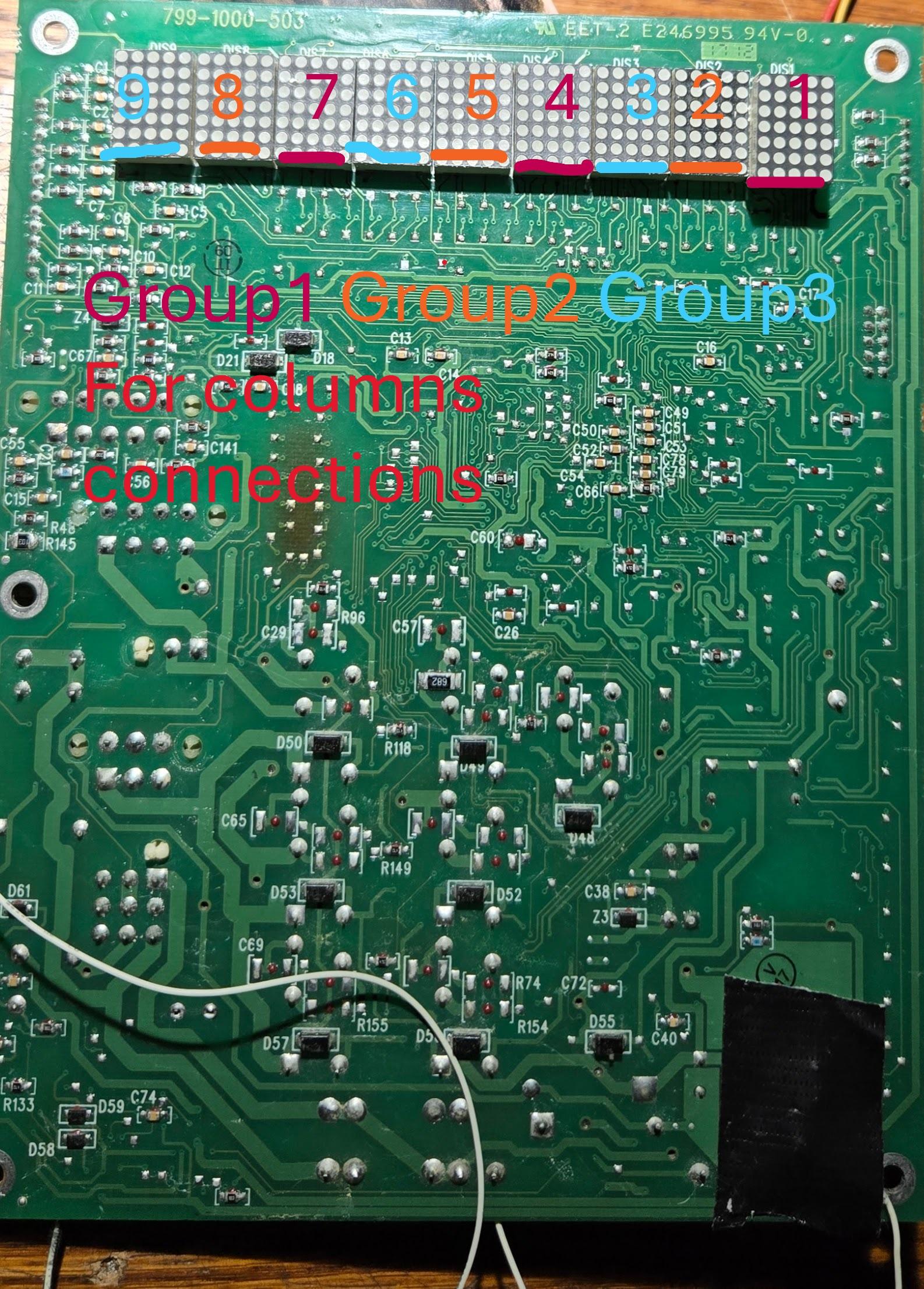
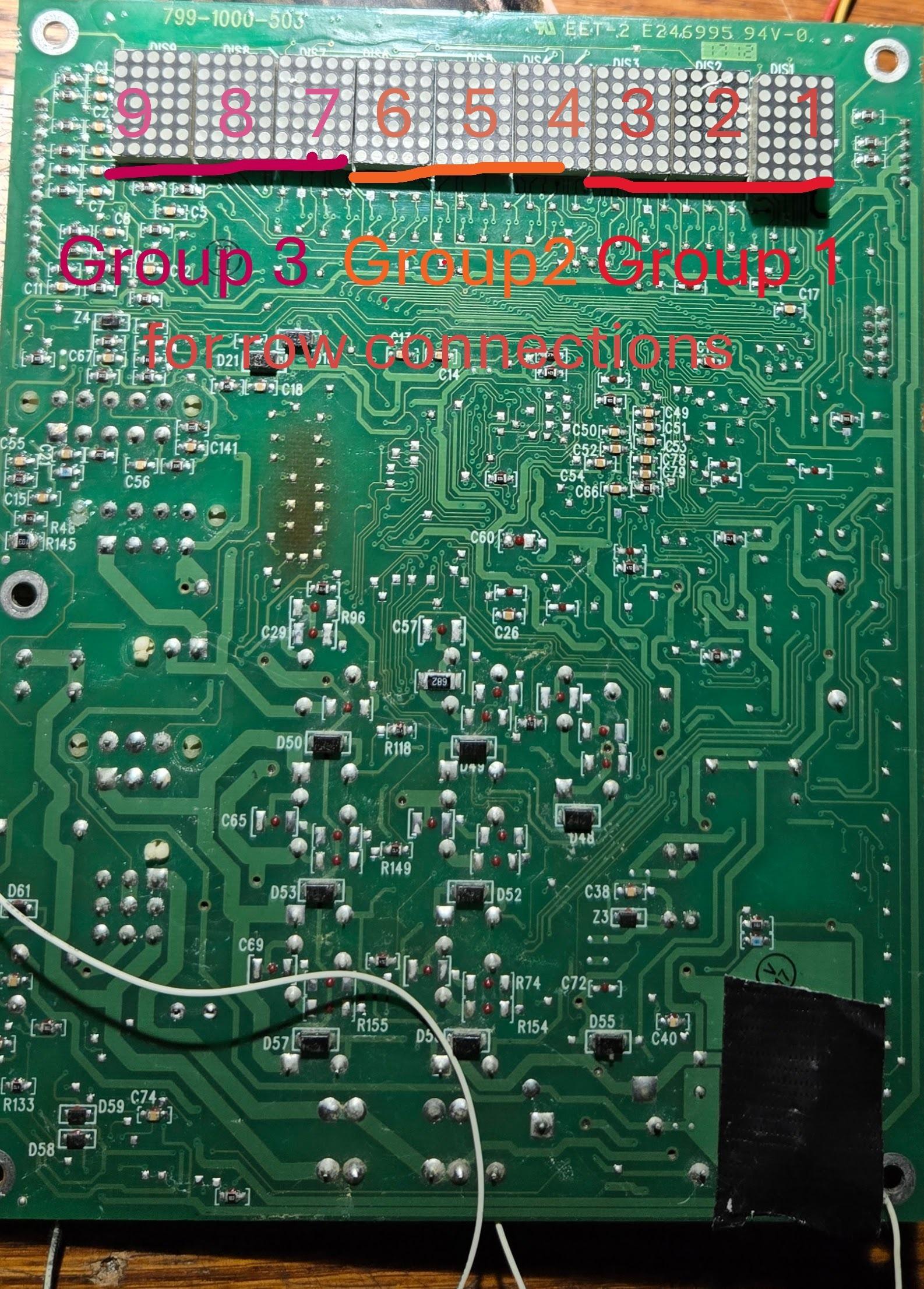
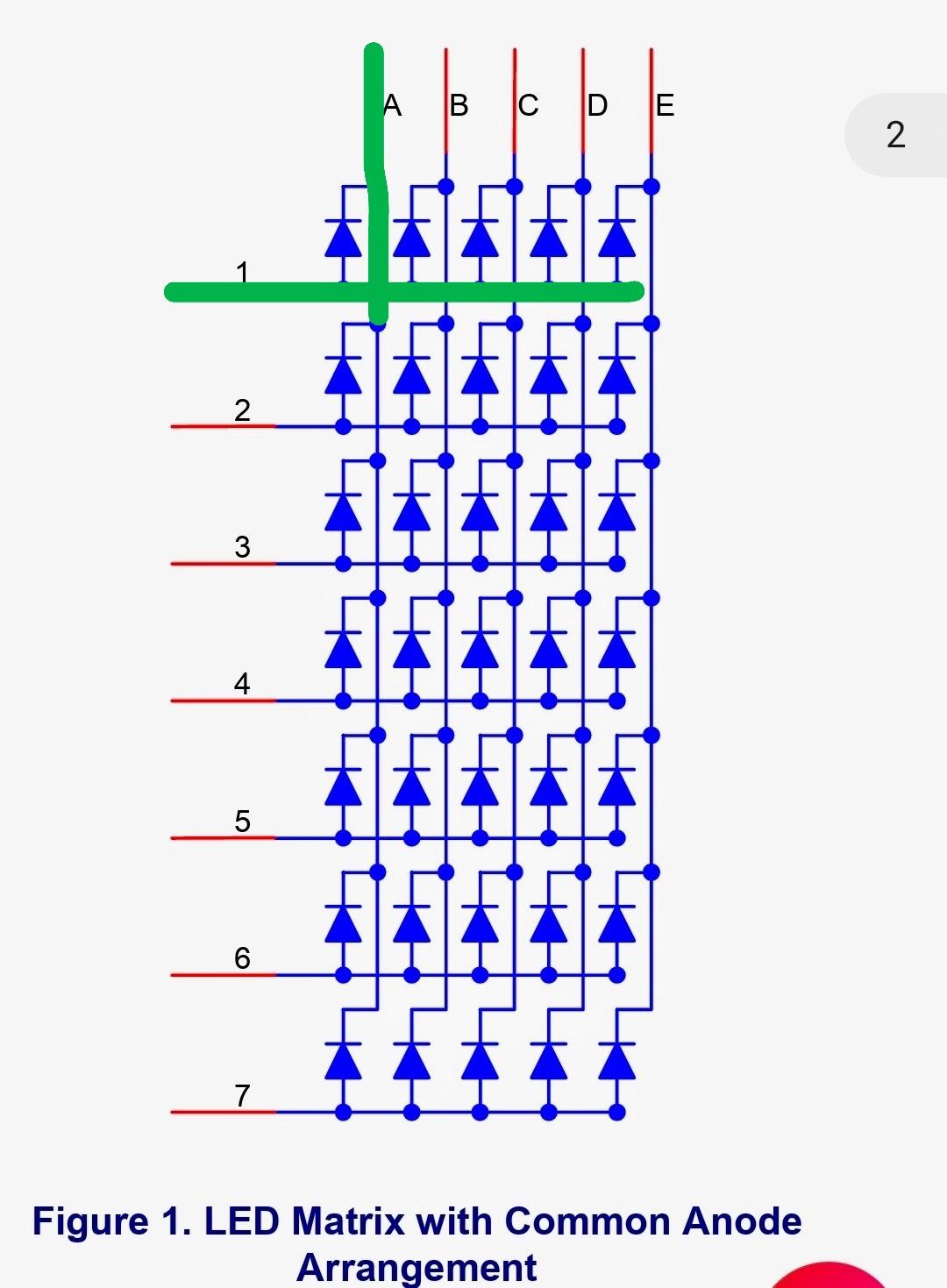
By probing with an oscilloscope:
- One group of signals pulses rapidly (scan lines)
- Another group changes more slowly (data lines)
This confirms:
- Rows are scanned
- Columns hold font data
Original implementation (observed):
- 7 scan cycles per character
- Font stored column‑based
- Each scan activates one row
This works — but it’s inefficient.
Reverse Engineering the Font Encoding

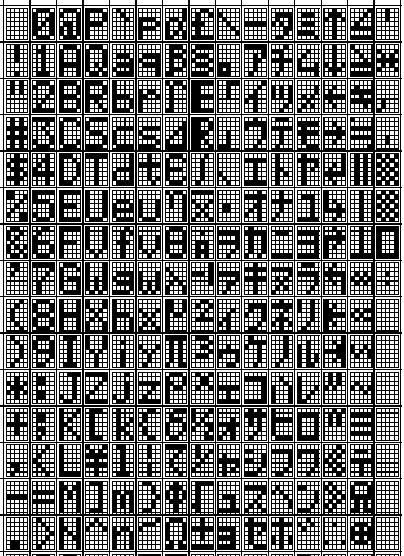
.jpg)
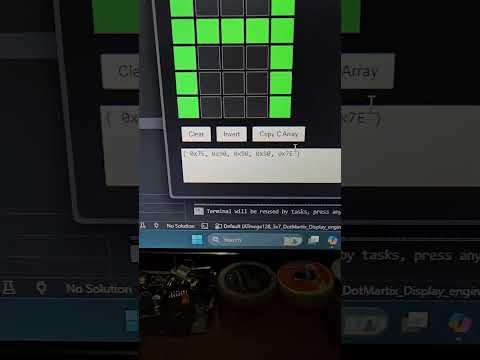
By freezing the display and capturing column states:
Each character is stored as 5 bytes, each byte representing one column:
Column font example ('H'):
0xFE
0x10
0x10
0x10
0xFE
bit 7 → top LED
bit 1 → bottom LED
This confirms:
- Column-wise font encoding
- 7 vertical scan steps
The Big Optimization – Row-Based Font Scanning
After fully understanding the original system, I redesigned the font logic:
Original:
- 7 scan cycles per digit
- Column font
- Higher CPU load
New approach:
- Row-based font encoding
- Only 5 scan cycles
- Each scan outputs one full row across all digits
Why this matters:
- ~30% faster refresh
- Higher brightness
- More CPU time for scrolling & animations
- Cleaner multiplexing timing
This is a huge architectural improvement over the original design.
Digit Multiplexing Logic
Digit selection works like this:
- Disable all columns
- Clear row latches
- Load font data into column latch
- Enable exactly one digit
- Advance to next digit
This happens hundreds of times per second, creating a stable image.
Why Commercial Designs Choose This Method
Manufacturers optimize for:
- Minimal parts
- Low cost
- Reliable brightness
- Simple firmware
Using:
- Passive LED matrices
- Shift registers
- Aggressive multiplexing
This design hits all those goals — even if it’s not the most CPU‑efficient.
Recreating the Display (Proof of Understanding)
.jpg)
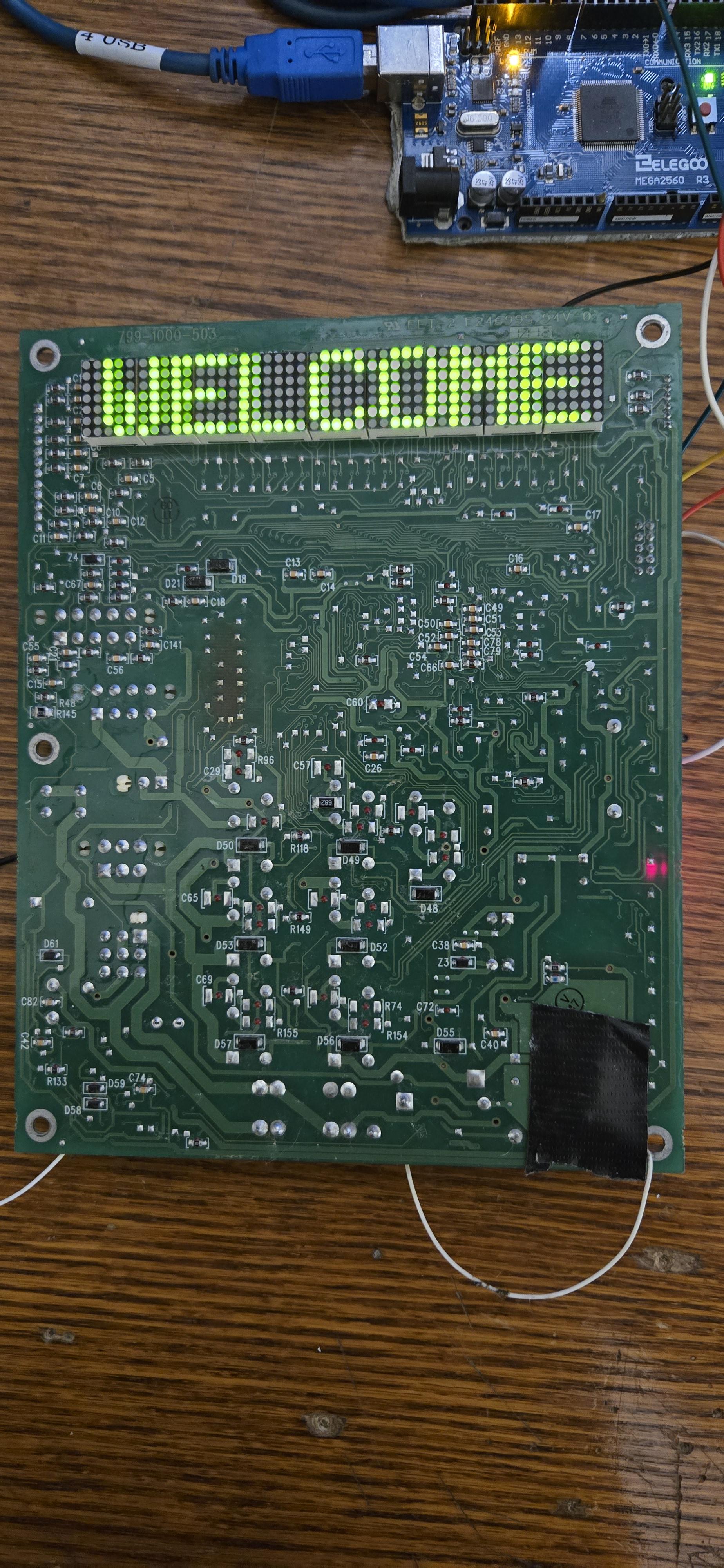
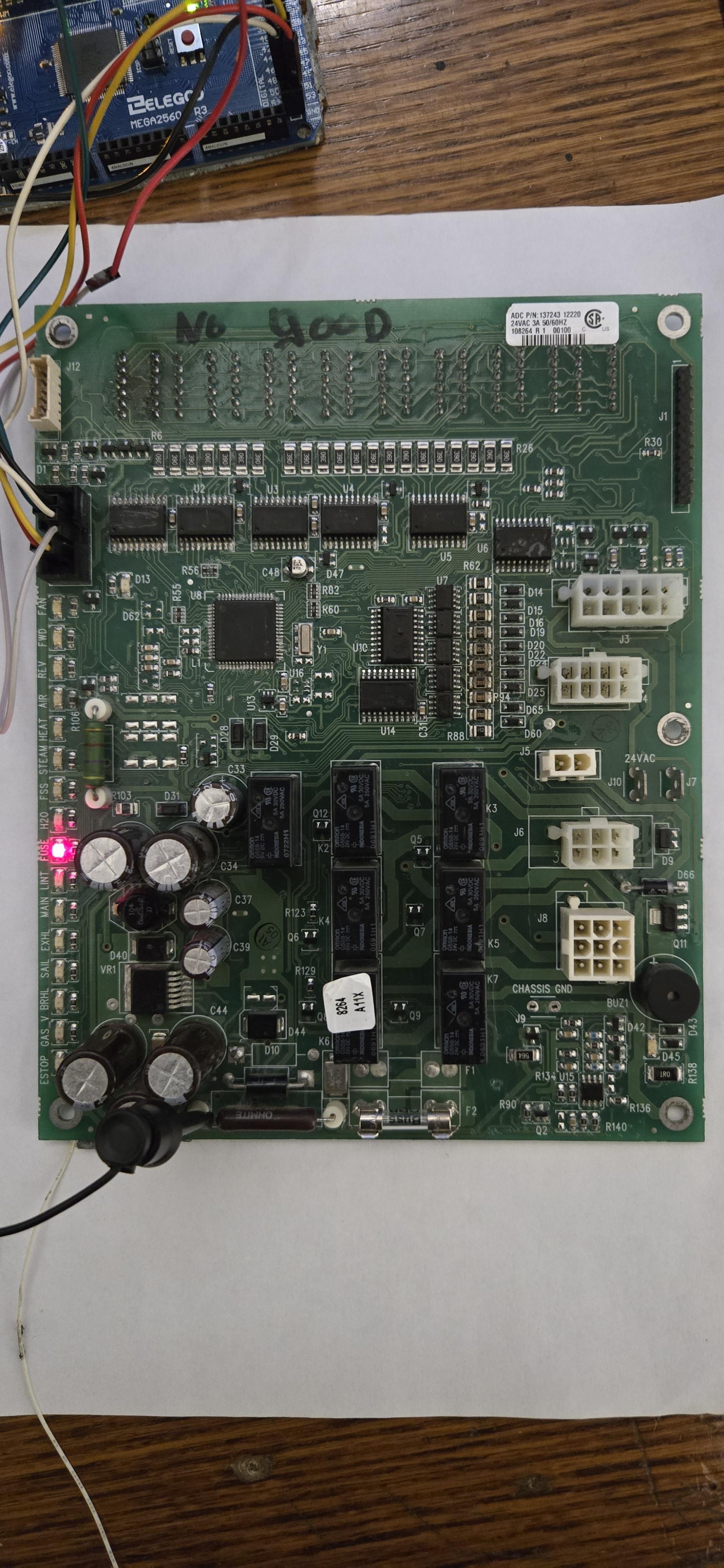
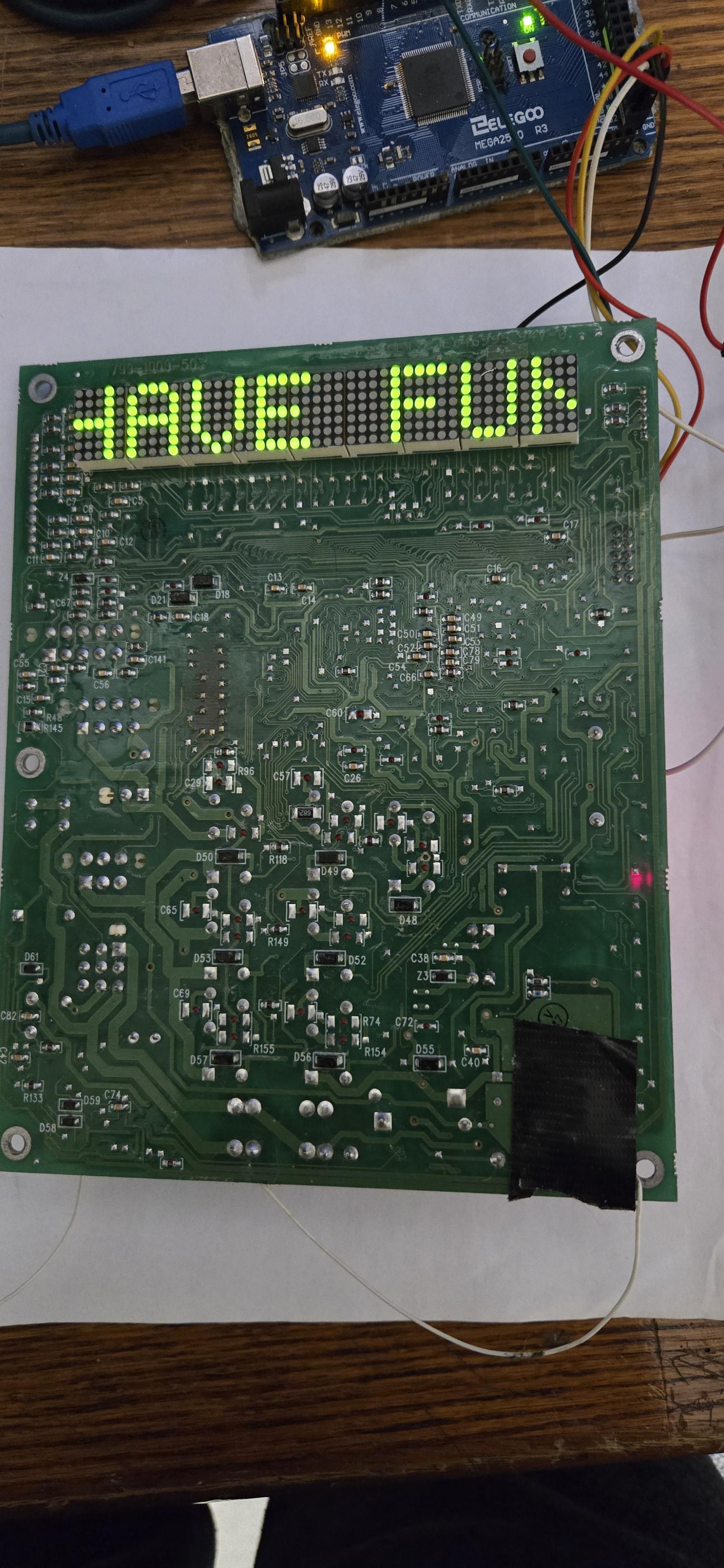
To validate the reverse engineering:
- Rebuilt the display logic using ATmega128
- Reimplemented both column‑scan and row‑scan fonts
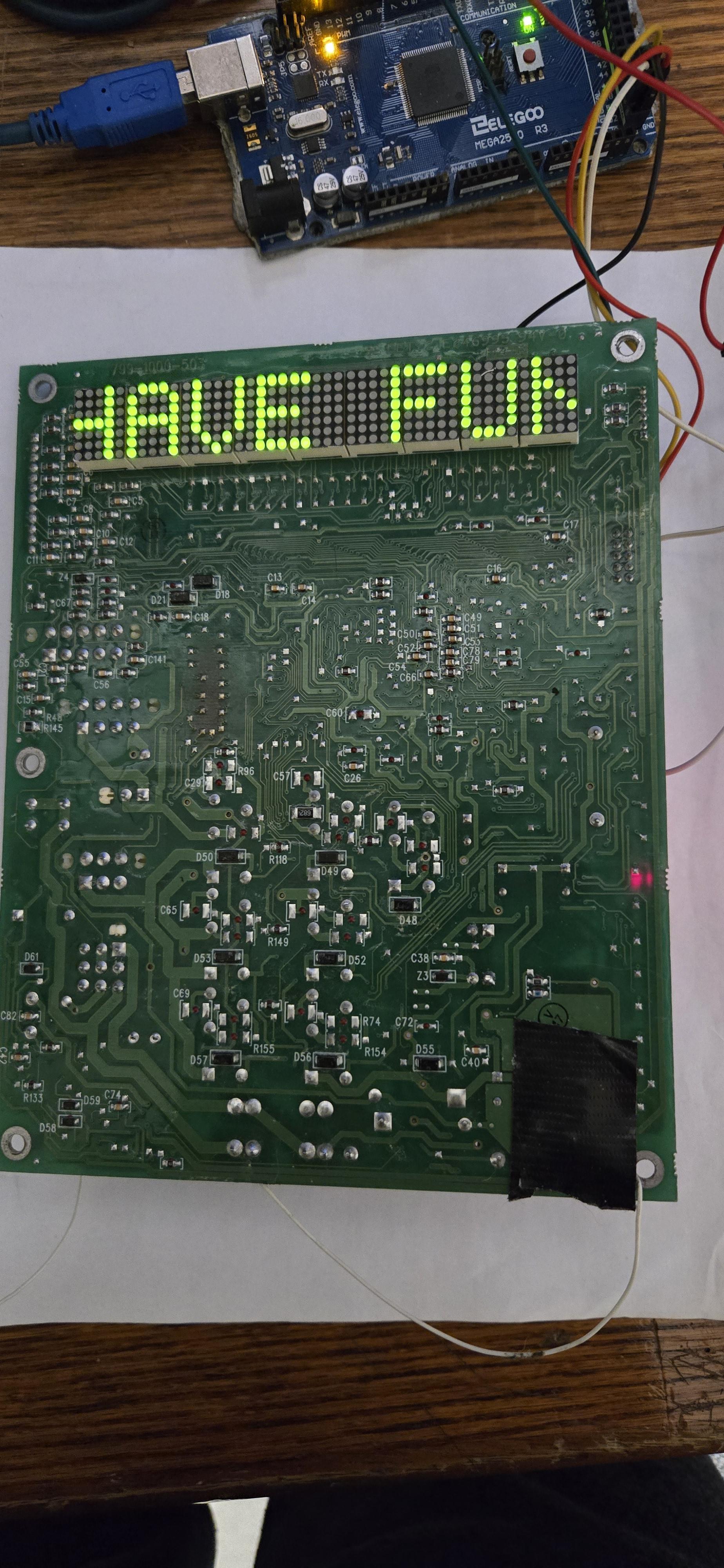
- Achieved identical visual output
- Improved refresh quality using row-based scan
If you can recreate it from scratch — you truly understand it.
Final Thoughts
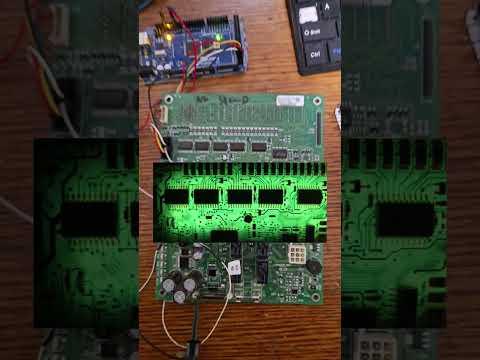

Reverse engineering this dot‑matrix display revealed that:
- Display performance is mostly about scan strategy
- Font encoding direction matters a lot
- Commercial designs prioritize cost over elegance
- Small architectural changes make massive improvements
This project turned a black‑box appliance display into a fully understood, reproducible system.
All the code is in this link
https://github.com/banoubbanoub/5x7-LED-Dot_Matrix-display