Repair a Sonic or Tails Figure's Broken Foot
by Don_Patrick in Workshop > Repair
61 Views, 0 Favorites, 0 Comments
Repair a Sonic or Tails Figure's Broken Foot
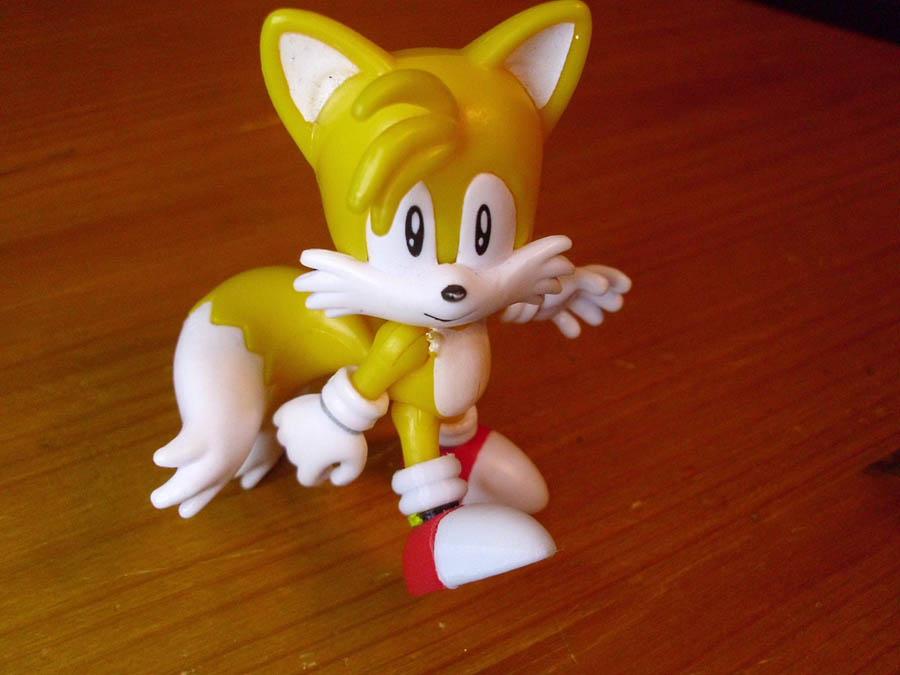
If you have a Sonic the Hedgehog or Tails toy figure with a broken foot, here is the best way to repair it with either the original part or a 3D print.
Supplies
Tools:
- paperclip or nail about 1/4th the diameter of the leg
- drill of the same diameter, typically 1 mm for Jakks Pacific figures (found in hobby stores, toy store model building, and DIY stores)
- cutting pliers
- superglue
For 3D printing:
- 3D printer
- caliper (optional)
- a small hand file
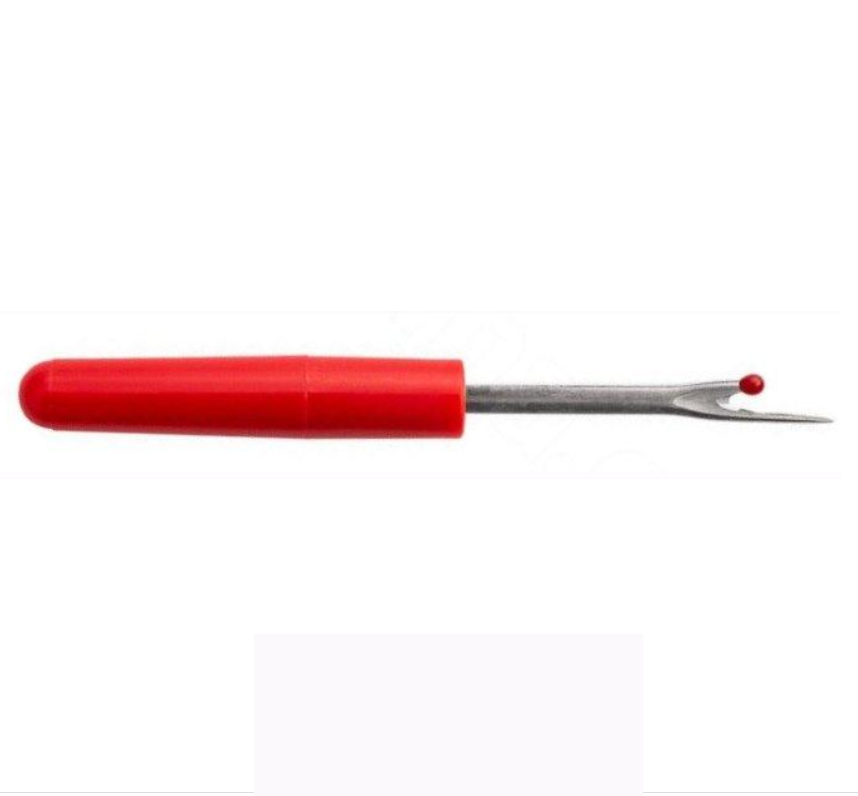
- a deburring tool or seam ripper (optional)
- 3D models for Sonic on Makerworld
- 3D models for Tails on Makerworld
Don't need a 3D print? Skip to step 5.
Measure the Leg
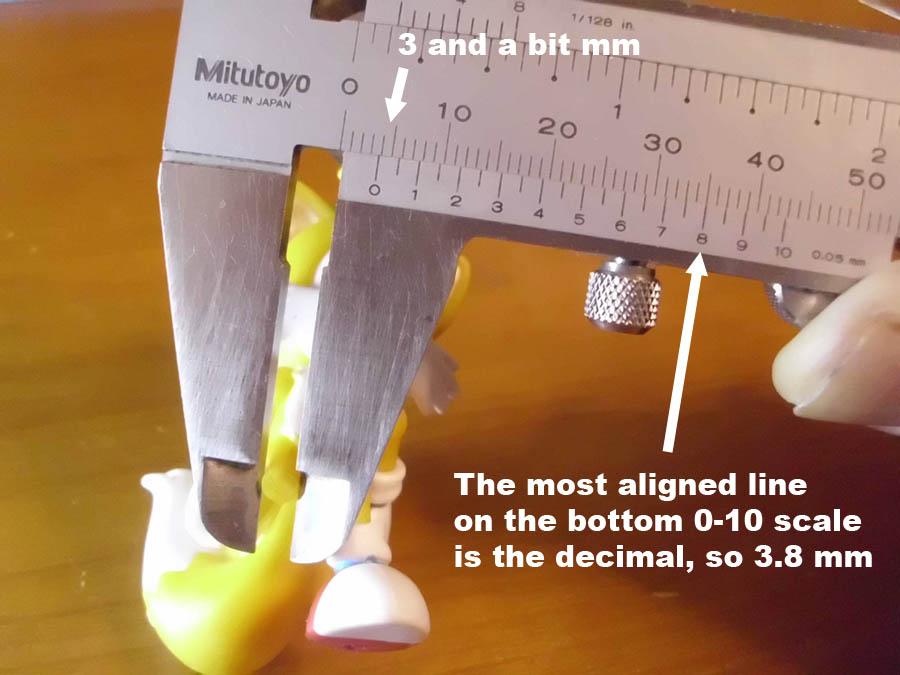
The 3D models are scaled to match a figure with 4 mm diameter legs. Measure the end of your figure's leg with a caliper and divide it by 0.04 to get the scale to apply to the 3D models.
E.g. if the leg is 3 mm: 3 / 0.04 = 75% scale.
A little known fact is that the small 0 to 10 scale at the bottom of a caliper helps you read the exact decimal value of the measurement. Locate the number whose line aligns best with one of the lines of the large scale: That's your decimal.
Scale the 3D Models
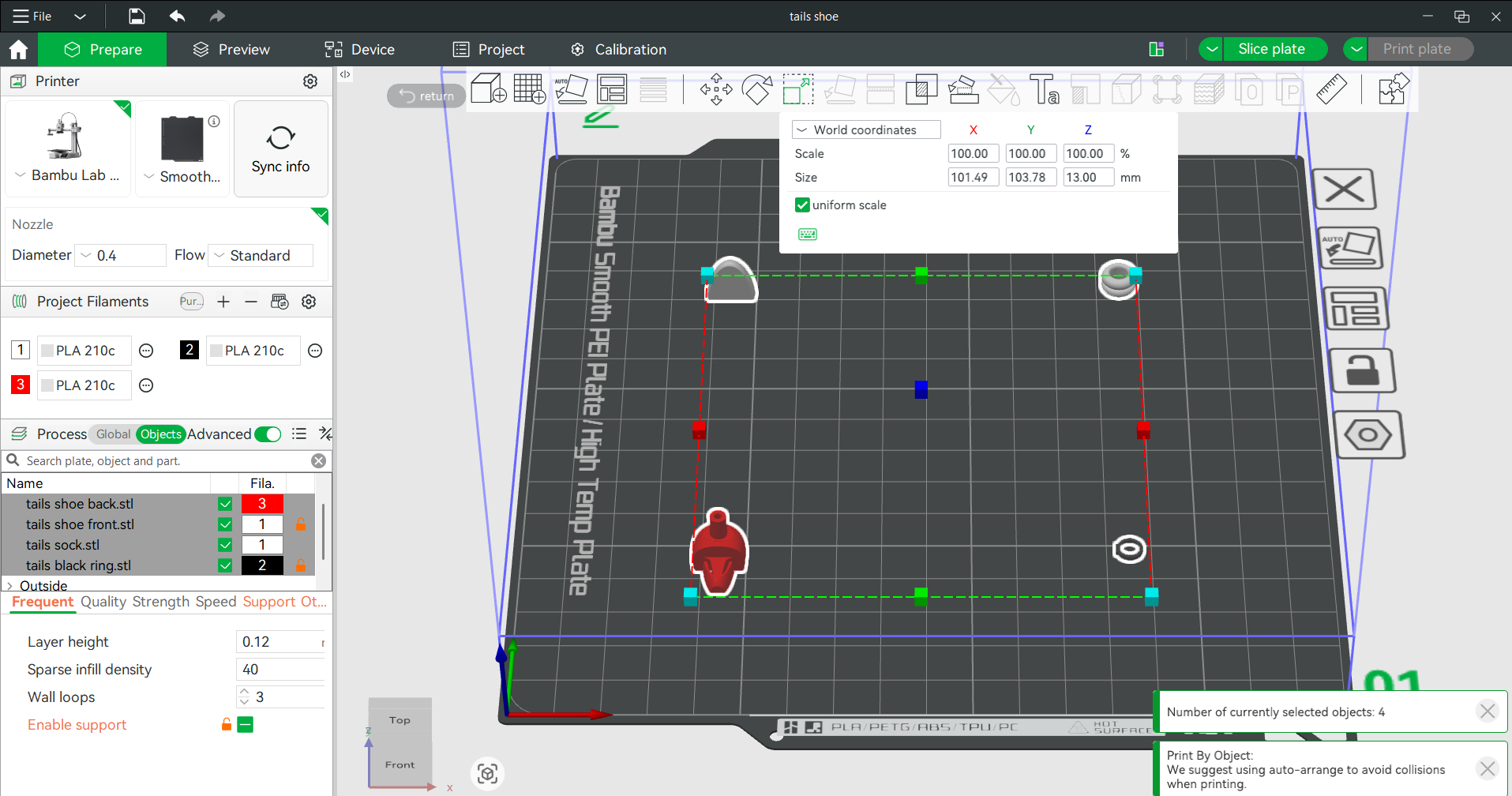
Open the 3D models in a slicer program of your choice and scale the models by the percentage calculated in the previous step. For instance in Bambu Studio, press ctrl-A to select all parts, then press S to scale (or click the scale icon), and enter the percentage. If the foot's total length ends up too long, rescale the length of the heel and toe parts, but keep the width. That way the sock and leg will still fit.
Print and Clean the 3D Models
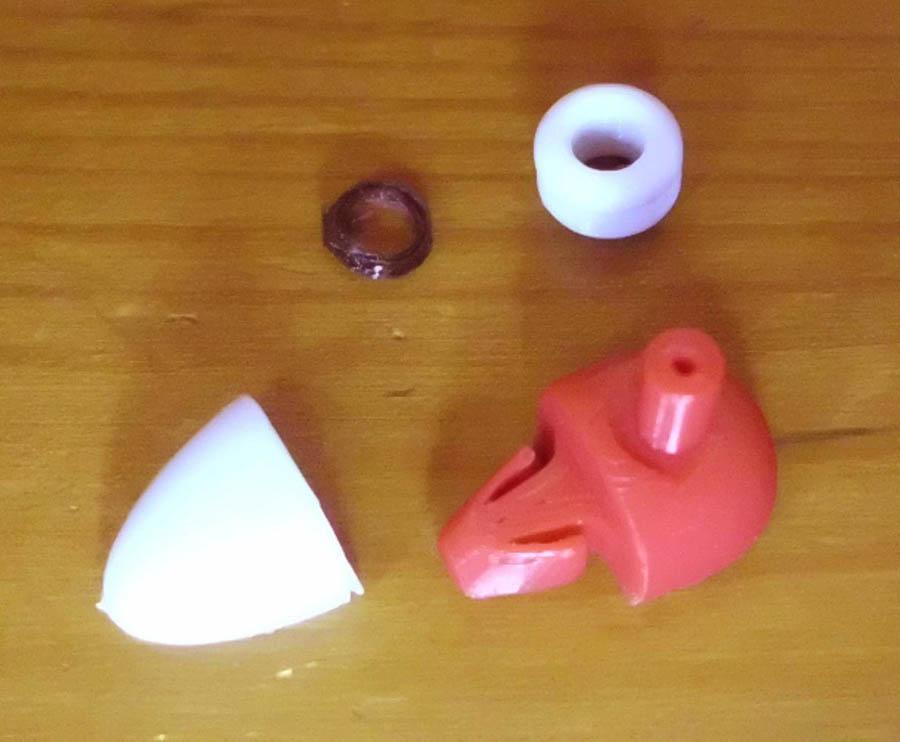
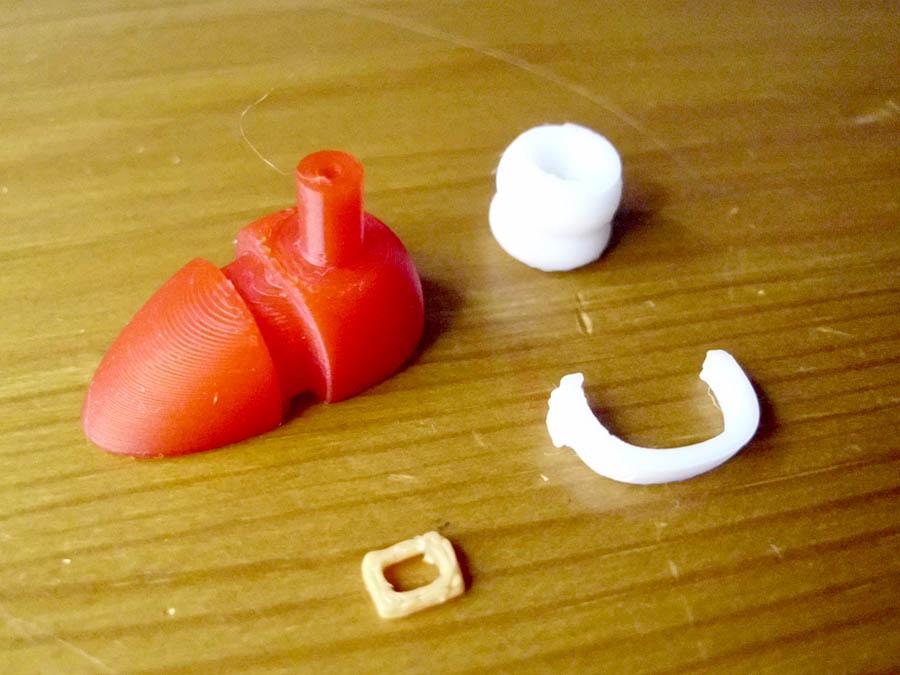
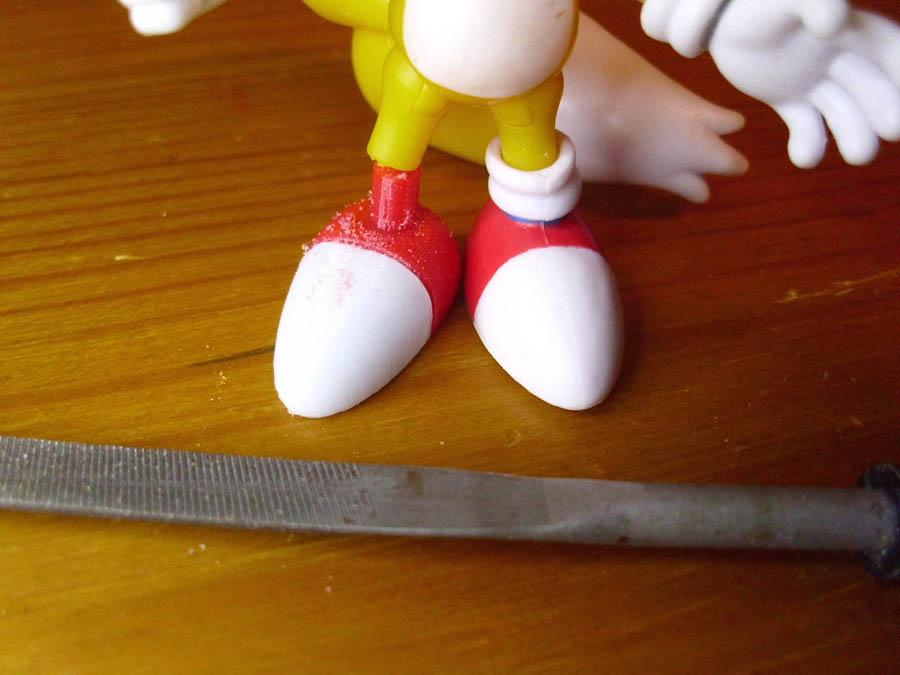
For Sonic's 3D models, note that there is a left and right version of the white stripe of his shoes. Use the one you need.
After printing, peel off the brims. One nice tool that you can use for clean edges is a seam ripper, which is normally used for needlework. It has a sharp hollow curve that you can slide along the edges of prints.
For Tails' heel, scrape the support from the bottom of the hooked part lengthwise, to avoid breaking the flexible sides.
Trim the heel's peg with a file if it is too long for the figure to stand straight, or if it requires a slight slant. The sock will cover it up.
Assemble the 3D Print
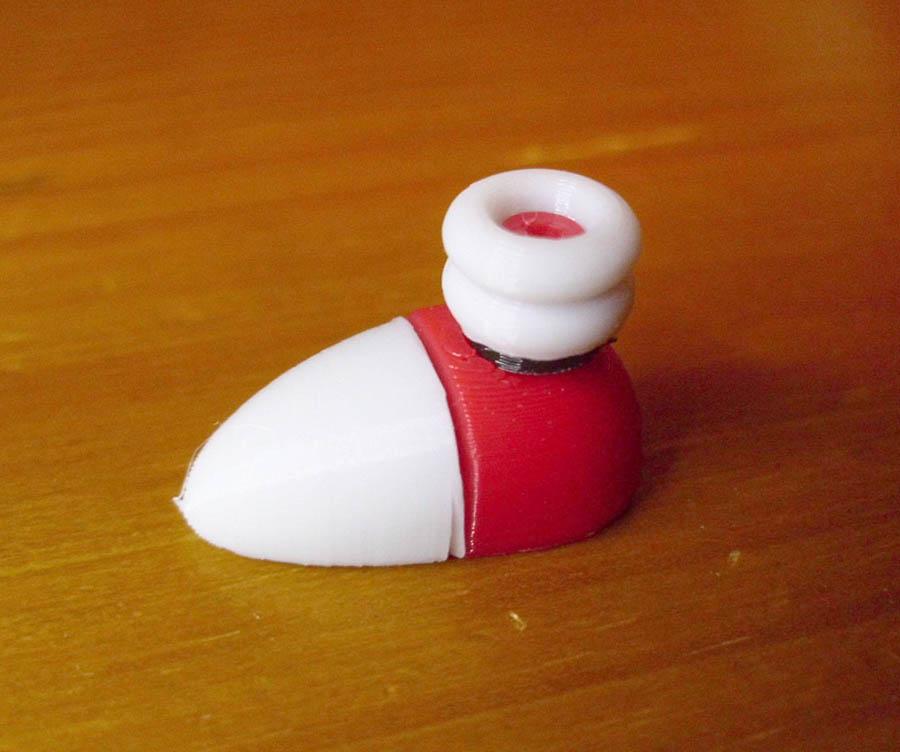
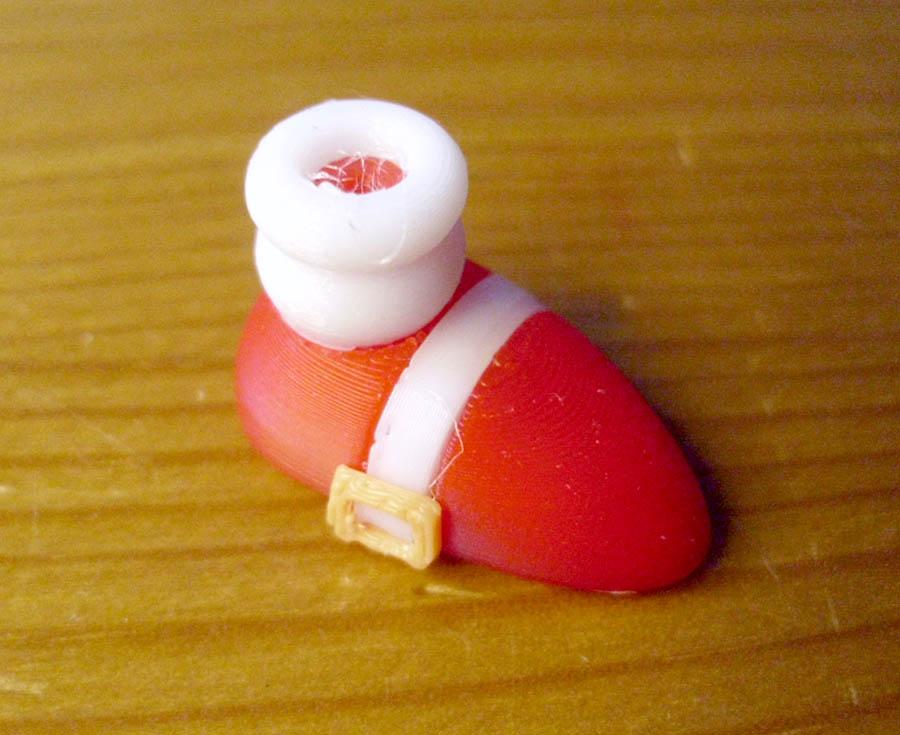
For Tails, push the white toe over the arrow shaped hook of the red heel. If it is too tight, scrape more support remains off the bottom of the hook. Tails has a black ring between the shoe and sock. It has a small rectangular protrusion on one side, whose surface you can paint with a yellow paint marker if you want a visible buckle. Place the ring over the heel's peg.
For Sonic, clip the curved white strap into the groove in the middle of the shoe. The backside of the yellow belt buckle is printed facing down and is slightly wider than its front. It should clip on to the square protrusion on the side of the white strap. If not, try it reversed, or apply a small dot of glue.
Lastly, place the sock over the heel peg. Note which side goes up: The top edge is more rounded than the bottom.
Drill the Leg
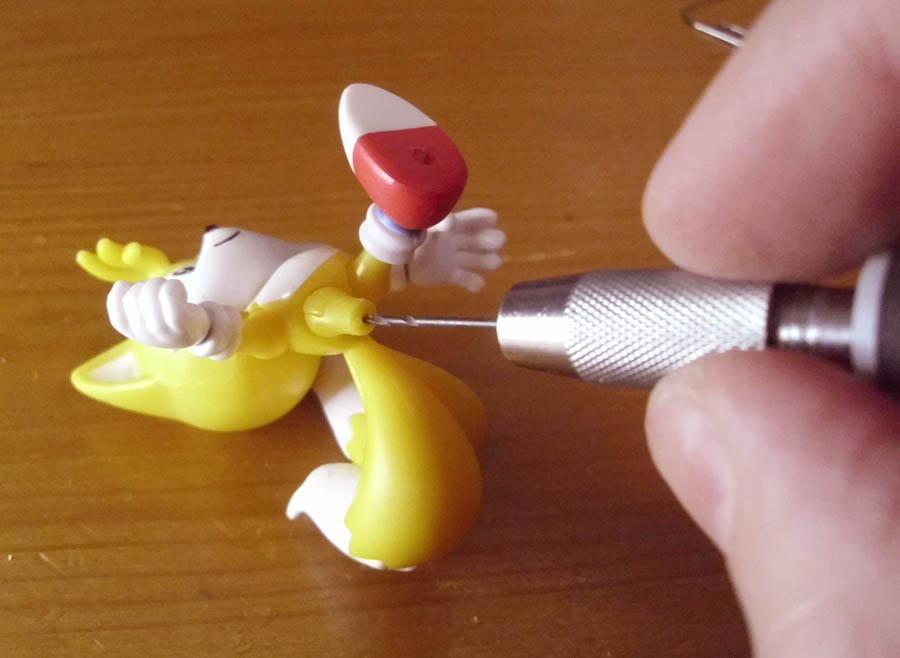
While you could just glue the leg and foot together, there is less chance of it breaking off again if we reinforce it with a metal rod, such as part of a paperclip or nail. For a standard size paperclip of 0.8 mm diameter, use a 1 mm drill to manually drill a hole in the center of the leg, 3 to 5 mm deep. To make things easier, you can use a pin or needle to press a small dent in the center of the leg to place the tip of the drill onto. Be very careful to drill parallel to the leg and not out the sides, that's why it's best to drill by hand.
If the paperclip does not fit the predesigned hole of the 3D print after downscaling, drill a hole in the top of the ankle as well. If the hole is too big after upscaling, use a large paperclip or a nail instead.
Glue the Paperclip In
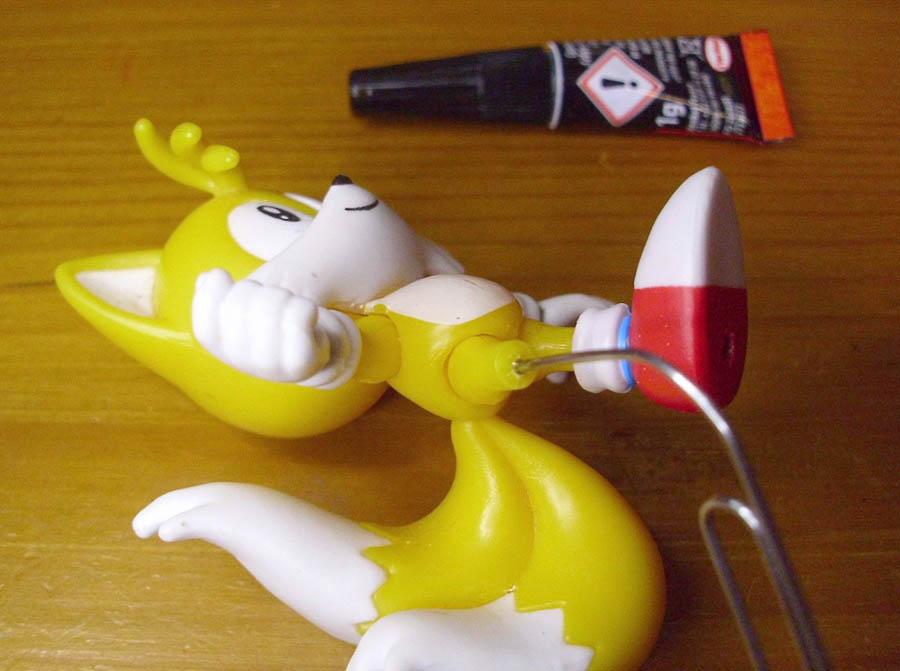
Apply the superglue by sticking the tip of the paperclip into the tube of glue. You won't even have to squeeze the tube. Then insert the paperclip into the leg and let the glue dry for 30 seconds.
Cut the Paperclip
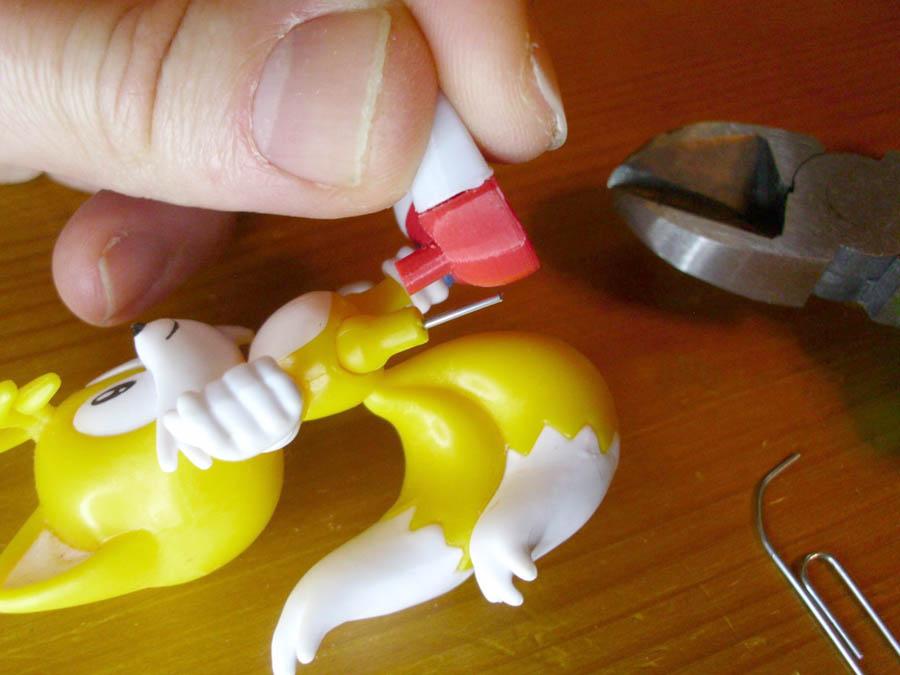
Use pliers to cut the paperclip off at about 8 mm. The 3D model features a larger hole at the bottom to place Jakks Pacific figures on pegs, so make sure the paperclip doesn't stick that far through.
Glue the Foot On
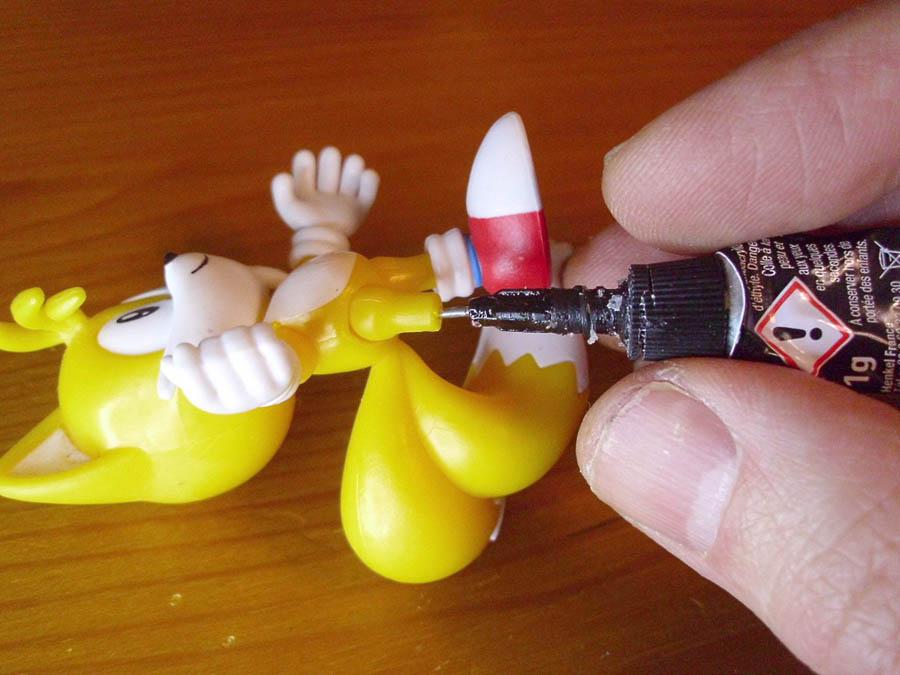
Just as before, stick the protruding end of the paperclip into the tube of glue, and also apply a small drop of glue to the top of the ankle. Prick the paperclip into the foot, placing the figure on both feet, then bend and rotate the foot into a stable position before the glue dries completely.
Done!
