REYAX RYUW122_Lite Modules
Many methods such as Bluetooth, WiFi, and ultrasonic sensors can be used to measure the distance between two devices wirelessly, but they often lack the accuracy needed for reliable tracking. Therefore, Ultra Wideband (UWB) technology emerges as a reliable alternative, offering high-precision capabilities for distance measurement and object positioning, especially indoors.
The RYUW122 is an Ultra Wideband (UWB) transceiver module designed for high-accuracy and high-precision distance measurement. It offers measurement accuracy of ±10 cm and communication range of up to ±100 meters outdoors. The RYUW122 module is suitable for various applications, including distance measurement, high-precision real-time location systems (RTLS), location-based wireless sensor networks, and 2D/3D positioning systems.
RYUW122_Lite is a development board version designed to facilitate the understanding and testing of the RYUW122 module. In this article, I will provide a detailed explanation of this module and demonstrate the minimum operational requirements to perform distance measurements (without writing code or flashing the module).
Supplies


Materials Required for This Discussion:
- 2 RYUW122_Lite Modules
- 2 USB to Serial Modules
- Jumper Wires
- Serial Monitor Software
Operating Principle
In the context of distance measurement, the operating principle of UWB is based on measuring the Time of Flight (ToF) of signals exchanged between two UWB devices. Essentially, the distance is calculated by determining how long it takes for the signal to travel from one module to the other.
- At least two modules are required for communication. The first module acts as an anchor, which has a fixed and known position, while the second module serves as a tag, whose position will be tracked and its distance measured from the anchor. Both modules exchange UWB signals to calculate the distance with high precision.
- In addition to distance measurement, UWB modules can also transfer data, such as messages, sensor statuses, sensor readings, or other relevant information.
To perform distance measurement operations and configure parameters on the RYUW122_Lite module, direct serial communication using AT+Commands can be utilized, eliminating the need to write code or flash the module.
Features and Specifications
Module Features:
- Supports IEEE 802.15.4-2015 UWB & IEEE 802.15.4z (BPRF mode)
- Supports Channels 5 & 9 (6489.6 MHz & 7987.2 MHz)
- Complies with global UWB radio regulations
- Provides location accuracy up to 10 cm
- Easily controllable via AT commands
- Offers precise positioning and data transmission simultaneously
- Designed with an integrated antenna
- Equipped with built-in AES 128 encryption
General Specifications:
- Supply voltage: 3.3V
- Accuracy: 10 cm
- Range: 100 m
- Baud rates: 9600 and 115200
- Operating temperature range: -40 to 85 degrees Celsius
Module Assembly
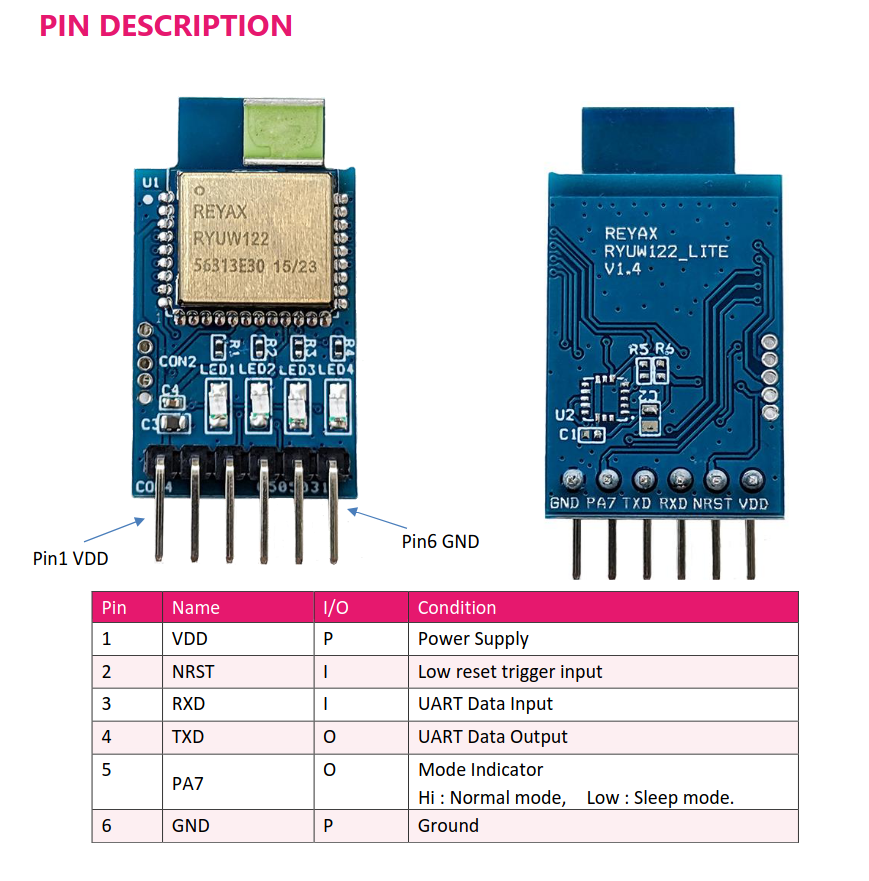
The following is a wiring diagram showing the connection between the RYUW122_Lite module and the USB to Serial adapter. This configuration applies to both RYUW122_Lite modules, whether used as the anchor or the tag.
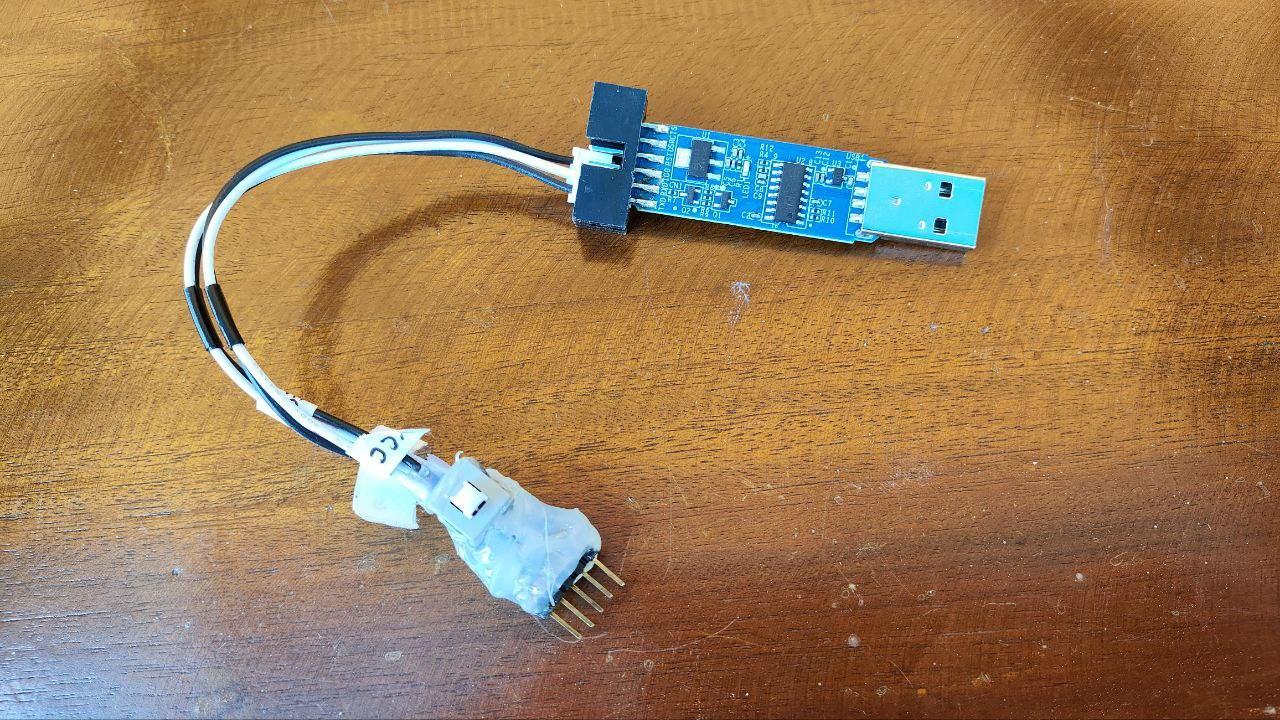
The assembly result can be seen in the image above. Since I used two different types of USB to Serial adapters, there is a difference in pin positioning, but the wiring connections remain the same.
Downloads
Serial Monitor Setup
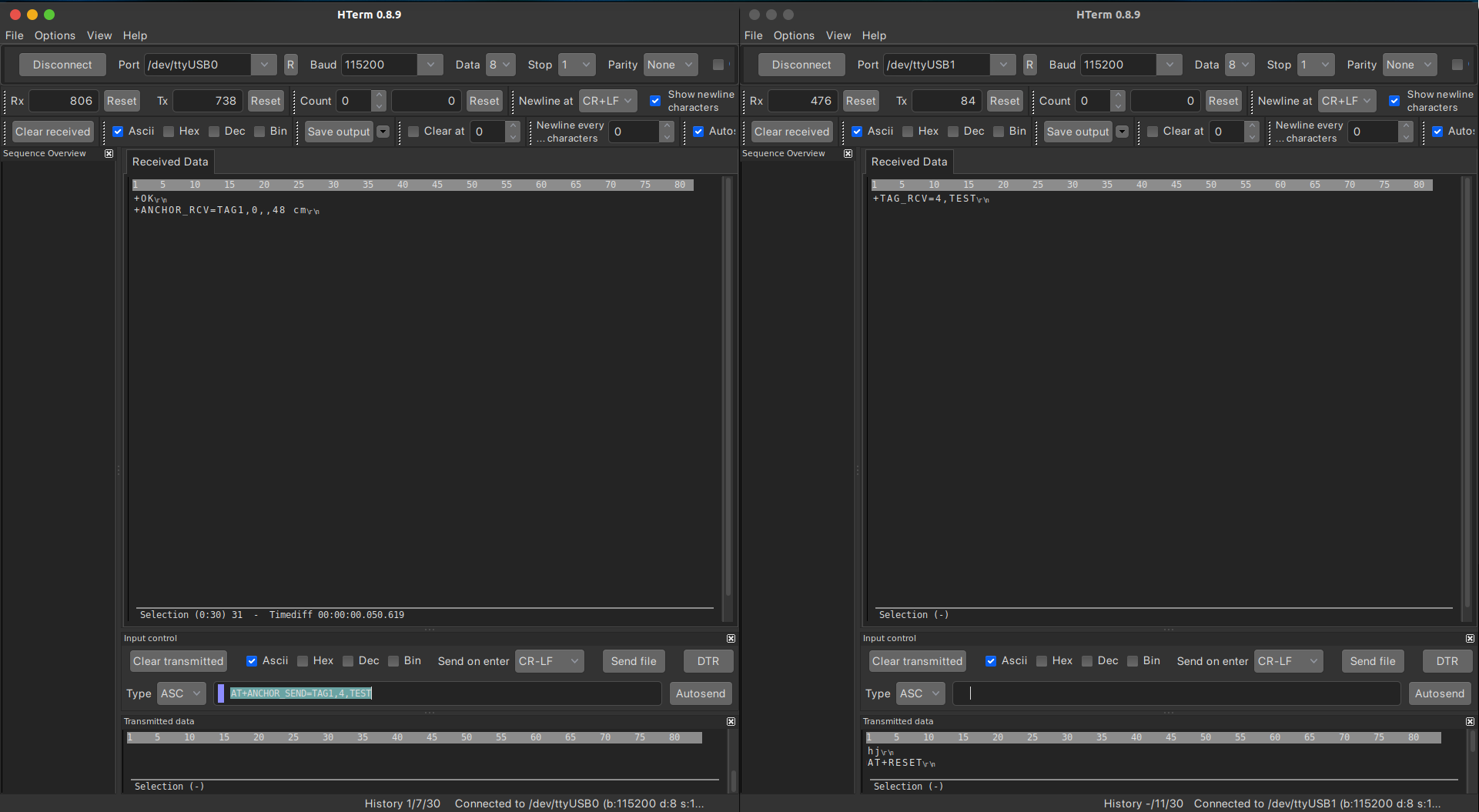
Prepare a serial monitor application on your PC, you can use any serial monitor software. For this example, I’m using HTERM. Follow these steps each time you want to connect the RYUW122_Lite module to your computer:
- Open your serial monitor (in this case, HTERM).
- Set the baud rate to 115200.
- Connect the USB-to-Serial adapter to your PC.
- Select the appropriate USB port.
- Connect the USB-to-Serial interface with the serial monitor application.
- Set the “Send on Enter” option to CR-LF.
- Send the command "AT" to test if the module responds to commands.
- If you receive a “+OK” response, the module is successfully connected to the serial monitor.
- If the response is “ERR=error_code”, there is an error in the command sent. Below is a list of error codes and their corresponding causes:
Kode Eror
+ERR=1 ==>There is not “enter” or 0x0D 0x0A in the end of the AT Command
+ERR=2 ==> The head of AT command is not “AT” string.
+ERR=3 ==> Parameter failure.
+ERR=4 ==> Command failure.
+ERR=5 ==> Unknow command.
Module Configuration
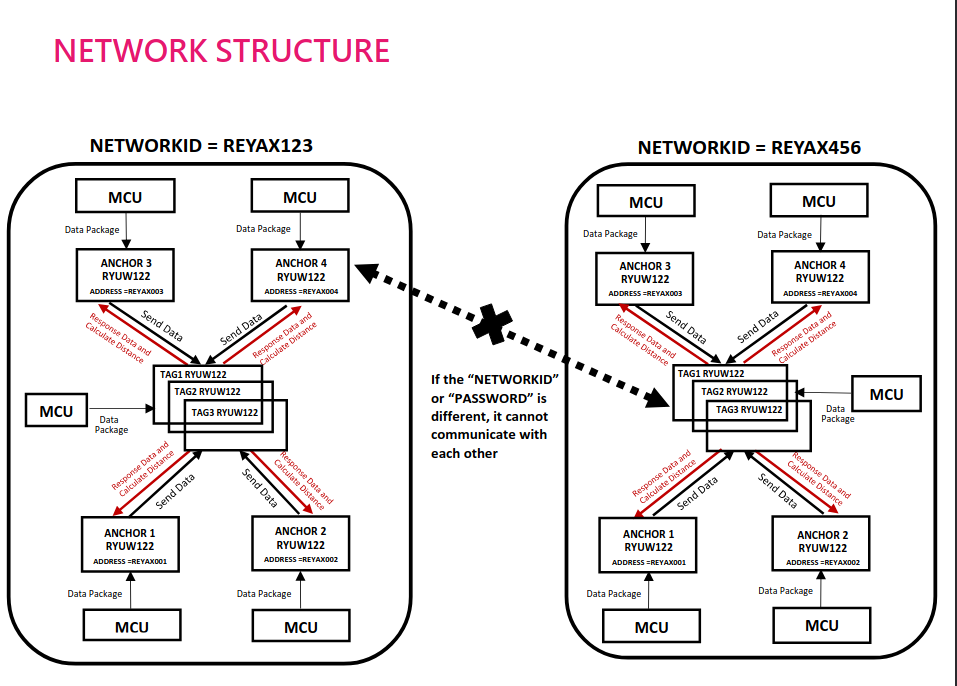
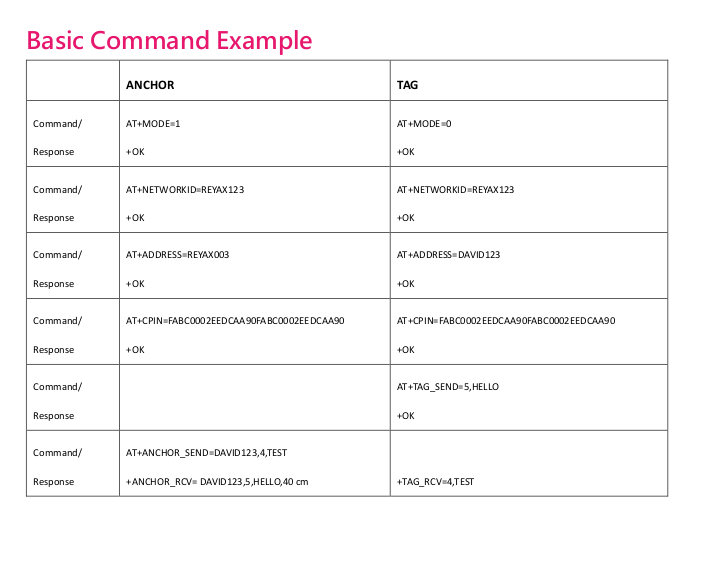

Once the RYUW122_Lite module is connected to the serial monitor application, the next step is to configure its parameters using AT+Commands so the module can function properly. As mentioned earlier, this setup process does not require any programming or flashing.
Before configuring the parameters, first decide on the Network ID to be used. Both modules must have the same Network ID, as only modules with matching Network IDs can communicate with each other.
The Network ID I will use is: REYAX123
Anchor Configuration
The following is the sequence of commands to configure the module as an anchor:
- Software RESET
- Set Operating Mode
- Set network ID
- Set ADDRESS ID module
TAG Configuration
The following is the sequence of commands to configure the module as a TAG:
- Software RESET
- Set Operating Mode
- Set network ID
- Set ADDRESS ID module
Actually, there are other parameters that can be configured, but the ones mentioned above are sufficient for the devices to communicate with each other.
If you wish to configure additional parameters such as baud rate, RF channel, bandwidth, and others, you can refer to the PDF file below.
Downloads
How It Work
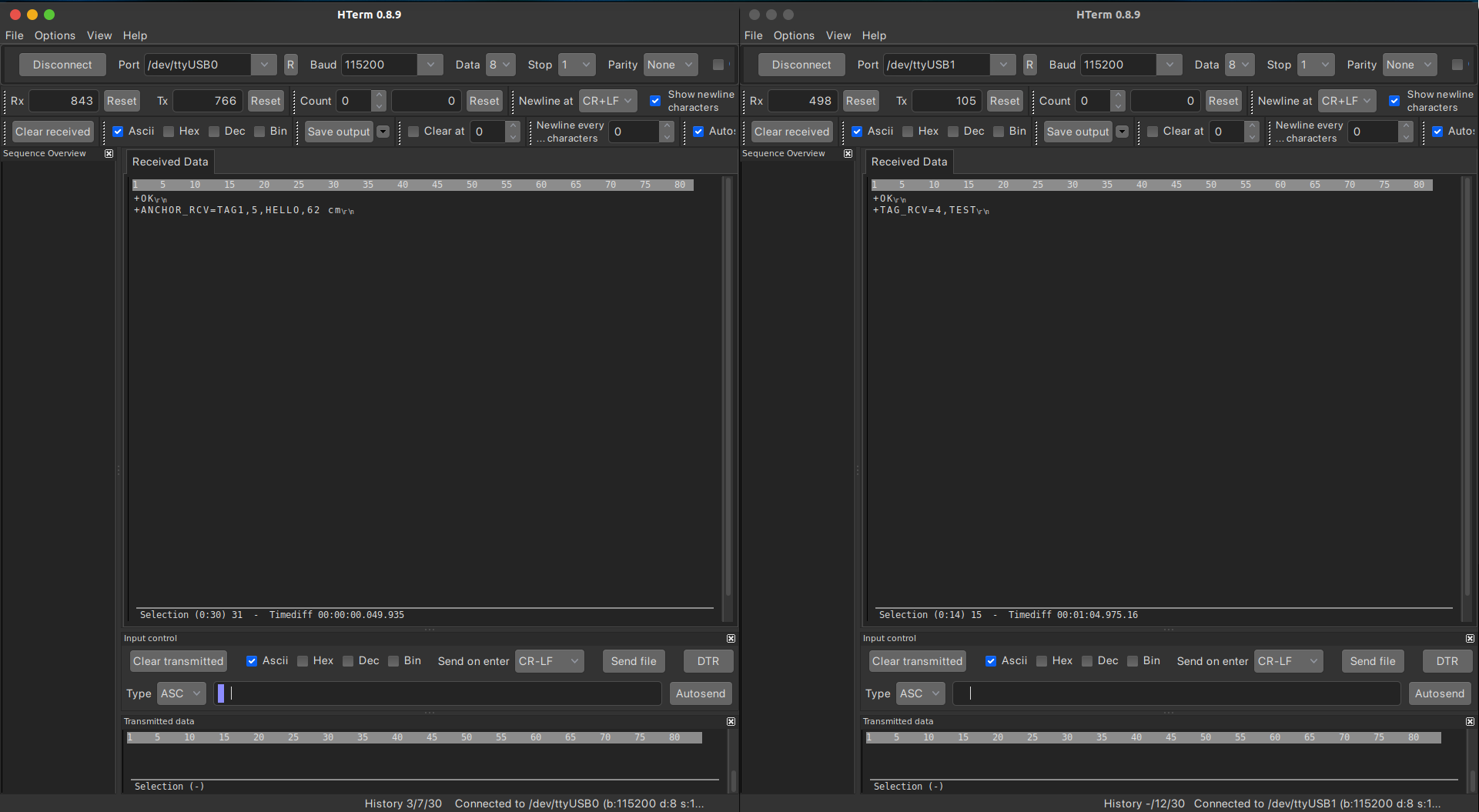
Communication between the anchor and TAG in the UWB module uses a semi-duplex method with a query-response mechanism. In this method, data transmission and reception occur alternately, meaning only one device can transmit data at a time. The anchor always initiates communication by sending a query message to the TAG, which then responds with a reply message and distance information that has been configured via AT commands. The TAG cannot act as the initiator, so communication is always started by the anchor. This pattern ensures structured and efficient communication, even though data is not transmitted bidirectionally at the same time.
The following is a simulation of message transmission between the anchor and the TAG:
- TAG Message Configuration
The message "HELLO" will be the response to the query sent by the anchor to the TAG.
- The anchor sends a message to the TAG
From the simulation above, it can be seen that the anchor initiates the communication. The TAG receives the message from the anchor and responds with a preconfigured message. The anchor then receives the response from the TAG along with the distance data between the two modules.
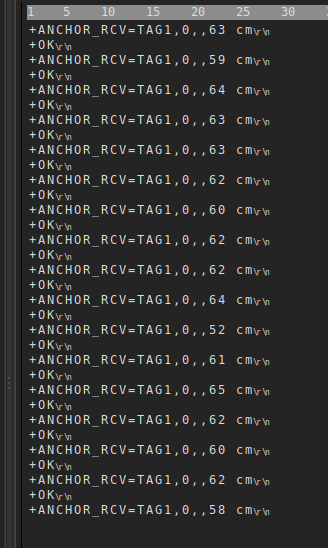
Result