RETRO CLOCK RADIO PROJECT
by Turjo119 in Circuits > Arduino

217 Views, 4 Favorites, 0 Comments

RETRO CLOCK RADIO PROJECT

Screenshot 2026-02-14 132329.png

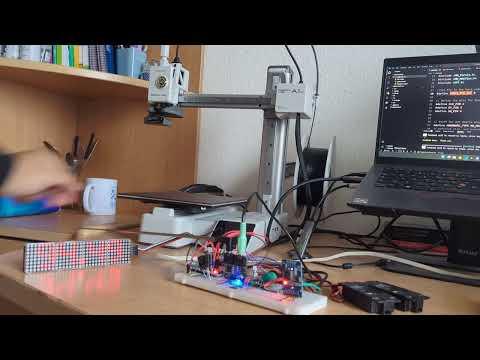
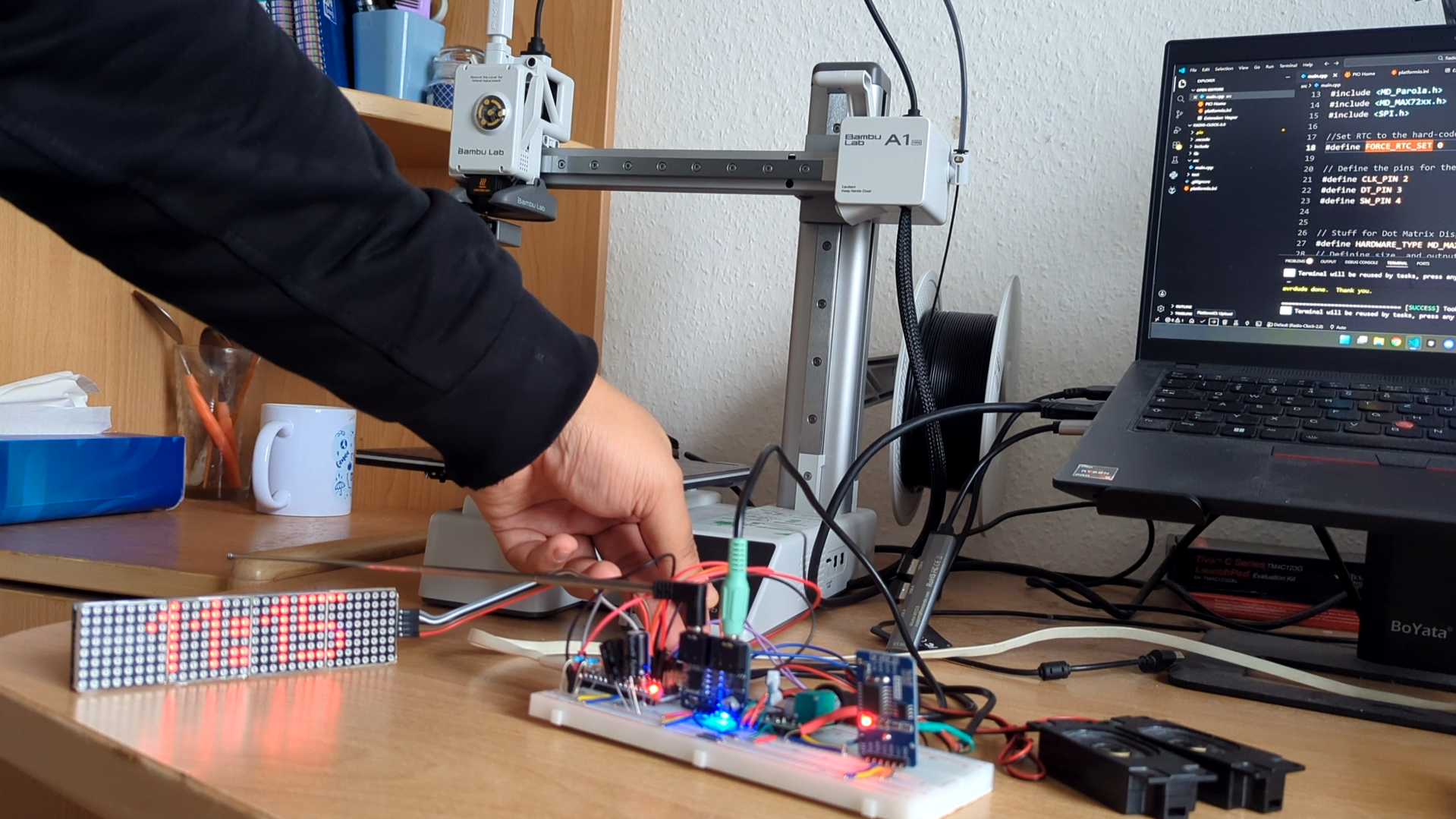
In this project, I have built a Clock Radio using an Arduino Nano, a TEA5767 FM Radio Module, and a DS3231 real-time clock, along with some peripherals to display the time, output audio and select the FM station. I have built the entire circuit on a breadboard using jumper cables. The Dot Matrix Display gives it a classic look and feel akin to old-school radios I had growing up. This project is in its second iteration, and I plan to add upgrades to this personal project of mine down the line :)

Supplies

Here is the list of hardware components used in this project

  1. Arduino Nano V3
  2. TEA 5767 FM Radio Module
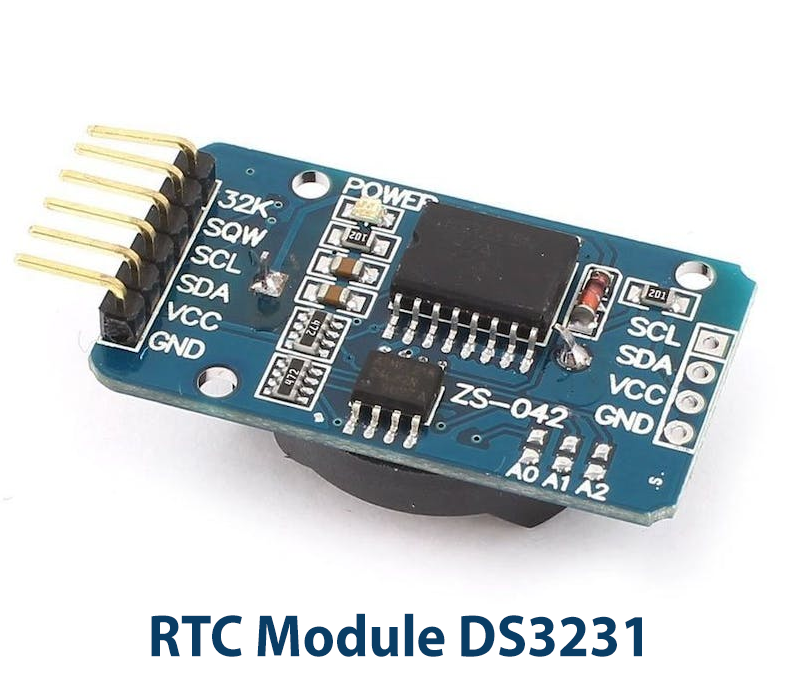
  3. DS3231 RTC Module
  4. PAM 8403 Digital Mini Audio Amplifier
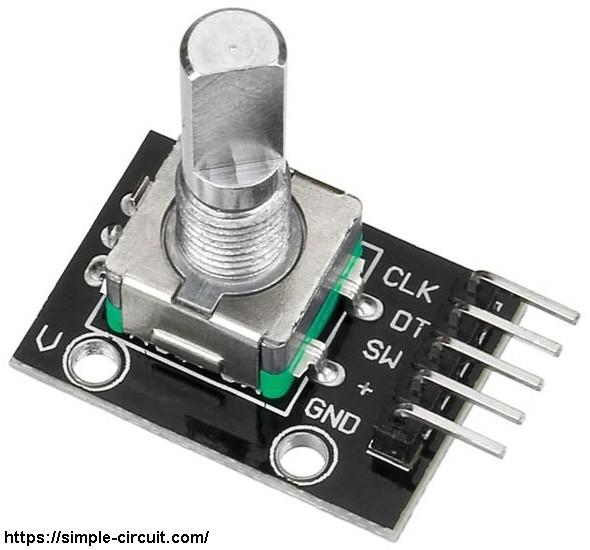
  5. KY-040 Rotary Encoder
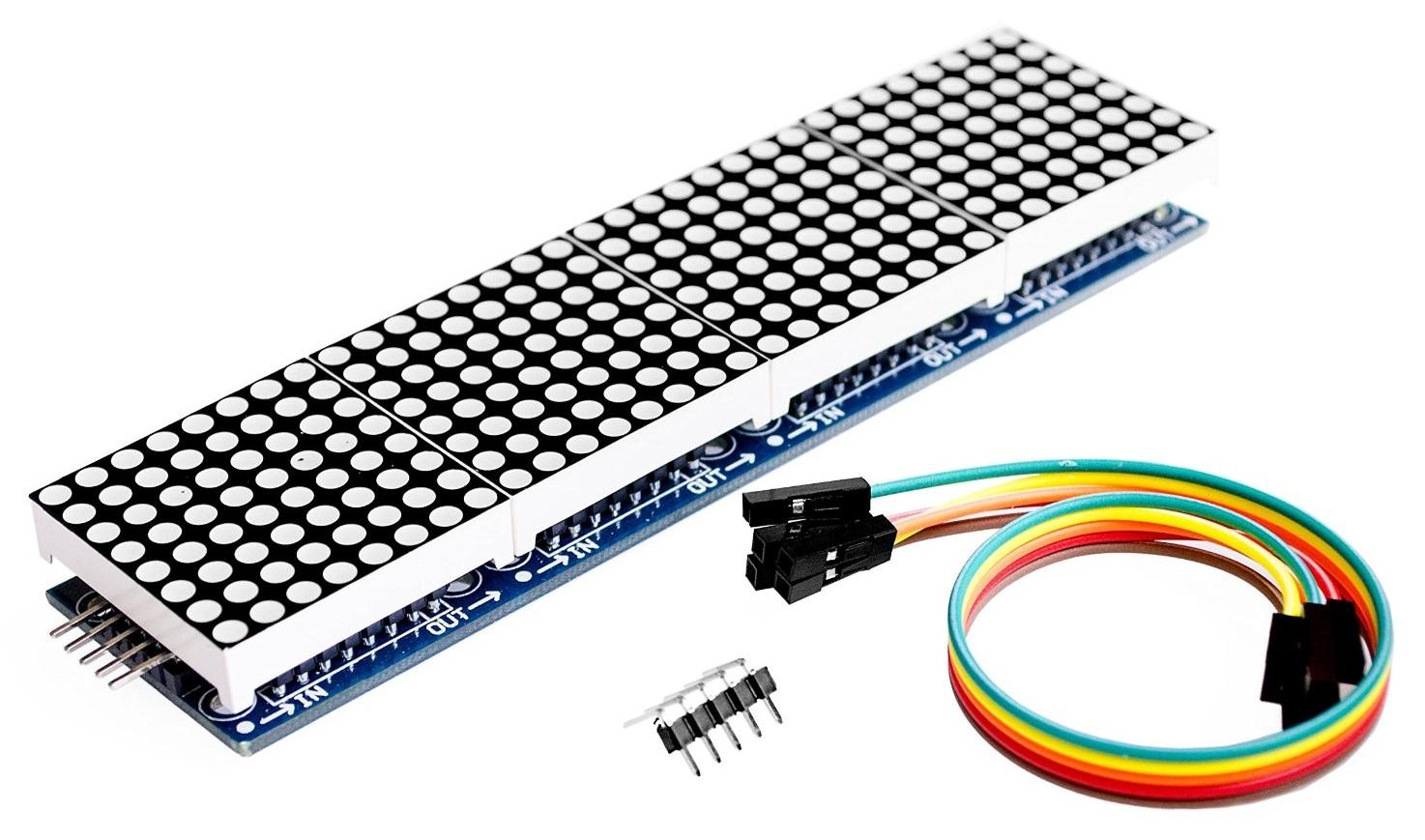
  6. MAX 7219 Dot Matrix Display
  7. 2 pieces DFplayer Mini 3 Watt 4 Ohm Mini Speaker
  8. Jumper Cables
  9. Breadboard
  10. 220 µF Capacitors
  11. 10K ohm Pull-up resistors

Core Components
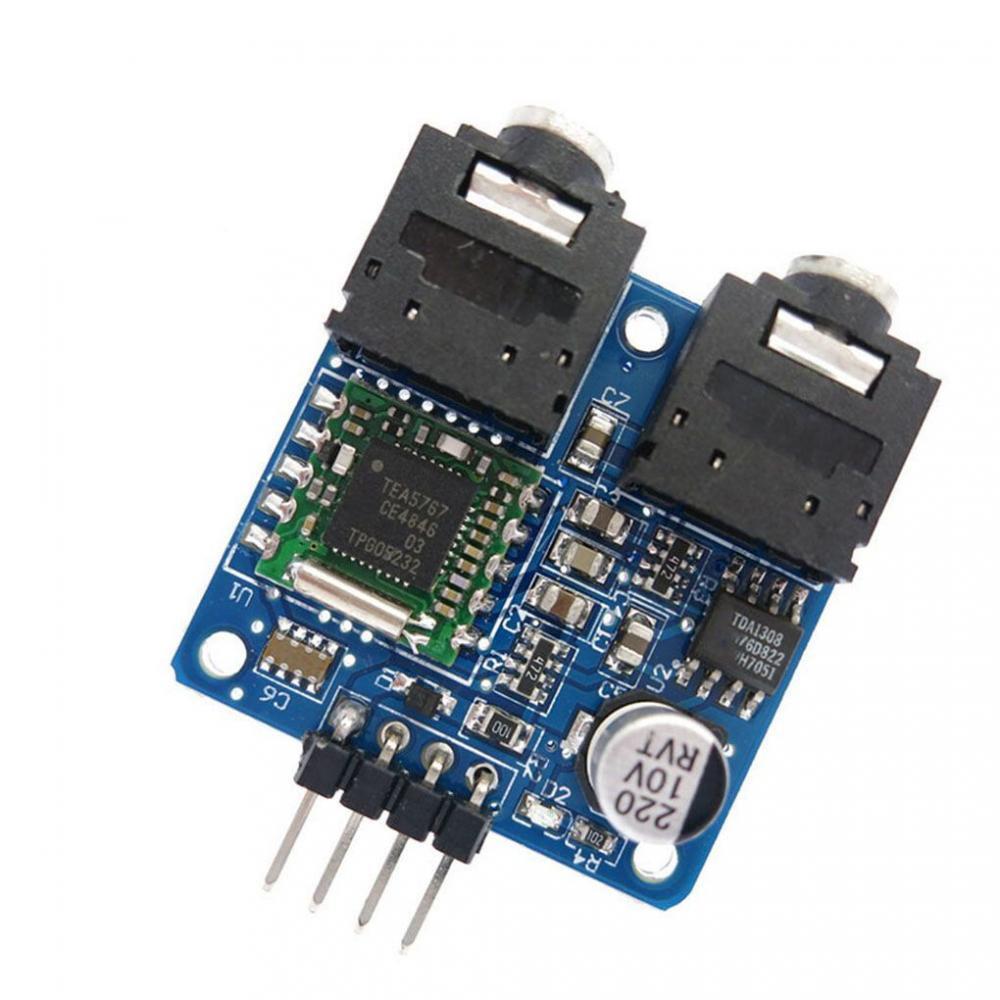
TEA5767.jpeg
DS3231.png
Dot Matrix Display.jpg
rotary encoder.jpg

Since this Instrucable isn't going to be a deep dive into how each of these individual components works, I'll be sharing links to other resources that will help you to better understand what they are and how they operate with the Arduino boards. The project was originally inspired by several other projects I had read over the years, and if this is your first time working with any of these components, I highly recommend checking out the following articles from others in the maker community.

  1. TEA 5767 FM Radio Module Guide
  2. DS3231 RTC Clock Module Guide
  3. MAX7219 LED Dot Matrix Guide
  4. KY-040 Rotary Encoder Guide

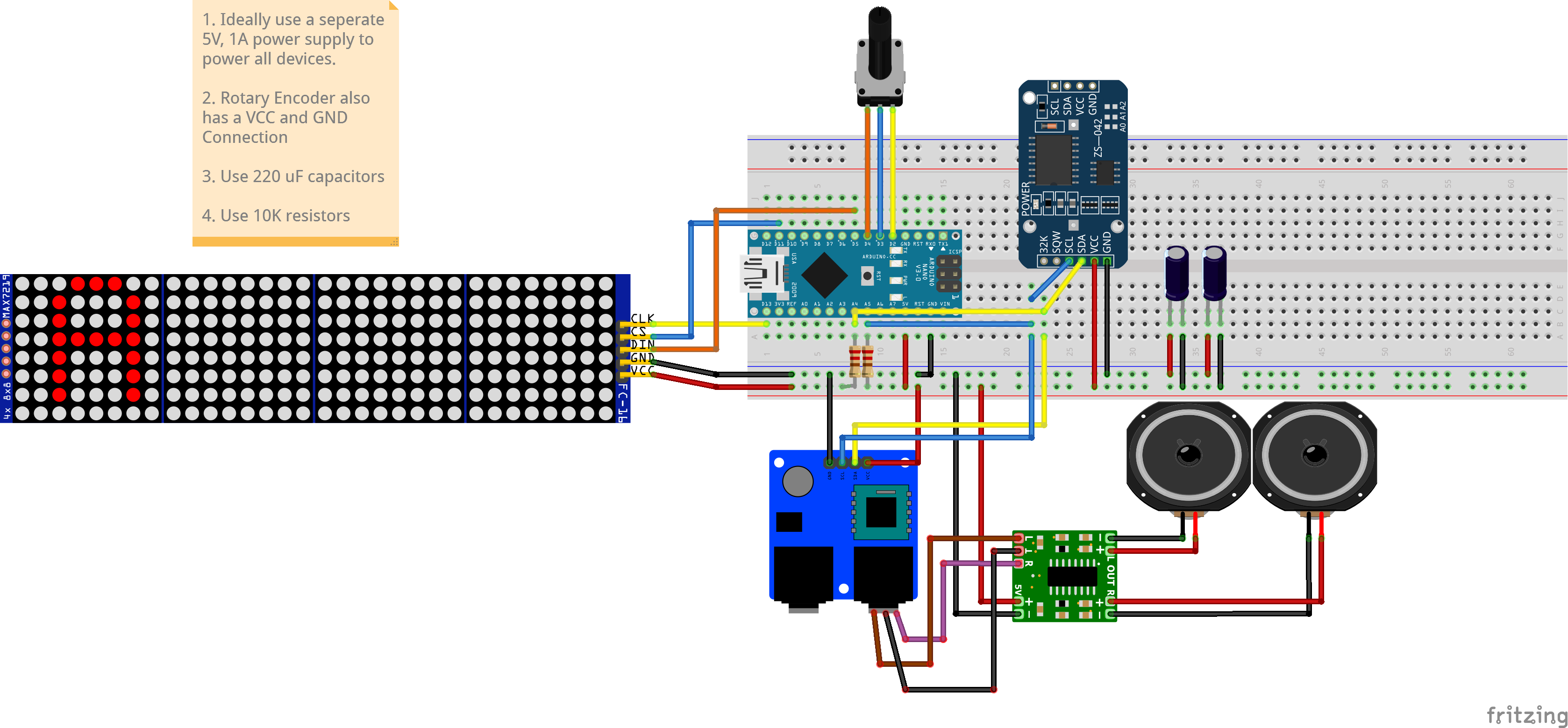
Circuit Diagram

FM CLOCK RADIO 2.0_bb.png

A connection diagram for all the components can be seen here. Note that the capacitors are used to filter out noise on the audio output, and the pull-up resistors are used on the serial clock and data lines, as we are connecting multiple I2C devices. Also, as this is largely a prototype, I have chosen to power everything using the 5V and GND pins on the Arduino, powered via a USB cable. However, in a practical scenario, this is not advised as the Arduino can only supply a maximum current of upto 500mA, which may not be sufficient to use some of the more power-hungry devices to their fullest capabilities, such as the dot Matrix display. Future iterations of this project will include an external power source, while the Arduino is largely responsible for running our code.

Libraries

Below are the libraries used in the sketch for the Clock Radio. Make sure to install all of the libraries in your respective IDEs

  1. Radio
  2. TEA5767
  3. RTClib
  4. MD_Parola
  5. MD_MAX72XX
  6. ezButton

Code

Below is the code for the sketch, as well as a link to my GitHub Repository for the Clock Radio.

I have written my sketch in VSCode using the PlatformIO extension for Embedded Development. But if you're new to IDEs and just want to hit the ground running, you can simply use the Arduino IDE. All that is needed is to copy the code below into your Arduino .ino file.

With this sketch, your Radio Clock will start by displaying the current time and starting the radio to a preset FM frequency. You can change the FM station by pressing the rotary encoder to select the next station or by turning the dial to manually change the FM frequency.


/*
An Arduino Sketch for an FM Radio clock with TEA5767. A rotary encorder is used
to change the frequency of the radio. The push button on the rotary encoder is
used to change the station. The Dot Matrix Display shows the current time and
frequency.
*/

#include <Arduino.h>
#include <Wire.h>
#include <RTClib.h>
#include <radio.h>
#include <TEA5767.h>
#include <ezButton.h> // the library to use for SW pin
#include <MD_Parola.h>
#include <MD_MAX72xx.h>
#include <SPI.h>

//Set RTC to the hard-coded time on upload, 0 = Leave RTC alone
#define FORCE_RTC_SET 0

// Define the pins for the rotary encoder
#define CLK_PIN 2
#define DT_PIN 3
#define SW_PIN 4


// Stuff for Dot Matrix Display
#define HARDWARE_TYPE MD_MAX72XX::FC16_HW
// Defining size, and output pins
#define MAX_DEVICES 4
#define CS_PIN 5
MD_Parola ledMatrix = MD_Parola(HARDWARE_TYPE, CS_PIN, MAX_DEVICES);


volatile unsigned long last_time; // for debouncing

// range of FM frequencies
const int fm_freq_default = 8800; // default FM frequency to tune into

volatile int fm_freq_current = 8800;
volatile int fm_freq_min = 8750;
volatile int fm_freq_max = 10800;
const int delta_freq = 10;
int fm_freq_previous;

char s[12]; // Character array to store the frequency

// Clock update timing
unsigned long lastClockUpdate = 0;
const unsigned long CLOCK_UPDATE_INTERVAL = 1000; // ms

// Display state: false = show time, true = show radio frequency
volatile bool showingRadioInfo = false;
volatile unsigned long lastEncoderActivityMs = 0;

// Radio frequency presets
RADIO_FREQ preset [] = {
8800,
8970,
9010,
9070,
9130,
9290,
9420,
9450,
9550,
9660,
9820,
9880,
10170,
10370,
10750
};

uint16_t presetIndex = 0; ///< Start at Station with index = 1

ezButton button(SW_PIN); // create ezButton object that attach to pin 4

// RTC
RTC_DS3231 rtc;

// Radio audio
uint8_t radioVolumeActive = 2; // default volume

// Function prototypes
void ISR_encoderChange();
void showRadioFrequency();
void showClockTime();

/// The band that will be tuned by this sketch is FM.
#define FIX_BAND RADIO_BAND_FM

/// The default station that will be tuned by this sketch is 88.00 MHz.
#define FIX_STATION 8800

TEA5767 radio; // Create an instance of Class for Si4703 Chip

// Setup a FM only radio configuration
// with some debugging on the Serial port
void setup() {
// open the Serial port
Serial.begin(57600);

// Initialize I2C (for TEA5767 and DS3231)
Wire.begin();

// configure encoder pins as inputs
pinMode(CLK_PIN, INPUT);
pinMode(DT_PIN, INPUT);
button.setDebounceTime(50); // set debounce time to 50 milliseconds

// use interrupt for CLK pin is enough
// call ISR_encoderChange() when CLK pin changes from LOW to HIGH
attachInterrupt(digitalPinToInterrupt(CLK_PIN), ISR_encoderChange, RISING);

Serial.println("Radio...");
delay(200);

// Initialize the Radio
radio.init();

// Enable information to the Serial port
//radio.debugEnable();

// HERE: adjust the frequency to a local sender
radio.setBandFrequency(FIX_BAND, FIX_STATION);
radio.setVolume(radioVolumeActive);
radio.setMono(false);


// Initialize the Dot Matrix Display
ledMatrix.begin(); // initialize the object
ledMatrix.setIntensity(0); // set the brightness of the LED matrix display (from 0 to 15)
ledMatrix.displayClear(); // clear led matrix display

// Initialize the RTC
if (!rtc.begin()) {
Serial.println("Couldn't find RTC");
} else {
if (rtc.lostPower()) {
Serial.println("RTC lost power, setting the time!");
//rtc.adjust(DateTime(F(__DATE__), F(__TIME__)));
rtc.adjust(DateTime(2026, 2, 6, 11, 07, 0));
}
#if FORCE_RTC_SET
rtc.adjust(DateTime(2026, 2, 6, 11, 07, 0)); // your personal preset
#endif
}

// Start by showing the current time on the display
showClockTime();

} // End of setup


/// show the current chip data every 3 seconds.
void loop() {

//Stuff for the encoder
button.loop(); // MUST call the loop() function first

// Handle station-change button (rotary encoder push)
if (button.isPressed()) {
Serial.println("Changing the station...");
if (presetIndex < (sizeof(preset) / sizeof(RADIO_FREQ)) - 1) {
presetIndex++;
radio.setFrequency(preset[presetIndex]);
}
// Go back to start
else {
presetIndex = 0;
radio.setFrequency(preset[presetIndex]);
}
//Set as current frequency
fm_freq_current = preset[presetIndex];

// Show radio info on display and mark activity
showingRadioInfo = true;
lastEncoderActivityMs = millis();
}

// If frequency changed (due to encoder rotation), update radio display
if (fm_freq_previous != fm_freq_current) {
showRadioFrequency();
}

unsigned long nowMs = millis();

// Auto-revert from radio display back to clock after 3 seconds of inactivity
if (showingRadioInfo && (nowMs - lastEncoderActivityMs >= 3000)) {
showingRadioInfo = false;
lastClockUpdate = 0; // force immediate refresh on next clock update
showClockTime();
}

// When not showing radio info, periodically refresh time display
if (!showingRadioInfo && (nowMs - lastClockUpdate >= CLOCK_UPDATE_INTERVAL)) {
lastClockUpdate = nowMs;
showClockTime();
}
} // End of loop

//Function to display radio frequency
void showRadioFrequency() {
fm_freq_previous = fm_freq_current;

Serial.print("FM frequency: ");
Serial.println(fm_freq_current);

// Tune radio and display formatted frequency
radio.setFrequency(fm_freq_current);
radio.formatFrequency(s, sizeof(s)); // Modified to remove the "MHz"
Serial.print("Station:");
Serial.println(s);

Serial.print("Radio:");
radio.debugRadioInfo();

Serial.print("Audio:");
radio.debugAudioInfo();

// Display the frequency on the Dot Matrix Display
ledMatrix.setTextAlignment(PA_CENTER);
ledMatrix.print(s); // display text
}

//Display current time in 24H format
void showClockTime() {
DateTime now = rtc.now();

char timeStr[6]; // "HH:MM" + '\0'
uint8_t hour = now.hour();
uint8_t minute = now.minute();

timeStr[0] = '0' + (hour / 10);
timeStr[1] = '0' + (hour % 10);
timeStr[2] = ':';
timeStr[3] = '0' + (minute / 10);
timeStr[4] = '0' + (minute % 10);
timeStr[5] = '\0';

ledMatrix.setTextAlignment(PA_CENTER);
ledMatrix.print(timeStr);
}

// Interrupt service routine for changing frequency
void ISR_encoderChange() {
if ((millis() - last_time) < 50) // debounce time is 50ms
return;

if (digitalRead(DT_PIN) == HIGH) {
// the encoder is rotating in counter-clockwise direction => decrease the frequency
fm_freq_current = fm_freq_current - delta_freq;
if (fm_freq_current <= fm_freq_min) {
fm_freq_current = fm_freq_min;
}
}
else {
// the encoder is rotating in clockwise direction => increase the frequency
fm_freq_current = fm_freq_current + delta_freq;
if (fm_freq_current >= fm_freq_max) {
fm_freq_current = fm_freq_max;
}
}

last_time = millis();

// Mark encoder activity so the display shows radio info
showingRadioInfo = true;
lastEncoderActivityMs = millis();
}
// End.


Key Changes for Your Code

Within the provided sketch, there are some variables that you may need to alter in order to tune into preselected FM stations based on your region.

The first of which you may wish to change are these:

// range of FM frequencies
const int fm_freq_default = 8800; // default FM frequency to tune into

volatile int fm_freq_current = 8800;
volatile int fm_freq_min = 8750;
volatile int fm_freq_max = 10800;
const int delta_freq = 10;
int fm_freq_previous;


where fm_freq_default, fm_freq_current, fm_freq_min and fm_freq_max correspond to the default FM station to tune into when starting, the current FM station, the minimum and maximum frequencies. These may be different in your region.

Once you've found the frequencies for all your local FM stations, you will need to update the array below accordingly:


// Radio frequency presets
RADIO_FREQ preset [] = {
8800,
8970,
9010,
9070,
9130,
9290,
9420,
9450,
9550,
9660,
9820,
9880,
10170,
10370,
10750
};

Demonstration

FM Clock Radio Demo #1

Here is a demo of the Clock Radio at work. During this project, I ran into some issues with the hardware and my code, and after some weeks of tinkering with my setup and my code, I was finally able to get my desired outcome. I imagine others who might be interested in similar projects could also run into such issues so I decided to write my first-ever Instructable in the hopes it may aid those who need it.

In the future, I aim to update this Instructable with guides on how I design my custom PCB as well as the 3D-printed enclosure. I've been following guides from makers, hobbyists and professionals in the community over the years, and I wanted to contribute in my own way as well. If you found this Instructable helpful or have suggestions, please let me know. Good luck!