Pico-Pocket V1.0
Overview:

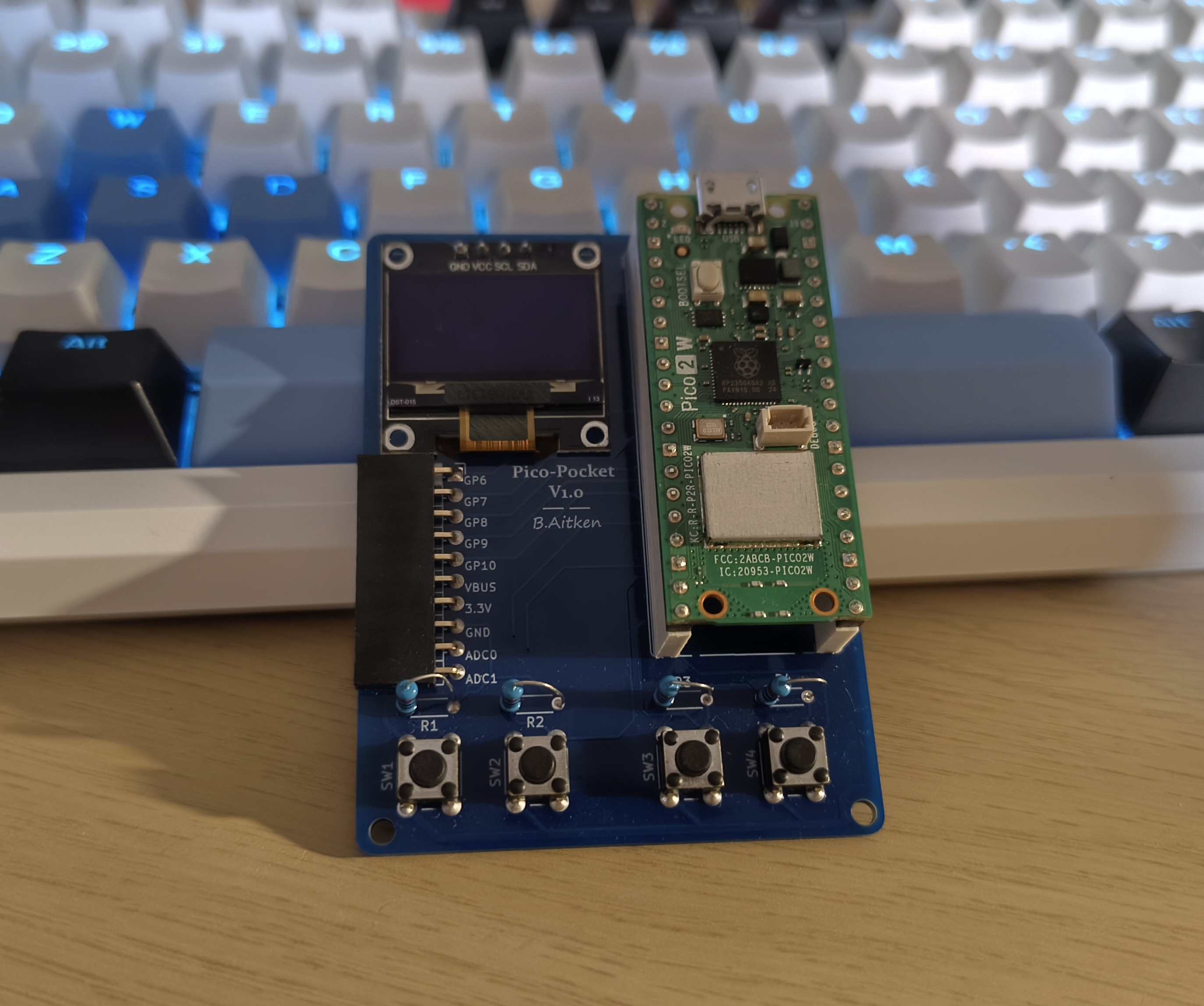
The Pico-Pocket V1.0. A device I made because I wanted freedom and convenience in electronics. I can make it function as a Multi Meter, a mini Game device, a data logger, or really anything I want it to be (providing it matches the hardware).
Quick Backstory:
The idea came to my head when I realised my Multi Meter only had a voltmeter, an ohmmeter and an ammeter built in, no capacitance meter (for measuring capacitance values), or transistor tester. Since I do a lot of electronics for fun in my free time, I thought why not make a small device that will have the ability to fulfil my needs, but also have the capacity to act as whatever I want. So here's how I made it.
Please Note:
This device is based on Raspberry Pi Pico and so I will program the device on the micro python interpreter.
Supplies
Display - SSD1306 0.96" (With Pins in the format [GND, VCC, SCL, SDA]) - CAN BE SOURCED MOST PLACES (i got mine from a seller on EBAY) JUST ENSURE PIN LAYOUT IS CORRECT AS MINE.
Microcontroller - Raspberry Pi Pico (Any work, the pin layout for all so far are the same. I used a 2w in this tutorial) - https://thepihut.com/products/raspberry-pi-pico-2-w
Tactile button switches (4) - https://thepihut.com/products/tactile-button-switch-6mm-x-20-pack
Resistors (220r) - https://thepihut.com/products/resistor-packs?variant=37986550612163
1x10 female pin socket (right angled) - https://thepihut.com/products/female-right-angled-2-54mm-header-packs?variant=54480701456769
High Raised socket for Pico (OPTIONAL - Just allows for changing removal of microcontroller for other uses) - https://thepihut.com/products/20-pin-0-1-female-header-white-5-pack?variant=19932895346750
Development Process
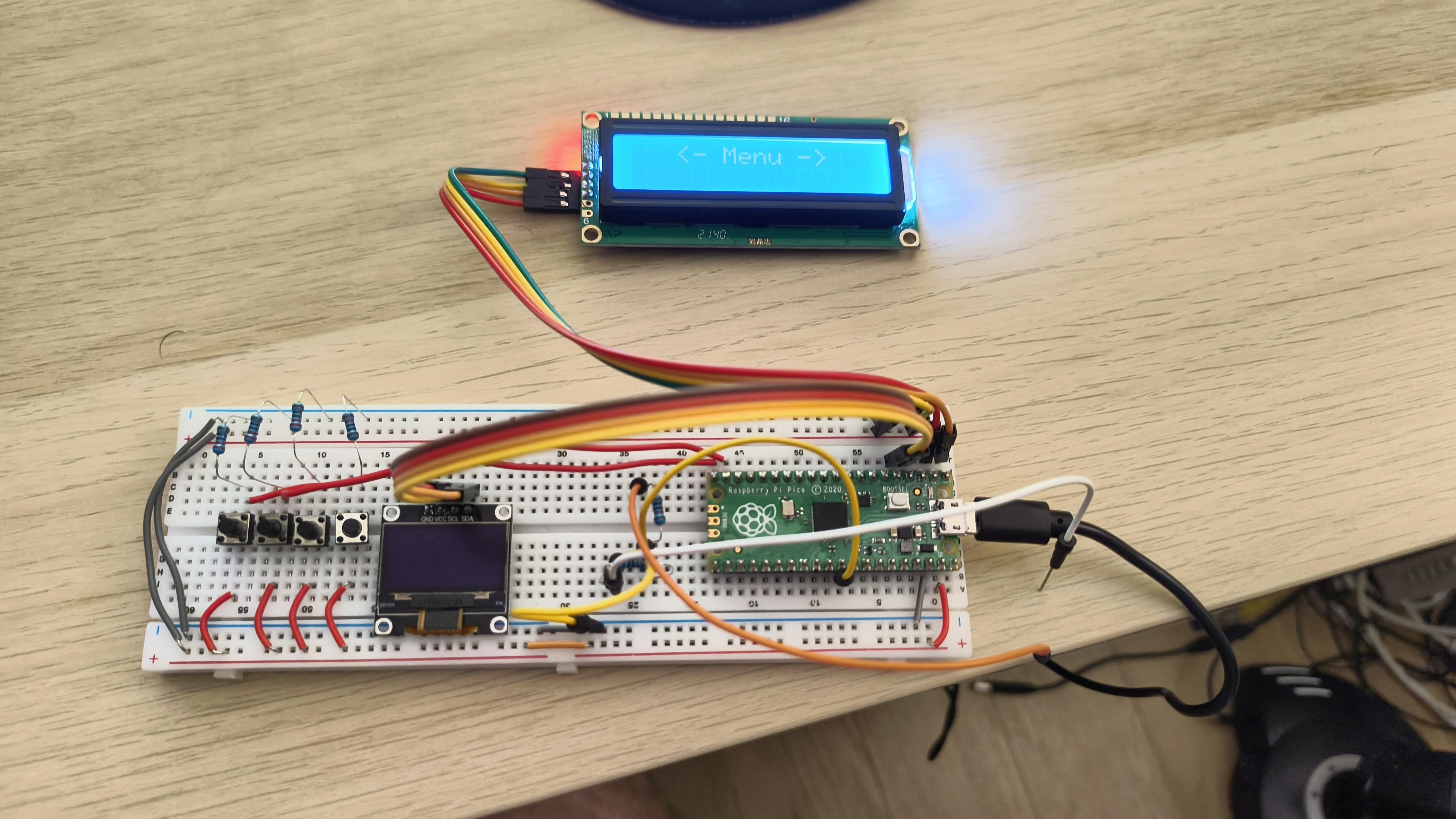
To start off, I grabbed a breadboard and ordered an ssd1306 display from ebay to learn how to use them. You'll notice there is an lcd display present however, that is not in the final design as it is too big.
Development Process

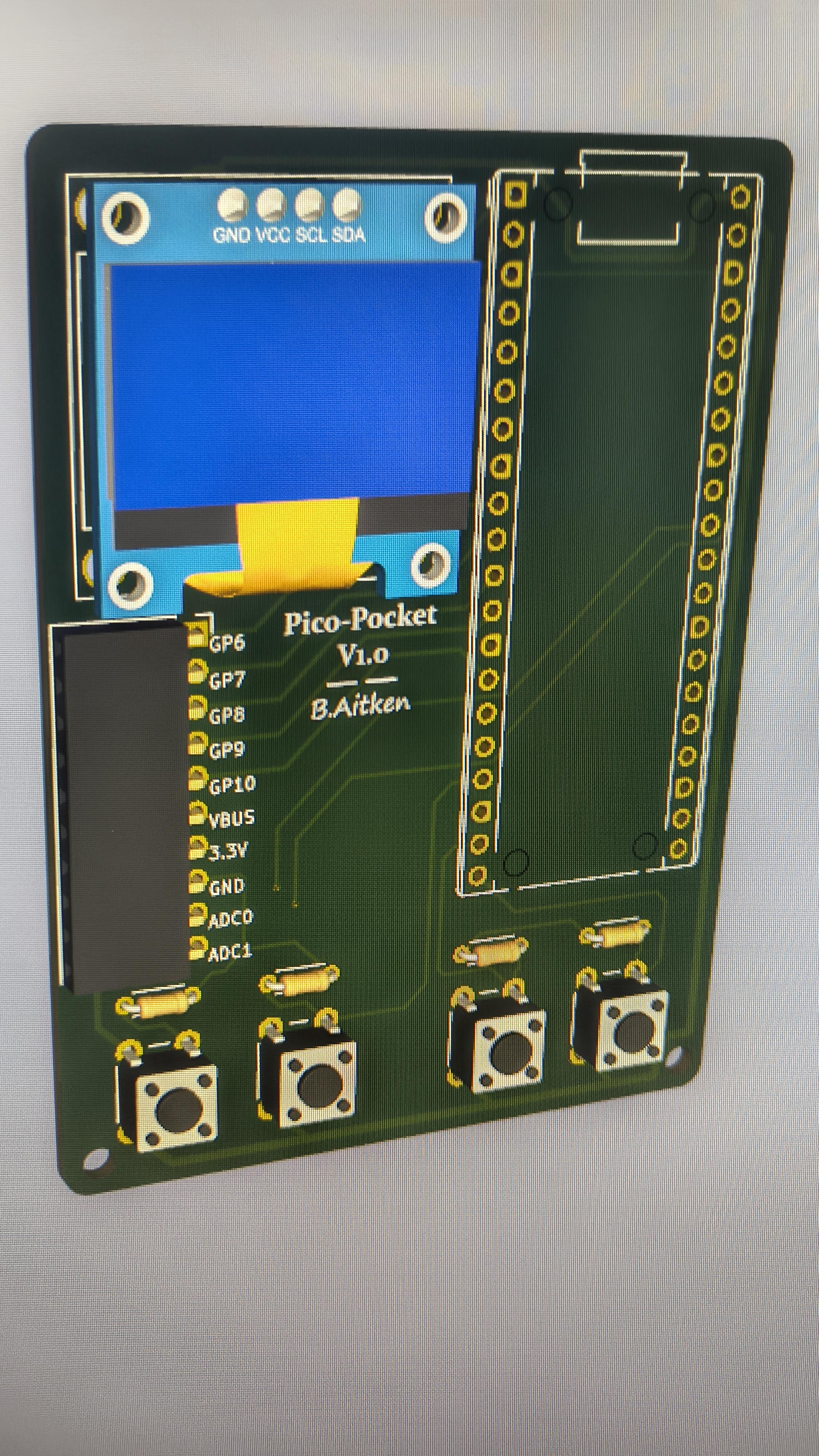
Once I had that working, I now thought it best to design an actual PCB for the device. I had a little bit of experience designing circuit boards, but not much, this was quite the learning experience for me. I used KiCad for this. Here are screenshots of the development in design.
Please note:
The footprint image is not exact as to the end result. PCB files are in later steps.
Development Process
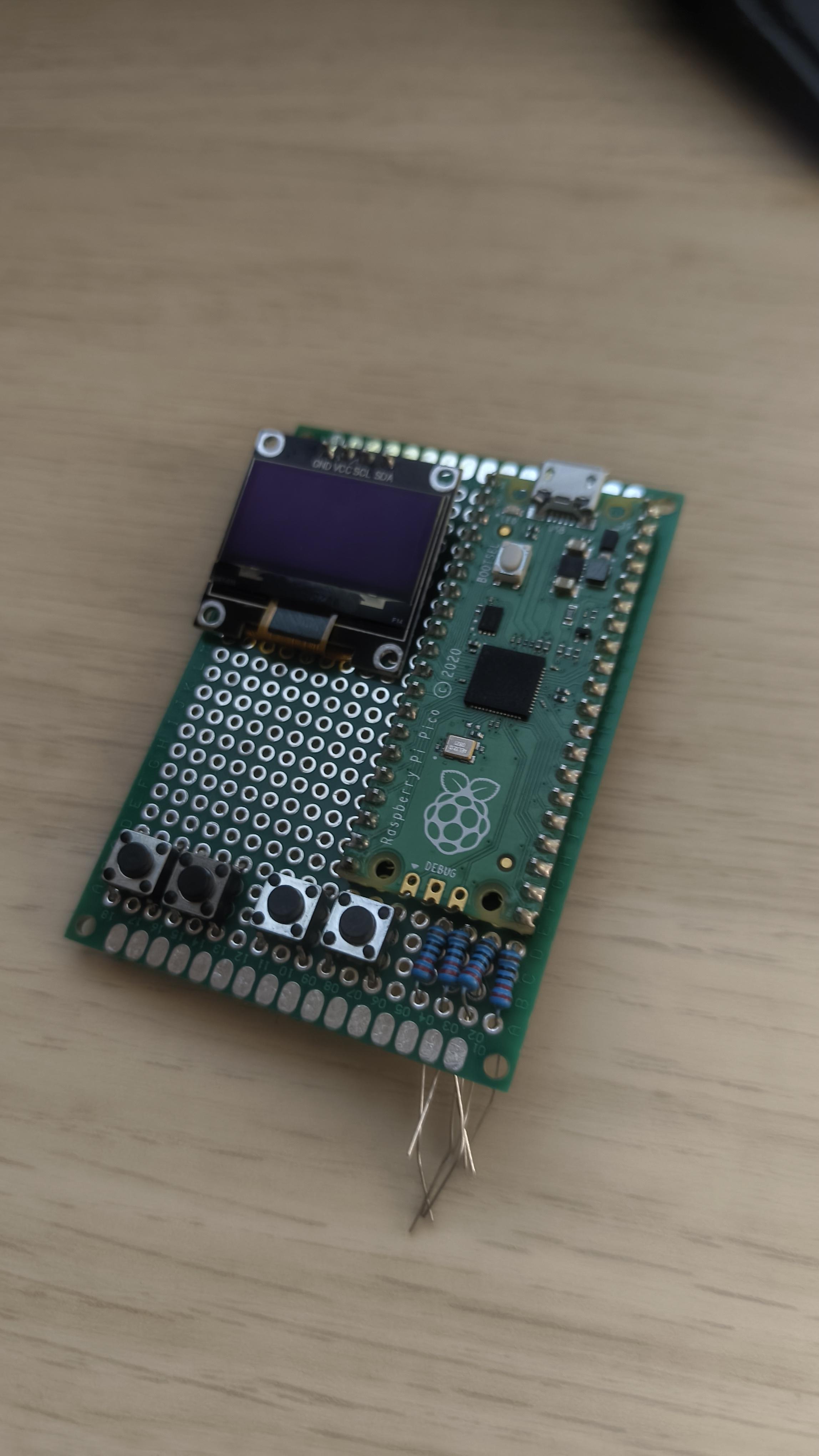
Whilst I was waiting for the PCBs to arrive from JLCPCB, I thought I'd try to solder up a prototype on some protoboard, that way I could start making software. I immediately realised I didn't have the necessary wire or patience to wire up by hand. The PCB ends up being slightly bigger than this and an adjusted layout. This was a waste of components in the end but, was quite interesting to learn with.
Development Process
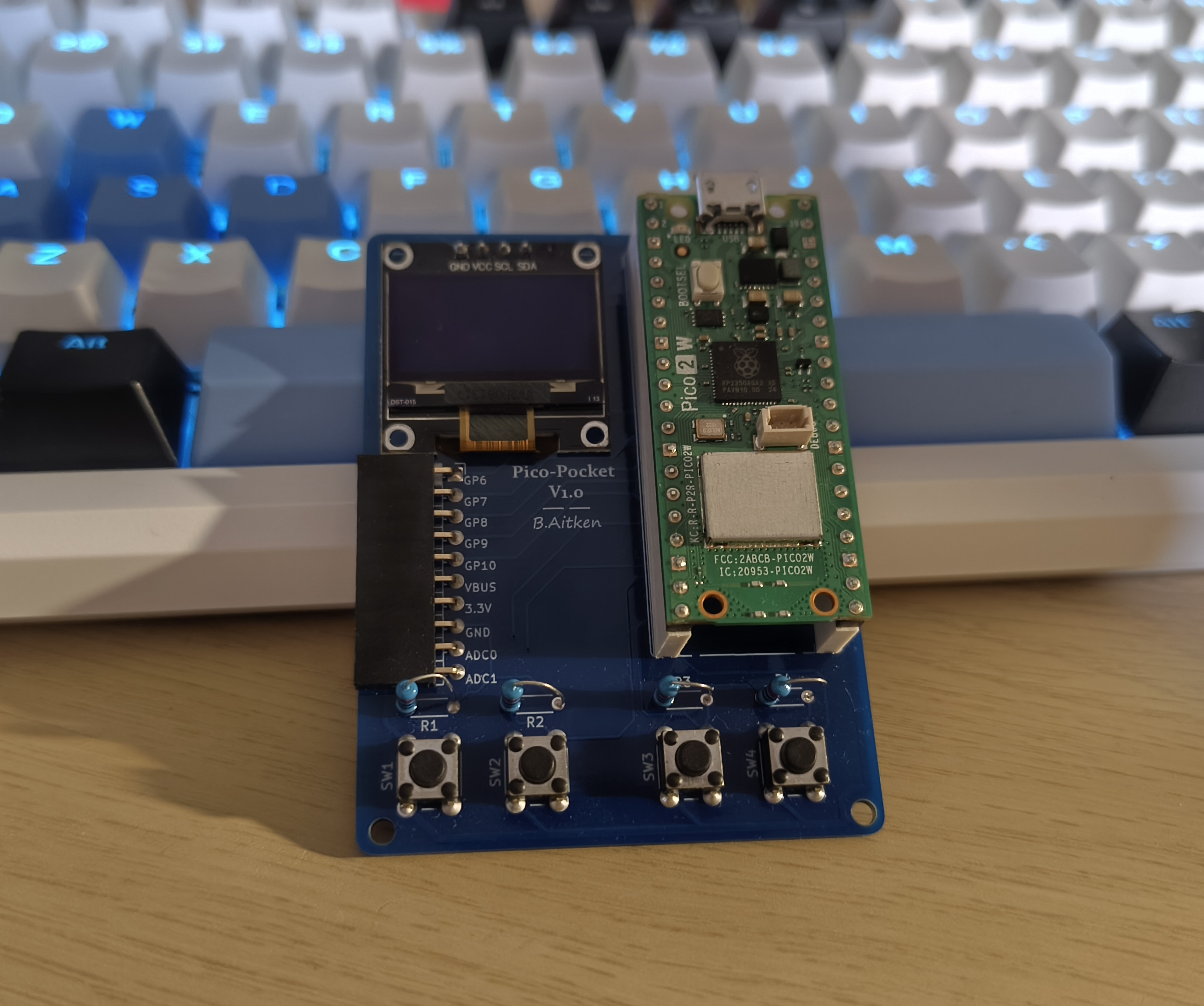
When I got the boards and all other components, I soldered the two optional sockets for the Pico first, then the screen, female socket header, the 4 tactile buttons, and lastly the resistors. I made sure the optional sockets fit with the Pico in place. The end result looks like this.
Software Stage
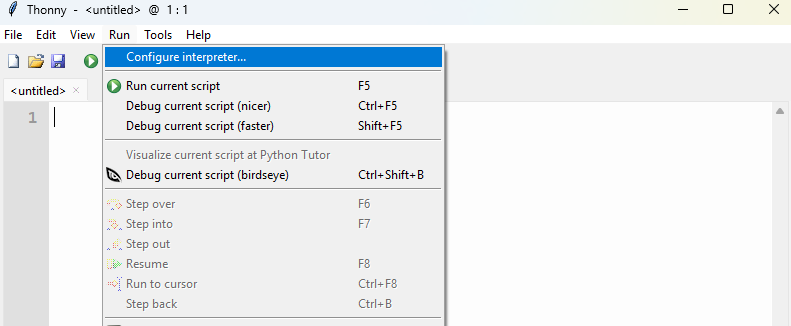
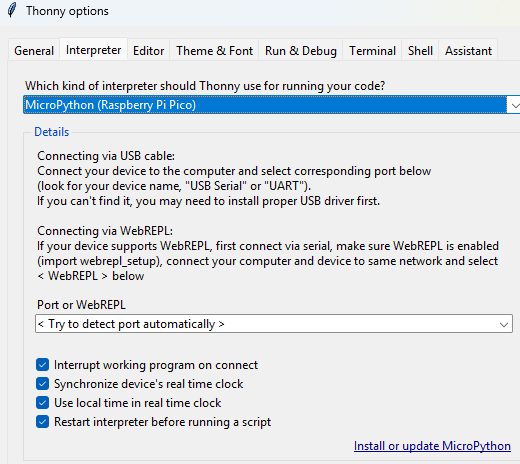
You can program with any language supported by the Pico however, I used thonny to flash the micropython interpreter to the Pico. I can now program in python. I made sure to hold the bootsel button when pluggin into my computer otherwise I would not be able to flash micropython.
Software Stage
Whilst you can program, the device cannot control the ssd1306 display since there is no module for it on the Pico. Make sure to save this python file onto your Pico and you can reference it in your main.py script to interact with the display.
Downloads
Reflections and Other Notes
Issues:
Whilst the device is brilliant and works as intended, the screen that I designed the pcb around is hard to source as I bought through an unreliable ebay seller.
During initial testing, the screen did not have issues, but I soon found that putting 5 volts into it worked fine however, it produced an annoying high pitched noise. It will work better at 3.3v I found.
One board hole for standoffs is close to the pressure contact of a button and so that point will get stressed and may crack.
Final Notes:
I may end up sharing PCB files later on however, the issues with the board are too much of a worry for me to make open source. It requires some revision. This project page was a main build process experience I had.
I plan on working on a revised version which I will document in the future. If so I may even sell build kits and give a build guide on Instructables.
Thanks for reading :)