ORBIT: Assembling the Breadboard Basebot Structure
by samuelwlinton in Design > 3D Design
52 Views, 0 Favorites, 0 Comments
ORBIT: Assembling the Breadboard Basebot Structure
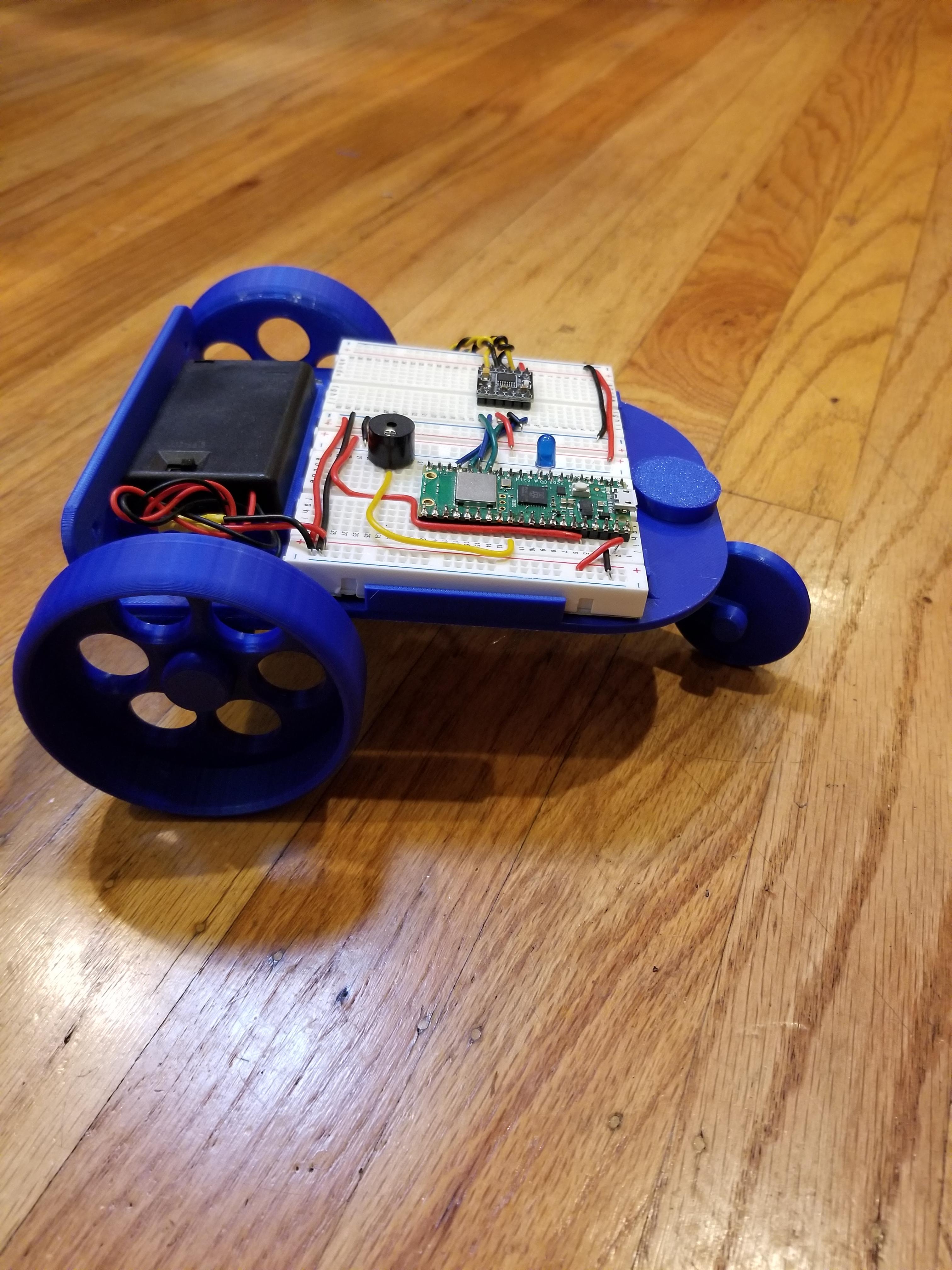
This project explains how to assemble the ORBIT Breadboard Basebot robot.
TODO: Add labeled parts for motor, etc.
TODO: link to instructions on how to build the circuit
TODO: link to the Python code
TODO: link to the OnShape files
Supplies
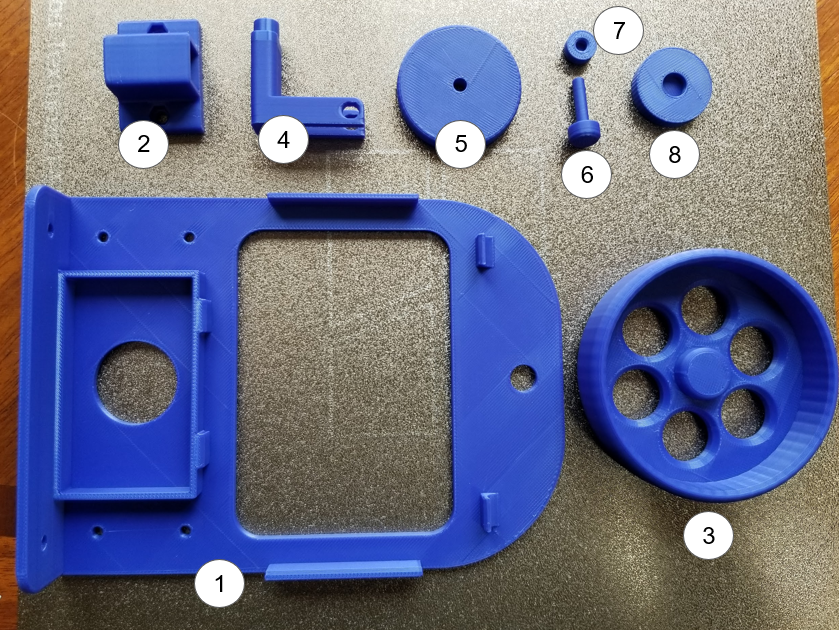
- Breadboard Basebot Chassis (1x) (3D Design in OnShape)
- Motor Holder (2x) (3D Design in OnShape)
- Wheel (2x) (3D Design in OnShape)
- Caster Wheel Assembly Frame (1x) (3D Design in OnShape)
- Caster Wheel (1x) (3D Design in OnShape)
- Caster Wheel Axle (1x) (3D Design in OnShape)
- Caster Wheel Axle Cap (1x) (3D Design in OnShape)
- Caster Wheel Assembly Top Cap (1x) (3D Design in OnShape)
- Motors (2x)
- M3 Nuts (8x)
- M3 Bolts (8x)
- Breadboard Assembly (1)
- AAA Battery Holder (1)
Position Motors Into the Motor Holders
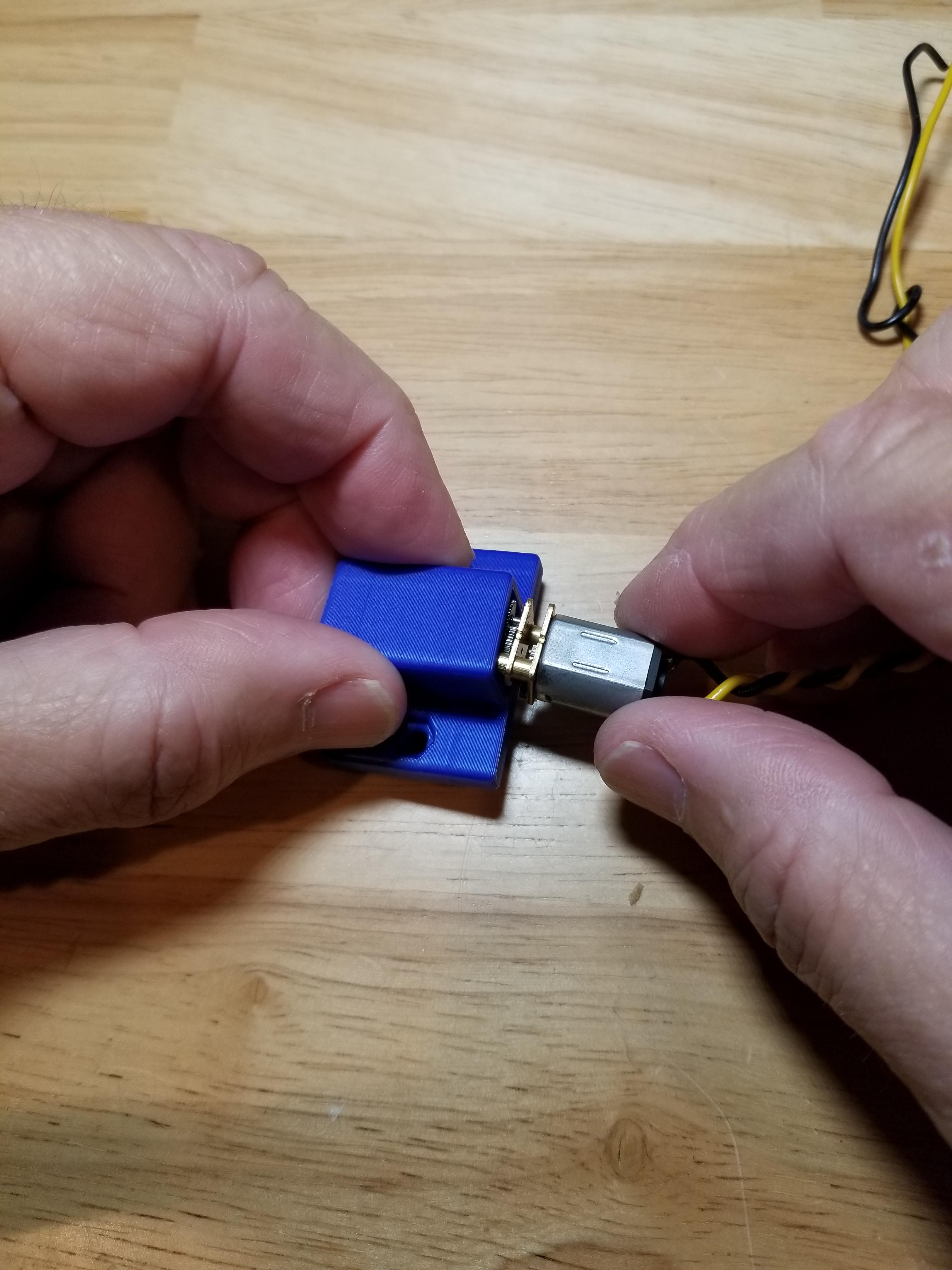

Push the Motors (9) into the MotorHolders (2) so that the axles protrude through the holes. They should be held in firmly. Repeat for both motors.
Fasten Motor Holders to the Chassis
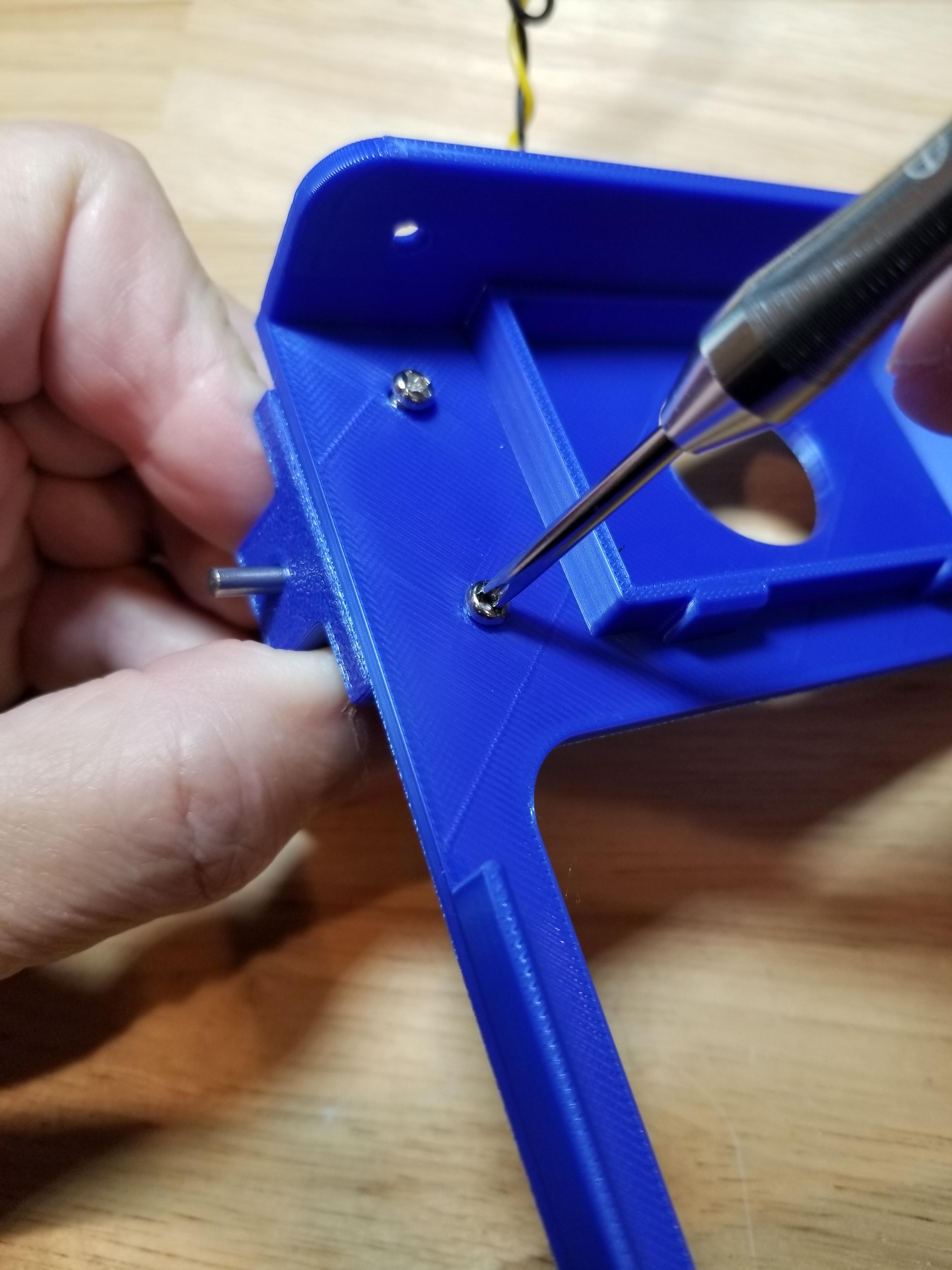
Using the M3 Nuts (10) and M3 Bolts (11), fasten the Motor Holders (2) to the Breadboard Basebot Chassis (1). Make sure the motor axles are pointing to the outside of the chassis. Repeat for both motor holders.
Fasten Wheels to the Axles
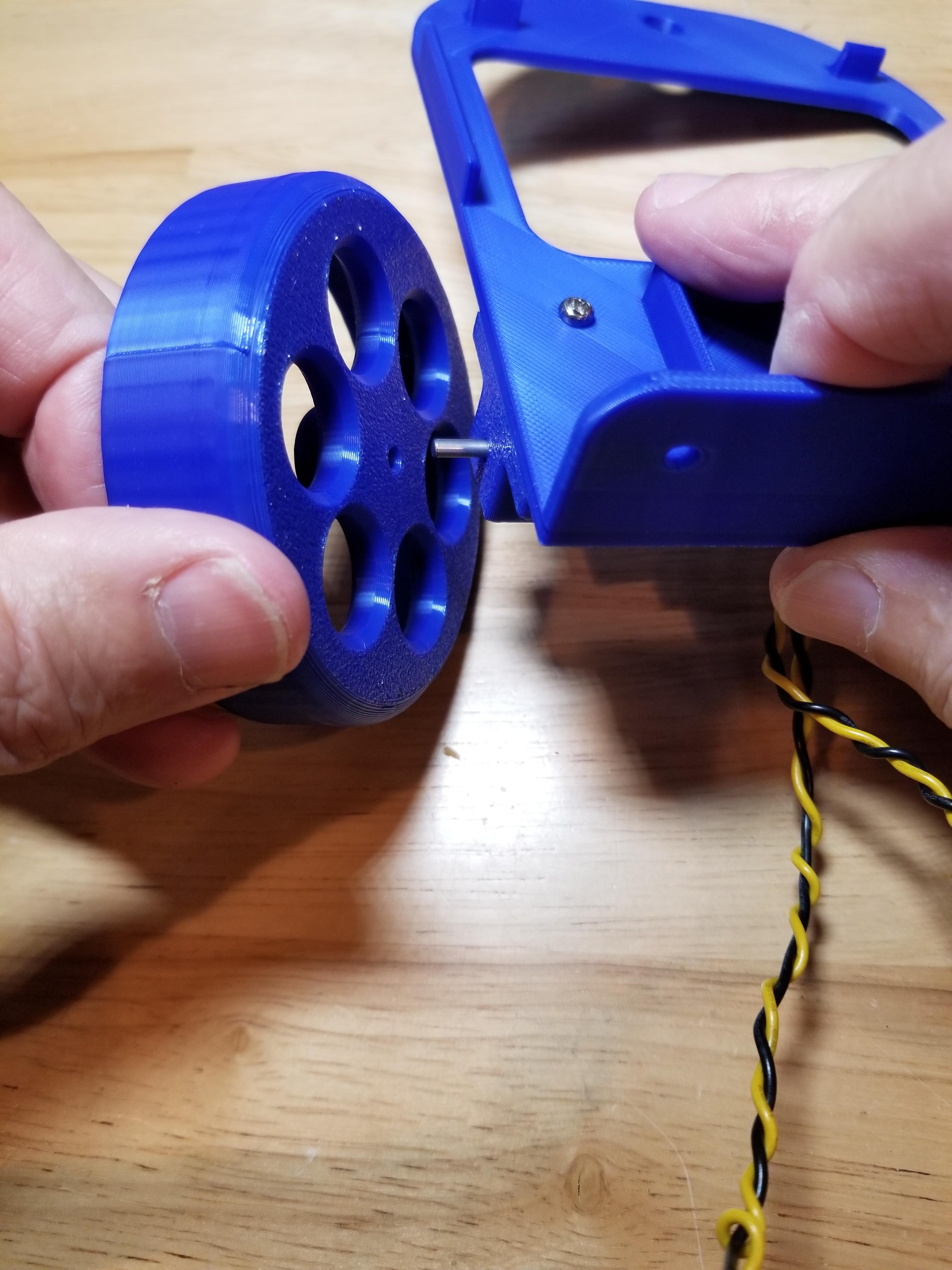

Push the Wheels (3) onto the motor axles. The motor axles have a notch on one side of them. Make sure that this notch matches the corresponding wheel feature. This may take a bit of force. Repeat for both wheels.
Add the Breadboards

Firmly press the Breadboard Assembly (12) onto the Breadboard Basebot Chassis (1) as shown. Make sure the breadboards are oriented correctly so that they will fit. The breadboards should be held in snugly.
Add the Battery Holder
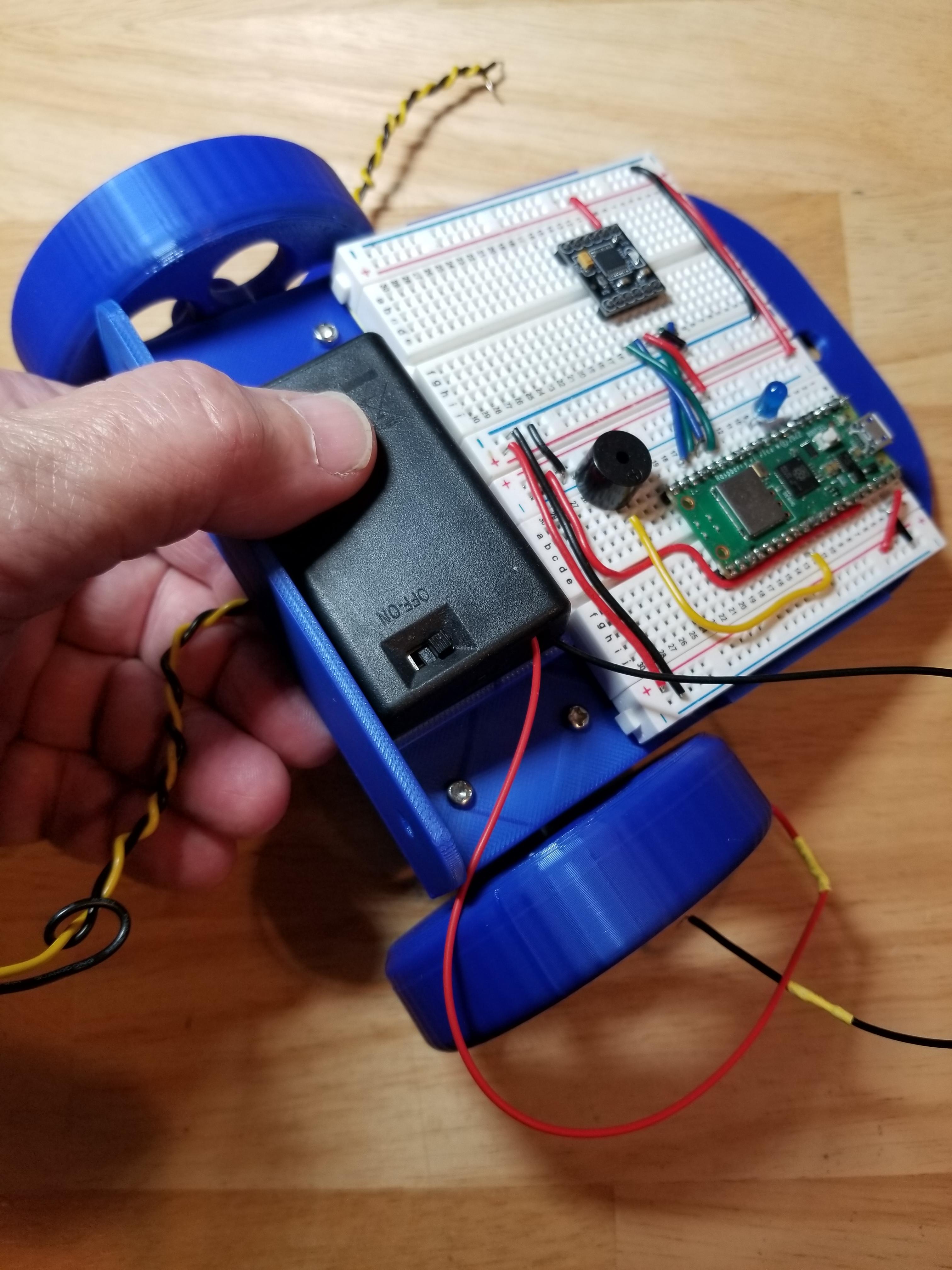
Firmly press the AAA Battery Holder (13) onto the Breadboard Basebot Chassis (1) as shown, with the on/off switch facing up. It should be held in snugly.
Connect the Motor Leads to the Breadboard
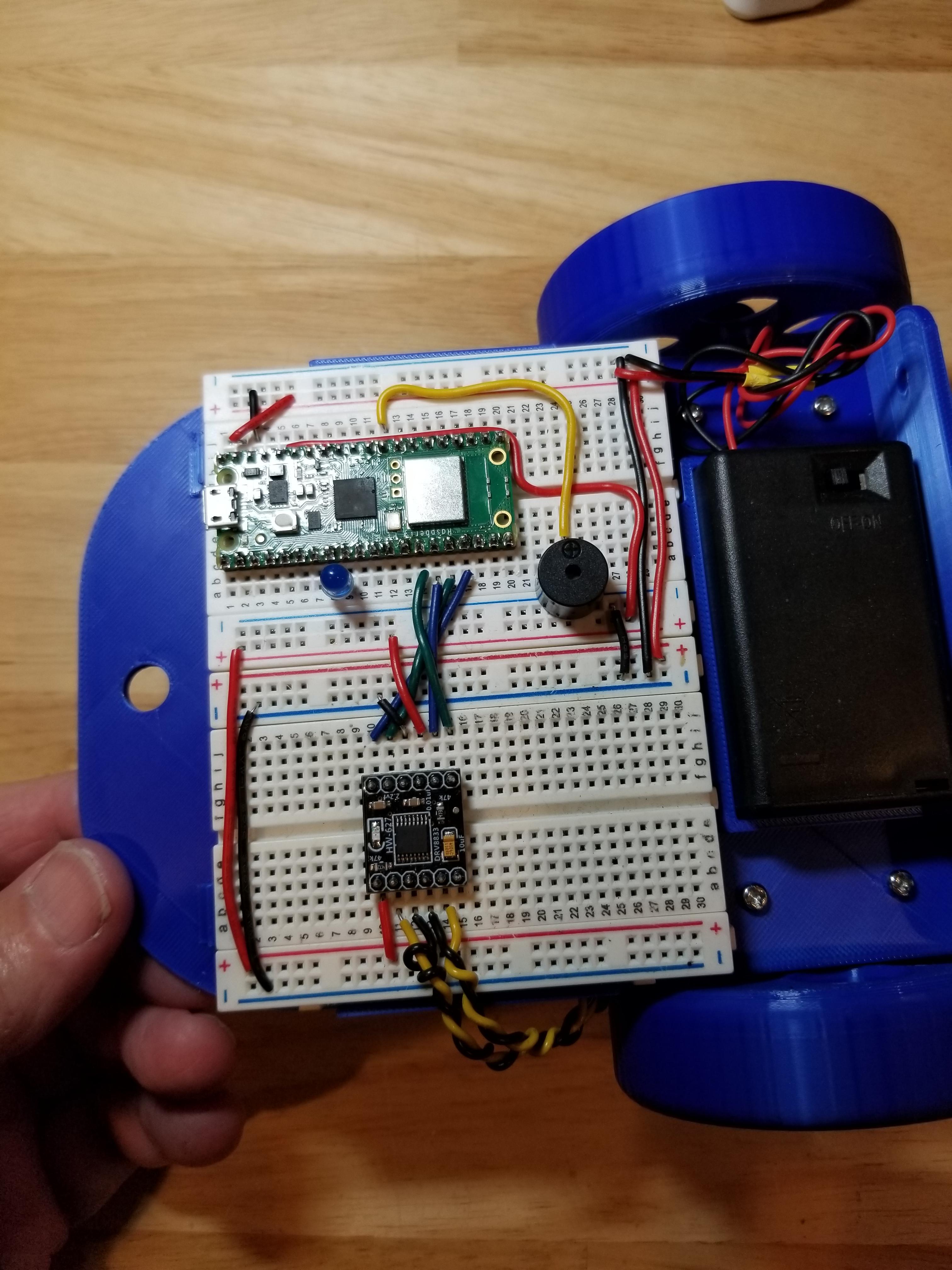
Connect the motor leads to the breadboard so that they feed into the Motor Driver as shown.
Assemble the Caster Wheel Assembly

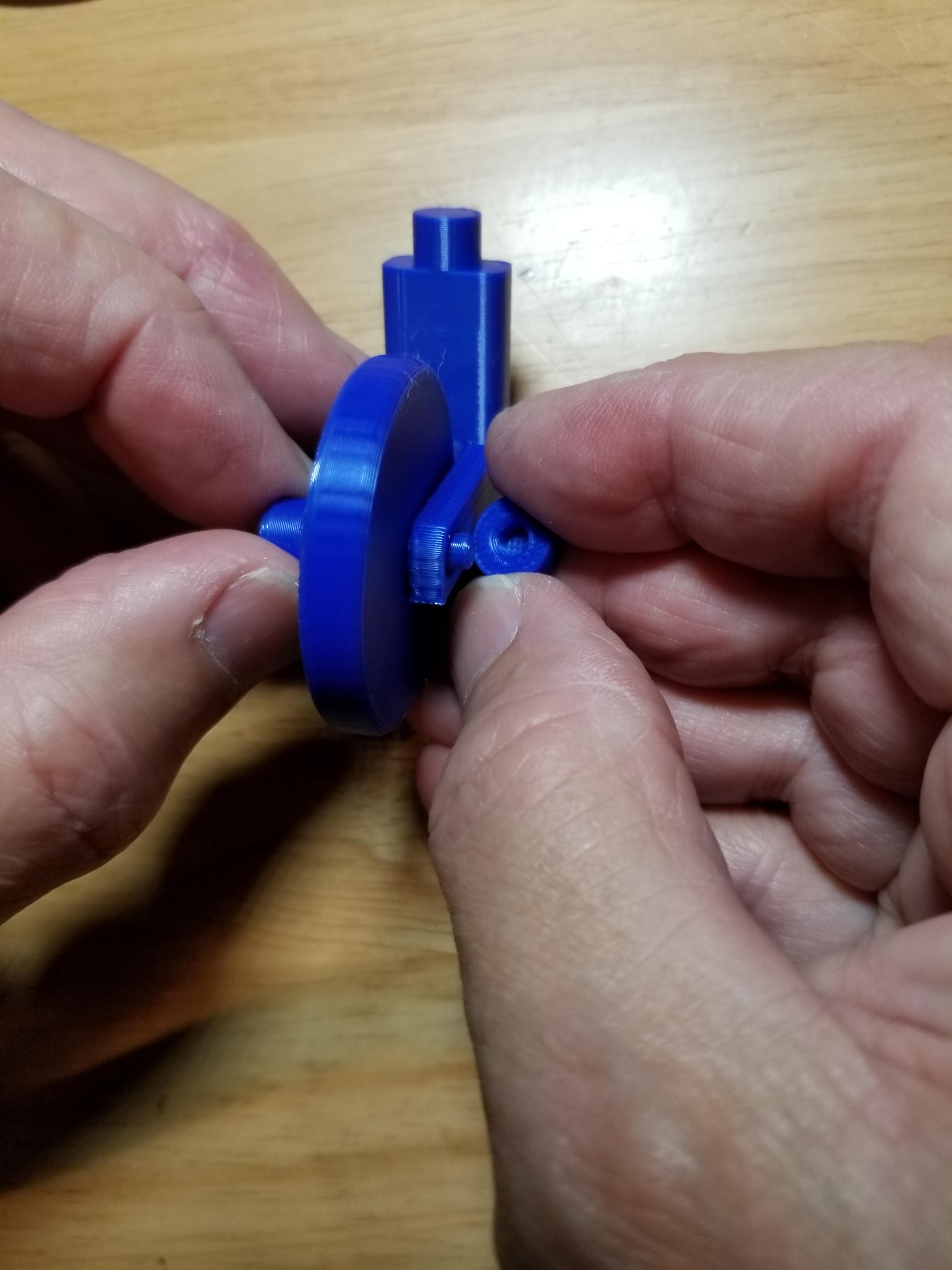
The Caster Wheel Assembly is made of the Caster Wheel Assembly Frame (4), a Caster Wheel (5), a Caster Wheel Axle (6), a Caster Wheel Axle Cap (7) , and a Caster Wheel Assembly Top Cap (8). Position the caster wheel between the forks of the caster wheel assembly frame. Push the caster wheel axle through the wheel and both sides of the caster wheel frame. Firmly push on the caster axle cap onto the castor axle. The castor wheel should turn freely.
Add the Caster Wheel Assembly

Insert the top of the Caster Wheel Assembly Frame (4) through the hole on the back of the Breadboard Basebot Chassis (1). Secure it by pressing on the Caster Wheel Top Cap (8). The caster wheel assembly should be free to swivel.