Making an Ordinary Gas Regulator Smarter and Safer
by drabtech in Circuits > Electronics
710 Views, 8 Favorites, 0 Comments
Making an Ordinary Gas Regulator Smarter and Safer

Hello everyone!
I’m excited to share this project with you. What I’m documenting here isn’t a polished product or a formal research build it’s a system that’s actively protecting my family every day.
SafeGuard is a DIY LPG safety add-on designed to work with a regular gas regulator. It continuously checks for gas leaks and can automatically shut off the gas supply if something goes wrong. When a leak is detected, it also sends an alert to my phone so action can be taken immediately. Along with leak detection, the system keeps track of cylinder weight to give a rough idea of how much gas is left, and it includes a nighttime auto-shutoff feature for added peace of mind. All of this can be monitored and controlled from a mobile phone using the Blynk app.
The idea for SafeGuard came from a very real fear. After witnessing a kitchen fire at my neighbor’s house, I realized how easily a small mistake or unnoticed leak could turn into a disaster. This project was built under pressure, tested in my own home, and refined through plenty of trial and error late nights, burnt fingers from soldering irons, and more failed 3D prints than I’d like to admit. There was a moment around 2 AM when everything finally worked together, and that’s when I knew this was something worth sharing.
At its core, SafeGuard uses an ESP32-C6 to turn an ordinary LPG regulator into a smarter and safer system without replacing the existing setup. Today, it’s a device my mother trusts more than her own memory and that alone makes this project meaningful to me.
Let’s dive into how this idea turned into a working safety system.
Supplies


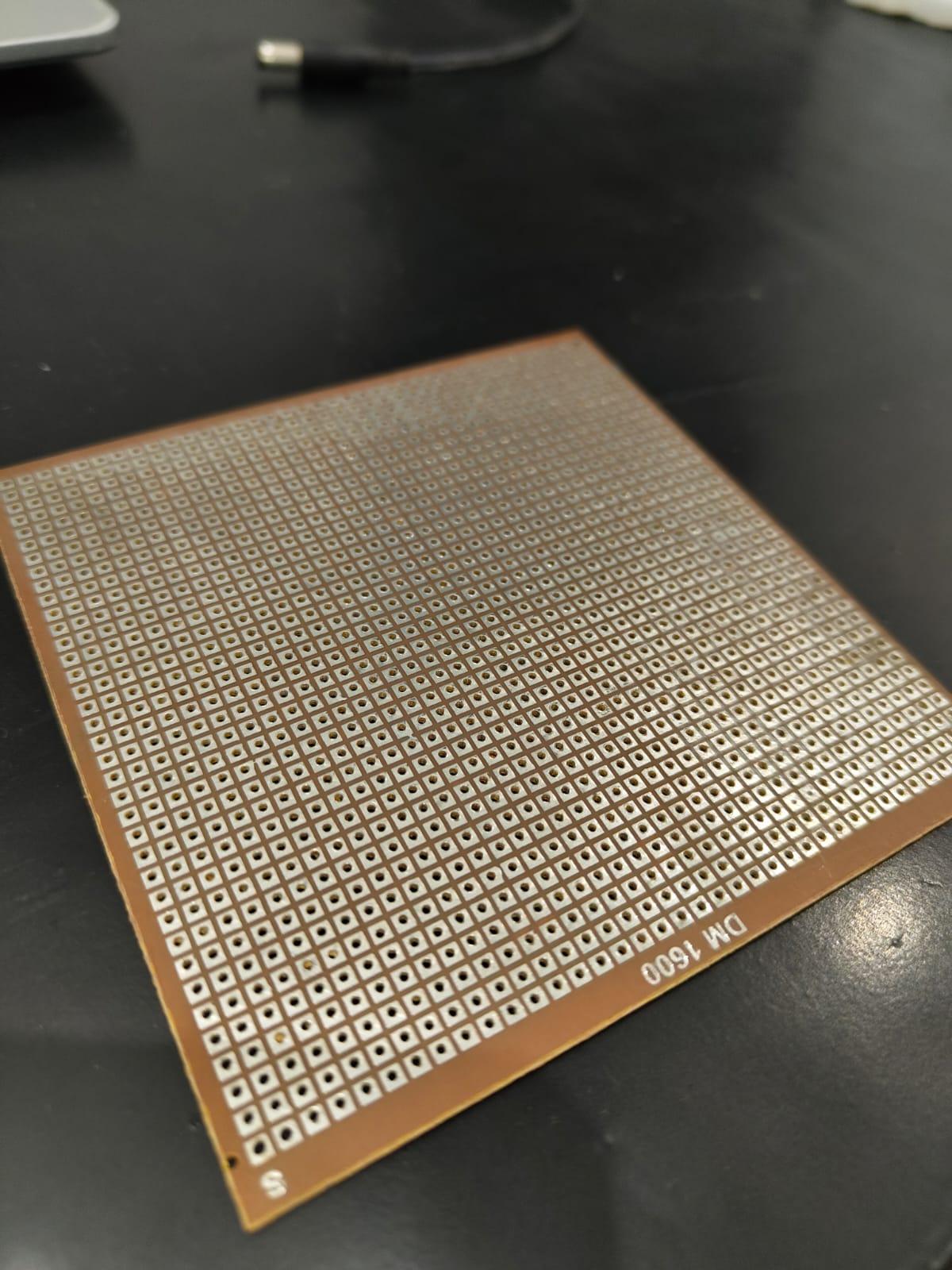

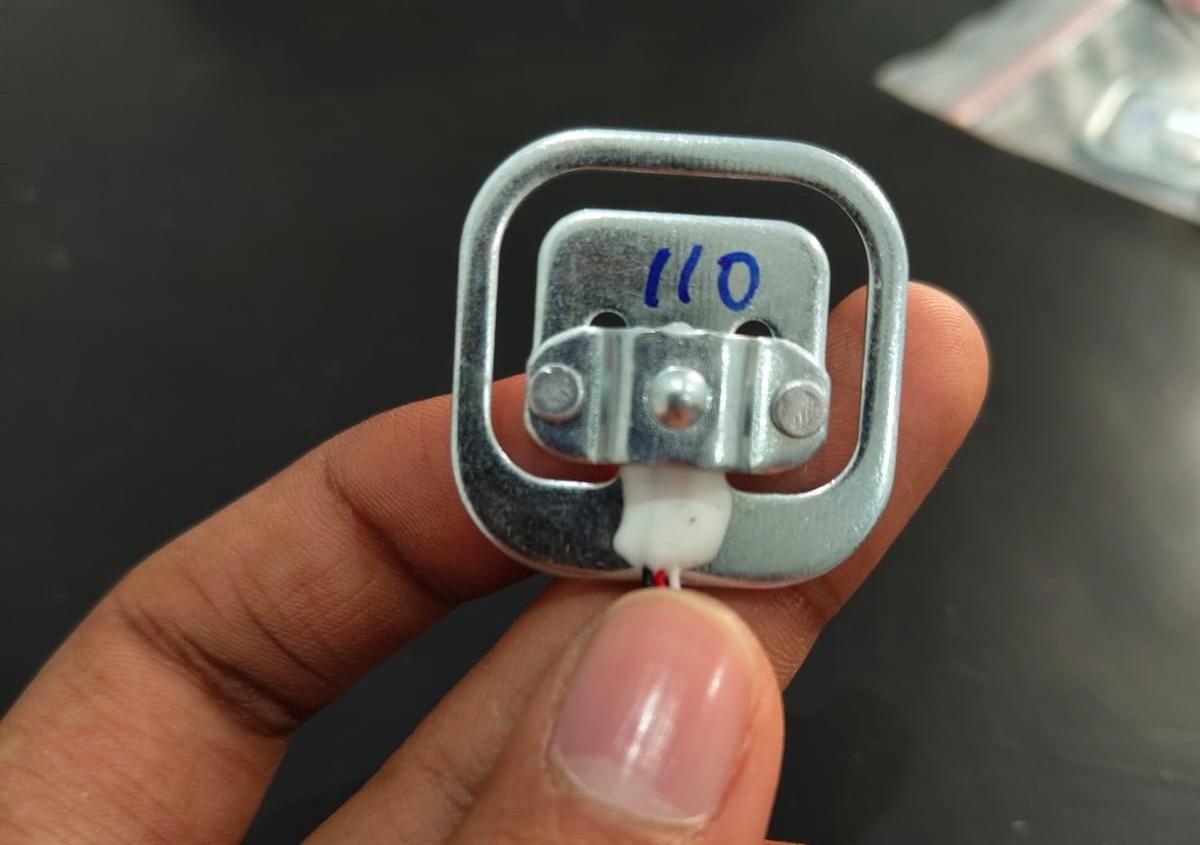
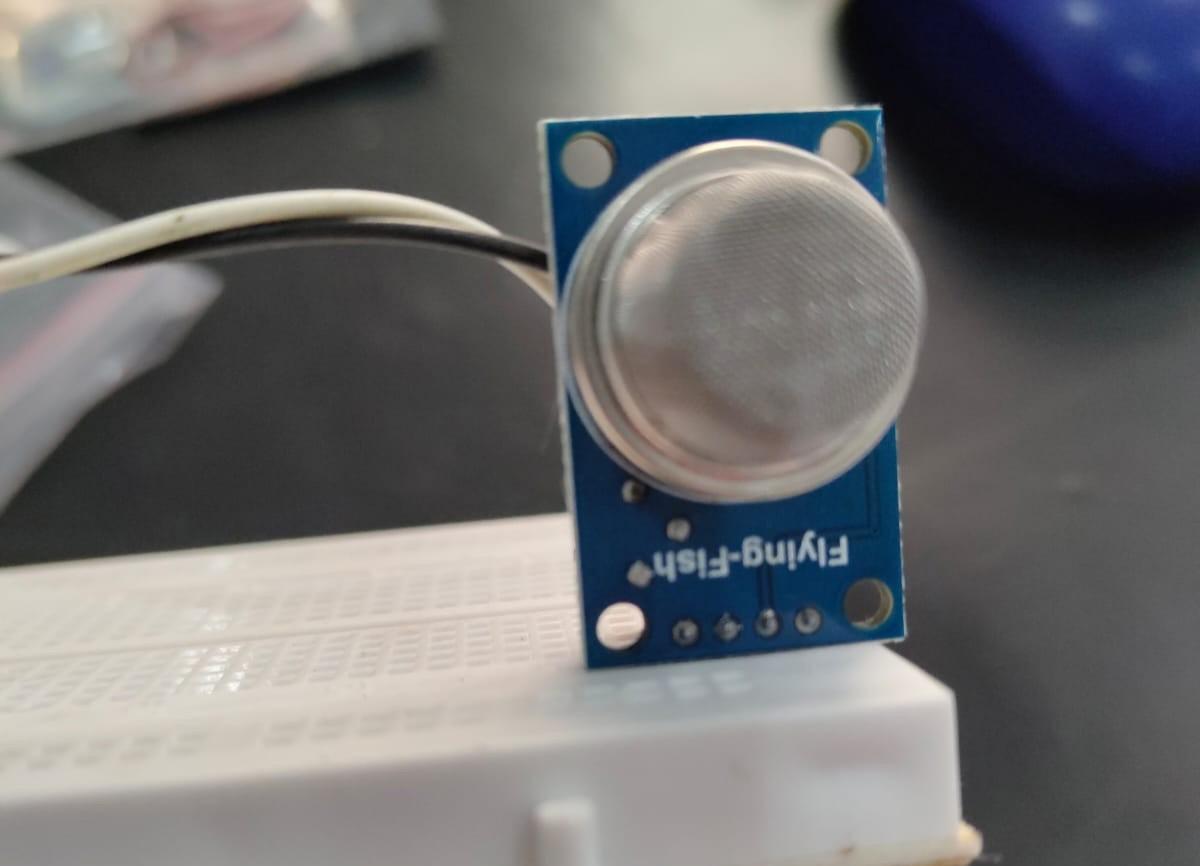
Main Electronics
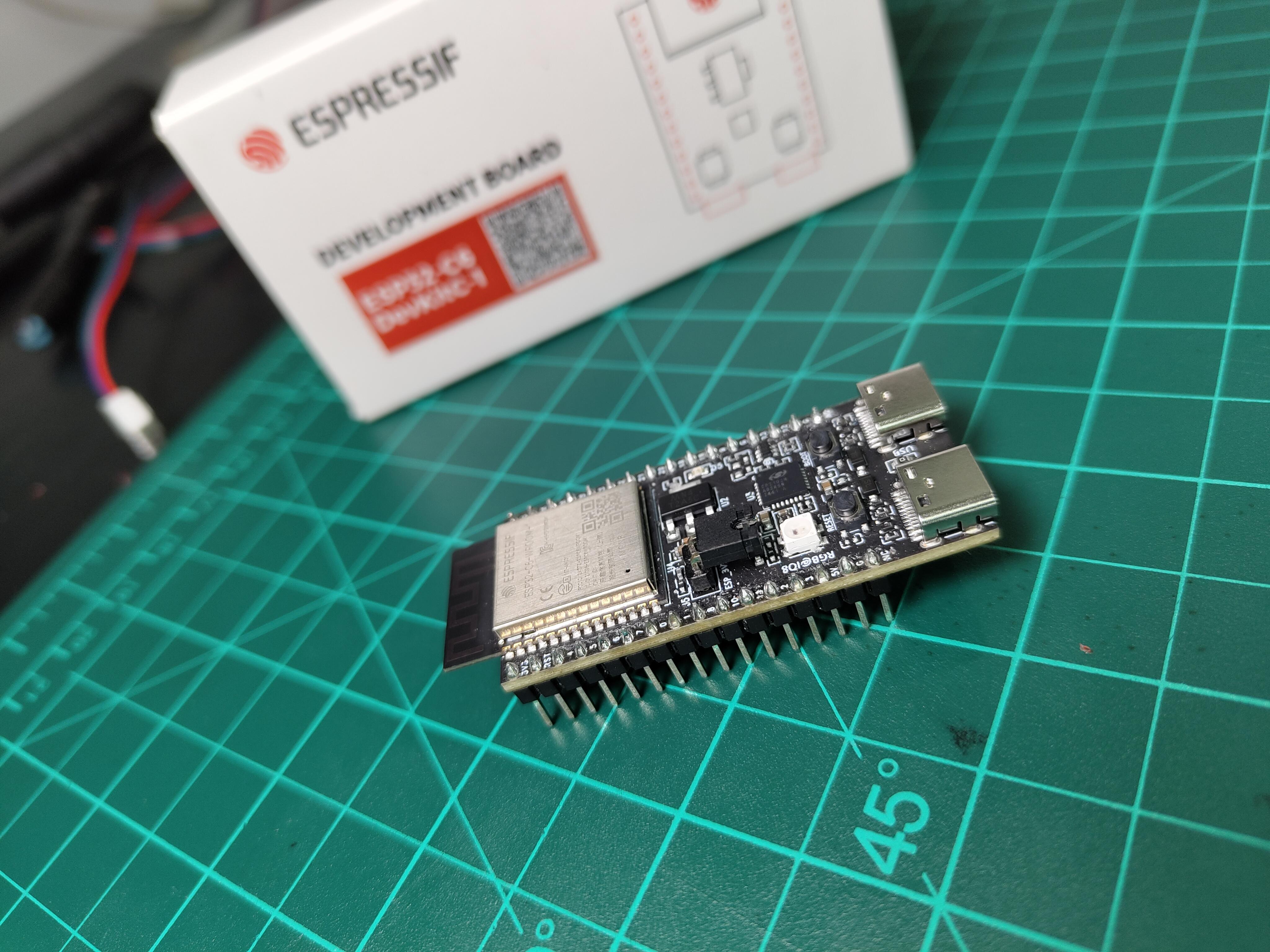
- ESP32-C6 Development Board (ESP32-C6-DevKitC-1-N8)
- MQ-2 Gas Sensor Module
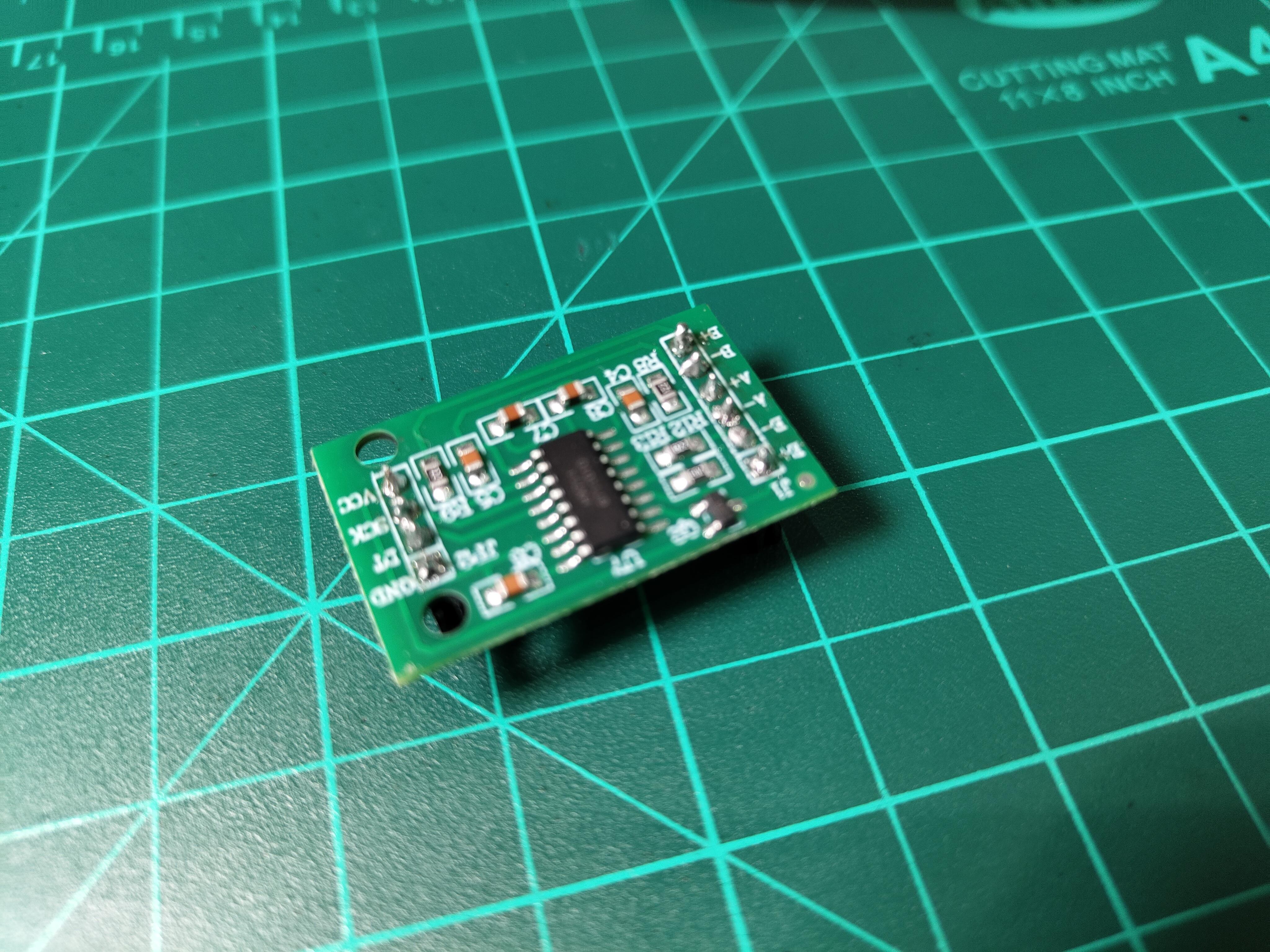
- HX711 Load Cell Amplifier Module
- 50 kg Load Cell / Force Sensor
- 5V Magnetic Buzzer (12 mm)
Actuation
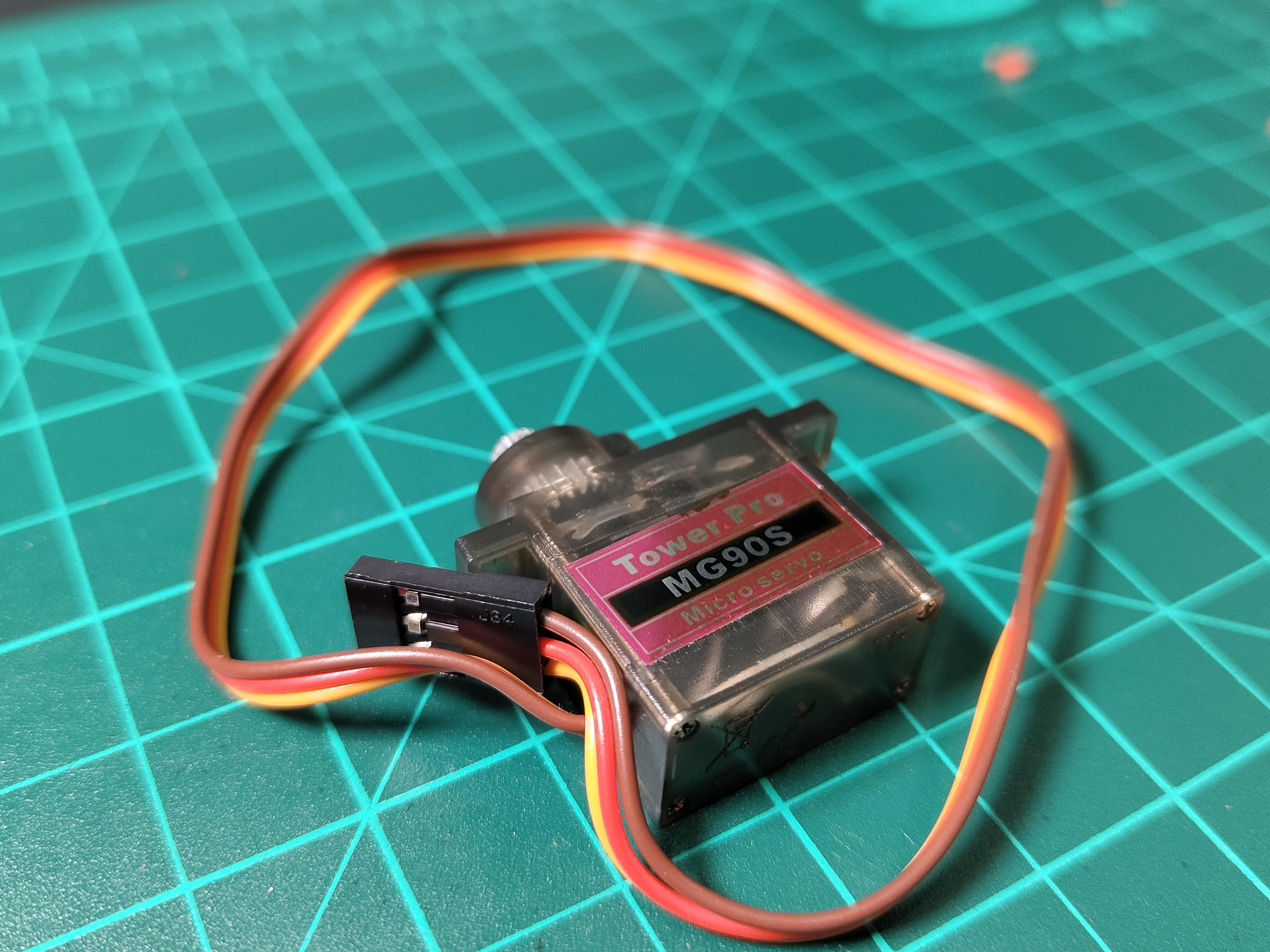
- 5V RC Servo Motor (9g, metal gear)
Power and Hardware
- 18650 Li-ion Battery (3.7V, 2200 mAh)
- DIP PCB
- 3-Pin Vertical Header
- 68-Pin Right Angle SMT Connector
Prototyping and Assembly
- Breadboard (2.2 inch to 7 inch)
- Jumper Wire Kit
- Cable Ties
- Double-Sided Tape
Working
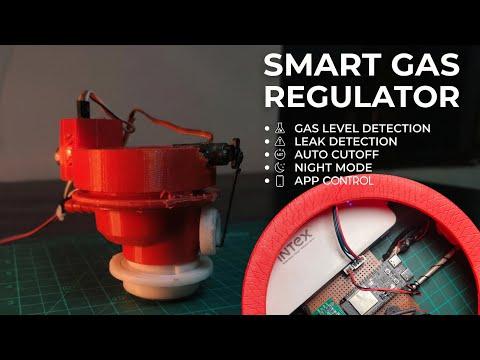
Core Features
- Automatic leak protection
- The MQ-2 sensor detects the presence of LPG and immediately shuts off the gas supply. An alarm is triggered and a notification is sent to the phone.
- Real-time gas level monitoring
- Four load cells measure the cylinder weight and calculate the remaining gas level as a percentage.
- Smart night mode
- The system automatically cuts off the gas supply during sleeping hours to reduce risk when the kitchen is not in use.
- Complete mobile control
- The Blynk app allows remote monitoring, manual valve control, and instant alerts on the phone.
- Emergency response system
- Multiple alert methods are used, including a buzzer, LED indication, and mobile notifications.
- Fail-safe design
- A servo-driven mechanical valve allows the gas supply to be shut off even if a sensor behaves unexpectedly.
- Low gas alerts
- Notifications are sent when the cylinder reaches a preset low level to avoid sudden gas shortages.
- Universal compatibility
- A 3D printed servo mount is designed to fit standard LPG regulators without any permanent modification.
Esp-32 Pin Mapping
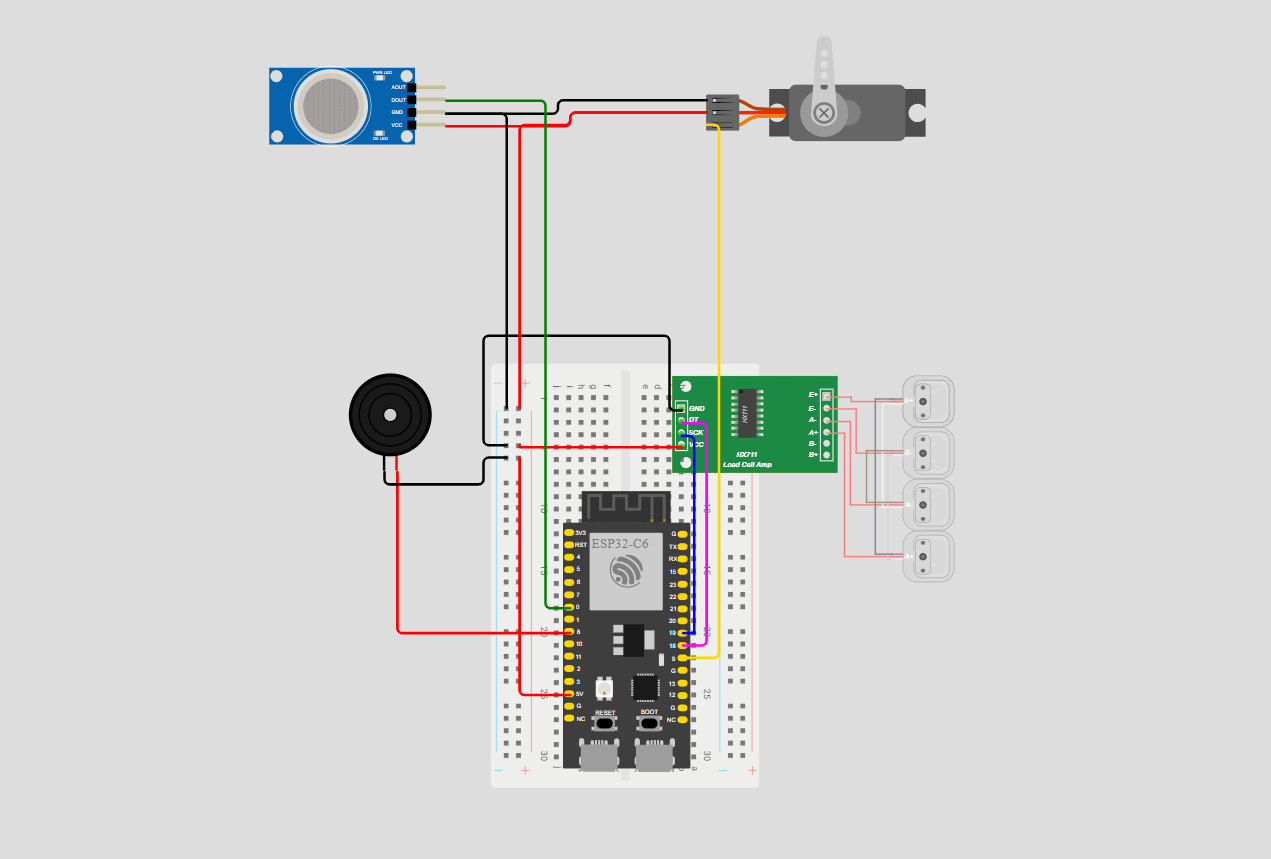
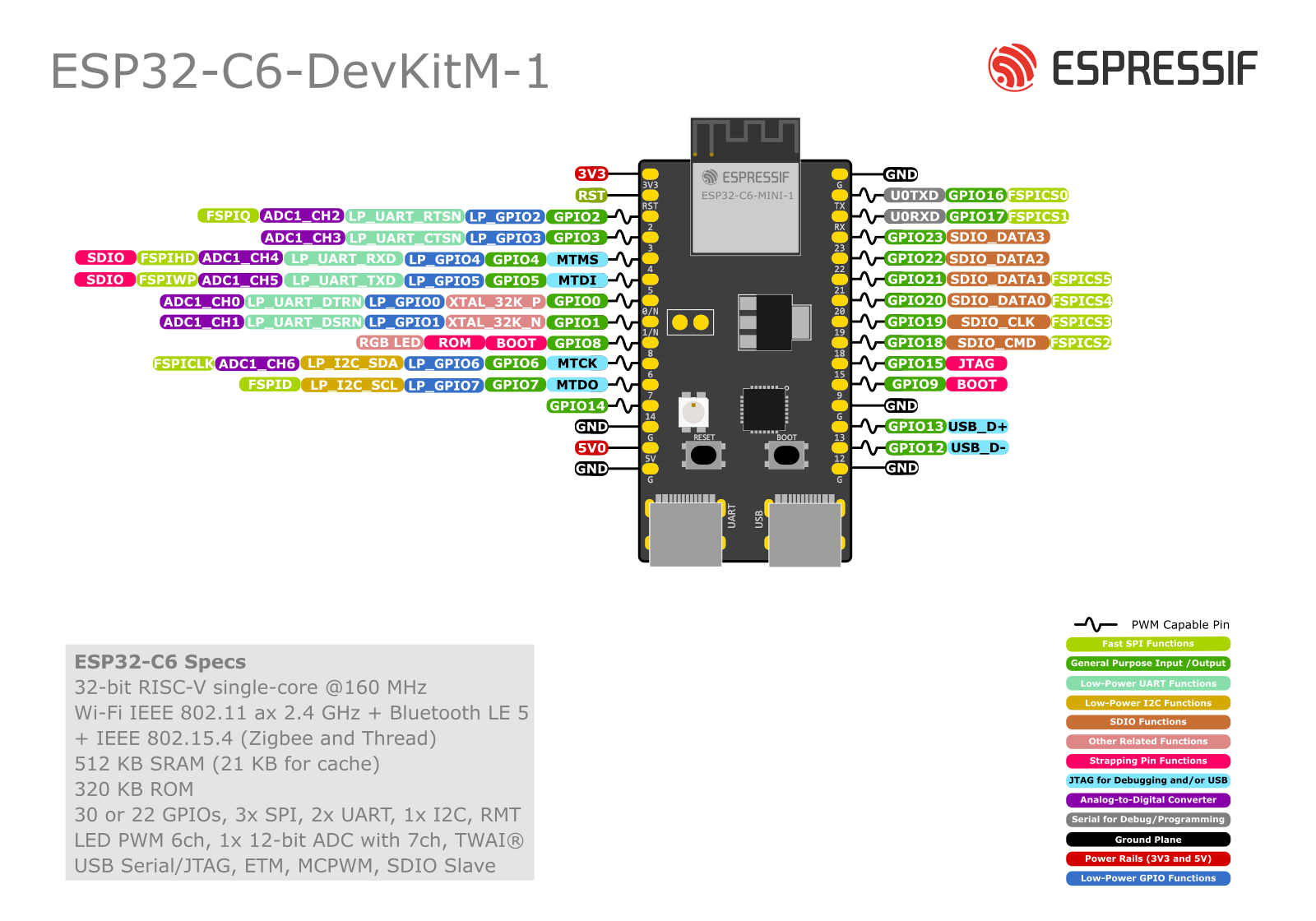
Component | ESP32-C6 Pin | Pin Function | Notes
Servo Motor | GPIO 9 | PWM output | Controls valve position from 0 to 90 degrees
HX711 DT | GPIO 18 | Data input | Receives serial data from the load cell amplifier
HX711 SCK | GPIO 19 | Clock output | Provides clock signal for HX711 communication
Buzzer | GPIO 8 | Digital output | HIGH turns the buzzer on, LOW turns it off
MQ-2 Sensor | ADC0 (A0) | Analog input | Reads gas concentration values from 0 to 4095
Onboard LED | Built in GPIO | Digital output | Used as a system status indicator
5V Input | 5V pin | Power | Supplied from a power bank or external source
Ground | GND | Ground | Common ground shared by all components
Hx711 Connections
.jpg)
HX711 Pin | Wire Color | ESP32-C6 Pin
VCC | Red | 5V rail
GND | Black | Common GND
DT (Data) | Green | GPIO 18
SCK (Clock) | Yellow | GPIO 19
The HX711 is a 24-bit analog to digital converter made specifically for load cells. It connects to the ESP32 using two signal lines, one for data and one for the clock. The HX711_ADC Arduino library is used to read weight values and manage communication with the module, so no low-level timing handling is required.
Mq-2 Connections
.jpeg)
MQ-2 Module Pin | Wire Color | Connects To | Function
VCC | Red | 5V rail | Power supply
GND | Black | Common GND | Ground reference
A0 | Yellow or Green | ESP32 ADC0 | Analog gas reading
D0 | Not connected | Not used | Digital output not required
The MQ-2 sensor is mounted on the 3D printed servo assembly close to the gas regulator so it can detect leaks quickly. The cable between the PCB and the sensor should be kept shorter than one meter to avoid noise and unstable analog readings.
Servo Connections
Servo Wire ColorConnects ToFunction
Brown/Black-Common GND
Red-5V Rail
Power (peak 500mA)
Orange/Yellow-ESP32 GPIO 9
PWM control signal
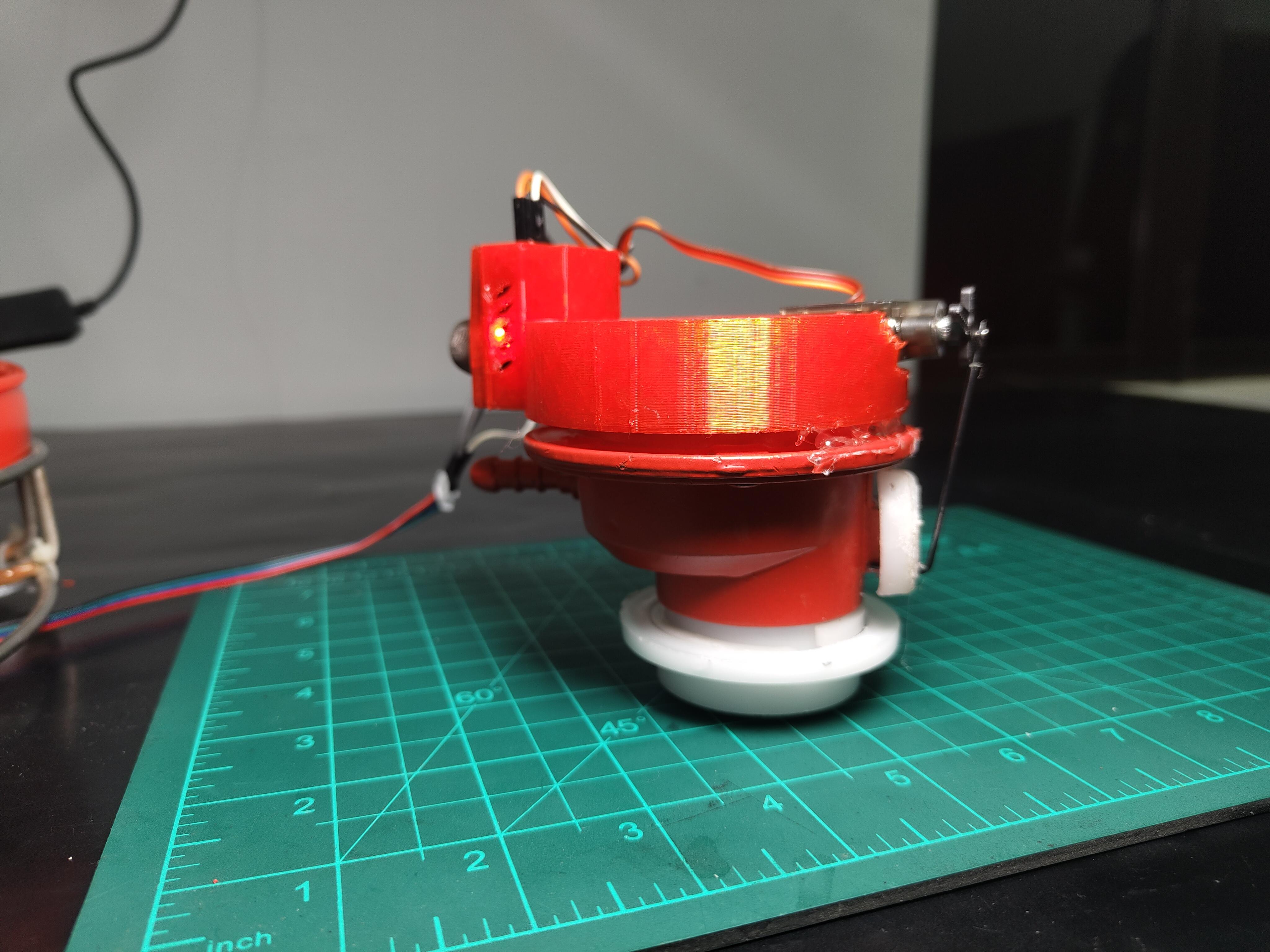
Mounting Configuration: The servo attaches to a 3D-printed bracket that clamps around the existing regulator body. The servo horn connects to the knob using a custom-printed coupling. When the servo rotates from 0° to 90°, it physically turns the regulator knob from fully open to fully closed. I designed the mount to be non-permanent you can remove it and return the regulator to normal manual operation anytime.
Hx711 to Loadcell Connections
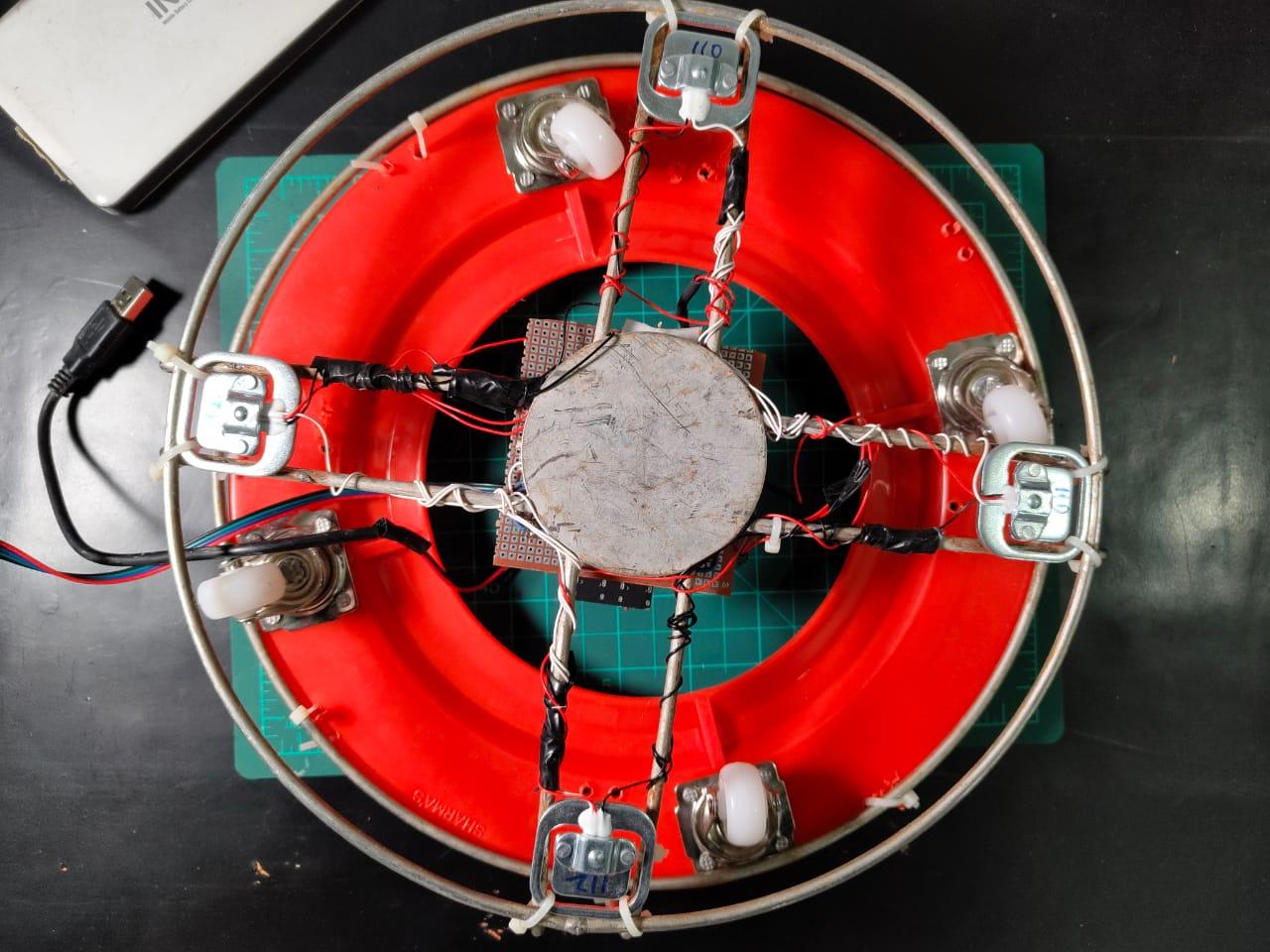
.jpg)
Connection Point | Load Cell Wires | HX711 Terminal
E+ (Excitation positive) | TL Red | E+
E- (Excitation negative) | BR Red | E-
A+ (Signal positive) | TR Red | A+
A- (Signal negative) | BL Red | A-
Internal Load Cell Bridge Connections
The following wire pairs are internally bridged to form the full load cell network:
- TL White connected to TR White
- TL Black connected to BL Black
- TR Black connected to BR Black
- BL White connected to BR White
These bridge connections allow the four load cells to work together as a single weight sensing system for accurate cylinder measurement.
HX711 to ESP32
HX711 Pin | Wire Color | ESP32-C6 Pin
VCC | Red | 5V rail
GND | Black | Common GND
DT (Data) | Green | GPIO 18
SCK (Clock) | Yellow | GPIO 19
The HX711 is a 24-bit analog to digital converter designed for use with load cells. It connects to the ESP32 using two signal lines, one for data and one for the clock. The HX711_ADC Arduino library is used to read the weight values and manage communication, so manual timing control is not required.
Buzzer and Led Connections
Buzzer Connection
Buzzer Terminal | Connects To
Positive (+) | ESP32 GPIO 8
Negative (-) | Common GND
An active buzzer is used in this setup. Since it has an internal oscillator, it produces a sound as soon as GPIO 8 is set HIGH. This makes it simpler to use compared to a passive buzzer, which would require a PWM signal to generate a tone. The sound level of the active buzzer is sufficient for a typical kitchen environment.
Onboard LED Indicator
The ESP32-C6 includes a built in LED that is connected to an internal GPIO. The exact pin can vary depending on the board version and manufacturer. This LED is used as a simple status indicator.
During normal operation, the LED blinks slowly. When gas is detected, it blinks rapidly to indicate an alert condition. When the system enters night mode, the LED remains off.
Power Supply
Power Consumption and Supply Analysis
To make sure the 2.1A, 10.5W power bank is sufficient, I calculated the power usage of each component under normal and peak conditions.
Component Power Draw
Component | Operating Voltage | Typical Current | Peak Current | Power Consumption
ESP32-C6 with WiFi active | 3.3V from 5V | 120 mA | 250 mA | 0.4W to 0.8W
MQ-2 gas sensor module | 5V | 150 mA | 180 mA | 0.75W to 0.9W
MG90s servo idle | 5V | 10 mA | Not applicable | 0.05W
SG90 servo during rotation | 5V | Not applicable | 500 mA | 2.5W
HX711 with load cells | 5V | 15 mA | 20 mA | 0.075W to 0.1W
Active buzzer | 5V | 30 mA | 30 mA | 0.15W
Onboard LED | 3.3V | 5 mA | 5 mA | 0.017W
Total Power Usage
Normal operation with the servo idle and buzzer off draws approximately 300 mA, which is about 1.5W.
Peak load occurs when the servo is rotating and the buzzer is active. In this case, the total current draw is about 985 mA, which equals roughly 4.9W.
Power Source Selection
The 2.1A power bank provides more than twice the required peak current. This margin is important because many power banks cannot deliver their rated current continuously. The extra headroom helps prevent voltage drops during sudden servo movement.
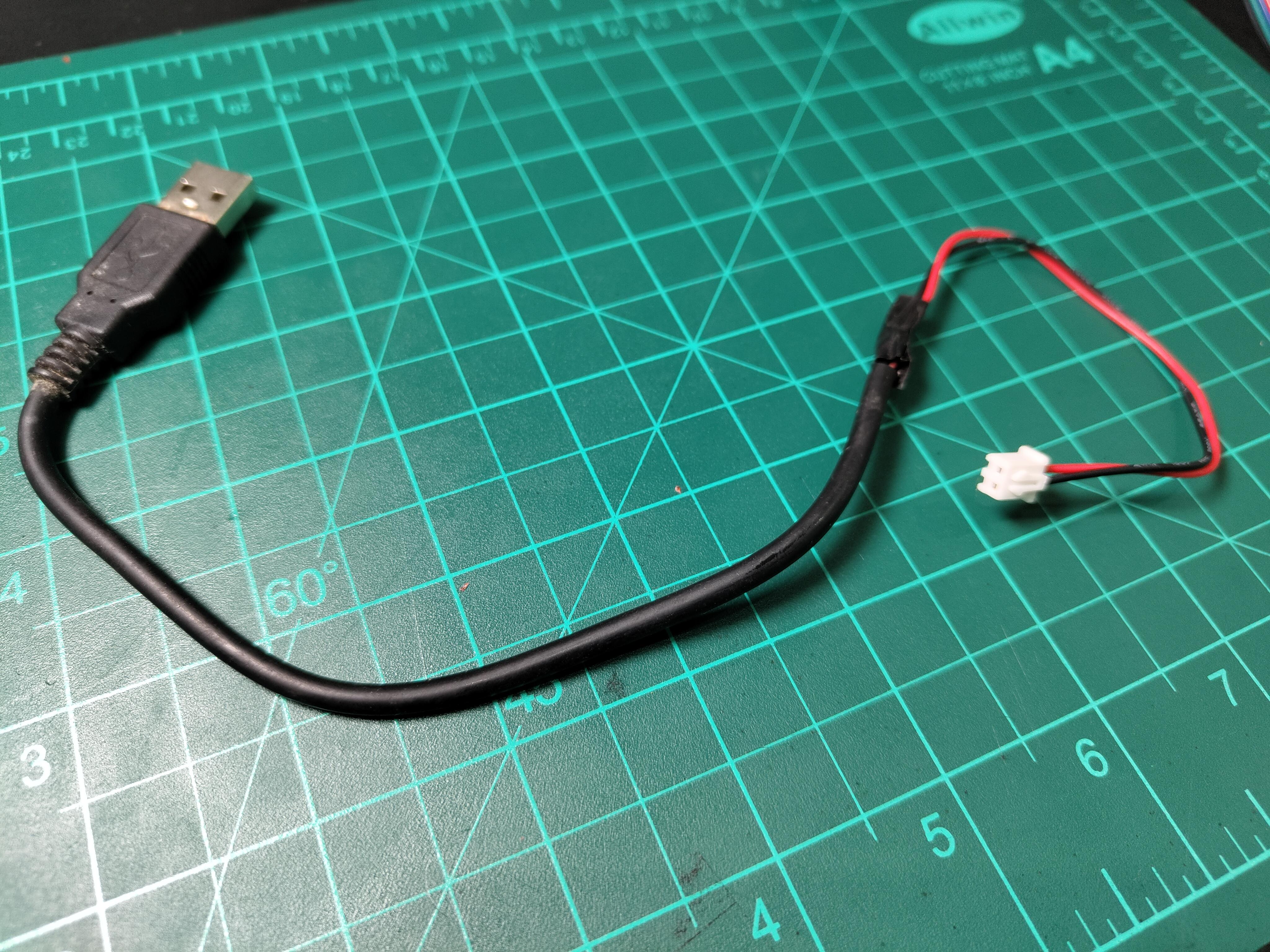
A simple DIY USB power cable is used to supply 5V directly from the power bank to the circuit.
5V Power Regulation
Since the system is powered directly from a 5V power bank, no additional voltage regulation is required. The power bank already includes protection against overcurrent, overvoltage, and short circuits. Its USB output provides a stable 5V within acceptable tolerance for all components.
Internal Regulation Details
The ESP32-C6 board includes an onboard AMS1117-3.3 LDO regulator that converts 5V to 3.3V for the microcontroller.
The MQ-2 sensor module has its own onboard regulation for the heater element.
All other components operate directly from the 5V rail.
Servo Power Stability Recommendation
Although the system can run without extra filtering, adding a 1000 microfarad, 10V electrolytic capacitor across the servo power pins is strongly recommended. The capacitor should be placed as close to the servo connection as possible, ideally on the connector itself. The positive lead connects to 5V and the negative lead connects to ground.
This capacitor acts as a local energy buffer. When the servo suddenly draws close to 500 mA, the capacitor supplies the initial surge instead of pulling it entirely through the PCB traces. This helps keep the voltage above 4.5V and prevents ESP32 resets or unstable sensor readings.
Mq-2 Setup
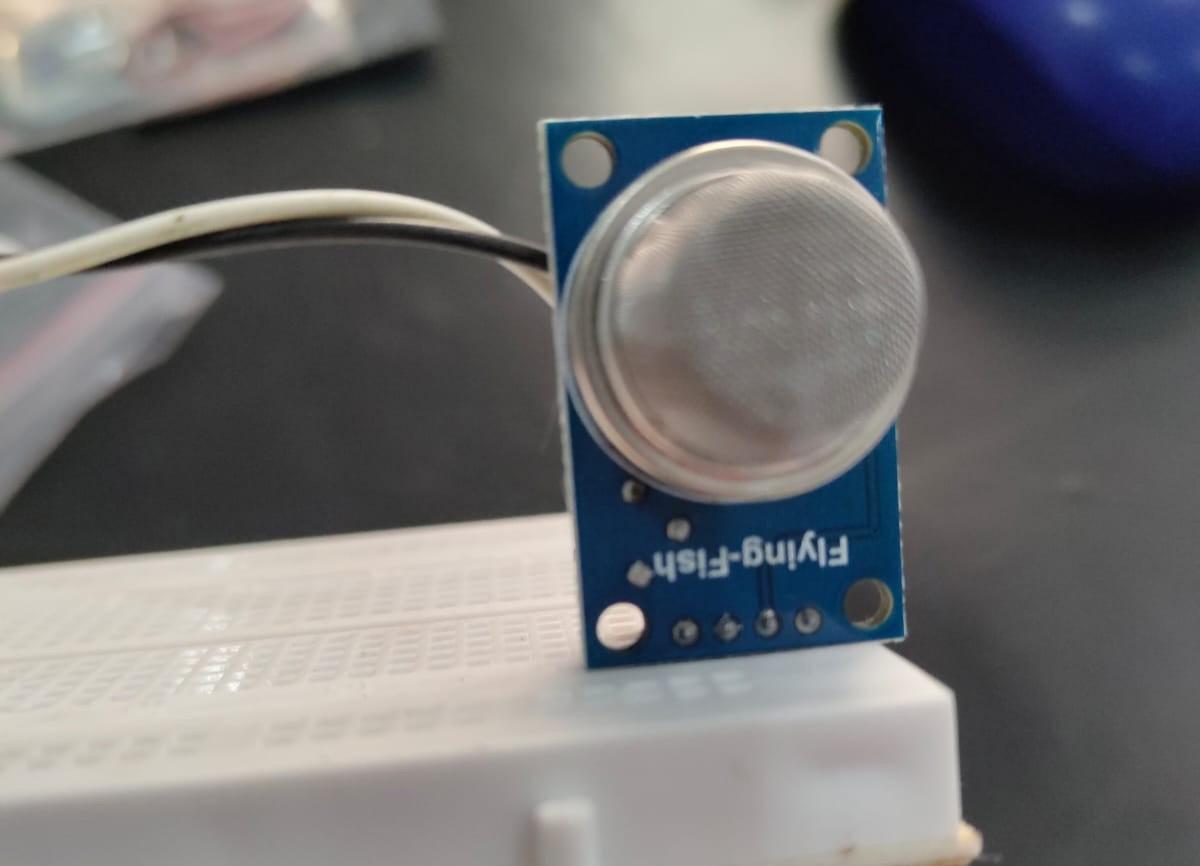
The MQ-2 sensor operates on a tin dioxide (SnO2) semiconductor principle. When LPG molecules contact the heated sensing element, they cause a chemical reaction that decreases electrical resistance. This resistance change converts to a voltage output on the A0 pin, which the ESP32 reads through its 12-bit ADC (values 0-4095).
The sensor outputs higher voltages in the presence of combustible gases. I set the threshold at 400 PPM after testing with small controlled gas releases—this value provides early warning without false alarms from cooking smells or other household odors. The analog reading happens continuously at 500ms intervals, ensuring rapid response times.
The MQ-2 sensor operates on a tin dioxide (SnO2) semiconductor principle. When LPG molecules contact the heated sensing element, they cause a chemical reaction that decreases electrical resistance. This resistance change converts to a voltage output on the A0 pin, which the ESP32 reads through its 12-bit ADC (values 0-4095).
The sensor outputs higher voltages in the presence of combustible gases. I set the threshold at 400 PPM after testing with small controlled gas releases—this value provides early warning without false alarms from cooking smells or other household odors. The analog reading happens continuously at 500ms intervals, ensuring rapid response times.
Detection Sensitivity:
- Clean air: 100-200 PPM (ADC ~500-800)
- Cooking residue: 200-350 PPM (ADC ~800-1400)
- Minor leak: 400-800 PPM (ADC ~1400-2500) ALERT THRESHOLD
- Dangerous levels: 800+ PPM (ADC 2500+)
Code Block
Weight Monitoring Setup
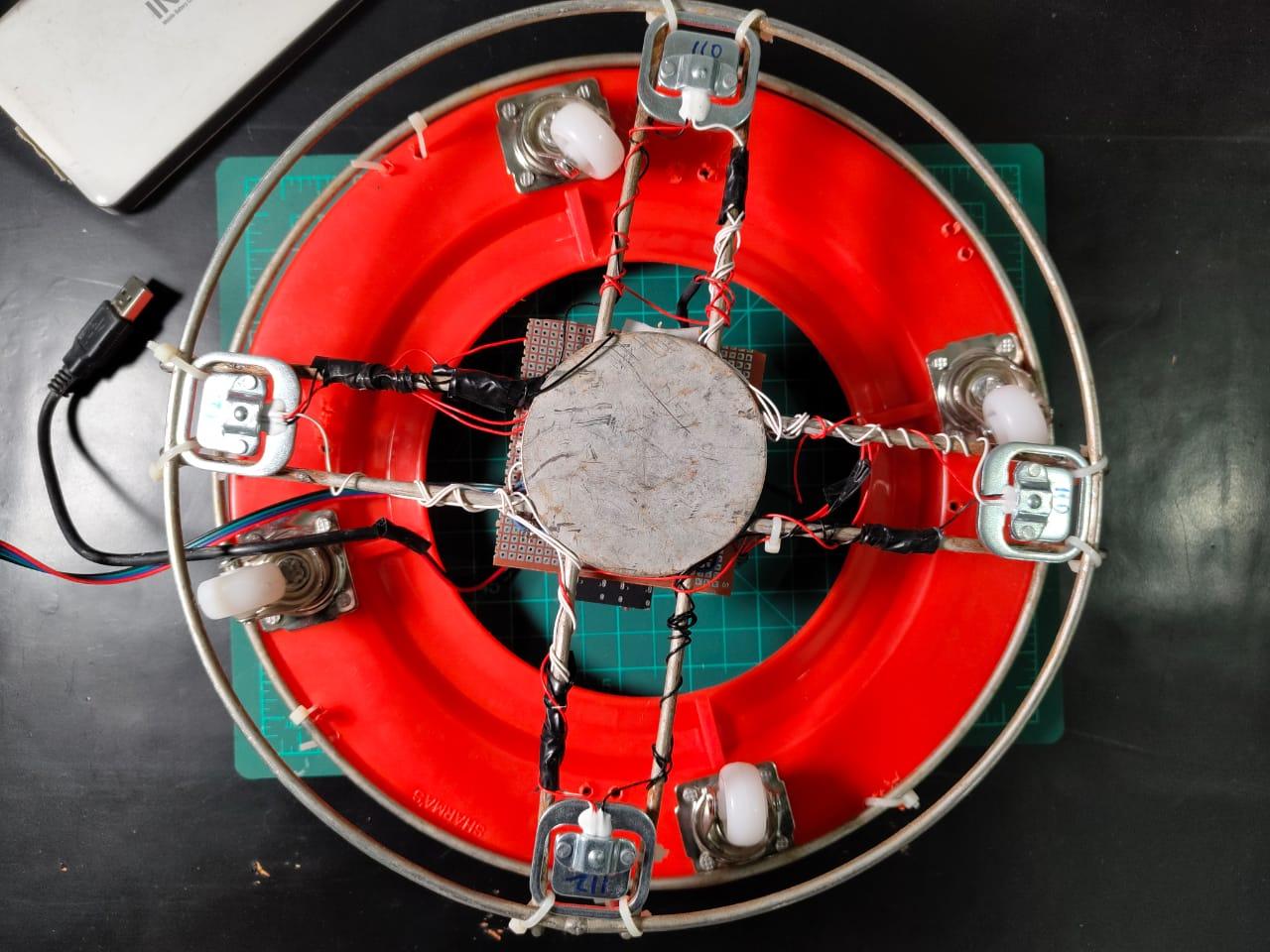
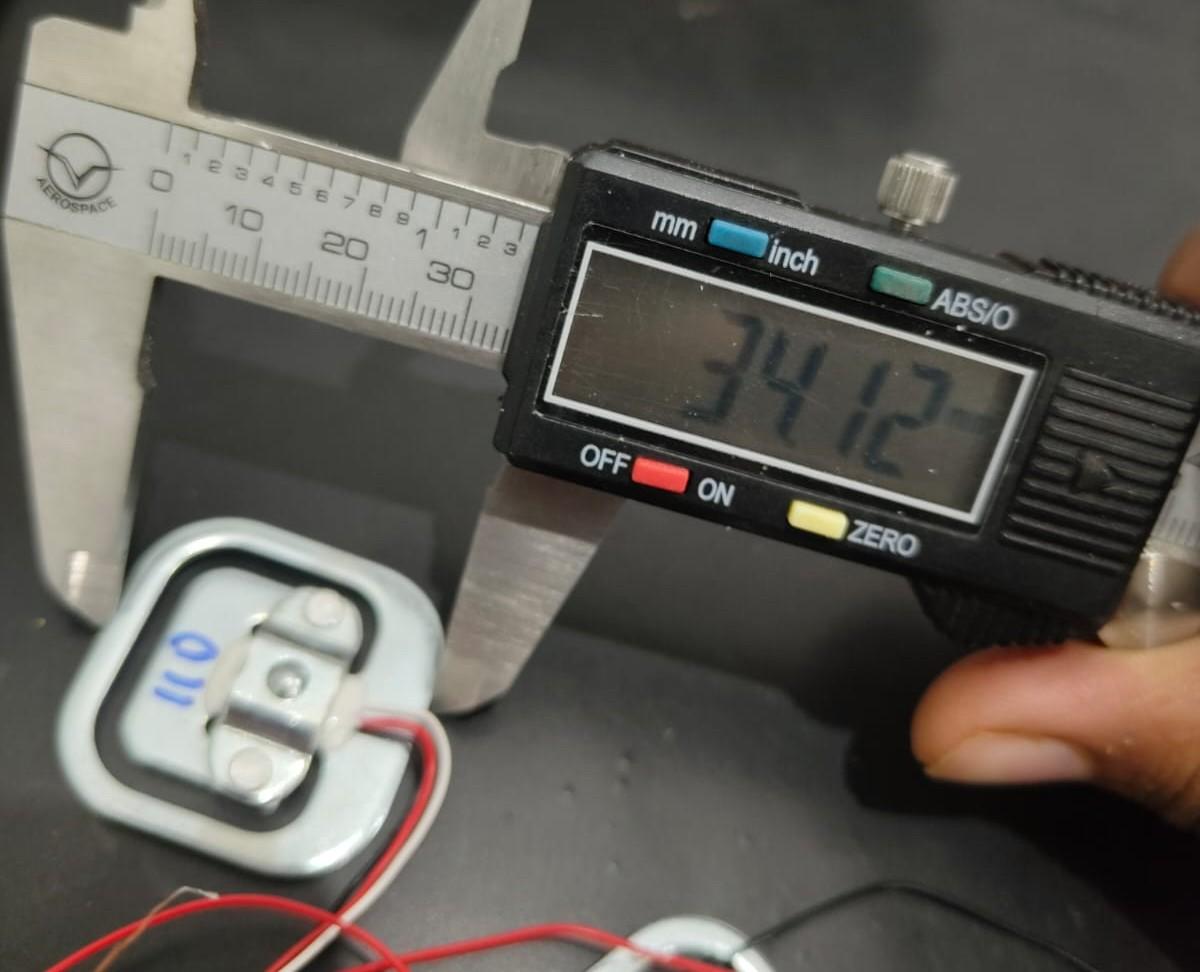

The four load cells are wired in a full Wheatstone bridge configuration to achieve stable and accurate weight measurement.
E+ excitation positive
Red wire from the top left load cell
E- excitation negative
Red wire from the bottom right load cell
A+ signal positive
Red wire from the top right load cell
A- signal negative
Red wire from the bottom left load cell
Bridge completion connections
TL white connected to TR white
TL black connected to BL black
TR black connected to BR black
BL white connected to BR white
This wiring method helps cancel temperature drift and improves linearity across the full weight range. The HX711 measures the voltage difference between A+ and A- and converts it into a 24 bit digital value.
Calibration Process
Step 1: Measure the Full Cylinder
- Place a full gas cylinder on a digital kitchen scale
- Note the displayed weight
- Record this value as the full weight
Example
Full cylinder weight measured as 14.5 kg
Step 2: Measure the Empty Cylinder
- Use the same cylinder after it is empty or nearly empty
- Include the weight of the metal bracket or platform
- Place the empty cylinder with the bracket on the scale
- Note the displayed weight
- Record this value as the empty weight
Example
Empty cylinder with bracket measured as 3.2 kg
Step 3: Calculate Usable Gas Weight
Formula
Full weight minus empty weight equals usable gas weight
Example
Full weight 14.5 kg
Empty weight 3.2 kg
Usable gas 11.3 kg
Step 4: Update the Code
Step 5: Test the Calibration
- Place the full cylinder on the load cell platform
- Open the serial monitor
- Check the reported gas level percentage
- A reading between 95 and 105 percent indicates correct calibration
- Large errors such as 40 percent or 200 percent indicate incorrect weight values
Common Cylinder Weight Values
Approximate reference values
Type | Full Weight | Empty Weight | Usable Gas
14.2 kg LPG | 29.7 kg | 15.5 kg | 14.2 kg
5 kg LPG | 9.5 kg | 4.5 kg | 5 kg
19 kg LPG | 35 to 40 kg | 19 kg | 19 kg
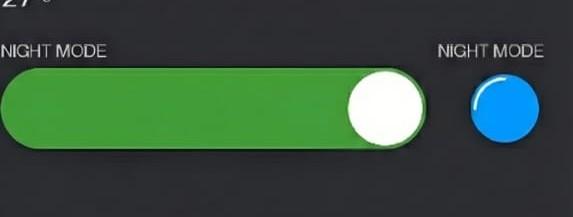
Night mode operates on a simple time-based logic. The ESP32 maintains time through NTP (Network Time Protocol) sync when connected to WiFi. Every minute, it checks if the current time falls between 23:00 (11 PM) and 06:00 (6 AM).
When night mode is enabled via the Blynk app AND the time is within this window, the system commands the servo to close position. This happens gently—not an emergency shutdown—so there's no alarm or notification. In the morning at 6:01 AM, the valve automatically reopens.
Users can adjust the time window directly in the code:
The Blynk app provides a simple ON/OFF toggle. When disabled, gas remains available 24/7. This feature proved useful during testing—my family appreciated knowing the gas was definitely off during sleeping hours, especially after the neighbour's fire incident that inspired this project.
Mobile Communication

Blynk serves as the communication bridge between SafeGuard and your smartphone. The ESP32 connects to your WiFi network and maintains a persistent connection to Blynk's cloud servers. The app interface contains virtual pins that map to physical sensors and controls:
Blynk Setup
Step by Step Blynk Configuration
Open the Blynk console in a web browser and log in to your account.
Create a new project by clicking on Create New Project.
Select ESP32 as the device type.
Choose WiFi as the connection type.
Copy the authentication token and add it to your Arduino code.
Step 3: Add Widgets to the Blynk Dashboard
It is recommended to add widgets using the Blynk mobile app.
Pin | Widget | Name | Purpose
V0 | Gauge | Gas PPM | Gas concentration level
V1 | Gauge | Cylinder Percent | Remaining gas level
V2 | LED | Valve Status | Shows open or closed state
V3 | LED | Leak Alert | Indicates gas detection
V4 | LED | System Online | Device connection status
V5 | Button | Valve Control | Manual valve control
V6 | Button | Reset | Emergency system reset
V7 | Value Display | Raw Weight | Cylinder weight in kg
V8 | LED | Night Mode | Night mode active state
V9 | Switch | Night Mode Control | Enable or disable night mode
Step 4: Create Events in the Blynk Console
Go to https://blynk.cloud and log in.
Open your Smart Gas Regulator template.
Event 1: Gas Leak
Create a new event.
Name: gas_leak
Description: Critical gas leak detected
Notification message: Critical gas leak detected. Valve closed automatically.
Enable notifications.
Limit notifications to one every five minutes.
Set priority to high.
Event 2: Gas Level Normal
Name: gas_normal
Description: Gas levels returned to safe range
Notification message: Gas levels returned to normal.
Enable notifications.
Limit notifications to one every ten minutes.
Set priority to normal.
Event 3: Low Gas Alert
Name: low_gas
Description: Cylinder gas level is low
Notification message: Low gas level. Refill needed soon.
Enable notifications.
Limit notifications to one per hour.
Set priority to normal.
Event 4: System Reset
Name: system_reset
Description: System reset triggered by user
Notification message: System reset triggered by user.
Enable notifications.
Limit notifications to one per minute.
Set priority to low.
Event 5: Night Mode
Name: night_mode
Description: Automatic shutoff activated
Notification message: Night mode active. Valve closed between 10 PM and 6 AM.
Enable notifications.
Limit notifications to one every twelve hours.
Set priority to normal.
Step 5: Enable Push Notifications on the Phone
Open the Blynk app.
Go to settings and enable notifications.
Allow notification permissions when prompted.
Make sure do not disturb mode is disabled.
On iPhone, open system settings.
Select the Blynk app.
Enable notifications and allow alerts, sounds, and badges.
Set delivery to immediate.
Troubleshooting Blynk Issues
Problem: Device shows offline
Check the following:
- Confirm the ESP32 is powered
- Check WiFi connection in the serial monitor
- Verify the authentication token in the code
- Restart the Blynk app
- Restart the ESP32 by reconnecting power
In the serial monitor, successful connection messages should appear.
WiFi connected
Blynk connected
Problem: Valve does not move when the button is pressed
- Confirm the servo signal wire is connected to GPIO 9
- Ensure the servo is powered from a proper 5V source
- Check if the valve can be rotated manually
- Look for open or closed status messages in the serial monitor
- Check if the servo vibrates or makes noise, which may indicate a power issue
How Notifications and Control Work
When the ESP32 detects a gas leak, it calls the Blynk log event function for gas_leak. This triggers a push notification on the phone even if the app is not open.
Commands sent from the app, such as manual valve control, are transmitted over WiFi and typically reach the ESP32 within a few hundred milliseconds under normal network conditions.
If the WiFi connection drops, all local safety functions including gas detection and automatic valve shutoff continue to operate independently.
Overall Assembly Overview


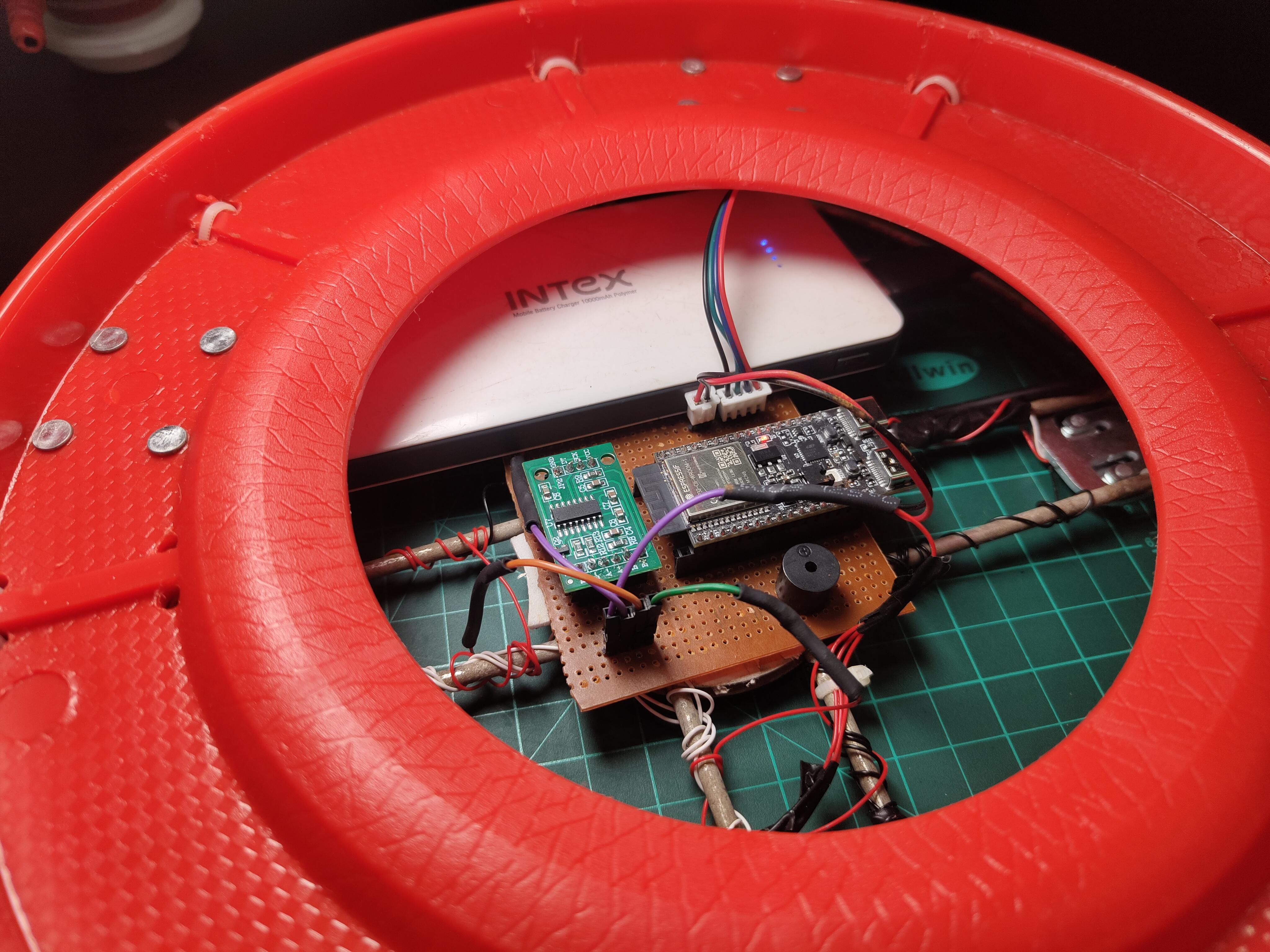

The system has three main mechanical layers:
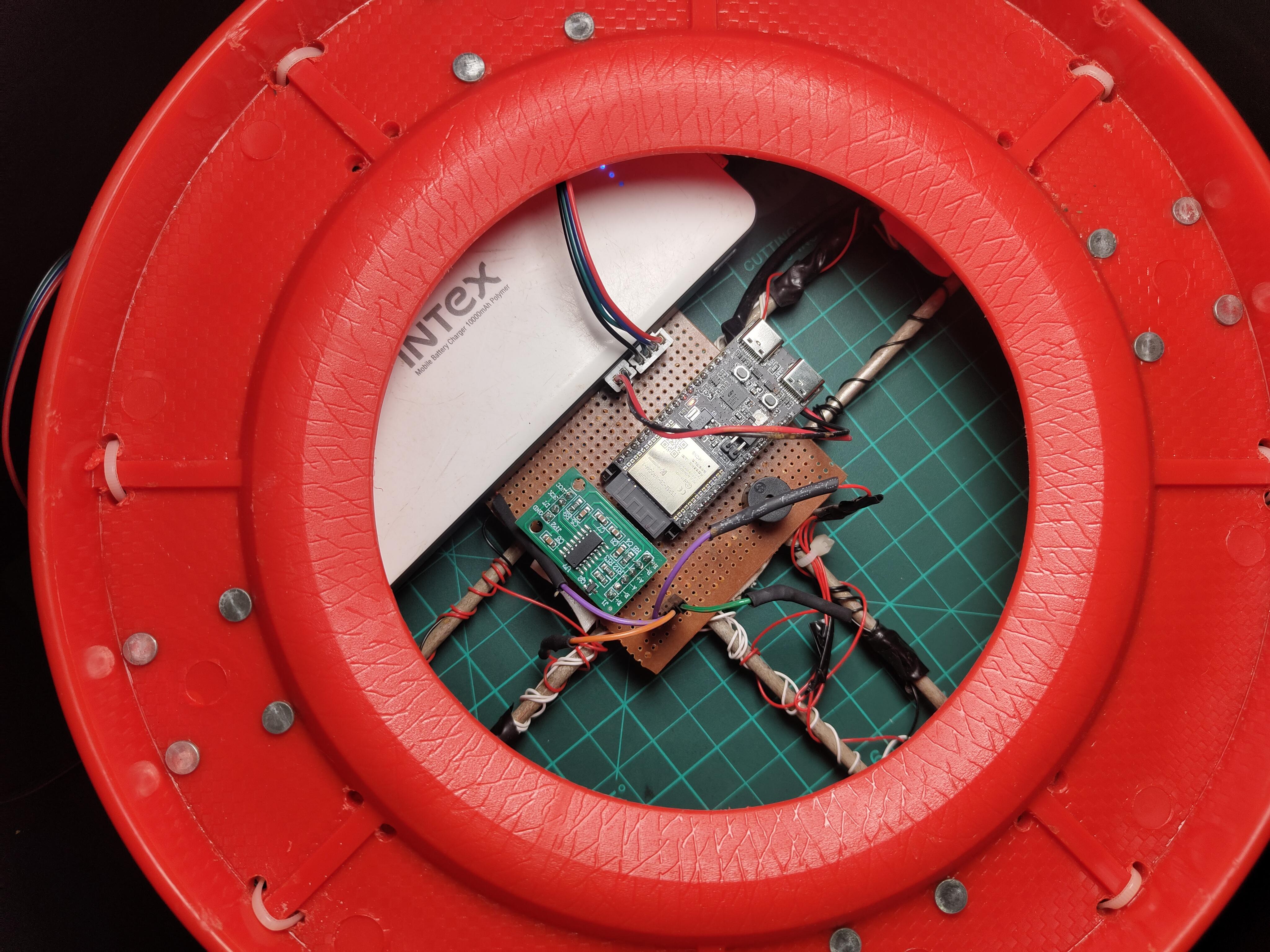
Base Layer: A circular platform houses Made with two different types of Cylinder's stand easily available in Market, four load cells at 90° intervals. This platform supports the entire cylinder weight (typically 30kg when full) and translates that weight into electrical signals. The zero PCB mounts inside this base, protected from accidental damage but accessible for maintenance.
Middle Layer: The standard LPG cylinder sits directly on the load cell platform. No modifications to the cylinder itself—it's just placed on top like it would sit on any surface.
Top Layer: The servo motor and MQ-2 sensor mount on a 3D-printed bracket that clamps around the existing regulator. A stepper motor cable runs from this assembly down to the PCB, keeping all electronics centralized in the base.
This design philosophy came from practical constraints. I didn't have time to machine custom metal parts or order specialized fittings. And this is just a Prototype, Everything had to be buildable with a basic 3D printer, hand tools, and materials from the local hardware store. The result is a system that looks professional but remains accessible to anyone with maker skills.
Servo Mounting Mechanism
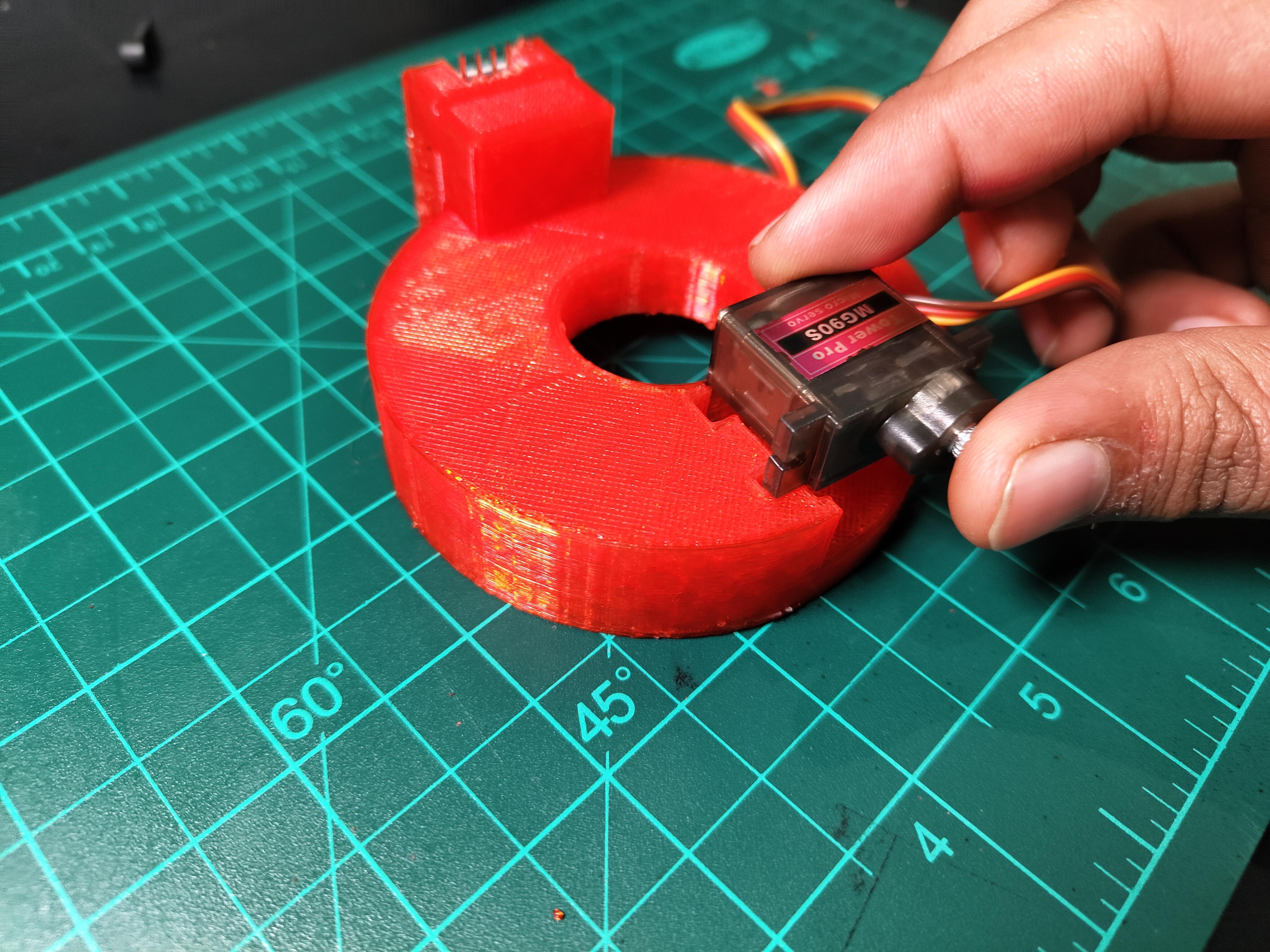
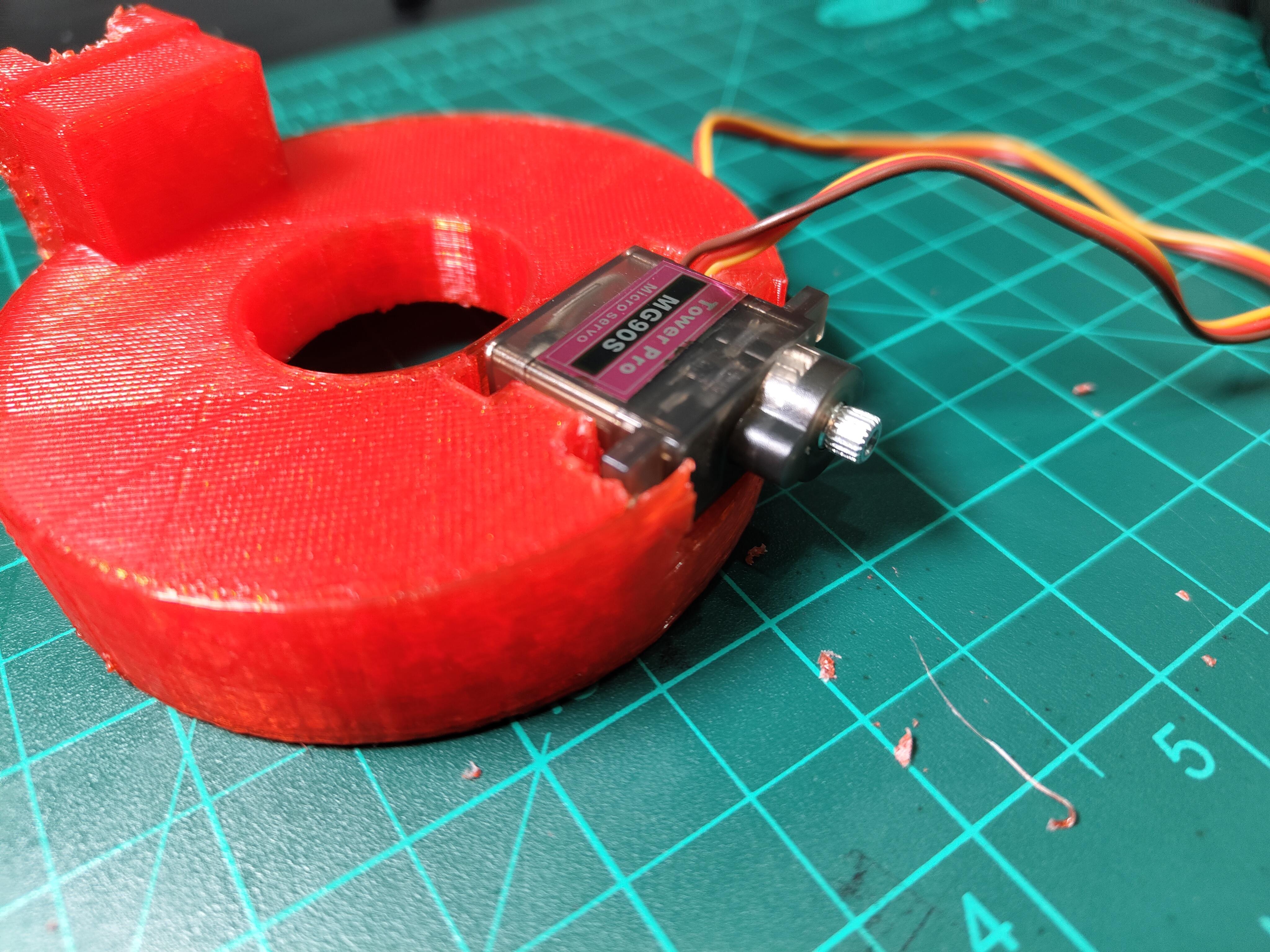

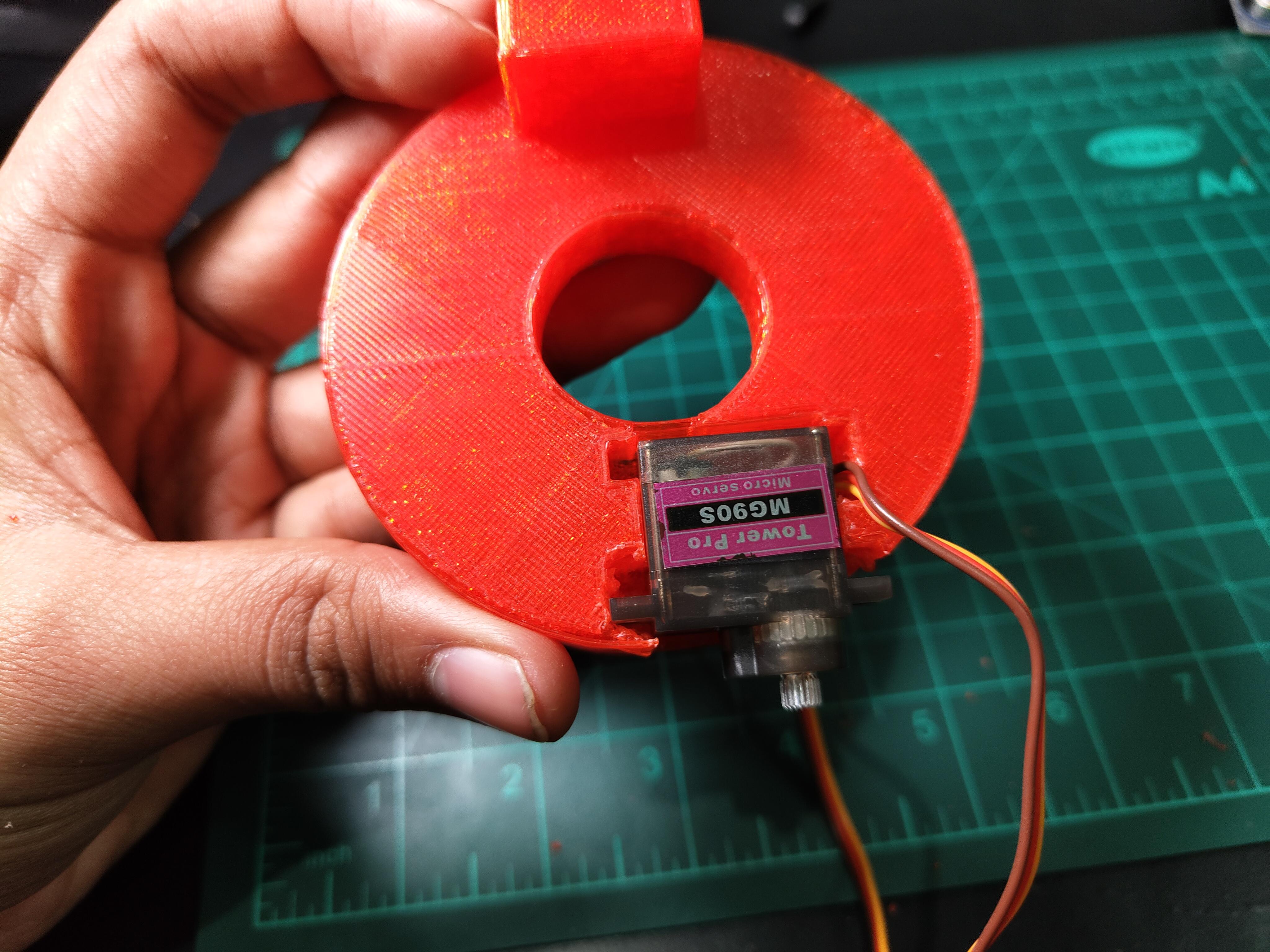
Used TINKERCAD to for CAD
removed supports and attached it on the ordinary regulator using hot glue
Downloads
Servo Horn Placement
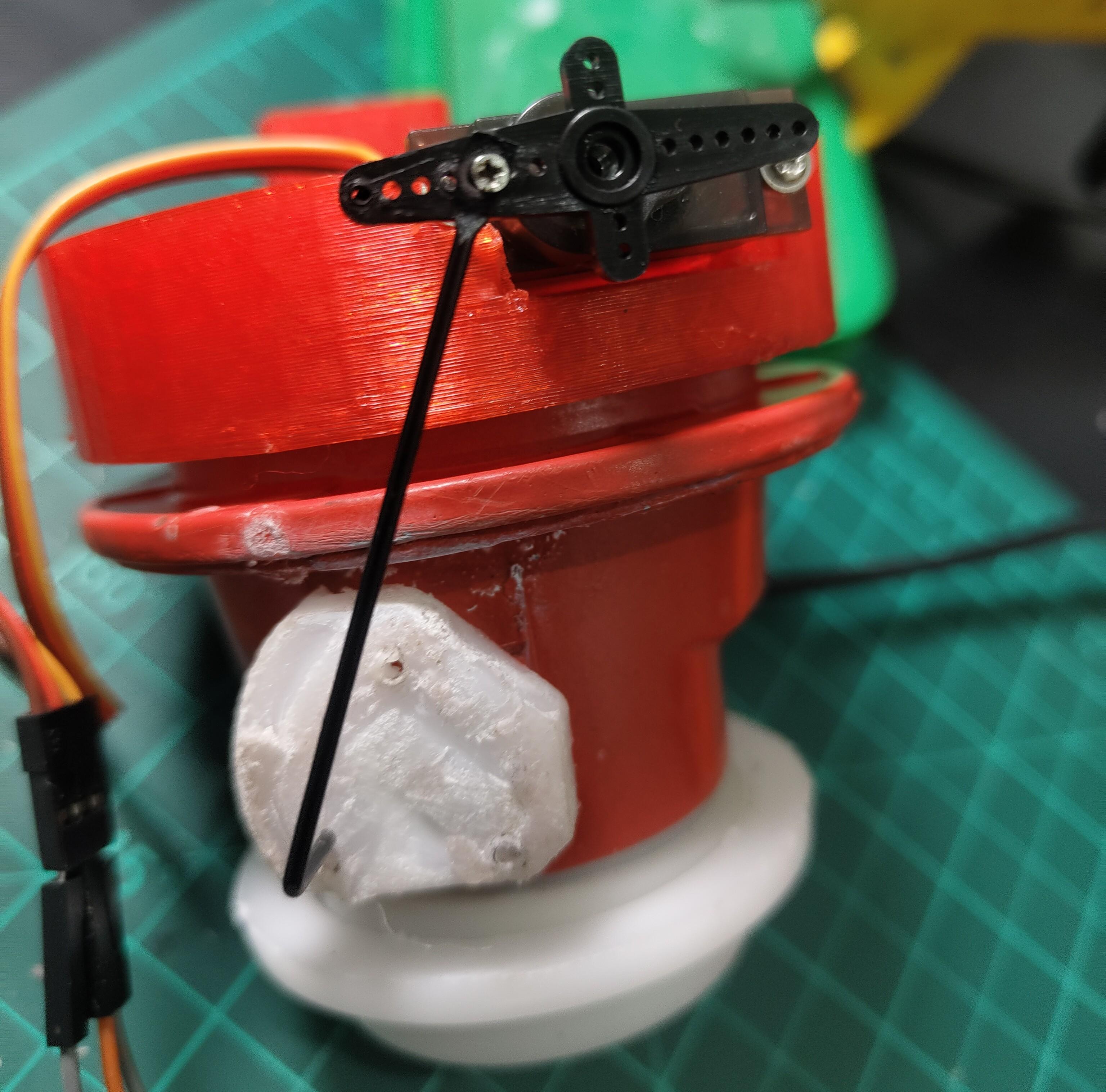
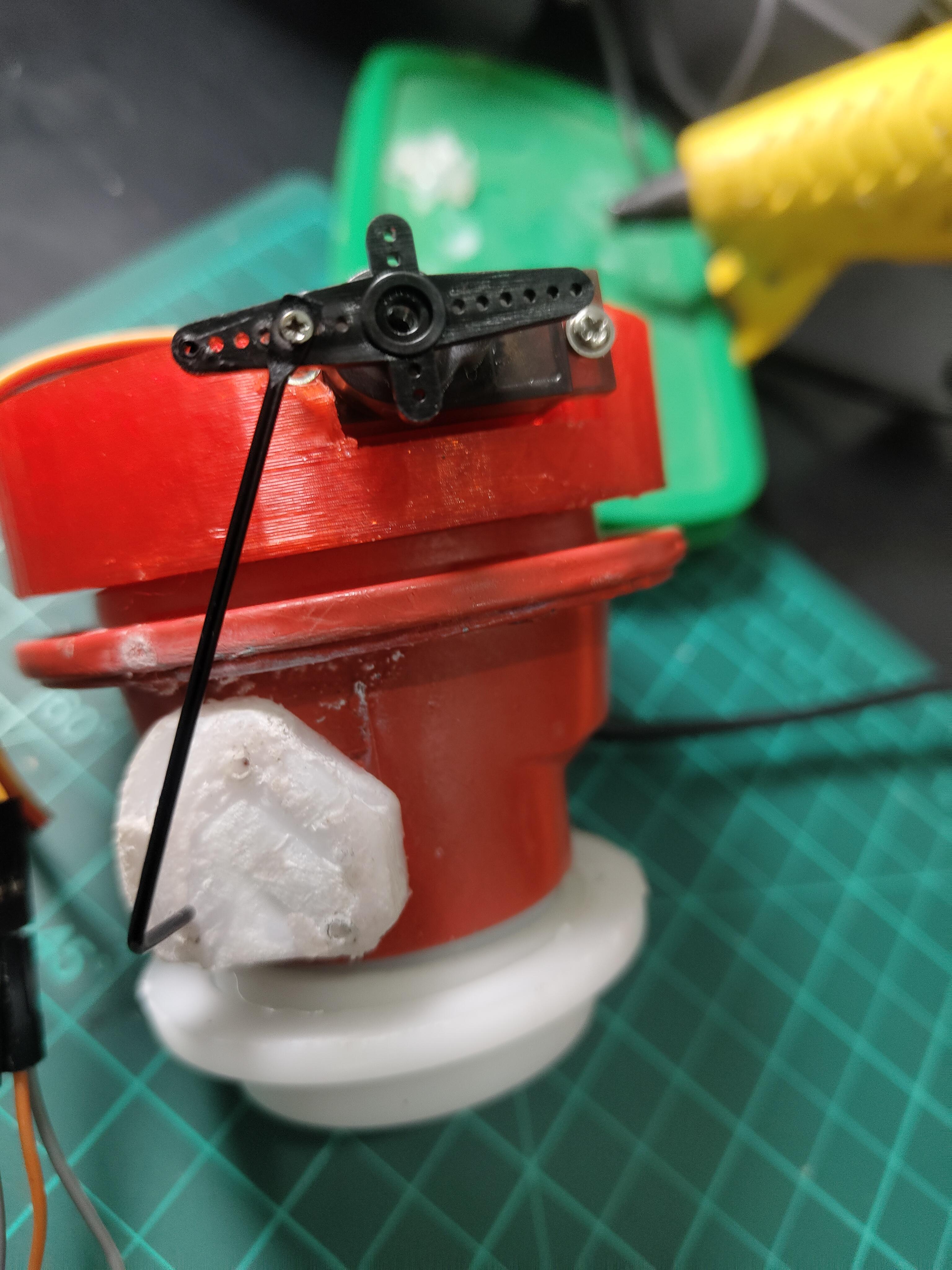
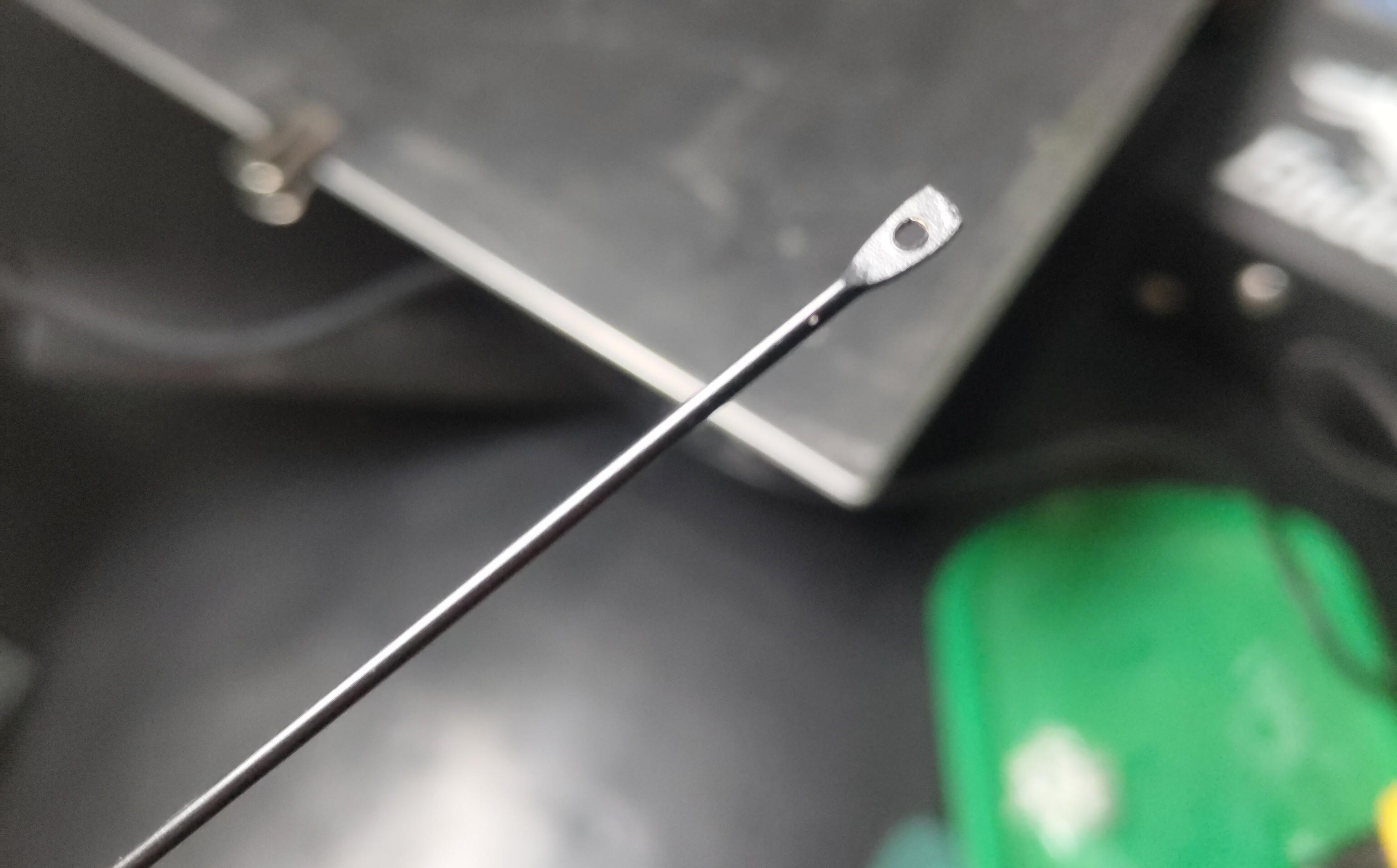
Design failure
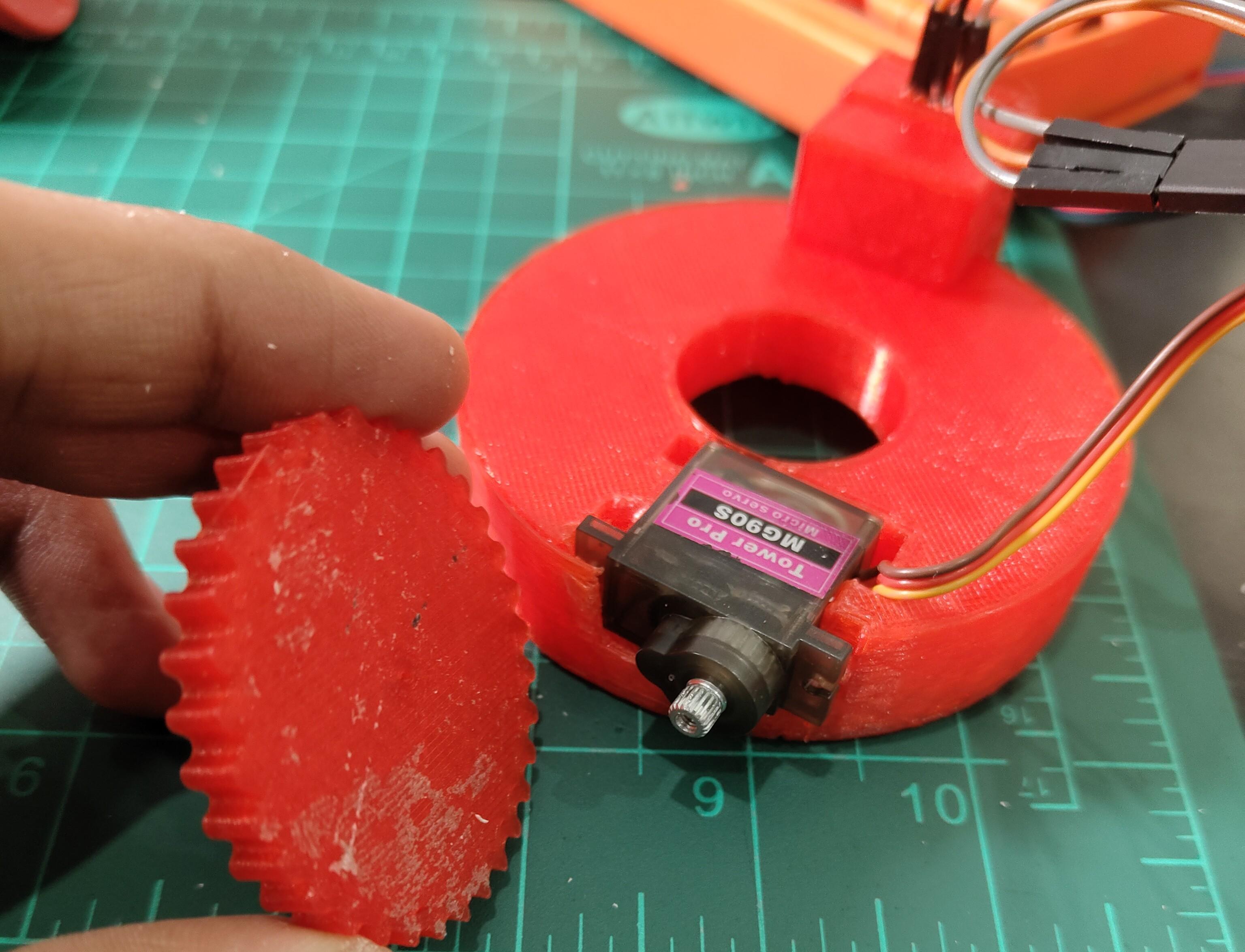
The Gear Design Failed Because the servo motor was not generating enough thrust to rotate the Knob Because The gear was too big and the thrust was not enough At the end.
I thought to print a new mount with Bigger servo motor And took the dimensions. what i realised is that the bigger servo would not be a practical solution.
Then i started troubleshooting and tried different designs.
And Got Success with a Very Ordinary Solution
MQ-2 Sensor Integration

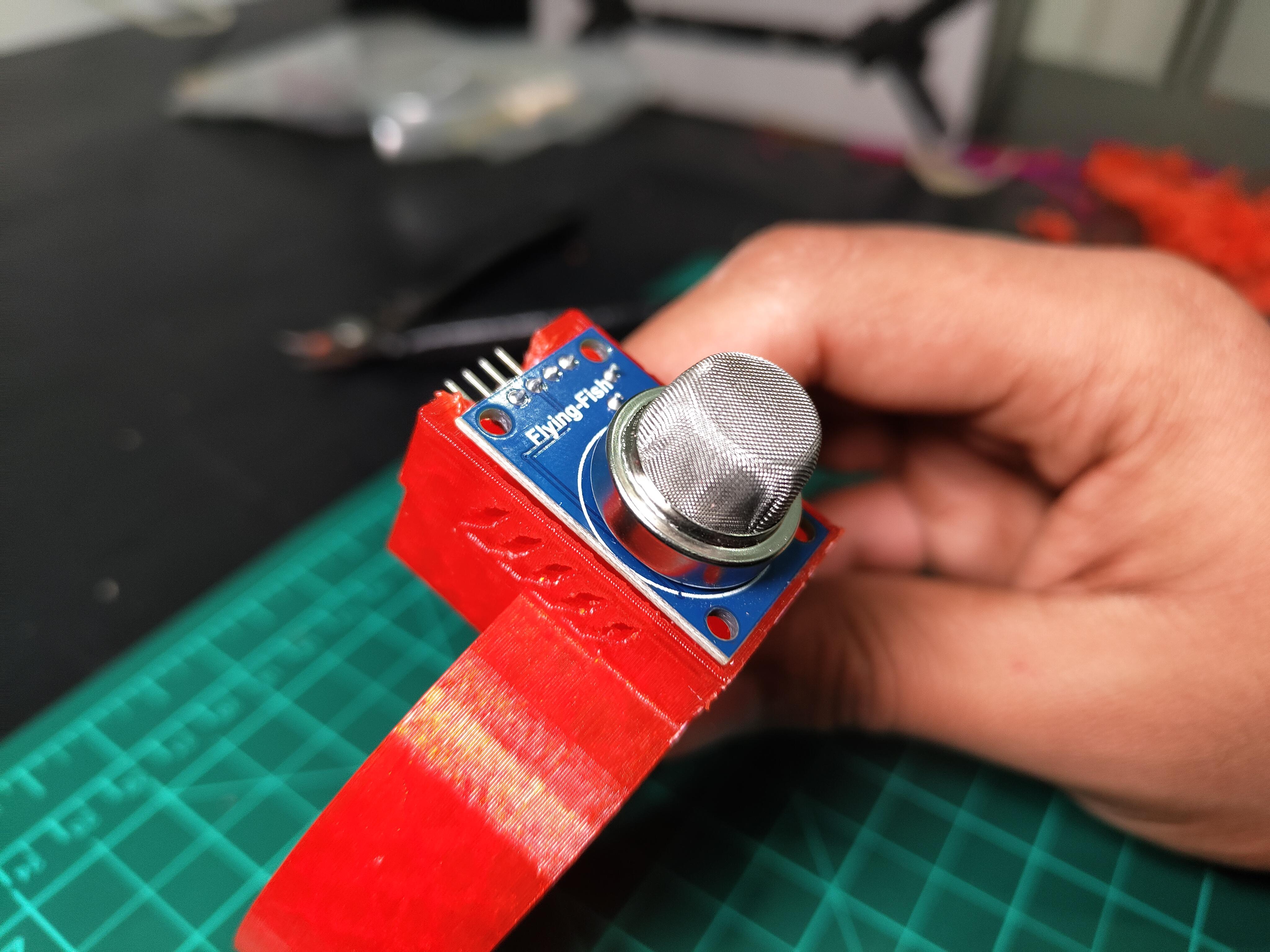
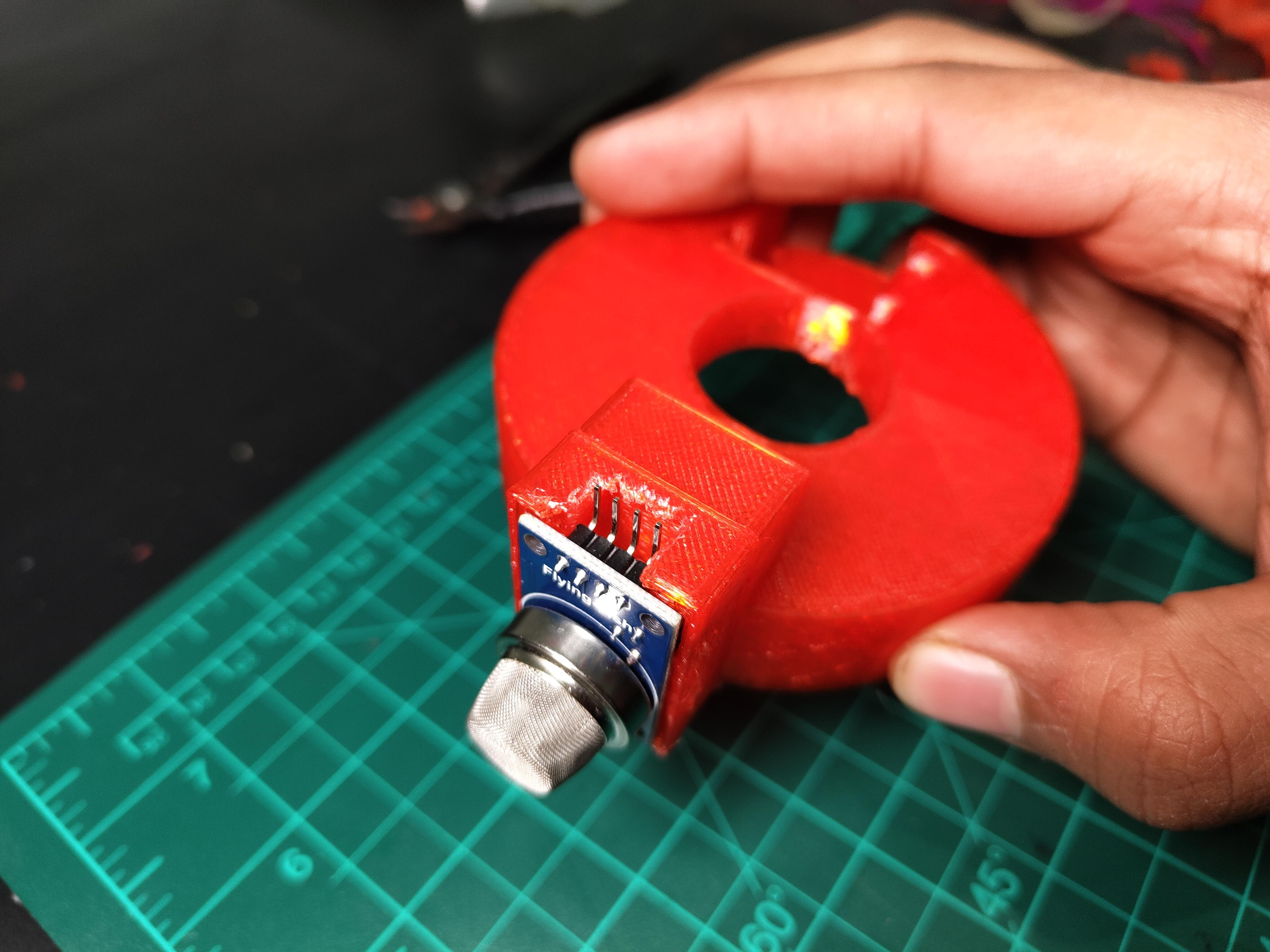
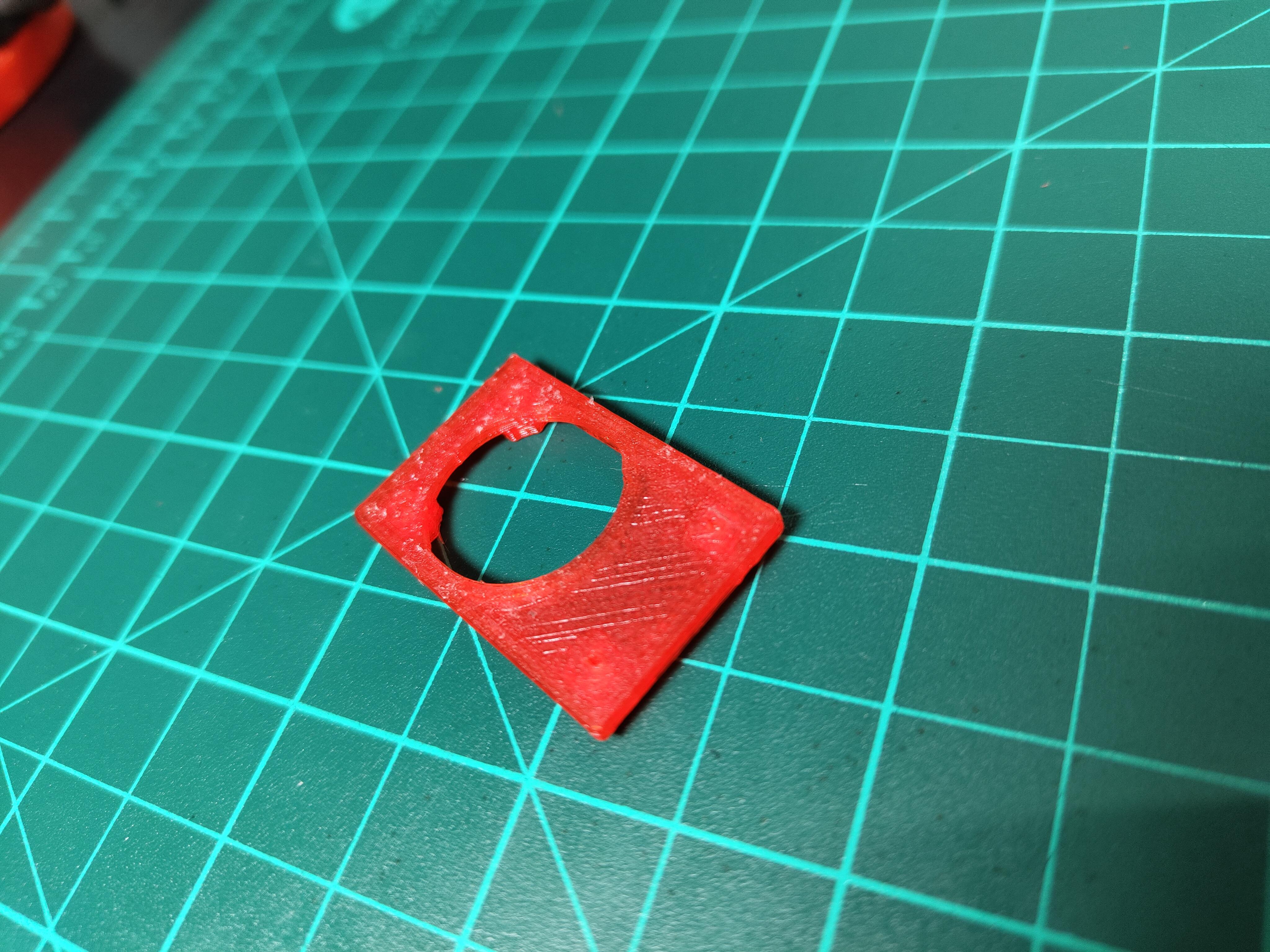
Downloads
Load Cell Platform Design
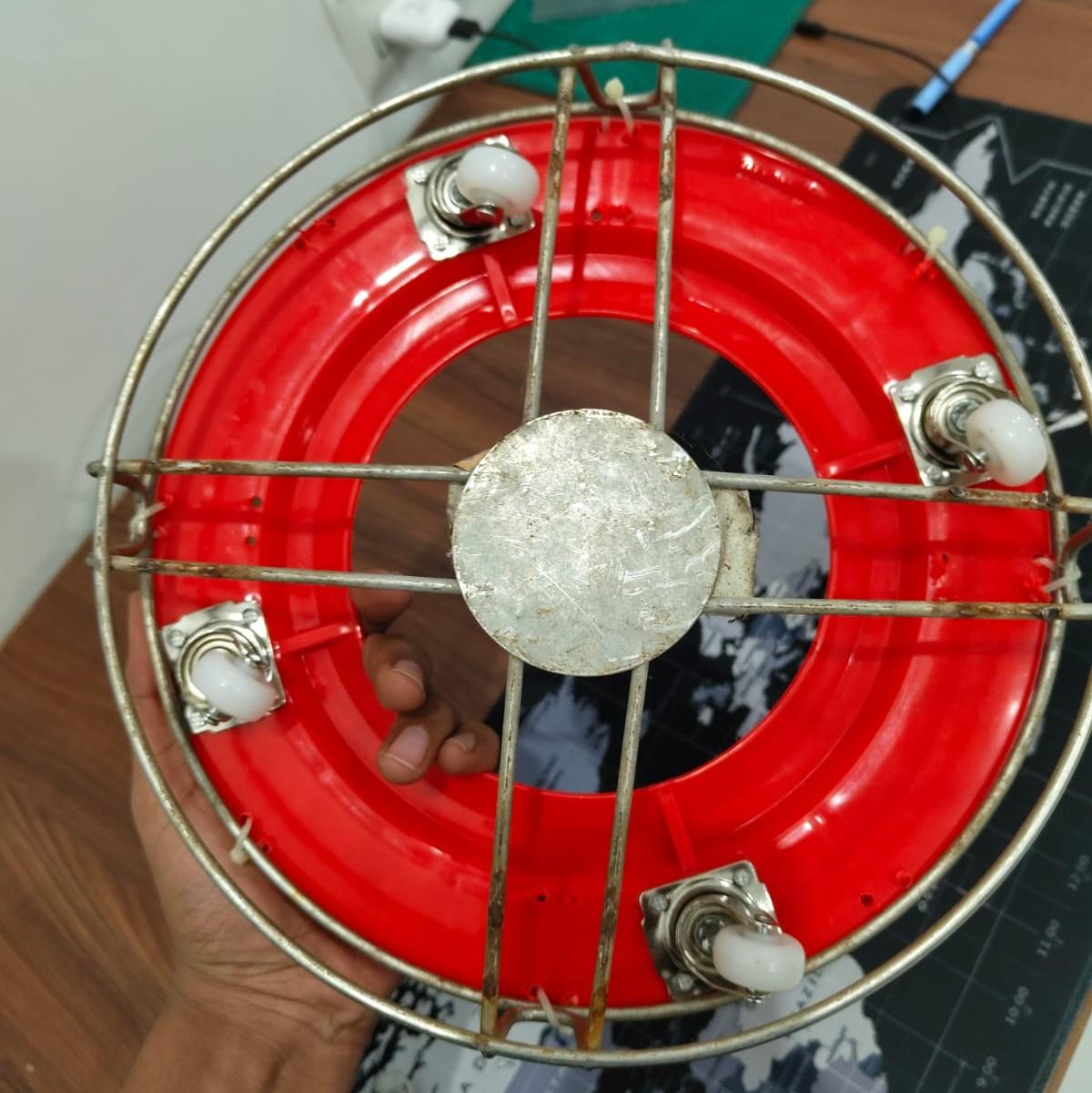
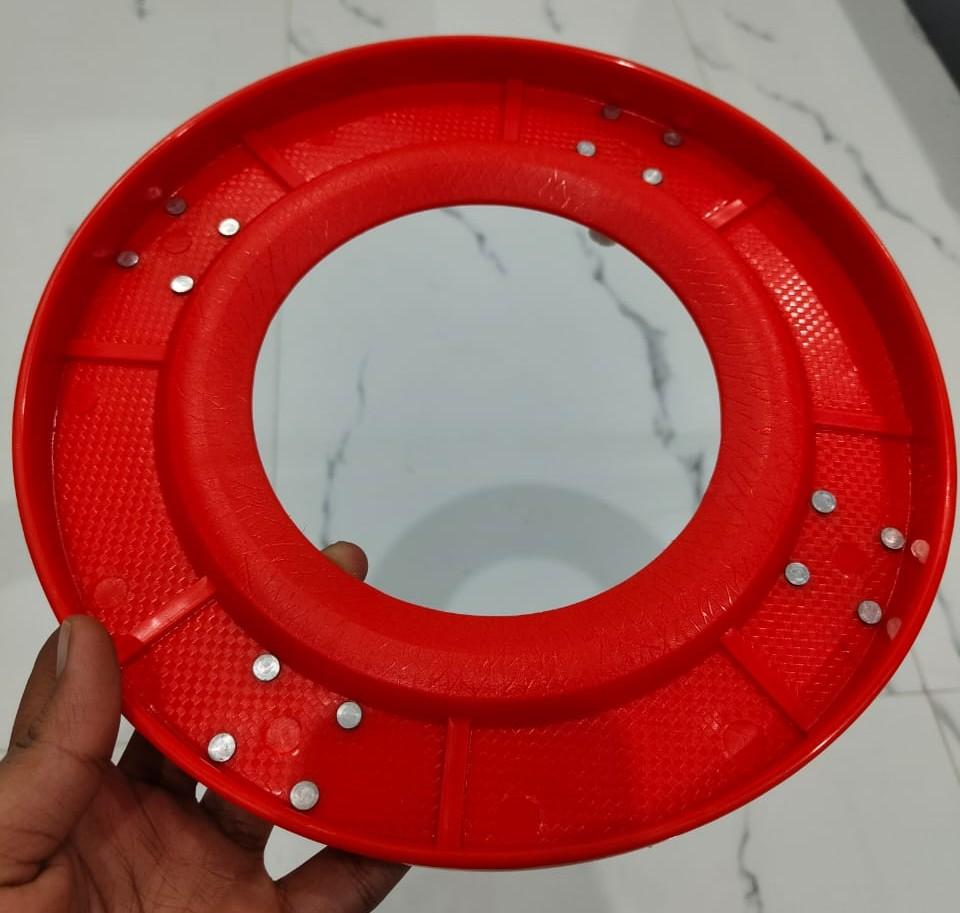
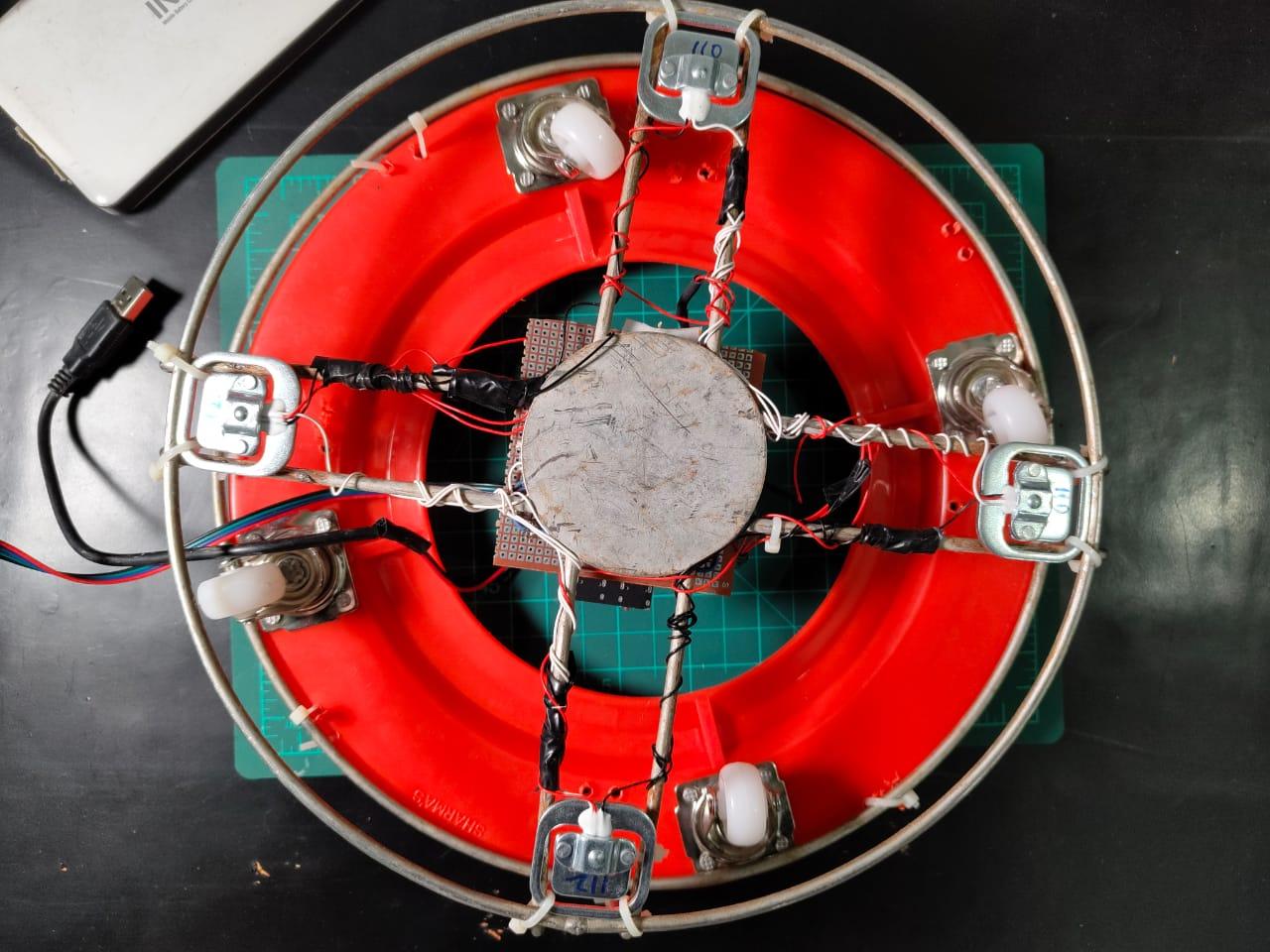
Load cells mount at 90° intervals, forming a square pattern:
- Position 1 (TL - Top-Left): 0° from reference mark
- Position 2 (TR - Top-Right): 90°
- Position 3 (BR - Bottom-Right): 180°
- Position 4 (BL - Bottom-Left): 270°
Each load cell sits equally from the platform center. This positioning ensures the cylinder's weight distributes evenly across all four sensors regardless of where you place it on the platform.
Zero PCB Mounting
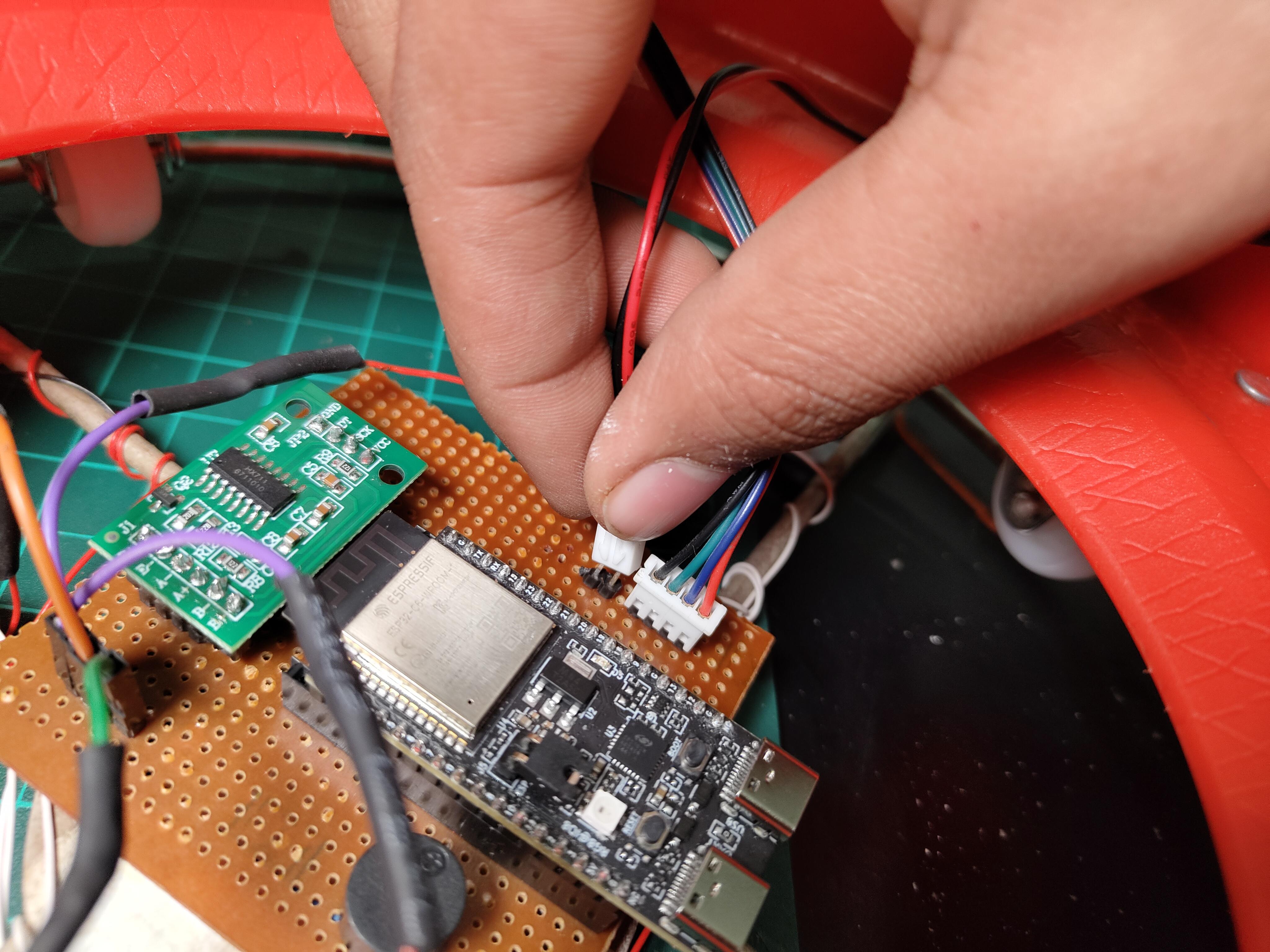
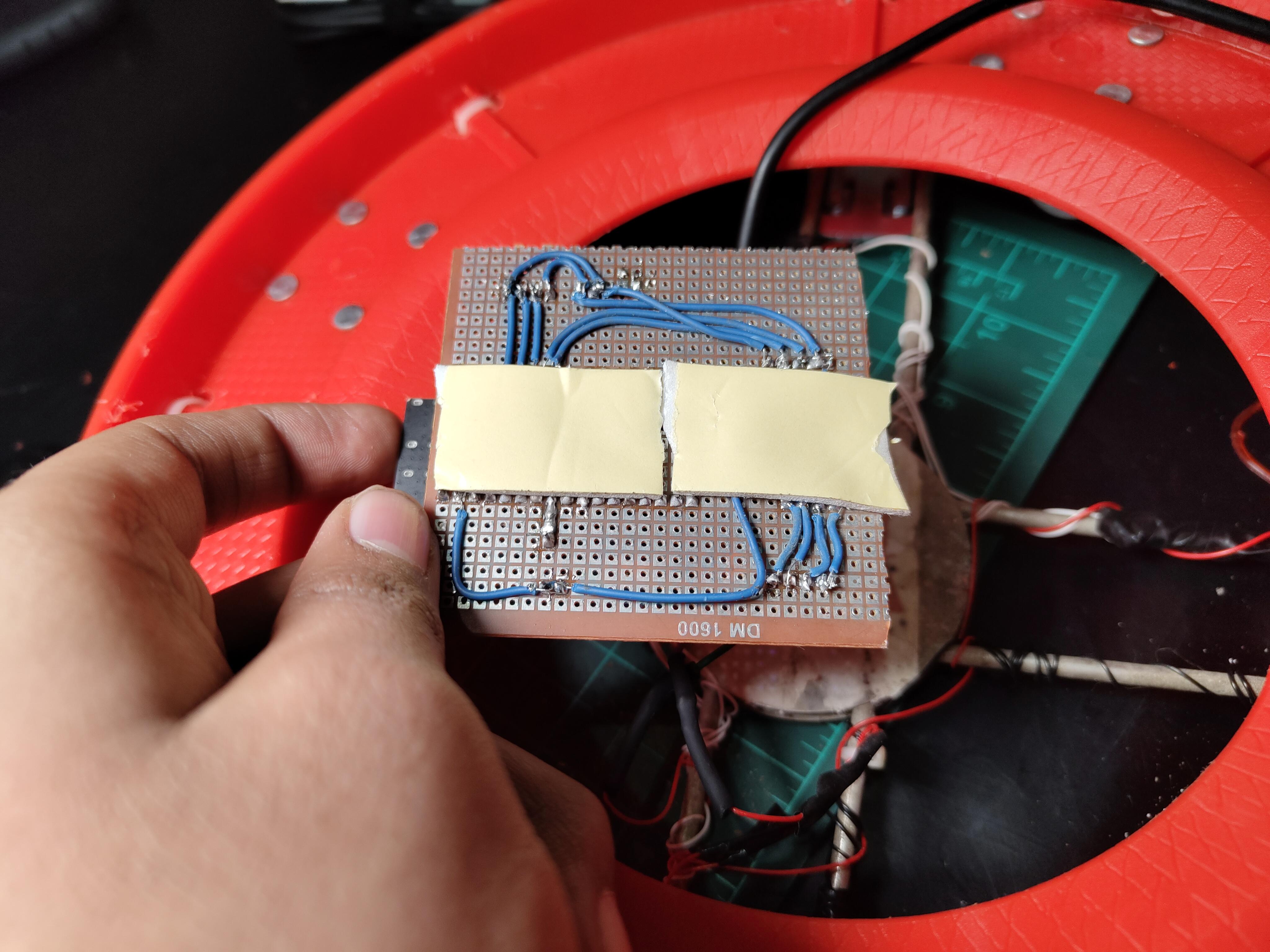
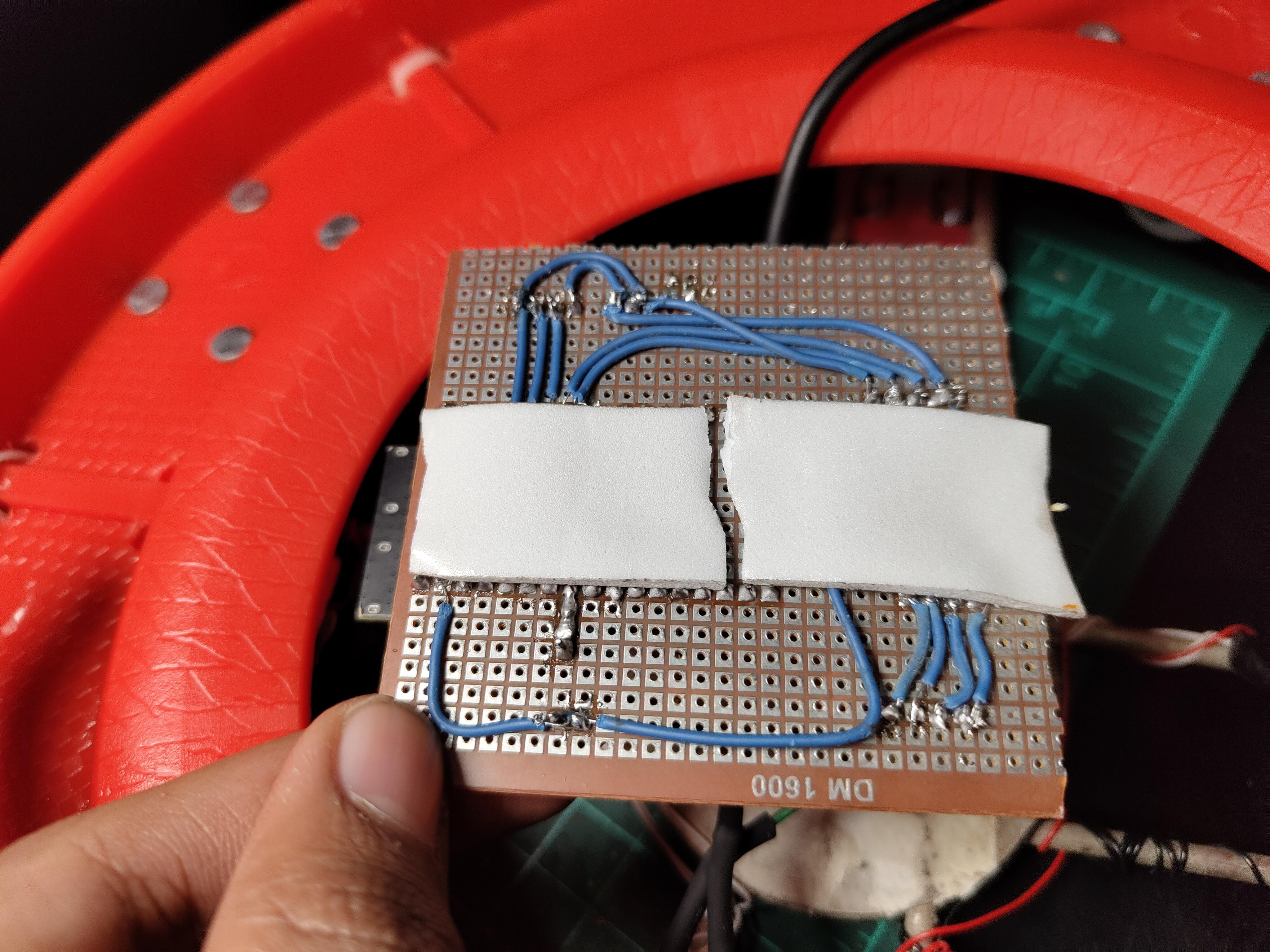
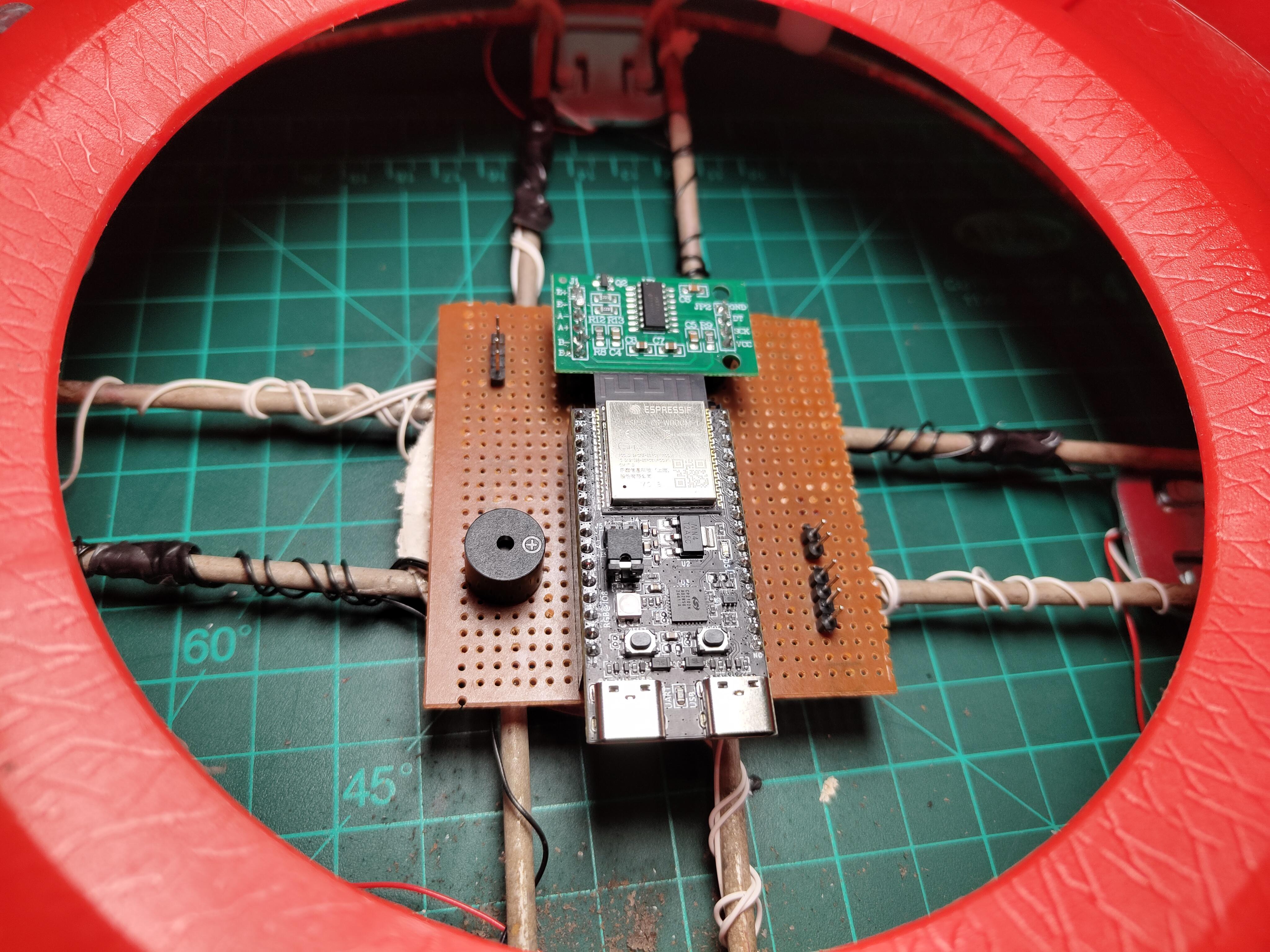
Pre-Code Configuration:
Before uploading the final code, I needed to customize it for my specific setup. The code works out-of-the-box for most builders, but three sections require personalization. I opened the code in Arduino IDE and modified:
I replaced these with my home network details. The ESP32 needs stable 2.4GHz WiFi (it doesn't support 5GHz networks).
Blynk Authentication
Performance Metrics
After two days of continuous operation, I compiled performance data:
Gas Leak Detection:
- Success Rate: 100% (3 real leaks detected, 0 missed)
- Response Time: 1.7 seconds average (from leak occurrence to valve closure)
- False Positive Rate: 0% (0 false alarms )
- Threshold Accuracy: 400 PPM setting proved optimal—no cooking activity exceeded it
Weight Measurement:
- Accuracy: ±45g error margin (0.3% on 14.2kg capacity)
- Consistency: Weight readings stable within ±30g over 24 hours
- Temperature Drift: Minimal (~20g-100g variation between morning/evening)
- Gas Percentage Calculation: Accurate to within 0.5% of actual remaining gas
System Reliability:
- WiFi Uptime: 99.2% (lost connection twice for ~10 minutes during ISP issues)
- Blynk Connection: 98.8% (reconnected automatically after WiFi restoration)
- Servo Operations: 57 total cycles (open/close) with 3 mechanical failures
- Sensor Readings: Continuous for 48 hours with 0 crashes or resets
Power Consumption (Ai Calculated):
- Idle Monitoring: 1.44W (287mA @ 5V)
- Servo Operation: 3.83W peak (765mA @ 5V) for ~2 seconds per cycle
- 24-Hour Energy: 34.6 Wh per day (~1 kWh per month)
- Cost: ₹8-10 per month at standard electricity rates (~$0.10-0.12)
Alert Reliability:
- Push Notifications: 100% delivery rate (3/3 leak alerts received instantly)
- Low Gas Alerts: Triggered at 9.8% remaining gas (within 10% threshold)
- Night Mode Activation: 100% reliability