Magnetic Ruler
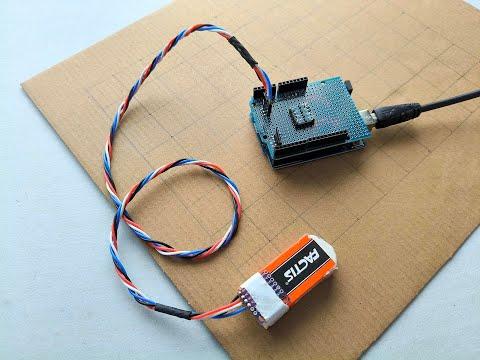
This instructable explains how to make a “magnetic ruler” for measuring precise distances.
The “magnetic Ruler” comprises a number of neodymium button magnets evenly spaced NSNSNS, an MLX90393 triaxial magnetometer module, and an Arduino UNO R3 microcontroller.
Construction is simple ... the accuracy is excellent.
Images
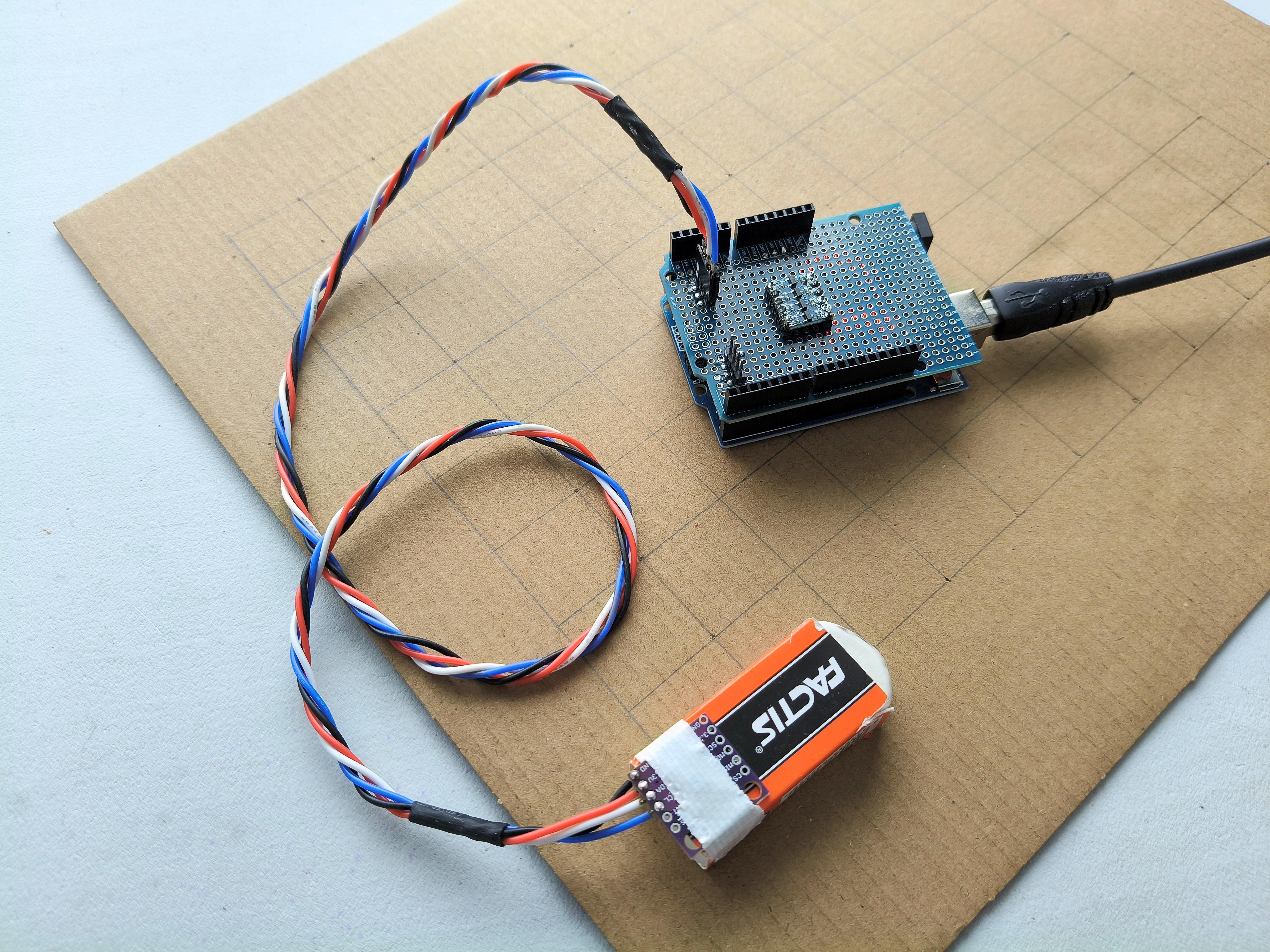
Fig.1 (cover) Top view
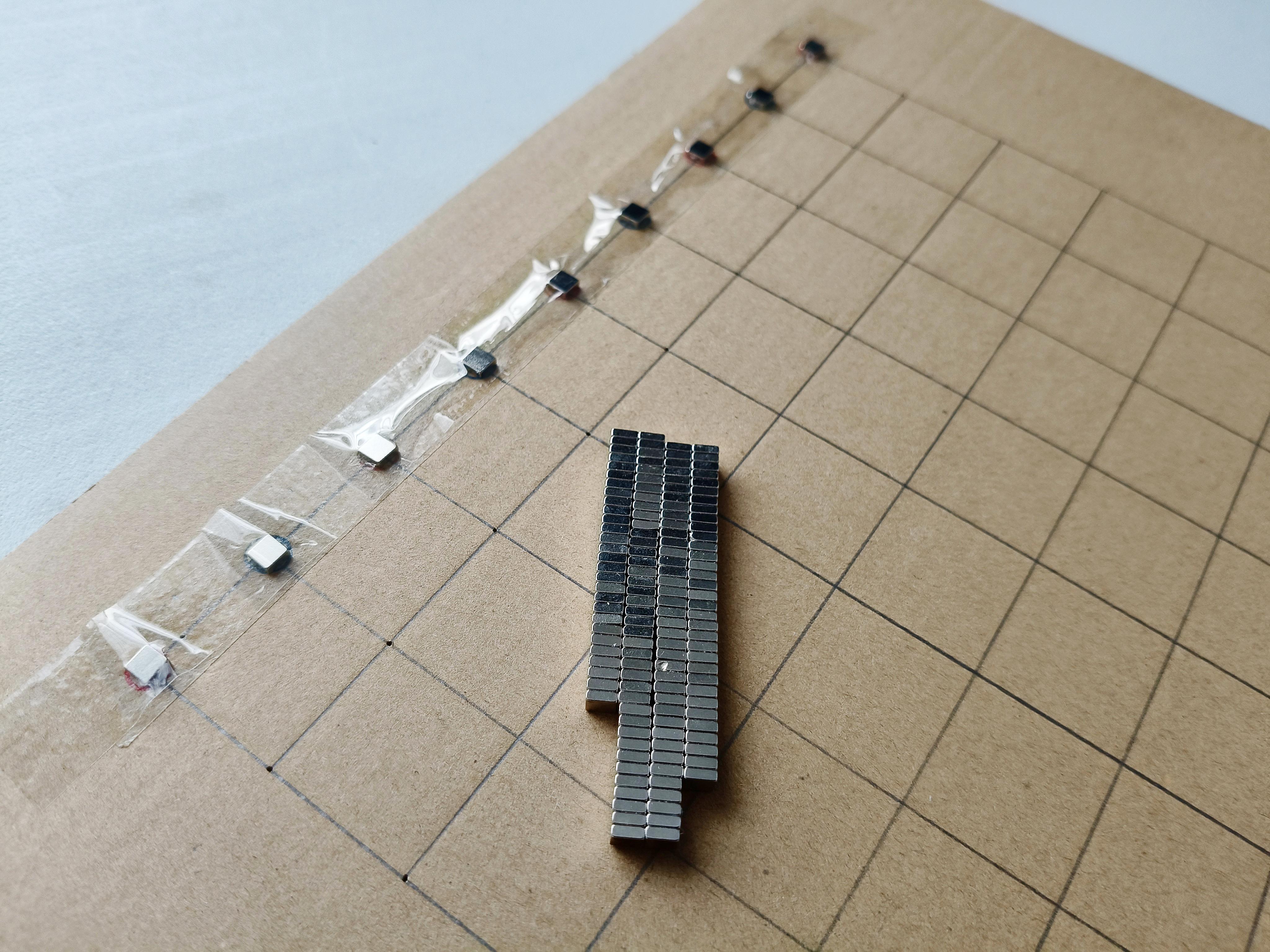
Fig.2 Underside showing the magnets fixed NSNSNS
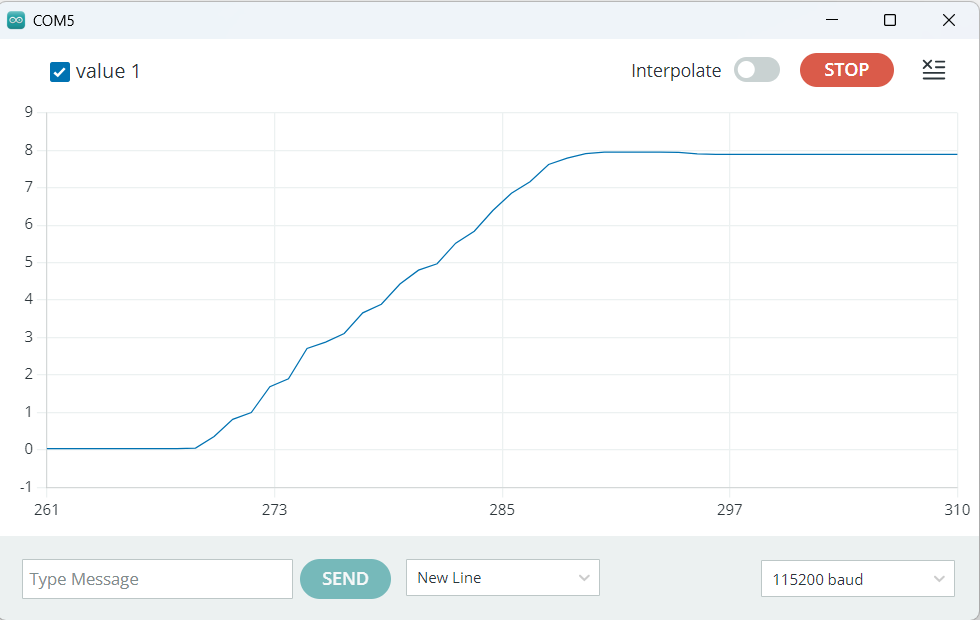
Fig.3 Serial Monitor display when travelling West-to-East [1]
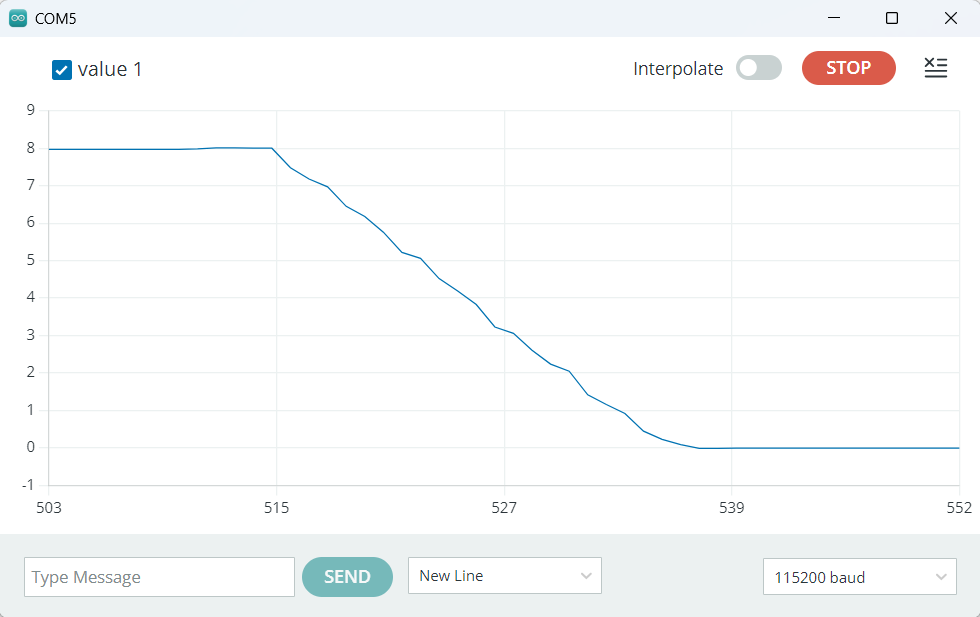
Fig.4 Serial Monitor display when travelling East-to-West
The video shows the ruler in action
Note
[1]
The wobbles in the ramps shown in fig3. & fig.4 are due to handshake
Supplies
The following parts were obtained from https://www.aliexpress.com/
- 1 only packet 5x5x1 mm neodymium magnets
- 1 only MLX90939 3D sensor module
- 1 only I2C level converter
- 1 only Arduino prototype board
- 1 only Arduino UNO R3 microcontroller with USB cable
The following parts were obtained locally:
- I only roll of double-side tape
- 1 only roll of single sided tape
- 1 only 0.5 inch spacer such as a rubber
- Cardboard
- Hookup wire
Excluding postage, the estimated cost for the above items is less than $50.
Circuit Diagram
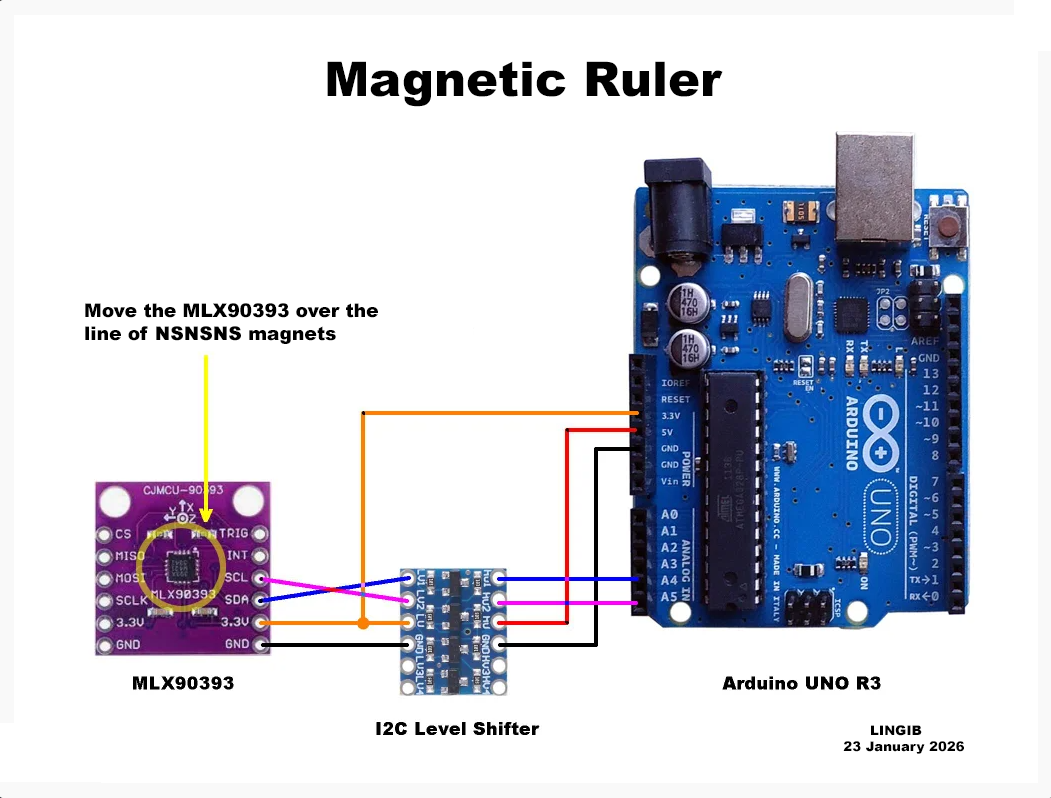
The circuit diagram is shown in fig.1 above
The I2C level converter is required as the MLX90393 requires 3 volts
Theory
The MLX90393 is a three-axis magnetometer based on Melexis’ patented Triaxis® magnetoresistive technology. It provides raw X, Y and Z magnetic field measurements, which are used here to construct a magnetic ruler.
Looking at Bx and Bz individually
For a one-dimensional (1D) NSNS… magnetic array and a fixed sensor height:
- Bz varies approximately as a sine
- Bx varies approximately as a cosine
Between adjacent poles (N → S or S → N):
- Each component completes half of a sinewave
- A full sine/cosine cycle corresponds to two poles (N → S → N)
The vector view
Now look at the magnetic field vector:
- V = (Bx, Bz)
As the sensor moves along the X direction:
- The tip of the vector rotates smoothly
- It traces (approximately) a circle in the Bx–Bz plane
- The rotation direction (clockwise or counter-clockwise) depends on:
- the magnet polarity order (NS vs SN)
- which axes are supplied to atan2()
Vector angle behaviour between poles
Using the trigonometry relationships:
- sine/cosine = tangent
- angle = atan2(Bz, Bx)
Then:
- The vector rotates by 180° between two adjacent poles (N → S)
- These rotations accumulate: 180°, 360°, 540°, 720° …
- The vector rotates by 360° between N → S → N
- The sign (direction) depends on convention
- The magnitude of rotation is invariant
Why the magnetic ruler works
The magnet array converts linear motion → angular phase
That phase is:
- smooth
- monotonic
- largely immune to absolute field strength
Position becomes:
- position = AccumulatedVectorAngle / 180°
Construction
Construction:
- Lay a length of double-side tape on a sheet of non-magnetic material.
- Evenly space the magnets NSNS on the double-sided tape. Being double-sided prevents the magnets shifting or flipping.
- Cover the magnets with normal single-sided tape. This prevents the magnets falling off.
- Done
Software
Installation:
- Download the attached file “MLX90393_magnetic_ruler.ino”
- Copy the contents into a fresh Arduino sketch and save it as “magnetic_ruler” (without the quotes). Use a text editor suchas “Notepad++” ... not a word processor.
- Upload the sketch to your Arduino.
- Done
Downloads
Calibration & Use
- The software auto-calibrates.
- Place the MLX90393 sensor on a non-magnetic support. The support needs to be high enough to prevent the magnetic fields overloading the sensor. I found a 0.5 inch high eraser worked fine.
- To use simply place the MLX90393 sensor over the first magnet and power up.
- Sliding the sensor towards the far end will cause the readings to ramp upwards.
- Changing direction causes the readings to decrease.
Summary
This instructable explains how to make a “magnetic ruler” for measuring precise distances.
The “magnetic Ruler” comprises a number of neodymium button magnets evenly spaced NSNSNS, an MLX90393 triaxial magnetometer module, and an Arduino UNO R3 microcontroller.
Construction is simple ... the accuracy is excellent.
Excluding postage, the estimated cost to make this ruler is less than $50.
Click here to view my other instructables.