LM386 Audio Player That Can Play Any Song
by computer123ma in Circuits > Arduino
33 Views, 1 Favorites, 0 Comments
LM386 Audio Player That Can Play Any Song
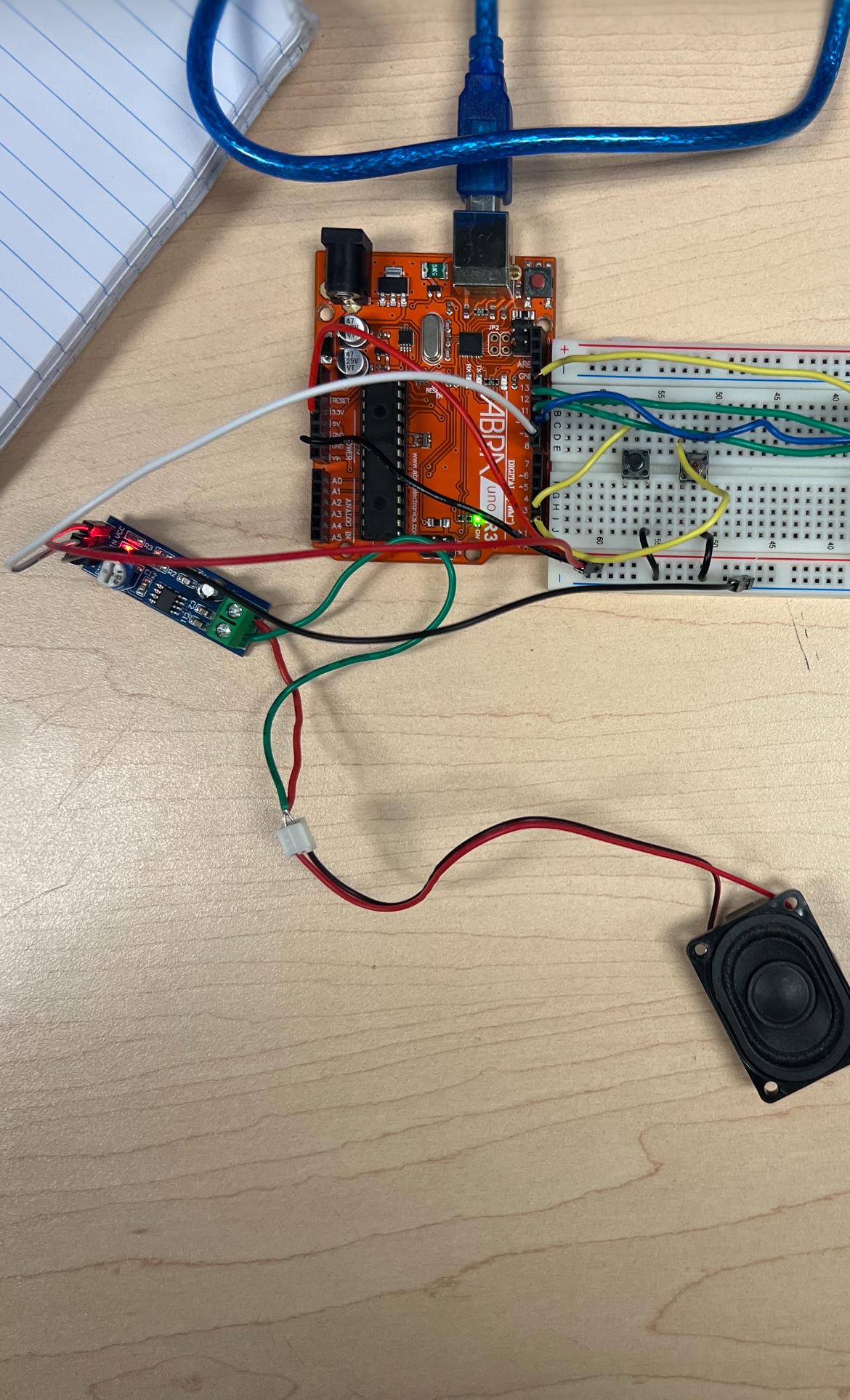
LM386 Audio player. The description of this circuit is so that it can play any given song by pressing the button these songs are from the SD card which in this case the songs are formatted in WAV and to be clear the first push button pauses and plays the song while the second one skips the song and goes to the next one like a loop. This should also show in the Serial Monitor
Supplies
LM386 Audio amplifier Module
https://www.amazon.ca/Amplifier-Module-5V-12V-Adjustable-Resistance/dp/B07YY7MVZ2
Micro SD card adapter module
SD card
2 Push buttons
https://ca.robotshop.com/products/sfe-12mm-push-button-switch
Speaker
Wires
Breadboard
Arduino r3 or Uno Nano
TinkerCad

Here is a tinkercad version of this to better understand it. Because the pictures may come out to be more unclear and not that visible
Circuit Building

In this step you will now build the circuit with your own hands make sure to remember these. The Micro SD card adapter CS pin should be connected to pin 10, the SK pin on the micro SD adapter should be connected to pin 13, the MOSI and MISO pins should be connected to pin 11 and pin 12. The LM386 CHIP in should be connected to pin 9 and lastly the speaker should be connected to the OUT of the lm386. The first push button should be connected to pin 3 and the second one to pin 2.
Preparing the Songs and Installing the Library

You will need the TMRPCM library, you can download it from this link here
https://github.com/TMRh20/TMRpcm
Once downloaded create a new arduino sketch and open it, you will then. press on sketch on the top left you will see include
Enter the Arduino Code
Once all previous steps are finished you can now enter the code, copy this given code and enter it in the arduino.
#include <SPI.h>
#include <SD.h>
#include <TMRpcm.h>
#define SD_CS 10
#define PLAY_BUTTON 2
#define NEXT_BUTTON 3
TMRpcm music;
int song = 1;
bool isPlaying = false;
void setup() {
Serial.begin(9600);
pinMode(PLAY_BUTTON, INPUT_PULLUP);
pinMode(NEXT_BUTTON, INPUT_PULLUP);
music.speakerPin = 9;
music.setVolume(0);
music.quality(1);
if (!SD.begin(SD_CS)) {
Serial.println("SD FAIL");
while (1);
}
Serial.println("SD OK");
Serial.println("READY");
}
void loop() {
// PLAY / PAUSE
if (digitalRead(PLAY_BUTTON) == LOW) {
delay(200);
if (isPlaying) {
music.pause();
Serial.println("Paused");
} else {
if (song == 1) music.play("song1.wav");
if (song == 2) music.play("song2.wav");
Serial.print("Playing song ");
Serial.println(song);
}
isPlaying = !isPlaying;
}
// NEXT SONG
if (digitalRead(NEXT_BUTTON) == LOW) {
delay(200);
song++;
if (song > 2) song = 1;
Serial.print("Selected song ");
Serial.println(song);
if (isPlaying) {
if (song == 1) music.play("song1.wav");
if (song == 2) music.play("song2.wav");
}
}
}
Last Step
Your circuit should now start working, once you press the push button it will start playing the song or if you press the second push button it will skip to the next song. This video shows the finished result and it should go like that.
Voila! you are finished and now you can play any song you want!