LED Chaser Game
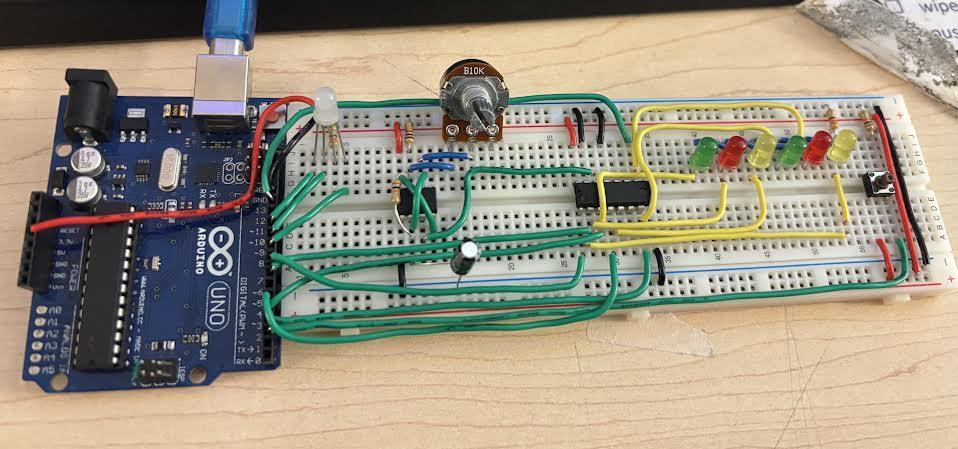
Welcome to the RGB Chaser Game!
We all enjoy playing games, don't we? But what if the gaming experience could also provide a learning opportunity along the way? As I was browsing for a new challenge, I came across a project by ErtanR, which combined coding and the essential steps of assembling a circuit in one game. This deeply inspired me to build a circuit of my own by recreating this fun and unique game experience, and to help build upon my interest.
This game involves an arrangement of LEDs that chase in sequence, as well as an RGB LED which lights up different colors (green, red, and yellow). The goal of the game is to press the pushbutton when the chaser LEDs match up with the color on the RGB LED. You can control the difficulty level by increasing the speed of the chaser LEDs with the potentiometer. Earn points by hitting the pushbutton at the right time, and lose points when pressed at the wrong time. Win if you score 5 points, lose if you drop to -5 (Shown on the Serial Monitor).
Supplies
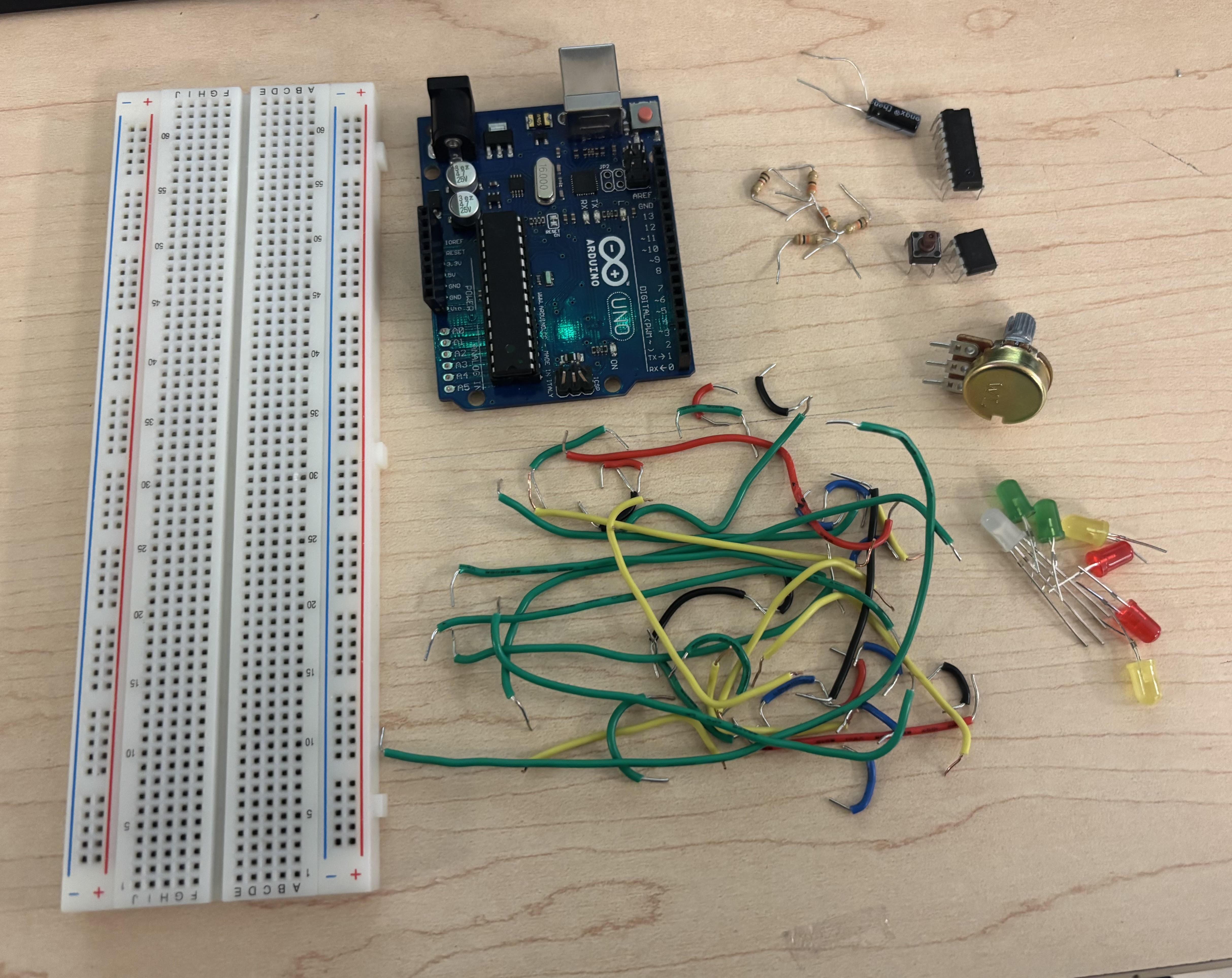
For this project, you will need the following materials and components:
- Arduino Uno
- Breadboard
- Colored Jumper Wires (Red, Black, Blue, Green, Yellow)
- Wire Stripper/Cutter
- LEDs (2x Green, 2x Red, 2x Yellow)
- RGB LED (Common Anode)
- Push Button
- 555 Timer
- 4017 Decade Counter
- Potentiometer
- Resistors (2x 330Ω,1x 1KΩ, 2x 10KΩ)
- Capacitor (100µF, 16V)
Creating the Base Circuit
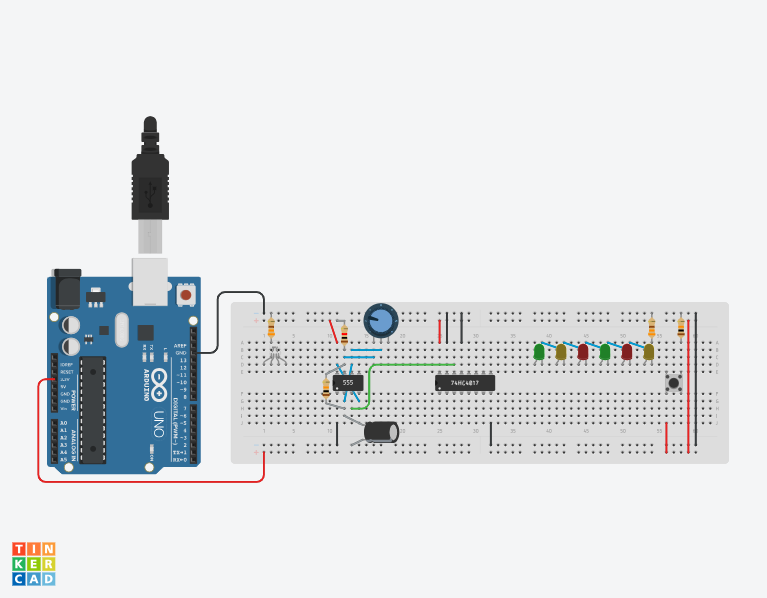
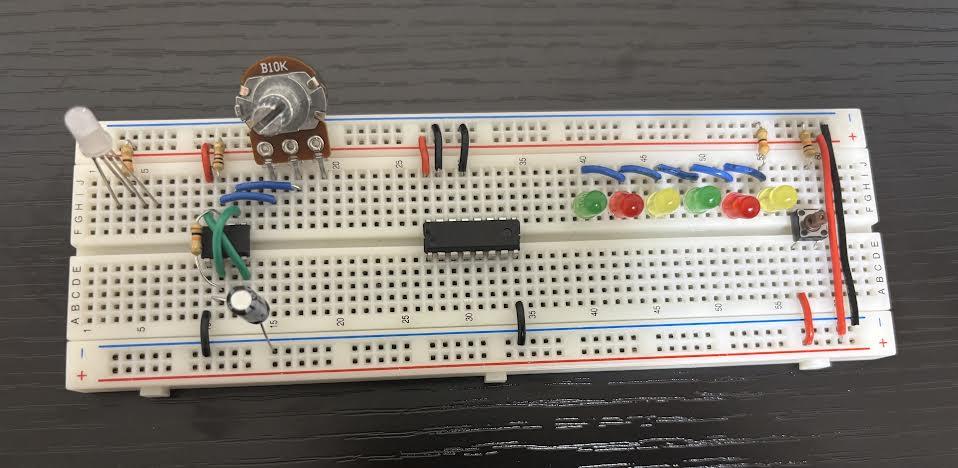
To begin this circuit, you will need to wire your breadboard as shown above in the TinkerCAD diagram.
To connect your circuit to power, place a red wire to the 5V pin on the Arduino, and connect it to the power (+) rail on the breadboard. Do the same thing with the GND using a black wire and connecting it to the ground (-) rail.
To wire the pushbutton, connect the bottom left leg to power, and the top right leg to GND through a 10kΩ resistor.
Unlike what's shown in the TinkerCAD diagram, which is a common cathode, use a common anode RGB LED for this circuit. Connect the anode (longest leg) to power through a 330Ω resistor. The remaining legs will be wired to the Arduino pins later on.
Now to wire the LEDs, make sure they are arranged in sequence alternating from red to green to yellow in any order you would prefer. This step only requires the cathodes (short legs) to be wired, so link each cathode of the LEDs together. Make sure last one connects through a 330Ω resistor to GND. Also make sure the anodes (longer legs) of the LEDs are facing left towards the 4017 counter. At this point, all of the LEDs should be linked together. Remember to number the LEDs from 1 - 6 going left to right.
For the wiring of the 555 timer, connect pin 8 to power, and pin 1 to ground. Make sure to also insert the potentiometer near the 555 timer.
Moving on to the 4017 decade counter, connect pin 16 to power. Then connect pin 8 , pin 13, and pin 15 all to ground.
To wire the capacitor, connect the negative leg to ground, and the positive leg to pin 2 of the 555 timer. Then cross 2 wires over the 555 timer. One crossing wire should connect pin 8 to pin 4, and the second crossing wire should connect pin to pin 6. Furthermore, connect a 1kΩ resistor to the power rail, and its opposite side to pin 7 of the 555 timer. Finally, using another resistor, connect a 10kΩ resistor between pin 2 and pin 7 of the 555 timer.
To wire the potentiometer, connect the middle leg to pin 6 of the 555 timer, and any other outer terminal to pin 7 of the 555 timer.
Finally, connect pin 3 of the 555 timer to pin 14 of the 4017 decade counter. This will conclude this phase of the breadboard. At this point, your LEDs should flash in sequence and chase each other one by one.
Wiring the LEDs to the 4017 Decade Counter
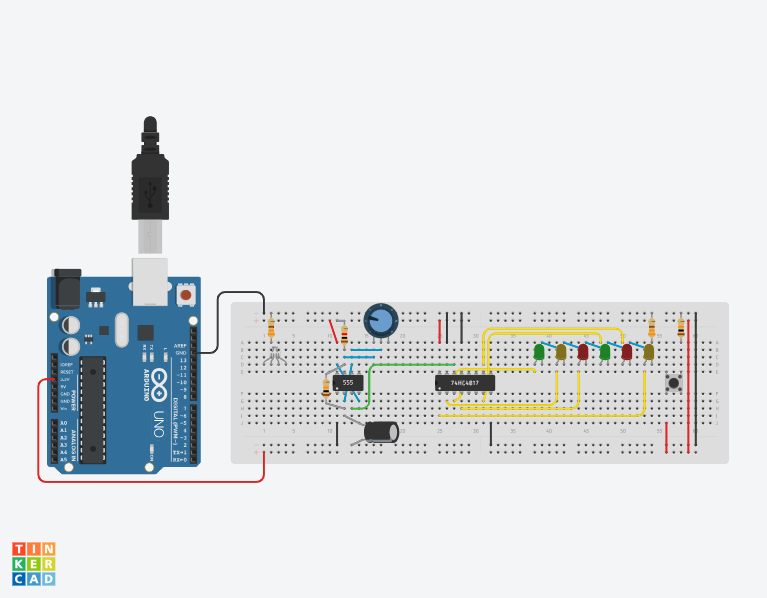
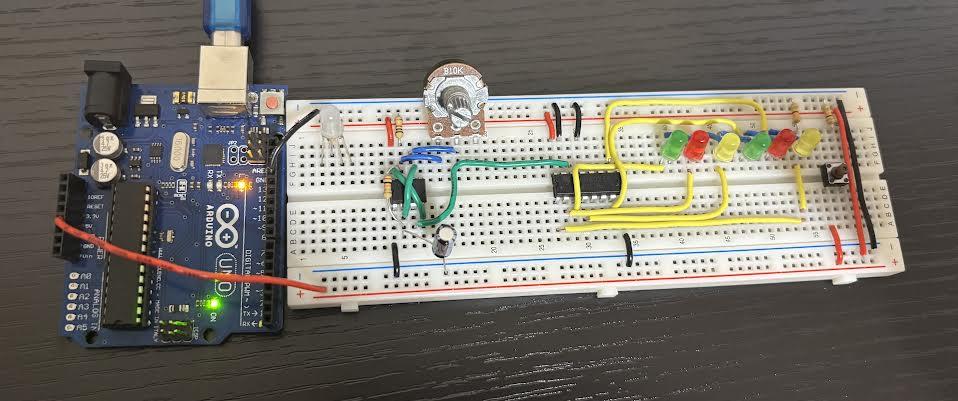
Now that the base of the circuit is complete, it's time to wire the anodes of the LEDs which were left alone in step 1. Going from the left to right wire each LED to a pin on the 4017 decade counter as listed below:
- LED 1 to Pin 3
- LED 2 to Pin 2
- LED 3 to Pin 4
- LED 4 to Pin 7
- LED 5 to Pin 10
- LED 6 to Pin 1
Wiring the RGB LED to the Arduino

Now that the LEDs are all wired, there is still one LED left. To wire the RGB LED (common anode) to the corresponding Arduino pins, connect the red leg to Pin 9, green to Pin 10, and blue to pin 11. At the end of this step, it should look like the image above.
While you're at it, also connect the bottom right leg of the pushbutton to Pin 2 on the Arduino.
Finalizing the Circuit
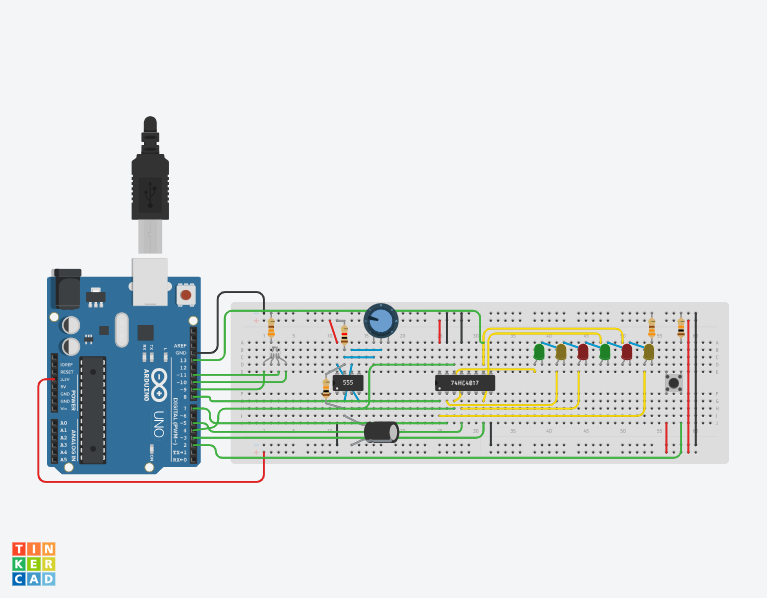
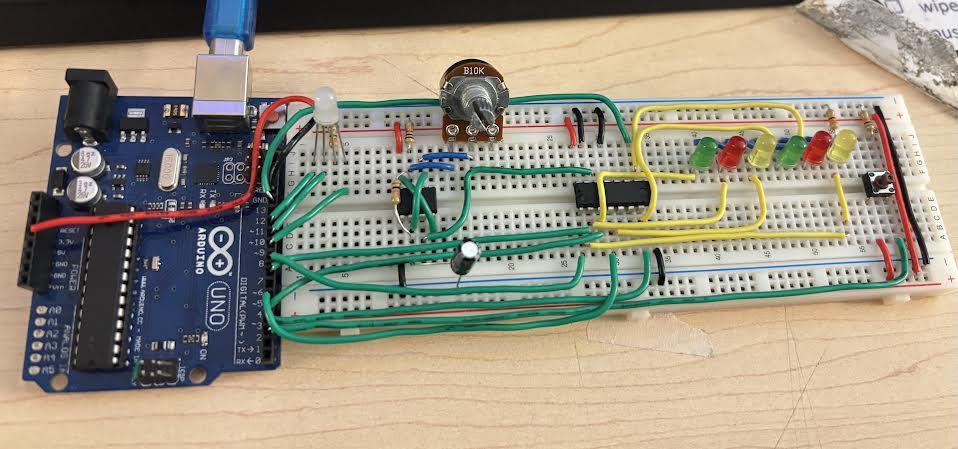
Now comes the most complicated part: Finalizing the circuit and wiring the remaining connections to the Arduino. Connect the following pins of the 4017 decade counter to its corresponding Arduino pin:
- Pin 3 (Decade Counter) to Pin 4 (Arduino)
- Pin 2 (Decade Counter) to Pin 7 (Arduino)
- Pin 4 (Decade Counter) to Pin 5 (Arduino)
- Pin 7 (Decade Counter) to Pin 3 (Arduino)
- Pin 10 (Decade Counter) to Pin 13 (Arduino)
- Pin 1 (Decade Counter) to Pin 8 (Arduino)
Adding the Code

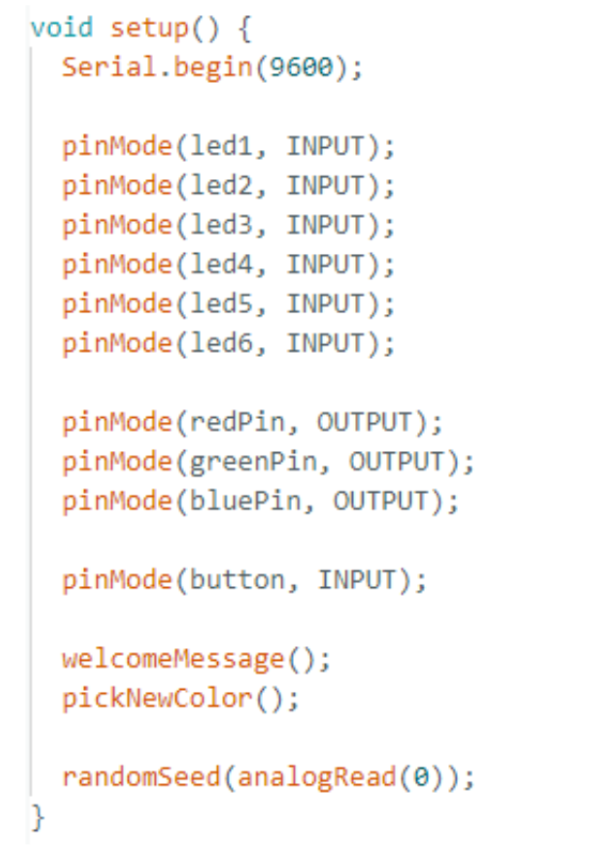
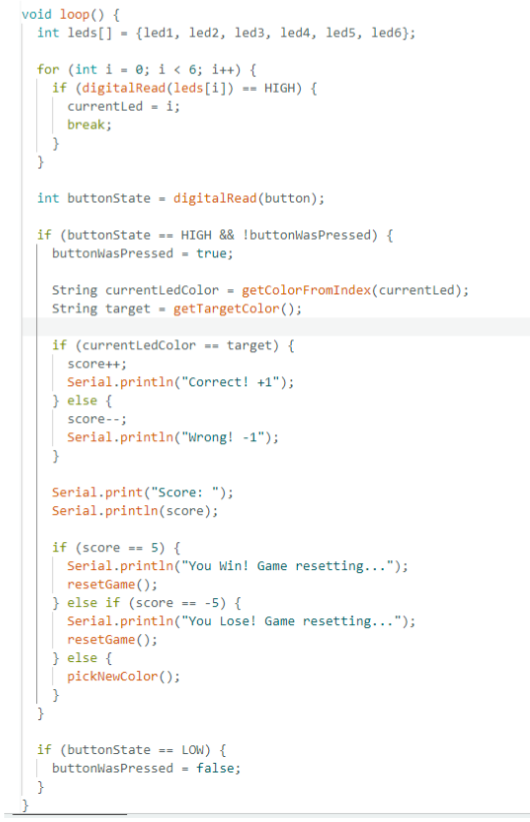
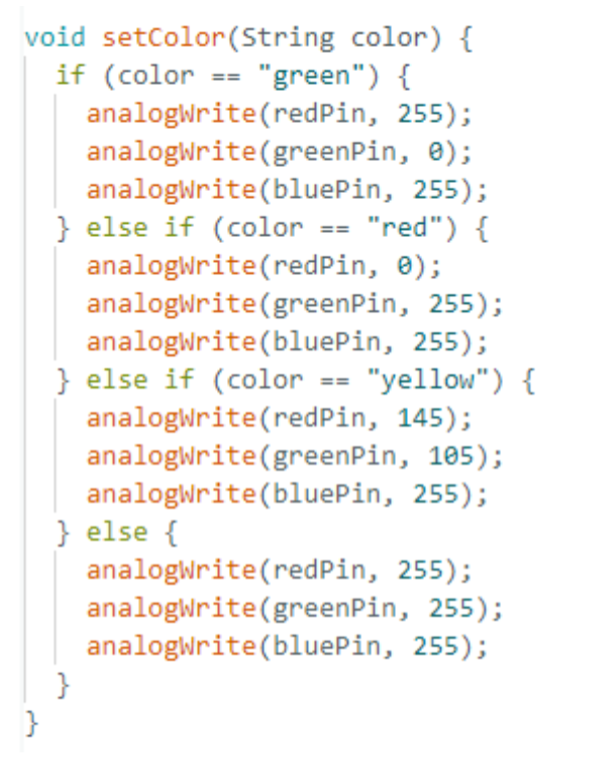
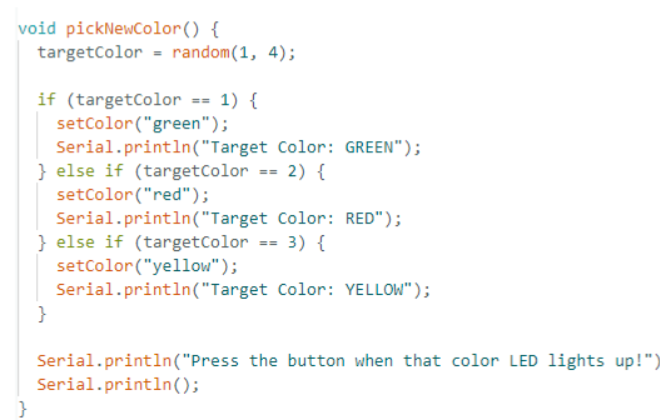
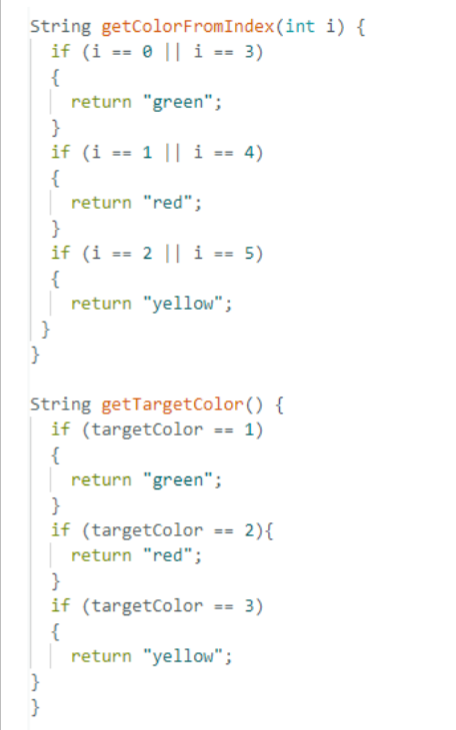
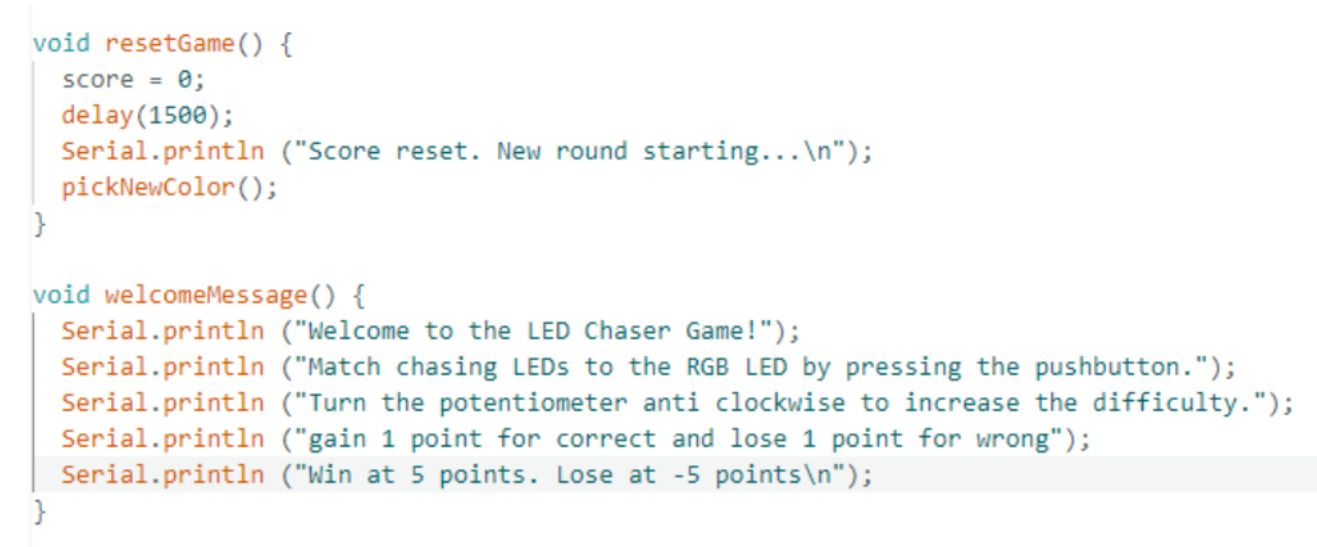
At this point, the physical circuit is all done. Now, all that's left is to upload the code and start playing the game!