How to Transfer Contacts From IPhone to Android
by Paric_ in Design > Software
91 Views, 0 Favorites, 0 Comments
How to Transfer Contacts From IPhone to Android
As the Samsung’s impressive Galaxy S8 and Note 8 hit the market, some of you may see a good opportunity to switch from iOS to Android. This makes the transfer of private data, especially Contacts. How to go from iPhone to Android without losing the contacts ? Here I would like to introduce an excellent tool -- Jihosoft Phone Transfer.
Launch Jihosoft Phone Transfer
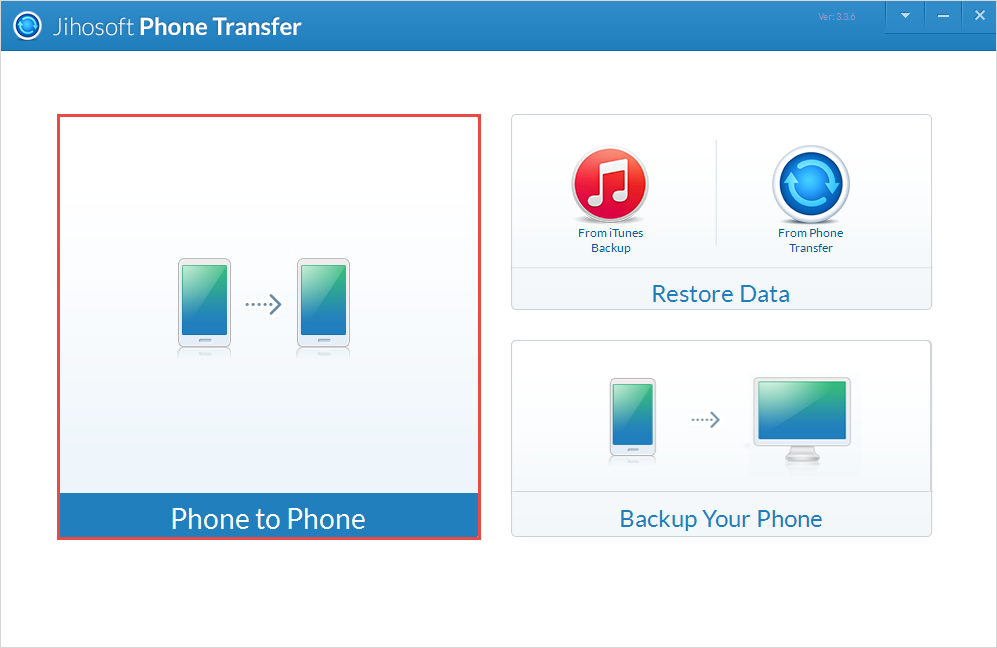
After download and install Jihosoft Phone Transfer, double click the icon on desktop to run it. Then you will see its user-friendly interface, and please click "Phone to Phone" button.
Connect Your IPhone and Android Phone to Computer

Connect the iPhone and Android phone to your computer via well-functioned USB cables. After the two devices are identified, please set the iPhone as "Source" and the Android as "Destination" by "Flip" option.
Note: To insure your devices can be recognized, please install the latest version of iTunes and enable "USB debugging" on the Android phone.
Select What You Want to Transfer
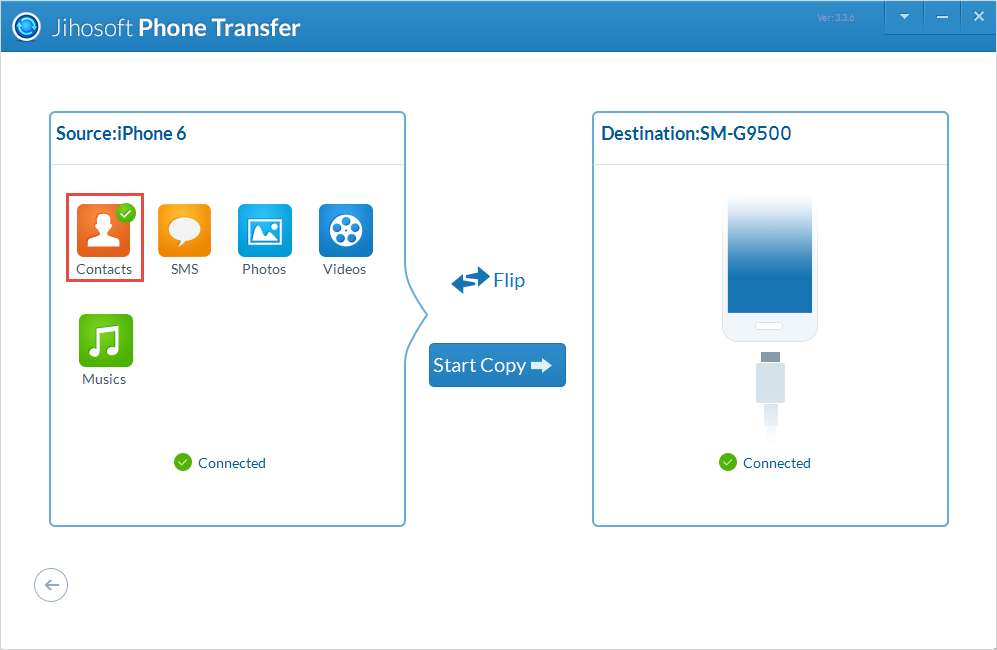
When your devices get identified, all the data will be listed out by type in the source panel. Mark the icon of contacts or any other data you want (SMS, Call Logs, Photos, Videos and more).
Transfer Your Contacts
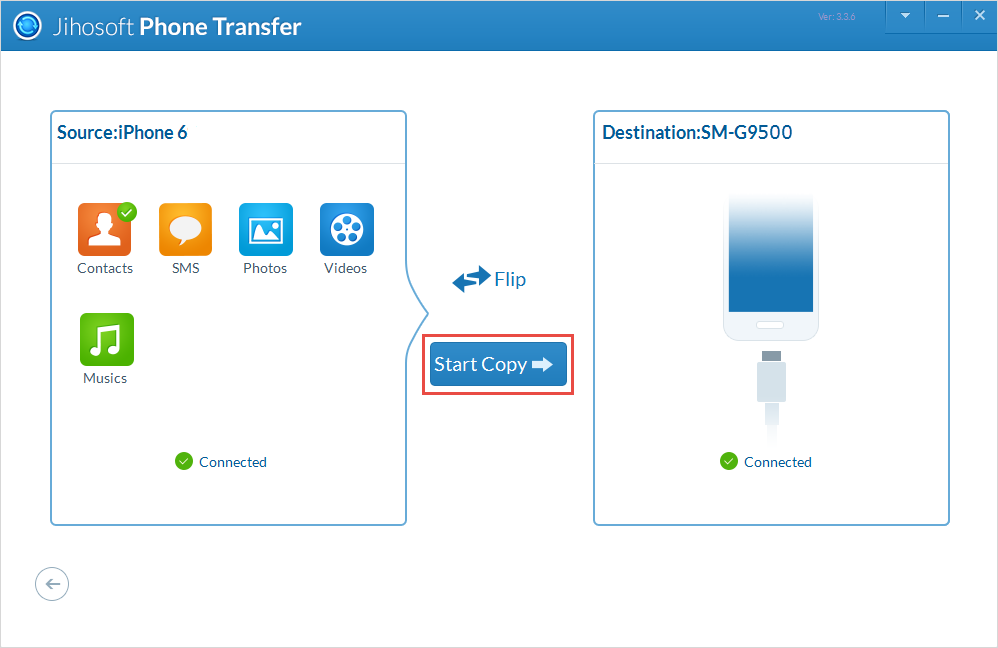
Once the data type is determined, tap on the "Start Copy". Then this software will transfer the contacts from iPhone to your Android phone automatically. After the transfer process is accomplished, which may last for few minutes, you can check it on the Android.
Note:
1. Download Jihosoft Phone Transfer here: http://www.jihosoft.com/mobile/phone-transfer.html...
2. How to Enable USB Debugging on Android: http://www.jihosoft.com/android-recovery/how-to-en...
3. Other simple to transfer iPhone contacts to Android: http://www.jihosoft.com/phone-transfer/transfer-co...