How to Build a Pc

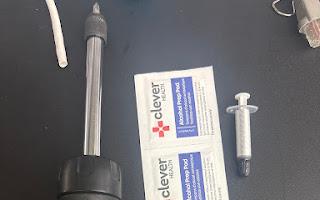
This is a Desktop otherwise known as a PC which can be used for various things and today i will take out several parts out and rebuild the computer with parts such as power supply,ram,cpu,graphics card, hard drive,cable management,fans,post/bios/boot, motherboard
Supplies
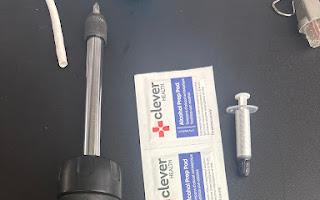
To do this you will need only a small set of tools such as a anti static wristband and mat, a Phillips head screwdriver, some isopropyl alcohol and thermal paste
Case
Theres four screws(case screws) with no tools needed besides hands and they are usually hand tight take these off in order to access the case by sliding the face of pc back and setting it to the side
Power Supply
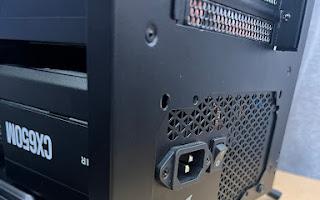
Put the PC upright Place the power supply in the inside the open slot then keep the wires in hand and set them aside then push the power supply into the slot while screwing in the 4 screws then make sure it fits tight.The power supply is a piece for the computer that powers and coverts the voltage for the pc
CPU
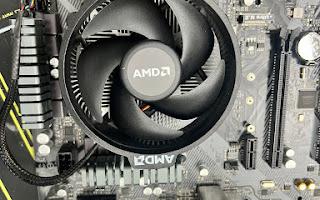
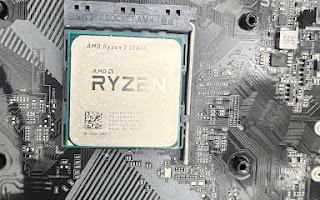
Place the cpu on the pins if land grind place cpu onto socket with pins is pin grid place the cpu with the pins into the small slots and make it sure falls into place dont push it be gentle after use a pea sized dot of thermal paste and place the fan on top of the cpu and screw the fan into the four screw holes.The cpu is known as the brain of the computer and process many things when using one
Motherboard

Place the motherboard on top of the standoff holes and slide the USB, audio ports, VGA ETC make sure its in place then screw in each standoff screw after its tight after the slots are in place the bios shield over it. The motherboard connects the compenents and allows them to communicate.
RAM
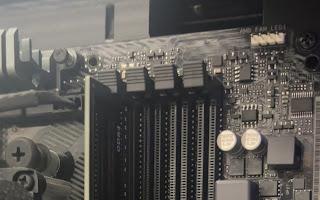
Place the ram stick on top of the slot making sure the tab on the back of the slot is pulled then push firmly down with it evenly place until you feel or hear a click if there is more than one stick repeat the same process over dont push down to hard and make sure its the correct type of ram.Ram is a memory stick used for short term memory for example tabs on your browser.
Graphics Card
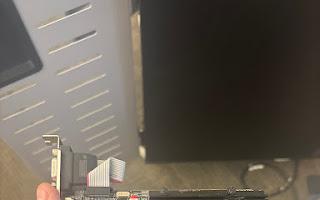
Pull the graphics card tab back and keep the graphics card in line with the slot then press semi firm you may hear or feel a click and this is a indicator of it being in place.The graphics card helps assist the cpu and is a main components for displaying clear and nice looking pictures on your screen
Fans and Other Cables
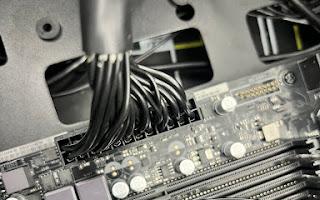
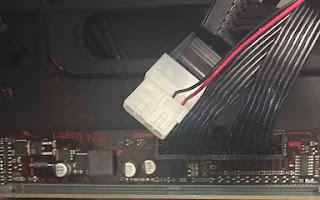
put the fans in the computer and screw them in then put the plug into the motherboard make sure any two of the fans are not pointing at each other make sure the front panel connectors are in the correct order and slide the usb ports into place then plug the 20/24 pin connector and the 4/8 are in place. The 4/8 pin is for cpu power and the 20/24 is for power to pci express slots and the fans are meant to cool the pc
Hard Drive/Optical Drive
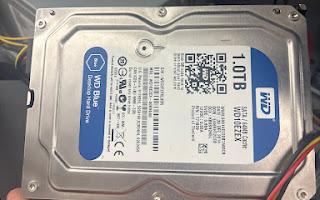
Slide the drive into the bay then secure with screws after connect the sata cable to the motherboard then connect the power cable to the drive make its all in place then use the small black tightener to keep the drive in place.The hard drive is to store long term memory and keep the memory there even when computer is off
Post/bios

Plug the computer into a wall outlet with a generic black cord then plug either a HDMI or VGA port into a monitor and connect it to the PC after you power on the PC you can either pull up bios or click F-2 F-8 F-12 to boot the computer if beeping noise occur listen to the code and research it and the code will tell you if its ram or another component.