🧠 DIY Connected Weather Station With Sensors & Amazon Alexa | Step-by-Step IoT Smart Weather Project
by TylerDDDD in Circuits > Arduino
456 Views, 1 Favorites, 0 Comments
🧠 DIY Connected Weather Station With Sensors & Amazon Alexa | Step-by-Step IoT Smart Weather Project
Build your own connected weather station with real-time sensors and Amazon Alexa integration — perfect for makers, DIYers, and IoT enthusiasts!
This step-by-step tutorial guides you through selecting and wiring temperature, humidity, and pressure sensors, connecting them to a microcontroller, and sending weather data to the cloud.
You’ll also learn how to link your weather station with Amazon Alexa so you can ask for current conditions and get voice-reported updates. Whether you’re building this for your home, garden, or weather-monitoring hobby, you’ll find clear instructions, wiring diagrams, configuration tips, and programming examples. N
o matter your skill level, this comprehensive guide helps you create a smart weather station that records data, visualizes results online, and interacts with Alexa for hands-free weather reports.
Supplies

I used those supplies (please note that Amazon Associates links are used below) :
- 3D printer.. or ask a friend or your school !!
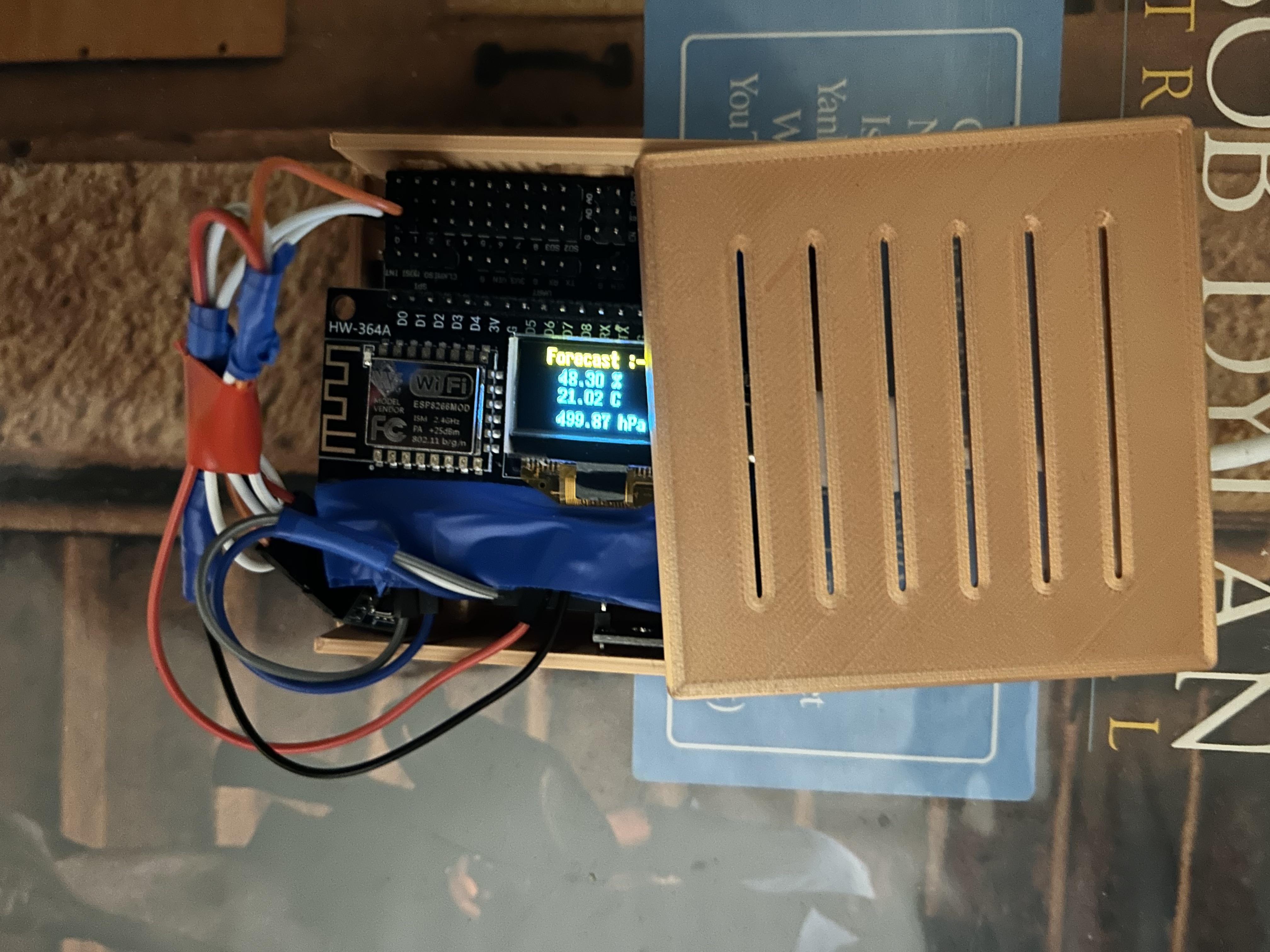
- ESP8266 with OLED display
- One breakout board for the ESP8266
- BMP180 sensor for pressure
- DHT sensor for temperature and humidity
- Cables : multicolor Dupont wires
- One small breadboard
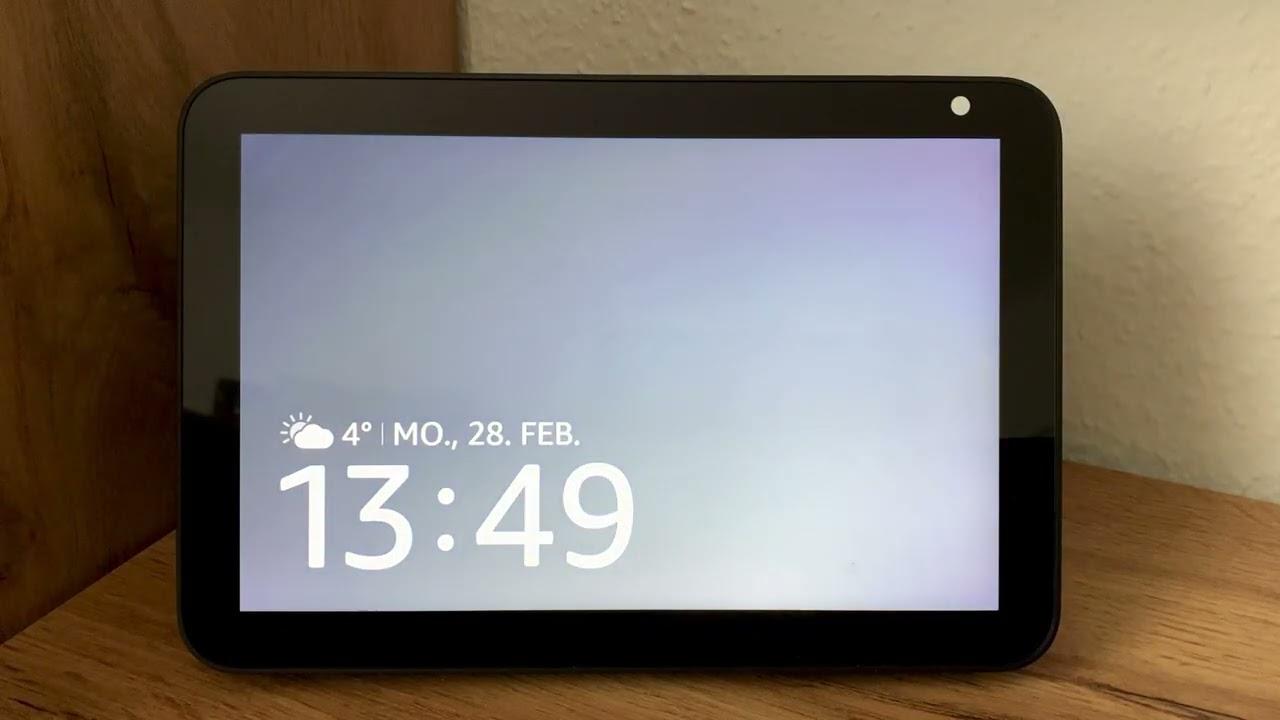
- Optional, Amazon Alexa Echo Show
Explanations :
The ESP8266 is a low-cost Wi-Fi microchip that enables internet connectivity for IoT projects. The OLED display is a small, low-power screen that shows visual data, often used for displaying sensor readings in real-time.
The DHT sensor is a digital temperature and humidity sensor that provides reliable readings of both parameters.
The BMP180 is a barometric pressure sensor that measures atmospheric pressure, temperature, and altitude with high accuracy. Both sensors are widely used in weather stations and environmental monitoring projects.
Amazon Alexa Echo Show is a smart display that integrates with Alexa, providing voice-controlled interactions and the ability to show information, stream videos, and control smart devices.
ESP8266 vs ESP32 – Which One Should You Choose?
ESP8266 :
- cheaper
- no bluetooth
- beginners
ESP32 :
- slightly more expensive
- bluetooth
- advanced projects
🪛 Setup the Hardware

Connect the components :
- BMP180 pressure sensor :
- VIN to the 3,7 volt of the Arduino
- GND to the GND of the Arduino
- SDA to GPIO 4 (= pin D2)
- SCL to GPIO 5(= pin D2)
- DHT temperature and humidity sensor :
- VIN to the 3,7 volt of the Arduino
- GND to the GND of the Arduino
- SDA to GPIO 16 (= pin D0, on the schema is the green cable, is connected to D0 and not D3)
Connect the ESP8266 with an USB cable to your laptop.. cross your fingers ;)
🚀 Setting Up ThingSpeak for Capturing Weather Station Data


Steps :
- Create a ThingSpeak Account: Sign up at ThingSpeak and log in.
- Create a New Channel: Go to Channels > My Channels > New Channel. Add fields for temperature, pressure, and humidity, then save.
- Get API Key: Open the channel, navigate to the API Keys tab, and copy the Write API Key.
- Configure Data Sending: In your ESP8266 code, use the API key to send sensor data to the channel using HTTP requests. This part is done already in the .ino file. You only need to update the API Key value in the .ino.
- View Data: Check the Private View tab in your channel to see live updates from your weather station.
🧠 Configure Arduino Cloud for Receiving Data From the ESP8266

Steps :
- Create an account on Arduino Cloud and navigate to the Things section.
- Click Add Thing, name your project, and associate your ESP8266 device. Follow the prompts to generate the necessary device credentials.
- Add three variables: Temperature (float), Pressure (float), and Humidity (float). Make them Read & Write for bidirectional communication.
- Link your variables to your Thing and generate the code. This will auto-configure the MQTT connection and variable synchronization.
- Upload the generated code to your ESP8266, modify it to read sensor data, and send values to Arduino Cloud.
Alternative to last step : use the thingsProperties.h file from the step 4 below.
⚡ Load the Arduino Code

Steps :
- Download the files from GitHub : LINK
- Using the Arduino IDE, open the file thingsProperties.h. (note : or use the one generated from last step)
- Enter your own values for the constants :
- DEVICE_LOGIN_NAME : Arduino Cloud device login name
- SSID[] : WIFI network SSID
- PASS[] : WIFI network password
- DEVICE_KEY[] : Arduino Cloud Secret device password
- Open the file WeatherStation.ino :
- Enter your own values for the constants :
- THINGSPEAK_API_KEY : ThingsSpeak API key
Upload the code to the Arduino Board.
Refer to any existing documentation on internet if needed :)
🔗 Set Up Arduino Cloud and Alexa for a Temperature Skill
Steps :
- Check the Arduino Cloud Thing: Log in to Arduino Cloud and check that a Thing is created. At least you need to have added a variable for temperature (e.g., temperature, type: float, read-only).
- Link Your Device: Configure your ESP8266 or compatible device, ensuring it sends temperature data to Arduino Cloud.
- Enable the Alexa Integration: Go to the "Integrations" section of Arduino Cloud, enable Alexa, and link your Amazon account.
- Discover Devices in Alexa: Ask Alexa to "discover devices," and it will find the temperature variable as part of your Arduino Cloud Thing.
- Use the Alexa Skill: Ask, "Alexa, what's the temperature?" to retrieve the value from your Arduino Cloud setup.
This simple setup connects Arduino Cloud and Alexa seamlessly!
🚀 Next Steps & Upgrade Ideas
Now that your smart Alexa weather station is up and running, here are several powerful upgrades to take your project to the next level.
These improvements will increase accuracy, autonomy, and smart home integration.
☀️ 1. Make It Solar Powered
Turn your project into a fully autonomous outdoor weather station.
What you’ll need:
- Small 5V solar panel
- 18650 lithium battery
- TP4056 charging module
- Step-up voltage converter
This allows your ESP8266 (or ESP32) to run without a permanent USB connection.
Perfect for garden or balcony installations.
🌧 2. Add a Rain Sensor Module
Want real weather data? Add rainfall detection.
Upgrade with:
- Rain sensor module
- Optional tipping bucket rain gauge
You can then:
- Trigger Alexa alerts (“It just started raining!”)
- Log rainfall data to a cloud dashboard
- Display rain status on your OLED screen
This turns your project into a true smart home weather system.
🌡 3. Improve Sensor Accuracy (Upgrade to BME280 or BME680)
If you're using a basic DHT sensor, consider upgrading.
Why upgrade?
- More accurate readings
- Pressure measurement
- Better long-term stability
For advanced users, the BME680 even measures air quality.
📊 4. Add Cloud Data Trigger
Push your weather data to:
- ThingSpeak (done!)
- Arduino Cloud (done!)
- MQTT server (new)
This allows: already
- Historical graphs
- Remote monitoring
- Smart home automations
For example:
If humidity > 70% → trigger a smart plug or dehumidifier.
📺 7. Improve Alexa Integration
Instead of basic display:
- Create a custom Alexa Skill
- Add voice commands like:
- “Alexa, ask my weather station for outdoor temperature.”
This dramatically increases the “wow effect” of your project.
🧠 8 Upgrade to ESP32
If you want:
- More processing power
- Bluetooth support
- More GPIO pins
Switch to ESP32 for advanced smart home applications.
🔥 Advanced Version Idea
Combine:
- Solar power
- Rain sensor
- Air quality sensor
- Alexa voice control
- Cloud logging
And you now have a professional-level DIY smart weather system for a fraction of the price of commercial devices.
✅ Conclusion
✅ Conclusion
Building your own Smart Alexa Weather Station with ESP8266 is not only a fun DIY electronics project — it’s also a powerful step into the world of smart home automation.
With just a few affordable components, you now have:
- 🌡 Real-time temperature, humidity, and pressure monitoring
- 📡 WiFi connectivity
- 📺 Live display on your Alexa Echo Show
- 🧠 A fully customizable smart home sensor
Unlike commercial weather stations, this system is:
- More flexible
- Upgradeable
- Fully under your control
- Much more affordable
And the best part?
You can keep improving it.
🚀 What You Learned
By completing this project, you now understand:
- How to use ESP8266 for IoT projects
- How to connect sensors to a microcontroller
- How to send data over WiFi
- How to integrate a DIY device with Alexa
- The basics of smart home automation
That’s a huge step toward more advanced IoT builds.
💬 I’d Love Your Feedback
If this guide helped you:
- Leave a comment
- Share your build photos
- Let me know what upgrades you added
- Ask questions if you get stuck
I’m happy to help!
⭐ If You Found This Useful
Please consider:
- Saving this project
- Following my profile for more smart home DIY builds
- Sharing this guide with other makers
More projects coming soon 🚀
Keywords
DIY Weather Station
Connected Weather Station
IoT Weather Project
Weather Station With Alexa
Smart Weather Station
Step-by-Step Weather Build
Arduino / ESP8266 weather station
Sensors: temperature, humidity, pressure
Cloud data logging
Alexa weather integration
MQTT / Arduino Cloud / ThingSpeak
IoT project tutorial
Real-time weather data
Alexa voice weather report
Home weather monitoring
Wireless sensor station
Weather dashboard