GeoCore: Kids 3D Construction Set
by MarkMakies in Workshop > 3D Printing
51 Views, 1 Favorites, 0 Comments
GeoCore: Kids 3D Construction Set
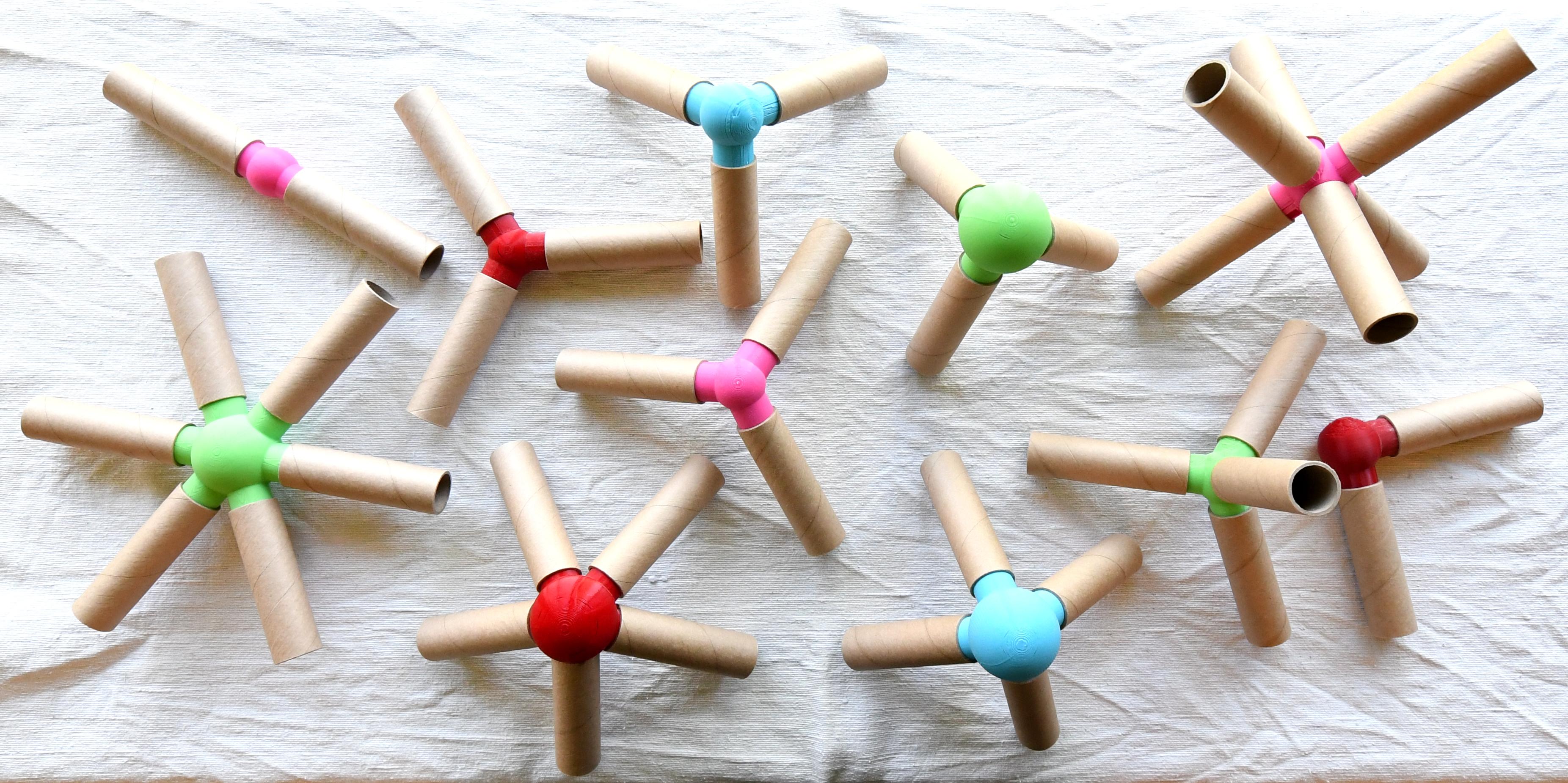
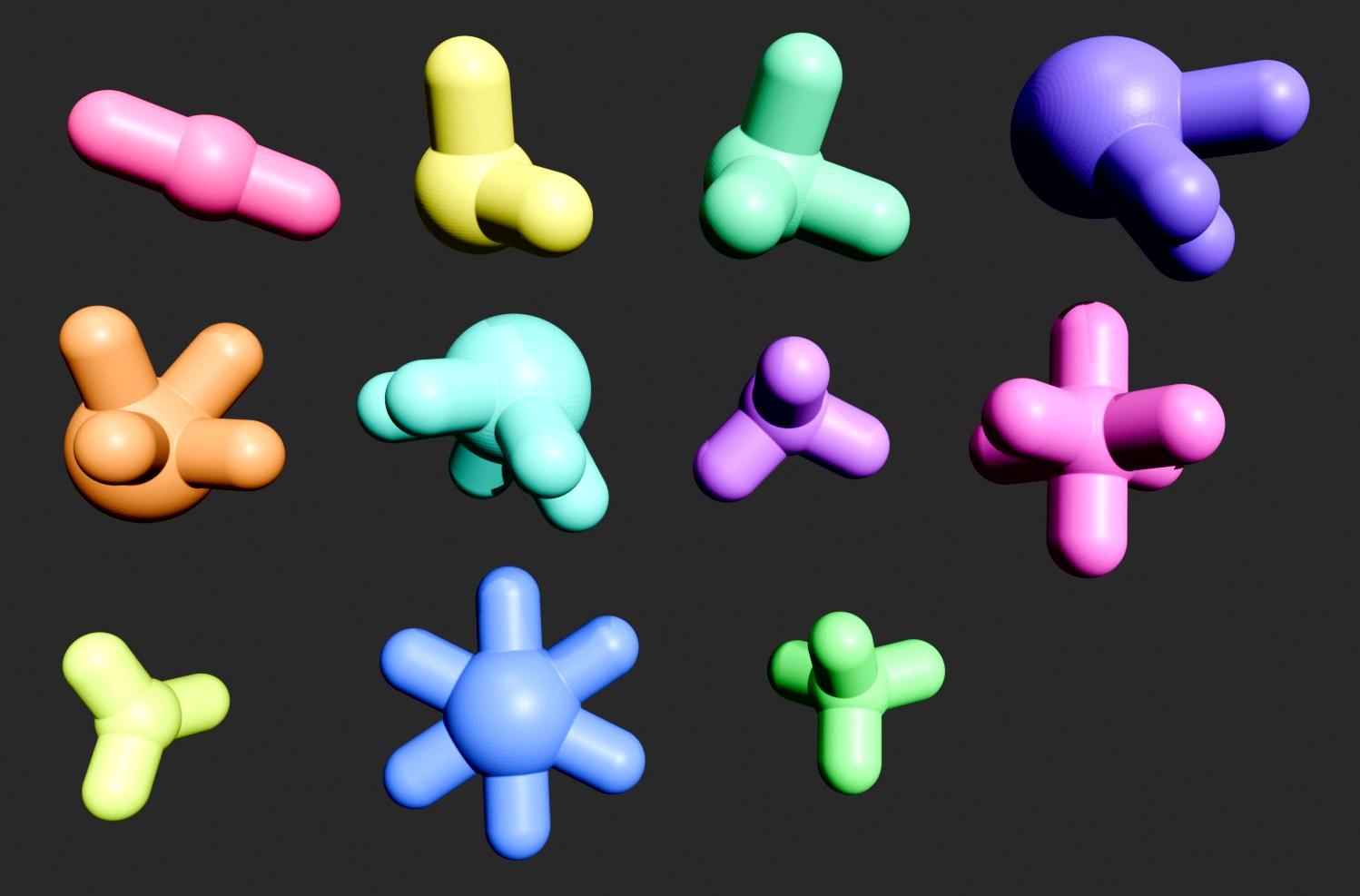
GeoCore started because I ended up with heaps of cardboard cores and I hate throwing anything out. The idea is dead simple: 3D print a set of colourful hub connectors, grab the cores, then snap everything together to build cubes, domes, bridges, geodesic frames, whatever.
This Instructable is not just "here are some STL files for you to print." It is a walk through of how I got AI to do all the hard work. I explain how I can use a large language model like ChatGPT to write the Python code, then run the code which generates mesh files, like STL, that you send to your slicer and printer of choice.
The Python code acts like a factory that produces part files from parameters you set. It takes seconds to spit out a new hub or rod. Just set a distance or angle and you've got a new and unique part file.
If you have been curious about using AI to produce usable 3D designs and not just pretty renders, this is the project for you.
Supplies

Cardboard cores or tubes (RODS)
Mine are 25 mm ID, 30 mm OD, about 102 mm long. Anything similar works as you can always regenerate the hubs for any rod size. I have no idea where they came from, maybe EFTPOS terminals or a cash register.
If you don’t have cardboard cores you can print rods (see later), or use something else like PVC pipe or conduit.
3D printer, slicer, colourful filament
Python
And enough knowledge to be able to edit and run a Python script.
Quick Start
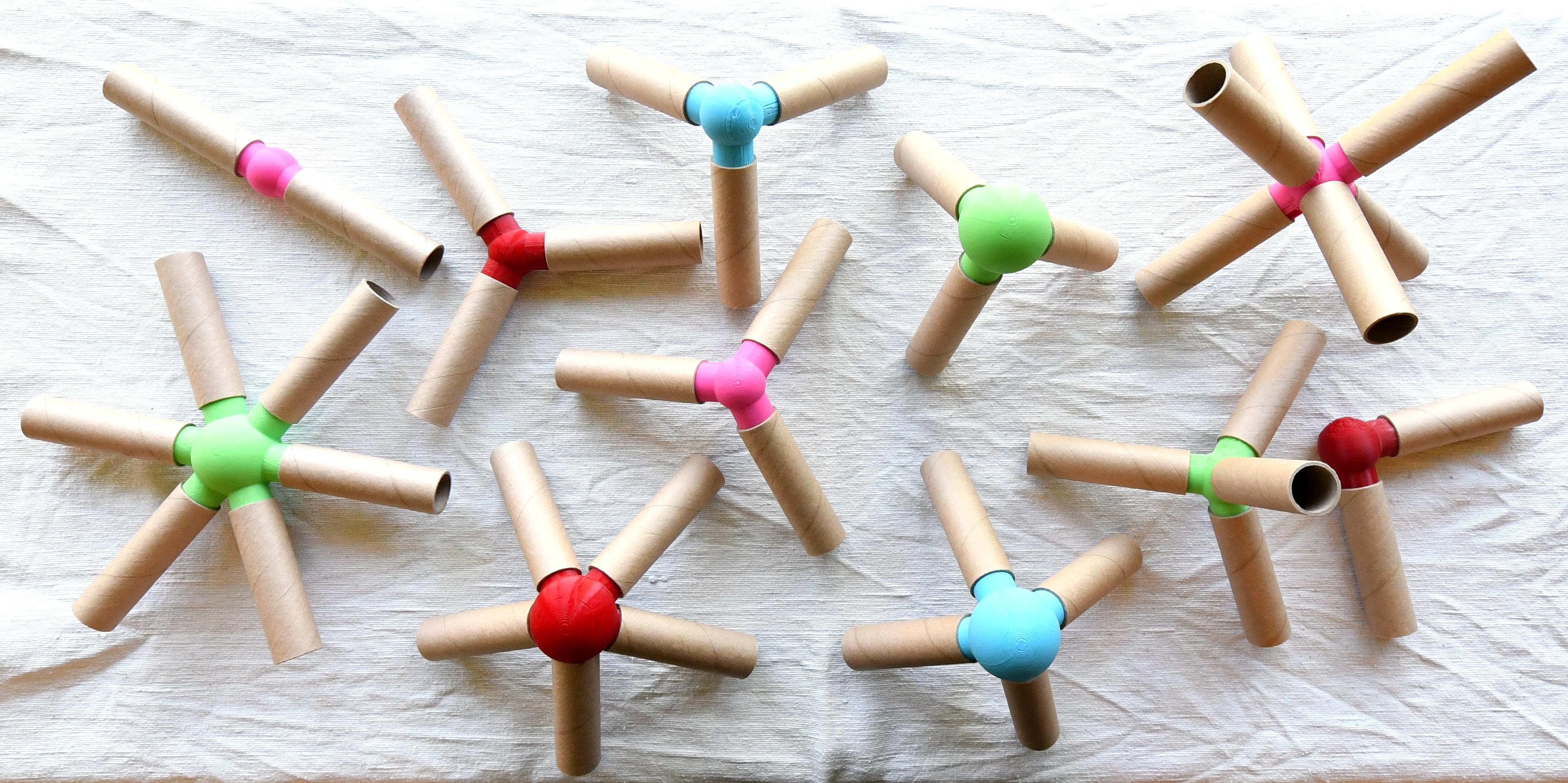
Just want to print some hubs and you already have cardboard cores that are the correct size? Then just print the hubs and you're done. All STL files can be found here. No more steps, just print them and start building.
AI Prompt
To be clear, you don't need to do this step. It's here to show how I started the design. This was my first AI prompt. It took a couple more iterations to fix small errors, but the basic design was solid from the start.
I wanted something quick for the kids and didn't want to get bogged down in maths, geometry, and coding. AI should be able to knock this out fast.
The exact prompt and parameters
And out this came 320 lines of Python code. In essence the script creates parametric, 3D-printable hubs and rods for building wireframe solids and space frames, in STL format.
Download & Run Script
The Python code that was generated by AI is called geocore.py. Download it from GitHub here.
Install CadQuery
Run the script to generate the parts
If all went well this will generate 11 hubs and 4 rods as STL files in ./stl/.
Hubs
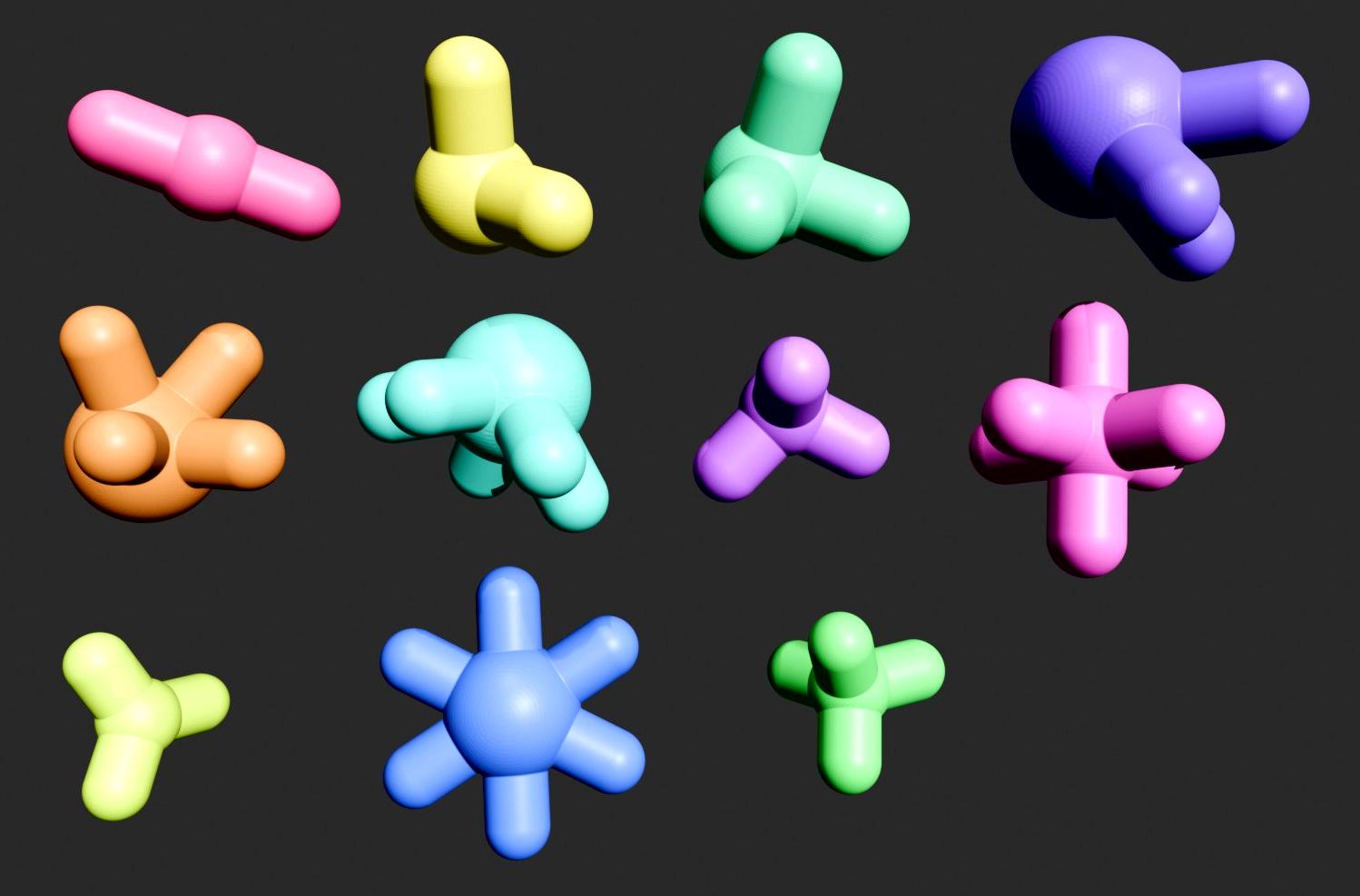
(Hubs arranged in order, top-left to bottom-right.)
1. straight_2.stl — Inline Coupler (top 1, pink)
Connects two cores end-to-end in a straight line.
Extend a rod’s length to build long beams and spans.
2. elbow_90_2.stl — Right-Angle Elbow (top 2, yellow)
Joins two cores at a 90° angle.
Useful for corners, mazes, or rectangular frames.
3. corner_cube_3.stl — 3-Way Orthogonal Corner (top 3, green)
Connectors in the +X, +Y, and +Z directions.
Build cubes, boxes, and scaffolds.
4. tetra_3.stl — 3-Way ~60° Connector (top 4)
Three pegs meet at tetrahedral angles (≈60°).
Create tetrahedra, triangular lattices, or trusses.
5. octa_4.stl — 4-Way Orthogonal Pair Connector (mid 1, orange)
Four pegs arranged in perpendicular pairs.
Build octahedra, space frames, or octet-truss modules.
6. icosa_5.stl — 5-Way Icosahedral Vertex (mid 2, teal)
Five pegs radiate evenly from the center at about 63.43° between each.
Assemble domes, geodesic spheres, and high-strength frameworks.
7. dodeca_3.stl — 3-Way (Dodeca) (mid 3, light purple)
Three pegs meet at 108°, the golden-ratio angle of pentagons.
Construct pentagons, decagons, and φ-based geometries.
8. cubic_6.stl — 6-Way Cartesian Connector (center, blue)
Six pegs aligned along ±X, ±Y, ±Z axes.
Build voxel grids, towers, bridges, and frame structures.
9. trigonal_planar_3.stl — 3-Way Planar (bottom 1, yellow-green)
Three pegs in a single plane, equally spaced at 120°.
Use for hexagonal or triangular tiling patterns and Y-junctions.
10. hex_planar_6.stl — 6-Way Planar (bottom 2, blue)
Six coplanar pegs forming a hexagon (60° spacing).
Use to create honeycomb sheets or dense triangular meshes.
11. tetrahedral_4.stl — 4-Way Regular Tetrahedral (bottom 3, green)
Four pegs arranged at 109.47°, matching tetrahedral geometry.
Used for diamond-like lattices, rigid trusses, or alternating with octa_4 for octet structures.
Custom Hubs
Unless you've got exactly the same size rods as mine, you'll need to create custom sizes - easy.
There are 11 different hub types. Each hub offers a distinct set of connection directions and angles, (planar, orthogonal, and the tetrahedral/octahedral/icosahedral families) so builders have the specific joints needed to assemble squares, triangles, pentagons, 3D lattices, and geodesic structures accurately.
Each hub is a sphere with several pegs that press-fit into the cores.
The sphere size is calculated from the smallest angle between any two pegs so they don’t collide, while keeping a safe wall thickness. Nodes with 60° separations (e.g., tetra_3, octa_4, icosa_5) need larger spheres.
Fit and appearance are controlled by only a few parameters.
To force a uniform hub size, change BALL_R_OVERRIDE from None to 2.0 * plug_r + safety.
Then run the script again to generate a new set of hubs.
You may need to adjust clearances depending on your printer and materials.
Note that I've only tested parameters that match my particular cardboard cores.
3D Print
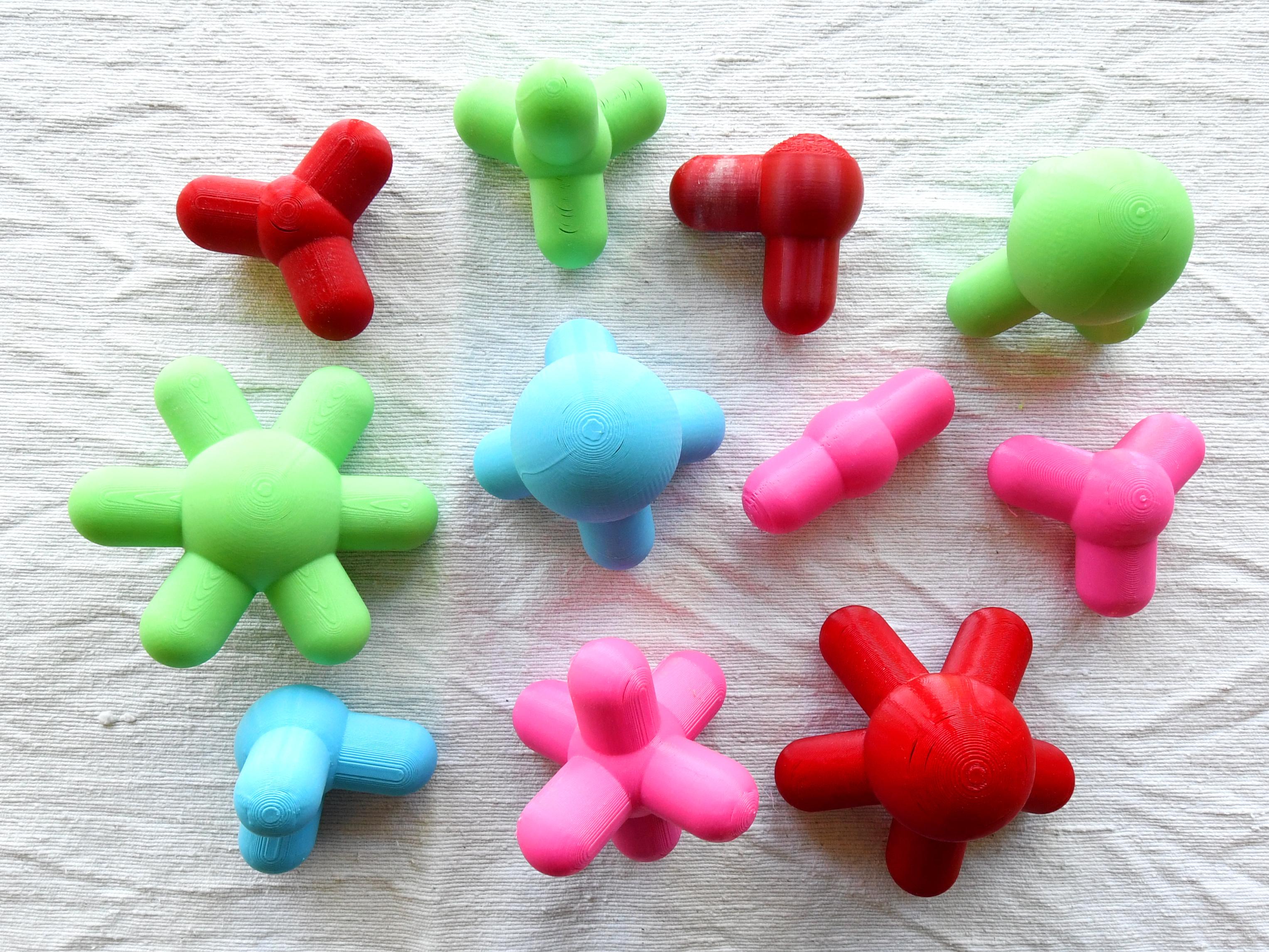
I used SuperSlicer and a Prusa i3 MK3S+ with random PLA filaments I had lying around. I printed in draft quality.
Rods

I started with a box of cardboard cores. They are 102 mm long, with an inner diameter of 25 mm and outer diameter of 30 mm.
Ideally, we need a few different lengths. Initially, I didn’t plan to use multiple lengths, but they are essential to create all the different shapes.
- √2 for square diagonals: In a square with side length L, the diagonal measures L·√2, so a √2·L rod fits perfectly across a square’s corner-to-corner span.
- φ for pentagon diagonals: In a regular pentagon with side length L, the long diagonal is φ·L (golden ratio), so a φ·L rod matches that vertex-to-vertex distance.
- 2× for larger models: A 2·L rod simply doubles the base length to scale up spans and frames while keeping proportions consistent.
So if the base size is 102 mm:
- L = 102 mm
- √2 · L ≈ 144 mm
- φ · L ≈ 165 mm
- 2L = 204 mm
Rod factories are included in the script and STL files as well.
Or if you have alternative rods that you can cut to size - perfect.
Build Things
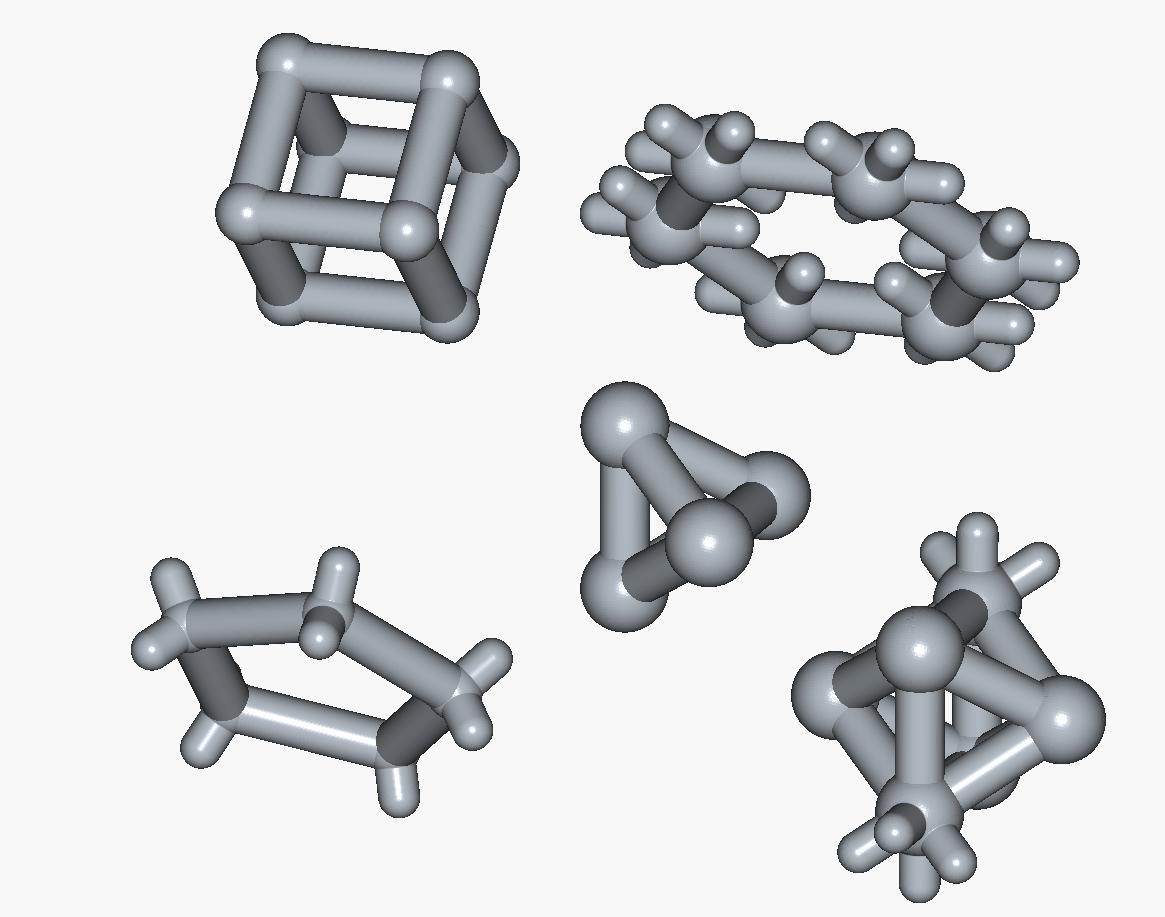
The pics above show some of the 3D wireframe ideas that ChatGPT 5 came up with as example builds. They’re only a starting point. Once you’ve got a pile of hubs and rods you can build cubes, domes, bridges, geodesic frames, and all sorts of weird structures that weren’t planned at all.