Door Security System Using RFID Scanner Tutorial
by 974817 in Circuits > Arduino
45 Views, 2 Favorites, 0 Comments
Door Security System Using RFID Scanner Tutorial
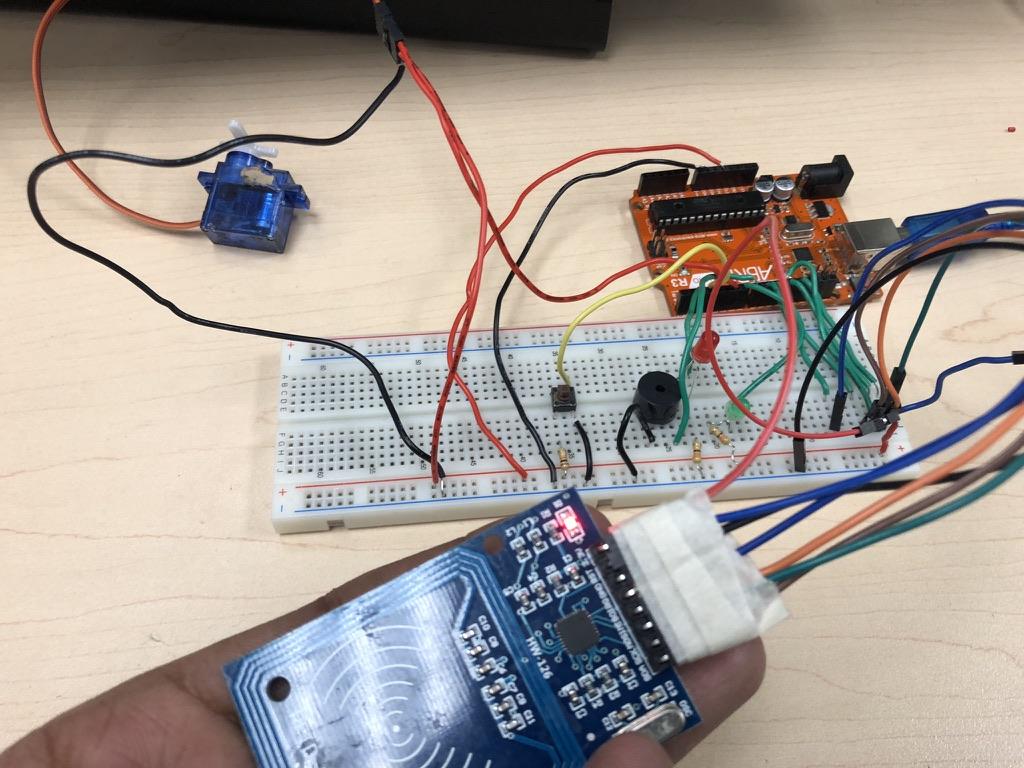
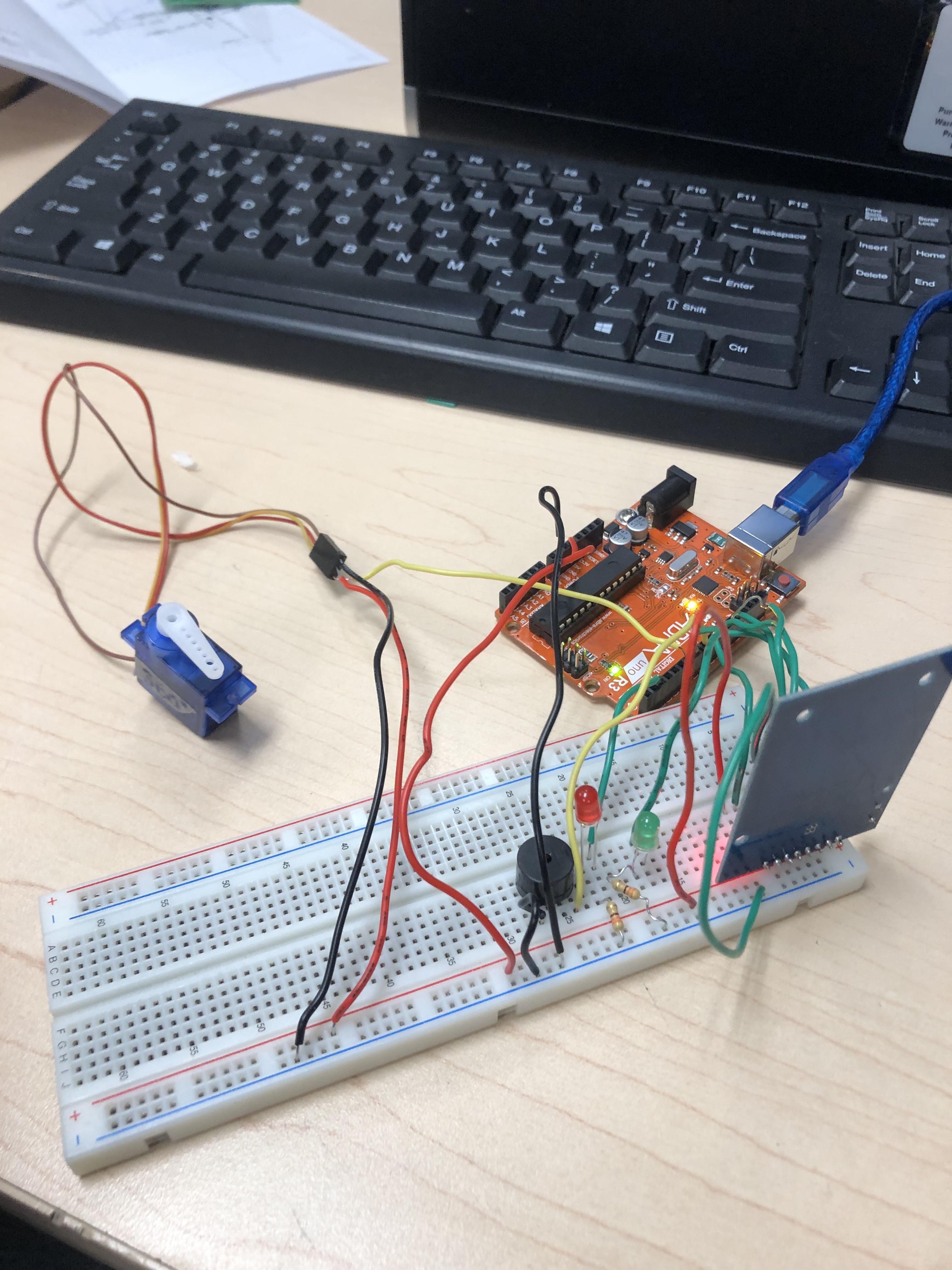
This is a step by step guide on how to make a functioning security system that will either open the door or sound the alarms depending on the keycard being used. This circuit uses key things like the RFID scanner, servo, LCD screen and LEDs/Buzzers.
Supplies
List of required supplies:
- RFID scanner
- Servo
- Green LED
- Red LED
- Buzzer
- Push Button
- Resistors
- Wires
- LCD Screen
- Arduino
Connecting RFID Scanner
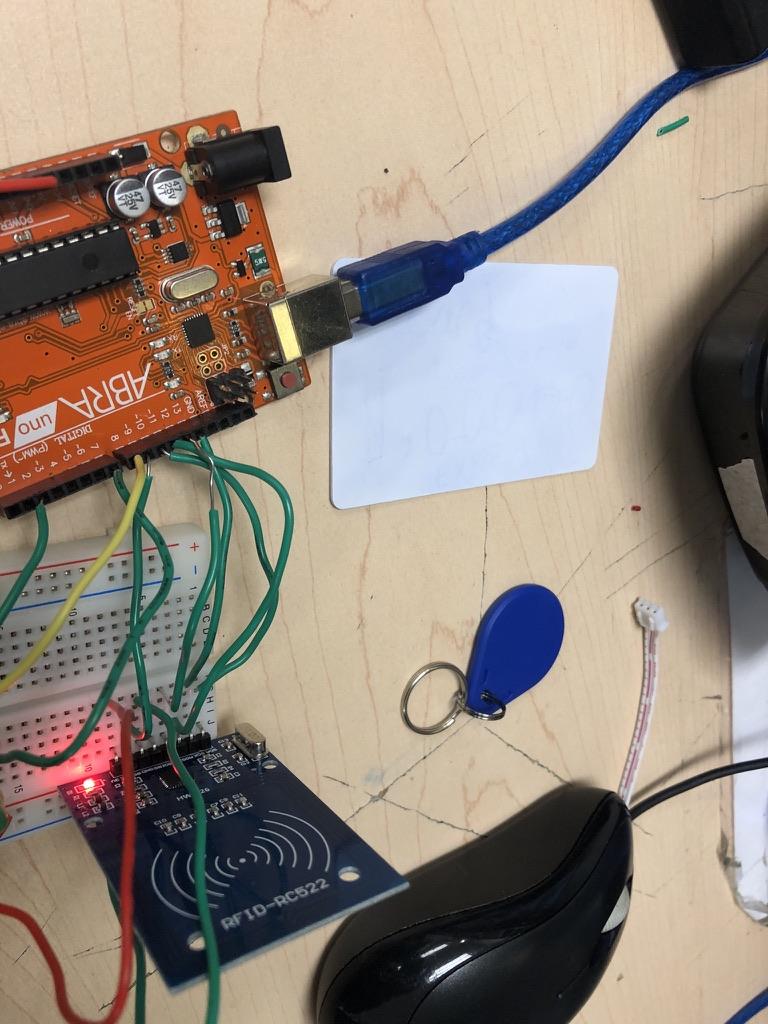
First step, Prepare the needed supplies and start with the breadboard placed and connected to the power and ground of the Arduino. Then, the next step is to properly wire the RFID scanner with either male female wires, or directly connect the scanner to the board and just connect it to the Arduino through there. Make sure to check if the wiring is properly in the right pins of the Arduino. Once you have finished the wiring, You can test if its working if you like, by using a simple sample code that will test if the scanner is working by printing on the output of the scanner. Make sure to use the right library for the RFID scanner to ensure the code will work properly
Connecting Other Components

The next step is adding in the other components. First, start off by getting the 2 LEDs, one green and one red and plug them into the breadboard, with the negative legs of the LEDs connecting to a 330 resistor that connects to the ground rail of the breadboard. Next connect the positive legs of the LEDs and a wire on the same rails and connect the wire of the red LED into the 2nd pin and green to the 7th pin. once you finished this step, you can optionally start adding to the sample code so that it will turn the green light on for the correct keycard and the red if it's not the correct one, which is also a great way to check if the components are working properly. Then you will add a buzzer to play sounds for the opening or the alarms. Simply connect the negative leg of the buzzer to the ground rail and the positive to the 8th pin of the Arduino. Finally add a push button with a 10k resistor, positive wire and a wire that connects to the 3rd pin on the Arduino. This button will be there to act as the reseter when the wrong keycard is scanned, basically stoping the looping alarm sound.
Connecting Servo and LCD Screen
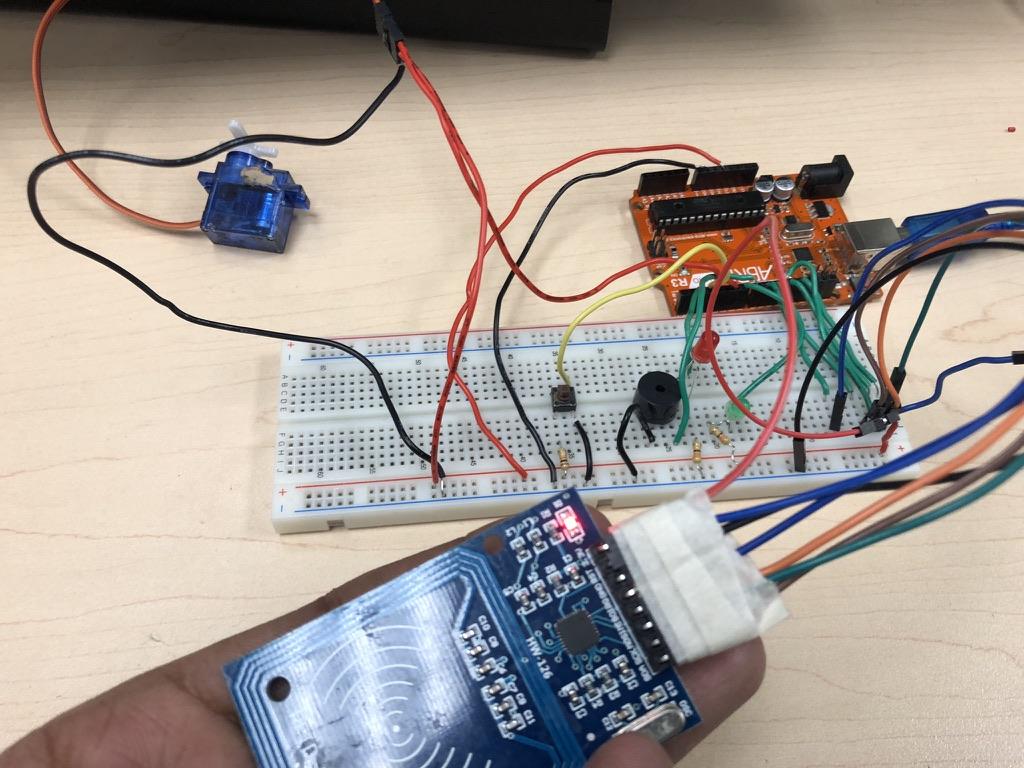
Now, once you have finished setting up those other components, finish it off with the servo and LCD screen, either 180 or 360 degrees servo work, but require slight code changes for each one. Attach the positive, negative and Arduino wires to the servo and connect the wire to pin 6. Then take the LCD screen and connect the SCL leg to A5 and SDA leg to A4 on the Arduino, and also connect the power and ground. Once you have finished wiring it, add in the servo operation into the code so that it turns 90 degrees when the correct keycard is open, and to check if it is working properly. if it's continuously turning or some other issue, you might need to adjust the code for the correct servo. Make sure to add the correct library for the LCD screen, then code it so that it can print what ever message you like, and also print for when the door opens, or when the alarms turn on.
Project Explaination
The code for this project should work so that when the correct card is scanned, it will play a function that consists of the authorized sound, green LED on, LCD displaying a message like "Welcome", and the servo rotation to 90s for about 2 seconds, and then reset back to normal. When the incorrect one is scanned, then the code should play the function that will loop a beeping noise on the buzzer, display a message like "Unauthorized", and keep the red led on until the push button is pressed, which will turn of the loop of the alarm. The project can also be attached into a model house, acting as a door by glueing a rectangular piece of cardboard onto the servo. The code used for this tutorial will be attached to this intractable, which you can use to create this project.
Code
#include <Wire.h>
#include <Servo.h>
#include <LiquidCrystal_I2C.h>
#include <SPI.h>
#include <MFRC522.h>
// RFID module pins
#define SS_PIN 10
#define RST_PIN 9
// Create hardware objects
LiquidCrystal_I2C lcd(0x27, 16, 2); // LCD display
Servo doorServo; // Servo motor
MFRC522 myRFID(SS_PIN, RST_PIN); // RFID reader
// Pin assignments
int servoPin = 6; // Servo signal pin
int buttonpin = 3; // Button for alarm reset
int buzzerPin = 8; // Buzzer pin
int pinLED = 2; // Red LED (access denied)
int GLED = 7; // Green LED (access granted)
// Function declarations
void accessGranted();
void accessDenied();
void setup()
{
// Initialize LCD
lcd.init();
lcd.backlight();
lcd.setCursor(0, 0);
lcd.print("Scan your card");
// Attach and stop the servo
doorServo.attach(servoPin);
doorServo.write(90); // 90 stops a continuous servo
// Start serial communication
Serial.begin(9600);
// Start SPI and RFID reader
SPI.begin();
myRFID.PCD_Init();
// Set pin modes
pinMode(pinLED, OUTPUT);
pinMode(GLED, OUTPUT);
pinMode(buzzerPin, OUTPUT);
pinMode(buttonpin, INPUT_PULLUP);
Serial.println("Please scan your RFID card...");
}
void loop()
{
// Wait until a new RFID card is detected
if (!myRFID.PICC_IsNewCardPresent()) return;
// Read the card's UID
if (!myRFID.PICC_ReadCardSerial()) return;
// Store the UID as a readable string
String content = "";
Serial.print("USER ID tag:");
for (byte i = 0; i < myRFID.uid.size; i++)
{
Serial.print(myRFID.uid.uidByte[i] < 0x10 ? " 0" : " ");
Serial.print(myRFID.uid.uidByte[i], HEX);
content.concat(myRFID.uid.uidByte[i] < 0x10 ? " 0" : " ");
content.concat(String(myRFID.uid.uidByte[i], HEX));
}
Serial.println();
content.toUpperCase();
// Check if the scanned card matches the authorized UID
if (content.substring(1) == "84 11 8B 04")
{
accessGranted();
}
else
{
accessDenied();
}
}
// Runs when a valid RFID card is scanned
void accessGranted()
{
Serial.println("Access Granted!");
Serial.println("Welcome.");
// Display access granted message
lcd.clear();
lcd.setCursor(0, 0);
lcd.print("Welcome!");
lcd.setCursor(0, 1);
lcd.print("Access Granted");
// Turn on green LED and play confirmation beep
digitalWrite(GLED, HIGH);
tone(buzzerPin, 1500, 100);
// Open the door
doorServo.write(180);
delay(150);
// Extra confirmation sound
tone(buzzerPin, 1000, 400);
delay(2000);
// Close the door and reset display
doorServo.write(90);
digitalWrite(GLED, LOW);
lcd.clear();
lcd.print("Scan your card");
}
// Runs when an unauthorized RFID card is scanned
void accessDenied()
{
Serial.println("Access Denied!!! ALARM SYSTEM ON");
// Display access denied message
lcd.clear();
lcd.setCursor(0, 0);
lcd.print("ACCESS DENIED");
lcd.setCursor(0, 1);
lcd.print("Unauthorized");
// Turn on red LED
digitalWrite(pinLED, HIGH);
// Sound alarm until button is pressed
while (digitalRead(buttonpin) == HIGH)
{
tone(buzzerPin, 200);
delay(300);
noTone(buzzerPin);
delay(300);
}
// Turn off alarm and reset system
digitalWrite(pinLED, LOW);
lcd.clear();
lcd.print("Scan your card");
}