Designing Fabric Portaits/quilts Using Photoshop
by dulciquilt in Craft > Sewing
23219 Views, 45 Favorites, 0 Comments
Designing Fabric Portaits/quilts Using Photoshop
I saw some quilts that looked like photographs and was fascinated with the concept. I did some searching online as well as purchased a book and ended up combining ideas for my own use. I decided to document the steps I used for a small wall hanging so other could see how easy it actually is.
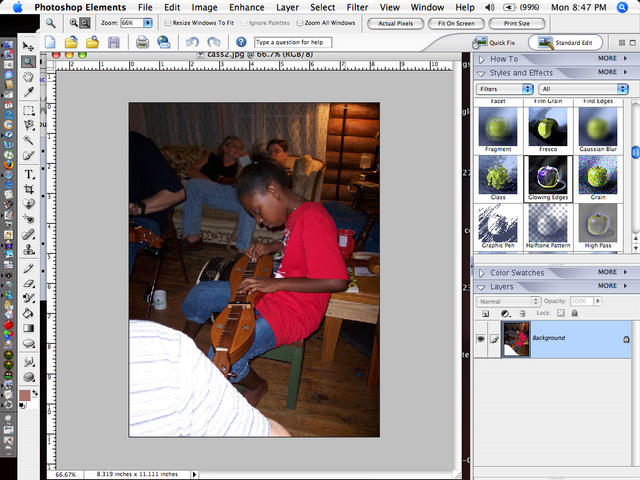
This is the original photo
This is the original photo
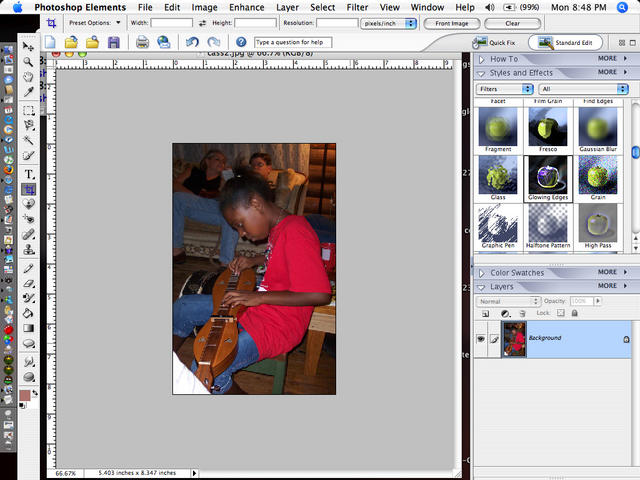
Crop the Photo
I used the cropping tool to get the composition I like.
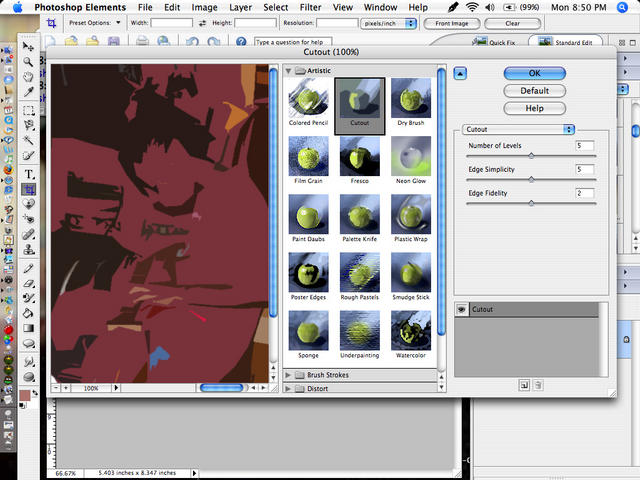
Filter/cutout
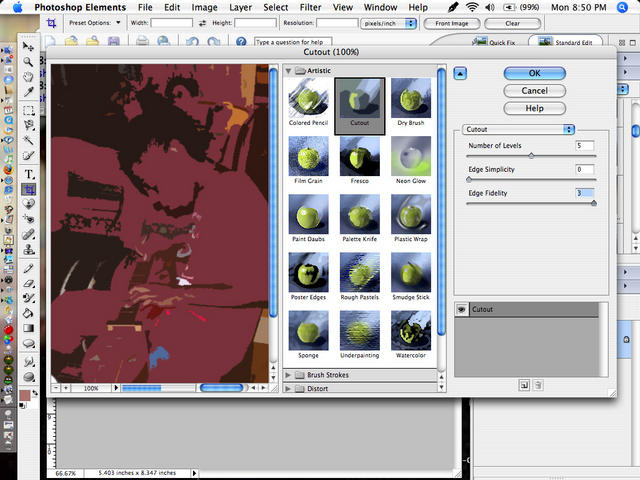
Here I clicked on Filter/cutout and this is the first rendition
Move the Edges Slider
Moving the edges slider all the way to the left defines the shapes.
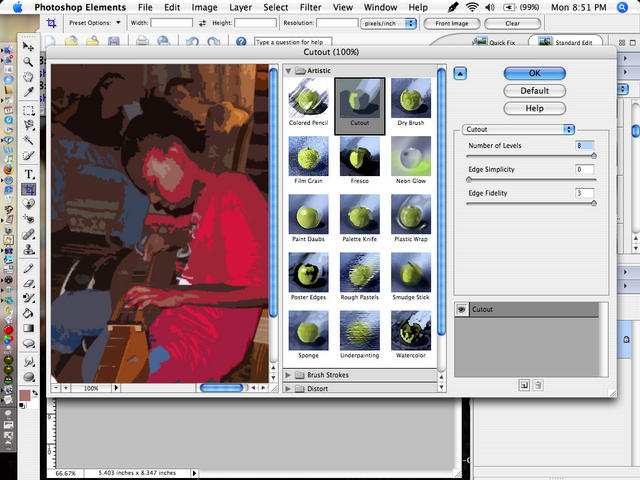
Move the Levels Slider
moving the levels all the way to the right gives a very stylized picture. this can work, but I still prefer poster edges as shown in following pictures.
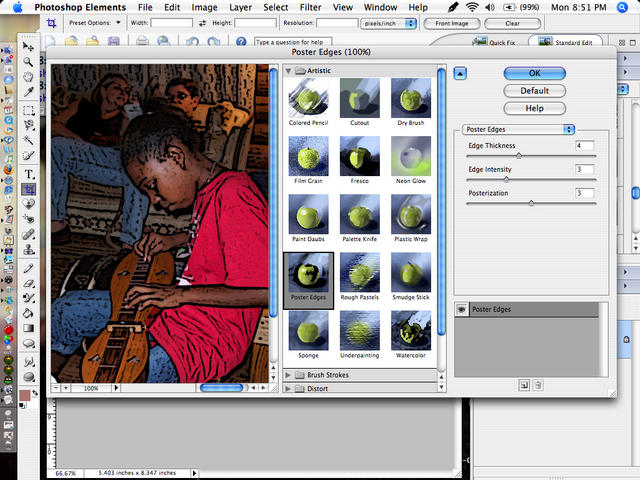
Filter/poster Edges
This is the first result you get when you click on filter/poster edges
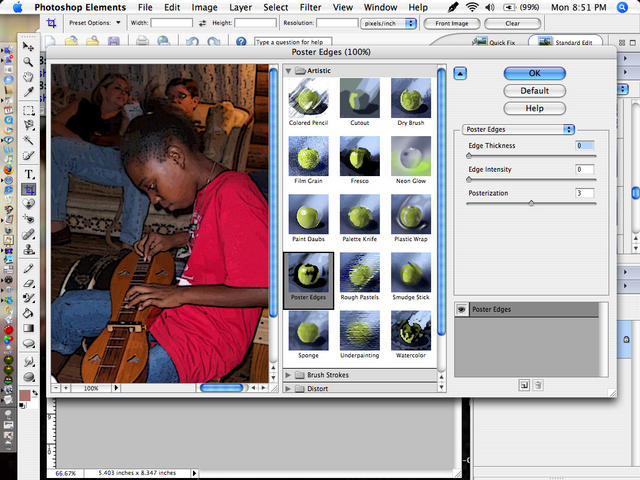
Move Edge Slider
Remove the poster edges by moving edge levers all the way to the left.
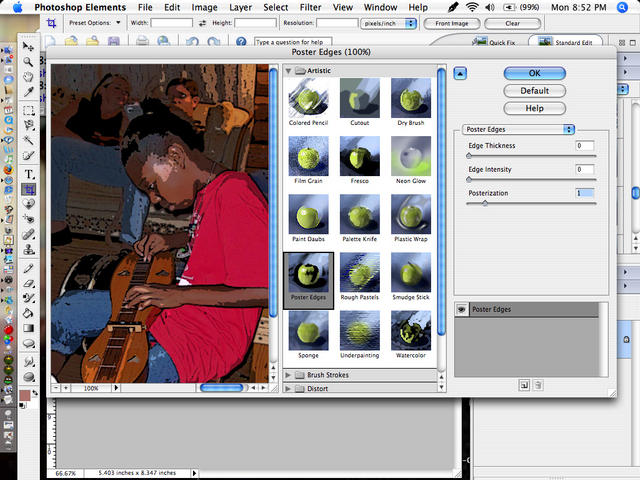
Posterize Level 1
Posterization level 1
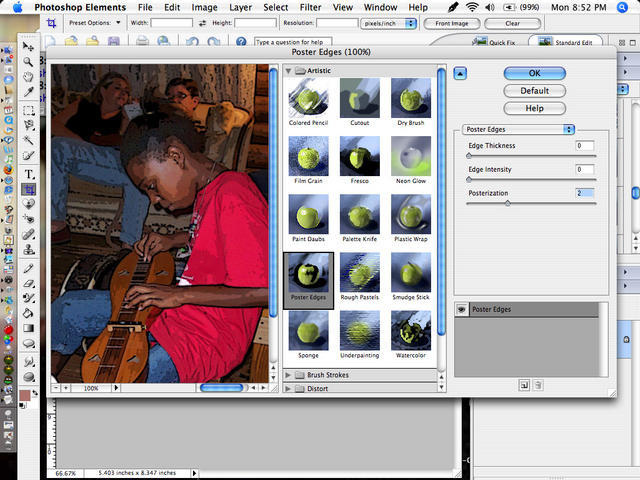
Poster Level 2
level 2
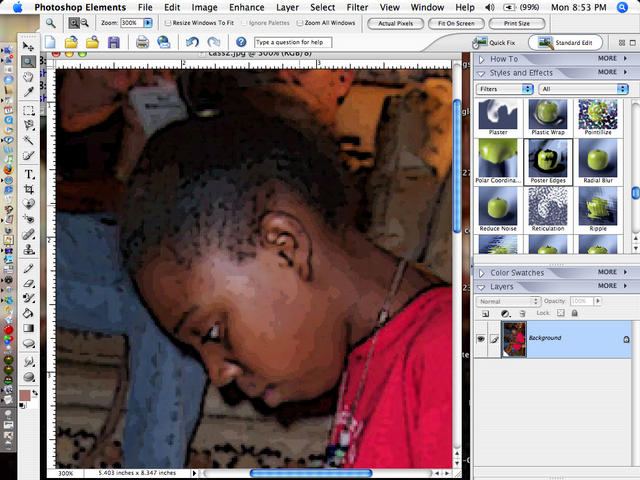
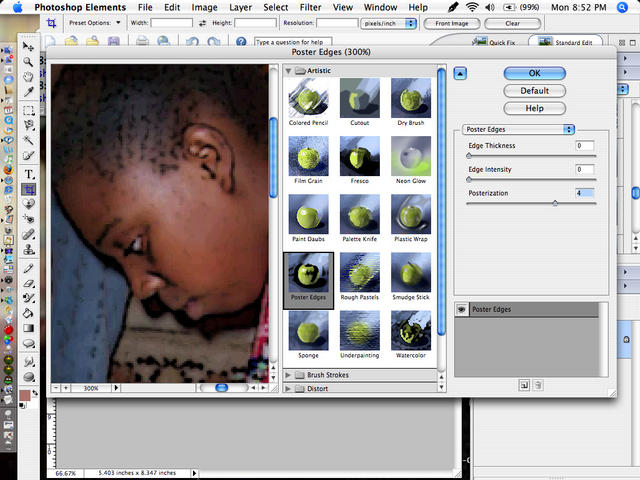
Close-up of Level 4
Here is closeup of level 4. It has too many levels and would be difficult to use as a pattern.
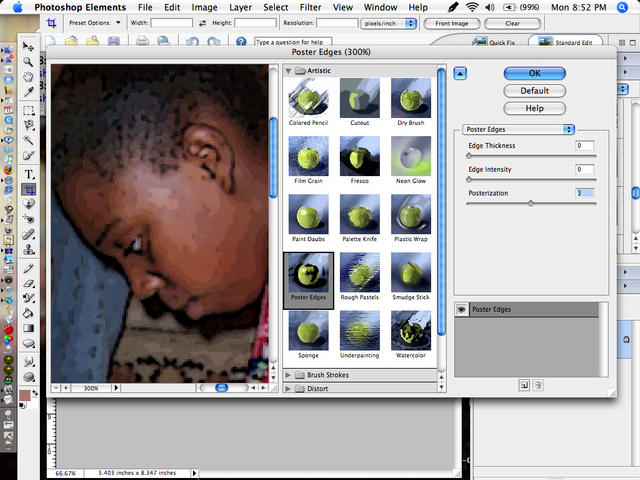
Level 3
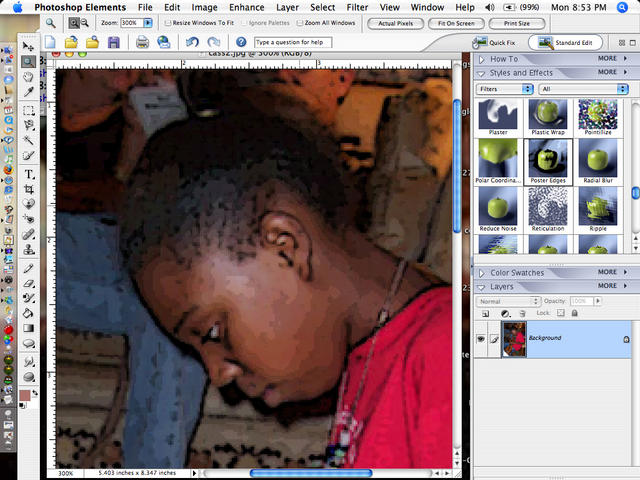
Level 3 has well defined shapes and colors.
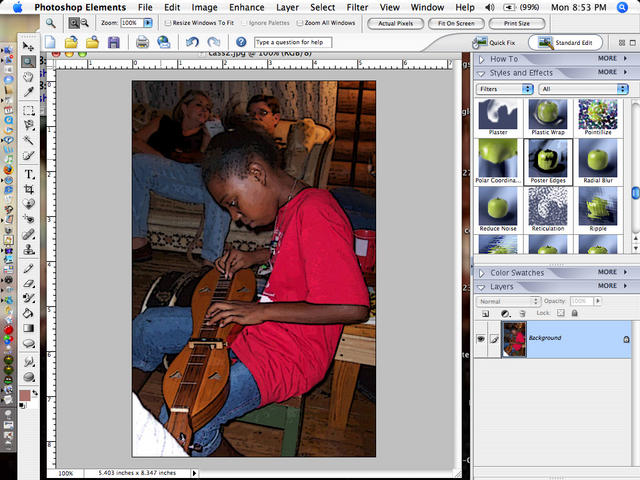
Settling on the Look
and this is the one I liked best...level 3.. If you go any higher, you get too much detail. For my wall hanging, I used layers to simplify the background people.
View Separation of Colors and Shapes
Here you can see the separation of colors and shapes. print this out and refine shapes by hand to make the actual pattern.
The Quilt Portrait
At this point you dig through your fabric stash and try to match the colors as closely as possible. For this project, I used iron on fusible to fuse the pieces to the background, then use a narrow satin/zigzag stitch in matching thread to seal the edges. On other ones, I have used needle turn applique.
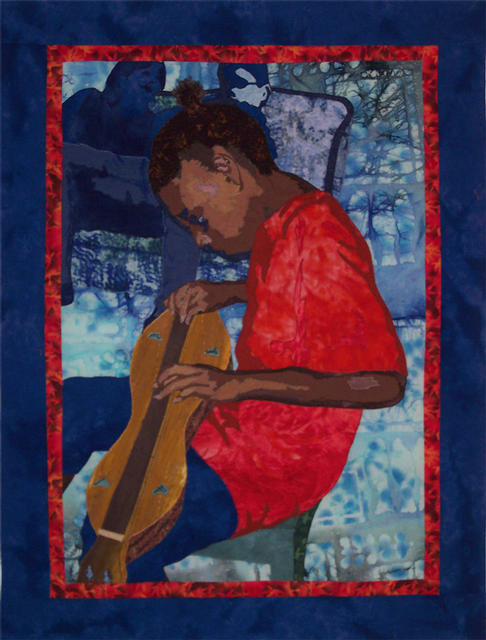
This is the finished piece. I'm sorry I don't have photos of the steps I went through picking the fabrics and the assembly process, but I had already finished before I decided to make the tutorial. I hope to add one soon of a horse quilt block I did.
You can check here for the way I assembled a horse applique block: fabric portrait of a horse quilt block:
https://www.instructables.com/id/fabric-portrait-of-a-horse-quilt-block/
join our quilter's chat group and learn about all kinds of quilting: http://quiltchatjava.ascends.info/
This is the finished piece. I'm sorry I don't have photos of the steps I went through picking the fabrics and the assembly process, but I had already finished before I decided to make the tutorial. I hope to add one soon of a horse quilt block I did.
You can check here for the way I assembled a horse applique block: fabric portrait of a horse quilt block:
https://www.instructables.com/id/fabric-portrait-of-a-horse-quilt-block/
join our quilter's chat group and learn about all kinds of quilting: http://quiltchatjava.ascends.info/