DIY Digital Boost Gauge

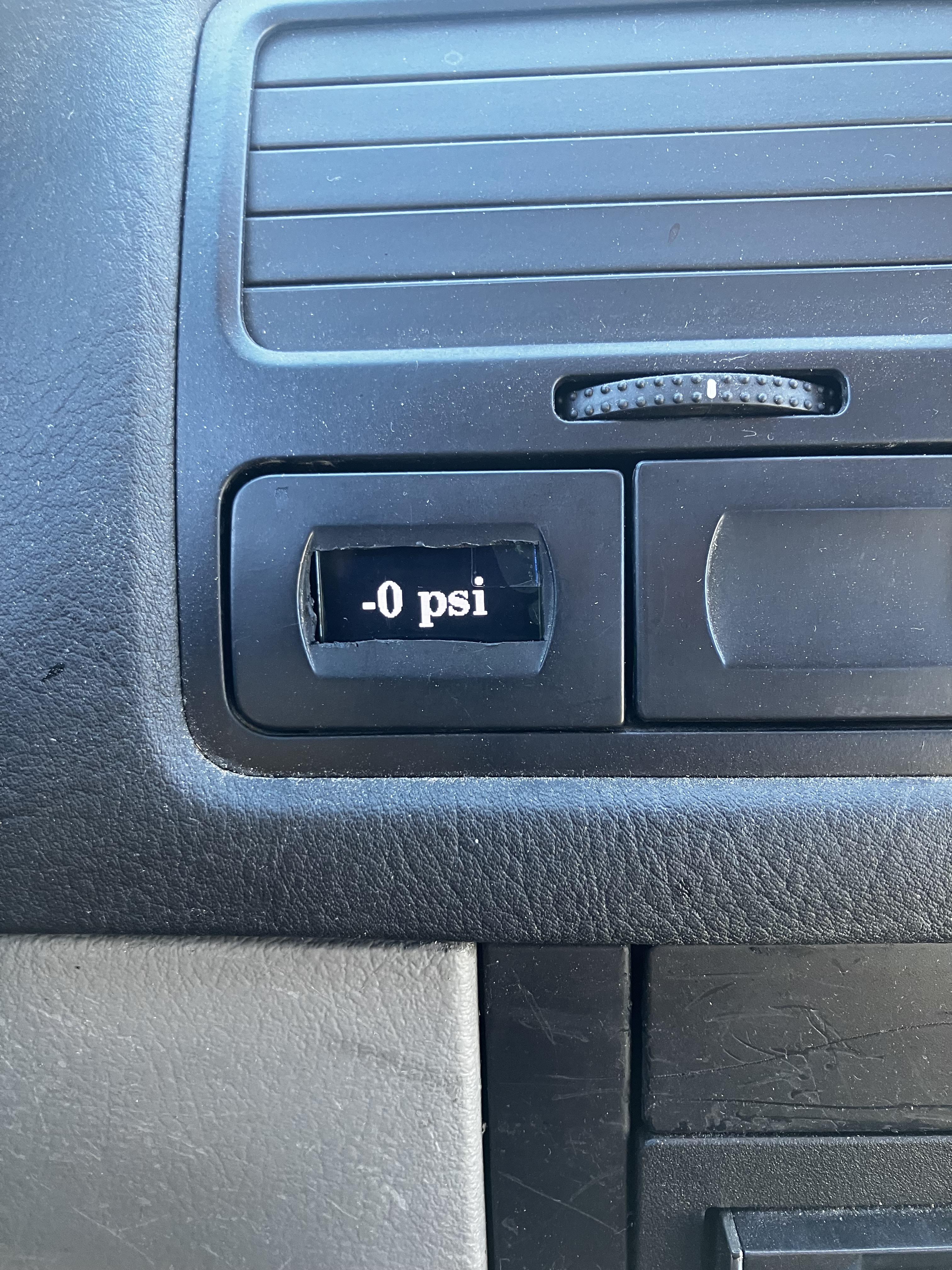
This is a guide to build and program a digital boost gauge that uses your ALH TDI's existing MAP sensor readings and any arduino board but the smaller the better. Can be done much cleaner but it was built like a TDI scumbag would so make adjustments to the installation/fitment as desired.
DONATE \|/
https://venmo.com/u/Cam-Zebroff
https://www.paypal.com/donate/?business=7UPC5Z79EFWPG&no_recurring=1&item_name=Help+fund+more+DIYs%21¤cy_code=USD
Supplies
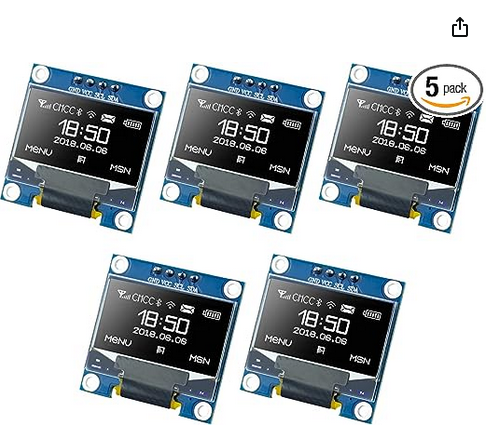

-Seeeduino XIAO SAMD21G18 (https://www.amazon.com/dp/B09QKF6WGT?psc=1&ref=ppx_yo2ov_dt_b_product_details)
-SSD1306 I2C OLED Screen 0.96" (https://www.amazon.com/dp/B09T6SJBV5?ref=ppx_yo2ov_dt_b_product_details&th=1)
-About 6' of 3-4 different color ~20g wire (I used 3 different colors of scrap wire laying around the garage)
-Dremel is helpful for cutting the hole in the trim
-Computer
-Type-C USB cable
-Arduino IDE program (https://www.arduino.cc/en/software)
-U8G2 library (https://github.com/olikraus/u8g2)
-Butt Connectors
-Soldering iron with solder and flux
-I used a coat hanger to fish the wires through the firewall boot
Downloads
Assemble Components
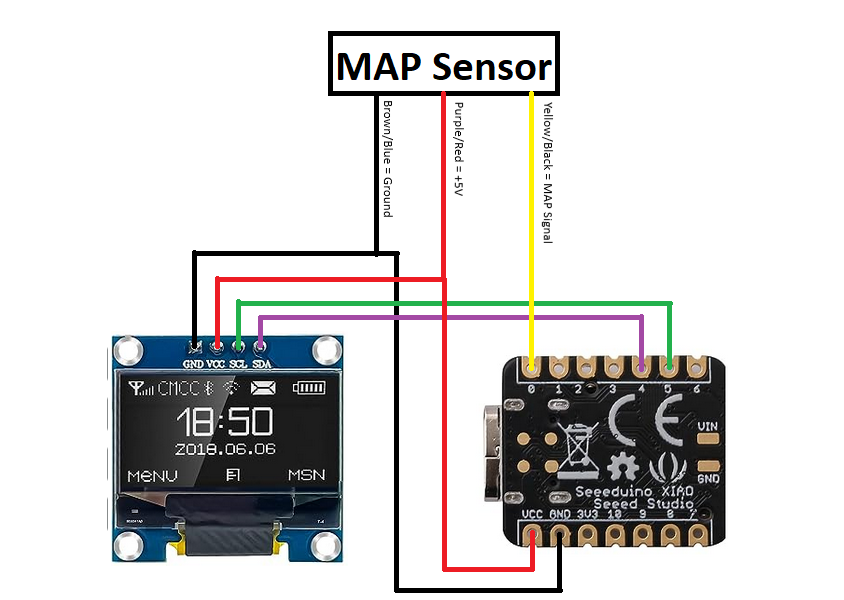
-Connect the OLED screen and Seeeduino board using the pictured schematic. I soldered the wires to the boards but you could buy header connectors to make it easier/simpler.
-The wires between the board and screen are only ~6" long and the board just sits behind the screen in the open space in the dash.
-Make the 3 wires that go to the MAP sensor just long enough on the interior side to be able to feed down by the pedals.
Program Seeeduino XIAO
.png)
.png)
.png)
.png)
.png)
.png)
.png)
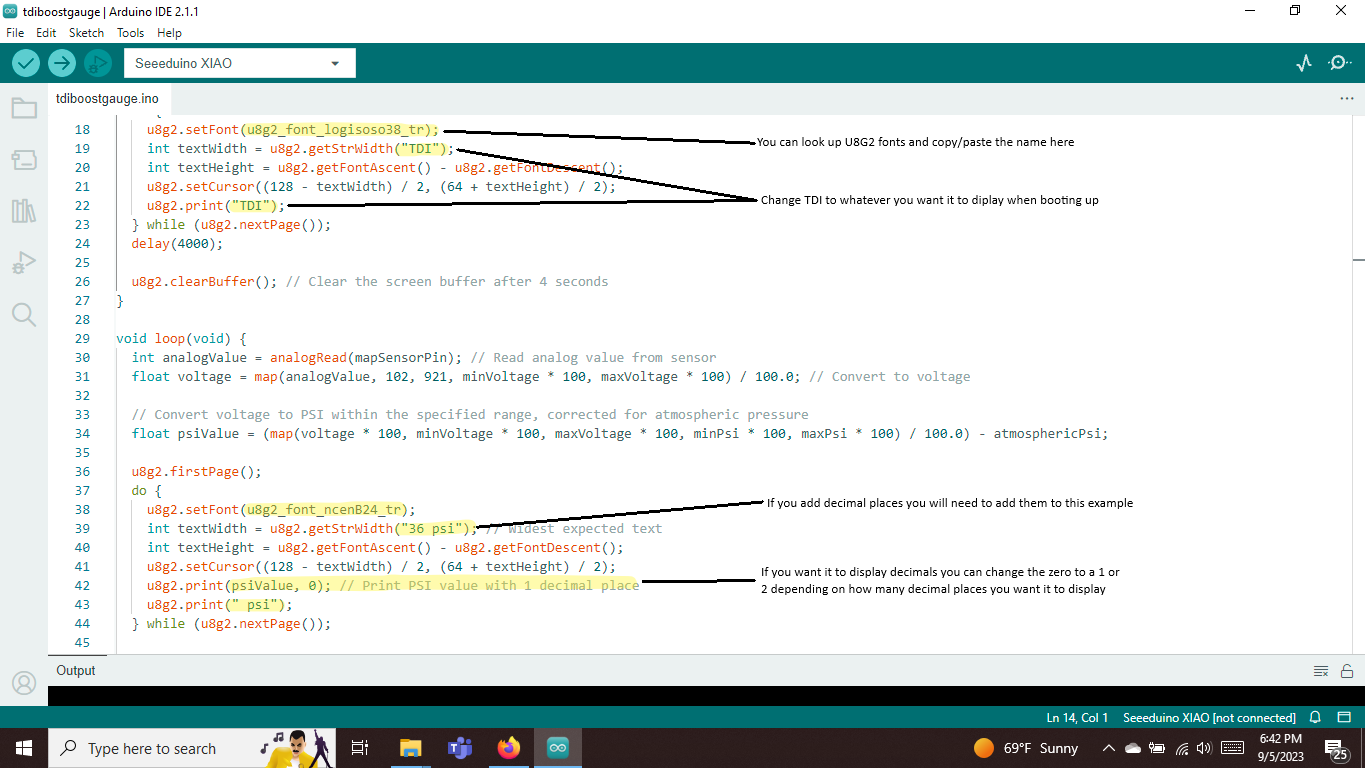
.png)
-Plug your Seeeduino board into your computer via USB Type-C
-Find out what port it is plugged into by right clicking the device in control panel and viewing properties.
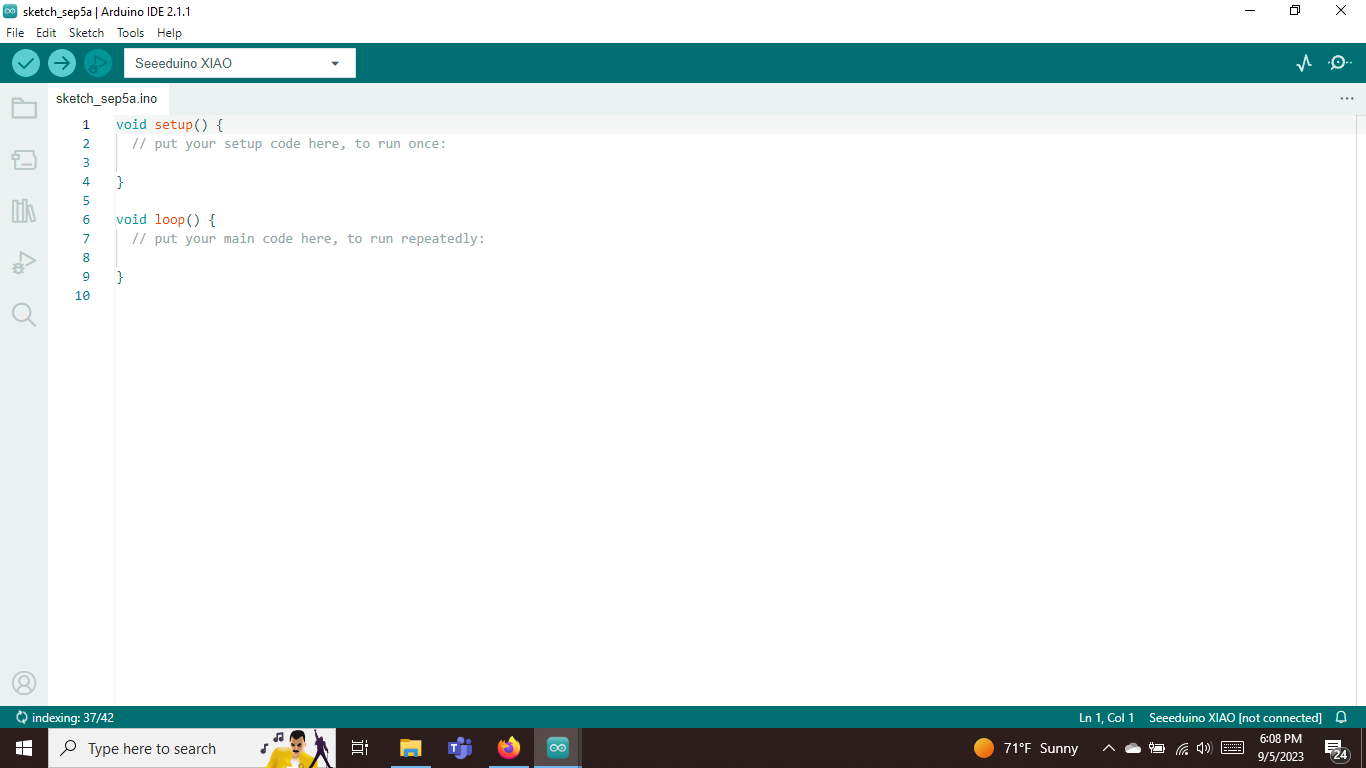
-Download U8G2 library and add it into IDE program
-Download Seeed SAMD boards in IDE program
-Open tdiboostgauge.ino file
-Select correct board and port (mine wasn't connected so it didn't let me select port for the picture)
-make any necessary/desired changes to font, boot screen text, or local atmospheric pressure.
-upload code to board
-should boot up and say TDI for 4 seconds then display random numbers while connected to computer since it doesn't have MAP value yet.
Tap Into MAP Sensor
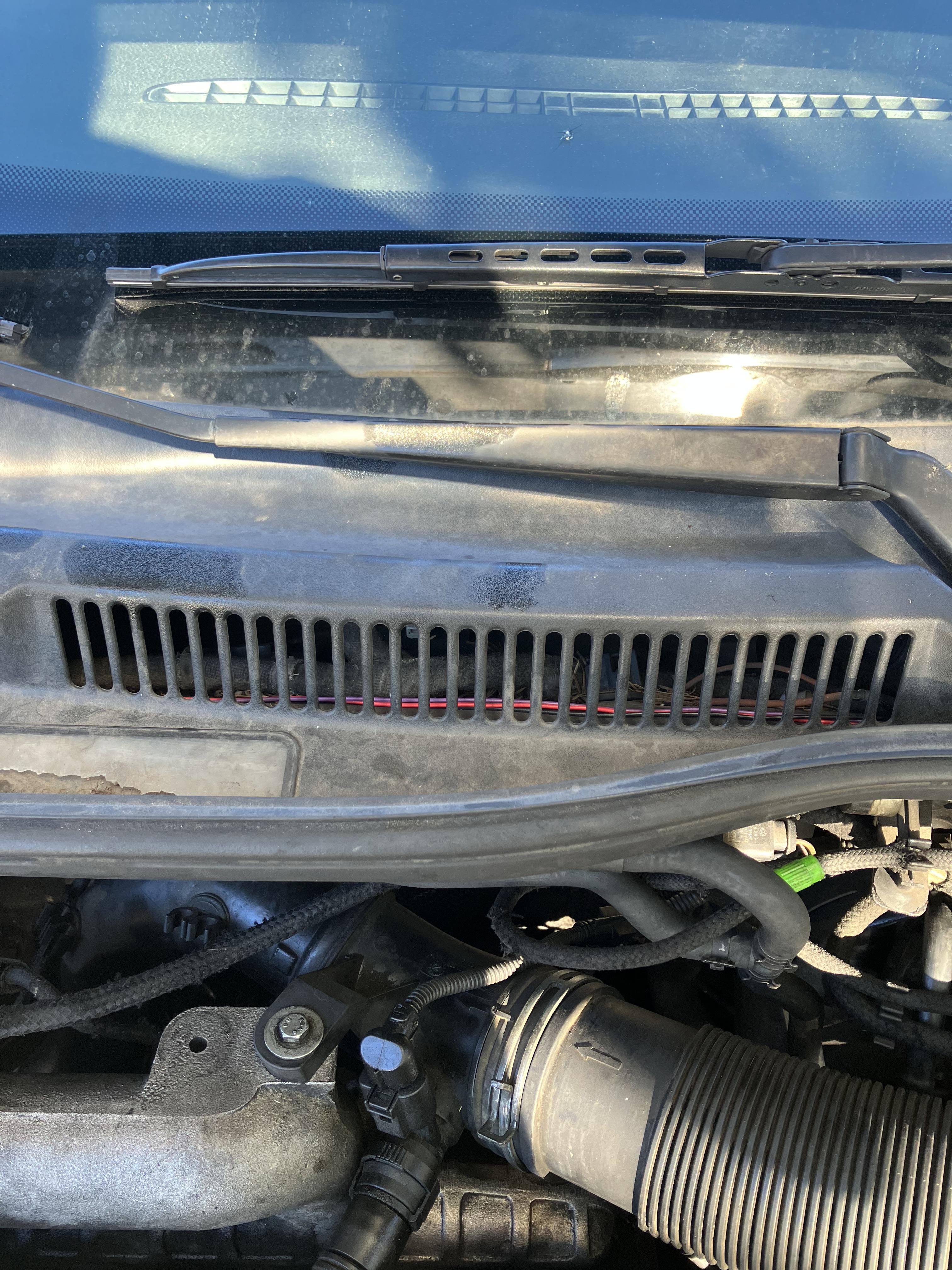
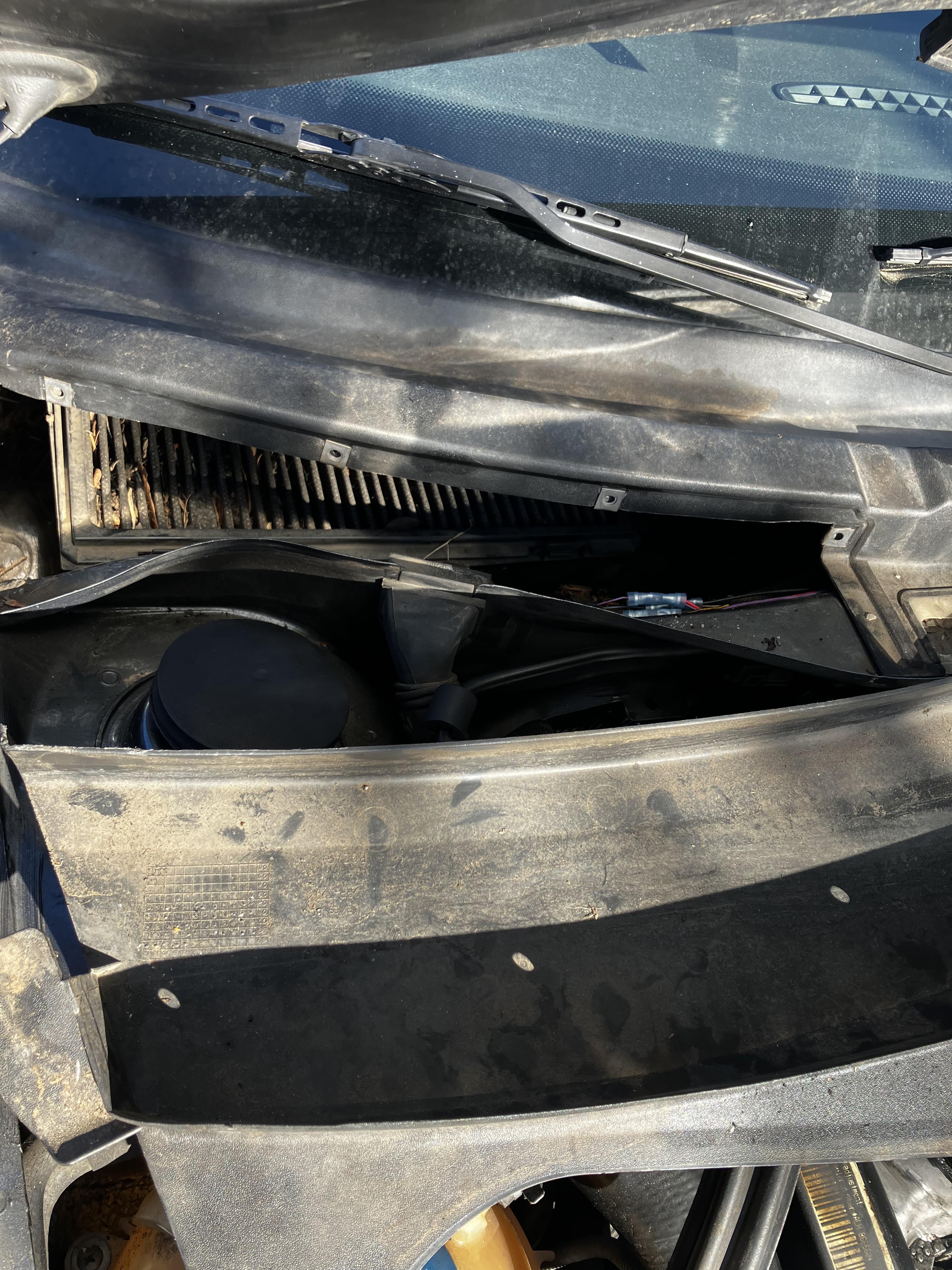
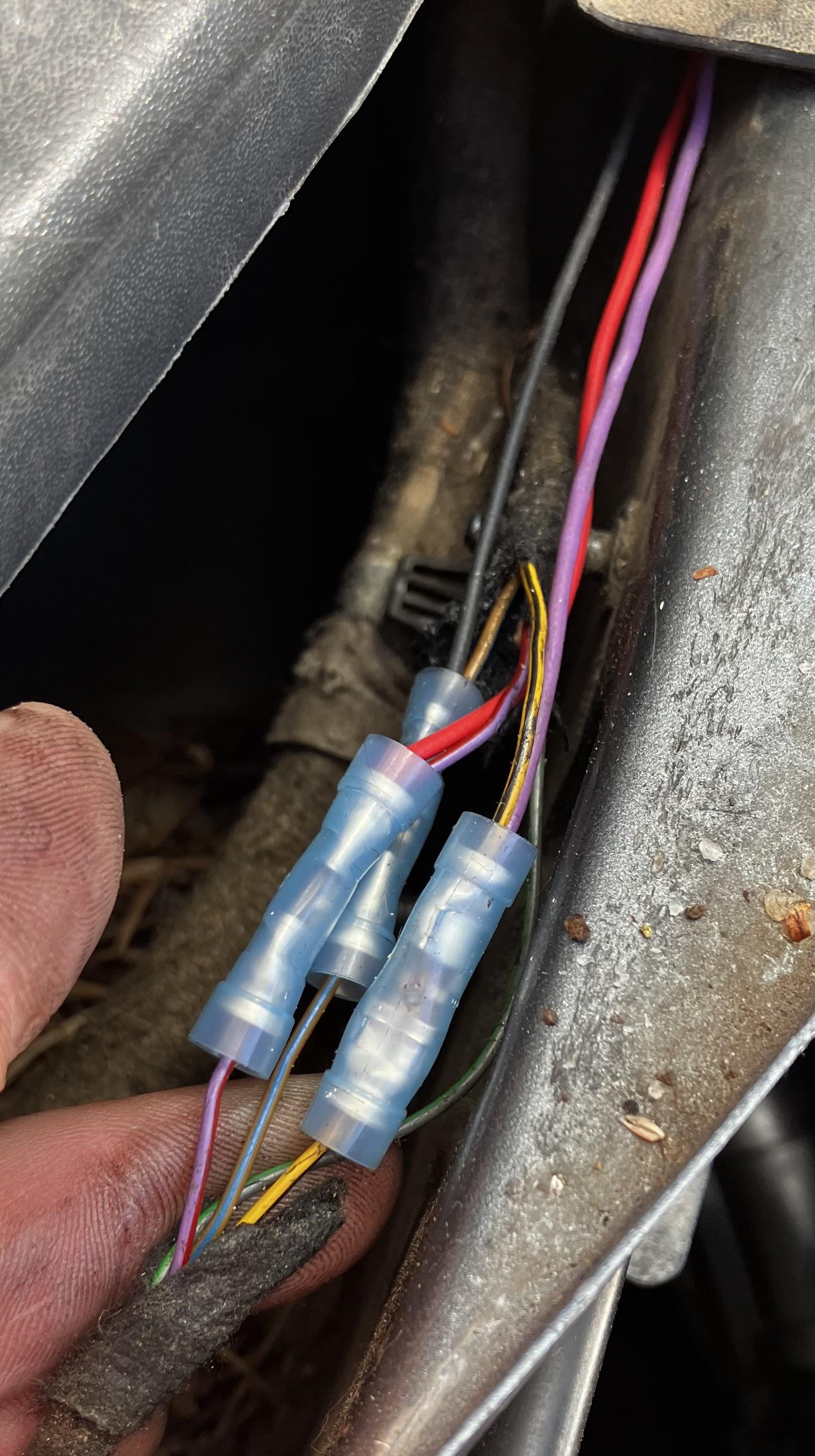
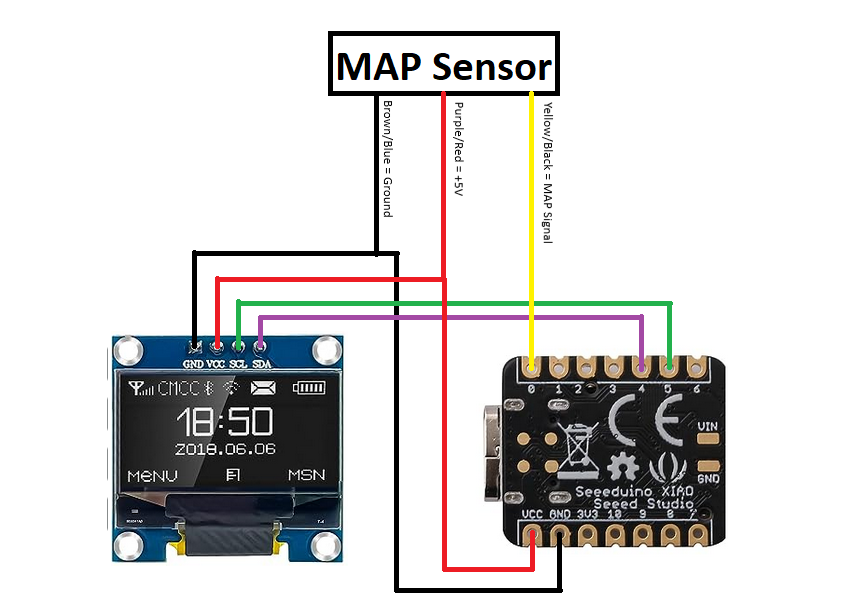

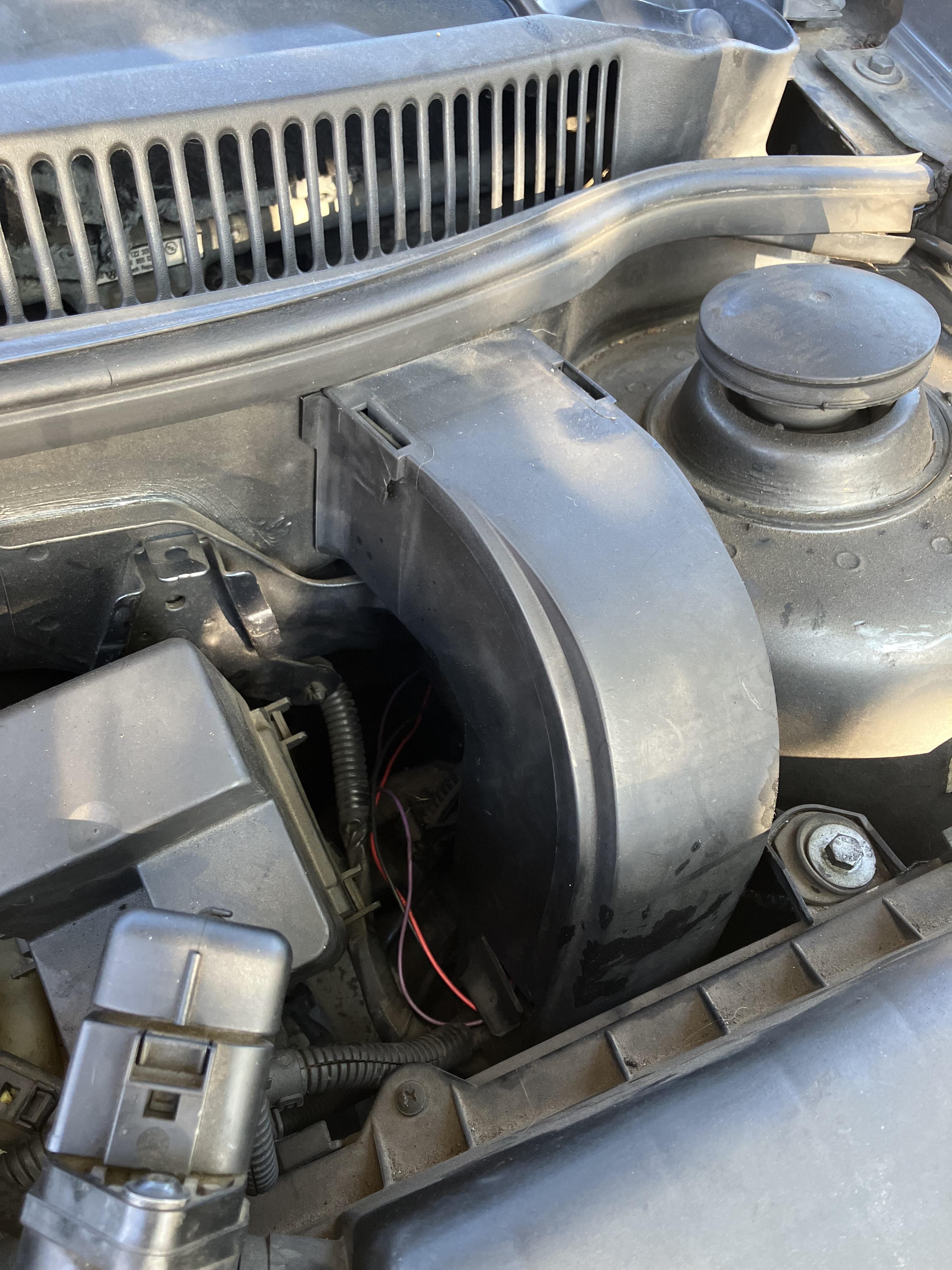
-Splice the 3 wires (see schematic for colors) from the sensor to feed into the interior using butt connectors, tap connectors, or soldering them.
-Feed the wires across the wiper cowl to the drivers side and down through the engine bay and into the interior
Install in Vehicle

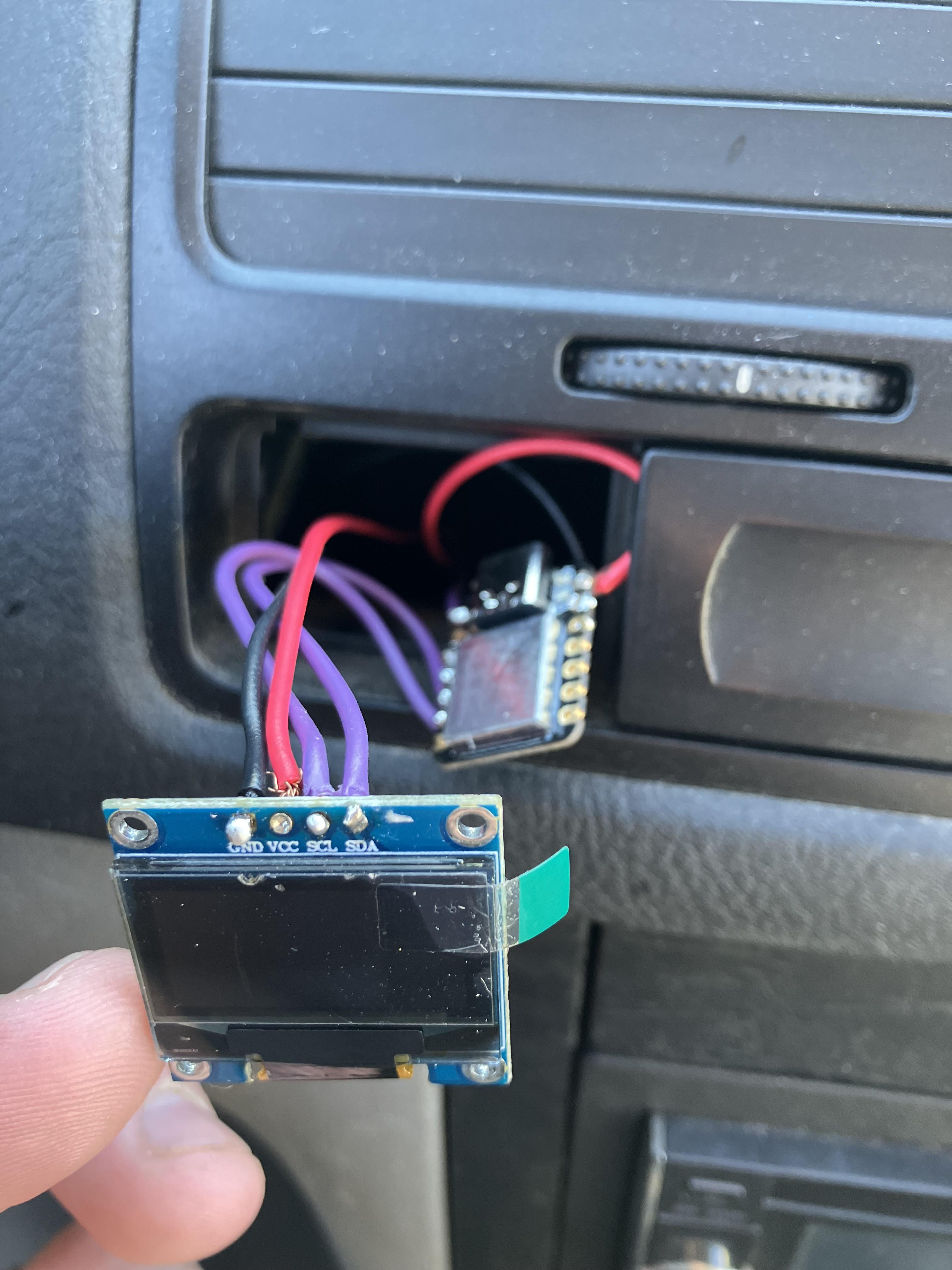
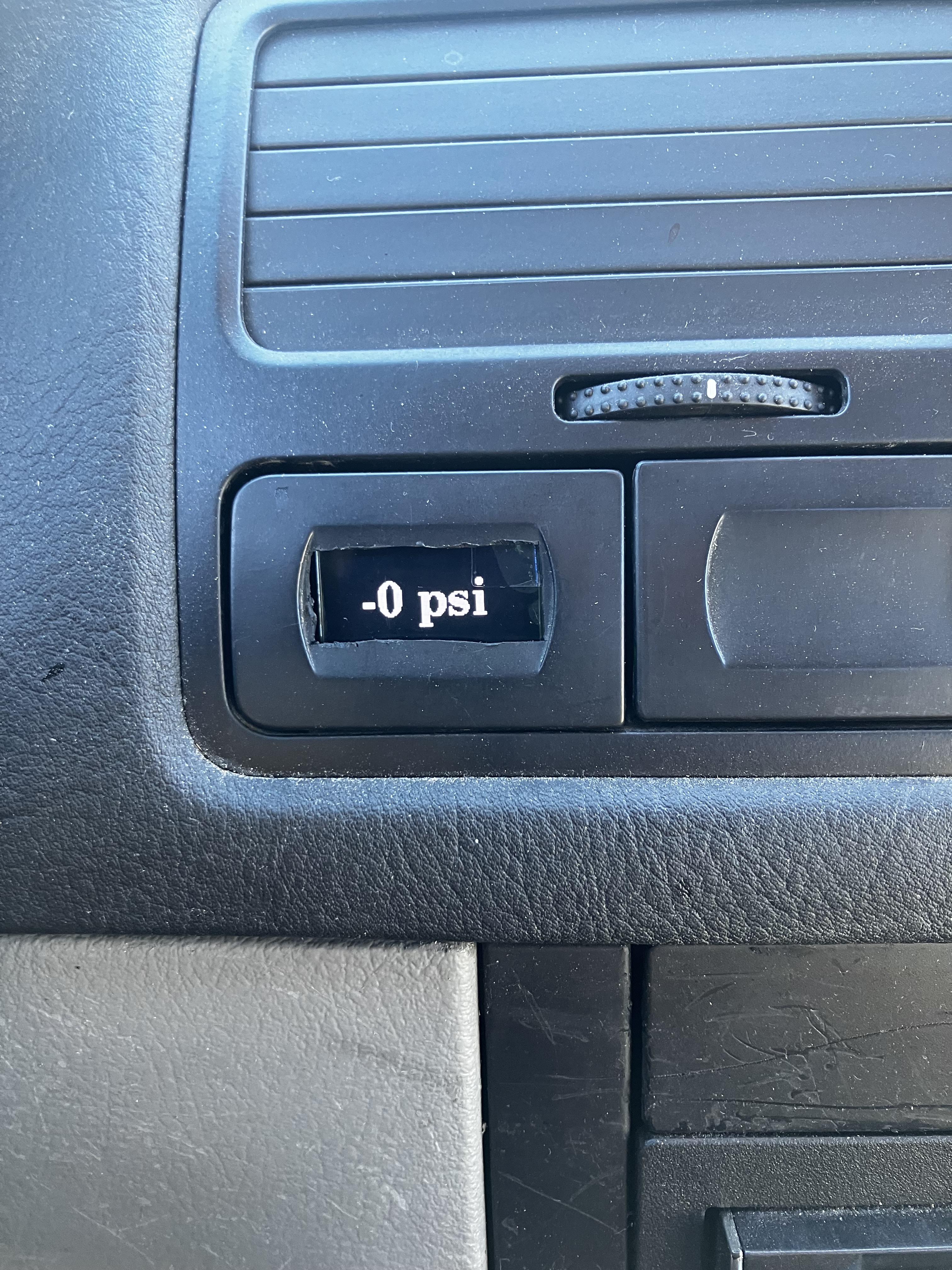
-You will need to cut up the back side of the trim piece to fit the screen. Mine is just wedged in for now and stays just fine.
-Feed the wires from the board into the dash and down towards the pedals.
-Connect the MAP sensor wires to the board wires near the pedals and zip tie out of the way.
Test Gauge
Good Luck!!!
https://venmo.com/u/Cam-Zebroff
https://www.paypal.com/donate/?business=7UPC5Z79EFWPG&no_recurring=1&item_name=Help+fund+more+DIYs%21¤cy_code=USD