Customizable Valentine's Heart Stand
by Markus24152 in Design > 3D Design
24 Views, 1 Favorites, 0 Comments
Customizable Valentine's Heart Stand


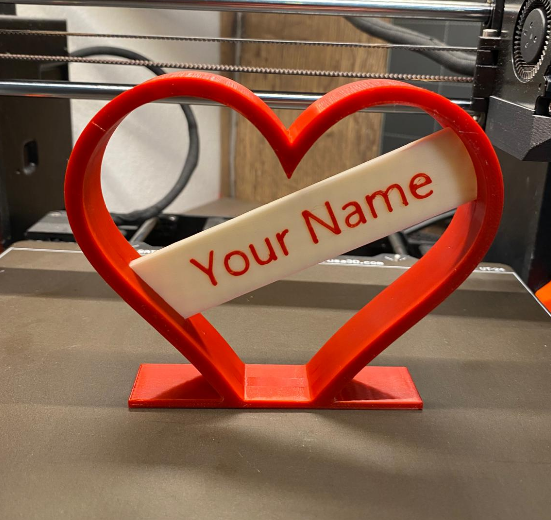
Need a quick, personalized gift? This heart stand prints in just a 1-2 hours.
The best part: You can customize the nameplate directly in your slicer software – absolutely no CAD skills required!
The design uses a clever friction fit mechanism, so everything holds securely without any glue. It's the perfect last-minute save for Valentine's Day and anniversaries.
Supplies
You only need the essentials:
- 3D Printer (Any standard FDM printer works great)
- Filament in 2 contrasting colors (e.g., Red for the heart, White or Gold for the nameplate)
- Slicer Software (PrusaSlicer, Bambu Studio, or Cura recommended for easy text adding)
The STL Files: <CLICK HERE>
Print the Frame

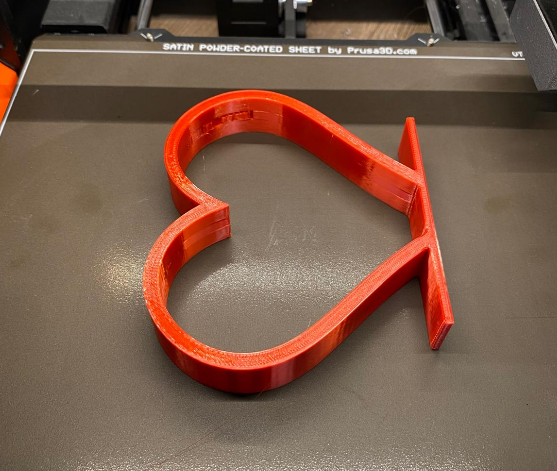
First, get the main body printing.
- Load the file Heart_Frame.stl into your slicer.
- Color: Red, Pink, or your favorite color.
- Settings: Standard 0.2mm layer height and 15% infill work perfectly.
- Supports: Only for the small holes. Just use the settings (Supports: Everywhere)
- Print the part.
Customize the Nameplate
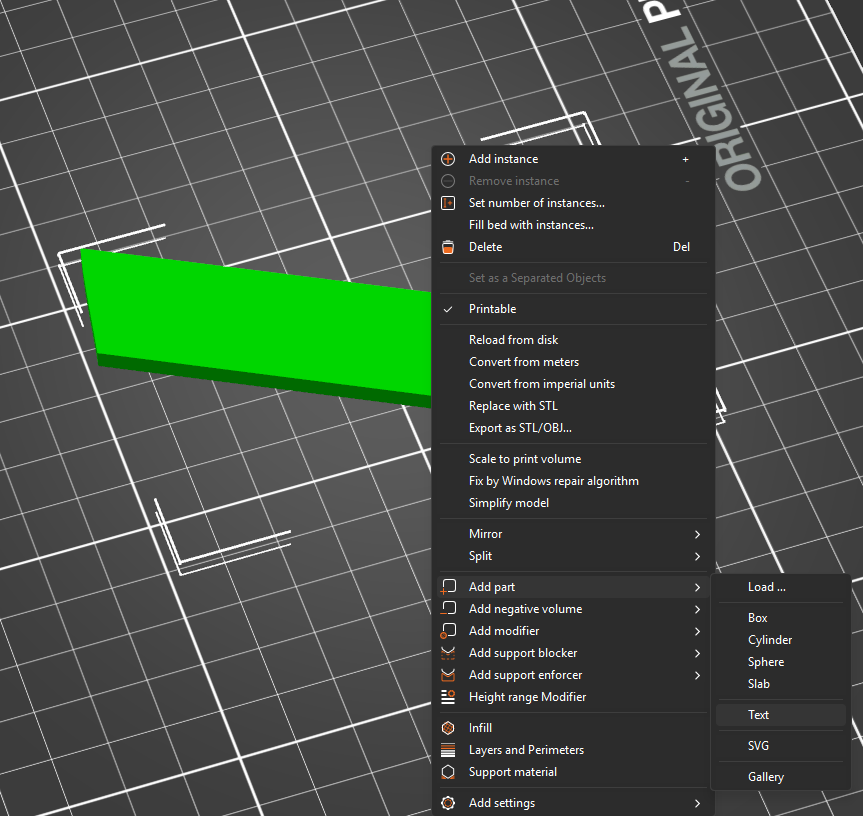
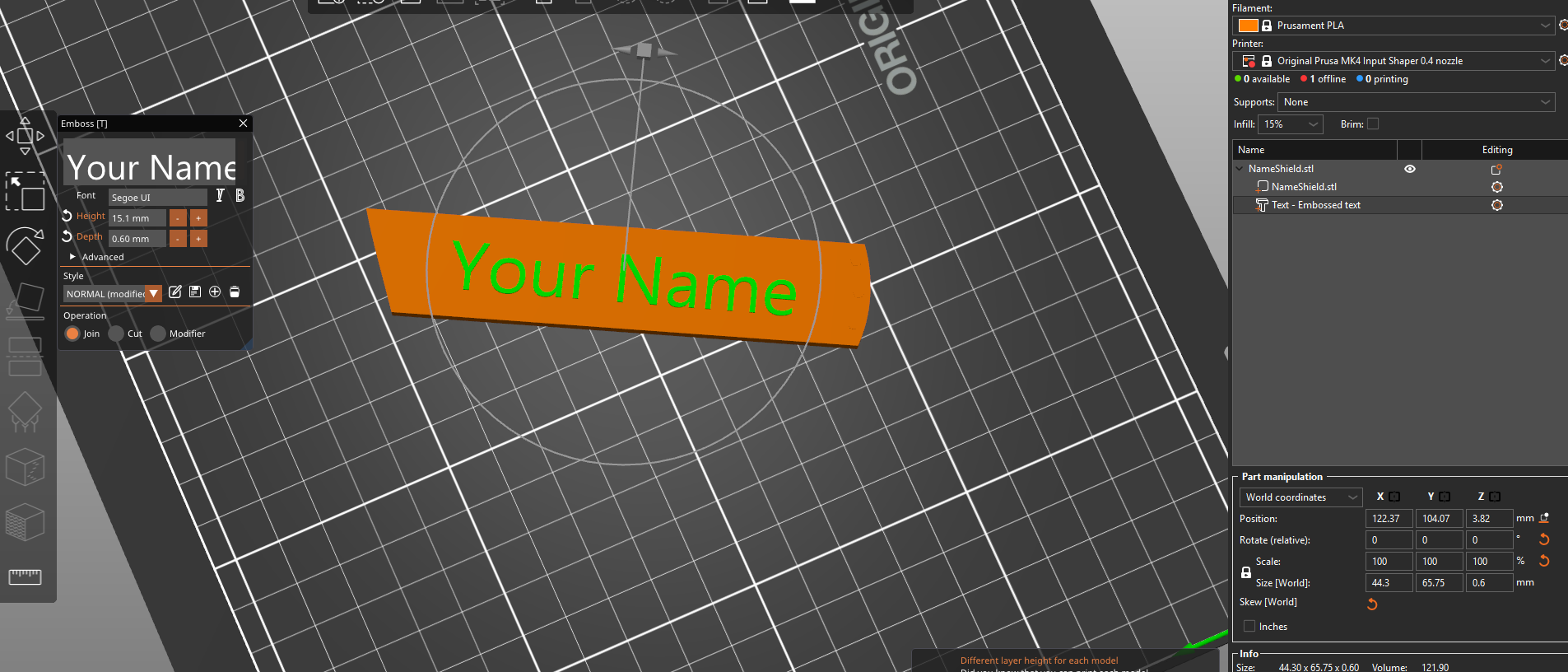
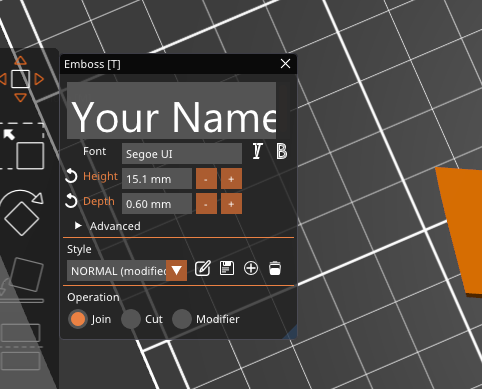

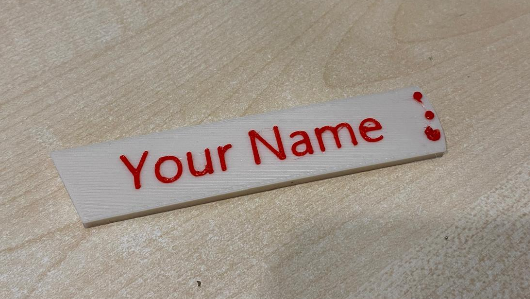
This is where the magic happens! We will add the name directly in the slicer (using PrusaSlicer/Bambu Studio as an example). This ensures the text is perfectly fused to the plate.
- Load the file Blank_Nameplate.stl into your slicer.
- Right-click on the object model and select "Add Part" -> "Text".
- A text menu will appear. Type in your desired name.
- Crucial Settings:
- Font: Choose a bold, clear font (like Arial Black or Impact).
- Operation: Make sure "Emboss" or "Join" is selected (the text should stick out).
- Depth / Height: Set this value to 0.6 mm or 0.8 mm. This is the perfect height (3-4 layers) for a sharp, readable result that looks professional.
- Center the text on the nameplate.
- Slice the model and print it in your contrasting color (e.g., White).
Optional Pro-Tip: Multi-Color Text!
Want the text to stand out even more? You can print the raised letters in a different color than the nameplate itself (e.g., a white plate with red letters)!
- In your slicer, after slicing, use the layer preview slider to find the exact layer where the text begins to print.
- Add a "Color Change" command right at that layer. Press the "+" on the right bar.
- Start the print with the plate color. The printer will pause automatically at the right height.
- Swap the filament to your desired text color and resume the print!
Assembly
The easiest part.
- Take your printed heart frame and your freshly customized nameplate.
- Align the nameplate with the guide slots on the inside of the heart frame.
- Slide it in. It is designed as a friction fit (press fit). You may need to apply firm pressure with your thumbs to get it all the way in. This ensures it stays secure and doesn't wobble.
Your personalized gift is ready!