Computational Thinking With Paper Talavera Tiles
30 Views, 0 Favorites, 0 Comments
Computational Thinking With Paper Talavera Tiles
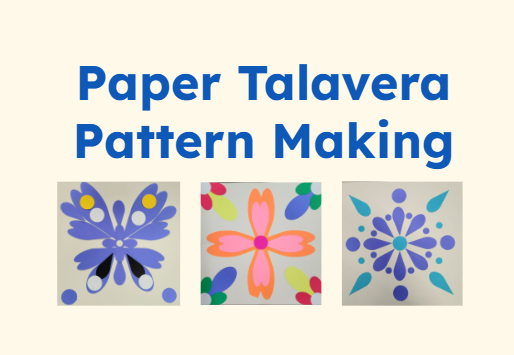


This activity was inspired by art I grew up seeing all around me (recent pictures shared here)! While I've always admired the colors and patterns that show up in talavera art, I never appreciated until recently that the patterns could be created "computationally," or through using processes that repeat and can be broken down in to parts.
So, I set out to understand if there is a relationship between this talavera art and computational thinking, or ways of solving problems computationally. While the activity itself isn't necessarily a "true" version of talavera (since we are not painting or using ceramics), I thought it would still be interesting to recreate the patterns using easier-to-access materials such as paper.
The activity is split up into two distinct phases: introduction/discussion and making the tiles. The introduction/discussion section includes an introduction to the activity, a brief history of talavera art, and an intro to computational thinking. The segue between this section and the making section is a short noticing activity, where participants look at a few pre-set examples of talavera tiles and share what they notice about what they have in common, and any questions they have.
The making portion of the activity includes a planning step, where participants can get a sense of what they want to create using the shapes, and ends with the open-ended creation process using pre-cut shapes.
Throughout the instructable, I offer a few ways to think about modifying the activity as needed. I hope to offer an even more accessible version of this (without the cricut or intense set-up time) in the future, but for now if you have a cricut and want to have a fun, expressive STEAM activity, this is your place!
This activity was made possible through the National Science Foundation (NSF) Award # 2329579.
Supplies


This lesson/workshop takes about 1.5-2.5 hours, depending on the intricacies and size of the designs learners make! It takes about 15min-1hr to set up, depending on how many colors, shapes, and sizes you want to offer.
An example of the slides you can use to facilitate the workshop can be found here (you can make a copy and edit for your own purposes!).
This instructable goes over the highlights of what to include in the workshop, following these slides.
As for materials, you will need:
- Cricut (https://cricut.com/en-us/)
- I highly recommend using an old (loved!) mat for this, since the pieces will be easier to remove. I was using a new light-grip mat at the beginning and it just took longer to remove everything from the mat; when I switched to an older one it was much easier.
- Cardstock paper (various colors)
- Plain printer paper
- Glue sticks
- Scissors
- Pencils
- Markers/Coloring utensils
For the Cricut, I have the simple shapes templates currently sized for pieces that will fit on an 8.5"x8.5" square or a 4.25" x 4.25" square of paper, cut out of 8.5"x11" paper (so, you can cut this out on a letter-sized piece of cardstock rather than 12"x12"). Each of these takes anywhere from 4-7 minutes to cut out.
For a 8.5"x8.5" square:
For a 4.25" x 4.25" square (many shapes from the first one can be used for this, you would just need to change the size):
Preparing the Shapes + Setting Out Materials (Before Workshop)


The first thing you will do is prep some shapes! The cricut links in the supplies are "pre-sized" mostly to work with 8.5" x 8.5" squares, though even these might be a bit to big depending on what you want to use them for in the design. You should be able to make a copy of this project to resize them as you see fit.
Additionally, you can pick and choose the shapes you want, meaning you can delete or add shapes based on your needs.
If you want to go ahead with the designs as-is, I would recommend cutting each of them out on the same color paper. So, template 1, 2, and 3 out of red, same for blue, purple, etc. until you have all the colors you want. This will produce well over enough for 20 people, so you can also reduce this based on the actual sizes/shapes you need.
As you go along, you can either find space to create piles of colors, or you can do what I did and fold some printer paper to create makeshift envelopes to hold the pieces. Having these ready also helps with storage, organization, and reuse!
When you are ready, lay out the other materials for learners to use, including the glue, scissors, printer paper, and coloring utensils (if they want to add extra detail/graphics).
Optional: Making your own shapes
I highly recommend making your own shapes for this project at some point! One way to do this is to combine simple shapes in the Cricut Design Space (which will take you far), but you could also use any vector editing software of your choice (Illustrator, InkScape, etc.). I used InkScape to make some of the shapes because they have a shape builder tool that makes it easy to slightly more advanced shapes without having to know the ins and outs of the platform (and its free!): Example of how to use the shape builder tool in Inkscape.
You don't need to make custom shapes, but if you are finding the shapes offered are too limited it may be a good idea to play around with!
Introduction
Once you are set up with the pieces cut out, you are ready to start! How you introduce this project depends on your context, but I wanted to offer a sample script based on what I did in the workshop:
"During this activity, we will explore the relationship between computing and talavera art! First, we will learn a little bit about the history of talavera art, and then understand how this process may connect to computing.
After that, we will get hands-on and make our own talavera designs! We will start with some planning, and then go into making designs using pre-cut shapes."
The current intro slides go through in this order, and the images of the talavera change from a mix of examples I have made, to examples found online. The examples from online are used for the noticing activity later on, so if you change these upfront be sure to use them throughout.
History of Talavera Art
After the initial introduction is the discussion of the history of talavera art. In this section, you can present a brief history of talavera art, including what makes it "authentic," like being hand-painted and using a particular type of clay material.
This workshop deals only in the aesthetic parts, which means we do not heavily consider the clay/ceramic elements of the talavera work.
Here is a sample script based on what I did in the workshop:
Slide 5
"A few bits about the history of talavera art include where it is from, how it is made, and how it came to be. Authentic talavera art is from the Puebla region in Mexico, extending beyond the city itself to include the surrounding areas where the specific clay is made.
The designs are hand-painted by artists, and usually feature a glaze that gives it a bit of a shine.
The images, colors, and motifs you see on the tiles themselves are a result of the mixing of cultures & colonization. While they are primarily recognized as originating in Spain, the colors of blue and white that are common come from traditional Chinese pottery. Additionally, the original imagery when brought to (present-day) Mexico was largely religious. However, when Indigenous artists started making talavera art as a result of colonization, they expanded the color pallete as well as the designs, featuring more natural imagery, like the flowers.
Finally, you can see that the designs are largely repeating and symmetrical. This means that, while the designs are ultimately artistic and thought of from the creativity of the artist, there is a process here that may be 'computational' in nature."
At the end of your explanation, it would be good to check in with learners to see where they have seen these before! So, I added the question "Have you seen these before? Where?" on the bottom of the slide (5).
After this discussion, you will show a video of artists making talavera plates to transition to the computational thinking explanation (added on slide 6).
To supplement your discussion, you may also want to do further research on talavera! I skip over some of the history here, so you can feel free to add in a deeper discussion/overview. I'm adding my sources below so you can get started.
Sources:
The History of Talavera Tile (Native Trails)
Talavera Pottery (Shayna MacDonald)
Talavera Ceramics: At the Intersection of Art, History, and Law in Mexico
Computational Thinking
After watching the video, you will transition into talking about the computational thinking aspects of talavera art. For the purposes of this workshop, I use the Digital Promise definitions and diagrams.
Here is a sample script based on what I did in the workshop:
Slide 7
"Computational thinking can be considered 'an interrelated set of skills and practices for solving complex problems,' which basically means computational thinking is not just 'thinking like a computer,' but being able to engage with problems or projects in a way that can be solved computationally. In our case, we aren't solving problems but expressing ourselves using these processes!
Computational thinking is just one of the many concepts that fall under 'computing' more broadly, so while engaging with computational thinking doesn't require you to know how to code, the way you approach problems can be applied when you do write code!"
Slide 8
"Some examples of computational thinking in our activity include algorithms, decomposition, and pattern recognition. In general, algorithms are “used to represent procedures important to any subject.” This could be something like making a list or deciding the order things have to happen in. Decomposition is the "process of breaking a system down into its component parts.” This could be like noticing parts of an image. Finally, pattern recognition is the process of “identify[ing] the arrangements and relationships between parts of a system or data set.” For example, noticing there is more traffic at certain times of day.
In our activity, we explore creating algorithms by developing a method for putting the tiles together. We decompose our designs by noticing elements of our planned designs and how they may be put together in smaller parts. Finally, we recognize patterns by seeing where and how designs repeat shapes, colors, etc."
After this explanation, you will do the group noticing activity to start applying some of these, like pattern recognition!
Sources
Digital Promise - Key Concepts of Computational Thinking: https://digitalpromise.org/initiative/computational-thinking/key-concepts-of-computational-thinking/
Digital Promise - What is Computational Thinking?: https://digitalpromise.org/initiative/computational-thinking/about/
Noticing Activity
During the group noticing activity, you will share images of talavera tiles (at least 4) with noticeable patterns. I have added some to the slides already (slide 10), but you can feel free to change these for your needs!
This is more of a discussion, so you can feel free to direct this how you want. The questions I offer here as a starting point are:
- What similarities/differences do you see in these patterns?
- What questions do you have about them?
Both of these questions have yielded interesting discussions and observations! If the group is having trouble, or you want to reword some things, I would offer pointing out:
- The symmetry of the patterns
- The colors (e.g. lots of blue)
- The images (e.g. flowers/leafs)
- The numbers (e.g. most of the center designs are in even numbers)
For the questions they ask, don't feel like you have to have the answers. If you do, feel free to share what you know, and if you don't, try to model how you might respond. One I got asked a few times was 'Were these made by hand?" I can guess based on the websites (added to the end of the slides), but I'm not 100% sure. So I shared that, and said that my guess would be yes because that would make it authentic, but I keep in mind that "talavera" is not necessarily a restricted term.
This is really just an opportunity to start to engage with pattern recognition and getting their creative brains going, so it does not have to go on very long.
Planning Your Design
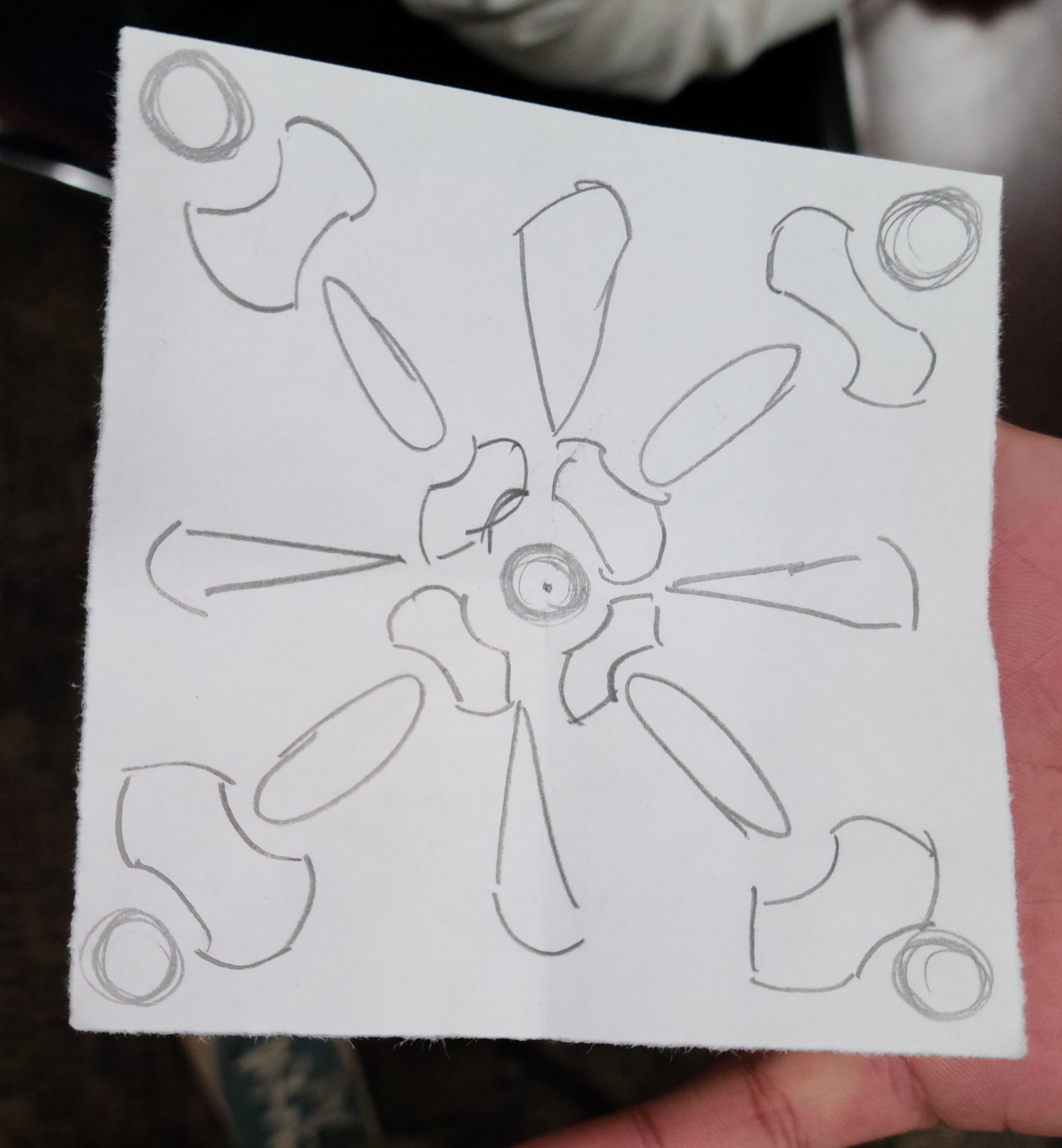



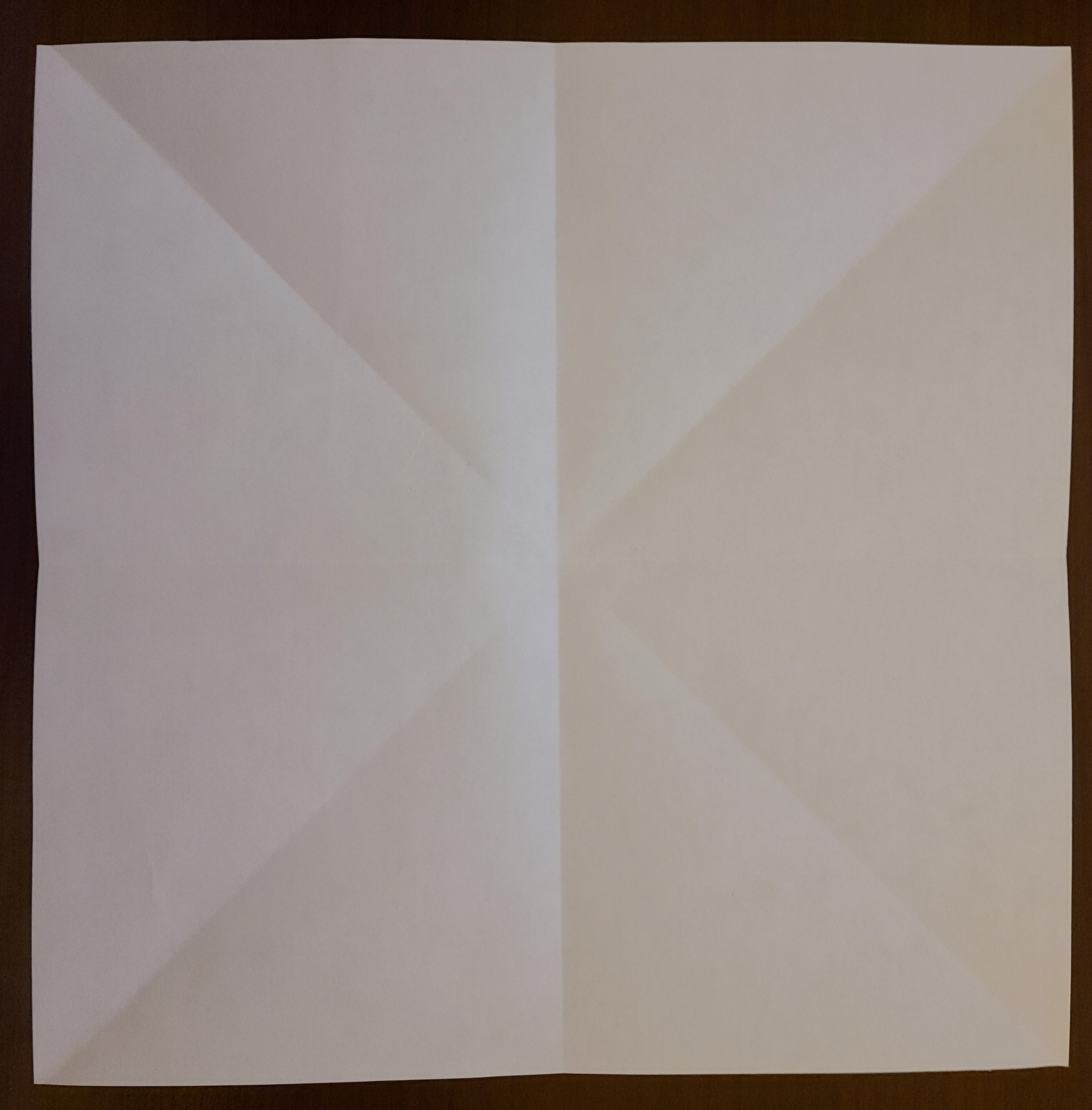



The last stage before having learners make their own designs is to plan their designs. This is like creating an algorithm, in the sense that they are planning out what needs to go where and what parts they will need. They will also have to decompose their designs to figure out how to make them symmetrical/repeating. To guide this process, you can first help them fold their papers to give them a sense of symmetry in the square, then you can invite them to use the paper to draw their designs using the shapes they have available (slide 12).
Making Folds, Finding Symmetry (Slide 11)
- Start with a standard piece of printer paper (8.5"x11")
- To get the initial 8.5"x8.5" square
- Take a corner of the paper and bring it to the adjacent edge (example in photos), create a fold
- Cut off the remainder rectangle (example in photos)
- To get the lines (Note: There is no one right way to do this, these are just suggestions)
- Fold the square on the opposite corners, to create folds that look like an 'x'
- Fold the square "hamburger" style (both ways)
- Fold the corners into the center (to create triangles)
- To get the smaller 4.25"x4.25" square
- Do the same folds as above, but use the squares created by step 3b to cut again (pictured)
Drafting Designs (Slide 12)
Once they have the square with the desired amount of folds, they are free to start drawing and drafting the designs! I kept up slide 12 to help them plan, so they could see (most of) the shapes they had available. Because I used the folding process to decide on the sizes of the shapes that are cut out, they should *mostly* work for learners as they figure out their design. However, this will be something they have to negotiate when they actually go to pick out the pieces and colors they want.
If you have the cricut handy and time to monitor it, you could also offer to cut out different sizes/colors of the available pieces.
Note: This step is somewhat tricky because, while you are encouraging learners to look at the available shapes, the available sizes and colors will end up constraining their actual designs. It has still been useful to have in terms of the computational thinking aspect (creating a plan) but understand that their actual designs will often change based on what's available.
Putting Designs Together
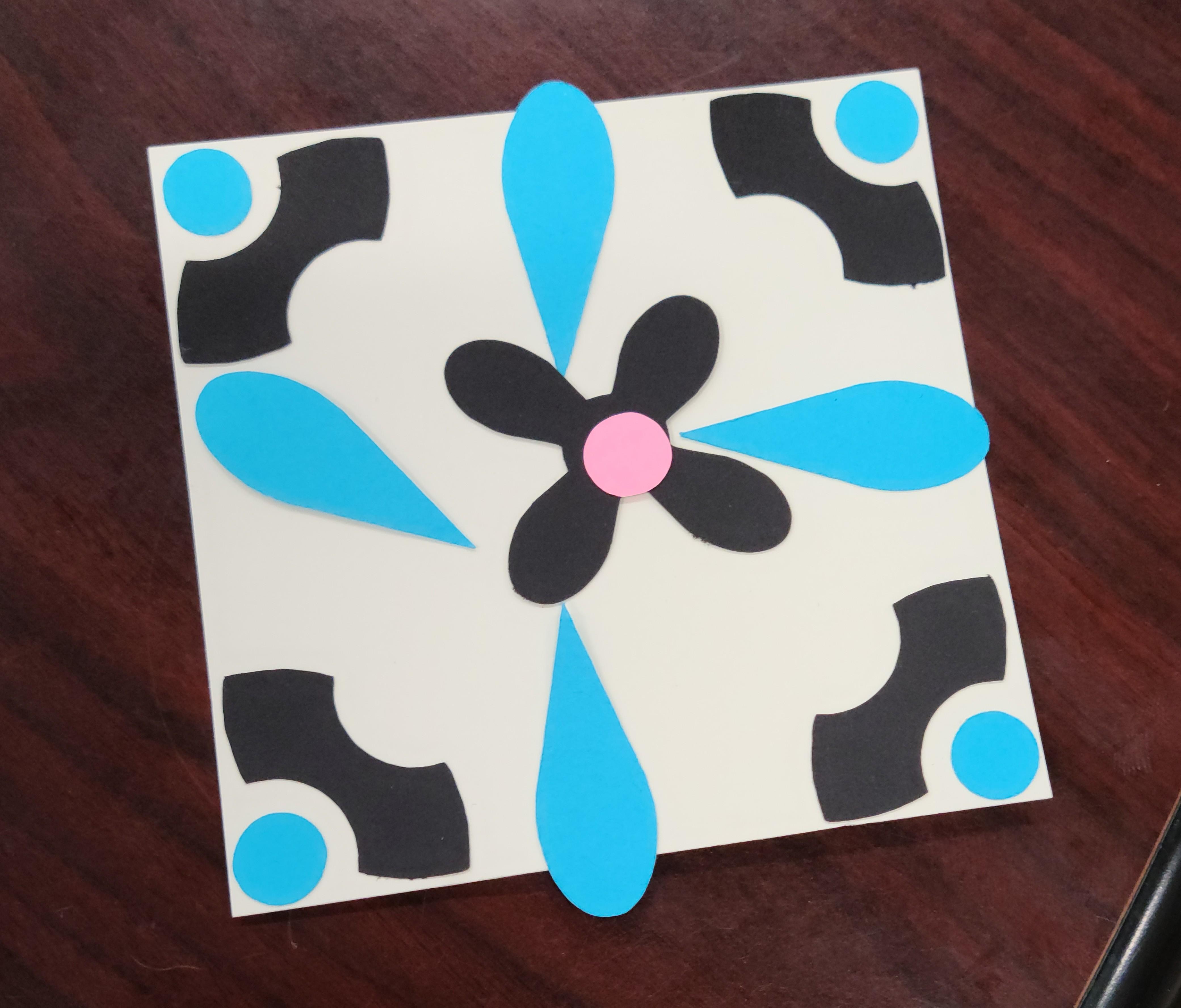
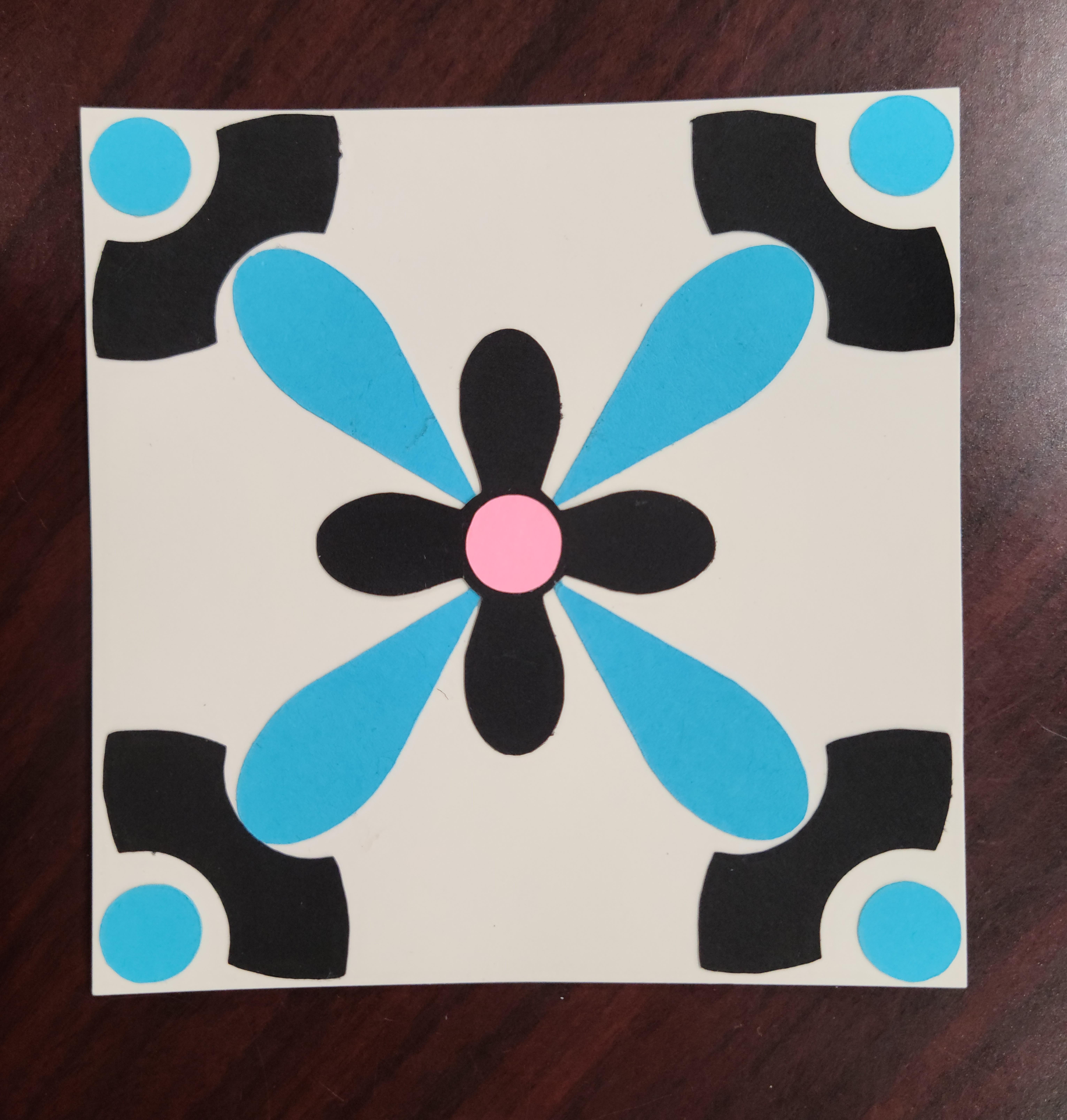
Once learners have planned out their designs, they are free to bring it to life using the actual parts you have prepared! This part is open-ended, so the plans also help with having something to return to as they implement their designs.
The main suggestion here is to have them use their draft paper to trace out the square size they will be using, that way they don't have to fold the cardstock/construction paper they will use for the final design.
You do not have to have learners engage in the process of collecting, placing, and gluing their pieces down in any particular way to see the computational aspects bubble up. One of the potential strengths of this activity is that it invites a multitudes of approaches to allow for learners to engage in computational thinking.
One example can be seen in this step, where the participant used a combination of placing and gluing to create a symmetrical pattern, also completing the corners before the rest of the design. The finished tile can also be seen next to it.
Reflection (Optional)
At the very end, it is useful to invite reflection to help learners think about their work as computational thinking. In the past, I have offered a handout (attached) where they are invited to select which ones they feel that they did while creating their tile, and then used this to walk through one-on-one. However, the statements could also be used in a group setting, potentially by inviting the class to raise their hands when they read one they did.
The statements are copied below, with information about what aspect of cognitive definitions of computational thinking it is attached to. You can share this with the class or not. There are 10 items to incorporate the social and cultural aspects of computational thinking as well. The cognitive statements are based on the IMPACT libraries computational thinking confidence survey, which you can find here.
While working on my design, I...
- ...created a list of steps I need to follow. (Algorithms)
- ...connected my idea to my community.
- ...looked for patterns (or things that repeat). (Pattern Matching)
- ...noticed my surroundings and questioned them.
- ...repeated steps in order to build up the design.
- ...worked with the people around me.
- ...felt like I was participating in a community.
- ...connected my idea to culture and history.
- ...broke the design into smaller parts so I could work individually on each part. (Decomposition)
- ...simplified it by prioritizing what was most important.
If the computational thinking reflection is not helpful, then there are other more general reflection questions that may be useful for the group (slide 17):
- What did you think of the activity?
- Did you get to make what you wanted?
- Did knowing about the history impact how you engaged with the process?
- Did knowing about computational thinking impact how you engaged with the process?
- Any final thoughts?