⭐Ultimate DIY Arcade Cabinet – Build a Full-Size Retro Machine From Scratch | Budget Build
by TylerDDDD in Workshop > Woodworking
2048 Views, 7 Favorites, 0 Comments
⭐Ultimate DIY Arcade Cabinet – Build a Full-Size Retro Machine From Scratch | Budget Build
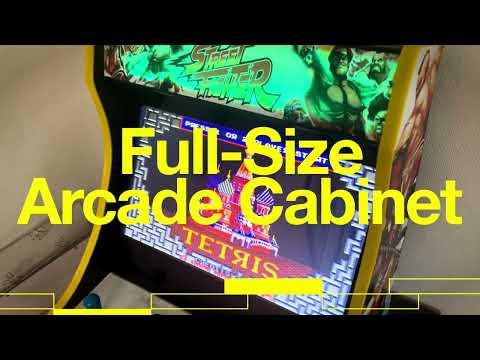
Bring the golden age of gaming into your home with this complete guide to building a full-size retro arcade cabinet from scratch.
🏠 Whether you’re a woodworking beginner or a seasoned maker, this step-by-step build will walk you through everything — from planning and cabinet construction to wiring the buttons, joystick, display, and Raspberry Pi gaming system.
💰This project saves you hundreds compared to buying a pre-built machine and lets you fully customize artwork, controls, and components.
💬Big thanks and congrats to rolfebox for his instructable which is excellent. I took from him the measurements of the wood panels. The box I built is in the end quite different : Pandora Box instead of Raspberry PI, U-Molding instead of T-Molding, bluetooth amplifier to be able to play audio from other sources than the box, etc etc.
Supplies

Required Components (Must-Buy)
- A pandora box
- An audio amplifier. This one is bluetooth, so that external audio source can be used (play music from your phone on the arcade cabinet :) )
- Two speakers
- One electric junction box
- One switch power socket switch
- One power strip, including USB is better
- Wire terminals crimping kit
- Led strips
- Some yellow U-molding
Optional Upgrades (Boost Value)
- Arcade stickers, found them on eBay
- 2 pieces of OSB wood
- Black paint
- Different tools for wood
- Different tools for electricity
Note : The Pandora Box is a retro gaming console that emulates classic arcade games. It features a compact design, preloaded games, and plug-and-play functionality, connecting easily to TVs or monitors. Popular among retro gaming enthusiasts, it offers a nostalgic arcade experience at home.
Why Build Your Arcade Cabinet?
Commercial arcade machines often cost $1,500+ and may not fit your space or design preferences. By building your own, you can:
- Save 30–60% on costs versus pre-built machines
- Customize size, buttons, and artwork
- Use modern emulators (Raspberry Pi / RetroPie)
- Choose higher-quality components for longevity
Many DIY builders prefer customization and savings over off-the-shelf models — and that’s exactly what this project delivers.
🔧Building the Cabinet


The first step was designing and cutting the cabinet from OSB wood.
I took the same measurements for the wood cut as rolfebox.
I measured and marked the panels to create a classic arcade shape, then used a jigsaw for precise cuts. Once all pieces were ready, I assembled the structure using screws and wood glue, ensuring stability. The top section was designed to fit a 19-inch monitor, while the bottom housed the electronics.
After the frame was ready, I sanded the surface for a smoother finish, prepping it for painting and decoration.
📌Painting


Once the cabinet was assembled and tested, I moved on to painting.
I chose a glossy black paint to give it a sleek, retro look. After letting the paint dry, I added custom stickers and decals for that authentic arcade vibe. These details transformed the cabinet into a visually striking piece. You can find arcade-themed stickers online or design your own for a personal touch.
🚀Electronics and Audio Setup


The Pandora’s Box gaming console was the heart of the system, offering thousands of retro games.
I mounted the screen inside the cabinet and connected it to the console. For sound, I used an amplifier and two speakers, which I securely placed in the top section for maximum audio impact. Wiring everything together required careful organization to keep it neat and functional.
A power strip inside the cabinet ensured all components had a single, easy-to-access power source.
🔥 Decoration. Plug and Play With It :)


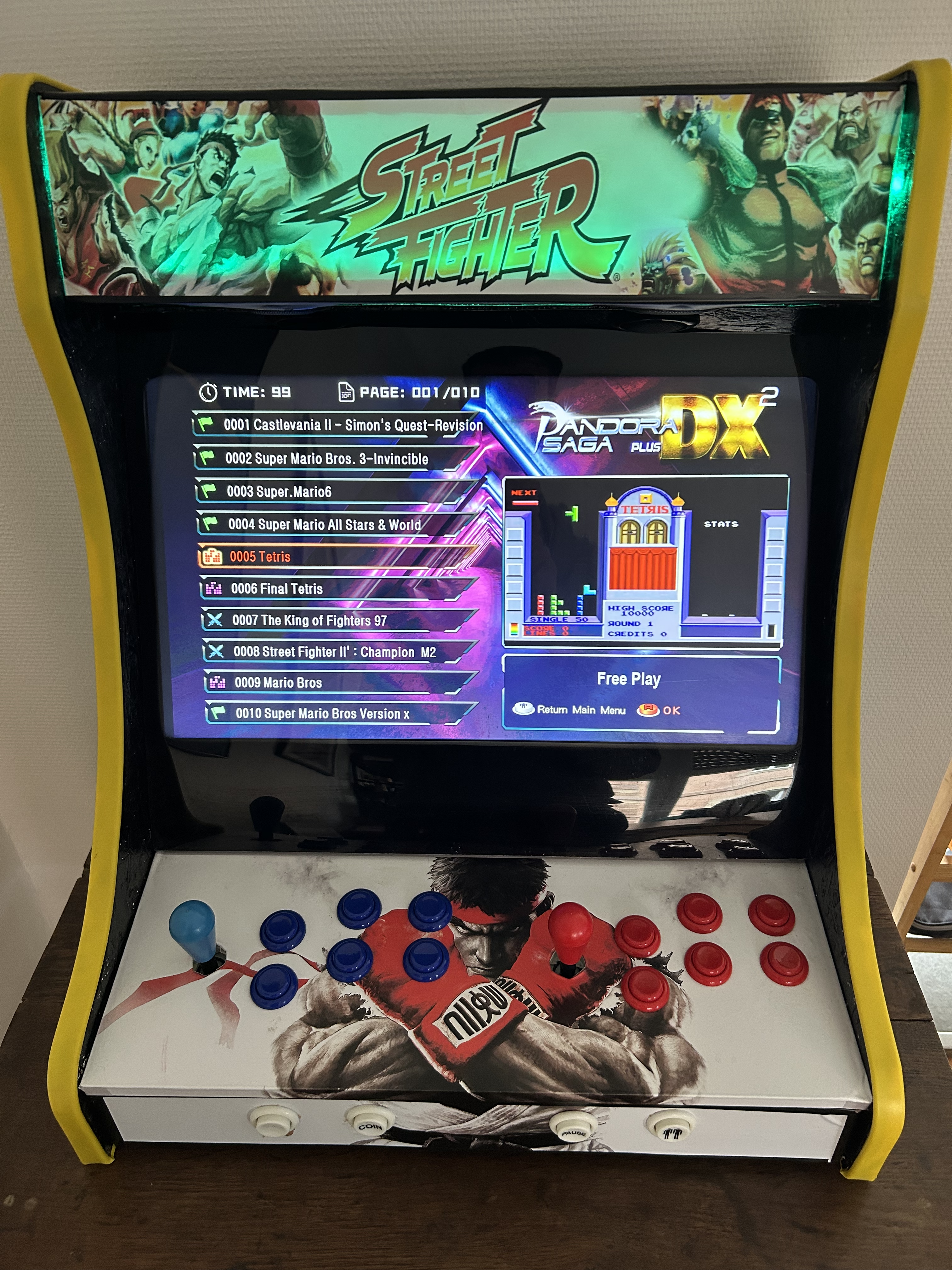
The final touch consists of putting the stickers and finally the U-Molding.
Building this arcade cabinet was both challenging and rewarding. The total cost was around €200, thanks to affordable materials like OSB wood and the versatile Pandora’s Box. Beyond the budget-friendly aspect, the joy of playing retro games with my kids on something I built from scratch is priceless.
If you build this arcade cabinet, please leave a comment and share your photos!
Your feedback helps others and boosts this guide’s visibility so more makers can find it.
💎Upgrade Your Build

Want to take your arcade cabinet to the next level? Here are the 3 best upgrades to turn it into a premium machine:
🎮 1. Upgrade to Premium Arcade Controls
Switch to Sanwa-style buttons and joystick for smoother response, better durability, and a true arcade feel.
Perfect for fighting games and fast-paced classics.
🖥 2. Install a Larger Full HD Monitor
Upgrade to a 24″–27″ IPS display for sharper graphics, wider viewing angles, and a more immersive retro experience.
🌈 3. Add LED Lighting & Backlit Marquee
- Install LED strips and a lit marquee to give your cabinet a professional arcade look — especially impressive in low light.