Build Your Own 7-Channel RC Transmitter and Receiver Using Arduino and NRF24L01+
by Ideas by Suyash Desai in Circuits > Arduino
5033 Views, 46 Favorites, 0 Comments
Build Your Own 7-Channel RC Transmitter and Receiver Using Arduino and NRF24L01+

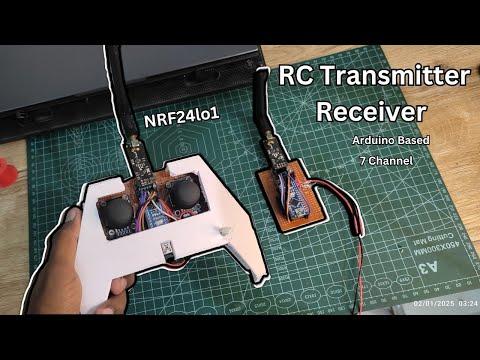
The 7-Channel RC System is a DIY transmitter and receiver you can build to control RC cars, boats, robots, and custom RC projects with smooth, low-latency precision. Using two joysticks and a potentiometer, it allows you to drive, steer, and control multiple motors, servos, and accessories — all from a single, customizable controller.
I’m Suyash, and in this tutorial I’ll give you everything you need: complete wiring diagrams, Arduino code, nRF24L01+ configuration tips, and step-by-step instructions to build your own affordable, high-performance RC system that can be adapted to almost any RC vehicle you can imagine.
Supplies
.png)
Below is the complete list of components required to build both the transmitter and receiver units.
Required Components:
Transmitter Side
- Arduino Nano ×1
- Joystick Modules ×2
- Potentiometer ×1 (any value between 10kΩ–100kΩ works well)
- nRF24L01+ Wireless Module ×1
- nRF24L01+ Adapter Module ×1 (recommended for stable 3.3V supply)
- Perf Board / Blank PCB (for permanent assembly)
- Jumper Wires
- Acrylic foam board/sunboard
Receiver Side
- Arduino Nano ×1
- nRF24L01+ Wireless Module ×1
- nRF24L01+ Adapter Module ×1
- Perf Board / Blank PCB
- Jumper Wires
Assembling the Transmitter Components on Perf Board
.png)
.png)
.png)
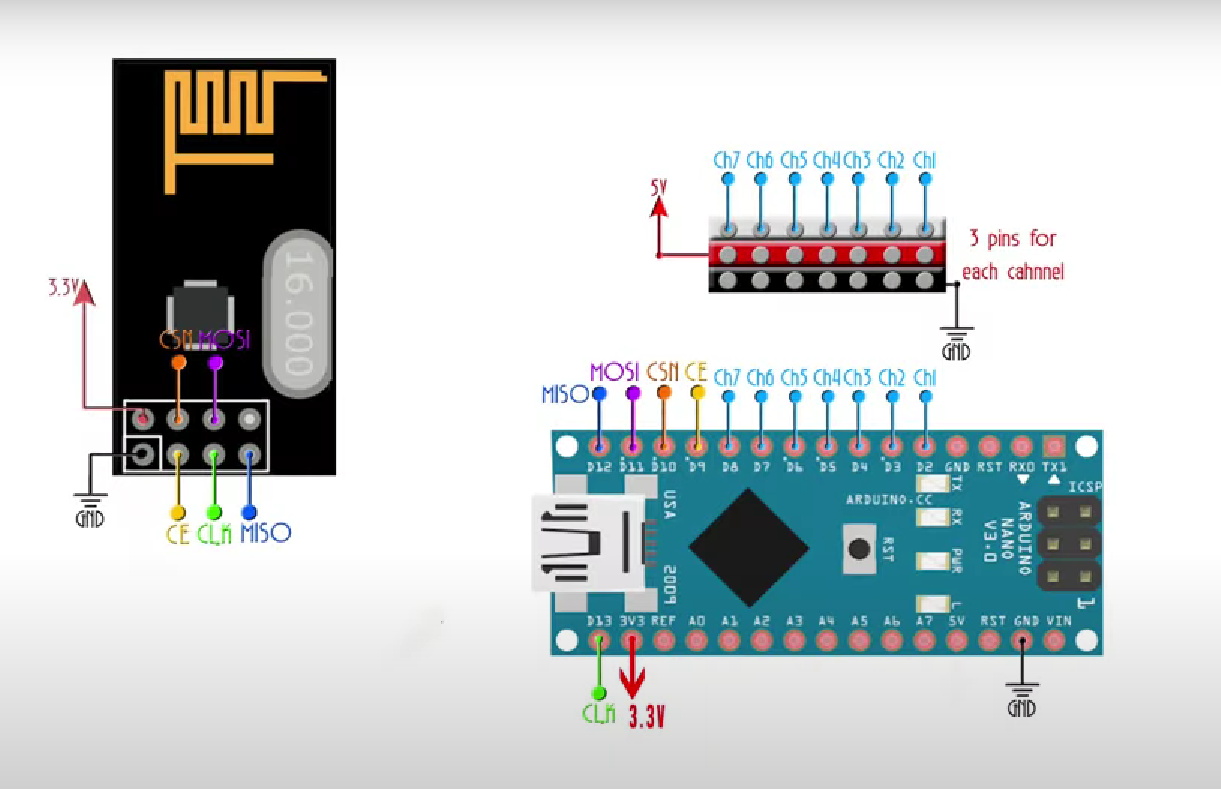
In this step, we’ll assemble the main components of the RC transmitter on a perf board to form a compact and ergonomic controller layout.
I placed the Arduino Nano at the center of the perf board, as it acts as the main controller and makes wiring symmetrical and clean. On both sides of the Arduino, I mounted the two joystick modules, positioning them in a way that feels natural when holding the controller with both hands.
On the upper side of the Arduino Nano, I placed the nRF24L01+ adapter module. This keeps the RF module slightly away from the rest of the circuitry and allows easy access if the module needs to be replaced or adjusted later.
The USB port of the Arduino Nano is facing downwards on the board. This orientation makes programming, debugging, and powering the transmitter convenient without needing to remove the board from its enclosure.
Once all components were positioned properly, I soldered them onto the perf board and made the necessary connections using short jumper wires to keep the layout neat and reliable. After fixing the layout, I soldered all the components securely onto the perf board and used short, thin jumper wires to make the connections, keeping the wiring compact and reliable. Prefer the given Pin out of arduino nano & nrf24 (connections are same as the NRF24 module for the NRF24 adapter)
.png)
.png)
.png)
.png)
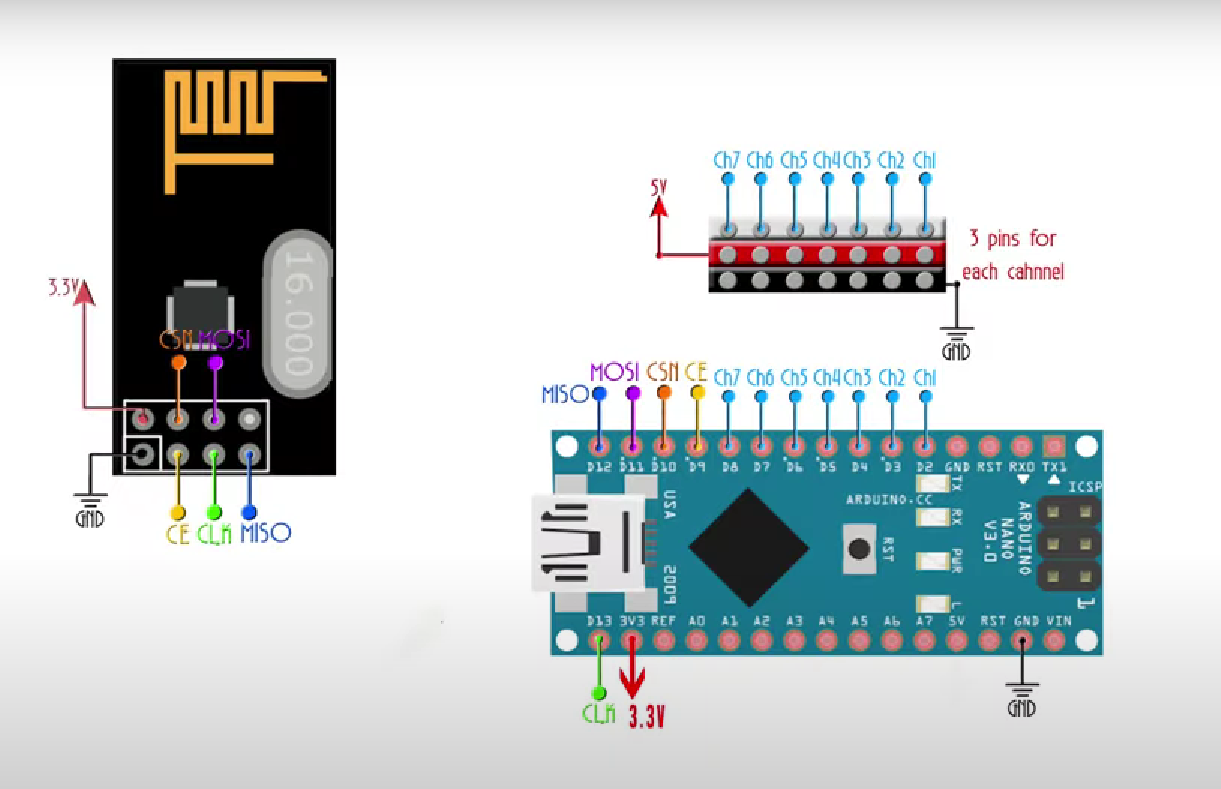
For the receiver, I wanted the setup to be compact, modular, and easy to integrate with different robots like RC cars, boats, drones, or combat bots.
I used a rectangular, compact perf board and mounted the Arduino Nano vertically to save space. On the upper side of the Nano, I placed the NRF24L01 adapter, and plugged the NRF24L01+ module into it. This keeps the RF module secure and properly powered while maintaining a clean layout.
After soldering all the required connections between the Arduino Nano and the NRF24L01 adapter, I focused on making the receiver flexible for future use. For the remaining GPIO pins, I soldered male header pins parallel to the Arduino’s digital pins. These header pins act as easy connection points for external components such as motor drivers, LEDs, buzzers, servos, or any other peripherals depending on the application.
All connections were soldered carefully using small jumper wires to keep the board strong, reliable, and competition-ready.
Uploading the Code
.png)
.png)
In this stage, we’ll upload the code to both the transmitter and receiver Arduino Nano boards.
I’ve provided the complete transmitter and receiver codes in the link below, so I won’t go deep into code
Codes & Circuit Diagrams: https://github.com/astrix884/7-Channel-RC-Transmitter-Receiver-using-NRF24l01-
explanation here.
Steps to upload the code:
- Connect the Arduino Nano to your computer using a USB cable.
- Open Arduino IDE.
- Install all the required libraries mentioned in the code (such as RF24, Servo, etc.).
- Open the transmitter or receiver code from the provided link.
- From the Arduino IDE, select the correct Board (Arduino Nano).
- Select the correct Port.
- Click Upload and wait for the process to complete.
- Repeat the same steps for the second Arduino Nano.
Once both boards are programmed, your 7-channel RC transmitter and receiver are ready for the next stage.
Designing & Making the Controller Case
.png)
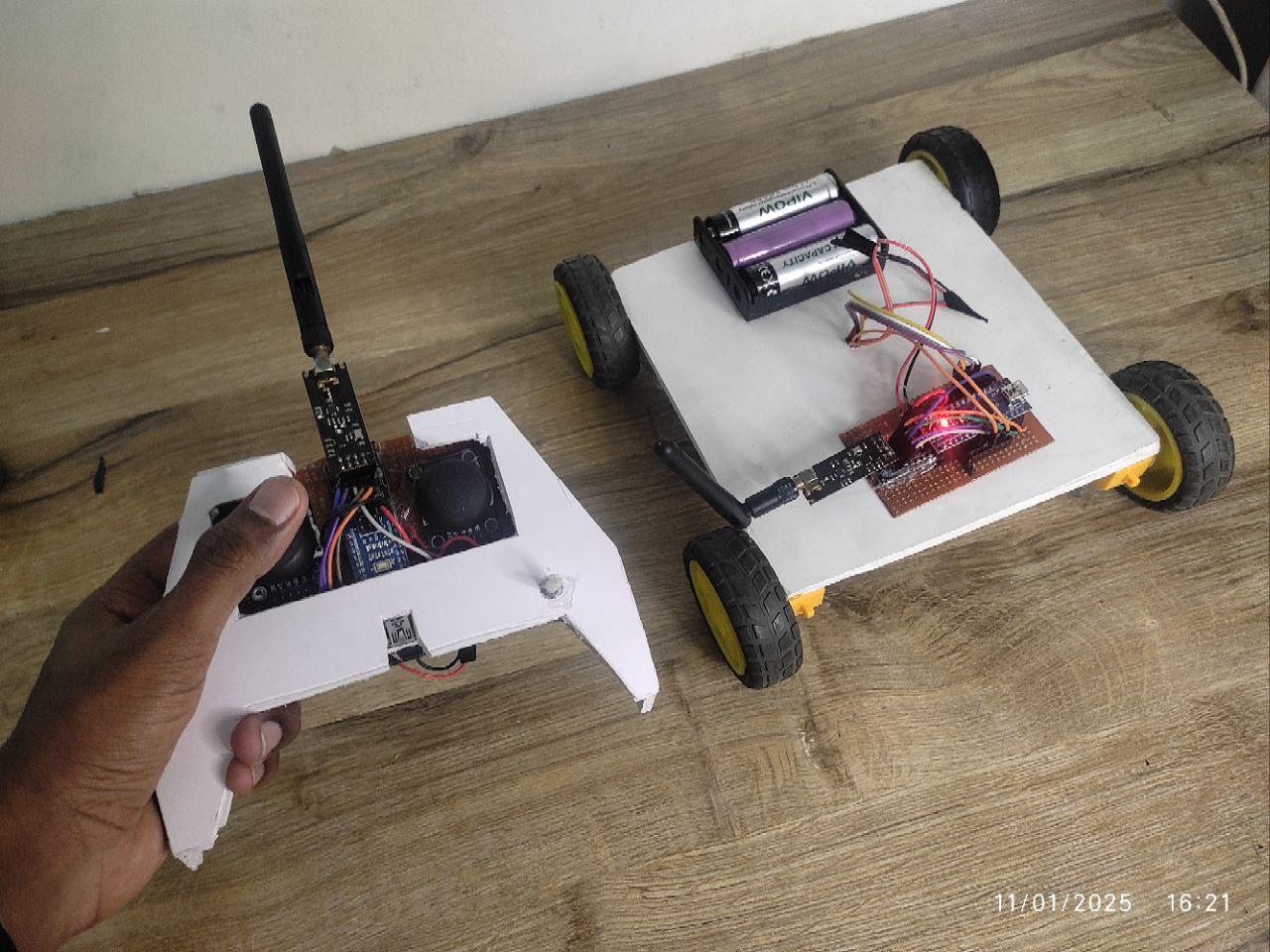
For the controller enclosure, I used acrylic foam board (sunboard) because it’s lightweight, easy to cut, and perfect for DIY enclosures.
Instead of copying a traditional RC controller design, I tried to give it a sci-fi, tech-inspired look. I went with sharp lines and pointy corners to make it look more aggressive and futuristic, while still keeping the design practical.
The shape was designed to fit comfortably in the hand, making long control sessions easy without fatigue. Even with the angular design, the controller feels very natural to hold and well balanced.
All the internal components fit neatly inside the case, and the joystick positions line up perfectly for smooth control. The result is a controller that doesn’t just work well—but also looks unique and custom-built, not like an off-the-shelf remote.
Have Fun
.png)

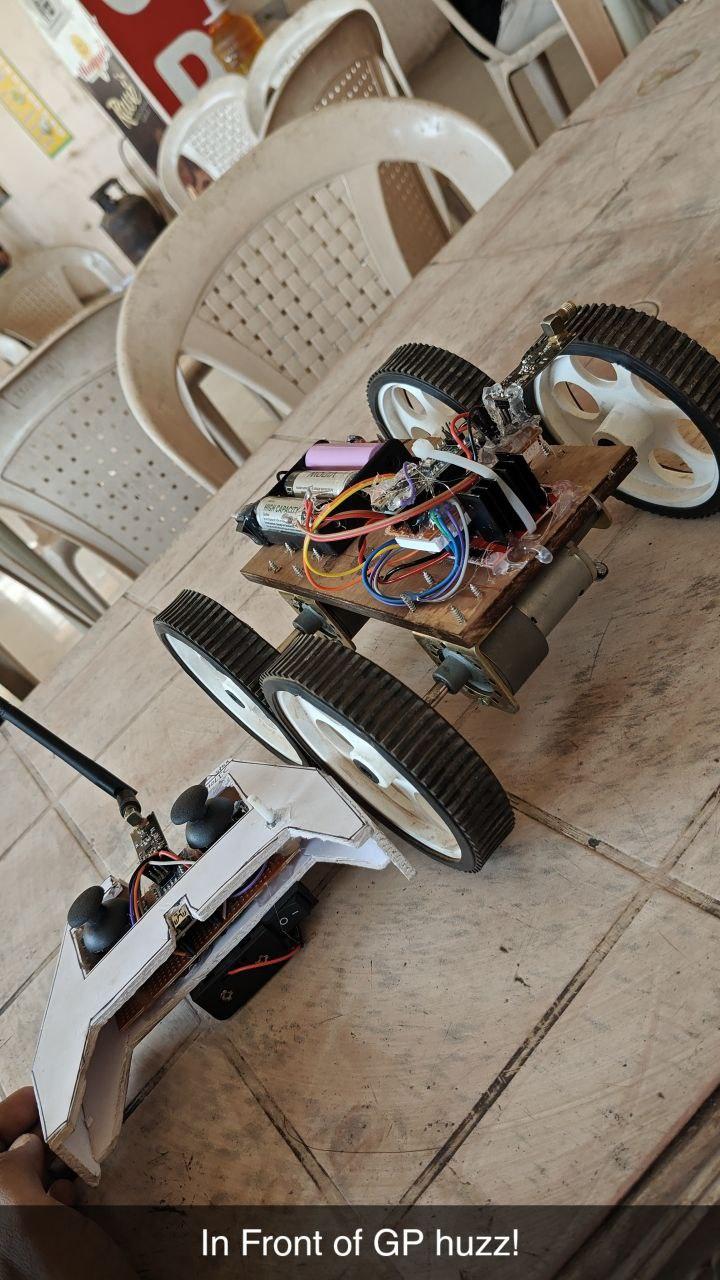
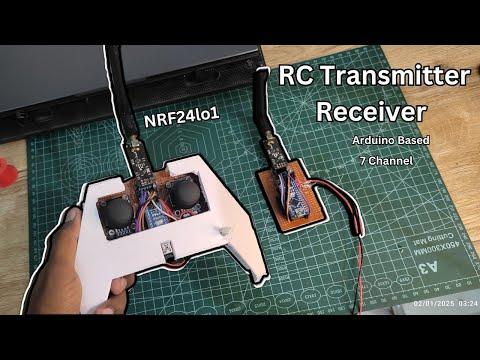
And that’s it ,your 7-channel RC transmitter and receiver is now complete and ready to use!
You can connect the receiver to any RC project: cars, boats, robots, or even experimental setups. For testing, I connected it to my DIY RoboRace bot, and it worked flawlessly.
Thanks to the nRF24L01+ modules and optimized Arduino code, the system provides wireless, low-latency control with long-range reliability, making it perfect for arenas, open spaces, or custom RC adventures.
Now it’s time to take your creations for a spin, experiment with different vehicles, and enjoy full control over your robots and RC projects. All built with your own hands!!