12V to 22V Inverter Modified Sine Wave
by Creative For You - YT in Circuits > Electronics
146 Views, 2 Favorites, 0 Comments
12V to 22V Inverter Modified Sine Wave

Supplies
SuppliesElectronics Components:
PWM Controller: 1x SG3525 IC (with 16-pin socket)
MOSFETs: 2x IRF3205 (High-current switching)
Transformer: 12V-0-12V to 220V (Ferrite core or Iron core)
Resistors: * 2x 220 (Gate resistors)
2x 10k1x 4.7k (for frequency adjustment)
Capacitors: * 1x 1000µF 25V (Filtering)1x 10⁴ (100nF) Ceramic1x 2.2µF Electrolytic
Diodes: 2x 1N4148
Potentiometer: 1x 50k (To fine-tune output voltage/ frequency)
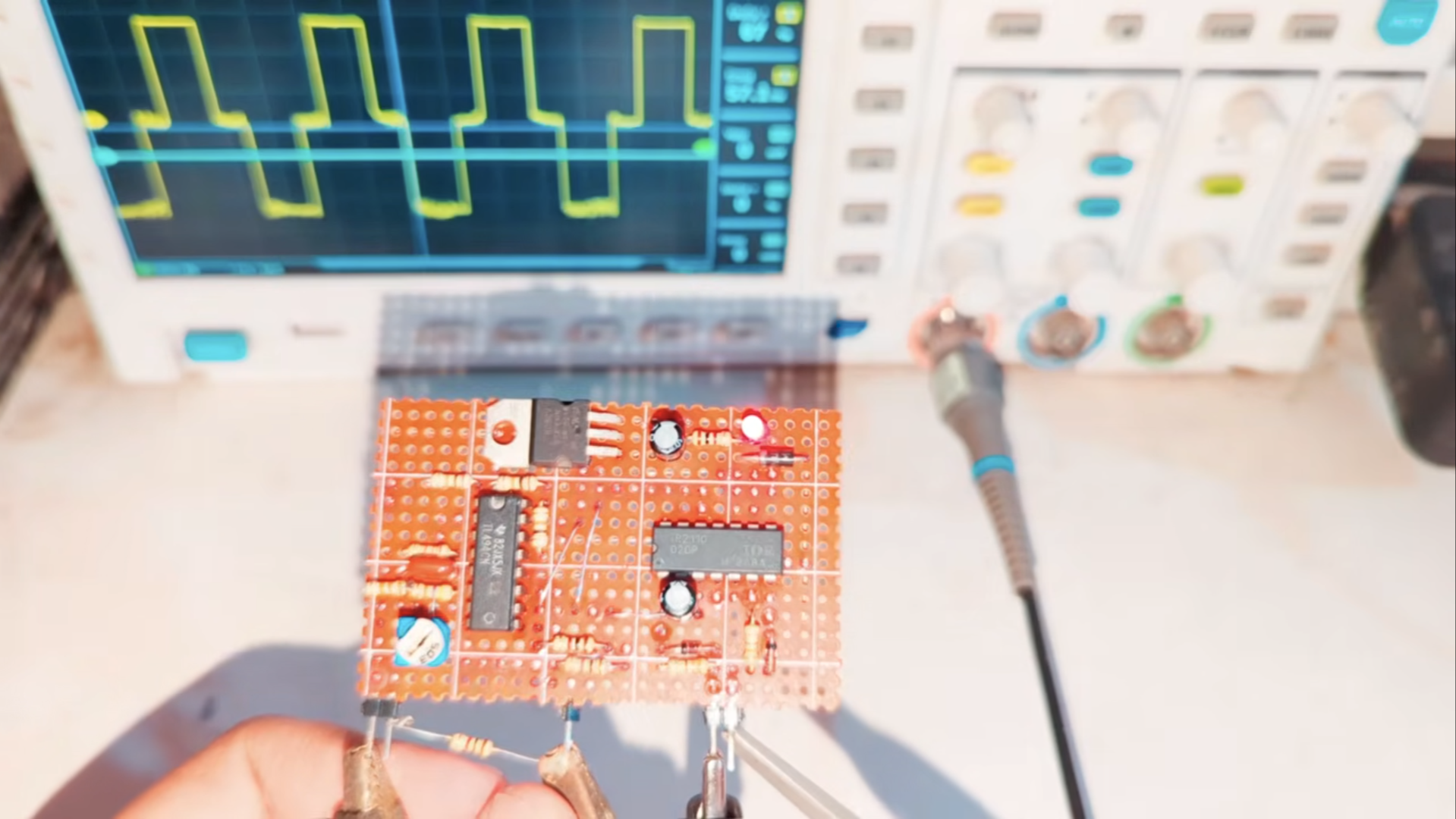
Oscillator Using TL494 and IR2110
Step 1: Circuit Design and PCB Preparation
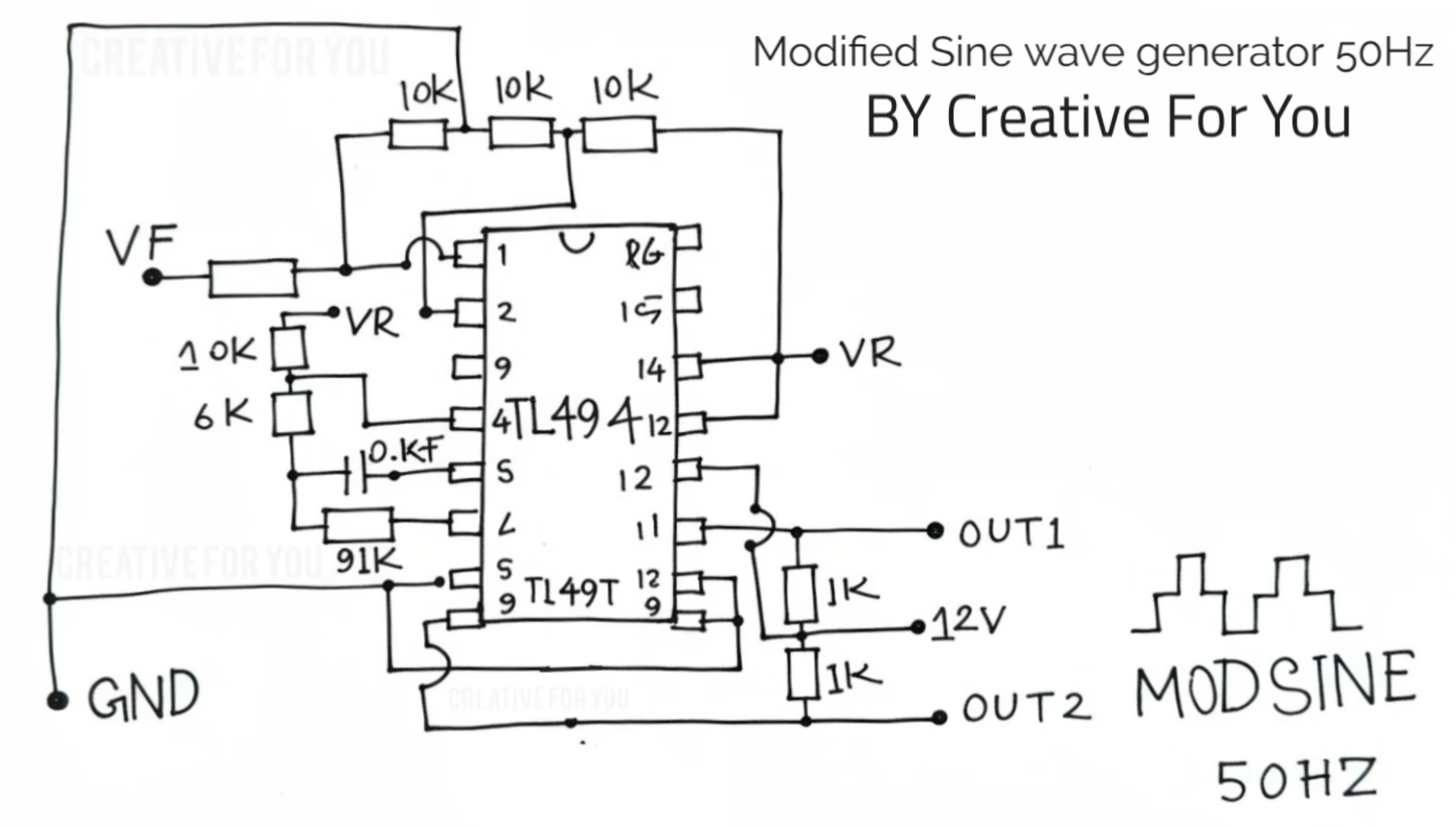
The heart of this inverter is the SG3525 Pulse Width Modulation (PWM) IC. Unlike simple oscillators, this IC provides a precise frequency (50Hz/60Hz) and dual-channel output to drive the MOSFETs in a "push-pull" configuration.
Schematic
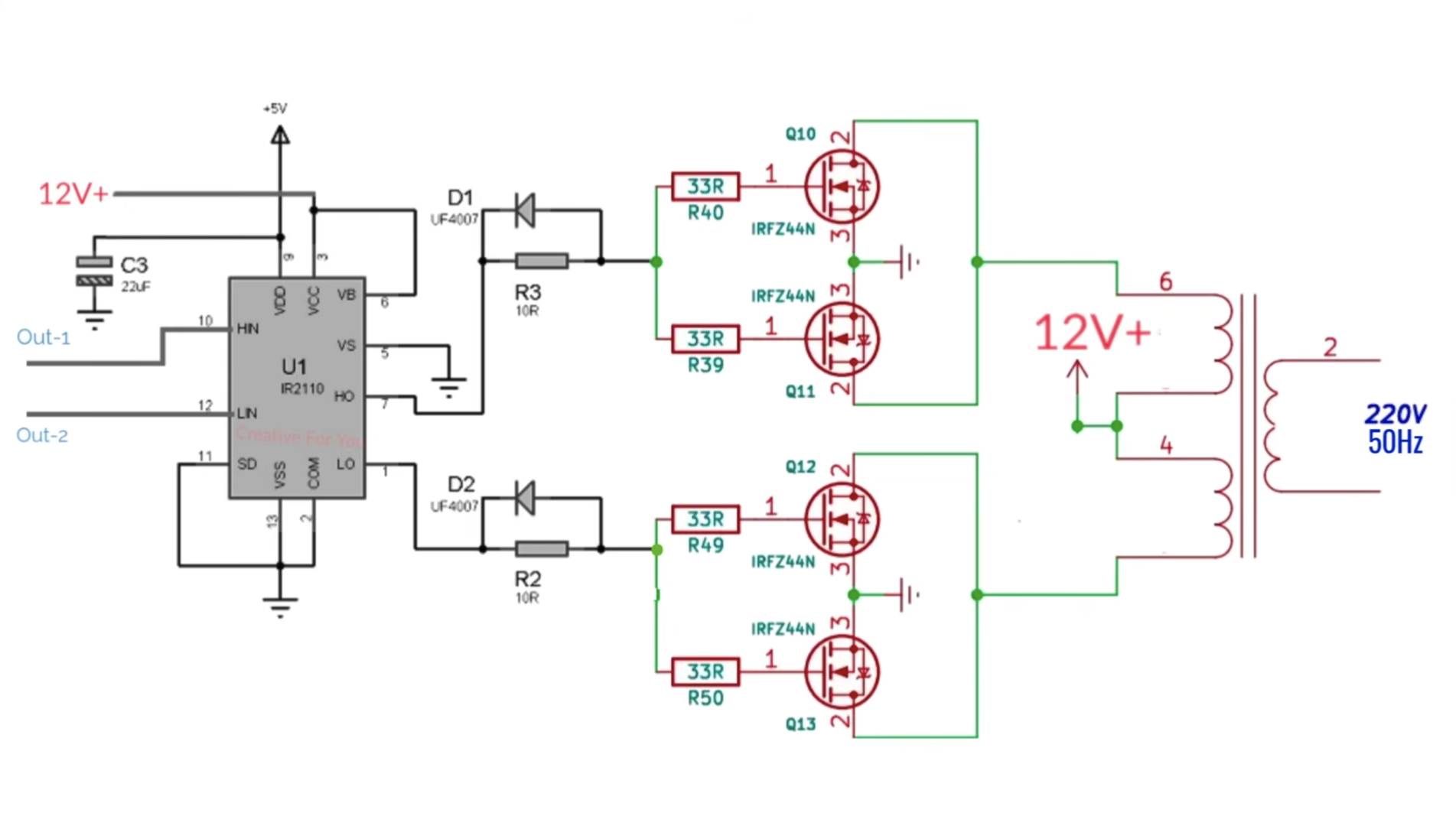
MOSFET Board

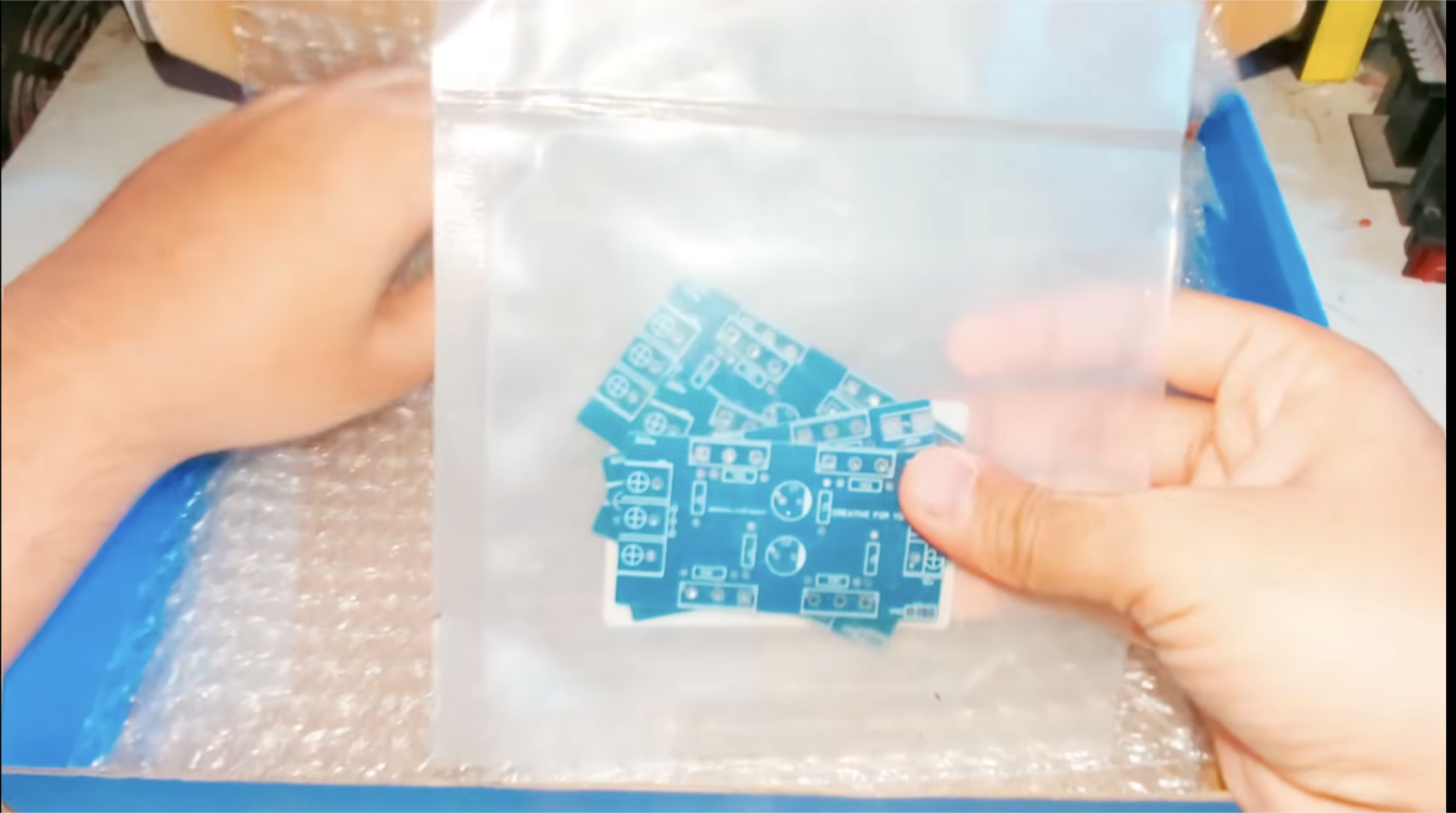
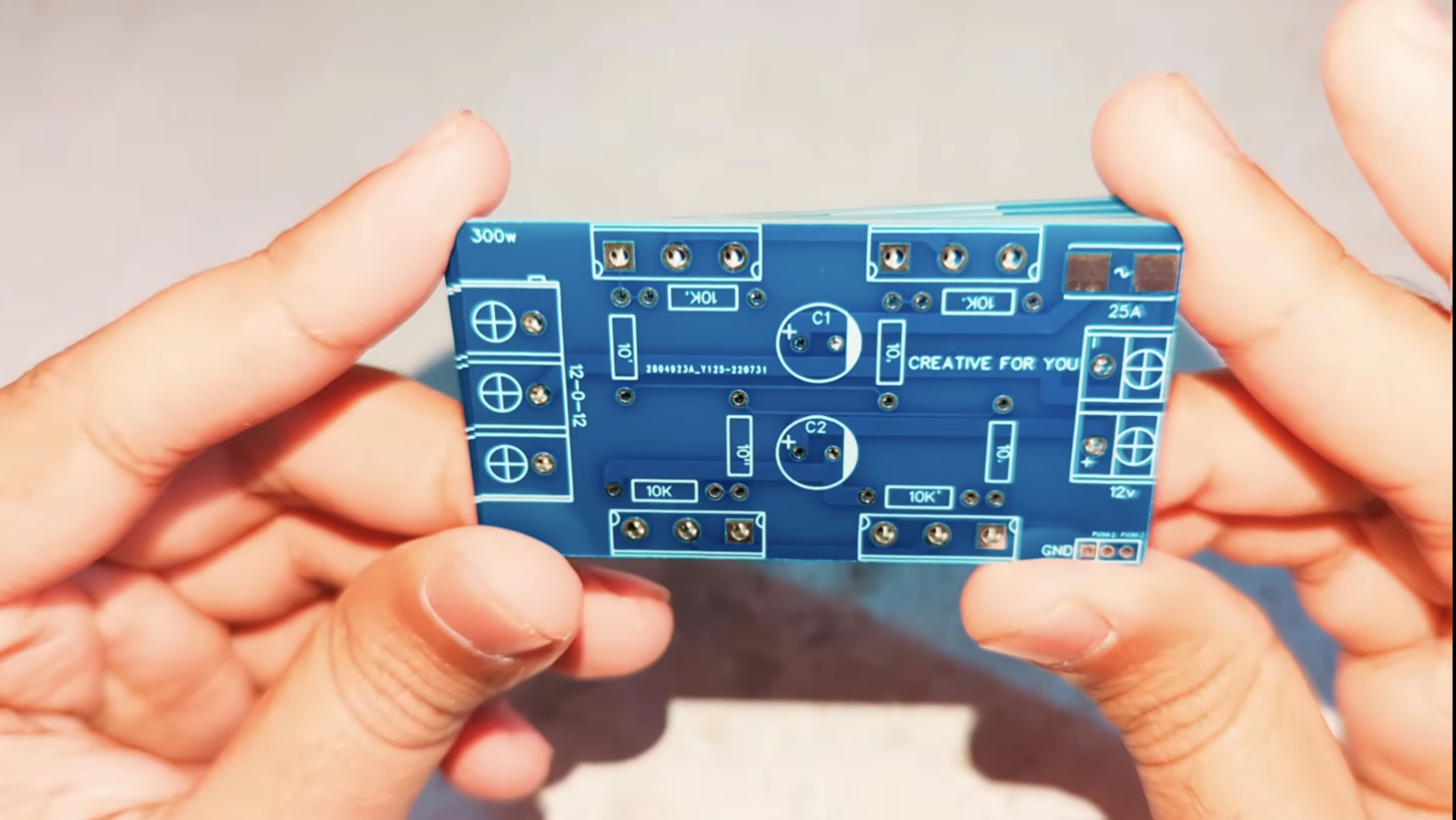
For a professional build, it is recommended to use a custom PCB. You can export the Gerber files and order them from a service like JLCPCB. This ensures the high-current traces are thick enough to handle the 300W load without overheating.
This project was made possible by JLCPCB, a leading manufacturer of high-quality PCB prototypes and SMT assembly services.
Link: $5 for 5 PCBs and One Stencil, One Gerber File to Order Both,
Sign up here to Get Free Coupons: Sign Up
MOSFETs and Resistors
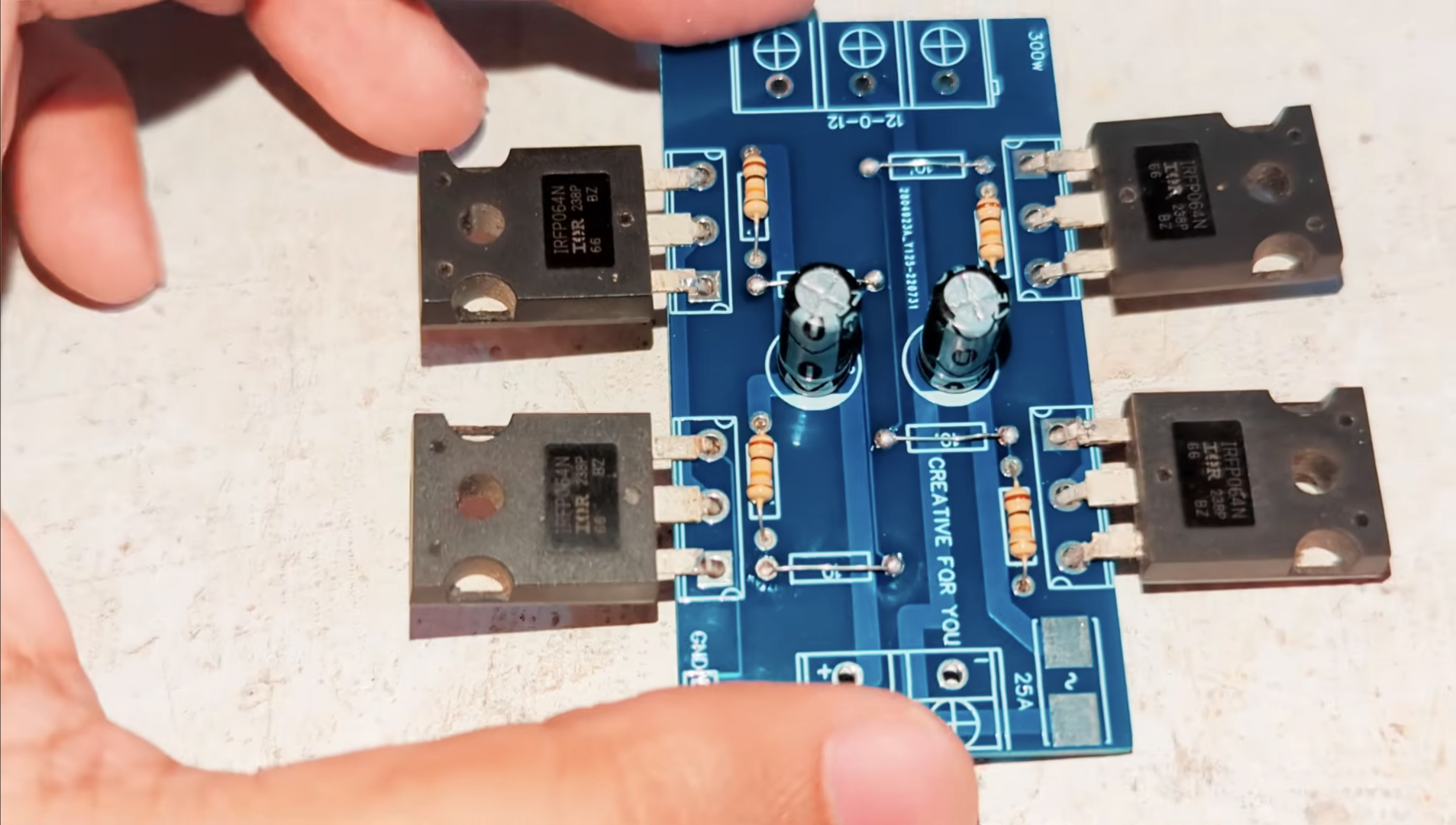
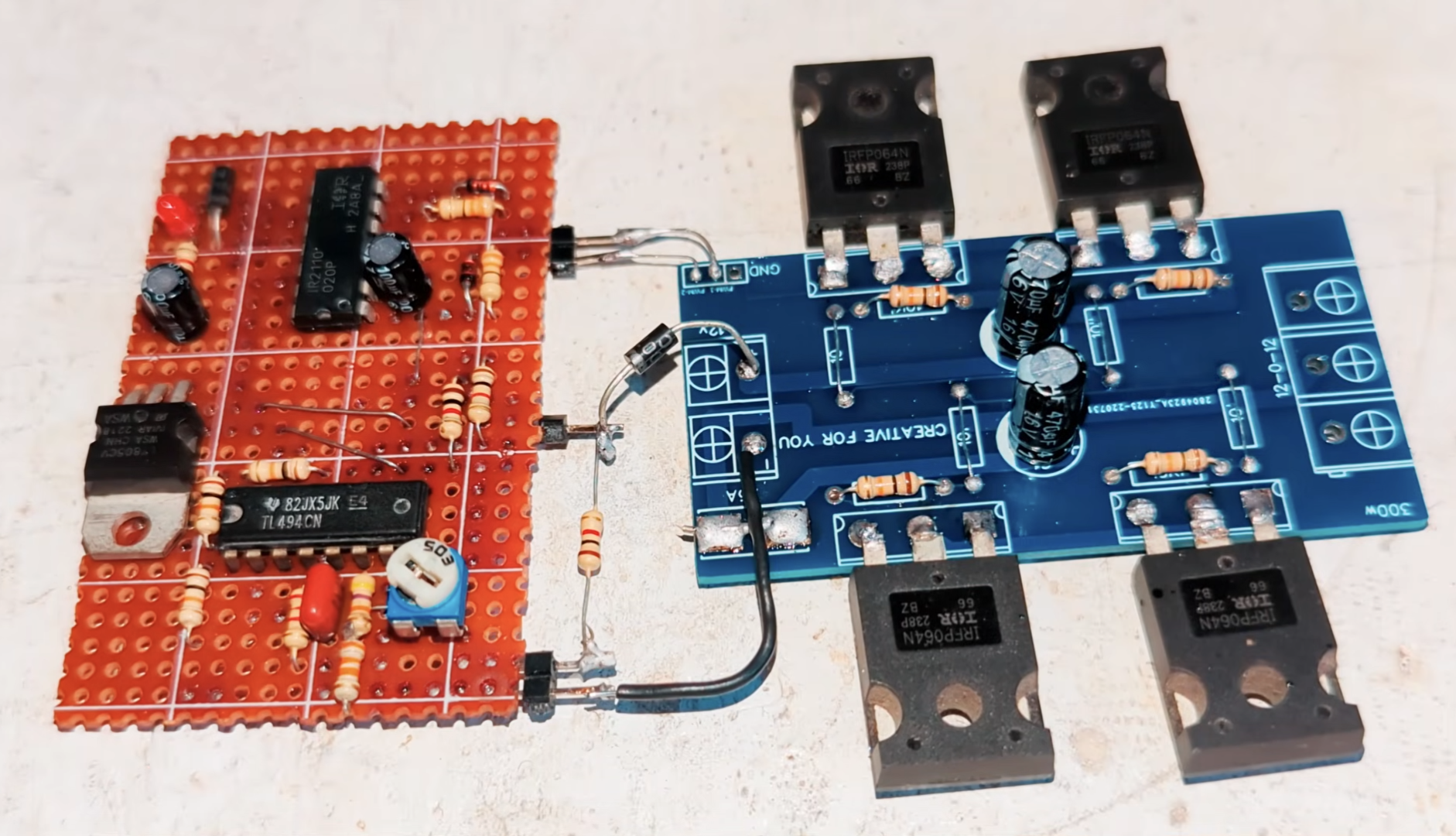
Start by soldering the components with the lowest profile to keep the board stable:1. Resistors & Diodes: Place the resistors and the 1N4148 diodes.2. IC Socket: Always use an IC socket for the TL494. This prevents heat damage to the chip during soldering and allows for easy replacement.3. Capacitors: Solder the ceramic and electrolytic capacitors. Ensure the polarity of the electrolytic capacitors is correct (the stripe indicates the negative lead). The IRF3205 Or IRF064N MOSFETs handle all the current from the battery. At 300W, they will generate significant heat.1. Apply a small amount of thermal grease to the back of the MOSFETs.2. Secure them to the aluminum heatsinks tightly.3.Solder the MOSFETs to the PCB. Note: Ensure the heatsinks do not touch each other if they are electrically "live" via the MOSFET drain, or use mica insulators
The Transformer

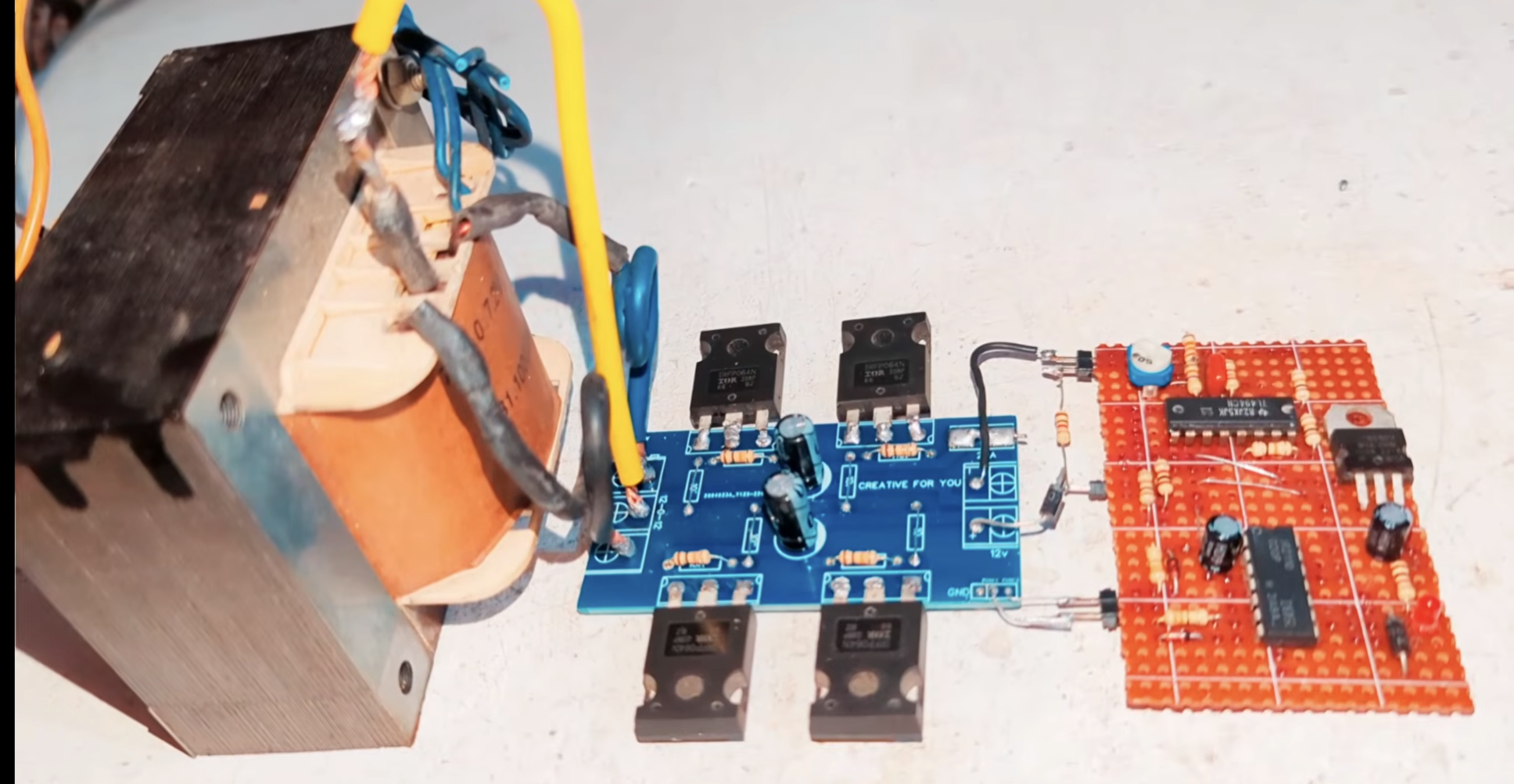
The transformer steps up the low-voltage AC generated by the MOSFETs to 220V.1.Primary Side: Connect the Center Tap of the transformer to the Positive (+) input of the 12V battery. Connect the two side wires of the primary to the MOSFET drain outputs on the PCB.2. Secondary Side: These two wires will provide the 220V AC output. Connect these to an AC socket or terminal block.
Testing and Working
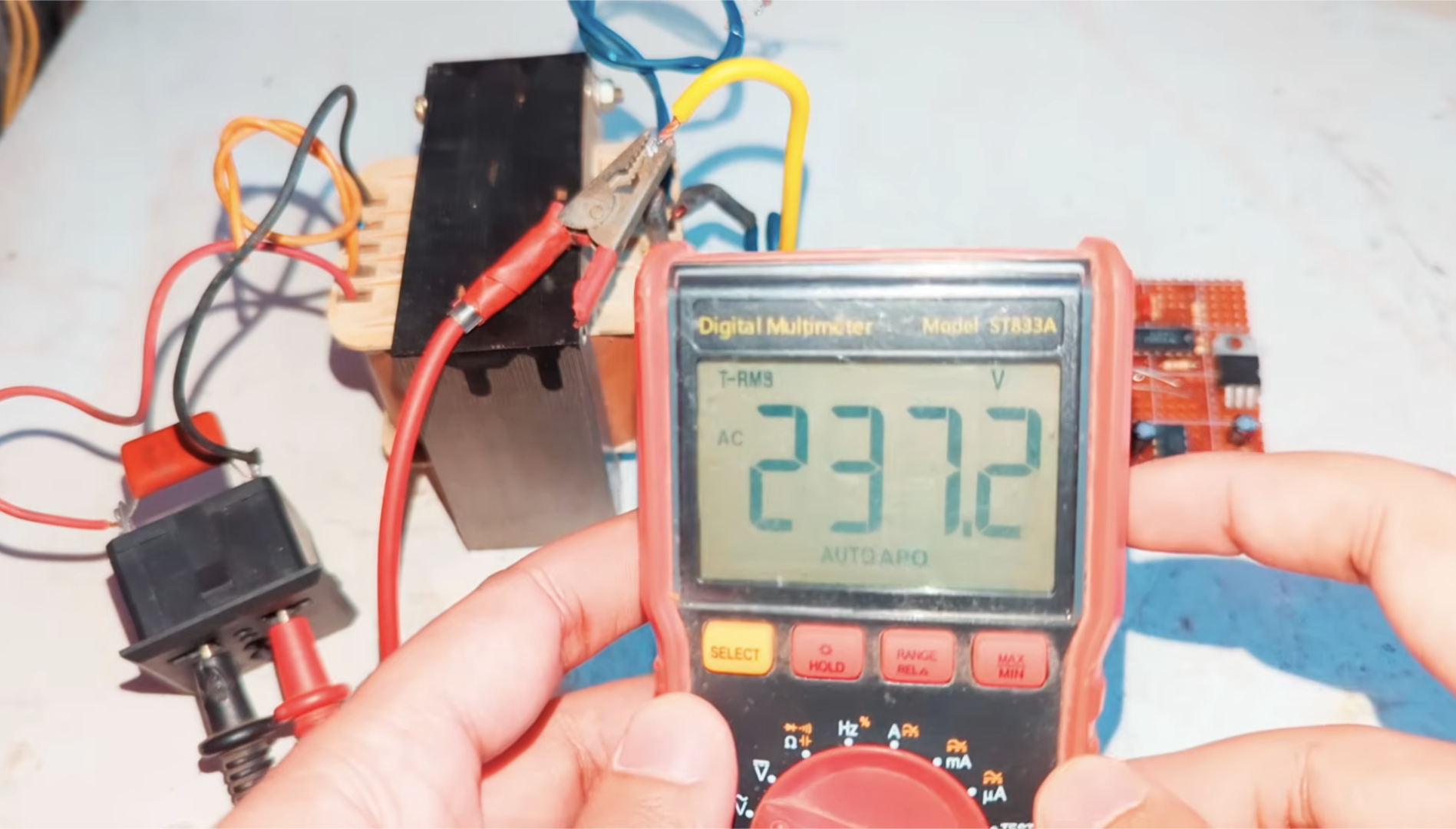
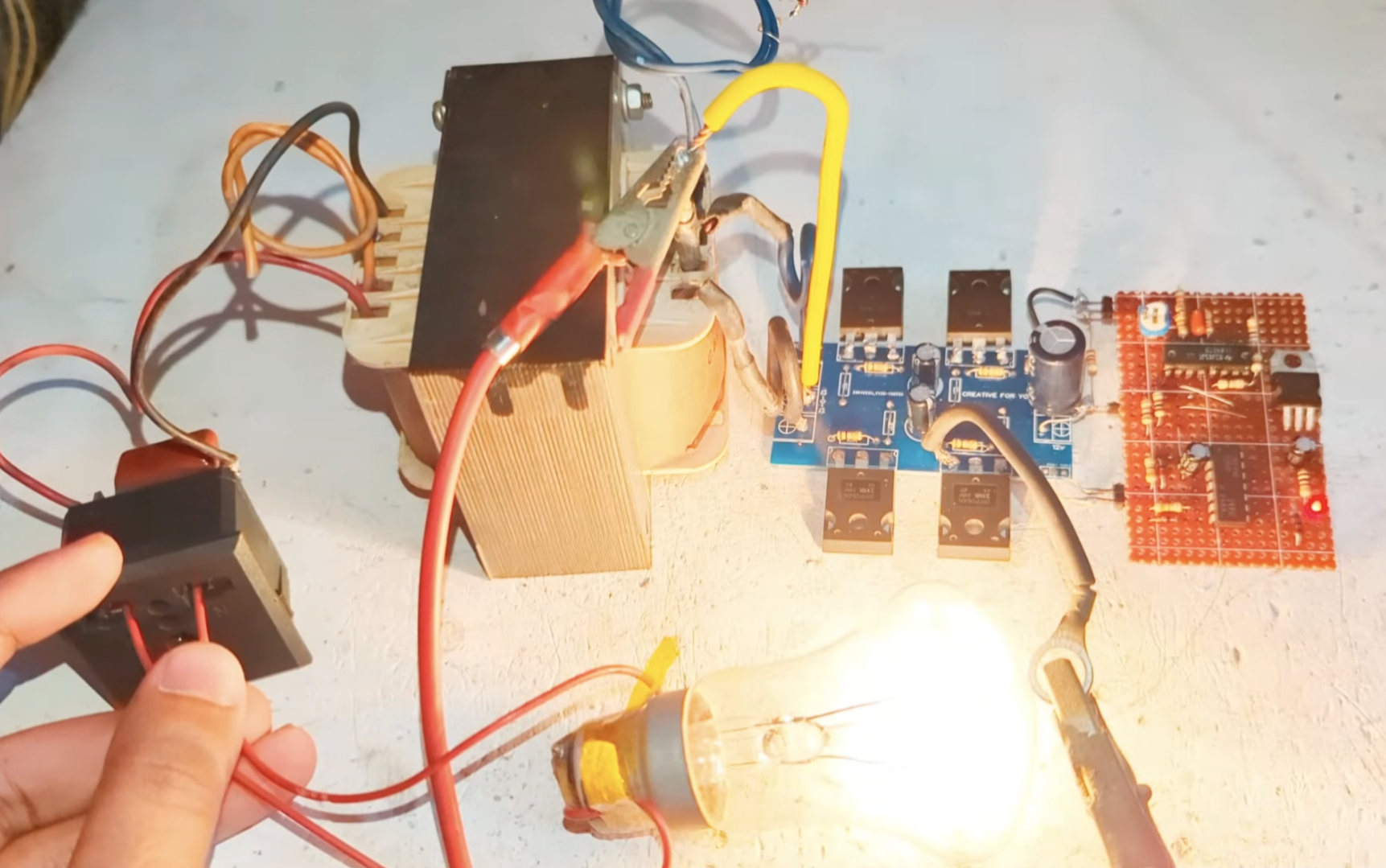
Before plugging in expensive appliances, we must test the output:1. Connect a 12V battery to the input.2. Using a multimeter (set to AC Voltage), measure the output terminals. It should read between 220V and 240V.3. Frequency Check: If your multimeter has a frequency setting, check for 50Hz or 60Hz (depending on your region). Use the onboard potentiometer to adjust this if necessary.4.Load Test: Connect a small 10W LED bulb. If it lights up steadily, the circuit is working. You can then test with higher loads like a table fan.
Once the circuit is verified, mount the PCB and transformer inside a non-conductive (plastic or wood) or grounded metal enclosure. Ensure there is adequate ventilation or a small DC fan to keep the MOSFET heatsinks cool during extended use.
Safety Warning
Lethal Voltage: The output of this circuit is 220V AC, which can be fatal. Never touch the output terminals while the battery is connected.Battery Safety: Use a fuse (30A-40A) between the battery and the inverter to prevent fire in case of a short circuit.Polarity: Connecting the 12V battery in reverse will instantly destroy the MOSFETs and the IC. Double-check your connections!