🚴 DIY Smart Bike Trainer
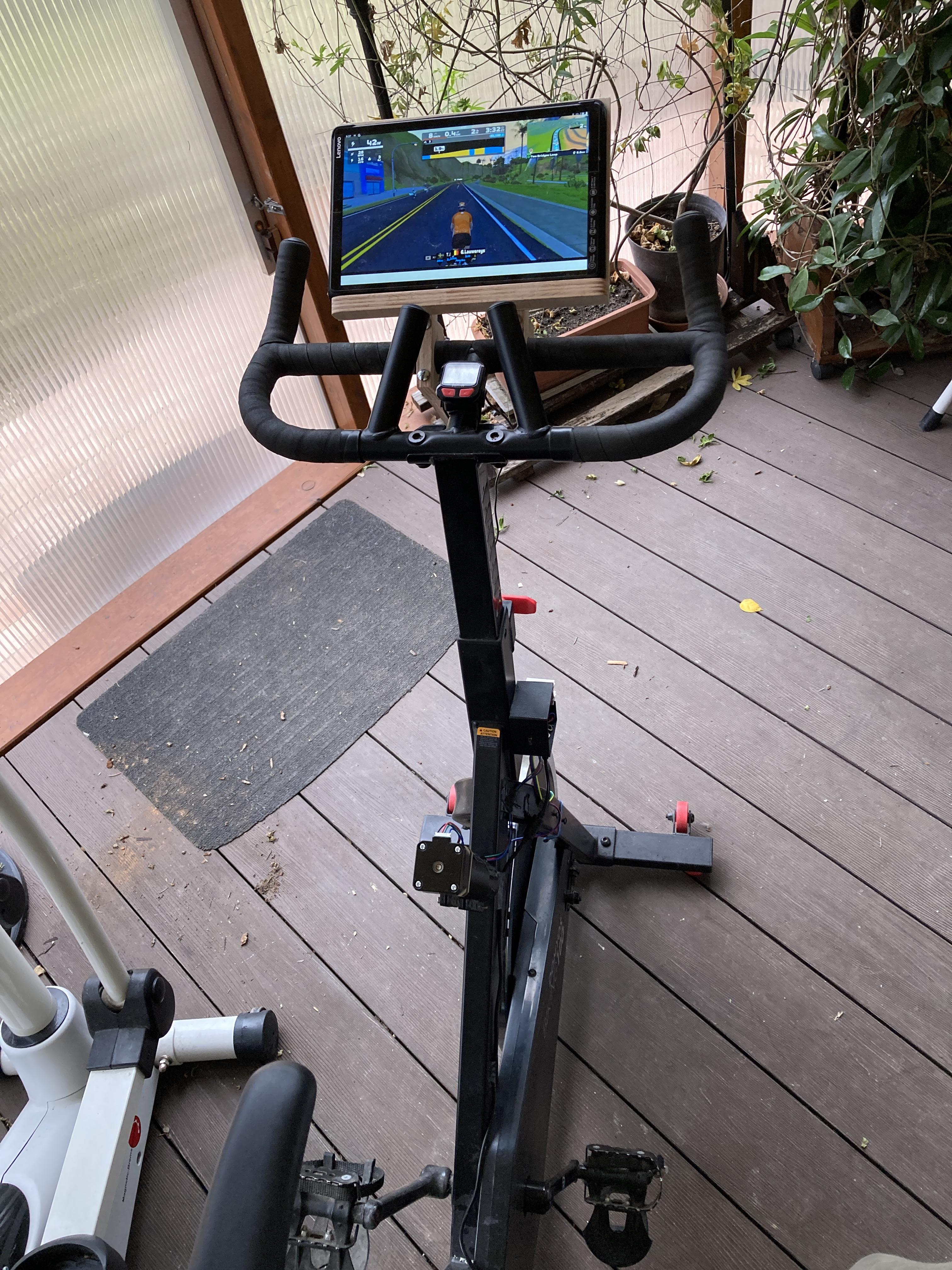
Riding a plain training bike is so boring, but with a smart update it can be connected to training app like Zwift.
Supplies
- Any kind of training bike with braking (resistance) feature. I have a Domyos Spin Bike 100 https://www.decathlon.hu/p/spin-bike-100-as/_/R-p-171890?mc=8491911
- ESP32-C3 SuperMini or any kind of ESP32 module.
- Nema17 stepper with gearbox. (42BYG70-27 or similar).
- A4988 Stepper Motor Driver Module
- reed contact
- magnet 10x3mm
- switch
- 24V power supply
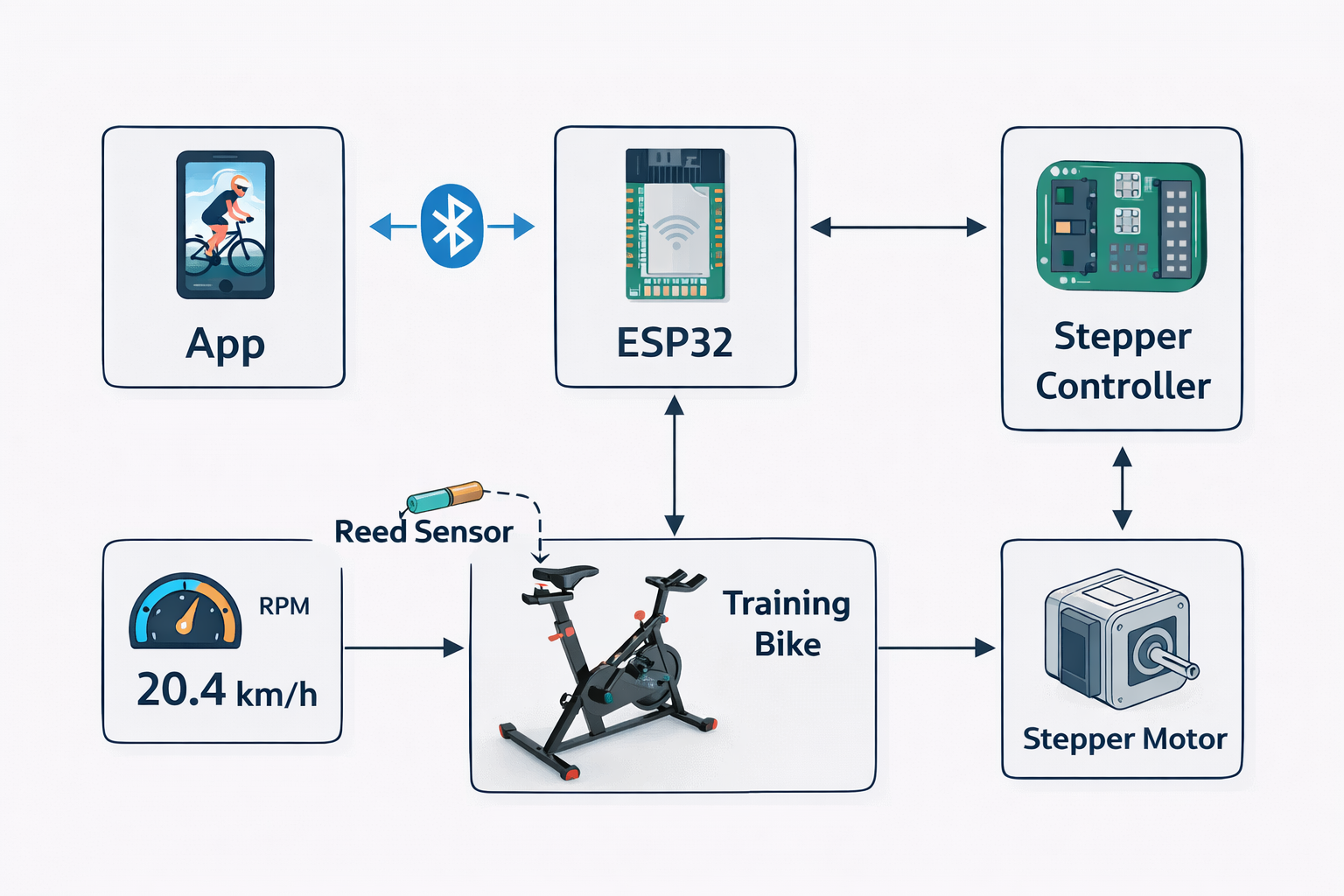
- some electronic devices: (see schematic diagram below)
- wires
- 3d printer
- ABS/PETG or similar material
- brass heat-insert nuts
- screws and washers
Functions
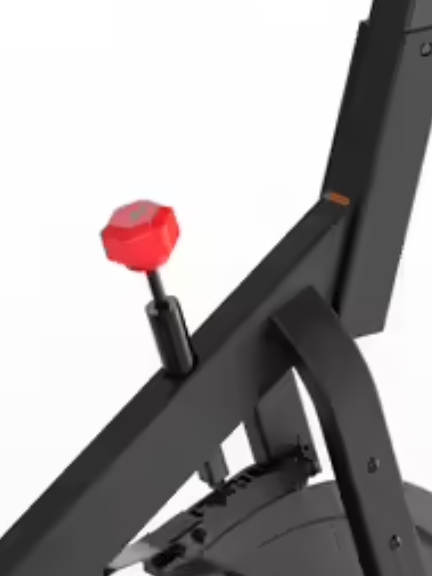
Originally the bike had a large red knob. If I turned it left/right manually, the wheel resistance is changed, simulating uphill riding.
The goal is to connect the bike to a training app like Zwift.
Main functions:
- The training bike sends my activity's cadence/power data to the app
- The app sends inclination data, the bike sets the resistance accordingly.
Stepper
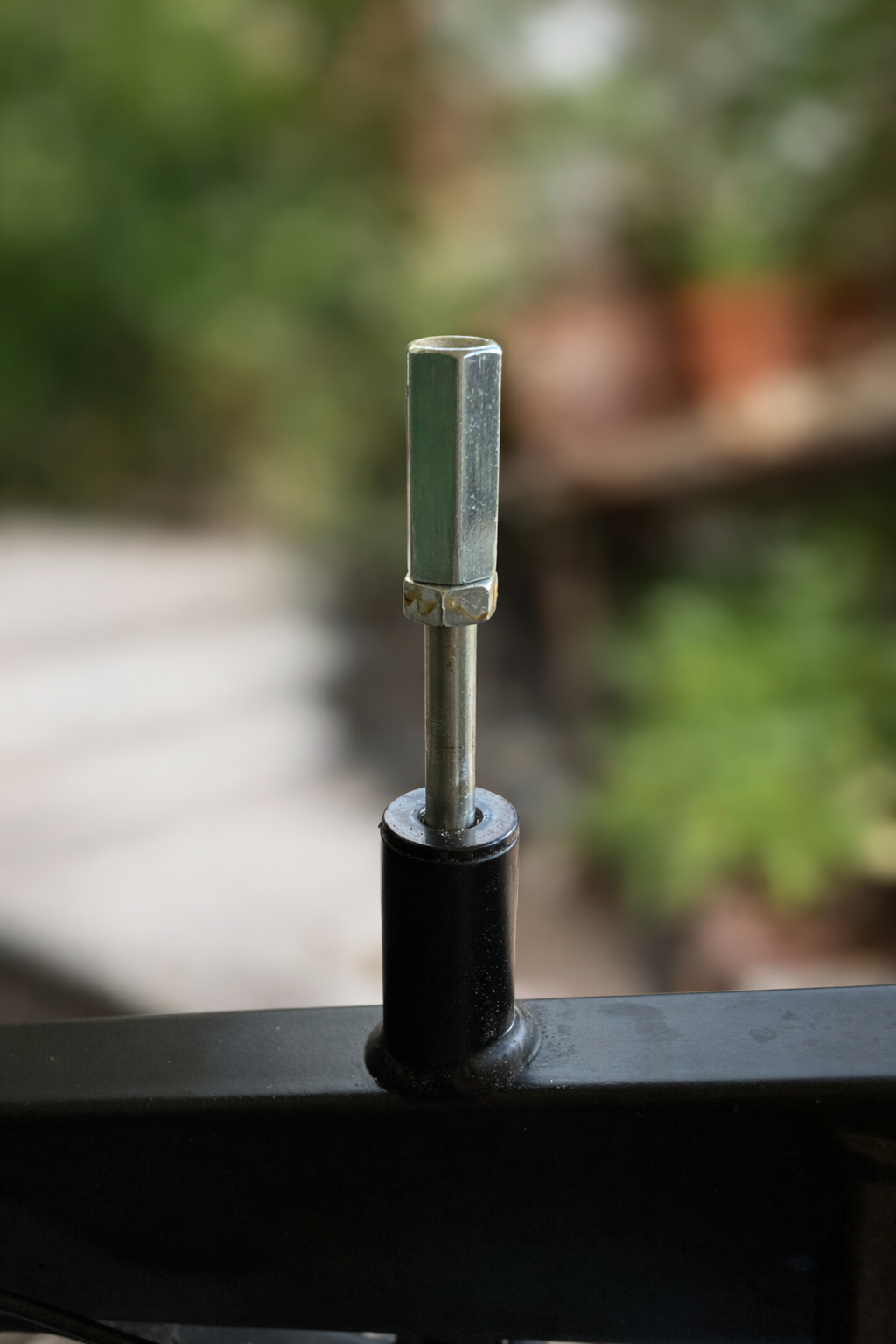
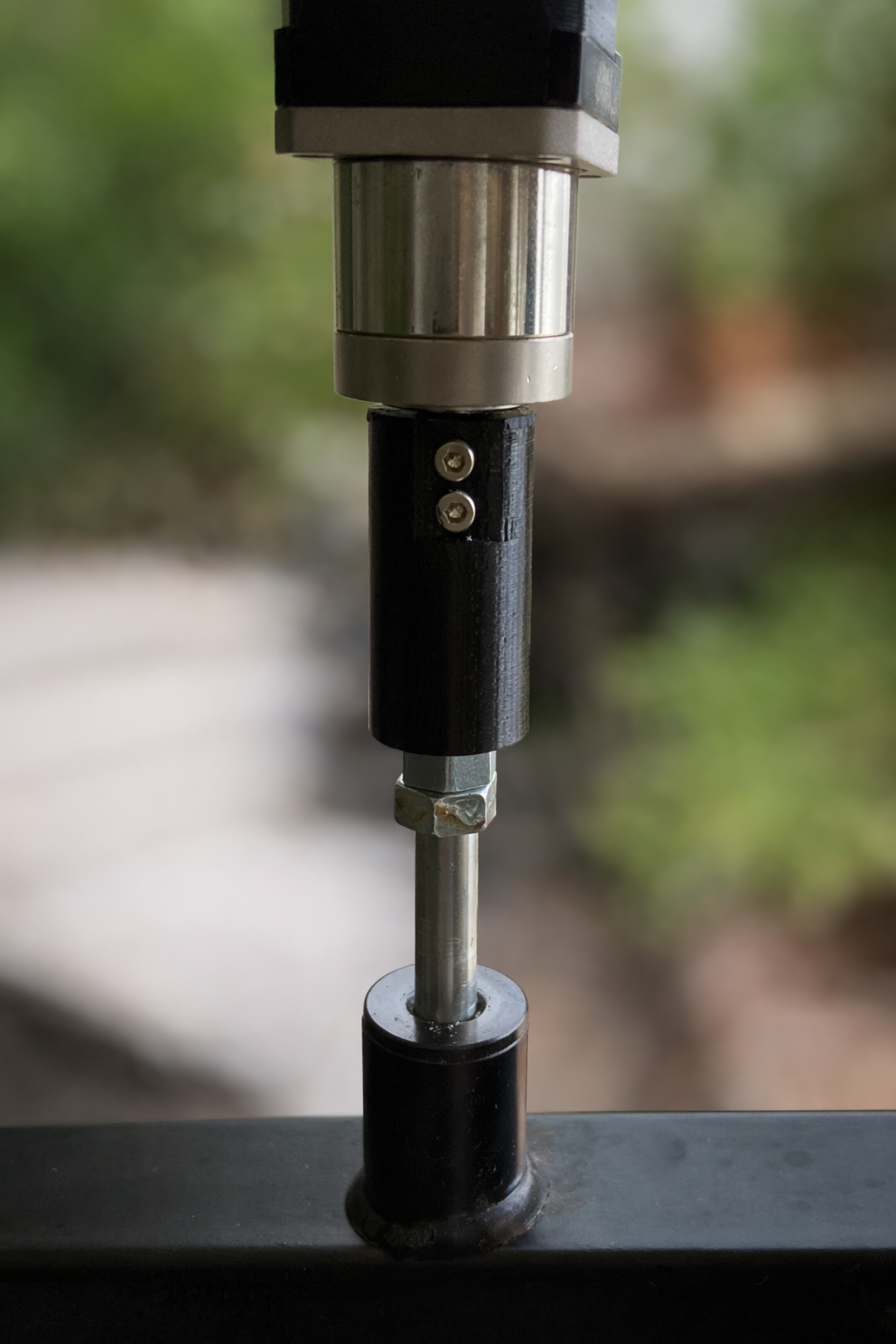
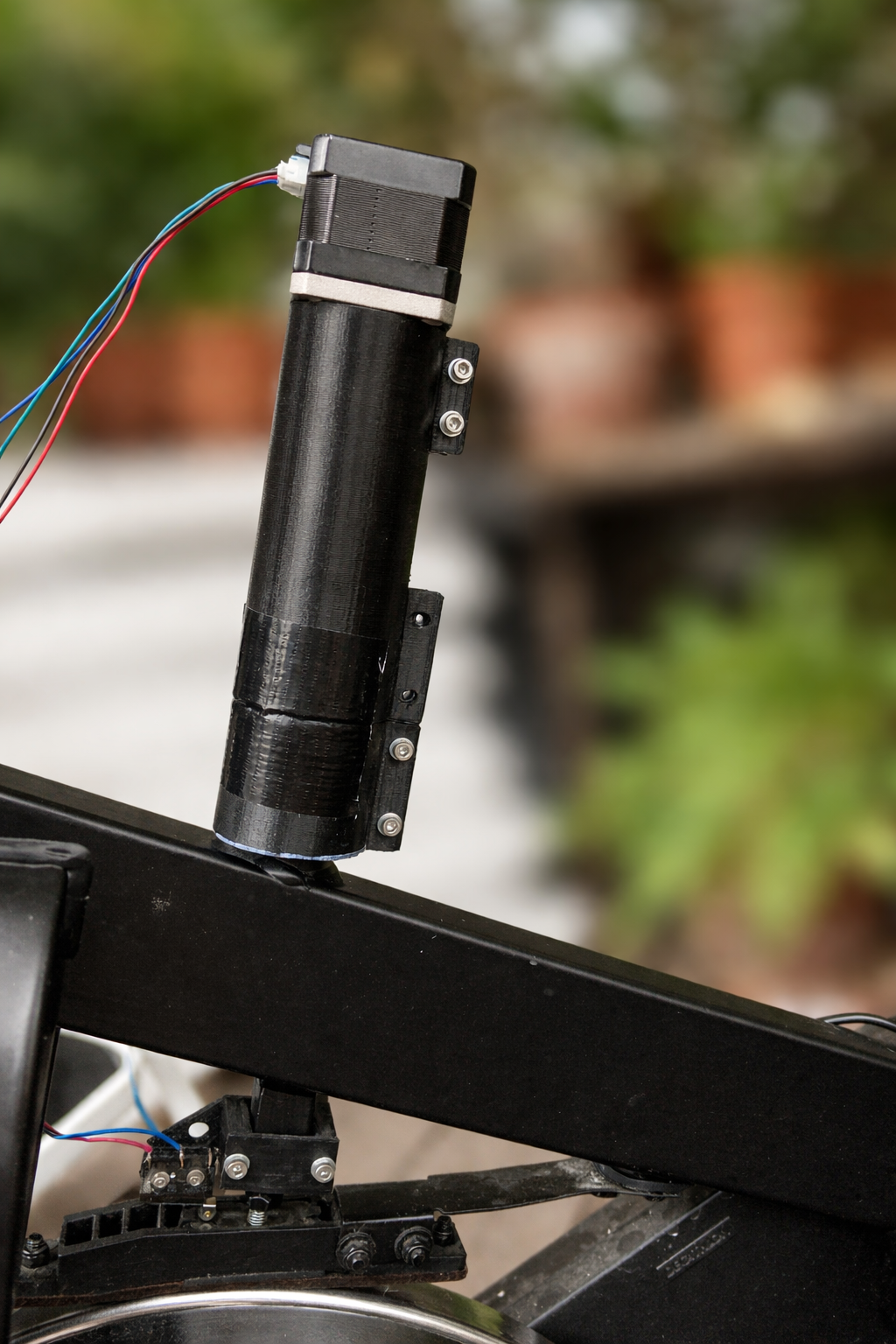
In my case, the stepper motor has a gearbox, so it is strong enough to adjust the resistance instead of the big red knob. It is actually a bit overkill — no high torque is needed.
On my bike, the resistance is adjusted via an M8 threaded rod. It moves the brake pad against the wheel. I aligned the stepper shaft with the axis of the resistance adjustment.
I replaced the knob with a long hexagonal nut. I printed a coupling between the stepper shaft and the hexagonal rod. The stepper must stay fixed in position and direction, therefore the hex nut must be able to slide inside the coupling.
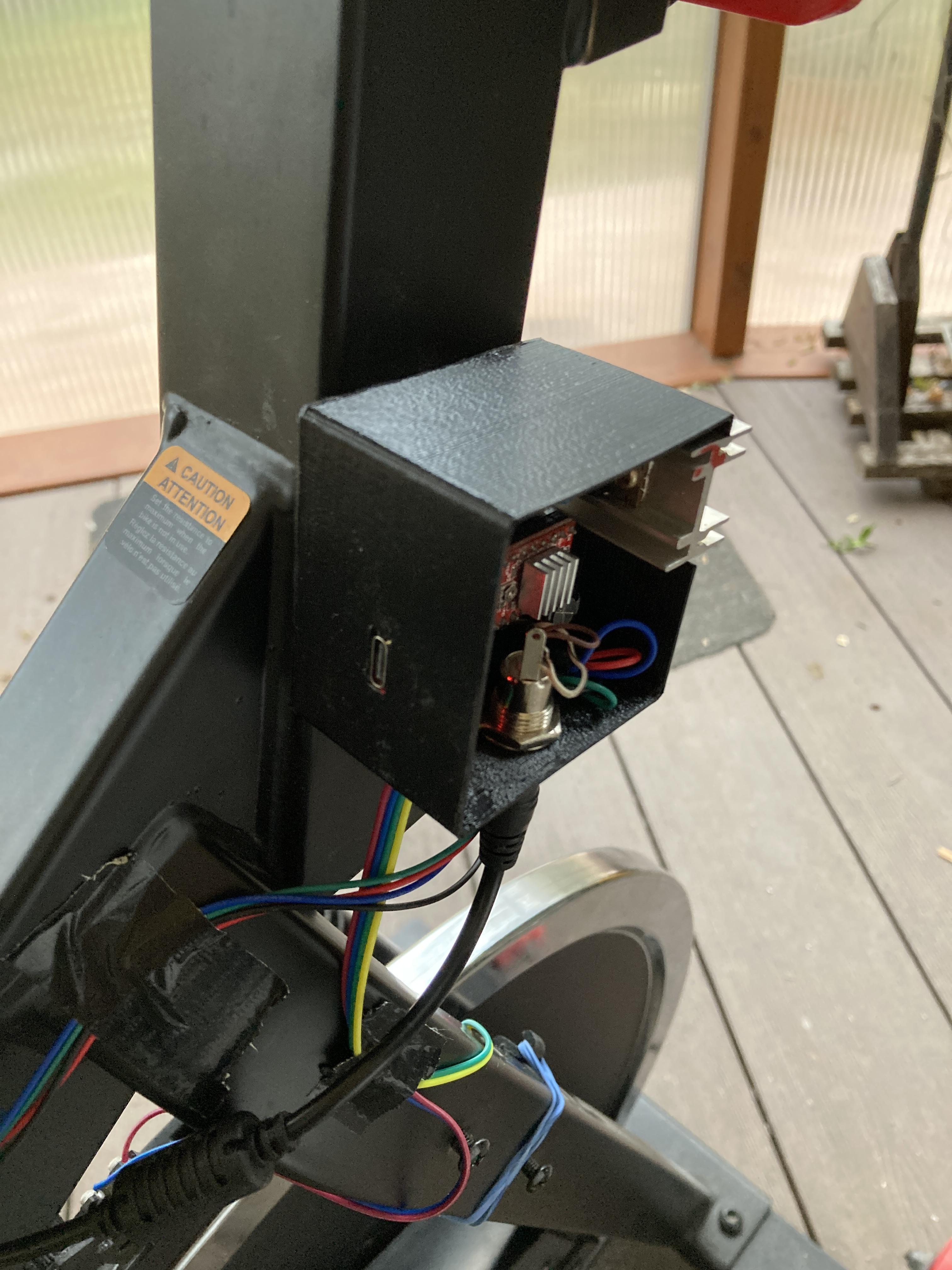
The housing holds the stepper firmly in position and alignment.
Endstop
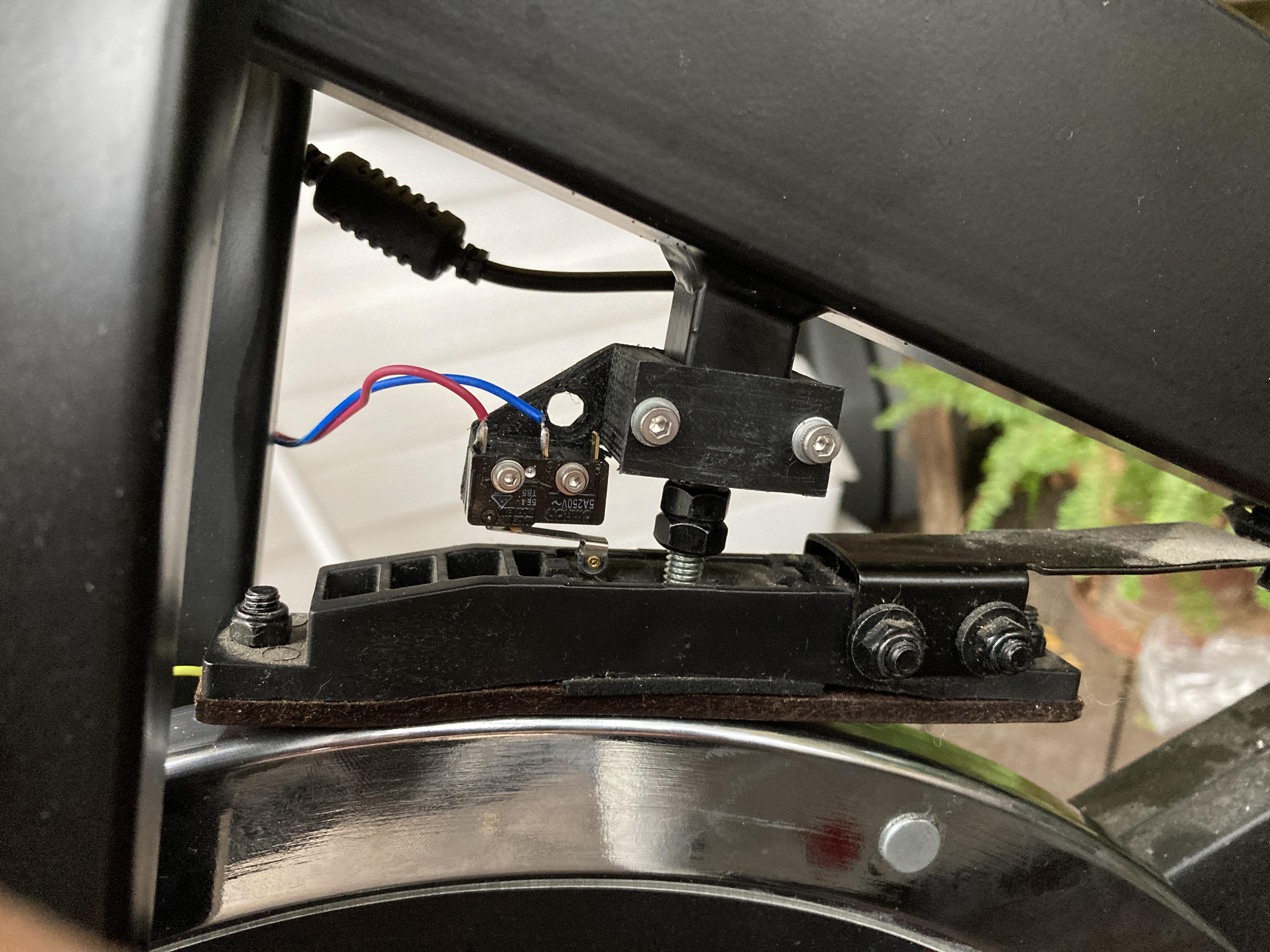
The stepper needs an endstop for initialization. I used a small switch for this. After power-on, the stepper moves to the uppermost position — this is the endstop. After reaching it, the motor moves back to the 0 position, which means 0 resistance, where the brake pad still does not touch the wheel.
Sense the Movement
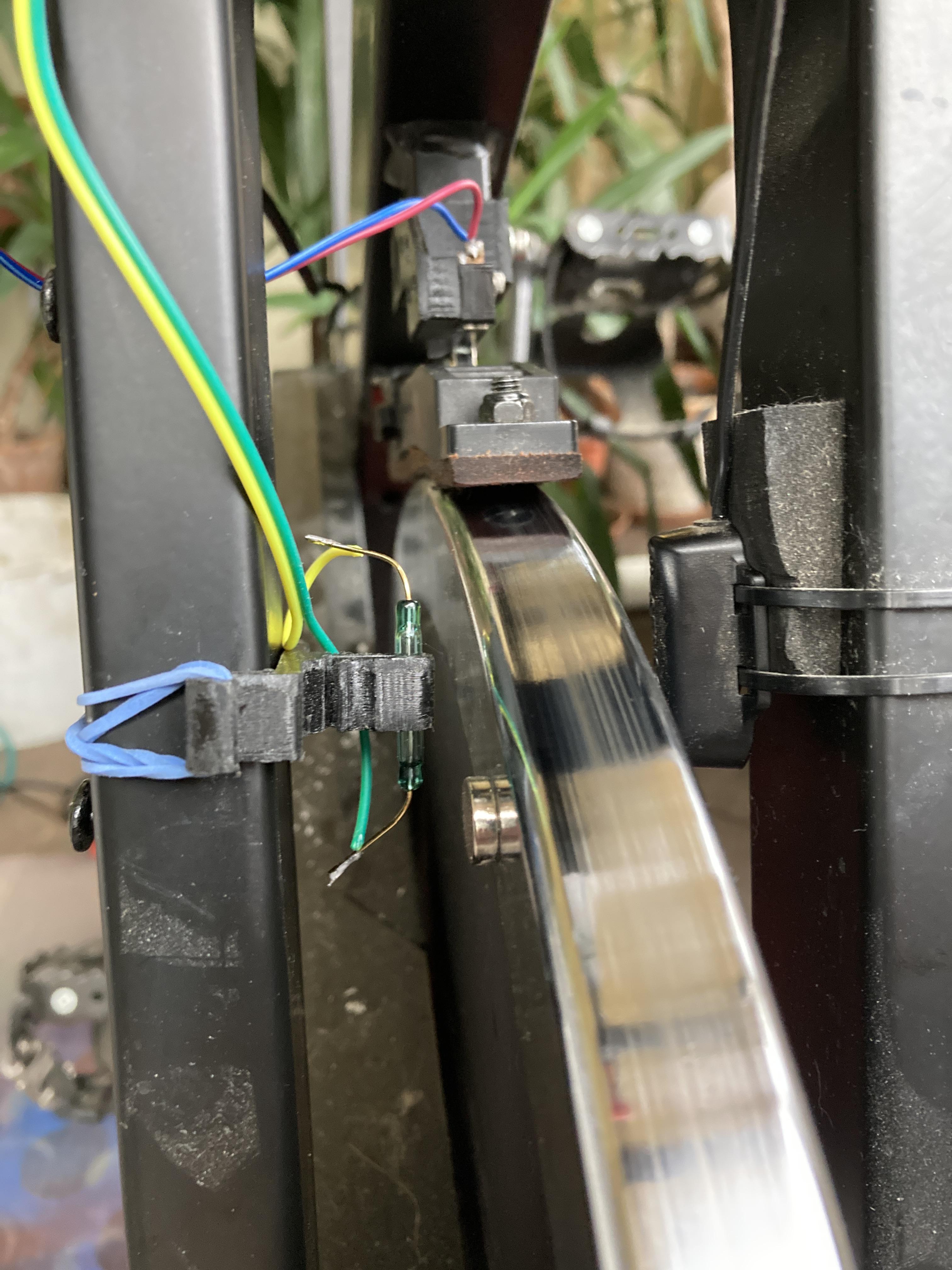
I used a reed contact and a magnet to measure the wheel rotation speed. Every time the magnet passes close to the reed contact, it closes briefly and generates a clean pulse for the ESP32.
My bike has a fixed gear ratio between the crank and the wheel. (In real bikes, the training apps calculate the crank cadence.)
Downloads
Electronics
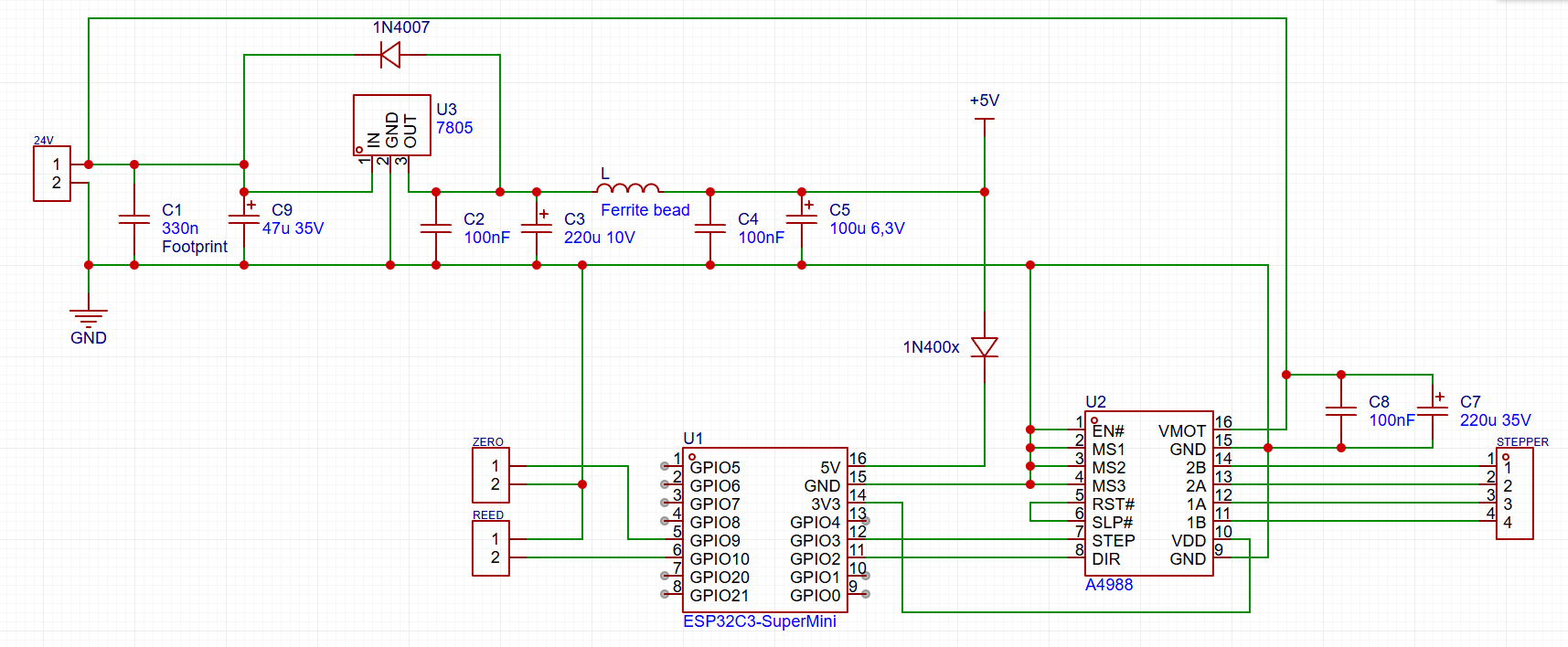
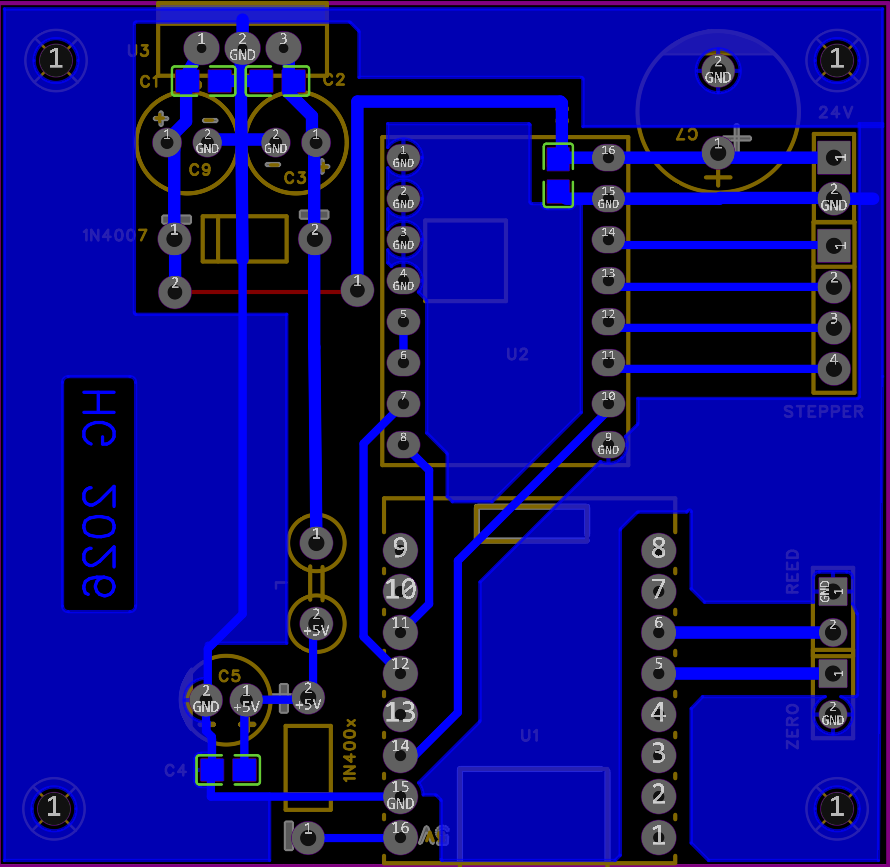
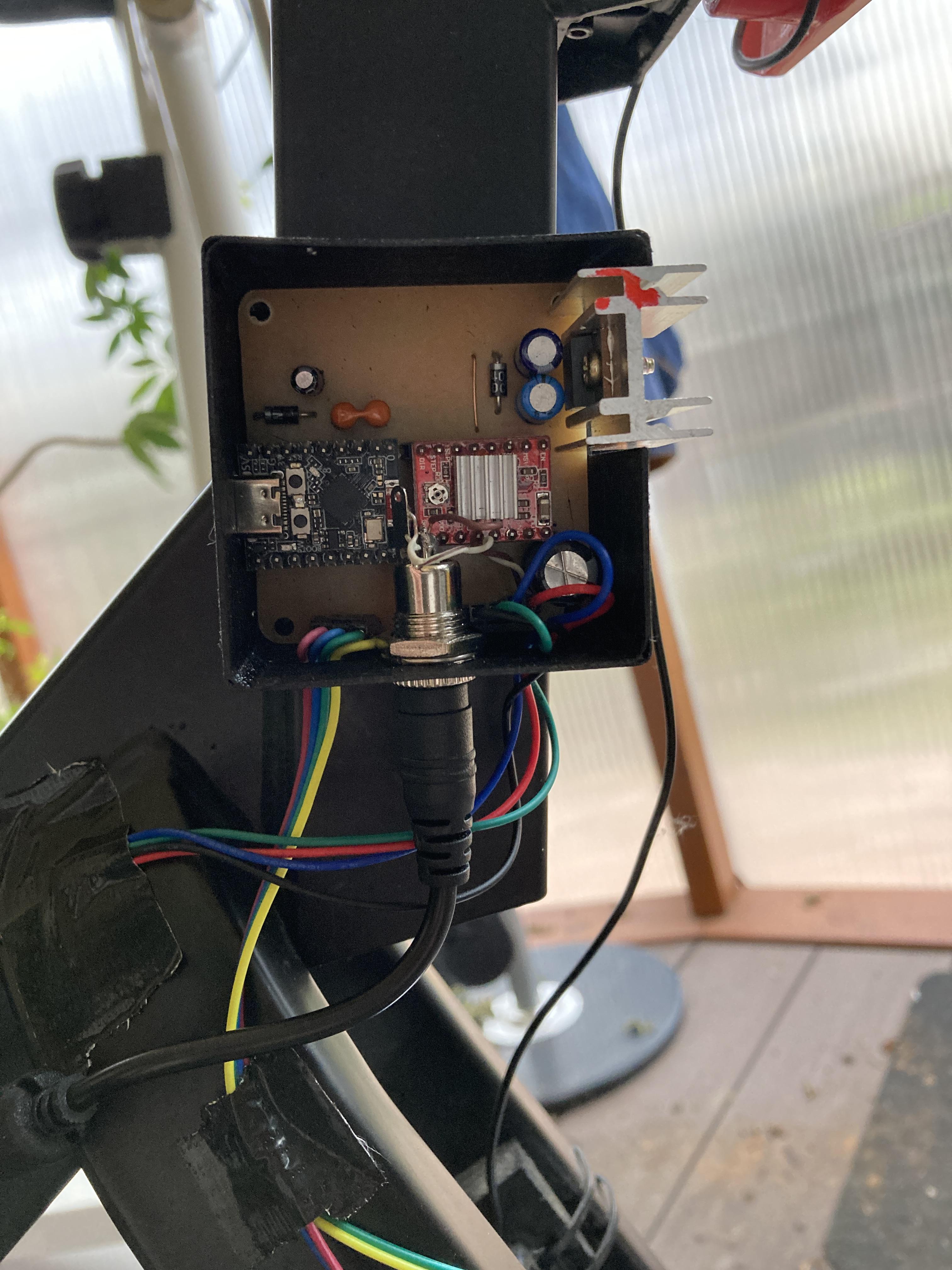
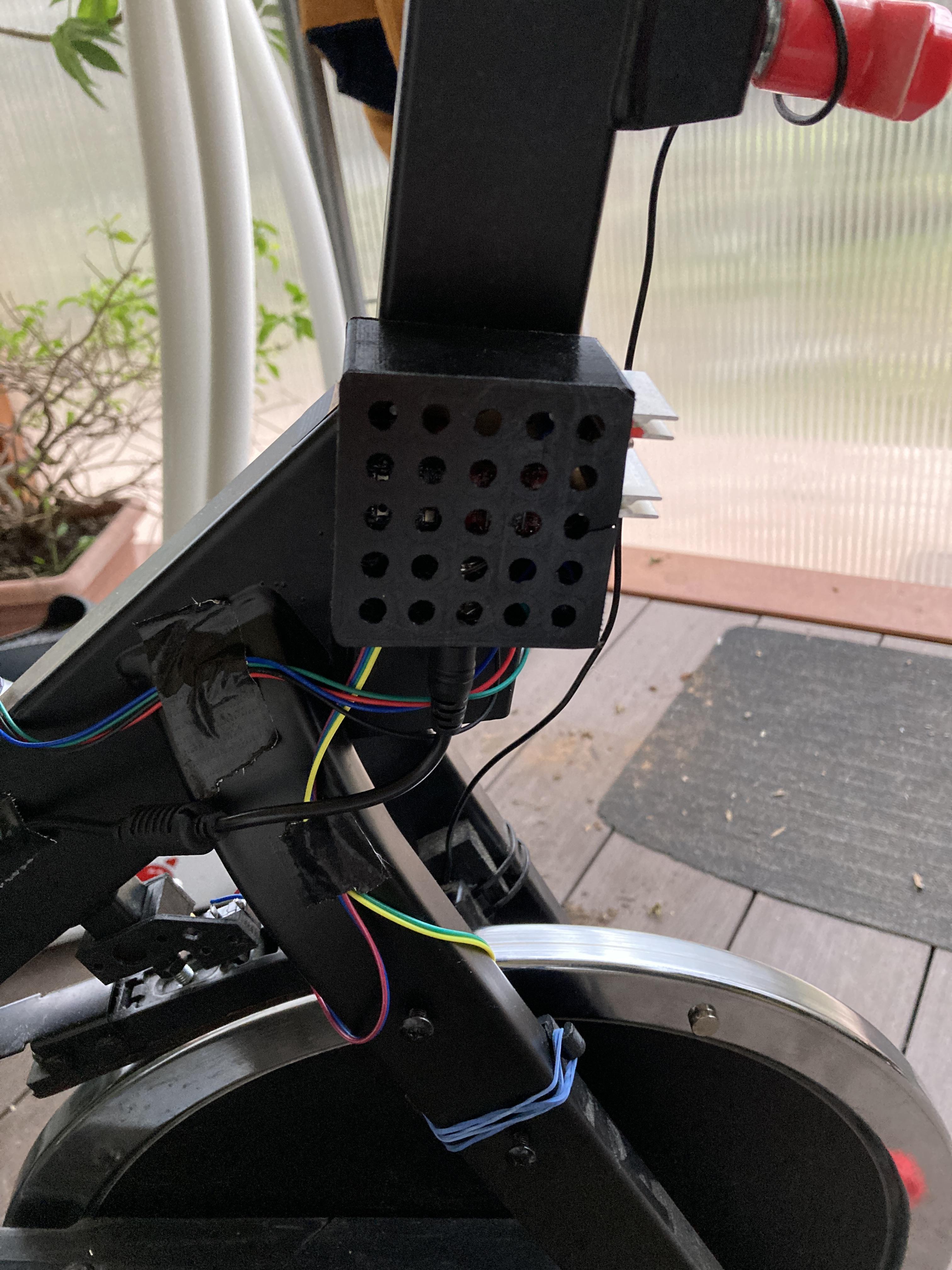
I designed the schematic and PCB based on the parts I already had, so there is still room for improvement.
The schematic is quite simple. It could be even simpler, but I only had a 7805 regulator at home. It generates a lot of heat, so a small heatsink is required. (You should use something like a TRACO Power TSR 1-2450 buck converter instead.)
Instead of a 1N400x diode, a Schottky diode would be better, but the ESP32-C3 SuperMini works fine with 4.4V, so it is still OK.
Downloads
Software
I used VS Code / Platformio environment.
The code is available in Github: https://github.com/GHorneczki/FitnessBike
If you use a different board, make sure to adjust the platformio.ini settings properly.
The code is ready to upload, you have to change only the wifi credentials in main.cpp
Tuning
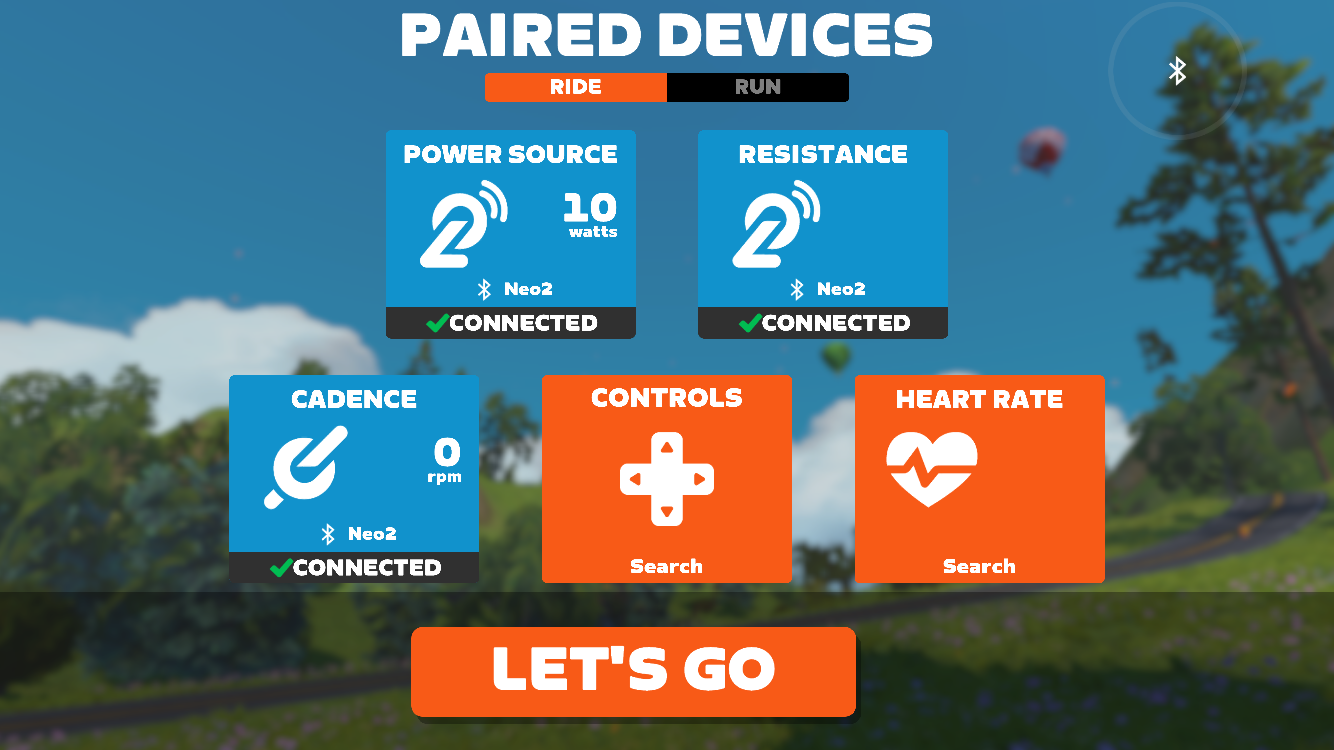
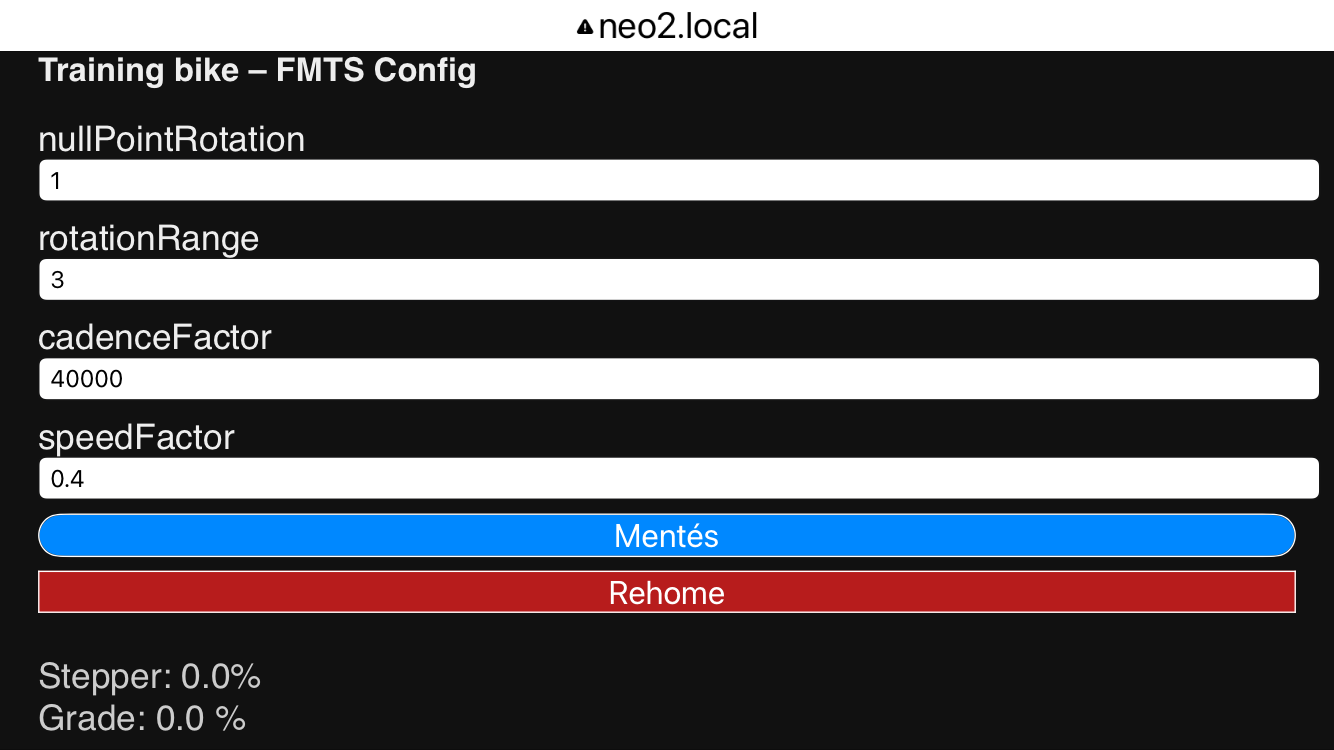
After connecting the power supply, the first step is that the stepper rotates the brake mechanism until it reaches the endstop position. When it reaches it, the endstop switch closes, and the motor reverses direction to move back to the 0 position.
Observe the direction of rotation. If it rotates the wrong way, swap the stepper motor wires.
From this point on, the device advertises itself as a training bike power source. You can check this in the Zwift app.
It also starts a web page at ftms.local. This page allows you to configure the following parameters::
nullPointRotation rotations between endstop and 0 position
rotationRange rotations between 0 and 20% maximum inclination/resistance
cadenceFactor estimated cadence in rpm = cadenceFactor / interval_ms
speedFactor estimated km/h = cadence * speedFactor
Adjust these values until you find the correct parameters for your bike.
The page also shows the current stepper position and the requested grade in %.
Once you find the correct settings, the web page is no longer necessary.
Improvement Possibilities
I tried it with MyWhoosh app. They connected, but MyWhoosh simply didn't send any inclination or other control command 😕
A real power sensor would be more effective, maybe during next winter I will implement it.
The outdoor season starts soon, let's go cycling 🙂🚲